ECU CHEVROLET BLAZER 1997 2.G User Guide
[x] Cancel search | Manufacturer: CHEVROLET, Model Year: 1997, Model line: BLAZER, Model: CHEVROLET BLAZER 1997 2.GPages: 402, PDF Size: 21.93 MB
Page 65 of 402
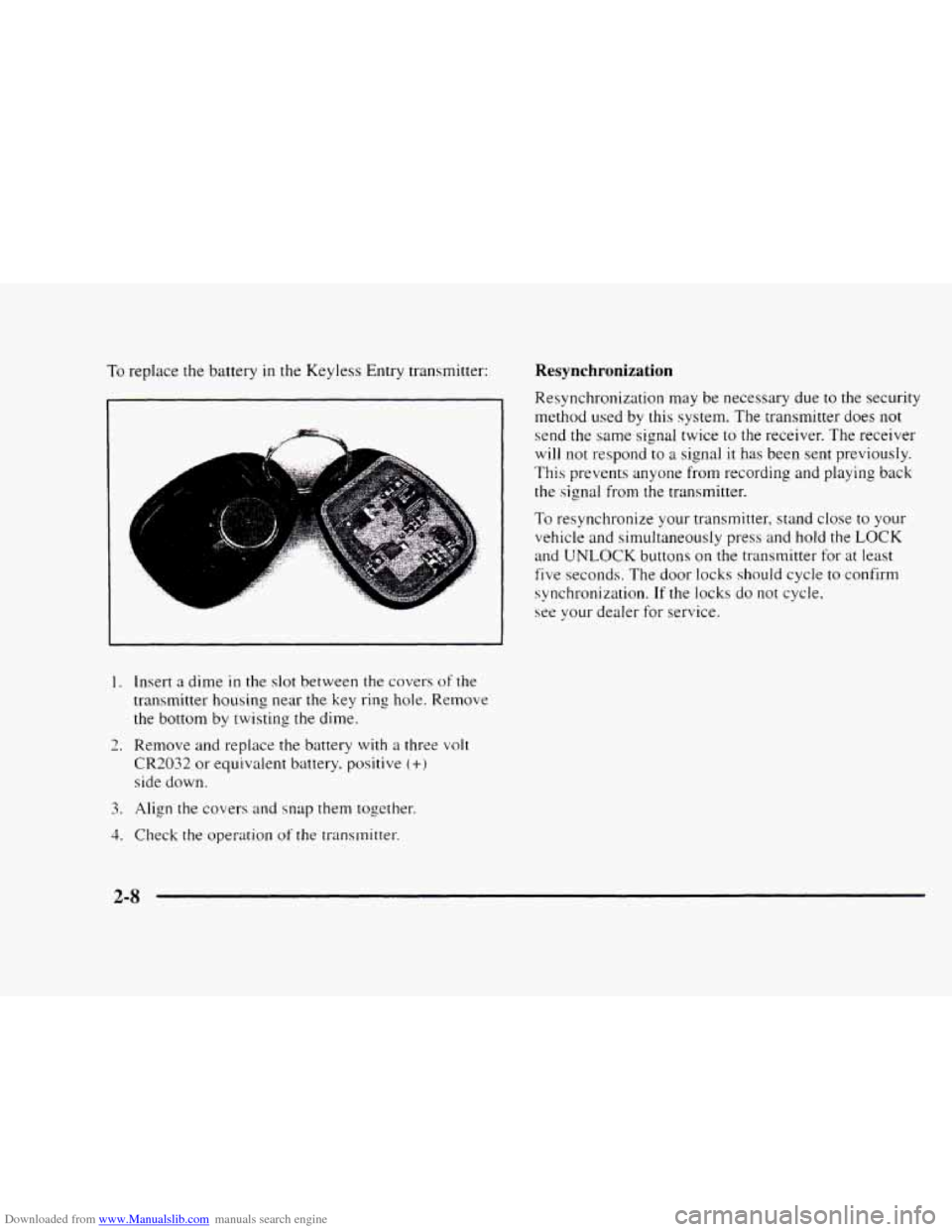
Downloaded from www.Manualslib.com manuals search engine To replace the battery in the Keyless Entry transmitter:
L
&.
I.
2.
3.
4.
Insert a dime in the slot between the covers of the
transmitter housing near the key ring hole. Remove
the bottom by twisting the dime.
Remove and replace the battery with
a three volt
CR2032 or equivalent battery, positive (+)
side down.
Align
the covers and snap them together.
Check the operation
of the transmitter.
Resynchronization
Resynchronization may be necessary due to the security
method used by this system. The transmitter does
not
send the same signal twice to the receiver. The receiver
will not respond to a signal it has been sent previously.
This prevents anyone from recording
and playing back
the signal from the transmitter.
To resynchronize your transmitter, stand close to your
vehicle and simultaneously press and hold the
LOCK
and UNLOCK buttons on the transmitter for at least
five seconds. The door locks should cycle to confirm
synchronization.
If the locks do not cycle,
see your dealer for service.
2-8
Page 68 of 402
Downloaded from www.Manualslib.com manuals search engine Remote Rear Glass Release
REAR HATCH I
This button on the driver's
side
of the steering column
allows
you to release the
rear glass from inside
the vehicle.
If your vehicle has an automatic transmission, your shift
lever must be
in PARK (P) or NEUTRAL (,N) for the
release to work.
If you have
a manual transmission, either with or
without the Keyless Entry option, you must apply your
parking brake before you can open
the endgate glass.
Liftgate Release
Insert the key in the lock button and turn
counterclockwise. All doors will unlock. You may also use
the power lock switches or the keyless entry system, if
your vehicle
is so equipped. Use the handle to open the
liftgate. Press the button
to open the glass when the liftgate
is closed. The glass won't release if the vehicle
is in gear.
Emergency Release for Opening
EndgateLiftgate
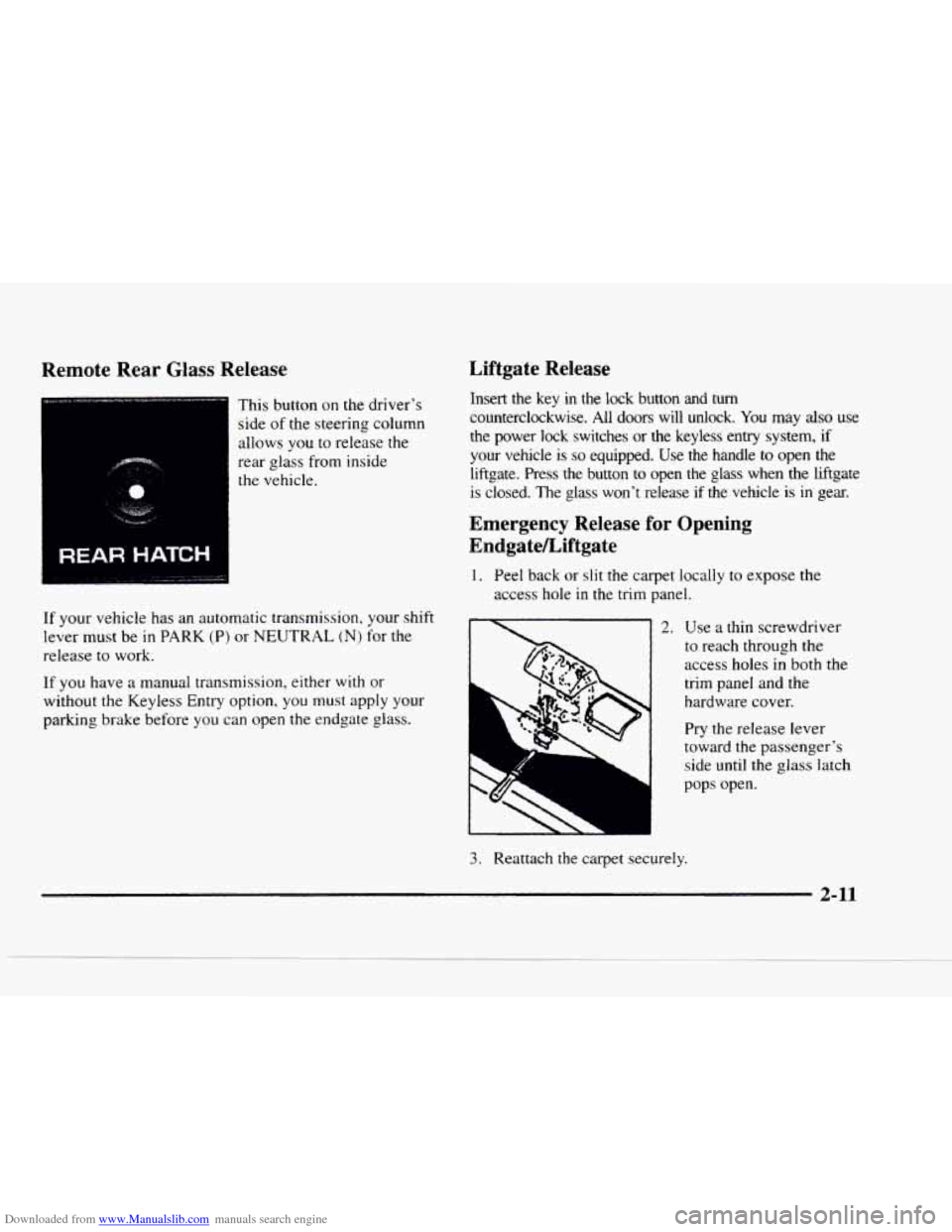
1. Peel back or slit the carpet locally to expose the
access hole
in the trim panel.
ii 2. Use a thin screwdriver
1
~ 2'''
to reach through the
access holes in both the
trim panel and the
hardware cover.
Pry the release lever
toward the passenger's
side until
the glass latch
pops open.
3. Reattach the carpet securely.
- 44
Page 115 of 402
Downloaded from www.Manualslib.com manuals search engine Roll-Up Cargo Cover (If Equipped)
If you have the optional cargo cover, you can use it to
cover items in the cargo area of your vehicle.
Grasp the handle and unroll the cover. Latch the posts
into the sockets on the inside trim panel on the
passenger's side
of the vehicle to secure it.
I A CAUTION:
An improperly stored cargo cover could be
thrown about the vehicle during
a collision
or sudden maneuver. You or others could be
injured.
If you remove the cover, always store it
outside of the vehicle. When you put it back,
always be sure that it is securely reattached. Cargo
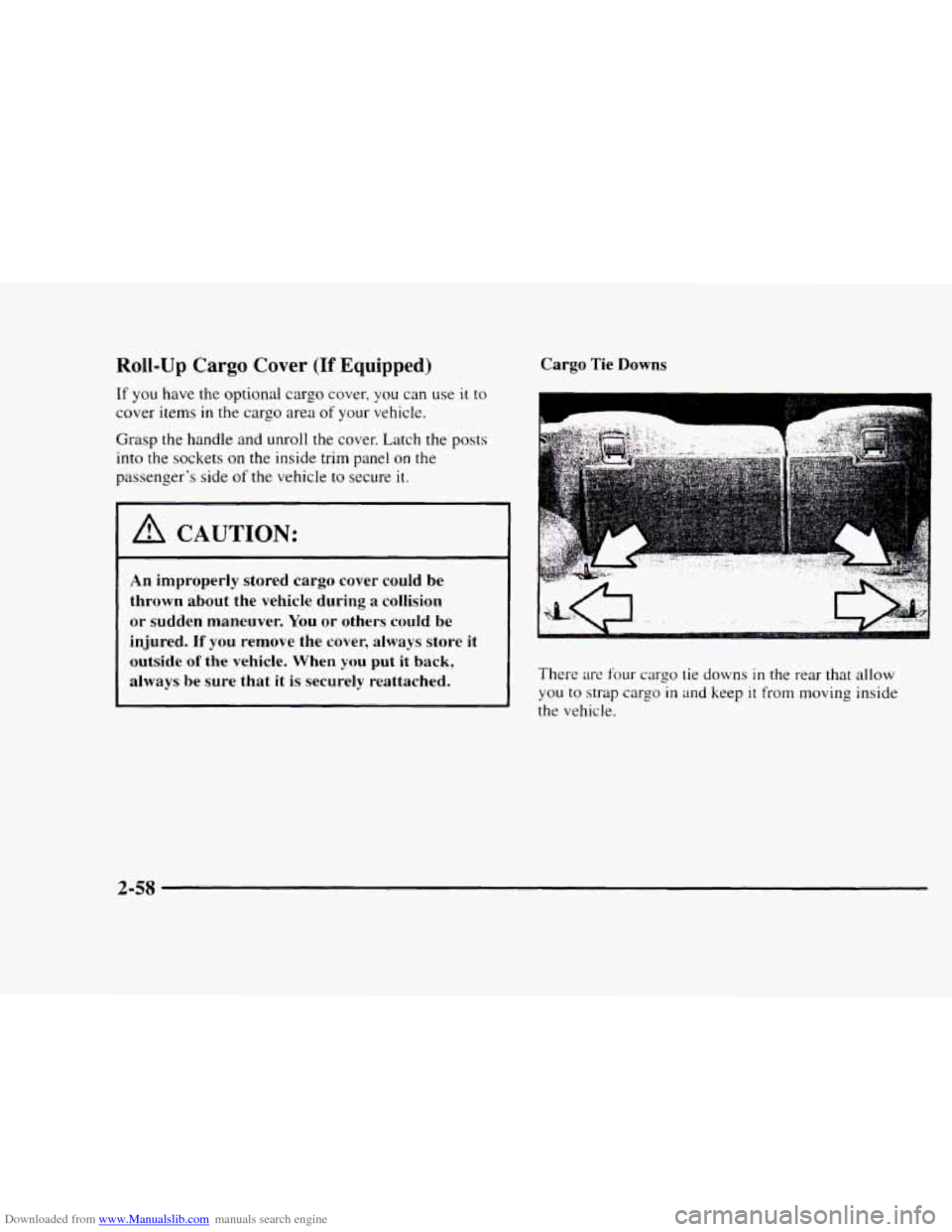
Tie
Downs
There are four cargo tie downs in the rear that allow
you to strap cargo in and keep it from moving inside
the vehicle.
2-58
Page 116 of 402
Downloaded from www.Manualslib.com manuals search engine Luggage Carrier (If Equipped)
A CAUTION:
If you try to carry something on top of your
vehicle that
is longer or wider than the luggage
carrier
-- like paneling, plywood, a mattress, and
so forth -- the wind can catch it as you drive
along. This can cause you
to lose control. What
you are carrying could be violently torn
off, and
this could cause you or other drivers to have
a
collision, and of course damage your vehicle. You
may be able to carry something like this inside.
But, never carry something longer or wider than
the luggage carrier on top
of your vehicle.
The luggage carrier has slats, side rails and crossrails
attached to the roof to secure cargo.
The moveable tie
downs, attached to the side rails, should
be used to
secure loads
to the luggage carrier.
Use
GM accessory racks that are compatible with your
luggage carrier for transporting sports equipment.
These are available through your
GM dealer.
2-59
Page 118 of 402
Downloaded from www.Manualslib.com manuals search engine NOTICE:
Loading cargo that weighs more than 200 lbs.
(91 kg) on the luggage carrier may damage your
vehicle. When you carry large things, never let
them hang over the rear or the sides
of your
vehicle. Load your cargo
so that it rests on the
slats and does not scratch or damage the vehicle.
Put the cargo against the side rails and fasten it
securely to the luggage carrier. Put the main
weight as far forward as you can.
Don’t exceed the maximum vehicle capacity when
loading your vehicle. For more information
on vehicle
capacity and loading, see “Loading Your Vehicle”
in
the Index.
To prevent damage or loss of cargo as you’re driving,
check now and then
to make sure the luggage carrier and
cargo are still securely fastened.
Ashtrays and Cigarette Lighter
To use the lighter, press it in all the way, and let go.
When it’s ready, it will pop back by itself.
NOTICE:
~~~ -~ - ~
Don’t hold a cigarette lighter in with your hand
while it
is heating. If you do, it won’t be able to
back away from the heating element when it’s
ready. That can make it overload, damaging the
lighter and the heating element.
The front ashtray must be completely pulled out to the
open position before the ashtray cover opens and
smoking material can be deposited.
2-6 1
Page 121 of 402
Downloaded from www.Manualslib.com manuals search engine Universal Transmitter (If Equipped)
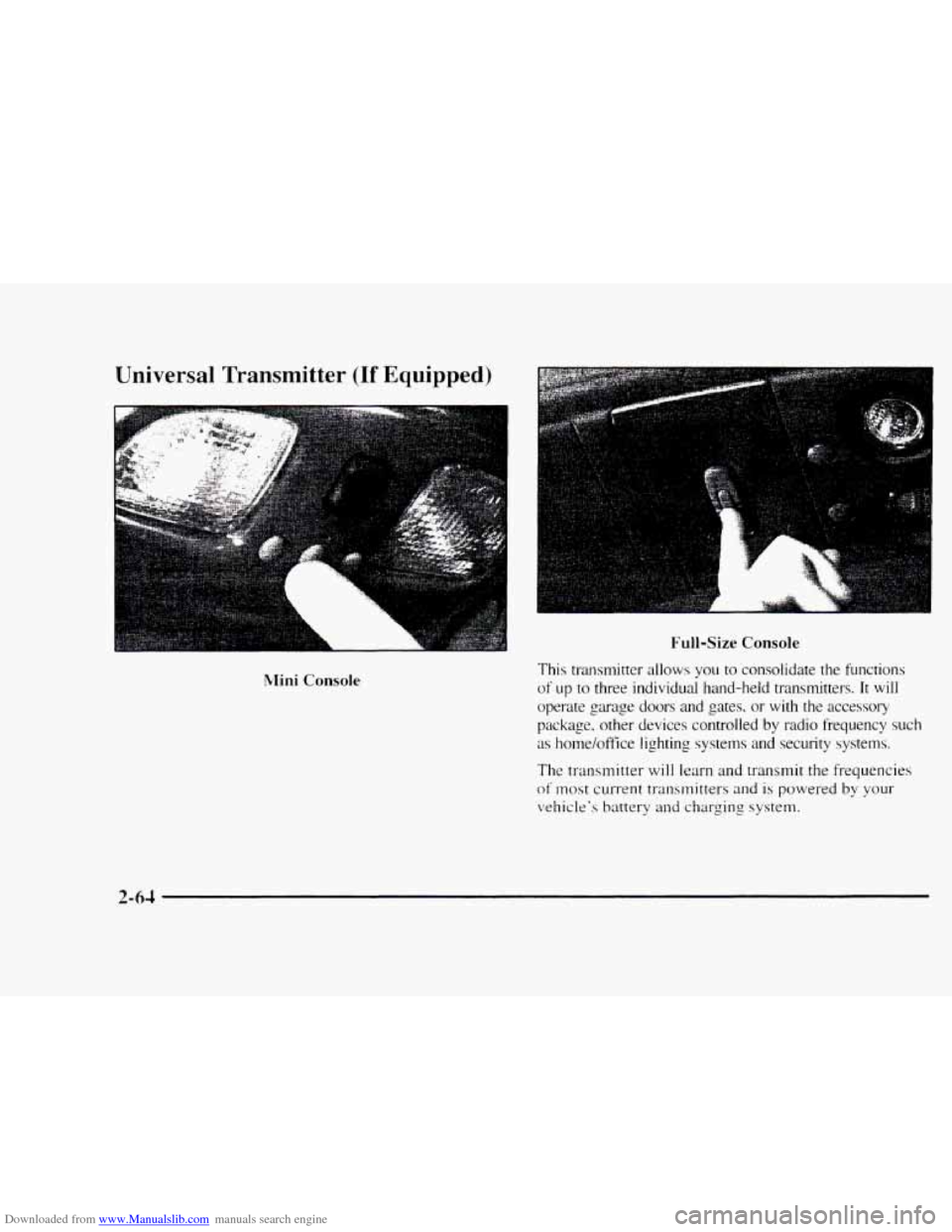
L
!Mini Console
Full-Size Console
This transmitter allows you to consolidate the functions
of up to three individual hand-held transmitters. It will
operate garrage doors and gates. or with the accessory
package, other devices controlled by radio frequency such
as home/office lighting systems and security systems.
The transmitter will learn and transmit the frequencies
of most current transmitters and is powered by your
vehicle's battery
and charging system.
Page 123 of 402
Downloaded from www.Manualslib.com manuals search engine Operating the Transmitter
Press and hold the appropriate button on the universal
transmitter.
The red light comes on while the signal is
being transmitted.
Note
that the effective transmission range of the
universal transmitter may differ from the hand-held
transmitter
and from one channel to another.
Erasing Channels
To erase all three programmed channels. hold down
the two outside buttons
until the red light begins to
flash. Individual channels cannot be erased, but can be
reprogrammed using the procedure for programming the transmitter explained earlier.
Training a Garage Opener with a “Rolling
Code” Feature
If you programmed the universal transmitter, but the
garage door
will not open. and if your garage door opener
was manufactured after
1995, your garage door may have
a security feature that changes the ”code” of your garage
door opener every time
it is opened or closed.
To determine if your garage door opener has this
“rolling code” feature, press the appropriate button on
the universal transmitter that was programmed.
If the
red light flashes rapidly for
one to two seconds. then
turns solid, your ,oarage door opener
has this feature.
To program a garage door opener with the rolling code
feature, do the following:
1.
2.
3.
3.
5.
6.
Program your hand-held transmitter to the universal
transmitter by following the steps provided under
“Programming
the Transmitter“ earlier in this section.
Remove the cover panel from the garage door opener
receiver.
It is located near the garage door opener motor.
Locate the training button on the garage door opener
receiver. The exact location and color will vary
among brands.
Press the training button on the garage door opener
receiver for one to two seconds.
Return to your vehicle and press the programmed
button on the universal transmitter until the red light
flashes rapidly (about two seconds).
Release the button. then repress it to confirm
it was
programmed to
the garage door opener receiver.
You may now use either
the universal transmitter or
the hand-held transmitter to open your garage door.
If you still have difficulty in programming and require
assistance, please
call 1-800-355-35 15.
Accessories
Accessories for the universal transmitter are available
from the manufacturer of the unit.
If you would like
additional information. please call
1-800-355-35 15.
2-66
Page 157 of 402
Downloaded from www.Manualslib.com manuals search engine I. Write down any three or four-digit number from
000 to 1999 and keep it in a safe place separate from
the vehicle.
2. Turn the isnition to ACCESSORY or RUN.
3. Turn the radio off.
4. Press the 1 and 4 buttons together. Hold thcm dow~l
until --- shows on the display. Next yo11 will use the
secret code number which
you have written down.
5. Press MN and 000 will appear on the display.
6. Press MN again to make the last two digits agree
with your code.
7. Press HR to 111ake the first one or two digits agree
with your
code.
8. Press AM-FM after- you have confirmed that the
code matches the secret code
you ha\;e written down.
The display will show REP to Ict you
know that you
need to repeat Steps 5 through 7 to confirm your
secret code.
Unlocking the Theft-Deterrent Feature After a
Power
Loss
Enter your secret code as follows: pause no more than
I5 seconds between steps:
1. LOC appears when the ignition is on.
2. Press MN and 000 cvill appear on the display.
3. Press MN again to lnake the last two digits agree
with your code.
4. Press HR to make the first one or two digits agree
with your code.
5. Press AM-FM after you have confirmed that the
code matches the secret code
~OLI have written down
The display will show SEC, indicating the radio is
now operable and secure.
If ~OLI enter the wrong code eight times, INOP will
appear on the display. You will have to wait an hour
with the ignition on before yo11 can try apin. When you
try asain. you will only have three chances to enter the
correct code before
lNOP appears.
If you lose or forger your code. contact your dealer.
3-18
Page 158 of 402
Downloaded from www.Manualslib.com manuals search engine Disabling the Theft-Deterrent Feature
Enter your secret code as follows; pause no more than
15 seconds between steps:
1. Turn the ignition to ACCESSORY or RUN.
2. Turn the radio off.
3. Press the 1 and 4 buttons together. Hold them down
until SEC shows on the display.
4. Press MN and 000 will appear on the display.
5. Press MN again to make the last two digits agree
with your code.
6. Press HR to make the first one or two digits agree
with your code.
7. Press AM-FM after you have confirmed that the
code matches the secret code you have written down.
The display will show
---, indicating that the radio is
no longer secured.
If the code entered is incorrect, SEC will appear on the
display. The radio will remain secured until
the correct
code is entered.
When battery power is removed and later applied
to a
secured radio, the radio won’t turn
on and LOC will
appear
on the display. To
unlock a secured radio,
see “Unlocking the
Theft-Deterrent Feature After
a Power Loss” earlier in
this section.
Understanding Radio Reception
FM Stereo
FM stereo will give you the best sound. But FM signals
will reach only about 10 to 40 miles (16 to 65 km). Tall
buildings or hills can interfere with
FM signals, causing
the sound to come and go.
AM
The range for most AM stations is greater than for FM,
especially at night. The longer range, however, can
cause stations to interfere with each other.
AM can pick
up noise from things like storms and power lines. Try
reducing
the treble to reduce this noise if you ever get it.
Tips About Your Audio System
Hearing damage from loud noise is almost undetectable
until it is too late. Your hearing can adapt to higher
volumes
of sound. Sound that seems normal can be loud
and harmful to your hearing. Take precautions by
adjusting the volume control on your radio to
a safe
sound level before your hearing adapts
to it.
3-19
Page 176 of 402
Downloaded from www.Manualslib.com manuals search engine Off-Road Driving with Your
Four-Wheel-Drive Vehicle
This off-road guide is for vehicles that have
four-wheel drive.
Also, see “Anti-Lock Brakes”
in the Index.
If your vehicle doesn‘t have four-wheel drive, you
shouldn‘t drive off-road unless you‘re on a level,
solid surface.
Off-road driving can be great
fun. But it does have some
definite hazards. The greatest
of these is the terrain itself.
“Off-roading” means
you’ve left the great North
American road
system behind. Traffic lanes aren‘t
marked. Curves aren’t banked. There are
no road signs.
Surfaces can be slippery. rough, uphill
or downhill. In
short. you’ve gone right back to nature.
Off-road driving involves some new skills. And that’s
why it’s very important that you read this guide. You’ll
find many driving tips and suggestions. These will help
make your off-road driving safer and more enjoyable.
Before You Go Off-Roading
There are sutfre things to do before you go out. For
example, be sure
to have all necessary maintenance and
service work done. Check
to make sure all underbody
shields
(if so equipped) are properly attached. Be sure
you read all the information about your
four-wheel-drive vehicle
in this manual. Is there enough
fuel?
Is the spare tire fully inflated? Are the fluid levels
up where they should be? What are
the local laws that
apply to off-roading where you’ll be driving? If
you
don’t know, you should check with law enforcement
people
in the area. Will you be on someone’s private
land?
If so, be sure to get the necessary permission.
Loading Your Vehicle for Off-Road Driving
There are some important things to remember about
how
to load your vehicle.
The heaviest things should be on the load floor and
forward of your rear axle. Put heavier items as far
forward
as you can.
Be sure the load is secured properly, so driving on
the off-road terrain doesn’t toss things around.
4- 15