key CHEVROLET BLAZER 1998 2.G Owner's Manual
[x] Cancel search | Manufacturer: CHEVROLET, Model Year: 1998, Model line: BLAZER, Model: CHEVROLET BLAZER 1998 2.GPages: 416, PDF Size: 22.4 MB
Page 98 of 416
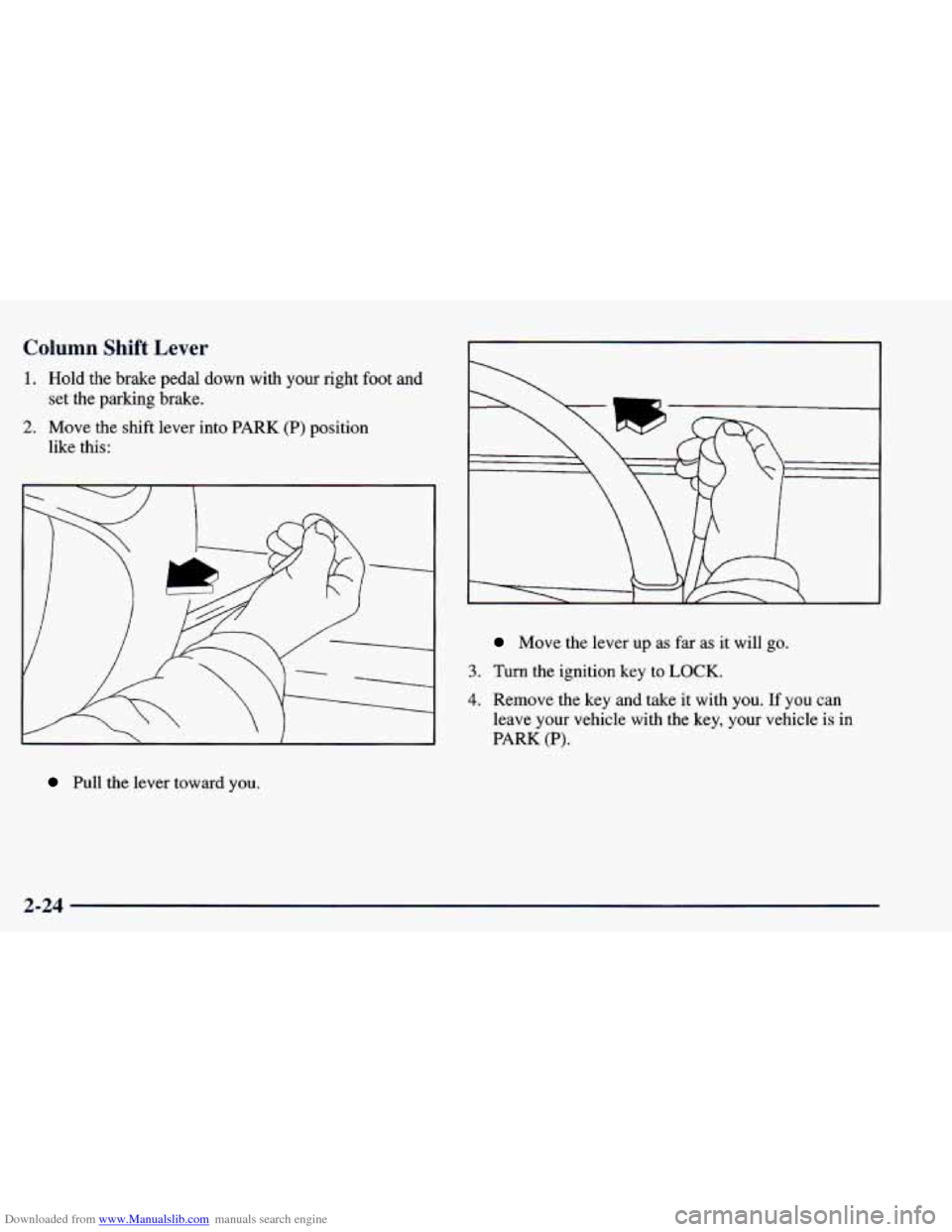
Downloaded from www.Manualslib.com manuals search engine Column Shift Lever
1. Hold the brake pedal down with your right foot and
set the parking brake.
2. Move the shift lever into PARK (P) position
like this:
Pull the lever toward you.
Move the lever up as far as it will go.
3. Turn the ignition key to LOCK.
4. Remove the key and take it with you. If you can
leave your vehicle with the key, your vehicle is
in
PARK (P).
2-24
Page 99 of 416
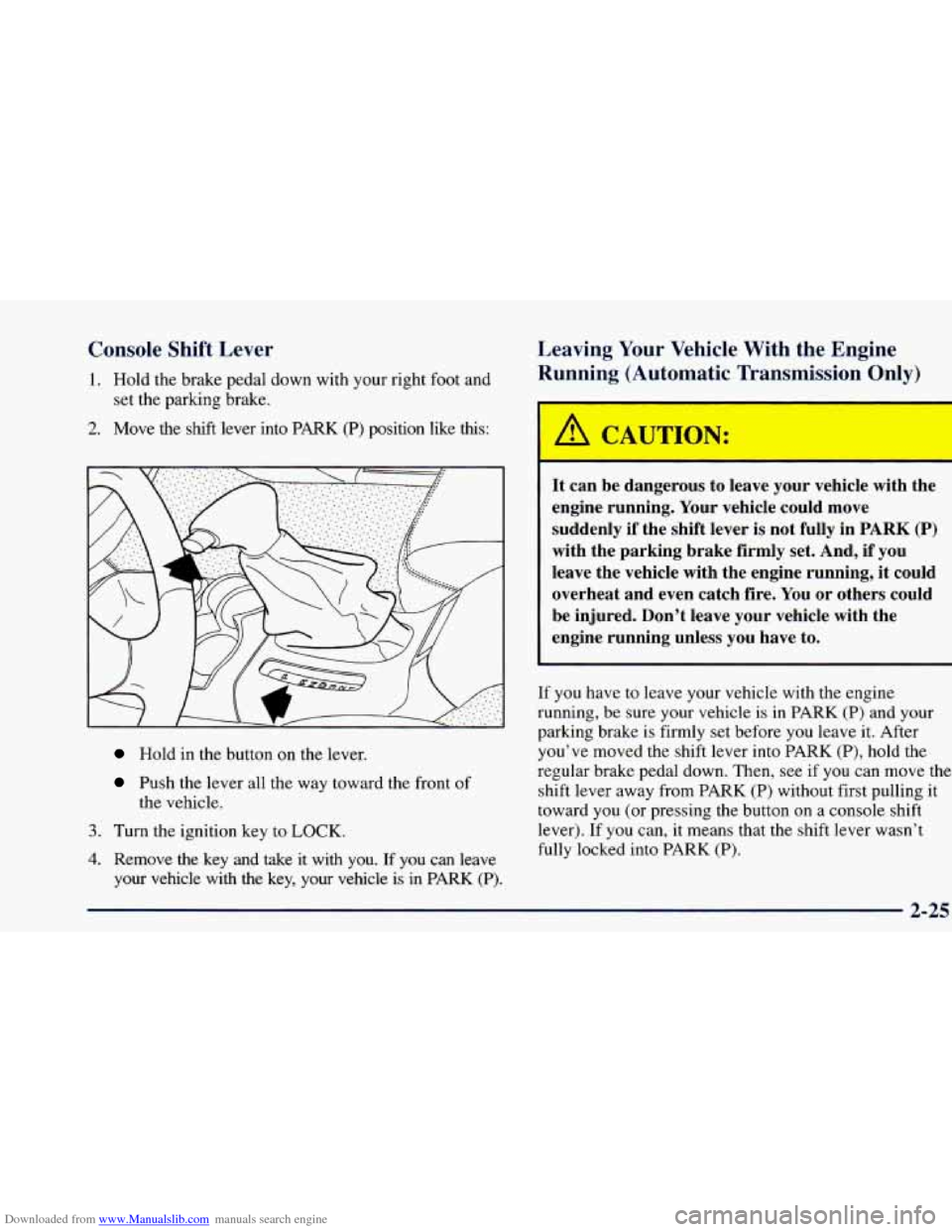
Downloaded from www.Manualslib.com manuals search engine Console Shift Lever
1. Hold the brake pedal down with your right foot and
set the parking brake.
2. Move the shift lever into PARK (P) position like this:
Hold in the button on the lever.
Push the lever all the way toward the front of
the vehicle.
3. Turn the ignition key to LOCK.
4. Remove the key and take it with you. If you can leave
your vehicle with the key, your vehicle is in
PARK (P).
Leaving Your Vehicle With the Engine
Running
(Autom ~ ’ic Transmission C dy)
It can be dangerous to leave your vehicle with the
engine running. Your vehicle could move
suddenly if the shift lever is not fully in PARK
(P)
with the parking brake firmly set. And, if you
leave the vehicle with the engine running, it could
overheat and even catch fire. You or others could
be injured. Don’t leave your vehicle with the
engine running unless you have to.
If you have to leave your vehicle with the engine
running, be sure your vehicle is in PARK
(P) and your
parking brake is firmly set before you leave it. After
you’ve moved the shift lever into PARK
(P), hold the
regular brake pedal down. Then, see
if you can move the
shift lever away from PARK
(P) without first pulling it
toward
you (or pressing the button on a console shift
lever).
If you can, it means that the shift lever wasn’t
fully locked into PARK
(P).
2-25
Page 100 of 416
Downloaded from www.Manualslib.com manuals search engine Torque Lock (Automatic Transmission)
If you are parking on a hill and you don’t shift your
transmission into PARK (P) properly, the weight of the
vehicle may put too much force
on the parking pawl in
the transmission. You may find it difficult to pull the
shift lever out
of PARK (P). This is called “torque lock.”
To prevent torque lock, set the parking brake and then
shift into PARK (P) properly before you leave the
driver’s seat. To find
out how, see “Shifting Into
PARK
(P)” in the Index.
When
you are ready to drive, move the shift lever out of
PARK (P)
before you release the parking brake.
If torque lock does occur, you may need to have another
vehicle push yours a little uphill
to take some of the
pressure from the parking pawl in the transmission,
so
you can pull the shift lever out of PARK (P).
Shifting Out of Park (P)
(Automatic Transmission)
Your vehicle has a Brake-Transmission Shift Interlock
(BTSI). You have
to fully apply your regular brake
before you can shift from PARK
(P) when the ignition is
in
RUN. See “Automatic Transmission Operation” in
the Index.
If you cannot shift out of PARK (P), ease pressure on
the shift lever
-- push the shift lever all the way into
PARK
(P) as you maintain brake application. Then move
the shift lever into the gear you want (you must press the
shift lever button if you have the console shift lever.)
If you ever hold the brake pedal down but still can’t
shift out of PARK
(P), try this:
1. Turn the key to OFF.
2. Apply and hold the brake until the end of Step 4.
3. Shift to NEUTRAL (N).
4. Start the vehicle and then shift to the drive gear
5. Have the vehicle fixed as soon as you can.
you want.
Parking
Your Vehicle (Manual
Transmission Models Only)
Before you get out of your vehicle, turn off your engine,
put your manual transmission in
REVERSE (R) and
firmly apply the parking brake.
If
you are parking on a hill, or if your vehicle is pulling
a trailer, see “Towing
a Trailer” in the Index.
2-26
Page 115 of 416
Downloaded from www.Manualslib.com manuals search engine Rotate the knob to the right to the master lamps symbol
to turn on all the lamps listed as well as the headlamps.
Rotate the knob all the
way to the left to turn off your
lamps and put the system in auto headlamp mode.
Automatic Headlamp System
When it is dark enough outside, your automatic
headlamp system will turn on your headlamps at the
normal brightness along with other lamps such as the
taillamps, sidemarker, parking lamps and the instrument
panel lights. The radio lights will also be dim.
Your vehicle is equipped with a light sensor on the top
of the instrument panel under the radio speaker grill so
be sure it is not covered, which will cause the system to
be on whenever the ignition is on.
The system may also turn on your headlamps when
driving through a parking garage, heavy overcast
weather, a tunnel or fueling your vehicle in a low-light
area. This is normal. There is
a delay in the transition between the daytime and
nighttime operation of the Daytime Running Lamps
(DRL) and the automatic headlamp systems so that driving
under bridges or bright overhead street lights does not
affect the system. The
DRL and automatic headlamp
system will
only be affected when the light sensor sees a
change in lighting lasting longer than the delay.
To idle your vehicle with the automatic headlamp
system off, set the parking brake while the ignition is
off. Then
start your vehicle. The automatic headlamp
system will stay off until you release the parking brake.
As with any vehicle, you should turn on the regular
headlamp system when you need it.
Lamps On Reminder
A reminder chime will sound when your headlamps or
parking lamps are manually turned on and your ignition
is in
OFF, LOCK or ACCESSORY. To turn the chime
off, turn the knob all the way to the left or turn the
instrument panel dimmer down to the fully dimmed
position. In the automatic mode, the headlamps turn off
once the ignition key is in
OFF.
2-41
Page 117 of 416
Downloaded from www.Manualslib.com manuals search engine Interior Lamps
Brightness Control
Turn the switch next to the headlamp switch up to make
your instrument panel lights brighter. Turn the switch
all
the way up to turn on the interior lamps.
Exit Lighting
With exit lighting, the interior lamps will come on when
you remove the key from the ignition to help you see
while exiting the vehicle. These lights will stay on for a
short period of time and then will go out.
Illuminated Entry
Your vehicle is equipped with an illuminated
entry feature.
When the doors are opened, the dome lamps will come
on if the DOME OVERRIDE button is out. When
all the doors are closed, or the front door handles are
lifted and released, the lamps will stay on for a short
period
of time and will then go out. When the
DOME OVERRIDE button is pressed in, the
lamps will go out immediately.
Front Reading Lamps (If Equipped)
Press the button near each lamp on the overhead console
to turn the reading lamps on and
off. The lamps can be
swiveled to point in the desired direction.
If you have the mini-console, press the lens on each
lamp to turn it
on or off.
Front Map Lamps (If Equipped)
If your vehicle has optional front map lamps, they are
located on the inside rearview mirror. They will
automatically come on for approximately
40 seconds when
the doors are unlocked with the keyless entry transmitter (if equipped) or until the ignition key is turned to RUN or\
ACCESSORY. The lamps will
also stay on for
approximately
40 seconds after you exit the vehicle unless
you lock the doors with the keyless entry transmitter.
You can also turn the lamps on and off by pressing the
switch near each lamp.
Dome Lamps
The dome lamps will come on when you open the doors.
You can also turn the dome lamps on by rotating the
thumb wheel, located next to the parking/headlamps
knob, all the way up
to the top detent position. In this
position, the dome lamps will remain on whether the
doors are opened or closed.
2-43
Page 118 of 416
Downloaded from www.Manualslib.com manuals search engine You can use the DOME OVERRIDE button, located
below the parkingheadlamp
knob, to set the dome
lamps to
come on automatically when the doors are
opened, or to remain off. To turn the lamps off, press the
button once. With the button in this position, the dome
lamps will remain off when the doors are open. To
return the lamps to automatic operation, press the button
again and return it to the ‘‘OU~” position. With the button
in this position, the dome lamps will come on when you
open the door. This will not override the illuminated
entry feature.
Battery Run-Down Protection
This feature shuts off the dome, courtesy, vanity,
reading, glove box and underhood lamps
if they are left
on for more than
20 minutes when the ignition is off.
This will keep
your battery from running down.
If the battery run-down protection shuts
off the interior
lamps, to return to normal operation it may be
necessary to:
Shut off all lamps and close all doors, or
0 Turn the ignition key to RUN.
Mirrors
Electrochromic Daymight Inside
Rearview Mirror
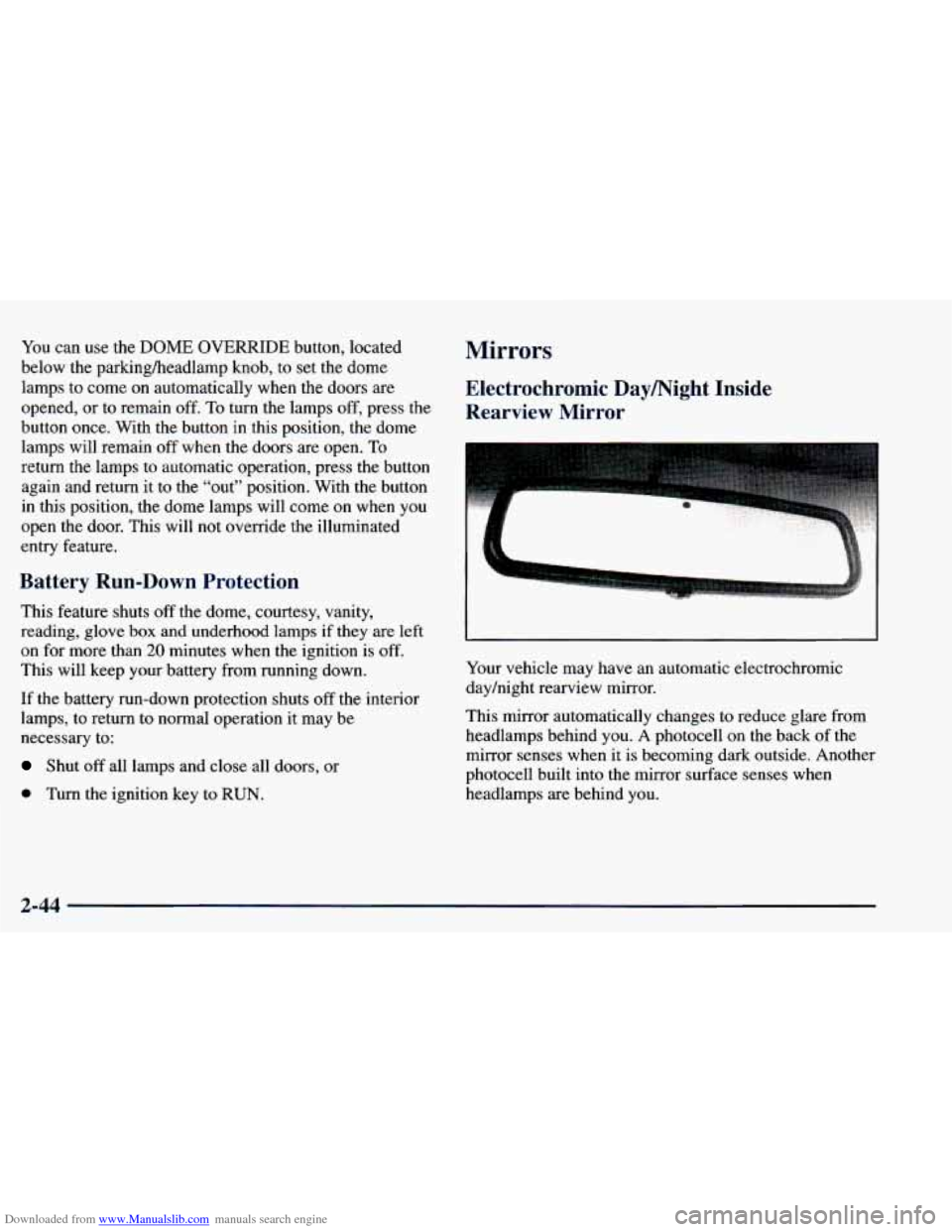
Your vehicle may have an automatic electrochromic
dayhight rearview mirror.
This mirror automatically changes to reduce glare from
headlamps behind you.
A photocell on the back of the
mirror senses when it is becoming
dark outside. Another
photocell built into the mirror surface senses when
headlamps are behind you.
2-44
Page 142 of 416
Downloaded from www.Manualslib.com manuals search engine Warning Lights, Gages and Indicators
This part describes the warning lights and gages that
may be
on your vehicle. The pictures will help you
locate them.
Warning lights and gages can signal that something is
wrong before it becomes serious enough to cause an
expensive repair or replacement. Paying attention to
your warning lights and gages
could also save you or
others from injury.
Warning lights come on when there may be or is a
problem with one
of your vehicle’s functions. As you
will see in the details on the next few pages, some
warning lights come on briefly when
you start the
engine just to let
you know they’re working. If you are
familiar with this section, you should not be alarmed
when this happens.
Gages can indicate when there may be or is a problem
with one of
your vehicle’s functions. Often gages and
warning lights work together to let
you know when
there’s a problem with your vehicle. When
one of the warning lights comes on and stays on
when you
are driving, or when one of the gages shows
there may be a problem, check the section that tells you
what to do about it. Please follow this manual’s advice.
Waiting
to do repairs can be costly -- and even
dangerous.
So please get to know your warning lights
and gages. They’re a big help.
Safety Belt Reminder Light
When the key is turned to RUN or START, a chime will
come
on for about eight seconds to remind people to
fasten their safety belts, unless the driver’s safety belt is
already buckled.
The safety belt light will
also come
on and stay on
for about
20 seconds,
then it will flash for about
55 seconds. If the driver’s
belt
is already buckled,
neither the chime nor the
light will come
on.
2-68
Page 143 of 416
Downloaded from www.Manualslib.com manuals search engine Air Bag Readiness Light
There is an air bag readiness light on the instrument
panel, which shows the air bag symbol. The system
checks the air bag’s electrical system for malfunctions.
The light tells
you if there is an electrical problem. The
system check includes the air bag sensors, the air bag
module, the wiring and the diagnostic module. For more information on the air bag system, see “Air Bag” in
the Index.
This light will come
on
when you start your engine,
and it will flash for a few
seconds. Then the light
should go out. This means
the system is ready.
Charging System Indicator Light
If the air bag readiness light stays on after you start the
engine or comes on when
you are driving, your air bag
system may not work properly. Have your vehicle
serviced right away.
The air bag readiness light should flash for a few
seconds when
you turn the ignition key to RUN. If the
light doesn’t come on then, have it fixed
so it will be
ready to warn you if there is a problem. The
charging system light
will
come on briefly when
you turn on the ignition,
but the engine is not
running, as
a check to
show
you it is working.
It should go out once the engine is running.
If it stays
on, or comes on while
you are driving, you may have a
problem with the charging system. It could indicate that
you have problems with a generator drive belt, or
another electrical problem. Have it checked right away.
Driving while this light is
on could drain your battery.
If you must drive a short distance with the light on, be
certain to turn off all your accessories, such as the radio
and air conditioner.
2-69
Page 145 of 416
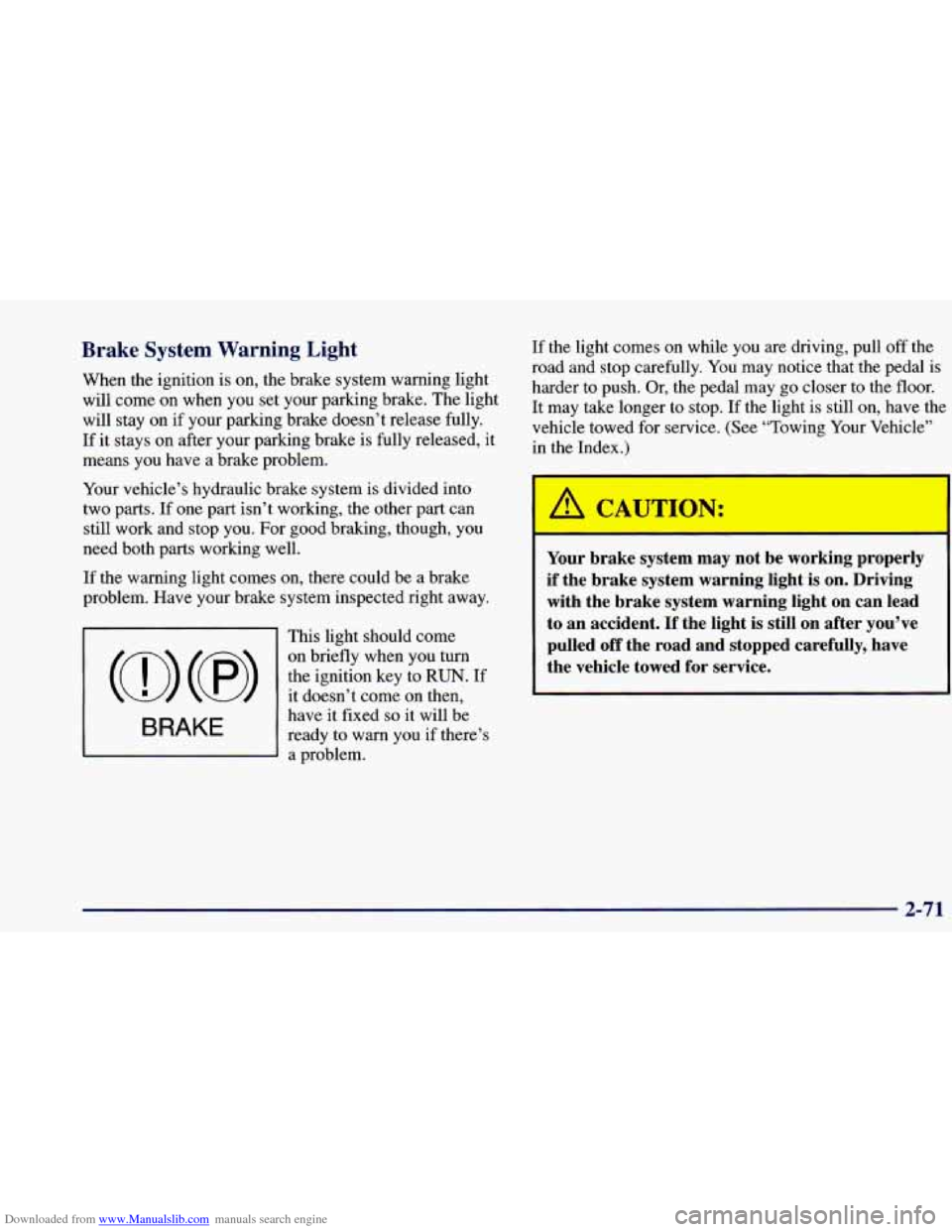
Downloaded from www.Manualslib.com manuals search engine Brake System Warning Light
When the ignition is on, the brake system warning light
will come on when you set your parlung brake. The light
will stay on if your parking brake doesn’t release fully.
If it stays on after your parking brake is fully released, it
means you have a brake problem.
Your vehicle’s hydraulic brake system is divided into
two parts.
If one part isn’t working, the other part can
still
work and stop you. For good braking, though, you
need both parts working well.
If the warning light comes on, there could be a brake
problem. Have your brake system inspected right away.
This light should come
(0) (8>
the ignition key to RUN. If
on briefly when you turn
it
doesn’t come on then,
have it fixed
so it will be
ready to warn you if there’s
a problem.
BRAKE
If the light comes on while you are driving, pull off the
road and stop carefully. You may notice that the pedal is
harder to push. Or, the pedal may go closer to the floor.
It may take longer to stop. If the light is still on, have the
vehicle towed for service.
(See “Towing Your Vehicle”
in the Index.)
’ A CAUTl IN:
F--
Your brake system may not be working properly
if the brake system warning light is on. Driving
with the brake system warning light on can lead
to an accident.
If the light is still on after you’ve
pulled
off the road and stopped carefully, have
the vehicle towed for service.
2-71
Page 146 of 416
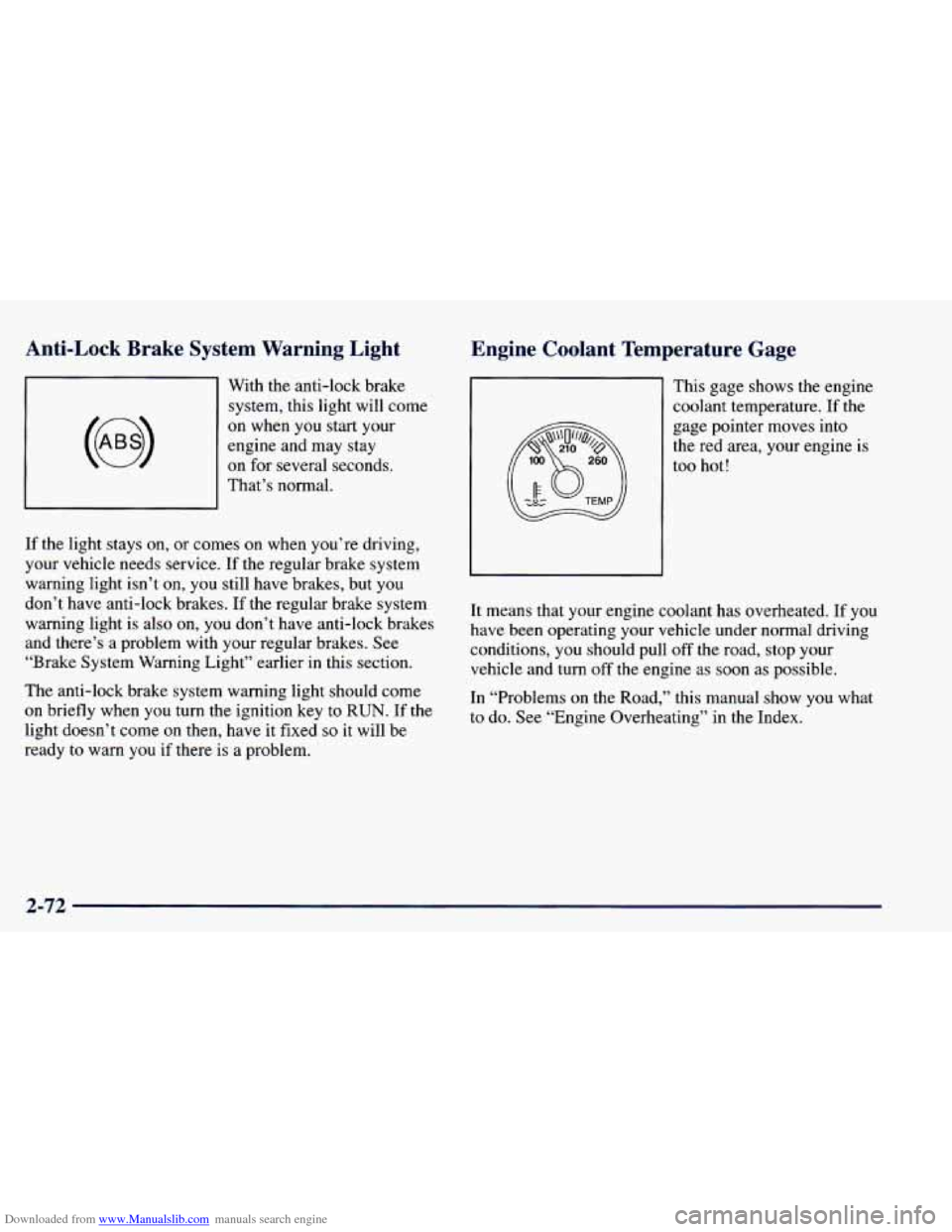
Downloaded from www.Manualslib.com manuals search engine Anti-Lock Brake System Warning Light
With the anti-lock brake system, this light will come
on when you start your
engine and may stay
on for several seconds.
That’s normal.
If the light stays
on, or comes on when you’re driving,
your vehicle needs service. If the regular brake system
warning light isn’t on,
you still have brakes, but you
don’t have anti-lock brakes. If the regular brake system
warning light is also on, you don’t have anti-lock brakes
and there’s a problem with your regular brakes.
See
“Brake System Warning Light” earlier in this section.
The anti-lock brake system warning light should come
on briefly when you turn the ignition key to RUN. If the
light doesn’t come on then, have it fixed
so it will be
ready to warn
you if there is a problem.
Engine Coolant Temperature Gage
This gage shows the engine
coolant temperature. If the
gage pointer moves into
the red area, your engine
is
too hot!
It means that your engine coolant has overheated. If
you
have been operating your vehicle under normal driving
conditions,
you should pull off the road, stop your
vehicle and turn off the engine as soon as possible.
In “Problems
on the Road,” this manual show you what
to do. See “Engine Overheating’’ in the Index.
2-72