glove box CHEVROLET BLAZER 2005 2.G Owners Manual
[x] Cancel search | Manufacturer: CHEVROLET, Model Year: 2005, Model line: BLAZER, Model: CHEVROLET BLAZER 2005 2.GPages: 436, PDF Size: 2.55 MB
Page 68 of 436
HomeLink®Transmitter...................................2-44
Programming the HomeLink®Transmitter.........2-46
Storage Areas................................................2-49
Glove Box...................................................2-49
Overhead Console........................................2-49
Front Storage Area.......................................2-52
Luggage Carrier...........................................2-53Rear Storage Area........................................2-55
Convenience Net..........................................2-55
Cargo Tie Downs..........................................2-55
Rear Convenience System.............................2-56
Sunroof.........................................................2-58
Vehicle Personalization...................................2-60
Memory Seat...............................................2-60
Section 2 Features and Controls
2-2
Page 115 of 436
Reprogramming a Single HomeLink®
Button
To program a device to HomeLink®using a HomeLink®
button previously trained, follow these steps:
1. Press and hold the desired HomeLink
®button. Do
not release the button.
2. The indicator light will begin to ash after
20 seconds. While still holding the HomeLink
®
button, proceed with Step 2 under “Programming
HomeLink®” shown earlier in this section.
Resetting Defaults
To reset HomeLink®to default settings do the following:
1. Hold down the two outside buttons for about
20 seconds until the indicator light begins to ash.
2. Continue to hold both buttons until the HomeLink
®
indicator light turns off.
3. Release both buttons.
For questions or comments, contact HomeLink
®at
1-800-355-3515, or on the internet at
www.homelink.com.
Storage Areas
Glove Box
Open the glove box by pulling the bottom of the handle
upward.
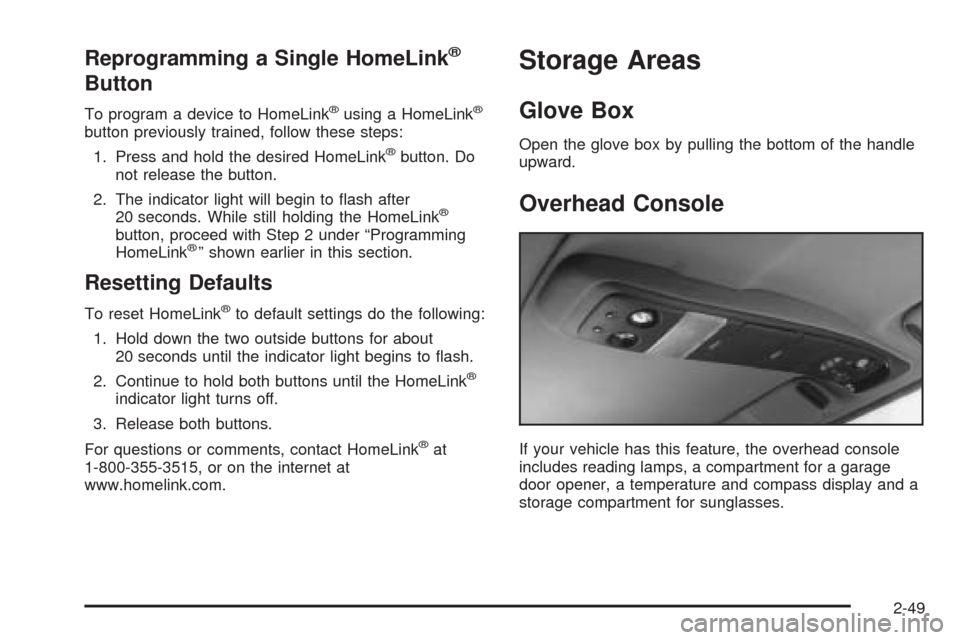
Overhead Console
If your vehicle has this feature, the overhead console
includes reading lamps, a compartment for a garage
door opener, a temperature and compass display and a
storage compartment for sunglasses.
2-49
Page 131 of 436
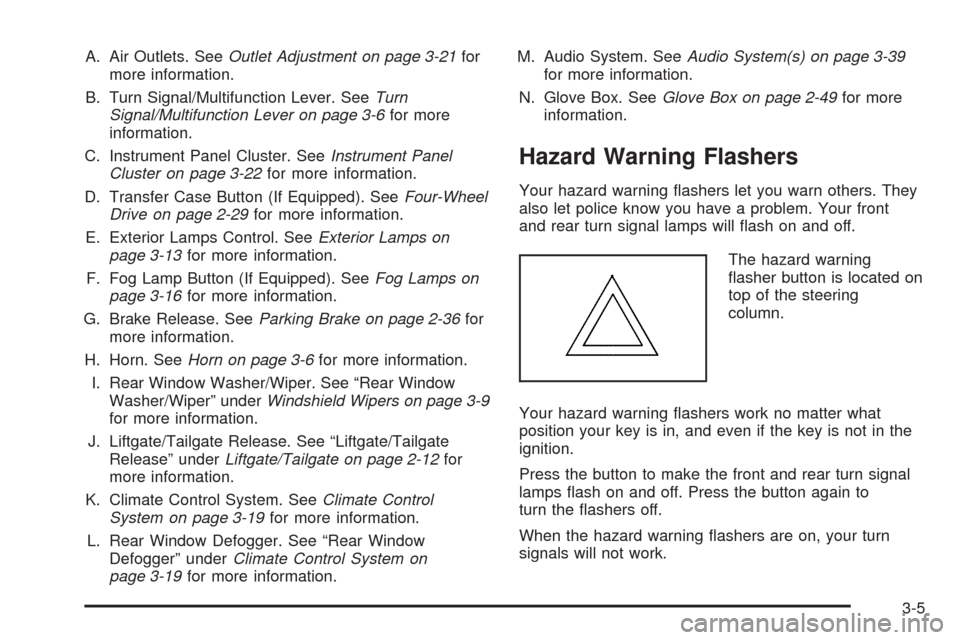
A. Air Outlets. SeeOutlet Adjustment on page 3-21for
more information.
B. Turn Signal/Multifunction Lever. SeeTurn
Signal/Multifunction Lever on page 3-6for more
information.
C. Instrument Panel Cluster. SeeInstrument Panel
Cluster on page 3-22for more information.
D. Transfer Case Button (If Equipped). SeeFour-Wheel
Drive on page 2-29for more information.
E. Exterior Lamps Control. SeeExterior Lamps on
page 3-13for more information.
F. Fog Lamp Button (If Equipped). SeeFog Lamps on
page 3-16for more information.
G. Brake Release. SeeParking Brake on page 2-36for
more information.
H. Horn. SeeHorn on page 3-6for more information.
I. Rear Window Washer/Wiper. See “Rear Window
Washer/Wiper” underWindshield Wipers on page 3-9
for more information.
J. Liftgate/Tailgate Release. See “Liftgate/Tailgate
Release” underLiftgate/Tailgate on page 2-12for
more information.
K. Climate Control System. SeeClimate Control
System on page 3-19for more information.
L. Rear Window Defogger. See “Rear Window
Defogger” underClimate Control System on
page 3-19for more information.M. Audio System. SeeAudio System(s) on page 3-39
for more information.
N. Glove Box. SeeGlove Box on page 2-49for more
information.
Hazard Warning Flashers
Your hazard warning ashers let you warn others. They
also let police know you have a problem. Your front
and rear turn signal lamps will ash on and off.
The hazard warning
asher button is located on
top of the steering
column.
Your hazard warning ashers work no matter what
position your key is in, and even if the key is not in the
ignition.
Press the button to make the front and rear turn signal
lamps ash on and off. Press the button again to
turn the ashers off.
When the hazard warning ashers are on, your turn
signals will not work.
3-5
Page 143 of 436
Entry Lighting
Your vehicle is equipped with an illuminated entry feature.
When a door is opened, the dome lamps will come on if
the DOME OVERRIDE button is in the out position.
When the doors are closed, the lamps will stay on for a
short period of time and will turn off automatically. If
you use your keyless entry transmitter, if equipped, to
unlock your vehicle, the interior lamps will come on for a
short time whether or not the DOME OVERRIDE
button is in the out position.
Exit Lighting
With exit lighting, the interior lamps will come on when
you remove the key from the ignition to help you
see while exiting the vehicle. If the DOME OVERRIDE
button is in the out position, these lamps will stay
on for a short period of time and then will go out.
Front Reading Lamps
Press the button located near each lamp on the
overhead console to turn a reading lamp on and off.
The lamps can be swiveled to point in the desired
direction.
If you have the mini console, press the lens on each
lamp to turn it on or off.
Map Lamps
If your vehicle has front map lamps, they are located on
the inside rearview mirror. They will automatically
come on for about 40 seconds when the doors are
unlocked with the keyless entry transmitter, if equipped,
or until the ignition key is turned to RUN or
ACCESSORY. The lamps will also stay on for about
40 seconds after you exit the vehicle unless you lock the
doors with the keyless entry transmitter.
You can also turn the lamps on and off by pressing the
button near each lamp.
Battery Run-Down Protection
This feature shuts off the dome, courtesy, vanity,
reading, glove box and underhood lamps if they are left
on for more than 20 minutes when the ignition is off.
This will keep your battery from running down.
If the battery run-down protection shuts off the interior
lamps, it may be necessary to do one of the following to
return to normal operation:
Shut off all lamps and close all doors.
Turn the ignition key to RUN.
3-17
Page 368 of 436
Service Parts Identication Label
You will nd this label on the inside of the glove box. It
is very helpful if you ever need to order parts. On
this label, you will nd the following:
VIN
Model designation
Paint information
Production options and special equipment
Be sure that this label is not removed from the vehicle.
Electrical System
Add-On Electrical Equipment
Notice:Don’t add anything electrical to your vehicle
unless you check with your dealer rst. Some
electrical equipment can damage your vehicle and
the damage wouldn’t be covered by your warranty.
Some add-on electrical equipment can keep other
components from working as they should.
Your vehicle has an air bag system. Before attempting
to add anything electrical to your vehicle, see
Servicing Your Airbag-Equipped Vehicle on page 1-57.
Headlamps
The headlamp wiring is protected by an internal circuit
breaker. An electrical overload will cause the lamps to go
on and off, or in some cases to remain off. If this
happens, have your headlamp wiring checked right away.
5-96
Page 401 of 436
At Least Once a Year
Key Lock Cylinders Service
Lubricate the key lock cylinders with the lubricant
specied in Part D.
Body Lubrication Service
Lubricate all hood hinges, hood latch assembly,
secondary latch, pivots, spring anchor, release pawl,
door hinges, fuel door hinge, endgate hinges, outer
tailgate handle pivot points, tailgate hinges, tailgate
mounted spare tire (if equipped), glove box and console
doors, moving seat hardware and folding seat
hardware. Part D tells you what to use. More frequent
lubrication may be required when exposed to a corrosive
environment.
Starter Switch Check
{CAUTION:
When you are doing this inspection, the
vehicle could move suddenly. If the vehicle
moves, you or others could be injured.
1. Before you start, be sure you have enough room
around the vehicle.
2. Firmly apply both the parking brake and the regular
brake. SeeParking Brake on page 2-36if
necessary.
Do not use the accelerator pedal, and be ready to
turn off the engine immediately if it starts.
3. On automatic transmission vehicles, try to start the
engine in each gear. The starter should work only
in PARK (P) or NEUTRAL (N). If the starter works in
any other position, your vehicle needs service.
On manual transmission vehicles, put the shift lever
in NEUTRAL (N), push the clutch down halfway and
try to start the engine. The starter should work only
when the clutch is pushed down all the way to the
oor. If the starter works when the clutch is not
pushed all the way down, your vehicle needs service.
6-27
Page 428 of 436
Gasoline
Octane........................................................ 5-5
Specications............................................... 5-5
Gate Ajar Light...............................................3-35
Glove Box.....................................................2-49
GM Mobility Reimbursement Program.................. 7-5
H
Hazard Warning Flashers................................... 3-5
Head Restraints............................................... 1-6
Headlamps....................................................5-49
Automatic Headlamp System.........................3-15
Bulb Replacement.......................................5-49
Daytime Running Lamps...............................3-14
Electrical System.........................................5-96
Flash-to-Pass............................................... 3-8
Halogen Bulbs............................................5-49
High/Low Beam Changer................................ 3-8
On Reminder..............................................3-13
One-Piece Front Turn Signal Lamps...............5-51
Two-Piece Front Turn Signal Lamps...............5-52
Heated Seats................................................... 1-4
Heater...........................................................3-19
Highbeam On Light.........................................3-34
Highway Hypnosis...........................................4-37
Hill and Mountain Roads..................................4-38
HomeLink
®Transmitter....................................2-44
HomeLink®Transmitter, Programming................2-46Hood
Checking Things Under................................5-10
Release.....................................................5-11
Horn............................................................... 3-6
How to Use This Manual...................................... ii
How to Wear Safety Belts Properly...................1-13
Hydraulic Clutch.............................................5-24
I
Ignition Positions.............................................2-20
Infants and Young Children, Restraints...............1-32
Ination -- Tire Pressure..................................5-62
Inspection
Brake System.............................................6-31
Engine Cooling System................................6-30
Exhaust System..........................................6-30
Fuel System...............................................6-30
Part C - Periodic Maintenance.......................6-30
Steering, Suspension and Front Drive Axle
Boot and Seal.........................................6-30
Throttle System...........................................6-31
Transfer Case and Front Axle
(Four-Wheel Drive)...................................6-31
Instrument Panel
Brightness..................................................3-16
Cluster.......................................................3-22
Overview..................................................... 3-4
6
Page 434 of 436
Speedometer..................................................3-24
Starting Your Engine.......................................2-21
Steering........................................................4-10
Steering, Suspension and Front Drive Axle Boot
and Seal Inspection.....................................6-30
Steering Wheel, Tilt Wheel................................. 3-6
Storage Areas
Convenience Net.........................................2-55
Front Storage Area......................................2-52
Glove Box..................................................2-49
Luggage Carrier..........................................2-53
Overhead Console.......................................2-49
Rear Convenience System............................2-56
Rear Storage Area.......................................2-55
Stuck in Sand, Mud, Ice or Snow......................4-44
Sun Visors.....................................................2-17
Sunroof.........................................................2-58
Swing-Out Windows........................................2-17
T
Tachometer....................................................3-24
Tailgate/Liftgate...............................................2-12
Taillamps.......................................................5-53
Theft-Deterrent, Radio.....................................3-74Theft-Deterrent Systems...................................2-17
Content Theft-Deterrent................................2-17
Passlock
®...................................................2-19
Throttle System Inspection...............................6-31
Tilt Wheel........................................................ 3-6
Tires.............................................................5-56
Aluminum Wheels, Cleaning..........................5-92
Buying New Tires........................................5-66
Chains.......................................................5-70
Changing a Flat Tire....................................5-72
Cleaning....................................................5-92
If a Tire Goes Flat.......................................5-71
Ination -- Tire Pressure...............................5-62
Inspection and Rotation................................5-64
Installing the Spare Tire................................5-75
Removing the Flat Tire.................................5-75
Removing the Spare Tire and Tools...............5-73
Spare Tire..................................................5-84
Storing a Flat or Spare Tire and Tools............5-81
Tire Sidewall Labelling..................................5-57
Tire Terminology and Denitions....................5-60
Uniform Tire Quality Grading.........................5-67
Wheel Alignment and Tire Balance.................5-68
Wheel Replacement.....................................5-69
When It Is Time for New Tires......................5-65
12