lock CHEVROLET BLAZER 2020 Owners Manual
[x] Cancel search | Manufacturer: CHEVROLET, Model Year: 2020, Model line: BLAZER, Model: CHEVROLET BLAZER 2020Pages: 390, PDF Size: 6.5 MB
Page 264 of 390
Chevrolet Blazer Owner Manual (GMNA-Localizing-U.S./Canada/Mexico-
13557845) - 2020 - CRC - 3/24/20
Vehicle Care 263
water and DEX-COOL coolant. Be
sure the cooling system, including
the coolant surge tank pressure
cap, is cool before you do it.
2.5L L4 and 3.6L V6 Engines
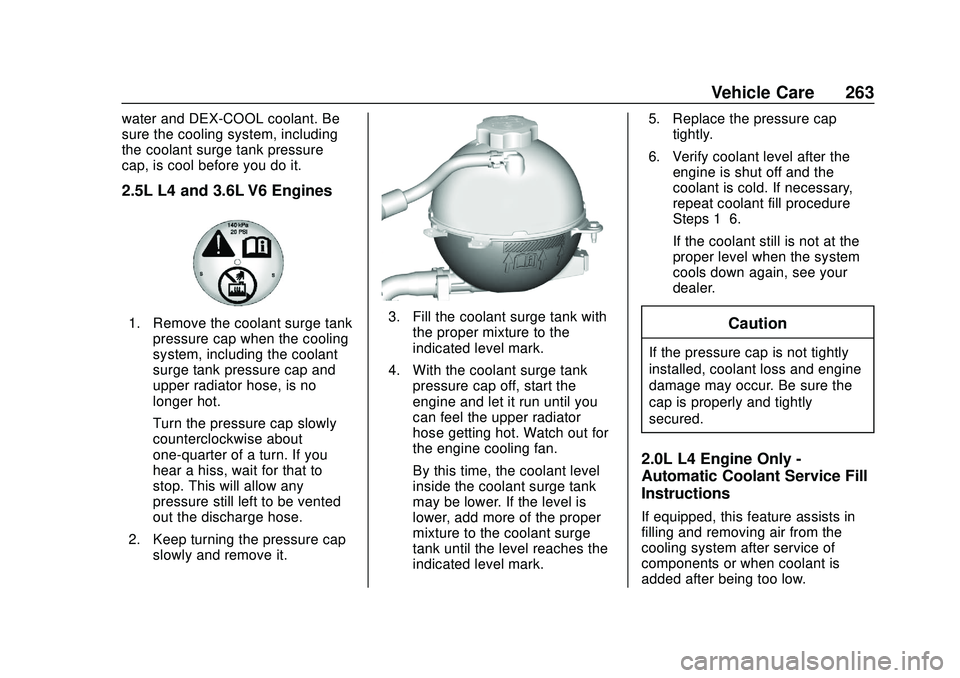
1. Remove the coolant surge tankpressure cap when the cooling
system, including the coolant
surge tank pressure cap and
upper radiator hose, is no
longer hot.
Turn the pressure cap slowly
counterclockwise about
one-quarter of a turn. If you
hear a hiss, wait for that to
stop. This will allow any
pressure still left to be vented
out the discharge hose.
2. Keep turning the pressure cap slowly and remove it.3. Fill the coolant surge tank withthe proper mixture to the
indicated level mark.
4. With the coolant surge tank pressure cap off, start the
engine and let it run until you
can feel the upper radiator
hose getting hot. Watch out for
the engine cooling fan.
By this time, the coolant level
inside the coolant surge tank
may be lower. If the level is
lower, add more of the proper
mixture to the coolant surge
tank until the level reaches the
indicated level mark. 5. Replace the pressure cap
tightly.
6. Verify coolant level after the engine is shut off and the
coolant is cold. If necessary,
repeat coolant fill procedure
Steps 1–6.
If the coolant still is not at the
proper level when the system
cools down again, see your
dealer.Caution
If the pressure cap is not tightly
installed, coolant loss and engine
damage may occur. Be sure the
cap is properly and tightly
secured.
2.0L L4 Engine Only -
Automatic Coolant Service Fill
Instructions
If equipped, this feature assists in
filling and removing air from the
cooling system after service of
components or when coolant is
added after being too low.
Page 270 of 390
Chevrolet Blazer Owner Manual (GMNA-Localizing-U.S./Canada/Mexico-
13557845) - 2020 - CRC - 3/24/20
Vehicle Care 269
Extended Storage: Remove the
black, negative (−) cable from the
battery or use a battery trickle
charger.
All-Wheel Drive
Transfer Case
Under normal driving conditions,
transfer case fluid does not require
maintenance unless there is a fluid
leak or unusual noise. If required,
have the transfer case serviced by
your dealer.
Starter Switch Check
{Warning
When you are doing this
inspection, the vehicle could
move suddenly. If the vehicle
moves, you or others could be
injured.
1. Before starting this check, be sure there is enough room
around the vehicle. 2. Apply both the parking brake
and the regular brake.
Do not use the accelerator
pedal, and be ready to turn off
the engine immediately if it
starts.
3. Try to start the engine in each gear. The vehicle should start
only in P (Park) or N (Neutral).
If the vehicle starts in any other
position, contact your dealer for
service.
Automatic Transmission
Shift Lock Control
Function Check
{Warning
When you are doing this
inspection, the vehicle could
move suddenly. If the vehicle
moves, you or others could be
injured. 1. Before starting this check, be
sure there is enough room
around the vehicle. It should be
parked on a level surface.
2. Apply the parking brake. Be ready to apply the regular
brake immediately if the vehicle
begins to move.
3. With the engine off, turn the ignition on, but do not start the
engine. Without applying the
regular brake, try to move the
shift lever out of P (Park) with
normal effort. If the shift lever
moves out of P (Park), contact
your dealer for service.
Park Brake and P (Park)
Mechanism Check
{Warning
When you are doing this check,
the vehicle could begin to move.
You or others could be injured
and property could be damaged.
Make sure there is room in front
(Continued)
Page 275 of 390
Chevrolet Blazer Owner Manual (GMNA-Localizing-U.S./Canada/Mexico-
13557845) - 2020 - CRC - 3/24/20
274 Vehicle Care
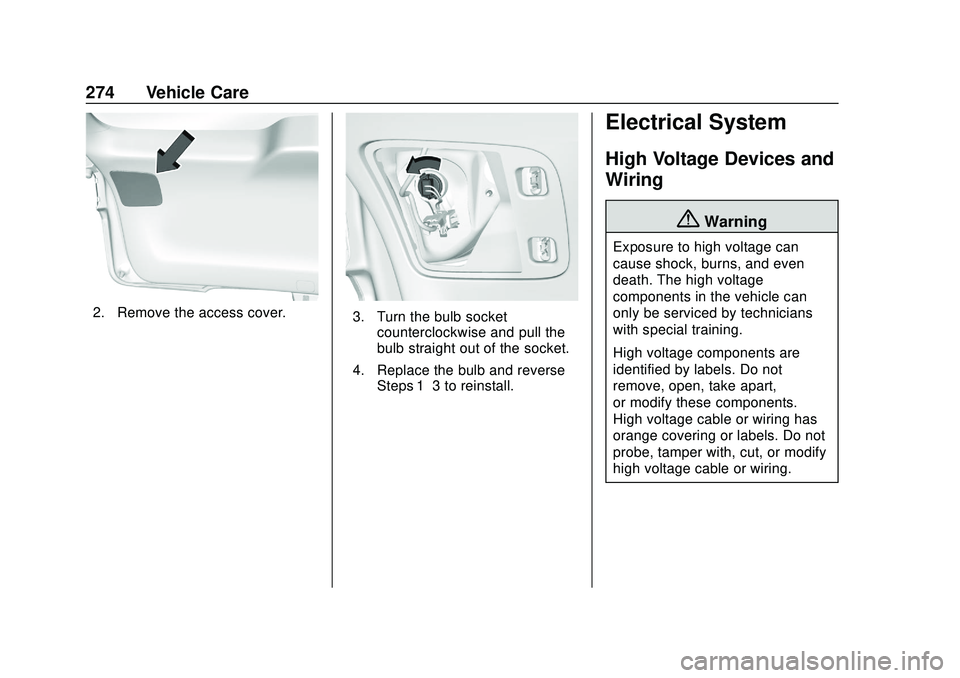
2. Remove the access cover.3. Turn the bulb socketcounterclockwise and pull the
bulb straight out of the socket.
4. Replace the bulb and reverse Steps 1–3 to reinstall.
Electrical System
High Voltage Devices and
Wiring
{Warning
Exposure to high voltage can
cause shock, burns, and even
death. The high voltage
components in the vehicle can
only be serviced by technicians
with special training.
High voltage components are
identified by labels. Do not
remove, open, take apart,
or modify these components.
High voltage cable or wiring has
orange covering or labels. Do not
probe, tamper with, cut, or modify
high voltage cable or wiring.
Page 277 of 390
Chevrolet Blazer Owner Manual (GMNA-Localizing-U.S./Canada/Mexico-
13557845) - 2020 - CRC - 3/24/20
276 Vehicle Care
To check a fuse, look at the
silver-colored band inside the fuse.
If the band is broken or melted,
replace the fuse. Be sure to replace
a bad fuse with a new one of the
identical size and rating.
Fuses of the same amperage can
be temporarily borrowed from
another fuse location, if a fuse goes
out. Replace the fuse as soon as
possible.
Engine Compartment
Fuse Block
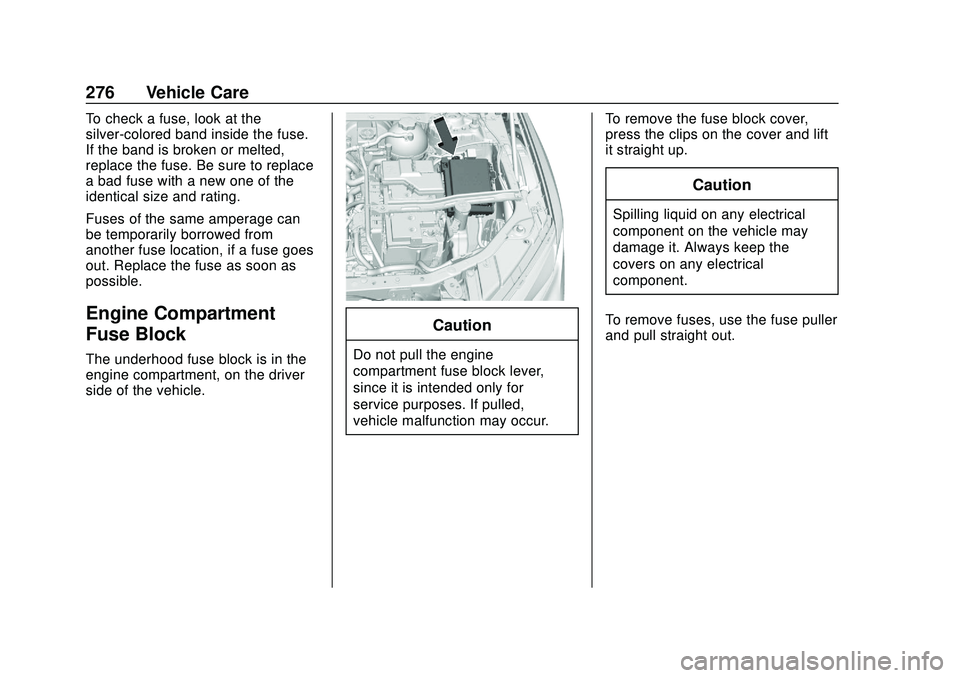
The underhood fuse block is in the
engine compartment, on the driver
side of the vehicle.
Caution
Do not pull the engine
compartment fuse block lever,
since it is intended only for
service purposes. If pulled,
vehicle malfunction may occur.To remove the fuse block cover,
press the clips on the cover and lift
it straight up.
Caution
Spilling liquid on any electrical
component on the vehicle may
damage it. Always keep the
covers on any electrical
component.
To remove fuses, use the fuse puller
and pull straight out.
Page 278 of 390
Chevrolet Blazer Owner Manual (GMNA-Localizing-U.S./Canada/Mexico-
13557845) - 2020 - CRC - 3/24/20
Vehicle Care 277
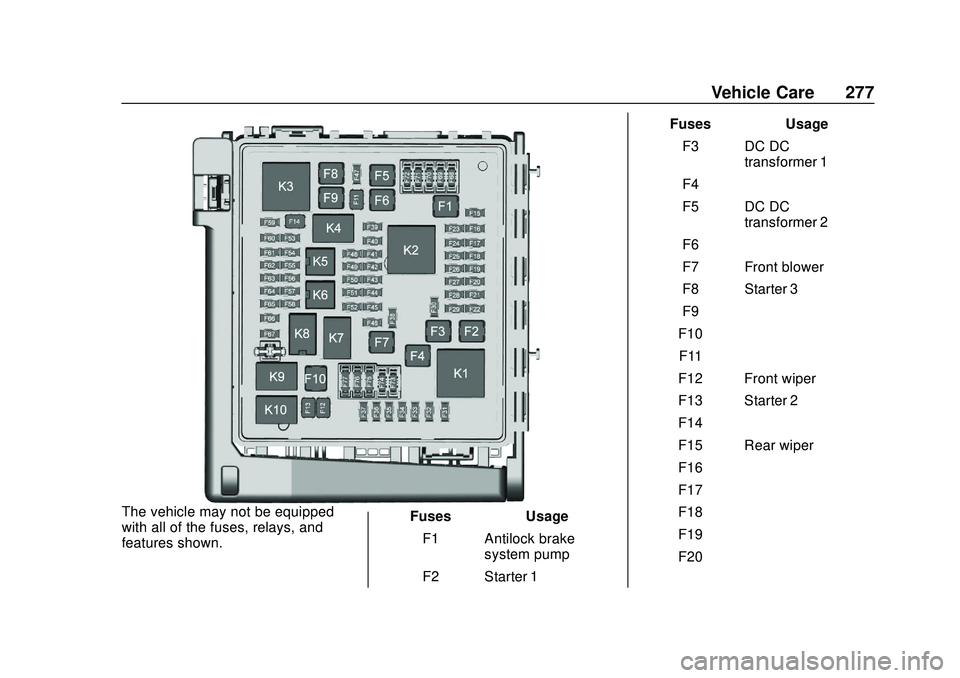
The vehicle may not be equipped
with all of the fuses, relays, and
features shown.Fuses
Usage
F1 Antilock brake system pump
F2 Starter 1 Fuses
Usage
F3 DC DC transformer 1
F4 –
F5 DC DC transformer 2
F6 –
F7 Front blower
F8 Starter 3
F9 –
F10 –
F11 –
F12 Front wiper
F13 Starter 2
F14 –
F15 Rear wiper
F16 –
F17 –
F18 –
F19 –
F20 –
Page 279 of 390
Chevrolet Blazer Owner Manual (GMNA-Localizing-U.S./Canada/Mexico-
13557845) - 2020 - CRC - 3/24/20
278 Vehicle Care
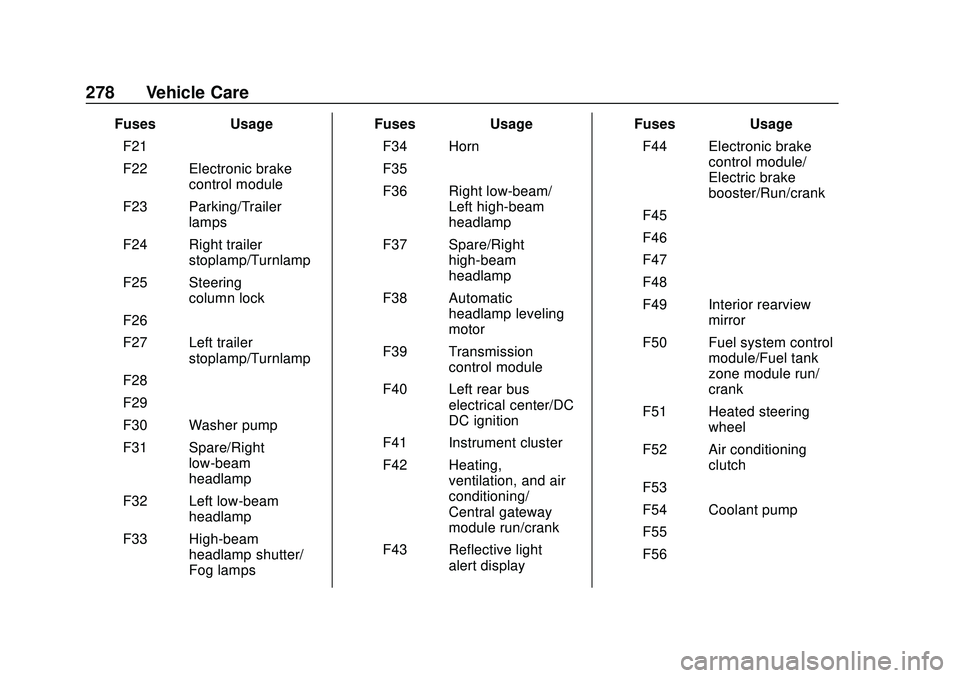
FusesUsage
F21 –
F22 Electronic brake control module
F23 Parking/Trailer lamps
F24 Right trailer stoplamp/Turnlamp
F25 Steering column lock
F26 –
F27 Left trailer stoplamp/Turnlamp
F28 –
F29 –
F30 Washer pump
F31 Spare/Right low-beam
headlamp
F32 Left low-beam headlamp
F33 High-beam headlamp shutter/
Fog lamps Fuses
Usage
F34 Horn
F35 –
F36 Right low-beam/ Left high-beam
headlamp
F37 Spare/Right high-beam
headlamp
F38 Automatic headlamp leveling
motor
F39 Transmission control module
F40 Left rear bus electrical center/DC
DC ignition
F41 Instrument cluster
F42 Heating, ventilation, and air
conditioning/
Central gateway
module run/crank
F43 Reflective light alert display Fuses
Usage
F44 Electronic brake control module/
Electric brake
booster/Run/crank
F45 –
F46 –
F47 –
F48 –
F49 Interior rearview mirror
F50 Fuel system control module/Fuel tank
zone module run/
crank
F51 Heated steering wheel
F52 Air conditioning clutch
F53 –
F54 Coolant pump
F55 –
F56 –
Page 280 of 390
Chevrolet Blazer Owner Manual (GMNA-Localizing-U.S./Canada/Mexico-
13557845) - 2020 - CRC - 3/24/20
Vehicle Care 279
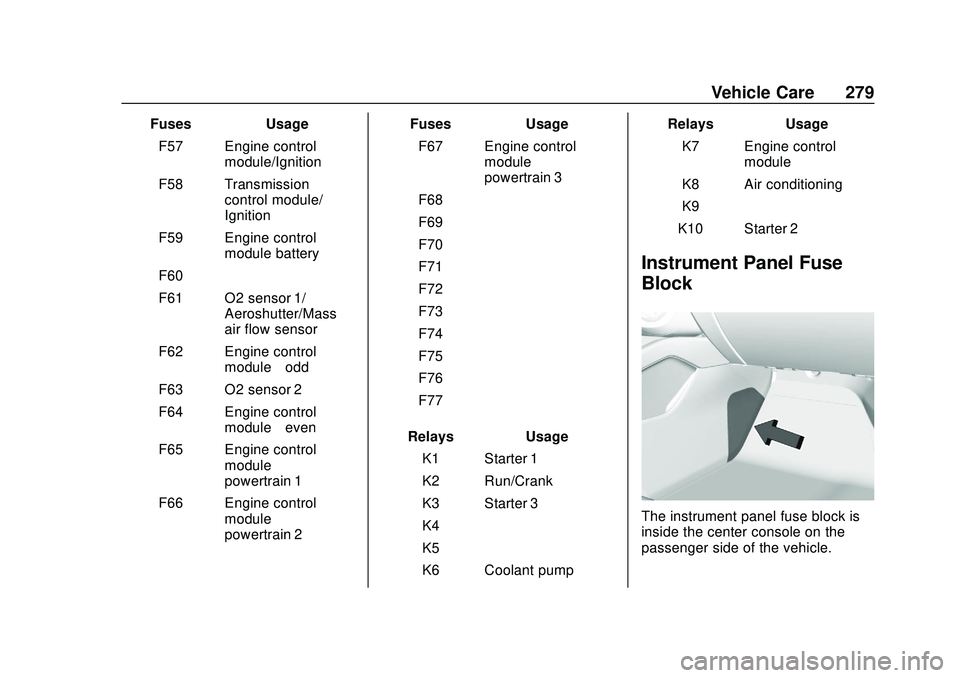
FusesUsage
F57 Engine control module/Ignition
F58 Transmission control module/
Ignition
F59 Engine control module battery
F60 –
F61 O2 sensor 1/ Aeroshutter/Mass
air flow sensor
F62 Engine control module–odd
F63 O2 sensor 2
F64 Engine control module–even
F65 Engine control module
powertrain 1
F66 Engine control module
powertrain 2 Fuses
Usage
F67 Engine control module
powertrain 3
F68 –
F69 –
F70 –
F71 –
F72 –
F73 –
F74 –
F75 –
F76 –
F77 –
Relays Usage
K1 Starter 1
K2 Run/Crank
K3 Starter 3
K4 –
K5 –
K6 Coolant pump Relays
Usage
K7 Engine control module
K8 Air conditioning
K9 –
K10 Starter 2
Instrument Panel Fuse
Block
The instrument panel fuse block is
inside the center console on the
passenger side of the vehicle.
Page 281 of 390
Chevrolet Blazer Owner Manual (GMNA-Localizing-U.S./Canada/Mexico-
13557845) - 2020 - CRC - 3/24/20
280 Vehicle Care
Remove the fuse access door by
inserting a coin or tool into the slot
of the access door.
To remove a fuse, use the fuse
puller located in the Engine
Compartment Fuse block.
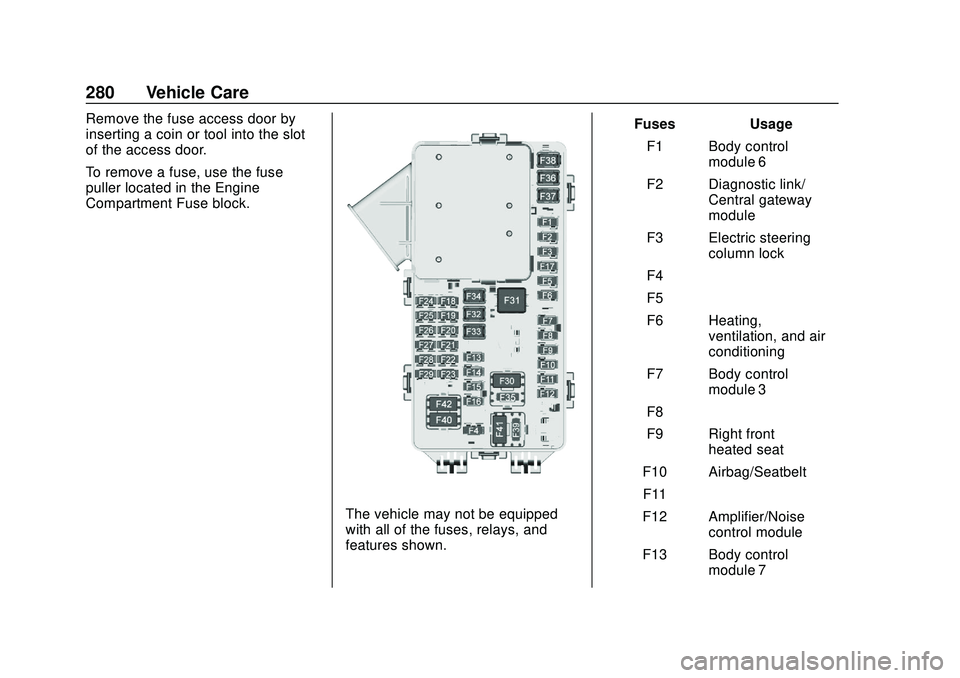
The vehicle may not be equipped
with all of the fuses, relays, and
features shown.Fuses Usage
F1 Body control module 6
F2 Diagnostic link/ Central gateway
module
F3 Electric steering column lock
F4 –
F5 –
F6 Heating, ventilation, and air
conditioning
F7 Body control module 3
F8 –
F9 Right front heated seat
F10 Airbag/Seatbelt F11 –
F12 Amplifier/Noise control module
F13 Body control module 7
Page 283 of 390
Chevrolet Blazer Owner Manual (GMNA-Localizing-U.S./Canada/Mexico-
13557845) - 2020 - CRC - 3/24/20
282 Vehicle Care
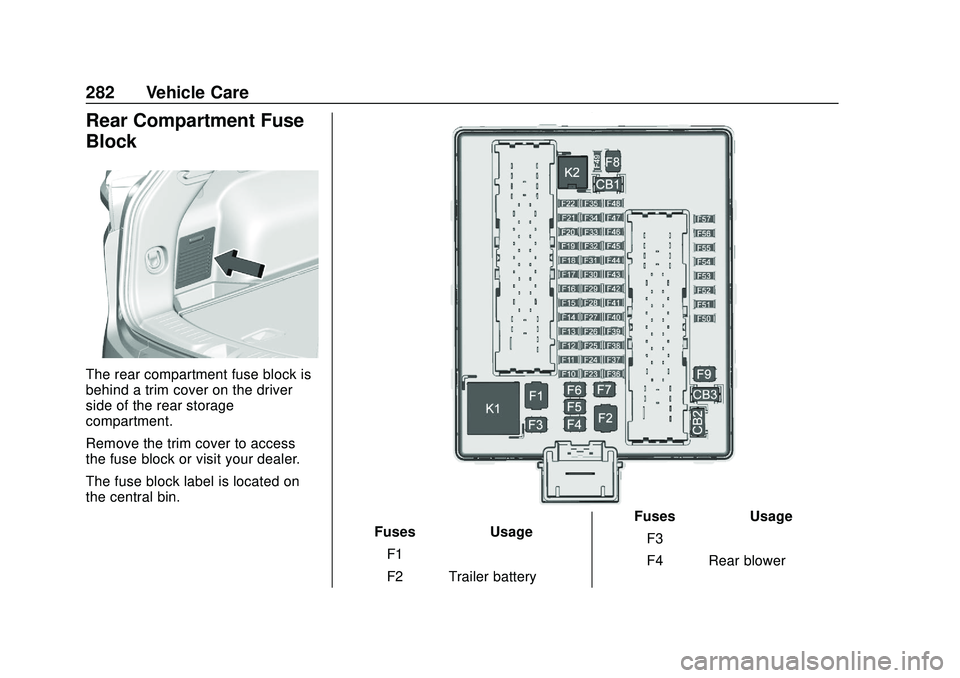
Rear Compartment Fuse
Block
The rear compartment fuse block is
behind a trim cover on the driver
side of the rear storage
compartment.
Remove the trim cover to access
the fuse block or visit your dealer.
The fuse block label is located on
the central bin.
FusesUsage
F1 –
F2 Trailer battery Fuses
Usage
F3 –
F4 Rear blower
Page 303 of 390
Chevrolet Blazer Owner Manual (GMNA-Localizing-U.S./Canada/Mexico-
13557845) - 2020 - CRC - 3/24/20
302 Vehicle Care
{Warning
Mixing tires of different sizes,
brands, or types may cause
loss of control of the vehicle,
resulting in a crash or other
vehicle damage. Use the
correct size, brand, and type
of tires on all wheels.
{Warning
Using bias-ply tires on the
vehicle may cause the wheel
rim flanges to develop cracks
after many miles of driving.
A tire and/or wheel could fail
suddenly and cause a crash.
Use only radial-ply tires with
the wheels on the vehicle.
If the vehicle tires must be
replaced with a tire that does not
have a TPC Spec number, make
sure they are the same size, load range, speed rating, and
construction (radial) as the
original tires.
Vehicles that have a tire
pressure monitoring system
could give an inaccurate
low-pressure warning if non-TPC
Spec rated tires are installed.
See
Tire Pressure Monitor
System 0293.
The Tire and Loading
Information label indicates the
original equipment tires on the
vehicle. See Vehicle Load Limits
0 174.
Different Size Tires and
Wheels
If wheels or tires are installed that
are a different size than the original
equipment wheels and tires, vehicle
performance, including its braking,
ride and handling characteristics,
stability, and resistance to rollover
may be affected. If the vehicle has
electronic systems such as antilock
brakes, rollover airbags, traction control, electronic stability control,
or All-Wheel Drive, the performance
of these systems can also be
affected.
{Warning
If different sized wheels are used,
there may not be an acceptable
level of performance and safety if
tires not recommended for those
wheels are selected. This
increases the chance of a crash
and serious injury. Only use GM
specific wheel and tire systems
developed for the vehicle, and
have them properly installed by a
GM certified technician.
See Buying New Tires 0301 and
Accessories and Modifications
0 245.
Uniform Tire Quality
Grading
The following information relates
to the system developed by the
United States National Highway