engine oil CHEVROLET BLAZER 2020 Owner's Manual
[x] Cancel search | Manufacturer: CHEVROLET, Model Year: 2020, Model line: BLAZER, Model: CHEVROLET BLAZER 2020Pages: 390, PDF Size: 6.5 MB
Page 4 of 390
Chevrolet Blazer Owner Manual (GMNA-Localizing-U.S./Canada/Mexico-
13557845) - 2020 - CRC - 3/24/20
Introduction 3
Danger, Warning, and
Caution
Warning messages found on vehicle
labels and in this manual describe
hazards and what to do to avoid or
reduce them.
{Danger
Danger indicates a hazard with a
high level of risk which will result
in serious injury or death.
{Warning
Warning indicates a hazard that
could result in injury or death.
Caution
Caution indicates a hazard that
could result in property or vehicle
damage.
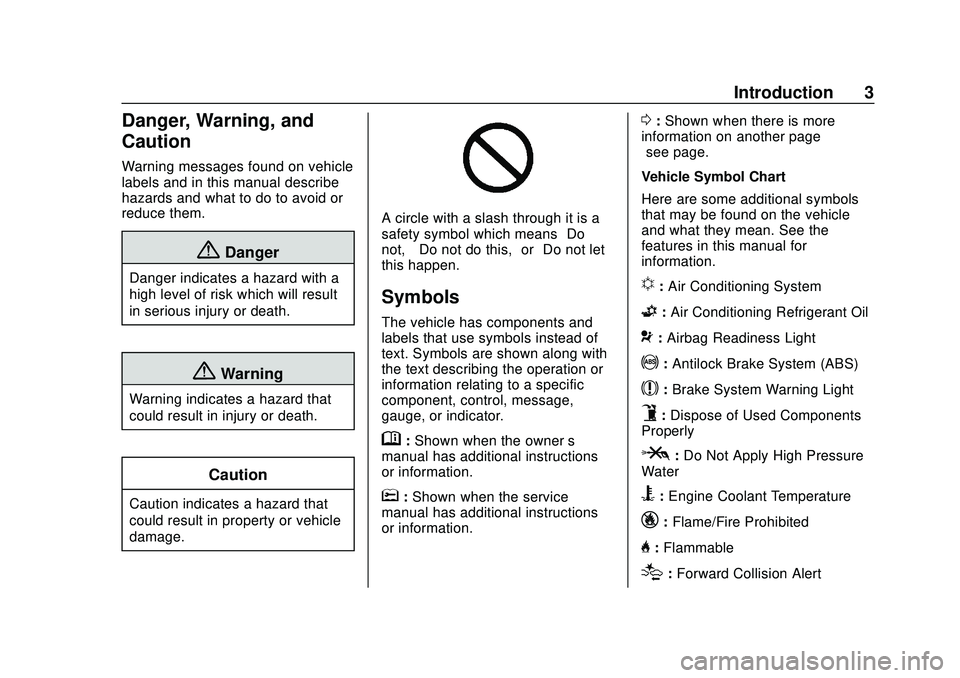
A circle with a slash through it is a
safety symbol which means“Do
not,” “Do not do this,” or“Do not let
this happen.”
Symbols
The vehicle has components and
labels that use symbols instead of
text. Symbols are shown along with
the text describing the operation or
information relating to a specific
component, control, message,
gauge, or indicator.
M: Shown when the owner ’s
manual has additional instructions
or information.
*: Shown when the service
manual has additional instructions
or information.
0: Shown when there is more
information on another page —
“see page.”
Vehicle Symbol Chart
Here are some additional symbols
that may be found on the vehicle
and what they mean. See the
features in this manual for
information.
u: Air Conditioning System
G: Air Conditioning Refrigerant Oil
9:Airbag Readiness Light
!: Antilock Brake System (ABS)
$:Brake System Warning Light
9:Dispose of Used Components
Properly
P: Do Not Apply High Pressure
Water
B: Engine Coolant Temperature
_: Flame/Fire Prohibited
H:Flammable
[:Forward Collision Alert
Page 18 of 390
Chevrolet Blazer Owner Manual (GMNA-Localizing-U.S./Canada/Mexico-
13557845) - 2020 - CRC - 3/24/20
Keys, Doors, and Windows 17
.The engine coolant temperature
is too high.
. The oil pressure is low.
. Two remote vehicle starts or a
start with an extension have
already been used.
. The vehicle is not in P (Park).
Door Locks
{Warning
Unlocked doors can be
dangerous.
. Passengers, especially
children, can easily open
the doors and fall out of a
moving vehicle. The doors
can be unlocked and
opened while the vehicle is
moving. The chance of
being thrown out of the
vehicle in a crash is
increased if the doors are
not locked. So, all
passengers should wear
(Continued)
Warning (Continued)
seat belts properly and the
doors should be locked
whenever the vehicle is
driven.
. Young children who get into
unlocked vehicles may be
unable to get out. A child
can be overcome by
extreme heat and can suffer
permanent injuries or even
death from heat stroke.
Always lock the vehicle
whenever leaving it.
. Outsiders can easily enter
through an unlocked door
when you slow down or stop
the vehicle. Locking the
doors can help prevent this
from happening.
To lock or unlock the doors from the
outside:
. Press
QorKon the Remote
Keyless Entry (RKE) transmitter.
See Remote Keyless Entry
(RKE) System Operation 08. .
In the case of a dead battery,
use the key in the driver door.
The key lock cylinder is covered
with a cap.
To lock or unlock the doors from the
inside:
. Press
QorKon the power door
lock switch.
. Push down on a door lock knob
to lock a door.
. Pull the door handle once to
unlock the door. Pull the handle
again to unlatch it.
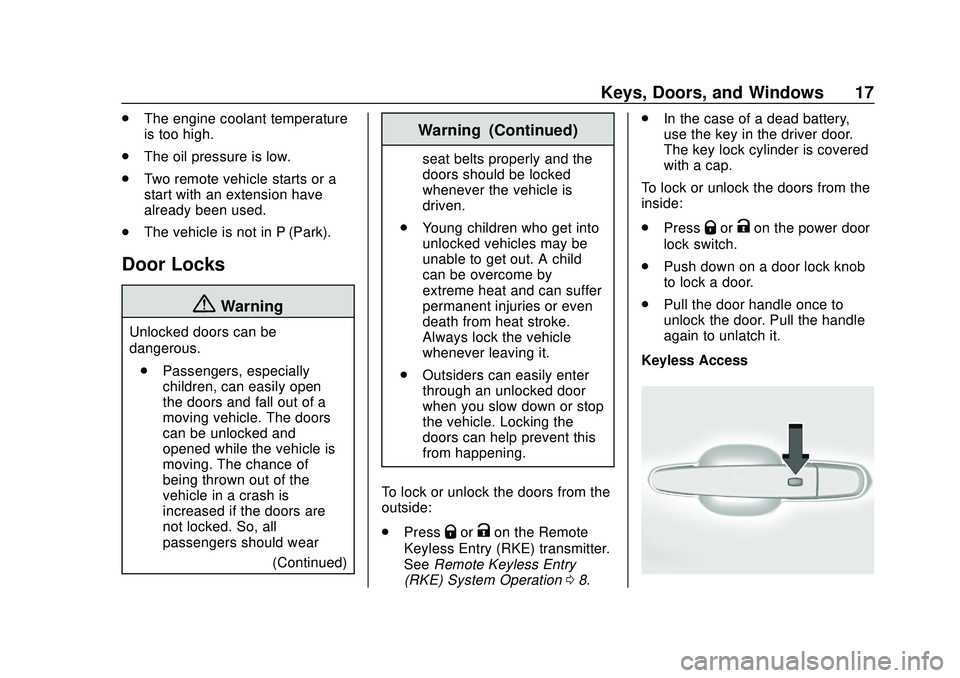
Keyless Access
Page 99 of 390
Chevrolet Blazer Owner Manual (GMNA-Localizing-U.S./Canada/Mexico-
13557845) - 2020 - CRC - 3/24/20
98 Instruments and Controls
Instruments and
Controls
Controls
Steering Wheel Adjustment . . . . 99
Steering Wheel Controls . . . . . . . 99
Heated Steering Wheel . . . . . . . . 99
Horn . . . . . . . . . . . . . . . . . . . . . . . . . . 100
Windshield Wiper/Washer . . . . 100
Rear Window Wiper/Washer . . . . . . . . . . . . . . . . . . . . . 101
Compass . . . . . . . . . . . . . . . . . . . . . 102
Clock . . . . . . . . . . . . . . . . . . . . . . . . . 102
Power Outlets . . . . . . . . . . . . . . . . 102
Wireless Charging . . . . . . . . . . . . 104
Warning Lights, Gauges, and
Indicators
Warning Lights, Gauges, and Indicators . . . . . . . . . . . . . . . . . . . 107
Instrument Cluster (Base and
Midlevel) . . . . . . . . . . . . . . . . . . . . 108
Instrument Cluster (Uplevel) . . . . . . . . . . . . . . . . . . . . 112
Speedometer . . . . . . . . . . . . . . . . . 114
Odometer . . . . . . . . . . . . . . . . . . . . . 114
Trip Odometer . . . . . . . . . . . . . . . . 114
Tachometer . . . . . . . . . . . . . . . . . . . 114 Fuel Gauge . . . . . . . . . . . . . . . . . . . 115
Engine Oil Temperature
Gauge . . . . . . . . . . . . . . . . . . . . . . 116
Engine Coolant Temperature Gauge . . . . . . . . . . . . . . . . . . . . . . 116
Voltmeter Gauge . . . . . . . . . . . . . . 117
Seat Belt Reminders . . . . . . . . . . 118
Airbag Readiness Light . . . . . . . 119
Passenger Airbag Status Indicator . . . . . . . . . . . . . . . . . . . . . 119
Charging System Light . . . . . . . 120
Malfunction Indicator Lamp (Check Engine Light) . . . . . . . . 120
Brake System Warning Light . . . . . . . . . . . . . . . . . . . . . . . . 122
Electric Parking Brake Light . . . . . . . . . . . . . . . . . . . . . . . . 123
Service Electric Parking Brake Light . . . . . . . . . . . . . . . . . . . . . . . . 123
Antilock Brake System (ABS) Warning Light . . . . . . . . . . . . . . . 123
Tow/Haul Mode Light . . . . . . . . . 124
Lane Keep Assist (LKA) Light . . . . . . . . . . . . . . . . . . . . . . . . 124
Vehicle Ahead Indicator . . . . . . 124
Pedestrian Ahead Indicator . . . 125
Traction Off Light . . . . . . . . . . . . . 125
StabiliTrak OFF Light . . . . . . . . . 125
Traction Control System (TCS)/ StabiliTrak Light . . . . . . . . . . . . . 126 Engine Coolant Temperature
Warning Light . . . . . . . . . . . . . . . 126
Tire Pressure Light . . . . . . . . . . . 126
Engine Oil Pressure Light . . . . 127
Low Fuel Warning Light . . . . . . 127
Security Light . . . . . . . . . . . . . . . . . 128
High-Beam On Light . . . . . . . . . . 128
Lamps On Reminder . . . . . . . . . 128
Cruise Control Light . . . . . . . . . . 128
Door Ajar Light . . . . . . . . . . . . . . . 129
Information Displays
Driver Information Center (DIC) (Base and Midlevel) . . . . . . . . . 129
Driver Information Center (DIC) (Uplevel) . . . . . . . . . . . . . . . . . . . . 133
Vehicle Messages
Vehicle Messages . . . . . . . . . . . . 136
Engine Power Messages . . . . . 136
Vehicle Speed Messages . . . . . 136
Vehicle Personalization
Vehicle Personalization . . . . . . . 137
Universal Remote System
Universal Remote System . . . . 141
Universal Remote SystemProgramming . . . . . . . . . . . . . . . 141
Universal Remote System Operation . . . . . . . . . . . . . . . . . . . 144
Page 117 of 390
Chevrolet Blazer Owner Manual (GMNA-Localizing-U.S./Canada/Mexico-
13557845) - 2020 - CRC - 3/24/20
116 Instruments and Controls
.The gauge takes a few seconds
to stabilize after the ignition is
turned on, and goes back to
empty when the ignition is
turned off.
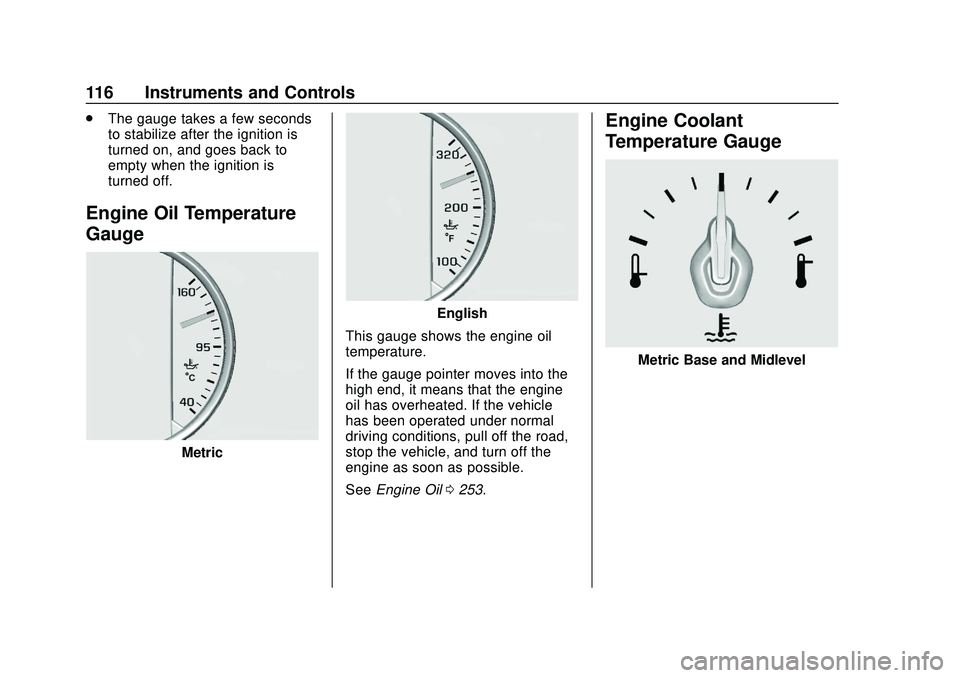
Engine Oil Temperature
Gauge
Metric
English
This gauge shows the engine oil
temperature.
If the gauge pointer moves into the
high end, it means that the engine
oil has overheated. If the vehicle
has been operated under normal
driving conditions, pull off the road,
stop the vehicle, and turn off the
engine as soon as possible.
See Engine Oil 0253.
Engine Coolant
Temperature Gauge
Metric Base and Midlevel
Page 128 of 390
Chevrolet Blazer Owner Manual (GMNA-Localizing-U.S./Canada/Mexico-
13557845) - 2020 - CRC - 3/24/20
Instruments and Controls 127
When the Light Is On Steady
This indicates that one or more of
the tires are significantly
underinflated.
A Driver Information Center (DIC)
tire pressure message may also
display. Stop as soon as possible,
and inflate the tires to the pressure
value shown on the Tire and
Loading Information label. SeeTire
Pressure 0291.
When the Light Flashes First and
Then Is On Steady
If the light flashes for about a minute
and then stays on, there may be a
problem with the TPMS. If the
problem is not corrected, the light
will come on at every ignition cycle.
See Tire Pressure Monitor
Operation 0294.
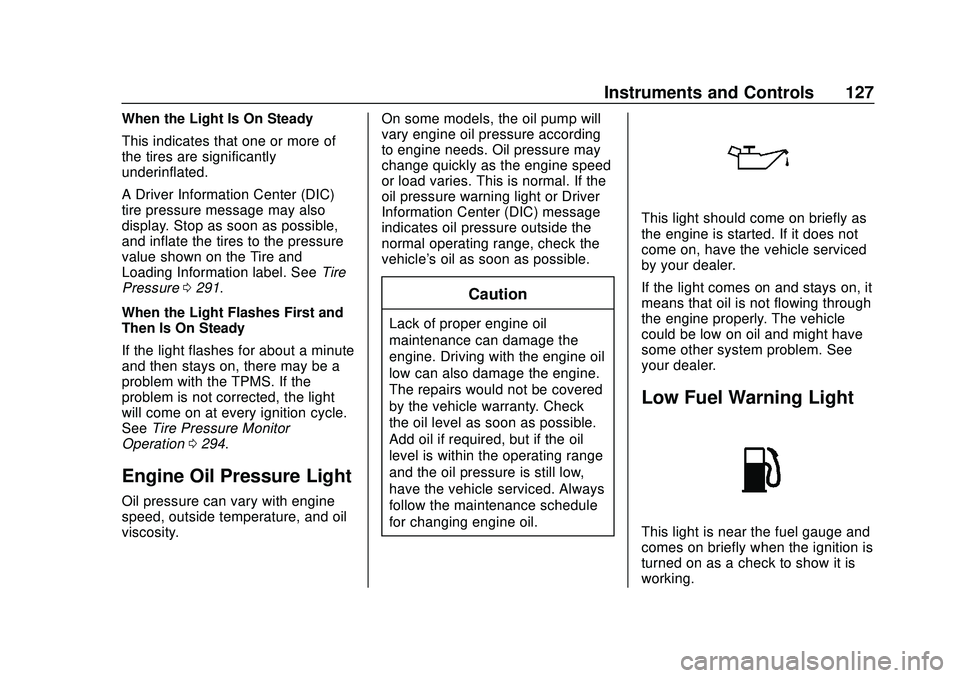
Engine Oil Pressure Light
Oil pressure can vary with engine
speed, outside temperature, and oil
viscosity. On some models, the oil pump will
vary engine oil pressure according
to engine needs. Oil pressure may
change quickly as the engine speed
or load varies. This is normal. If the
oil pressure warning light or Driver
Information Center (DIC) message
indicates oil pressure outside the
normal operating range, check the
vehicle's oil as soon as possible.
Caution
Lack of proper engine oil
maintenance can damage the
engine. Driving with the engine oil
low can also damage the engine.
The repairs would not be covered
by the vehicle warranty. Check
the oil level as soon as possible.
Add oil if required, but if the oil
level is within the operating range
and the oil pressure is still low,
have the vehicle serviced. Always
follow the maintenance schedule
for changing engine oil.
This light should come on briefly as
the engine is started. If it does not
come on, have the vehicle serviced
by your dealer.
If the light comes on and stays on, it
means that oil is not flowing through
the engine properly. The vehicle
could be low on oil and might have
some other system problem. See
your dealer.
Low Fuel Warning Light
This light is near the fuel gauge and
comes on briefly when the ignition is
turned on as a check to show it is
working.
Page 132 of 390
Chevrolet Blazer Owner Manual (GMNA-Localizing-U.S./Canada/Mexico-
13557845) - 2020 - CRC - 3/24/20
Instruments and Controls 131
When the remaining oil life is low,
the CHANGE ENGINE OIL SOON
message will appear on the display.
The oil should be changed as soon
as possible. SeeEngine Oil0253.
In addition to the engine oil life
system monitoring the oil life,
additional maintenance is
recommended. See Maintenance
Schedule 0339.
The Oil Life display must be reset
after each oil change. It will not
reset itself. Do not reset the Oil Life
display at any time other than when
the oil has just been changed.
It cannot be reset accurately until
the next oil change. To reset the
engine oil life system, press the
thumbwheel while this display is
active to show a confirmation
window. Use
SorTto select yes or
no and press the thumbwheel. See
Engine Oil Life System 0255.
Air Filter Life : Shows an estimate
of the engine air filter ’s remaining
useful life and the state of the
system. Engine Air Filter Life 95%
means 95% of the current air filter
life remains. Messages will display based on the engine air filter life and
the state of the system. When the
REPLACE AT NEXT OIL CHANGE
message displays, the engine air
filter should be replaced at the time
of the next oil change. When the
REPLACE SOON message
displays, the engine air filter should
be replaced at the earliest
convenience.
The Air Filter Life display must be
reset after the engine air filter
replacement. To reset, see
Engine
Air Filter Life System 0257.
Tire Pressure : Shows the
approximate pressures of all four
tires. Tire pressure is displayed in
either kilopascal (kPa) or in pounds
per square inch (psi). If the pressure
is low, the value for that tire is
shown in amber. See Tire Pressure
Monitor System 0293 and
Tire Pressure Monitor Operation
0 294.
Average Speed : Displays the
average vehicle speed of the
vehicle in kilometers per hour (km/h)
or miles per hour (mph). This
average is based on the various vehicle speeds recorded since the
last reset. Reset the average speed
by pressing the thumbwheel while
this display is active to show a
confirmation window to select yes or
no and press the thumbwheel.
Fuel Economy :
The center
displays the approximate
instantaneous fuel economy as a
number and bar graph. Displayed
above the bar graph is a running
average of fuel economy for the
most recently traveled selected
distance. Displayed below the bar
graph is the best average fuel
economy that has been achieved for
the selected distance. The selected
distance is displayed at the top of
the page as “last xxx mi/km.”
Press the thumbwheel to select the
distance or reset best value. Usey
orzto choose the distance and
press the thumbwheel. Scroll
yor
zto select Reset Best Score.
Press the thumbwheel to reset the
best average fuel economy. After
reset, the best value displays “-,-”
until the selected distance has been
traveled.
Page 133 of 390
Chevrolet Blazer Owner Manual (GMNA-Localizing-U.S./Canada/Mexico-
13557845) - 2020 - CRC - 3/24/20
132 Instruments and Controls
The display provides information on
how current driving behavior affects
the running average and how well
recent driving compares to the best
that has been achieved for the
selected distance.
Follow Distance/Gap Setting :
If equipped, the current follow time
to the vehicle ahead is displayed as
a time value on this page. When
Adaptive Cruise Control (ACC) has
been engaged, the display switches
to the gap setting page. This page
shows the current gap setting along
with the vehicle ahead indicator.
Driver Assistance :If equipped,
shows information for Lane Keep
Assist (LKA), Lane Departure
Warning (LDW), and Forward
Collision Alert (FCA).
Economy Trend : Shows history of
the Average Fuel Economy from the
last 50 km (30 mi). Each bar
represents about 5 km (3 mi) of
driving. During driving the bars will
shift to always reflect the most
recent distance on the right side.
Press the thumbwheel to open the menu while this display is active to
clear the graph. Select yes or no
and press the thumbwheel.
Timer :
This display can be used as
a timer. To start the timer, press the
thumbwheel to open the menu while
this display is active. Use
yorz
to select Start Timer or Reset. Press
the thumbwheel. To stop the timer,
press the thumbwheel while this
display is active. The display will
show the amount of time that has
passed since the timer was last
reset.
Speed Limit : Shows sign
information, which comes from a
roadway database in the onboard
navigation, if equipped. The sign will
show “− −”when there is no
detected speed limit or the system
is unavailable.
Press the thumbwheel while this
display is active to toggle Speed
Limit sign on or off.
Battery Voltage : Displays the
current battery voltage, if equipped.
Battery voltage changes are normal while driving. See
Charging System
Light 0120. If there is a problem
with the battery charging system, a
DIC will display a message.
Oil Pressure : Oil pressure is
displayed in either kilopascal (kPa)
or in pounds per square inch (psi).
Oil pressure can vary with engine
speed, outside temperature, and oil
viscosity. On some models, the oil
pump will vary engine oil pressure
according to engine needs. Oil
pressure may change quickly as the
engine speed or load varies. This is
normal. If the oil pressure warning
light or DIC message indicates oil
pressure outside the normal
operating range, check the vehicle's
oil as soon as possible.
Coolant Temperature : Displays
the coolant temperature in degrees
Celsius (°C) or degrees Fahrenheit
(°F).
Page 135 of 390
Chevrolet Blazer Owner Manual (GMNA-Localizing-U.S./Canada/Mexico-
13557845) - 2020 - CRC - 3/24/20
134 Instruments and Controls
per hour (mph). This average is
calculated based on the various
vehicle speeds recorded since the
last reset of this value.
Press and hold the thumbwheel
while this display is active to reset
the trip odometer, the average fuel
economy, and the average speed.
Or press
Tand select reset in
the menu.
Fuel Range and Instantaneous
Fuel Economy : Shows the
approximate distance the vehicle
can be driven without refueling.
LOW will be displayed when the
vehicle is low on fuel. The fuel
range estimate is based on an
average of the vehicle's fuel
economy over recent driving history
and the amount of fuel remaining in
the fuel tank.
The Instantaneous Fuel Economy
display shows the current fuel
economy in either liters per
100 kilometers (L/100 km) or miles
per gallon (mpg). This number
reflects only the approximate fuel economy that the vehicle has right
now and changes frequently as
driving conditions change.
Timer and Fuel Used :
Can be
used as a timer. To start the timer,
press the thumbwheel while this
display is active. The display will
show the amount of time that has
passed since the timer was last
reset. To stop the timer, press the
thumbwheel briefly while this display
is active and the timer is running. To
reset the timer to zero, press and
hold the thumbwheel while this
display is active.
This also shows the number of
liters (L) or gallons (gal) of fuel used
since the last reset of this
menu item.
Oil Life : Shows an estimate of the
oil's remaining useful life.
If REMAINING OIL LIFE 99% is
displayed, that means 99% of the
current oil life remains.
When the remaining oil life is low,
the CHANGE ENGINE OIL SOON
message will appear on the display.
The oil should be changed as soon
as possible. See Engine Oil0253. In addition to the engine oil life
system monitoring the oil life,
additional maintenance is
recommended. See
Maintenance
Schedule 0339.
The Oil Life display must be reset
after each oil change. It will not
reset itself. Do not to reset the Oil
Life display at any time other than
when the oil has just been changed.
It cannot be reset accurately until
the next oil change. To reset the
engine oil life system, press and
hold the thumbwheel for several
seconds while the Oil Life display is
active. See Engine Oil Life System
0 255.
Air Filter Life : Shows an estimate
of the engine air filter ’s remaining
useful life and the state of the
system. Engine Air Filter Life 95%
means 95% of the current air filter
life remains. Messages will display
based on the engine air filter life and
the state of the system. When the
REPLACE AT NEXT OIL CHANGE
message displays, the engine air
filter should be replaced at the time
of the next oil change. When the
Page 182 of 390
Chevrolet Blazer Owner Manual (GMNA-Localizing-U.S./Canada/Mexico-
13557845) - 2020 - CRC - 3/24/20
Driving and Operating 181
Caution (Continued)
least 15 seconds between each
try, to let the cranking motor
cool down.
2. If the engine does not start after five to 10 seconds,
especially in very cold weather
(below −18 °C or 0 °F), it could
be flooded with too much
gasoline. Try pushing the
accelerator pedal all the way to
the floor and holding it there as
you press ENGINE START/
STOP, for up to a maximum of
15 seconds. Wait at least
15 seconds between each try,
to allow the cranking motor to
cool down. When the engine
starts, let go of the button and
the accelerator. If the vehicle
starts briefly but then stops
again, do the same thing. This
clears the extra gasoline from
the engine. Do not race the
engine immediately after
starting it. Operate the engine and transmission gently until
the oil warms up and lubricates
all moving parts.
Stop/Start System
The Stop/Start system will shut off
the engine to help conserve fuel.
It has components designed for the
increased number of starts.
{Warning
The automatic engine Stop/Start
feature causes the engine to shut
off while the vehicle is still on. Do
not exit the vehicle before shifting
to P (Park). The vehicle may
restart and move unexpectedly.
Always shift to P (Park), and then
turn the ignition off before exiting
the vehicle.
Auto Engine Stop/Start
When the brakes are applied and
the vehicle is at a complete stop,
the engine may turn off. When
stopped, the tachometer displays AUTO STOP. See
Tachometer
0 114. When the brake pedal is
released or the accelerator pedal is
pressed, the engine will restart.
To maintain vehicle performance,
other conditions may cause the
engine to automatically restart
before the brake pedal is released.
Auto Stops may not occur and/or
auto restarts may occur because:
. The climate control settings
require the engine to be running
to cool or heat the vehicle
interior.
. The vehicle battery charge
is low.
. The vehicle battery has recently
been disconnected.
. Minimum vehicle speed has not
been reached since the last
Auto Stop
. The accelerator pedal is
pressed.
. The engine or transmission is
not at the required operating
temperature.
Page 227 of 390
Chevrolet Blazer Owner Manual (GMNA-Localizing-U.S./Canada/Mexico-
13557845) - 2020 - CRC - 3/24/20
226 Driving and Operating
Recommended Fuel
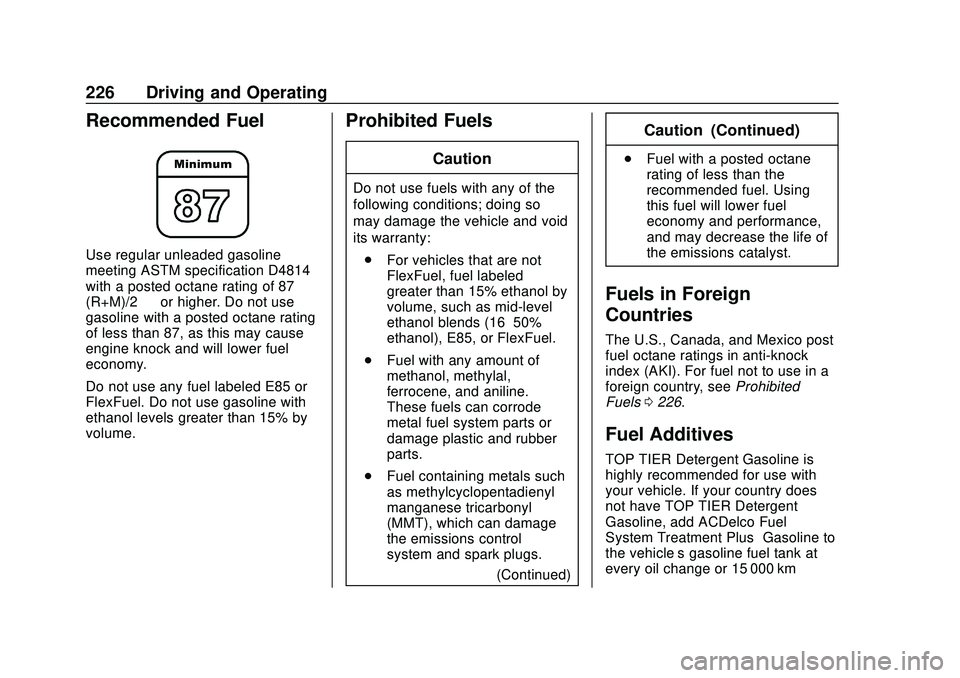
Use regular unleaded gasoline
meeting ASTM specification D4814
with a posted octane rating of 87—
(R+M)/2 —or higher. Do not use
gasoline with a posted octane rating
of less than 87, as this may cause
engine knock and will lower fuel
economy.
Do not use any fuel labeled E85 or
FlexFuel. Do not use gasoline with
ethanol levels greater than 15% by
volume.
Prohibited Fuels
Caution
Do not use fuels with any of the
following conditions; doing so
may damage the vehicle and void
its warranty:
. For vehicles that are not
FlexFuel, fuel labeled
greater than 15% ethanol by
volume, such as mid-level
ethanol blends (16–50%
ethanol), E85, or FlexFuel.
. Fuel with any amount of
methanol, methylal,
ferrocene, and aniline.
These fuels can corrode
metal fuel system parts or
damage plastic and rubber
parts.
. Fuel containing metals such
as methylcyclopentadienyl
manganese tricarbonyl
(MMT), which can damage
the emissions control
system and spark plugs.
(Continued)
Caution (Continued)
.Fuel with a posted octane
rating of less than the
recommended fuel. Using
this fuel will lower fuel
economy and performance,
and may decrease the life of
the emissions catalyst.
Fuels in Foreign
Countries
The U.S., Canada, and Mexico post
fuel octane ratings in anti-knock
index (AKI). For fuel not to use in a
foreign country, see Prohibited
Fuels 0226.
Fuel Additives
TOP TIER Detergent Gasoline is
highly recommended for use with
your vehicle. If your country does
not have TOP TIER Detergent
Gasoline, add ACDelco Fuel
System Treatment Plus−Gasoline to
the vehicle’ s gasoline fuel tank at
every oil change or 15 000 km