tow CHEVROLET BOLT EV 2017 User Guide
[x] Cancel search | Manufacturer: CHEVROLET, Model Year: 2017, Model line: BOLT EV, Model: CHEVROLET BOLT EV 2017Pages: 361, PDF Size: 4.89 MB
Page 107 of 361
Chevrolet Bolt EV Owner Manual (GMNA-Localizing-U.S./Canada/Mexico-
10122739) - 2017 - CRC - 10/3/16
106 Instruments and Controls
The automatic sound is generated
to indicate the vehicle presence to
pedestrians. The sound changes if
the vehicle is speeding up or
slowing down. It is activated when
the vehicle is shifted into a forward
gear or R (Reverse), up to 23 km/h
(14 mph).
Windshield Wiper/Washer
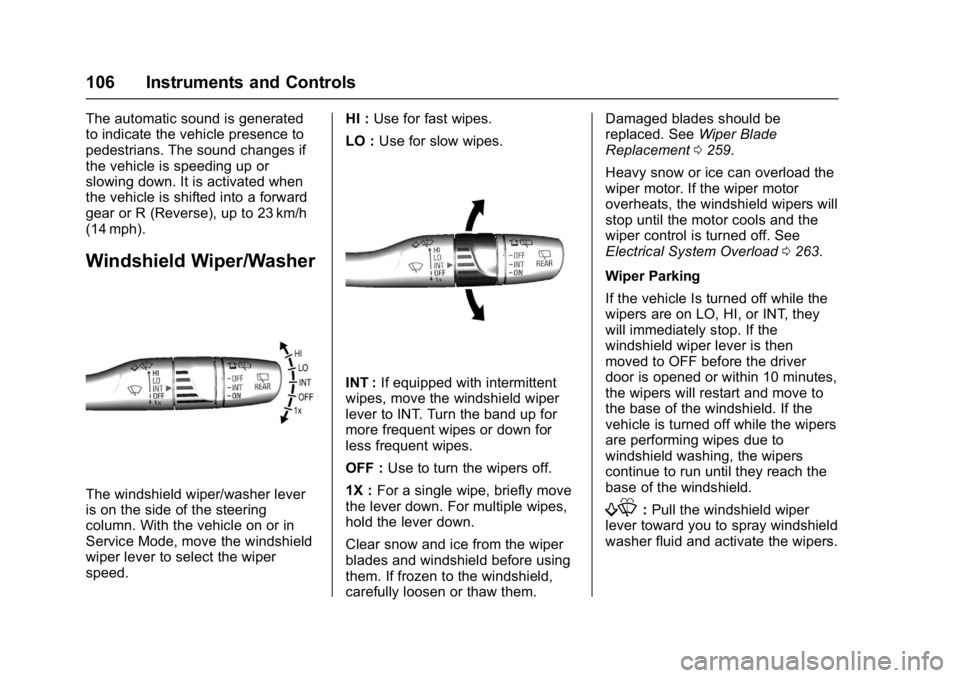
The windshield wiper/washer lever
is on the side of the steering
column. With the vehicle on or in
Service Mode, move the windshield
wiper lever to select the wiper
speed.HI :
Use for fast wipes.
LO : Use for slow wipes.
INT : If equipped with intermittent
wipes, move the windshield wiper
lever to INT. Turn the band up for
more frequent wipes or down for
less frequent wipes.
OFF : Use to turn the wipers off.
1X : For a single wipe, briefly move
the lever down. For multiple wipes,
hold the lever down.
Clear snow and ice from the wiper
blades and windshield before using
them. If frozen to the windshield,
carefully loosen or thaw them. Damaged blades should be
replaced. See
Wiper Blade
Replacement 0259.
Heavy snow or ice can overload the
wiper motor. If the wiper motor
overheats, the windshield wipers will
stop until the motor cools and the
wiper control is turned off. See
Electrical System Overload 0263.
Wiper Parking
If the vehicle Is turned off while the
wipers are on LO, HI, or INT, they
will immediately stop. If the
windshield wiper lever is then
moved to OFF before the driver
door is opened or within 10 minutes,
the wipers will restart and move to
the base of the windshield. If the
vehicle is turned off while the wipers
are performing wipes due to
windshield washing, the wipers
continue to run until they reach the
base of the windshield.
f: Pull the windshield wiper
lever toward you to spray windshield
washer fluid and activate the wipers.
Page 120 of 361
Chevrolet Bolt EV Owner Manual (GMNA-Localizing-U.S./Canada/Mexico-
10122739) - 2017 - CRC - 10/3/16
Instruments and Controls 119
vehicle. For normal braking
performance, both circuits need to
be working
If the warning light comes on, there
is a brake problem. Have the brake
system inspected right away.
{Warning
The brake system might not be
working properly if the brake
system warning light is on.
Driving with the brake system
warning light on can lead to a
crash. If the light is still on after
the vehicle has been pulled off
the road and carefully stopped,
have the vehicle towed for
service.
MetricEnglishThis light should come on briefly
when the vehicle is started. If it
does not come on then, see your
dealer for service.
If the light comes on and stays on,
there is a brake problem.
Electric Parking Brake
Light
MetricEnglish
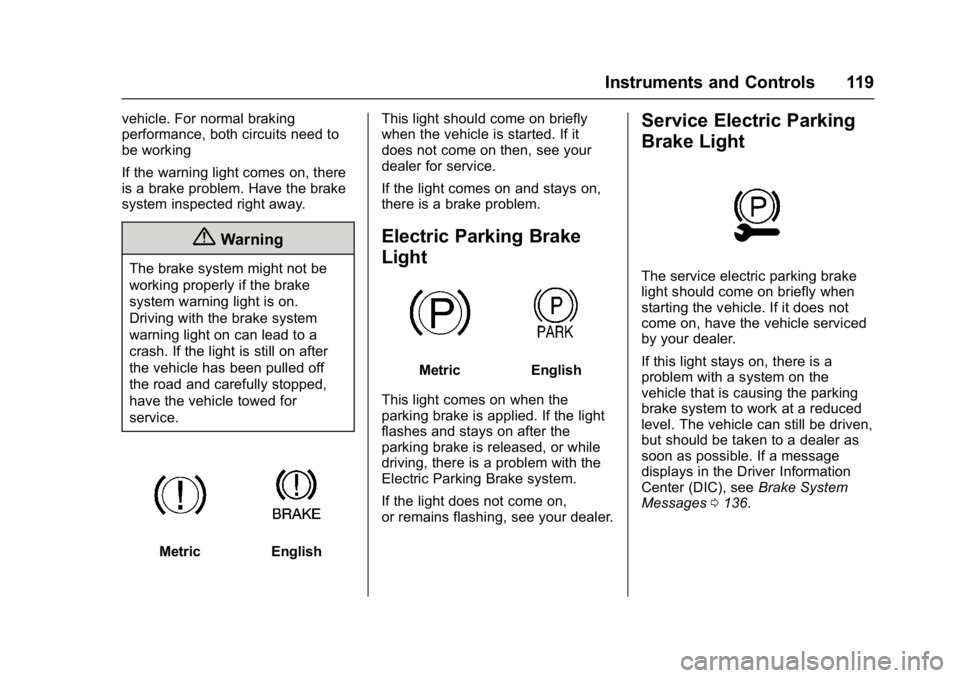
This light comes on when the
parking brake is applied. If the light
flashes and stays on after the
parking brake is released, or while
driving, there is a problem with the
Electric Parking Brake system.
If the light does not come on,
or remains flashing, see your dealer.
Service Electric Parking
Brake Light
The service electric parking brake
light should come on briefly when
starting the vehicle. If it does not
come on, have the vehicle serviced
by your dealer.
If this light stays on, there is a
problem with a system on the
vehicle that is causing the parking
brake system to work at a reduced
level. The vehicle can still be driven,
but should be taken to a dealer as
soon as possible. If a message
displays in the Driver Information
Center (DIC), see Brake System
Messages 0136.
Page 151 of 361
Chevrolet Bolt EV Owner Manual (GMNA-Localizing-U.S./Canada/Mexico-
10122739) - 2017 - CRC - 10/3/16
150 Lighting
.The vehicle is loaded such that
the front end points upward,
causing the light sensor to aim
high and not detect headlamps
and taillamps.
. Driving on winding or hilly roads.
The IntelliBeam system may need to
be disabled if any of the above
conditions exist.
Exterior Lamps Off
Reminder
A warning chime sounds if the driver
door is opened while the vehicle is
off and the exterior lamps are on.
Headlamp High/
Low-Beam Changer
Push the turn signal lever away
from you and release, to turn the
high beams on. To return to low
beams, push the lever again or pull
it toward you and release.
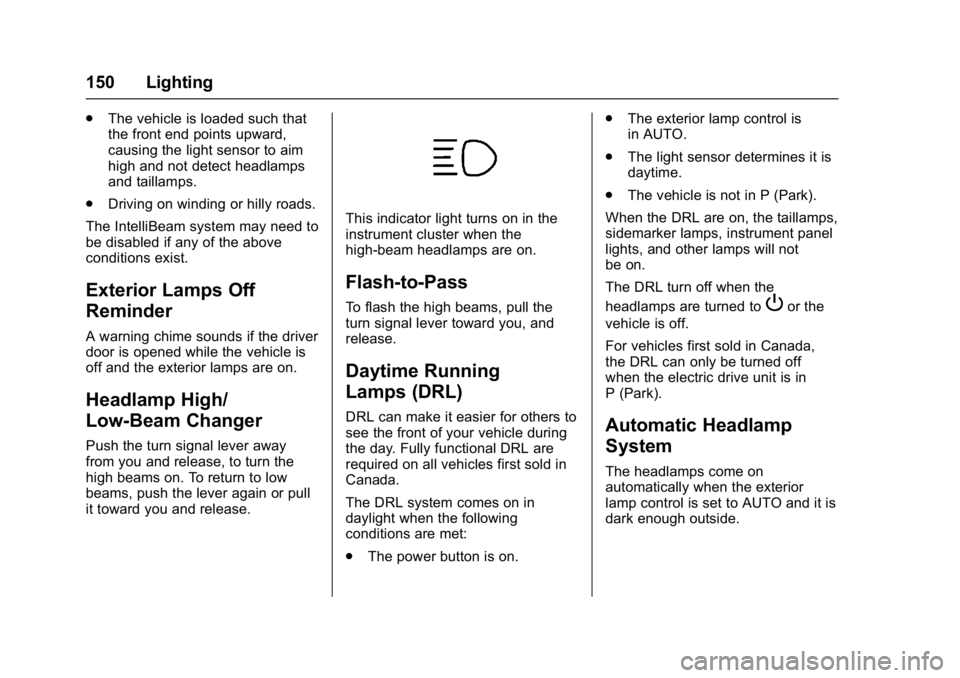
This indicator light turns on in the
instrument cluster when the
high-beam headlamps are on.
Flash-to-Pass
To flash the high beams, pull the
turn signal lever toward you, and
release.
Daytime Running
Lamps (DRL)
DRL can make it easier for others to
see the front of your vehicle during
the day. Fully functional DRL are
required on all vehicles first sold in
Canada.
The DRL system comes on in
daylight when the following
conditions are met:
. The power button is on. .
The exterior lamp control is
in AUTO.
. The light sensor determines it is
daytime.
. The vehicle is not in P (Park).
When the DRL are on, the taillamps,
sidemarker lamps, instrument panel
lights, and other lamps will not
be on.
The DRL turn off when the
headlamps are turned to
Por the
vehicle is off.
For vehicles first sold in Canada,
the DRL can only be turned off
when the electric drive unit is in
P (Park).
Automatic Headlamp
System
The headlamps come on
automatically when the exterior
lamp control is set to AUTO and it is
dark enough outside.
Page 192 of 361

Chevrolet Bolt EV Owner Manual (GMNA-Localizing-U.S./Canada/Mexico-
10122739) - 2017 - CRC - 10/3/16
Driving and Operating 191
Driving and
Operating
Driving Information
Distracted Driving . . . . . . . . . . . . 192
Defensive Driving . . . . . . . . . . . . . 192
Drunk Driving . . . . . . . . . . . . . . . . . 193
Control of a Vehicle . . . . . . . . . . . 193
Braking . . . . . . . . . . . . . . . . . . . . . . . 193
Steering . . . . . . . . . . . . . . . . . . . . . . 193
Off-Road Recovery . . . . . . . . . . . 194
Loss of Control . . . . . . . . . . . . . . . 194
Driving on Wet Roads . . . . . . . . 195
Hill and Mountain Roads . . . . . 196
Winter Driving . . . . . . . . . . . . . . . . 196
If the Vehicle Is Stuck . . . . . . . . 197
Vehicle Load Limits . . . . . . . . . . . 197
Starting and Operating
New Vehicle Break-In . . . . . . . . . 201
Power Button . . . . . . . . . . . . . . . . . 201
Starting and Stopping theVehicle . . . . . . . . . . . . . . . . . . . . . . 203
Retained Accessory Power (RAP) . . . . . . . . . . . . . . . . 203
Shifting Into Park . . . . . . . . . . . . . 204
Shifting out of Park . . . . . . . . . . . 204
Extended Parking . . . . . . . . . . . . 205
Electric Vehicle Operating
Modes
Driver Selected Operating Modes . . . . . . . . . . . . . . . . . . . . . . 205
Electric Drive Unit
Electric Drive Unit . . . . . . . . . . . . 206
Brakes
Antilock BrakeSystem (ABS) . . . . . . . . . . . . . . . 210
Electric Parking Brake . . . . . . . . 210
Brake Assist . . . . . . . . . . . . . . . . . . 212
Hill Start Assist (HSA) . . . . . . . . 212
Regenerative Braking . . . . . . . . 212
Ride Control Systems
Traction Control/Electronic Stability Control . . . . . . . . . . . . . 213
Cruise Control
Cruise Control . . . . . . . . . . . . . . . . 215
Driver Assistance Systems
Driver Assistance Systems . . . 218
Assistance Systems forParking or Backing . . . . . . . . . . 219
Assistance Systems for Driving . . . . . . . . . . . . . . . . . . . . . . 222
Forward Collision Alert (FCA) System . . . . . . . . . . . . . . . . . . . . . . 222 Forward Automatic
Braking (FAB) . . . . . . . . . . . . . . . 224
Front Pedestrian Braking (FPB) System . . . . . . . . . . . . . . . 225
Side Blind Zone
Alert (SBZA) . . . . . . . . . . . . . . . . 227
Lane Change Alert (LCA) . . . . . 227
Lane Departure Warning (LDW) . . . . . . . . . . . . . 229
Lane Keep Assist (LKA) . . . . . . 229
Charging
When to Charge . . . . . . . . . . . . . . 231
Plug-In Charging . . . . . . . . . . . . . 231
Delayed Charging Override . . . 235
Charging Status Feedback . . . 236
Charge Cord . . . . . . . . . . . . . . . . . 239
Utility Interruption of Charging . . . . . . . . . . . . . . . . . . . . 245
Electrical Requirements for Battery Charging . . . . . . . . . . . . 246
Trailer Towing
General TowingInformation . . . . . . . . . . . . . . . . . . 246
Conversions and Add-Ons
Add-On ElectricalEquipment . . . . . . . . . . . . . . . . . . 247
Page 198 of 361
Chevrolet Bolt EV Owner Manual (GMNA-Localizing-U.S./Canada/Mexico-
10122739) - 2017 - CRC - 10/3/16
Driving and Operating 197
.Tie a red cloth to an outside
mirror.
To save energy, run the vehicle for
only short periods as needed to
warm the vehicle and then shut the
vehicle off and partially close the
window. Moving about to keep warm
also helps.
If it takes some time for help to
arrive, when running the vehicle,
push the accelerator pedal slightly
so the vehicle runs faster than the
idle speed. This keeps the battery
charged to restart the vehicle and to
signal for help with the headlamps.
Do this as little as possible to save
electricity.
If the Vehicle Is Stuck
Slowly and cautiously spin the
wheels to free the vehicle when
stuck in sand, mud, ice, or snow.
The Traction Control System (TCS)
must be turned off by pressing the
TCS/ESC button. Traction control is
not completely off, but will only
engage if the maneuver can cause
damage to the electric drive unit.
{Warning
If the vehicle's tires spin at high
speed, they can explode, and you
or others could be injured. The
vehicle can overheat, causing an
underhood compartment fire or
other damage. Spin the wheels as
little as possible and avoid going
above 56 km/h (35 mph).
Rocking the Vehicle to Get
it Out
Turn the steering wheel left and
right to clear the area around the
front wheels. Turn off TCS. Shift
back and forth between R (Reverse)
and a low forward gear, spinning the
wheels as little as possible. To
prevent electric drive unit wear, wait
until the wheels stop spinning
before shifting gears. Release the
accelerator pedal while shifting, and
press lightly on the accelerator
pedal when the electric drive unit is
in gear. Slowly spinning the wheels
in the forward and reverse
directions causes a rocking motion that could free the vehicle. If that
does not get the vehicle out after a
few tries, it might need to be towed
out. See
Towing the Vehicle 0299.
Vehicle Load Limits
It is very important to know how
much weight the vehicle can
carry. This weight is called the
vehicle capacity weight and
includes the weight of all
occupants, cargo, and all
nonfactory-installed options.
Two labels on the vehicle may
show how much weight it may
properly carry: the Tire and
Loading Information label and
the Certification label.
{Warning
Do not load the vehicle any
heavier than the Gross
Vehicle Weight Rating
(GVWR), or either the
maximum front or rear Gross
(Continued)
Page 200 of 361

Chevrolet Bolt EV Owner Manual (GMNA-Localizing-U.S./Canada/Mexico-
10122739) - 2017 - CRC - 10/3/16
Driving and Operating 199
2.Determine the combined
weight of the driver and
passengers that will be
riding in your vehicle.
3.Subtract the combined
weight of the driver and
passengers from XXX kg or
XXX lbs.
4.The resulting figure equals
the available amount of
cargo and luggage load
capacity. For example, if the
"XXX" amount equals
1400 lbs. and there will be
five 150 lb passengers in
your vehicle, the amount of
available cargo and luggage
load capacity is 650 lbs.
(1400-750 (5 x 150) =
650 lbs.)
5.Determine the combined
weight of luggage and cargo
being loaded on the vehicle.
That weight may not safely
exceed the available cargo
and luggage load capacity
calculated in Step 4.
6.If your vehicle will be towing
a trailer, load from your
trailer will be transferred to
your vehicle. Consult this
manual to determine how
this reduces the available
cargo and luggage load
capacity of your vehicle.”
This vehicle is neither designed
nor intended to tow a trailer.
Example 1
1.Vehicle Capacity Weight
for Example 1 = 453 kg
(1,000 lbs).
2.Subtract Occupant
Weight @ 68 kg (150 lbs)
× 2 = 136 kg (300 lbs).
3.Available Occupant and
Cargo Weight = 317 kg
(700 lbs).
Page 230 of 361
Chevrolet Bolt EV Owner Manual (GMNA-Localizing-U.S./Canada/Mexico-
10122739) - 2017 - CRC - 10/3/16
Driving and Operating 229
vehicle. Attached objects may also
interfere with the detection of
vehicles. This is normal system
operation; the vehicle does not need
service.
LCA may not always alert the driver
to vehicles in the next lane over,
especially in wet conditions or when
driving on sharp curves. The system
does not need to be serviced. The
system may light up due to
guardrails, signs, trees, shrubs, and
other non-moving objects. This is
normal system operation; the
vehicle does not need service.
LCA may not operate when the LCA
sensors in the left or right corners of
the rear bumper are covered with
mud, dirt, snow, ice, or slush, or in
heavy rainstorms. For cleaning
instructions, see "Washing the
Vehicle" underExterior Care0301.
If the DIC still displays the system
unavailable message after cleaning
both sides of the vehicle toward the
rear corners of the vehicle, see your
dealer. If the LCA displays do not light up
when moving vehicles are in the
side blind zone or rapidly
approaching this zone and the
system is clean, the system may
need service. Take the vehicle to
your dealer.
Lane Departure
Warning (LDW)
If equipped, LDW may help avoid
crashes due to unintentional lane
departures. It may provide a
warning if the vehicle is crossing a
detected lane marking without using
a turn signal in the lane departure
direction. Since this system is part
of the Lane Keep Assist (LKA)
system, read the entire LKA section
before using this feature.
Lane Keep Assist (LKA)
If equipped, LKA may help avoid
crashes due to unintentional lane
departures. It may assist by gently
turning the steering wheel if the
vehicle approaches a detected lane
marking without using a turn signal
in that direction. It may also providea Lane Departure Warning (LDW)
system alert as the lane marking is
crossed. The LKA system will not
assist or provide an LDW alert if it
detects that you are actively
steering. Override LKA by turning
the steering wheel. LKA uses a
camera to detect lane markings
between 60 km/h (37 mph) and
150 km/h (93 mph).
{Warning
The LKA system does not
continuously steer the vehicle.
It may not keep the vehicle in the
lane or give a Lane Departure
Warning (LDW) alert, even if a
lane marking is detected. The
LKA and LDW systems may not:
. Provide an alert or enough
steering assist to avoid a
lane departure or crash.
. Detect lane markings under
poor weather or visibility
conditions. This can occur if
the windshield or
headlamps are blocked by
(Continued)
Page 247 of 361
Chevrolet Bolt EV Owner Manual (GMNA-Localizing-U.S./Canada/Mexico-
10122739) - 2017 - CRC - 10/3/16
246 Driving and Operating
2. Verify that the chargingstation’s circuit breaker has not
been tripped.
3. Plug the portable charge cord into the wall outlet, verify that
the indicator light on the charge
cord is solid green, and
connect it to the vehicle. See
“Charge Cord Status
Indicators” inCharge Cord
0 239.
4. If the vehicle charges with the portable charge cord, there
may be a problem with the
charging station. Try to charge
the vehicle with a different
240-volt charging station, such
as a public station. If both
attempts charge the vehicle,
contact the charging station
manufacturer.
Electrical Requirements
for Battery Charging
This vehicle is capable of being
charged with most standard vehicle
charging equipment that complies
with one or more of the following: .
SAE J1772
. SAE J2847-2
. IEC 61851-1
. IEC 61851-22
. IEC 61851-23
. IEC 61851-24
. IEC 62196-1
. IEC 62196-2
. IEC 62196-3
. ISO 15118
The portable charge cord requires a
minimum circuit capacity of
120 volts and 15 amps.
Caution
Do not use portable or stationary
backup generating equipment to
charge the vehicle. This may
cause damage to the vehicle's
charging system. Only charge the
vehicle from utility supplied
power.
Trailer Towing
General Towing
Information
The vehicle is neither designed nor
intended to tow a trailer.
Page 250 of 361
Chevrolet Bolt EV Owner Manual (GMNA-Localizing-U.S./Canada/Mexico-
10122739) - 2017 - CRC - 10/3/16
Vehicle Care 249
Jump Starting
Jump Starting - NorthAmerica . . . . . . . . . . . . . . . . . . . . . 295
Towing the Vehicle
Towing the Vehicle . . . . . . . . . . . 299
Recreational VehicleTowing . . . . . . . . . . . . . . . . . . . . . . 299
Appearance Care
Exterior Care . . . . . . . . . . . . . . . . . 301
Interior Care . . . . . . . . . . . . . . . . . . 305
Floor Mats . . . . . . . . . . . . . . . . . . . . 308
General Information
For service and parts needs, visit
your dealer. You will receive
genuine GM parts and GM-trained
and supported service people.
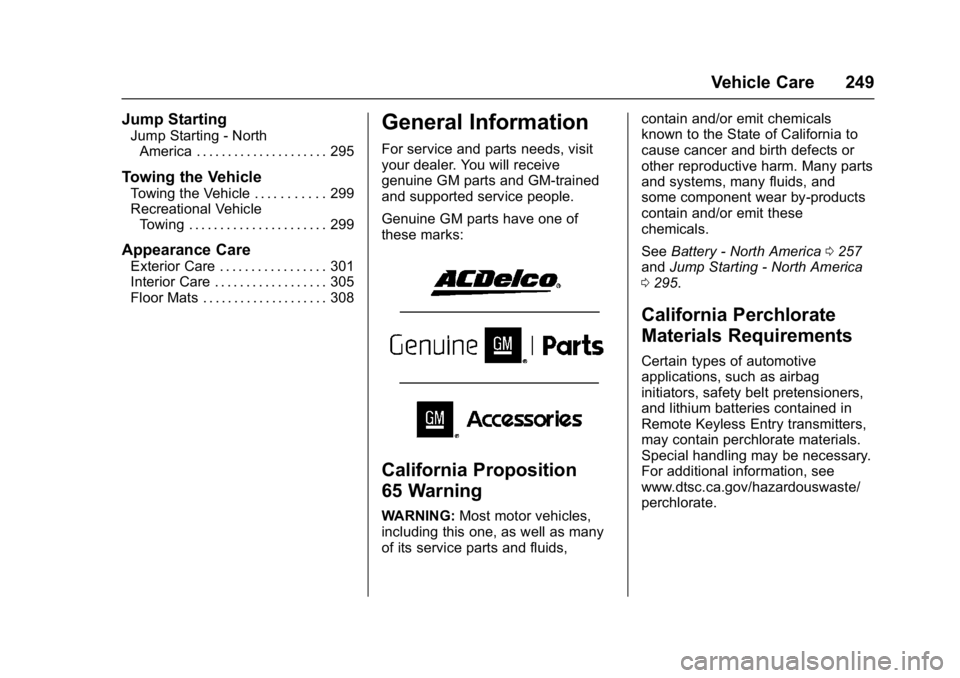
Genuine GM parts have one of
these marks:
California Proposition
65 Warning
WARNING: Most motor vehicles,
including this one, as well as many
of its service parts and fluids, contain and/or emit chemicals
known to the State of California to
cause cancer and birth defects or
other reproductive harm. Many parts
and systems, many fluids, and
some component wear by-products
contain and/or emit these
chemicals.
See
Battery - North America 0257
and Jump Starting - North America
0 295.
California Perchlorate
Materials Requirements
Certain types of automotive
applications, such as airbag
initiators, safety belt pretensioners,
and lithium batteries contained in
Remote Keyless Entry transmitters,
may contain perchlorate materials.
Special handling may be necessary.
For additional information, see
www.dtsc.ca.gov/hazardouswaste/
perchlorate.
Page 261 of 361
Chevrolet Bolt EV Owner Manual (GMNA-Localizing-U.S./Canada/Mexico-
10122739) - 2017 - CRC - 10/3/16
260 Vehicle Care
Caution
Allowing the wiper arm to touch
the windshield when no wiper
blade is installed could damage
the windshield. Any damage that
occurs would not be covered by
the vehicle warranty. Do not allow
the wiper arm to touch the
windshield.
To replace the windshield wiper
blade: 1. Pull the windshield wiper assembly away from the
windshield.
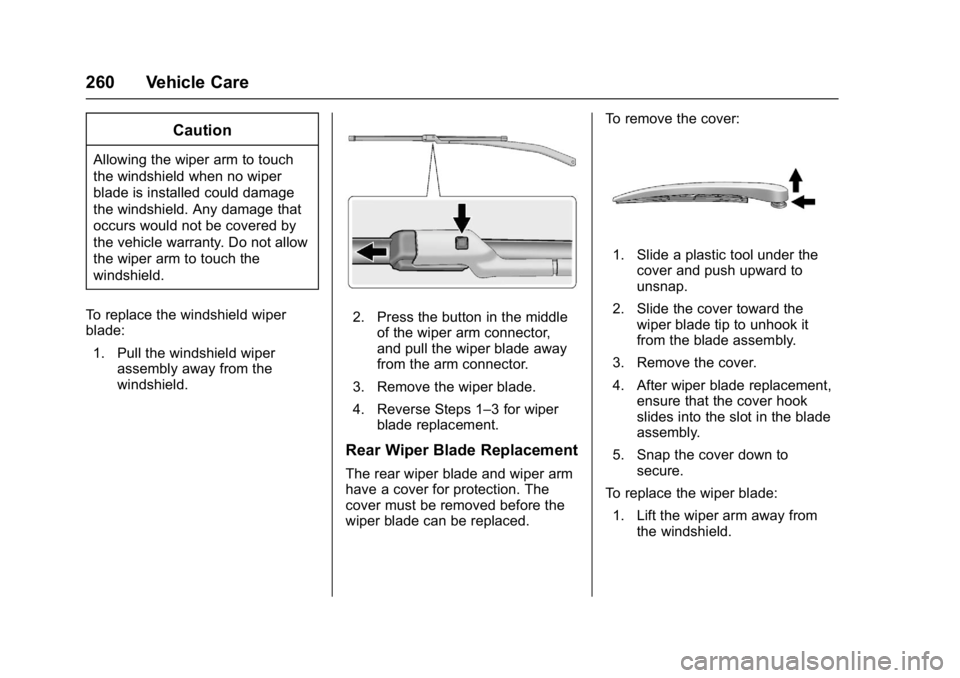
2. Press the button in the middle
of the wiper arm connector,
and pull the wiper blade away
from the arm connector.
3. Remove the wiper blade.
4. Reverse Steps 1–3 for wiper blade replacement.
Rear Wiper Blade Replacement
The rear wiper blade and wiper arm
have a cover for protection. The
cover must be removed before the
wiper blade can be replaced. To remove the cover:
1. Slide a plastic tool under the
cover and push upward to
unsnap.
2. Slide the cover toward the wiper blade tip to unhook it
from the blade assembly.
3. Remove the cover.
4. After wiper blade replacement, ensure that the cover hook
slides into the slot in the blade
assembly.
5. Snap the cover down to secure.
To replace the wiper blade:
1. Lift the wiper arm away from the windshield.