remote start CHEVROLET BOLT EV 2019 User Guide
[x] Cancel search | Manufacturer: CHEVROLET, Model Year: 2019, Model line: BOLT EV, Model: CHEVROLET BOLT EV 2019Pages: 371, PDF Size: 5.51 MB
Page 41 of 371
Chevrolet BOLT EV Owner Manual (GMNA-Localizing-U.S./Canada/Mexico-
12163003) - 2019 - crc - 5/18/18
40 Keys, Doors, and Windows
3. Remove the battery by pushingon the battery and sliding it
toward the bottom of the
transmitter.
4. Insert the new battery, positive side facing the back cover.
Push the battery down until it is
held in place. Replace with a
CR2032 or equivalent battery.
5. Snap the battery cover back on to the transmitter.
Remote Start
This feature starts the heating or air
conditioning systems and the rear
window defogger from outside the
vehicle.
Use remote start to heat or cool the
interior when the vehicle is plugged
in to maximize electric range by
utilizing electricity from the electrical
outlet. Normal operation of the
system will return after the vehicle
has been turned on.
/:This button is on the RKE
transmitter. The climate control system will use
the previous settings during a
remote start. The rear defog may
come on during remote start based
on cold ambient conditions. The
rear defog indicator light does not
come on during a remote start.
Laws in some local communities
may restrict the use of remote
starters. For example, some laws
require a person using remote start
to have the vehicle in view. Check
local regulations for any
requirements.
If the vehicle is low on energy, do
not use the remote start feature.
The vehicle may run out of energy.
The RKE transmitter range may be
less while the vehicle is running.
Other conditions can affect the
performance of the transmitter. See
Remote Keyless Entry (RKE)
System
033.
Remote Starting the Vehicle
To remote start the vehicle: 1. Press and release
Qon the
RKE transmitter.
2. Immediately press and hold
/
for at least four seconds or until
the turn signal lamps flash.
3. After entering the vehicle during a remote start, press
POWER
Owith the brake
pedal applied to start the
vehicle and operate as normal.
Remote start will automatically shut
off after 20 minutes unless a time
extension is done.
When the vehicle starts, the parking
lamps will turn on. Remote start run
time can be extended.
Extending Vehicle Run Time
The vehicle run time can also be
extended by another 20 minutes,
if after 30 seconds and during the
first 20 minutes Steps 1 and 2 are
repeated while the vehicle is
running. This provides a total of
40 minutes.
The remote start can only be
extended once.
Page 42 of 371
Chevrolet BOLT EV Owner Manual (GMNA-Localizing-U.S./Canada/Mexico-
12163003) - 2019 - crc - 5/18/18
Keys, Doors, and Windows 41
A maximum of two remote starts,
or a single start with an extension,
are allowed between ignition cycles
using POWER
O.
For additional remote starts, turn the
vehicle on with the transmitter in the
vehicle.
Canceling Remote Start
To cancel a remote start, do any of
the following:
. Press and hold
/until the
parking lamps turn off.
. Turn on the hazard warning
flashers.
. Press POWER
Owith the brake
pedal applied, then press
POWER
Oagain to turn the
vehicle off.
Conditions in Which Remote
Start Will Not Work
The remote vehicle start feature will
not operate if:
. The RKE transmitter is in the
vehicle. .
The hood is not closed.
. The hazard warning flashers
are on.
. The service vehicle soon light
is on.
. The electric drive unit coolant
temperature is too high.
. Two remote vehicle starts, or a
single remote start with an
extension, have already
been used.
. The vehicle is not in P (Park).
Door Locks
{Warning
Unlocked doors can be
dangerous.
. Passengers, especially
children, can easily open
the doors and fall out of a
moving vehicle. The doors
can be unlocked and
opened while the vehicle is
(Continued)
Warning (Continued)
moving. The chance of
being thrown out of the
vehicle in a crash is
increased if the doors are
not locked. So, all
passengers should wear
seat belts properly and the
doors should be locked
whenever the vehicle is
driven.
. Young children who get into
unlocked vehicles may be
unable to get out. A child
can be overcome by
extreme heat and can suffer
permanent injuries or even
death from heat stroke.
Always lock the vehicle
whenever leaving it.
. Outsiders can easily enter
through an unlocked door
when you slow down or stop
the vehicle. Locking the
doors can help prevent this
from happening.
Page 46 of 371
Chevrolet BOLT EV Owner Manual (GMNA-Localizing-U.S./Canada/Mexico-
12163003) - 2019 - crc - 5/18/18
Keys, Doors, and Windows 45
Safety Locks
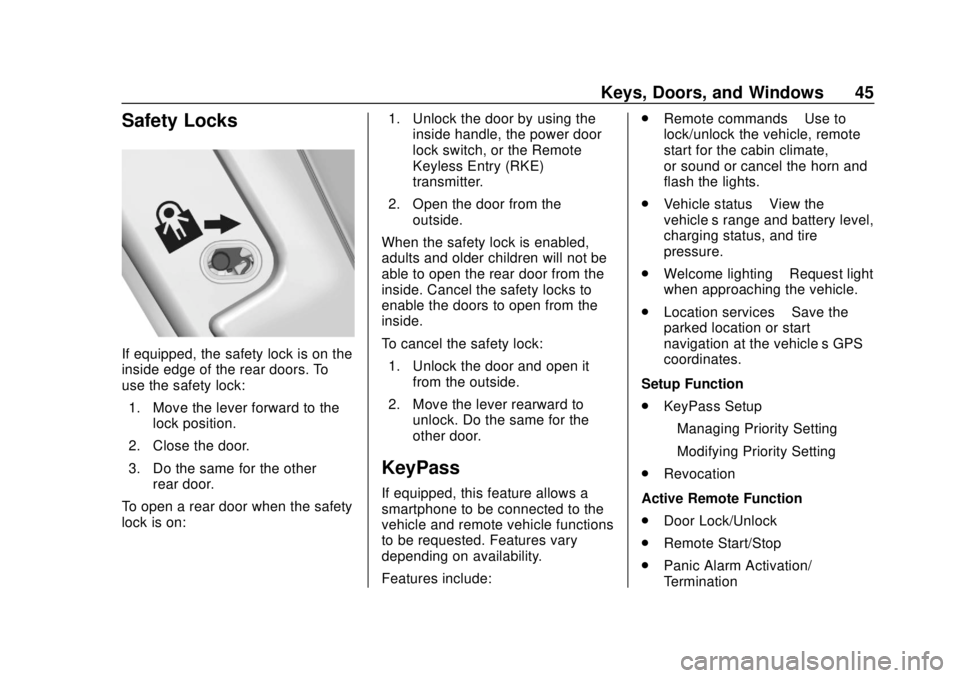
If equipped, the safety lock is on the
inside edge of the rear doors. To
use the safety lock:1. Move the lever forward to the lock position.
2. Close the door.
3. Do the same for the other rear door.
To open a rear door when the safety
lock is on: 1. Unlock the door by using the
inside handle, the power door
lock switch, or the Remote
Keyless Entry (RKE)
transmitter.
2. Open the door from the outside.
When the safety lock is enabled,
adults and older children will not be
able to open the rear door from the
inside. Cancel the safety locks to
enable the doors to open from the
inside.
To cancel the safety lock: 1. Unlock the door and open it from the outside.
2. Move the lever rearward to unlock. Do the same for the
other door.
KeyPass
If equipped, this feature allows a
smartphone to be connected to the
vehicle and remote vehicle functions
to be requested. Features vary
depending on availability.
Features include: .
Remote commands –Use to
lock/unlock the vehicle, remote
start for the cabin climate,
or sound or cancel the horn and
flash the lights.
. Vehicle status –View the
vehicle’s range and battery level,
charging status, and tire
pressure.
. Welcome lighting –Request light
when approaching the vehicle.
. Location services –Save the
parked location or start
navigation at the vehicle’s GPS
coordinates.
Setup Function
. KeyPass Setup
‐Managing Priority Setting
‐ Modifying Priority Setting
. Revocation
Active Remote Function
. Door Lock/Unlock
. Remote Start/Stop
. Panic Alarm Activation/
Termination
Page 47 of 371
Chevrolet BOLT EV Owner Manual (GMNA-Localizing-U.S./Canada/Mexico-
12163003) - 2019 - crc - 5/18/18
46 Keys, Doors, and Windows
.Remote Charge Termination
. High Voltage Charge Functions
‐Temporary Charging Override
Update
‐ Change the Charging Mode
Permanently
‐ Update Departure Time
Schedule
‐ High Voltage Priority Charging
Activate and De-activate
‐ Select Charge Level/Limit
Preference Screen
. Vehicle Locator
. Routing w/Available Mileage
Passive Function
Approach Detection/Welcome
Lighting
Visual Display for Vehicle
Information
. Low Battery Indication
. Tire Pressure
. Remote Start Status
. Odometer Reading .
Rear Closure Ajar Switch Status
. Electric Parking Brake Status
. Hood Status
. High Voltage Battery State of
Charge Status
. GPS Signal for End of Trip
. Charge Mode Status
‐Available Mileage
‐ Charge Start and End Times
Status
‐ Full Week of Time Based
Delayed Charging Status
‐ Disable Rate Based and
Delayed Charging Status
‐ High Voltage Charging System
Fault (Unable to Charge)
‐ High Voltage Charger Power
Level
‐ High Voltage Battery Charge
Cord Connected Indication
‐ Charge Complete
‐ Usable State of Charge
‐ High Voltage Depletion Mode
Range ‐
High Voltage Battery State of
Charge Status
Pairing
A smartphone must be paired to the
KeyPass Module and then it must
be connected to the vehicle before it
can be used.
Setup Information
. Up to three smartphones can be
set up and connected to the
vehicle.
. Setup is disabled when the
vehicle is moving.
. Pairing only needs to be
completed once per smartphone,
unless the pairing information on
the smartphone changes or the
smartphone is deleted.
Setup Process 1. Enable the KeyPass function through vehicle
personalization. See Vehicle
Personalization 0146.
2. Download the myChevrolet app to the smartphone from the
appropriate app store.
Page 50 of 371
Chevrolet BOLT EV Owner Manual (GMNA-Localizing-U.S./Canada/Mexico-
12163003) - 2019 - crc - 5/18/18
Keys, Doors, and Windows 49
Immobilizer Operation
This vehicle has a passive
theft-deterrent system.
The system does not have to be
manually armed or disarmed.
The vehicle is automatically
immobilized when the transmitter
leaves the vehicle.
The immobilization system is
disarmed when POWER
Ois
pressed and a valid transmitter is
found in the vehicle.
The security light on the instrument
cluster comes on when there is a
problem with arming or disarming
the theft-deterrent system.
The system has one or more
transmitters matched to an
immobilizer control unit in the
vehicle. Only a correctly matched transmitter will start the vehicle.
If the transmitter is damaged, you
may not be able to start the vehicle.
When trying to start the vehicle, the
security light comes on briefly when
the vehicle is turned on.
If the vehicle does not start and the
security light stays on, there is a
problem with the system. Turn the
vehicle off and try again.
If the RKE transmitter appears to be
undamaged, try another transmitter,
or place the transmitter in the
transmitter pocket.
See
“Starting the Vehicle with a Low
Transmitter Battery” underRemote
Keyless Entry (RKE) System
Operation 033.
If the vehicle does not start with the
other transmitter or with the
transmitter placed in the transmitter
pocket, the vehicle needs service.
See your dealer who can service
the theft-deterrent system and have
a new transmitter programmed to
the vehicle. Do not leave the transmitter or
device that disarms or deactivates
the theft-deterrent system in the
vehicle.
Page 62 of 371
Chevrolet BOLT EV Owner Manual (GMNA-Localizing-U.S./Canada/Mexico-
12163003) - 2019 - crc - 5/18/18
Seats and Restraints 61
Warning (Continued)
heat, such as a blanket, cushion,
cover, or similar item. This may
cause the seat heater to
overheat. An overheated seat
heater may cause a burn or may
damage the seat.
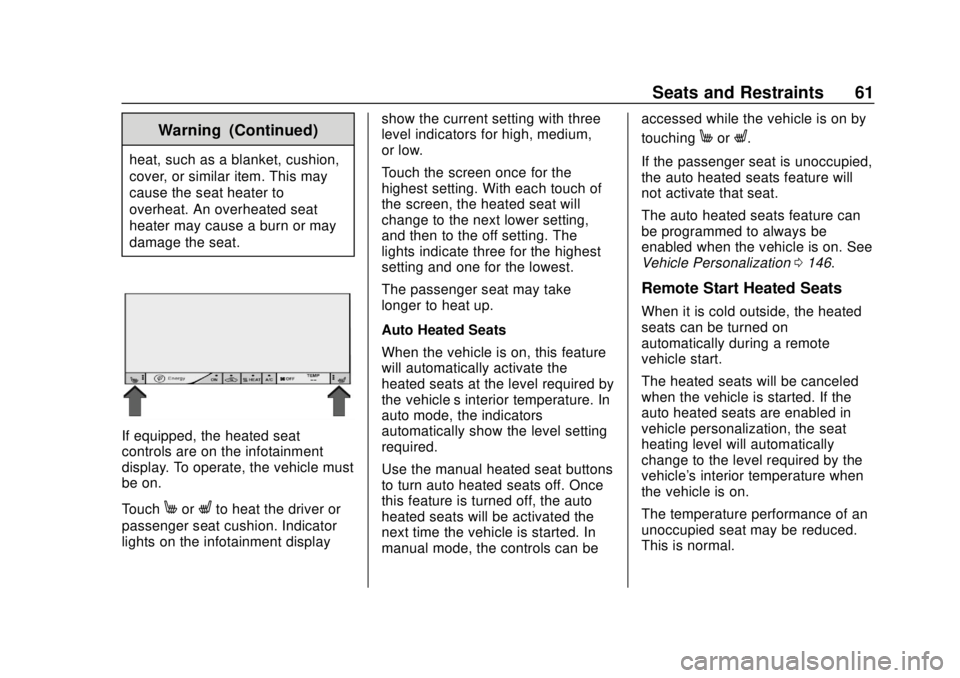
If equipped, the heated seat
controls are on the infotainment
display. To operate, the vehicle must
be on.
Touch
MorLto heat the driver or
passenger seat cushion. Indicator
lights on the infotainment display show the current setting with three
level indicators for high, medium,
or low.
Touch the screen once for the
highest setting. With each touch of
the screen, the heated seat will
change to the next lower setting,
and then to the off setting. The
lights indicate three for the highest
setting and one for the lowest.
The passenger seat may take
longer to heat up.
Auto Heated Seats
When the vehicle is on, this feature
will automatically activate the
heated seats at the level required by
the vehicle’
s interior temperature. In
auto mode, the indicators
automatically show the level setting
required.
Use the manual heated seat buttons
to turn auto heated seats off. Once
this feature is turned off, the auto
heated seats will be activated the
next time the vehicle is started. In
manual mode, the controls can be accessed while the vehicle is on by
touching
MorL.
If the passenger seat is unoccupied,
the auto heated seats feature will
not activate that seat.
The auto heated seats feature can
be programmed to always be
enabled when the vehicle is on. See
Vehicle Personalization 0146.
Remote Start Heated Seats
When it is cold outside, the heated
seats can be turned on
automatically during a remote
vehicle start.
The heated seats will be canceled
when the vehicle is started. If the
auto heated seats are enabled in
vehicle personalization, the seat
heating level will automatically
change to the level required by the
vehicle's interior temperature when
the vehicle is on.
The temperature performance of an
unoccupied seat may be reduced.
This is normal.
Page 63 of 371
Chevrolet BOLT EV Owner Manual (GMNA-Localizing-U.S./Canada/Mexico-
12163003) - 2019 - crc - 5/18/18
62 Seats and Restraints
The heated seats will not turn on
during a remote start unless the
heated seat feature is enabled. See
Vehicle Personalization0146.Rear Seats
Rear Seat Reminder
If equipped, the message REAR
SEAT REMINDER LOOK IN REAR
SEAT displays under certain
conditions indicating there may be
an item or passenger in the rear
seat. Check before exiting the
vehicle.
This feature will activate when a
second row door is opened while
the vehicle is on or up to 10 minutes
before the vehicle is turned on.
There will be an alert when the
vehicle is turned off. The alert does
not directly detect objects in the rear
seat; instead, under certain
conditions, it detects when a rear
door is opened and closed,
indicating that there may be
something in the rear seat.
The feature is active only once each
time the vehicle is turned on and off,
and will require reactivation by
opening and closing the second row
doors. There may be an alert even
when there is nothing in the rear
seat; for example, if a child entered the vehicle through the rear door
and left the vehicle without the
vehicle being shut off.
The feature can be turned on or off.
See
Vehicle Personalization 0146.
Folding the Seatback
Either side of the seatback can be
folded down for more cargo space.
Fold a seatback only when the
vehicle is not moving.
Caution
Folding a rear seat with the seat
belts still fastened may cause
damage to the seat or the seat
belts. Always unbuckle the seat
belts and return them to their
normal stowed position before
folding a rear seat.
To fold the seatback down:
Page 112 of 371
Chevrolet BOLT EV Owner Manual (GMNA-Localizing-U.S./Canada/Mexico-
12163003) - 2019 - crc - 5/18/18
Instruments and Controls 111
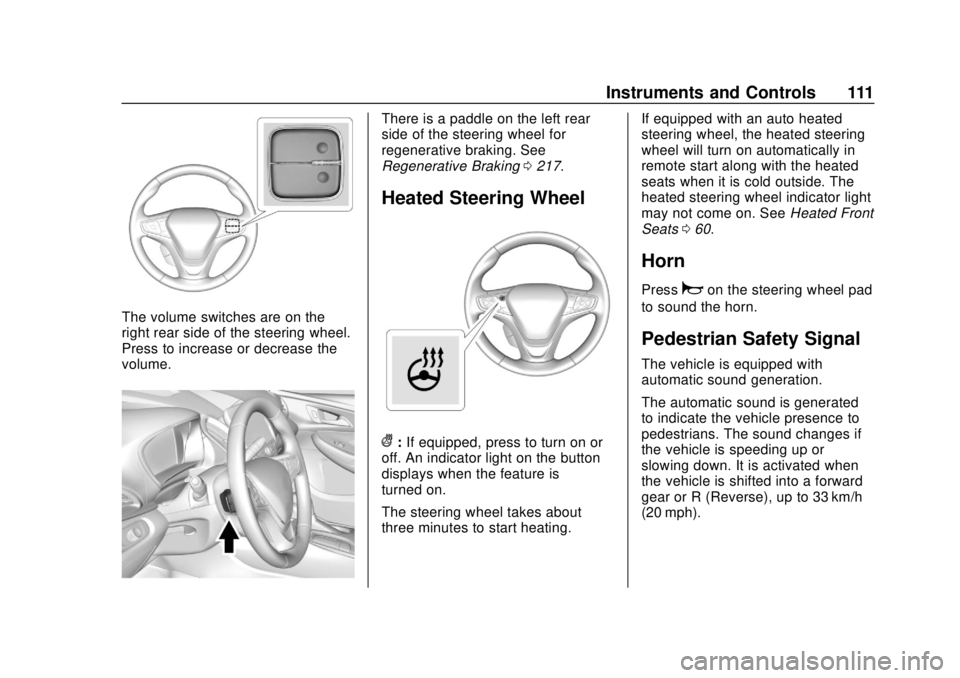
The volume switches are on the
right rear side of the steering wheel.
Press to increase or decrease the
volume.
There is a paddle on the left rear
side of the steering wheel for
regenerative braking. See
Regenerative Braking0217.
Heated Steering Wheel
(:If equipped, press to turn on or
off. An indicator light on the button
displays when the feature is
turned on.
The steering wheel takes about
three minutes to start heating. If equipped with an auto heated
steering wheel, the heated steering
wheel will turn on automatically in
remote start along with the heated
seats when it is cold outside. The
heated steering wheel indicator light
may not come on. See
Heated Front
Seats 060.
Horn
Pressaon the steering wheel pad
to sound the horn.
Pedestrian Safety Signal
The vehicle is equipped with
automatic sound generation.
The automatic sound is generated
to indicate the vehicle presence to
pedestrians. The sound changes if
the vehicle is speeding up or
slowing down. It is activated when
the vehicle is shifted into a forward
gear or R (Reverse), up to 33 km/h
(20 mph).
Page 148 of 371
Chevrolet BOLT EV Owner Manual (GMNA-Localizing-U.S./Canada/Mexico-
12163003) - 2019 - crc - 5/18/18
Instruments and Controls 147
Radio Settings
To manage the radio features, see
“Radio Settings”underSettings
0 182.
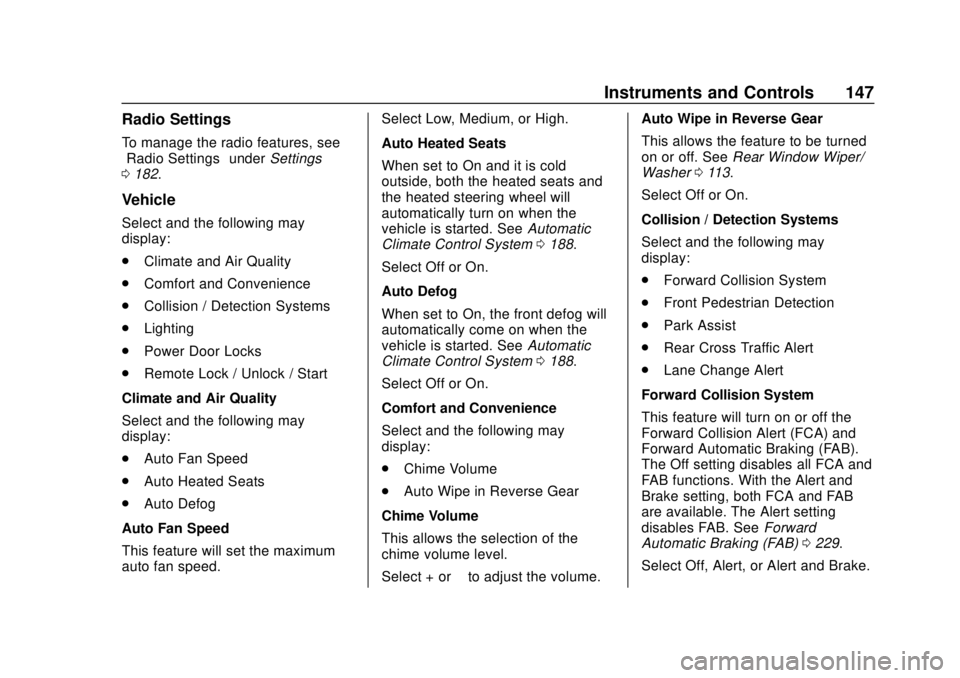
Vehicle
Select and the following may
display:
.
Climate and Air Quality
. Comfort and Convenience
. Collision / Detection Systems
. Lighting
. Power Door Locks
. Remote Lock / Unlock / Start
Climate and Air Quality
Select and the following may
display:
. Auto Fan Speed
. Auto Heated Seats
. Auto Defog
Auto Fan Speed
This feature will set the maximum
auto fan speed. Select Low, Medium, or High.
Auto Heated Seats
When set to On and it is cold
outside, both the heated seats and
the heated steering wheel will
automatically turn on when the
vehicle is started. See
Automatic
Climate Control System 0188.
Select Off or On.
Auto Defog
When set to On, the front defog will
automatically come on when the
vehicle is started. See Automatic
Climate Control System 0188.
Select Off or On.
Comfort and Convenience
Select and the following may
display:
. Chime Volume
. Auto Wipe in Reverse Gear
Chime Volume
This allows the selection of the
chime volume level.
Select + or −to adjust the volume. Auto Wipe in Reverse Gear
This allows the feature to be turned
on or off. See
Rear Window Wiper/
Washer 0113.
Select Off or On.
Collision / Detection Systems
Select and the following may
display:
. Forward Collision System
. Front Pedestrian Detection
. Park Assist
. Rear Cross Traffic Alert
. Lane Change Alert
Forward Collision System
This feature will turn on or off the
Forward Collision Alert (FCA) and
Forward Automatic Braking (FAB).
The Off setting disables all FCA and
FAB functions. With the Alert and
Brake setting, both FCA and FAB
are available. The Alert setting
disables FAB. See Forward
Automatic Braking (FAB) 0229.
Select Off, Alert, or Alert and Brake.
Page 149 of 371

Chevrolet BOLT EV Owner Manual (GMNA-Localizing-U.S./Canada/Mexico-
12163003) - 2019 - crc - 5/18/18
148 Instruments and Controls
Front Pedestrian Detection
This allows the feature’s notification
to be customized.
Select Off, Alert, or Alert and Brake.
Park Assist
This allows the feature to be turned
on or off.
Select Off or On.
Rear Cross Traffic Alert
This allows the Rear Cross Traffic
Alert feature to be turned on or off.
Select Off or On. SeeAssistance
Systems for Parking or Backing
0 224.
Lane Change Alert
This allows the Lane Change Alert
feature to be turned on or off.
Select Off or On. See Lane Change
Alert (LCA) 0232.
Lighting
Select and the following may
display:
. Vehicle Locator Lights .
Exit Lighting
Vehicle Locator Lights
This feature will flash the exterior
lamps and allows some of the
exterior lamps and most of the
interior lamps to turn on briefly when
Kon the Remote Keyless Entry
(RKE) transmitter is pressed to
locate the vehicle.
Select Off or On.
Exit Lighting
This allows the selection of how
long the exterior lamps stay on
when leaving the vehicle when it is
dark outside.
Select Off, 30 Seconds, 60
Seconds, or 120 Seconds.
Power Door Locks
Select and the following may
display:
. Unlocked Door Anti Lock Out
. Auto Door Unlock
. Delayed Door Lock Unlocked Door Anti Lock Out
When on, this feature will keep the
driver door from locking when the
door is open. If Off is selected, the
Delayed Door Lock menu will be
available.
Select Off or On.
Auto Door Unlock
This allows selection of which of the
doors will automatically unlock when
the vehicle is shifted into P (Park).
Select Off, All Doors, or Driver Door.
Delayed Door Lock
When on, this feature will delay the
locking of the doors. To override the
delay, press the power door lock
switch on the door.
Select Off or On.
Remote Lock / Unlock / Start
Select and the following may
display:
.
Remote Unlock Light Feedback
. Remote Lock Feedback
. Remote Door Unlock