stop start CHEVROLET BOLT EV 2021 User Guide
[x] Cancel search | Manufacturer: CHEVROLET, Model Year: 2021, Model line: BOLT EV, Model: CHEVROLET BOLT EV 2021Pages: 293, PDF Size: 9.21 MB
Page 159 of 293
Chevrolet Bolt EV Owner Manual (GMNA-Localizing-U.S./Canada-
14637856) - 2021 - CRC - 10/2/20
158 Driving and Operating
If the RKE transmitter is not in the vehicle
or something is interfering with the
transmitter, a message displays in the Driver
Information Center (DIC).
If the vehicle will not start due to a low RKE
transmitter battery, the vehicle can still be
driven. SeeRemote Keyless Entry (RKE)
System Operation 07.
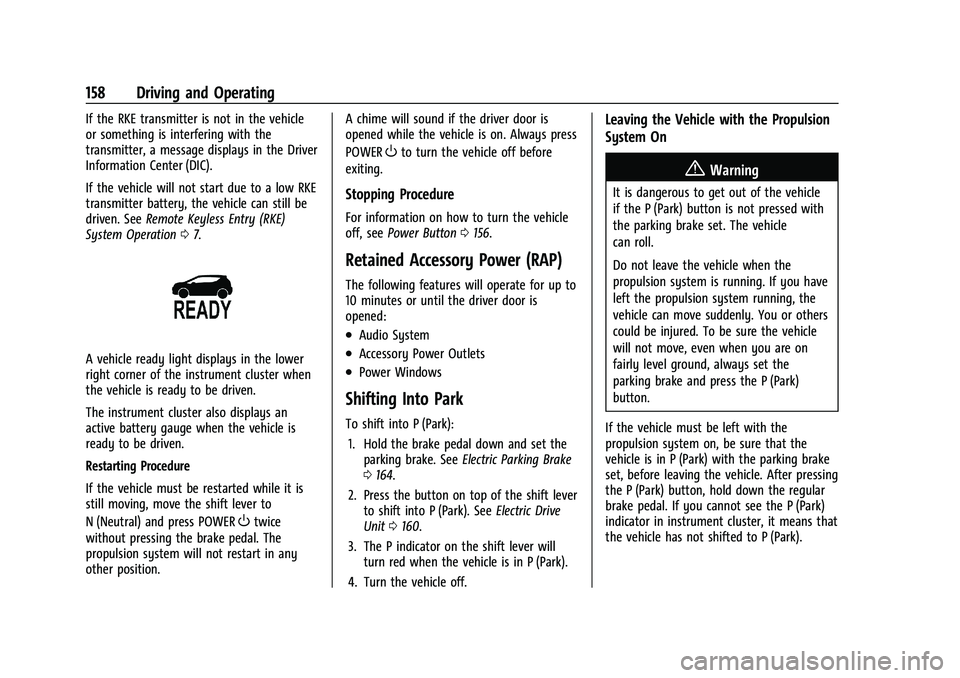
A vehicle ready light displays in the lower
right corner of the instrument cluster when
the vehicle is ready to be driven.
The instrument cluster also displays an
active battery gauge when the vehicle is
ready to be driven.
Restarting Procedure
If the vehicle must be restarted while it is
still moving, move the shift lever to
N (Neutral) and press POWER
Otwice
without pressing the brake pedal. The
propulsion system will not restart in any
other position. A chime will sound if the driver door is
opened while the vehicle is on. Always press
POWER
Oto turn the vehicle off before
exiting.
Stopping Procedure
For information on how to turn the vehicle
off, see Power Button 0156.
Retained Accessory Power (RAP)
The following features will operate for up to
10 minutes or until the driver door is
opened:
.Audio System
.Accessory Power Outlets
.Power Windows
Shifting Into Park
To shift into P (Park):
1. Hold the brake pedal down and set the parking brake. See Electric Parking Brake
0 164.
2. Press the button on top of the shift lever to shift into P (Park). See Electric Drive
Unit 0160.
3. The P indicator on the shift lever will turn red when the vehicle is in P (Park).
4. Turn the vehicle off.
Leaving the Vehicle with the Propulsion
System On
{Warning
It is dangerous to get out of the vehicle
if the P (Park) button is not pressed with
the parking brake set. The vehicle
can roll.
Do not leave the vehicle when the
propulsion system is running. If you have
left the propulsion system running, the
vehicle can move suddenly. You or others
could be injured. To be sure the vehicle
will not move, even when you are on
fairly level ground, always set the
parking brake and press the P (Park)
button.
If the vehicle must be left with the
propulsion system on, be sure that the
vehicle is in P (Park) with the parking brake
set, before leaving the vehicle. After pressing
the P (Park) button, hold down the regular
brake pedal. If you cannot see the P (Park)
indicator in instrument cluster, it means that
the vehicle has not shifted to P (Park).
Page 162 of 293
Chevrolet Bolt EV Owner Manual (GMNA-Localizing-U.S./Canada-
14637856) - 2021 - CRC - 10/2/20
Driving and Operating 161
The shift lock release button is designed to
prevent inadvertent shifting out of P (Park)
unless the vehicle has been started, the
brake pedal is applied, and the shift lock
release button is pressed.
When the vehicle is stopped, apply the
brakes and press the button on top of the
shift lever to shift to P (Park).
The vehicle will not shift into P (Park) if it is
moving too fast. Stop the vehicle and shift
into P (Park).
To shift in and out of P (Park), see Shifting
Into Park and Shifting out of Park.
R :Use this gear to back up.
If the vehicle is shifted from either
R (Reverse) to D (Drive), or D (Drive) to
R (Reverse) while the speed is too high, the
vehicle will shift to N (Neutral). Reduce the
vehicle speed and try the shift again.
To shift into R (Reverse): 1. Bring the vehicle to a complete stop.
2. From the center position, move the shift lever forward, and then to the left. R is
illuminated in red.
3. After releasing the shift lever, it will return to the center position. To shift out of R (Reverse):
1. Bring the vehicle to a complete stop.
2. Shift to the desired gear.
3. After releasing the shift lever, it will return to the center position.
At low vehicle speeds, R (Reverse) can be
used to rock the vehicle back and forth to
get out of snow, ice, or sand without
damaging the electric drive unit.
N : In this position, the propulsion system
does not connect with the wheels. To restart
the propulsion system when the vehicle is
already moving, use N (Neutral) only.
Caution
The vehicle is not designed to stay in
N (Neutral) for extended periods of time.
It will automatically shift into P (Park).
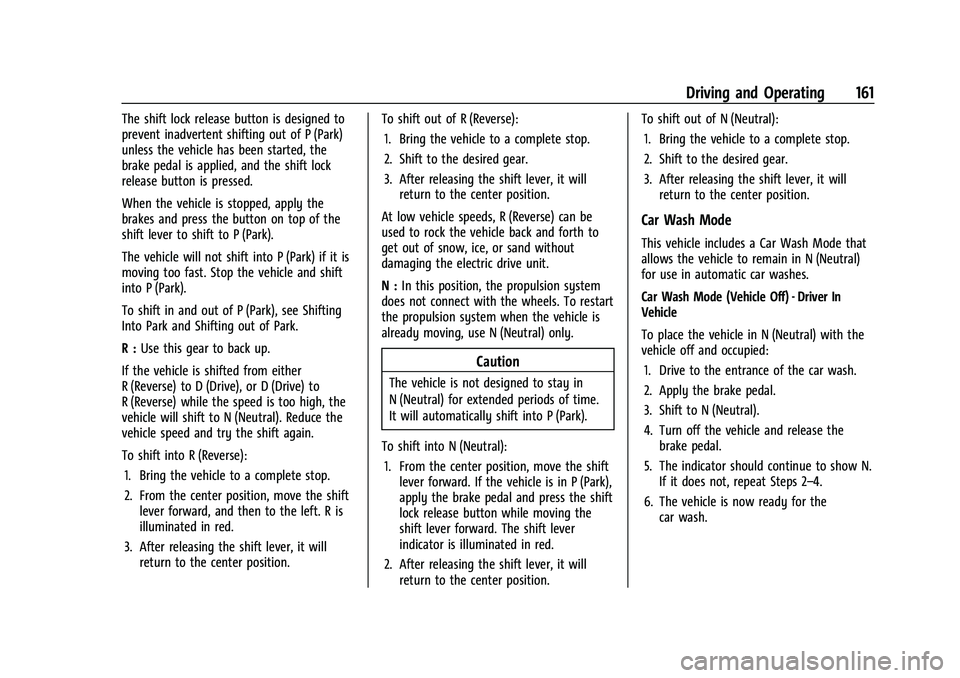
To shift into N (Neutral): 1. From the center position, move the shift lever forward. If the vehicle is in P (Park),
apply the brake pedal and press the shift
lock release button while moving the
shift lever forward. The shift lever
indicator is illuminated in red.
2. After releasing the shift lever, it will return to the center position. To shift out of N (Neutral):
1. Bring the vehicle to a complete stop.
2. Shift to the desired gear.
3. After releasing the shift lever, it will return to the center position.
Car Wash Mode
This vehicle includes a Car Wash Mode that
allows the vehicle to remain in N (Neutral)
for use in automatic car washes.
Car Wash Mode (Vehicle Off) - Driver In
Vehicle
To place the vehicle in N (Neutral) with the
vehicle off and occupied:
1. Drive to the entrance of the car wash.
2. Apply the brake pedal.
3. Shift to N (Neutral).
4. Turn off the vehicle and release the brake pedal.
5. The indicator should continue to show N. If it does not, repeat Steps 2–4.
6. The vehicle is now ready for the car wash.
Page 165 of 293
Chevrolet Bolt EV Owner Manual (GMNA-Localizing-U.S./Canada-
14637856) - 2021 - CRC - 10/2/20
164 Driving and Operating
Braking in Emergencies
ABS allows steering and braking at the same
time. In many emergencies, steering can
help even more than braking.
Electric Parking Brake
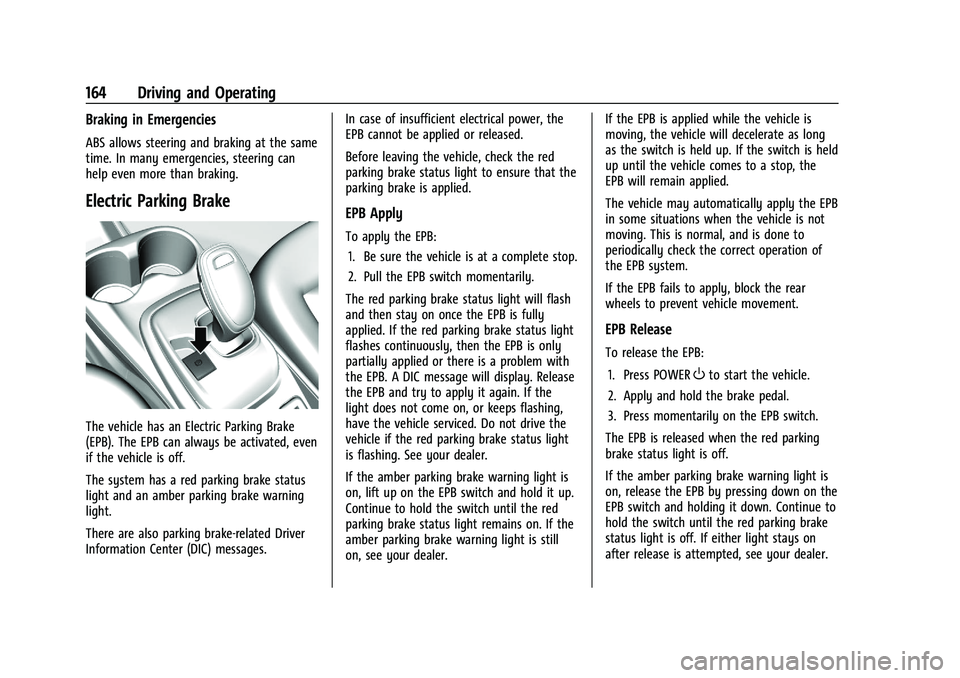
The vehicle has an Electric Parking Brake
(EPB). The EPB can always be activated, even
if the vehicle is off.
The system has a red parking brake status
light and an amber parking brake warning
light.
There are also parking brake-related Driver
Information Center (DIC) messages.In case of insufficient electrical power, the
EPB cannot be applied or released.
Before leaving the vehicle, check the red
parking brake status light to ensure that the
parking brake is applied.
EPB Apply
To apply the EPB:
1. Be sure the vehicle is at a complete stop.
2. Pull the EPB switch momentarily.
The red parking brake status light will flash
and then stay on once the EPB is fully
applied. If the red parking brake status light
flashes continuously, then the EPB is only
partially applied or there is a problem with
the EPB. A DIC message will display. Release
the EPB and try to apply it again. If the
light does not come on, or keeps flashing,
have the vehicle serviced. Do not drive the
vehicle if the red parking brake status light
is flashing. See your dealer.
If the amber parking brake warning light is
on, lift up on the EPB switch and hold it up.
Continue to hold the switch until the red
parking brake status light remains on. If the
amber parking brake warning light is still
on, see your dealer. If the EPB is applied while the vehicle is
moving, the vehicle will decelerate as long
as the switch is held up. If the switch is held
up until the vehicle comes to a stop, the
EPB will remain applied.
The vehicle may automatically apply the EPB
in some situations when the vehicle is not
moving. This is normal, and is done to
periodically check the correct operation of
the EPB system.
If the EPB fails to apply, block the rear
wheels to prevent vehicle movement.
EPB Release
To release the EPB:
1. Press POWER
Oto start the vehicle.
2. Apply and hold the brake pedal.
3. Press momentarily on the EPB switch.
The EPB is released when the red parking
brake status light is off.
If the amber parking brake warning light is
on, release the EPB by pressing down on the
EPB switch and holding it down. Continue to
hold the switch until the red parking brake
status light is off. If either light stays on
after release is attempted, see your dealer.
Page 166 of 293
Chevrolet Bolt EV Owner Manual (GMNA-Localizing-U.S./Canada-
14637856) - 2021 - CRC - 10/2/20
Driving and Operating 165
Caution
Driving with the parking brake on can
overheat the brake system and cause
premature wear or damage to brake
system parts. Make sure that the parking
brake is fully released and the brake
warning light is off before driving.
Automatic EPB Release
The EPB will automatically release if the
vehicle is running, placed into gear, and an
attempt is made to drive away. Avoid rapid
acceleration when the EPB is applied, to
preserve parking brake lining life.
Brake Assist
Brake Assist detects rapid brake pedal
applications due to emergency braking
situations and provides additional braking to
activate the Antilock Brake System (ABS) if
the brake pedal is not pushed hard enough
to activate ABS normally. Minor noise, brake
pedal pulsation, and/or pedal movement
during this time may occur. Continue to
apply the brake pedal as the driving
situation dictates. Brake Assist disengages
when the brake pedal is released.
Hill Start Assist (HSA)
{Warning
Do not rely on the HSA feature. HSA does
not replace the need to pay attention
and drive safely. You may not hear or
feel alerts or warnings provided by this
system. Failure to use proper care when
driving may result in injury, death,
or vehicle damage. SeeDefensive Driving
0 148.
When the vehicle is stopped on a grade, Hill
Start Assist (HSA) prevents the vehicle from
rolling in an unintended direction during the
transition from brake pedal release to
accelerator pedal apply. The brakes release
when the accelerator pedal is applied. If the
accelerator pedal is not applied within a few
minutes, the Electric Parking Brake will
apply. The brakes may also release under
other conditions. Do not rely on HSA to hold
the vehicle.
HSA is available when the vehicle is facing
uphill in a forward gear, or when facing
downhill in R (Reverse). The vehicle must
come to a complete stop on a grade for HSA
to activate.
Regenerative Braking
Some braking energy from the moving
vehicle is turned back into electrical energy.
This energy is then stored back into the
high voltage battery system, increasing
energy efficiency.
Regen on Demand
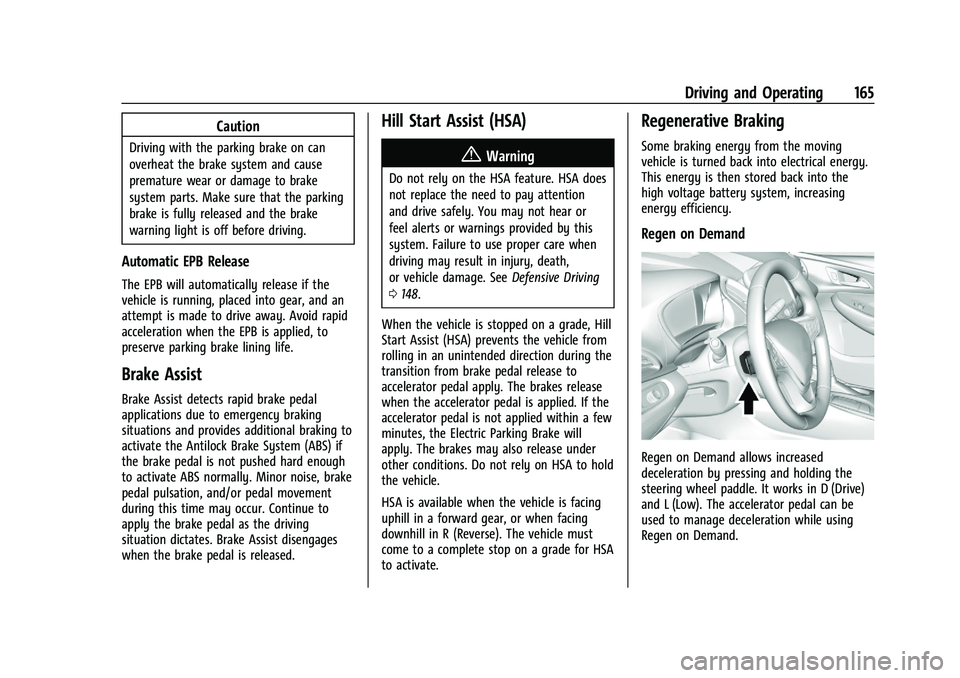
Regen on Demand allows increased
deceleration by pressing and holding the
steering wheel paddle. It works in D (Drive)
and L (Low). The accelerator pedal can be
used to manage deceleration while using
Regen on Demand.
Page 167 of 293
Chevrolet Bolt EV Owner Manual (GMNA-Localizing-U.S./Canada-
14637856) - 2021 - CRC - 10/2/20
166 Driving and Operating
Cruise control will turn off and the brake
lamps may come on when this feature is
activated.
If the vehicle is in D (Drive) and is brought
to a complete stop while the Regen on
Demand paddle is held, the vehicle will not
creep forward when the paddle is released.
The accelerator pedal must be pressed to
move the vehicle forward. See“One-Pedal
Driving” underElectric Drive Unit 0160.
If the vehicle is on a steep grade, the brake
pedal must be used to hold the vehicle.
Regenerative power may be limited when
the battery is near full charge or cold. The
regen battery icon will appear gray when
limited. The regen power limit is also
displayed as a horizontal bar on the power
indicator gauge.
Avoid using Regen On Demand under
slippery road conditions. Under Regenerative
Power Limited Condition, the amount of
vehicle deceleration will be limited. Use the
brake pedal as the primary braking device.Ride Control Systems
Traction Control/Electronic
Stability Control
System Operation
The vehicle has a Traction Control System
(TCS) and StabiliTrak/Electronic Stability
Control (ESC), an electronic stability control
system. These systems help limit wheel slip
and assist the driver in maintaining control,
especially on slippery road conditions.
TCS activates if it senses that any of the
drive wheels are spinning or beginning to
lose traction. When this happens, TCS
applies the brakes to the spinning wheels
and reduces propulsion system power to
limit wheel spin.
StabiliTrak/ESC activates when the vehicle
senses a difference between the intended
path and the direction the vehicle is actually
traveling. StabiliTrak/ESC selectively applies
braking pressure to any one of the vehicle
wheel brakes to assist the driver in keeping
the vehicle on the intended path. If cruise control is being used and TCS or
StabiliTrak/ESC begins to limit wheel spin,
cruise control will disengage. Cruise control
may be turned back on when road
conditions allow.
Both systems come on automatically when
the vehicle is started and begins to move.
The systems may be heard or felt while
they are operating or while performing
diagnostic checks. This is normal and does
not mean there is a problem with the
vehicle.
It is recommended to leave both systems on
for normal driving conditions, but it may be
necessary to turn TCS off if the vehicle gets
stuck in sand, mud, ice, or snow. See
“Turning the Systems Off and On”
later in
this section.
The indicator light for both systems is in the
instrument cluster. This light will:
.Flash when TCS is limiting wheel spin.
.Flash when StabiliTrak/ESC is activated.
Page 168 of 293
Chevrolet Bolt EV Owner Manual (GMNA-Localizing-U.S./Canada-
14637856) - 2021 - CRC - 10/2/20
Driving and Operating 167
.Turn on and stay on when either system
is not working.
If either system fails to turn on or to
activate, a message displays in the Driver
Information Center (DIC), and
dcomes on
and stays on to indicate that the system is
inactive and is not assisting the driver in
maintaining control. The vehicle is safe to
drive, but driving should be adjusted
accordingly.
If
dcomes on and stays on:
1. Stop the vehicle.
2. Turn the vehicle off and wait 15 seconds.
3. Start the vehicle.
Drive the vehicle. If
dcomes on and stays
on, the vehicle may need more time to
diagnose the problem. If the condition
persists, see your dealer.
Turning the Systems Off and On
Caution
Do not repeatedly brake or accelerate
heavily when TCS is off. The vehicle
driveline could be damaged.
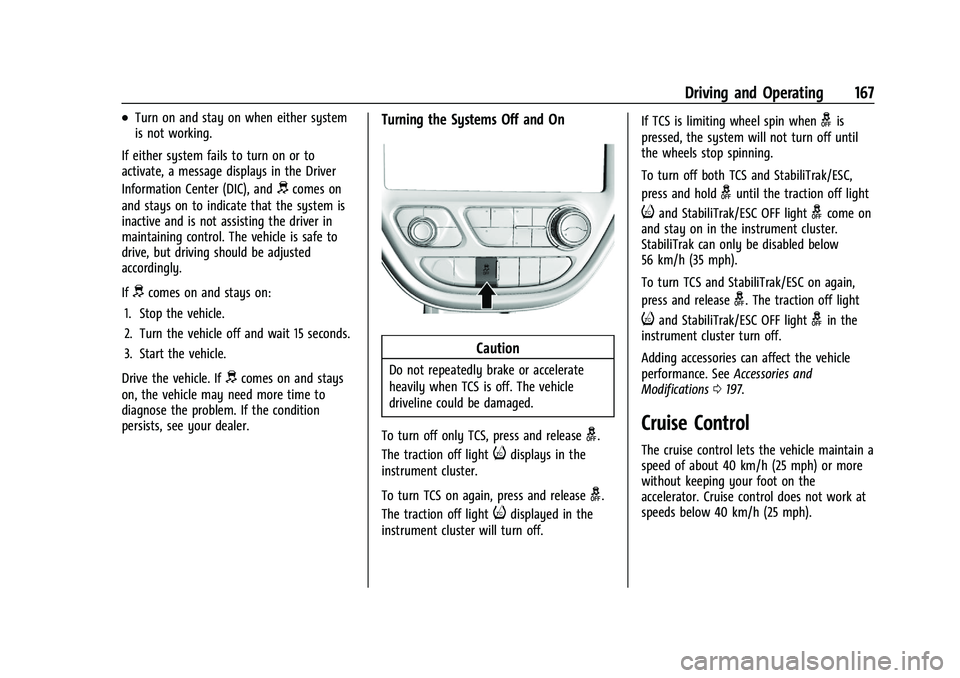
To turn off only TCS, press and release
g.
The traction off light
idisplays in the
instrument cluster.
To turn TCS on again, press and release
g.
The traction off light
idisplayed in the
instrument cluster will turn off. If TCS is limiting wheel spin when
gis
pressed, the system will not turn off until
the wheels stop spinning.
To turn off both TCS and StabiliTrak/ESC,
press and hold
guntil the traction off light
iand StabiliTrak/ESC OFF lightgcome on
and stay on in the instrument cluster.
StabiliTrak can only be disabled below
56 km/h (35 mph).
To turn TCS and StabiliTrak/ESC on again,
press and release
g. The traction off light
iand StabiliTrak/ESC OFF lightgin the
instrument cluster turn off.
Adding accessories can affect the vehicle
performance. See Accessories and
Modifications 0197.
Cruise Control
The cruise control lets the vehicle maintain a
speed of about 40 km/h (25 mph) or more
without keeping your foot on the
accelerator. Cruise control does not work at
speeds below 40 km/h (25 mph).
Page 180 of 293
Chevrolet Bolt EV Owner Manual (GMNA-Localizing-U.S./Canada-
14637856) - 2021 - CRC - 10/2/20
Driving and Operating 179
are also warned of vehicles rapidly
approaching from up to 70 m (230 ft) behind
the vehicle.
How the System Works
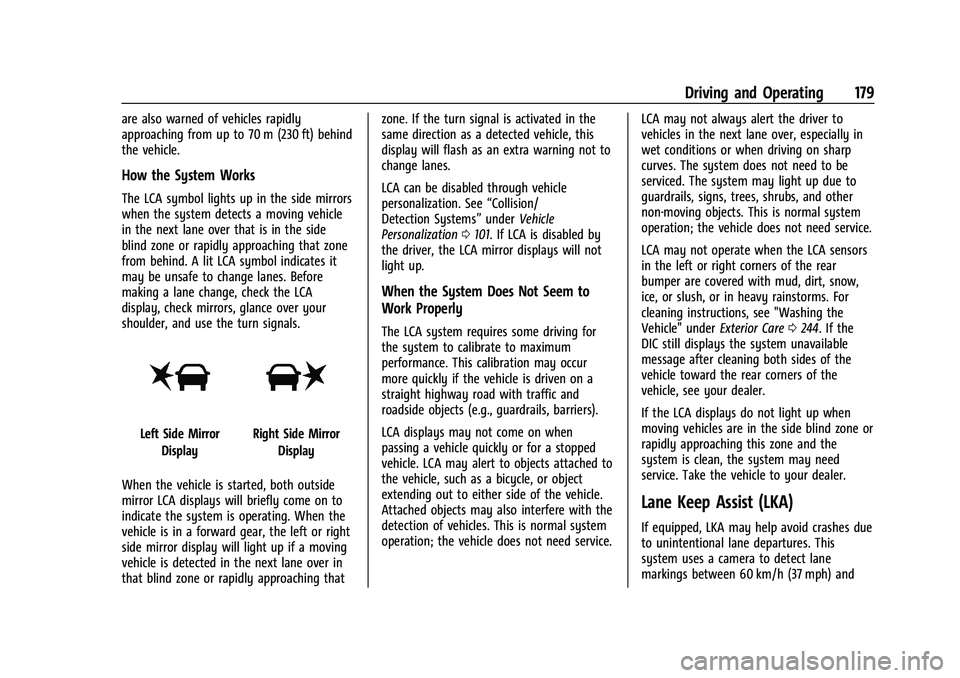
The LCA symbol lights up in the side mirrors
when the system detects a moving vehicle
in the next lane over that is in the side
blind zone or rapidly approaching that zone
from behind. A lit LCA symbol indicates it
may be unsafe to change lanes. Before
making a lane change, check the LCA
display, check mirrors, glance over your
shoulder, and use the turn signals.
Left Side MirrorDisplayRight Side Mirror Display
When the vehicle is started, both outside
mirror LCA displays will briefly come on to
indicate the system is operating. When the
vehicle is in a forward gear, the left or right
side mirror display will light up if a moving
vehicle is detected in the next lane over in
that blind zone or rapidly approaching that zone. If the turn signal is activated in the
same direction as a detected vehicle, this
display will flash as an extra warning not to
change lanes.
LCA can be disabled through vehicle
personalization. See
“Collision/
Detection Systems” underVehicle
Personalization 0101. If LCA is disabled by
the driver, the LCA mirror displays will not
light up.
When the System Does Not Seem to
Work Properly
The LCA system requires some driving for
the system to calibrate to maximum
performance. This calibration may occur
more quickly if the vehicle is driven on a
straight highway road with traffic and
roadside objects (e.g., guardrails, barriers).
LCA displays may not come on when
passing a vehicle quickly or for a stopped
vehicle. LCA may alert to objects attached to
the vehicle, such as a bicycle, or object
extending out to either side of the vehicle.
Attached objects may also interfere with the
detection of vehicles. This is normal system
operation; the vehicle does not need service. LCA may not always alert the driver to
vehicles in the next lane over, especially in
wet conditions or when driving on sharp
curves. The system does not need to be
serviced. The system may light up due to
guardrails, signs, trees, shrubs, and other
non-moving objects. This is normal system
operation; the vehicle does not need service.
LCA may not operate when the LCA sensors
in the left or right corners of the rear
bumper are covered with mud, dirt, snow,
ice, or slush, or in heavy rainstorms. For
cleaning instructions, see "Washing the
Vehicle" under
Exterior Care0244. If the
DIC still displays the system unavailable
message after cleaning both sides of the
vehicle toward the rear corners of the
vehicle, see your dealer.
If the LCA displays do not light up when
moving vehicles are in the side blind zone or
rapidly approaching this zone and the
system is clean, the system may need
service. Take the vehicle to your dealer.
Lane Keep Assist (LKA)
If equipped, LKA may help avoid crashes due
to unintentional lane departures. This
system uses a camera to detect lane
markings between 60 km/h (37 mph) and
Page 186 of 293
Chevrolet Bolt EV Owner Manual (GMNA-Localizing-U.S./Canada-
14637856) - 2021 - CRC - 10/2/20
Driving and Operating 185
6. Once charging, the DC vehicle plug willbe locked to the DC charge port and
cannot be disconnected while charging is
active.
7. Verify that the Charging Status Indicator illuminates on top of the instrument
panel and an audible chirp occurs. See
Charging Status Feedback 0186.
Caution
Do not attempt to disconnect the DC
vehicle plug while charging is active. This
action may damage the vehicle or
charging station hardware.
Stop Charge
Controls on the charging station can be used
to stop the charge process at any time.
To stop the charge when inside the vehicle,
use the Stop button on the Charging screen,
or press the button on top of the AC vehicle
cord handle. Stop Charge
—Automatic
When the vehicle no longer needs to use
power from the charging station, it will stop
charging and the DC vehicle plug will be
unlocked from the DC charge port.
Energy can still be consumed from the
charging station when the vehicle’s displays
and indicators show that the battery is fully
charged. This is to ensure the battery is in
optimal temperature operating range to
maximize vehicle range. See Programmable
Charging 090.
End Charge 1. Wait until the charging process has been fully stopped, the vehicle plug is
unlocked, and the Charging Status
Indicator is solid green or off.
If the vehicle plug does not unlock from
the vehicle charge port after a charge,
contact Roadside Assistance for
assistance. See Roadside Assistance
Program 0266.
2. Unplug the DC vehicle plug from the DC charge port on the vehicle and close the
dust cover. 3. Close the charge port door by pressing
firmly in the center until it latches.
4. The Electric Parking Brake should be manually disengaged before driving the
vehicle.
5. To start another DC charge, remove the DC vehicle plug and reconnect.
Delayed Charging Override
To temporarily override a delayed charge
event, unplug the charge cord from the
charge port and then plug it back in within
five seconds. A single audible chirp will
sound and charging will begin immediately.
To cancel a temporary override, unplug the
charge cord, wait for 10 seconds, and then
plug the charge cord back in. A double
audible chirp will sound and charging will be
delayed.
See Programmable Charging 090 for
advanced charge scheduling options.
Page 197 of 293
Chevrolet Bolt EV Owner Manual (GMNA-Localizing-U.S./Canada-
14637856) - 2021 - CRC - 10/2/20
196 Vehicle Care
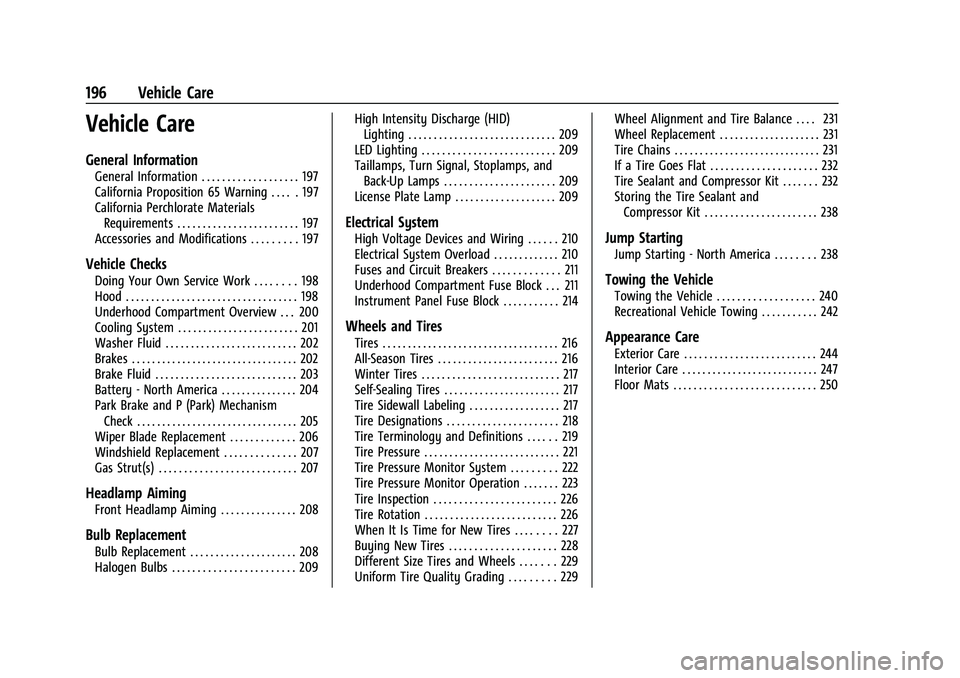
Vehicle Care
General Information
General Information . . . . . . . . . . . . . . . . . . . 197
California Proposition 65 Warning . . . . . 197
California Perchlorate MaterialsRequirements . . . . . . . . . . . . . . . . . . . . . . . . 197
Accessories and Modifications . . . . . . . . . 197
Vehicle Checks
Doing Your Own Service Work . . . . . . . . 198
Hood . . . . . . . . . . . . . . . . . . . . . . . . . . . . . . . . . . 198
Underhood Compartment Overview . . . 200
Cooling System . . . . . . . . . . . . . . . . . . . . . . . . 201
Washer Fluid . . . . . . . . . . . . . . . . . . . . . . . . . . 202
Brakes . . . . . . . . . . . . . . . . . . . . . . . . . . . . . . . . . 202
Brake Fluid . . . . . . . . . . . . . . . . . . . . . . . . . . . . 203
Battery - North America . . . . . . . . . . . . . . . 204
Park Brake and P (Park) Mechanism Check . . . . . . . . . . . . . . . . . . . . . . . . . . . . . . . . 205
Wiper Blade Replacement . . . . . . . . . . . . . 206
Windshield Replacement . . . . . . . . . . . . . . 207
Gas Strut(s) . . . . . . . . . . . . . . . . . . . . . . . . . . . 207
Headlamp Aiming
Front Headlamp Aiming . . . . . . . . . . . . . . . 208
Bulb Replacement
Bulb Replacement . . . . . . . . . . . . . . . . . . . . . 208
Halogen Bulbs . . . . . . . . . . . . . . . . . . . . . . . . 209 High Intensity Discharge (HID)
Lighting . . . . . . . . . . . . . . . . . . . . . . . . . . . . . 209
LED Lighting . . . . . . . . . . . . . . . . . . . . . . . . . . 209
Taillamps, Turn Signal, Stoplamps, and Back-Up Lamps . . . . . . . . . . . . . . . . . . . . . . 209
License Plate Lamp . . . . . . . . . . . . . . . . . . . . 209
Electrical System
High Voltage Devices and Wiring . . . . . . 210
Electrical System Overload . . . . . . . . . . . . . 210
Fuses and Circuit Breakers . . . . . . . . . . . . . 211
Underhood Compartment Fuse Block . . . 211
Instrument Panel Fuse Block . . . . . . . . . . . 214
Wheels and Tires
Tires . . . . . . . . . . . . . . . . . . . . . . . . . . . . . . . . . . . 216
All-Season Tires . . . . . . . . . . . . . . . . . . . . . . . . 216
Winter Tires . . . . . . . . . . . . . . . . . . . . . . . . . . . 217
Self-Sealing Tires . . . . . . . . . . . . . . . . . . . . . . . 217
Tire Sidewall Labeling . . . . . . . . . . . . . . . . . . 217
Tire Designations . . . . . . . . . . . . . . . . . . . . . . 218
Tire Terminology and Definitions . . . . . . 219
Tire Pressure . . . . . . . . . . . . . . . . . . . . . . . . . . . 221
Tire Pressure Monitor System . . . . . . . . . 222
Tire Pressure Monitor Operation . . . . . . . 223
Tire Inspection . . . . . . . . . . . . . . . . . . . . . . . . 226
Tire Rotation . . . . . . . . . . . . . . . . . . . . . . . . . . 226
When It Is Time for New Tires . . . . . . . . 227
Buying New Tires . . . . . . . . . . . . . . . . . . . . . 228
Different Size Tires and Wheels . . . . . . . 229
Uniform Tire Quality Grading . . . . . . . . . 229 Wheel Alignment and Tire Balance . . . . 231
Wheel Replacement . . . . . . . . . . . . . . . . . . . . 231
Tire Chains . . . . . . . . . . . . . . . . . . . . . . . . . . . . . 231
If a Tire Goes Flat . . . . . . . . . . . . . . . . . . . . . 232
Tire Sealant and Compressor Kit . . . . . . . 232
Storing the Tire Sealant and
Compressor Kit . . . . . . . . . . . . . . . . . . . . . . 238
Jump Starting
Jump Starting - North America . . . . . . . . 238
Towing the Vehicle
Towing the Vehicle . . . . . . . . . . . . . . . . . . . 240
Recreational Vehicle Towing . . . . . . . . . . . 242
Appearance Care
Exterior Care . . . . . . . . . . . . . . . . . . . . . . . . . . 244
Interior Care . . . . . . . . . . . . . . . . . . . . . . . . . . . 247
Floor Mats . . . . . . . . . . . . . . . . . . . . . . . . . . . . 250
Page 205 of 293
Chevrolet Bolt EV Owner Manual (GMNA-Localizing-U.S./Canada-
14637856) - 2021 - CRC - 10/2/20
204 Vehicle Care
Brake fluid absorbs water over time which
degrades the effectiveness of the brake fluid.
Replace brake fluid at the specified intervals
to prevent increased stopping distance. See
Maintenance Schedule0253.
What to Add
Use only GM approved DOT 4 brake fluid
from a clean, sealed container. See
Recommended Fluids and Lubricants 0258.
{Warning
The wrong or contaminated brake fluid
could result in damage to the brake
system. This could result in the loss of
braking leading to a possible injury.
Always use the proper GM approved
brake fluid.
Caution
If brake fluid is spilled on the vehicle's
painted surfaces, the paint finish can be
damaged. Immediately wash off any
painted surface.
Battery - North America
The original equipment battery is
maintenance free. Do not remove the cap
and do not add fluid.
This vehicle has a high voltage battery and
a standard 12-volt battery.
{Warning
Damage to the high voltage battery or
high voltage system can create a risk of
electric shock, overheating, or fire.
If the vehicle is damaged from a
moderate to severe crash, flood, fire,
or other event, the vehicle should be
inspected as soon as possible. Until the
vehicle has been inspected, store it
outside at least 15 m (50 ft) from any
structure or anything that can burn.
Ventilate the vehicle by opening a
window or a door.
Contact Customer Assistance as soon as
possible to determine whether an
inspection is needed. See Customer
Assistance Offices 0264. If the vehicle is in a crash, the sensing
system may shut down the high voltage
system. When this occurs, the high voltage
battery is disconnected and the vehicle will
not start. The SERVICE VEHICLE SOON
message in the Driver Information Center
(DIC) will be displayed. Before the vehicle
can be operated again, it must be serviced
at your dealer.
See
“If a Crash Occurs” underCollision
Damage Repair 0268 for additional
information. If an airbag has inflated, see
What Will You See after an Airbag Inflates?
0 42.
Only a trained service technician with
the proper knowledge and tools should
inspect, test, or replace the high voltage
battery. See your dealer if either the 12-volt
or high voltage battery needs service. The
dealer has information on how to recycle
the high voltage battery. There is also
information available at
http://www.recyclemybattery.com.
Keep the vehicle plugged in, even when fully
charged, to keep the high voltage battery
temperature ready for the next drive. This is
important when outside temperatures are
extremely hot or cold.