stop start CHEVROLET BOLT EV 2021 Owner's Guide
[x] Cancel search | Manufacturer: CHEVROLET, Model Year: 2021, Model line: BOLT EV, Model: CHEVROLET BOLT EV 2021Pages: 293, PDF Size: 9.21 MB
Page 224 of 293
Chevrolet Bolt EV Owner Manual (GMNA-Localizing-U.S./Canada-
14637856) - 2021 - CRC - 10/2/20
Vehicle Care 223
sequence will continue upon subsequent
vehicle start-ups as long as the malfunction
exists.
When the malfunction indicator is
illuminated, the system may not be able to
detect or signal low tire pressure as
intended. TPMS malfunctions may occur for
a variety of reasons, including the
installation of replacement or alternate tires
or wheels on the vehicle that prevent the
TPMS from functioning properly. Always
check the TPMS malfunction telltale after
replacing one or more tires or wheels on
your vehicle to ensure that the replacement
or alternate tires and wheels allow the
TPMS to continue to function properly.
SeeTire Pressure Monitor Operation 0223.
See Radio Frequency Statement 0271.
Tire Pressure Monitor Operation
This vehicle may have a Tire Pressure
Monitor System (TPMS). The TPMS is
designed to warn the driver when a low tire
pressure condition exists. TPMS sensors are
mounted onto each tire and wheel
assembly, excluding the spare tire and
wheel assembly. The TPMS sensors monitor the air pressure in the tires and transmits
the tire pressure readings to a receiver
located in the vehicle.
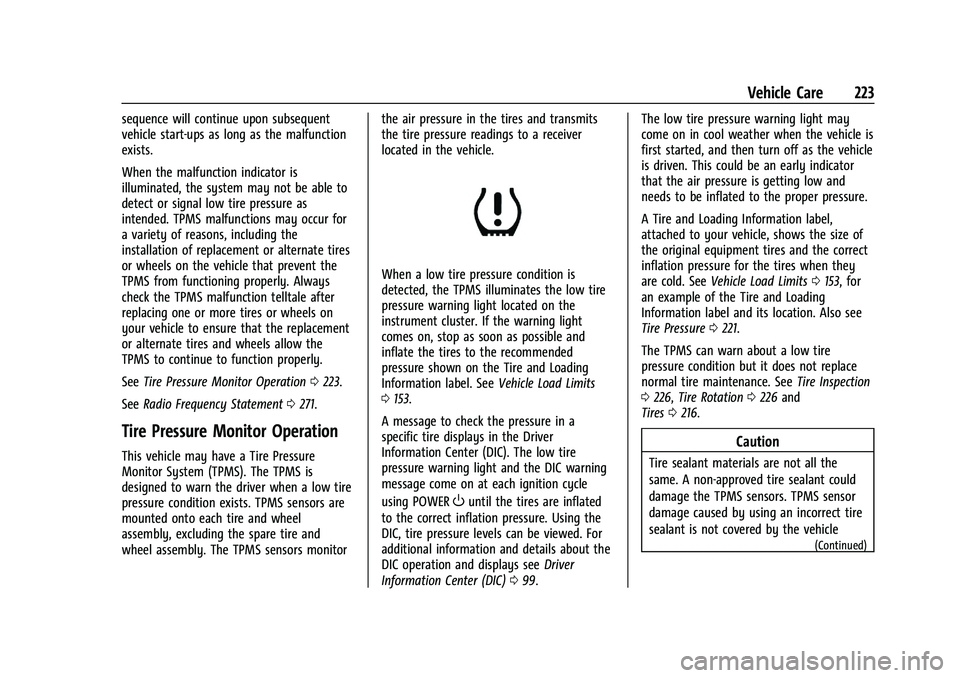
When a low tire pressure condition is
detected, the TPMS illuminates the low tire
pressure warning light located on the
instrument cluster. If the warning light
comes on, stop as soon as possible and
inflate the tires to the recommended
pressure shown on the Tire and Loading
Information label. See
Vehicle Load Limits
0 153.
A message to check the pressure in a
specific tire displays in the Driver
Information Center (DIC). The low tire
pressure warning light and the DIC warning
message come on at each ignition cycle
using POWER
Ountil the tires are inflated
to the correct inflation pressure. Using the
DIC, tire pressure levels can be viewed. For
additional information and details about the
DIC operation and displays see Driver
Information Center (DIC) 099. The low tire pressure warning light may
come on in cool weather when the vehicle is
first started, and then turn off as the vehicle
is driven. This could be an early indicator
that the air pressure is getting low and
needs to be inflated to the proper pressure.
A Tire and Loading Information label,
attached to your vehicle, shows the size of
the original equipment tires and the correct
inflation pressure for the tires when they
are cold. See
Vehicle Load Limits 0153, for
an example of the Tire and Loading
Information label and its location. Also see
Tire Pressure 0221.
The TPMS can warn about a low tire
pressure condition but it does not replace
normal tire maintenance. See Tire Inspection
0 226, Tire Rotation 0226 and
Tires 0216.
Caution
Tire sealant materials are not all the
same. A non-approved tire sealant could
damage the TPMS sensors. TPMS sensor
damage caused by using an incorrect tire
sealant is not covered by the vehicle
(Continued)
Page 226 of 293
Chevrolet Bolt EV Owner Manual (GMNA-Localizing-U.S./Canada-
14637856) - 2021 - CRC - 10/2/20
Vehicle Care 225
{Warning
Overinflating a tire could cause the tire
to rupture and you or others could be
injured. Do not exceed the maximum
pressure listed on the tire sidewall. See
Tire Sidewall Labeling0217 and
Vehicle Load Limits 0153.
If the tire is overinflated by more than
35 kPa (5 psi), the horn will sound multiple
times and the turn signal lamp will continue
to flash for several seconds after filling
stops. To release and correct the pressure,
while the turn signal lamp is still flashing,
briefly press the center of the valve stem.
When the recommended pressure is reached,
the horn sounds once.
If the turn signal lamp does not flash within
15 seconds after starting to inflate the tire,
the tire fill alert has not been activated or is
not working.
If the hazard warning flashers are on, the
tire fill alert visual feedback will not work
properly.
The TPMS will not activate the tire fill alert
properly under the following conditions:
.There is interference from an external
device or transmitter.
.The air pressure from the inflation device
is not sufficient to inflate the tire.
.There is a malfunction in the TPMS.
.There is a malfunction in the horn or turn
signal lamps.
.The identification code of the TPMS
sensor is not registered to the system.
.The battery of the TPMS sensor is low.
If the tire fill alert does not operate due to
TPMS interference, move the vehicle about
1 m (3 ft) back or forward and try again.
If the tire fill alert feature is not working,
use a tire pressure gauge.
TPMS Sensor Matching Process
Each TPMS sensor has a unique
identification code. The identification code
needs to be matched to a new tire/wheel
position after rotating the vehicle’s tires or
replacing one or more of the TPMS sensors.
The TPMS sensor matching process should
also be performed after replacing a spare
tire with a road tire containing the TPMS
sensor. The malfunction light and the DIC
message should go off at the next ignition
cycle using POWER
O. The sensors are
matched to the tire/wheel positions, using a TPMS relearn tool, in the following order:
driver side front tire, passenger side front
tire, passenger side rear tire, and driver side
rear. See your dealer for service or to
purchase a relearn tool. A TPMS relearn tool
can also be purchased. See Tire Pressure
Monitor Sensor Activation Tool at
www.gmtoolsandequipment.com or call
1-800-GM TOOLS (1-800-468-6657).
There are two minutes to match the first
tire/wheel position, and five minutes overall
to match all four tire/wheel positions. If it
takes longer, the matching process stops
and must be restarted.
The TPMS sensor matching process is:
1. Set the parking brake.
2. Press POWER
Oto start the vehicle. See
Power Button 0156.
3. Make sure the Tire Pressure info page option is turned on. The info pages on
the DIC can be turned on and off
through the Options menu. See Driver
Information Center (DIC) 099.
4. Use the DIC controls on the right side of the steering wheel to scroll to the Tire
Pressure screen under the DIC info page.
5. Press and hold
Vin the center of the
DIC controls.
Page 281 of 293
Chevrolet Bolt EV Owner Manual (GMNA-Localizing-U.S./Canada-
14637856) - 2021 - CRC - 10/2/20
280 Connected Services
PressQ, then ask the Advisor to download
directions to the vehicle’s navigation system,
if equipped. After the call ends, the
navigation screen will provide prompts to
begin driving directions. Routes that are sent
to the navigation screen can only be
canceled through the navigation system.
See www.onstar.com (U.S.) or www.onstar.ca
(Canada).
Connections
The following services help with staying
connected.
For coverage maps, see www.onstar.com
(U.S.) or www.onstar.ca (Canada).
Ensuring Security
.Change the default passwords for the
Wi-Fi hotspot and myChevrolet mobile
application. Make these passwords
different from each other and use a
combination of letters and numbers to
increase the security.
.Change the default name of the SSID
(Service Set Identifier). This is your
network’s name that is visible to other
wireless devices. Choose a unique name
and avoid family names or vehicle
descriptions. Wi-Fi Hotspot (If Equipped)
The vehicle may have a built-in Wi-Fi
hotspot that provides access to the Internet
and web content at 4G LTE speed. Up to
seven mobile devices can be connected.
A data plan is required. Use the in-vehicle
controls only when it is safe to do so.
1. To retrieve Wi-Fi hotspot information, press
=to open the OnStar app on the
infotainment display, then select Wi-Fi
Hotspot. On some vehicles, touch Wi-Fi
or Wi-Fi Settings on the screen.
2. The Wi-Fi settings will display the Wi-Fi hotspot name (SSID), password, and on
some vehicles, the connection type (no
Internet connection, 3G, 4G, 4G LTE), and
signal quality (poor, good, excellent). The
LTE icon shows connection to Wi-Fi. It is
possible that the icon may not illuminate
even though the vehicle has an active
connection.
3. To change the SSID or password, press
Qor call 1-888-4ONSTAR to connect
with an Advisor. On some vehicles, the
SSID and password can be changed in
the Wi-Fi Hotspot menu. After initial set-up, your vehicle’s Wi-Fi
hotspot will connect automatically to your
mobile devices. Manage data usage by
turning Wi-Fi on or off on your mobile
device, using the myChevrolet mobile app,
or by contacting an OnStar Advisor. On
some vehicles, Wi-Fi can also be managed
from the Wi-Fi Hotspot menu.
MyChevrolet Mobile App (If Available)
Download the myChevrolet mobile app to
compatible Apple and Android smartphones.
Chevrolet users can access the following
services from a smartphone:
.Remotely start/stop the vehicle,
if factory-equipped.
.Lock/unlock doors, if equipped with
automatic locks.
.Activate the horn and lamps.
.Check the vehicle’s energy level, range or
tire pressure, if factory-equipped with the
Tire Pressure Monitor System.
.Send destinations to the vehicle.
.Locate the vehicle on a map (U.S.
market only).
.Turn the vehicle's Wi-Fi hotspot on/off,
manage settings, and monitor data
consumption, if equipped.
.Locate a dealer and schedule service.
Page 290 of 293
Chevrolet Bolt EV Owner Manual (GMNA-Localizing-U.S./Canada-
14637856) - 2021 - CRC - 10/2/20
Index 289
RequirementsElectrical Battery Charging . . . . . . . . . . . . . 194
Restraints Where to Put . . . . . . . . . . . . . . . . . . . . . . . . . . . 54
Retained Accessory Power (RAP) . . . . . . . . . .158
Roads Driving, Wet . . . . . . . . . . . . . . . . . . . . . . . . . . . . 151
Roadside Assistance Program . . . . . . . . . . . . 266
Rotation, Tires . . . . . . . . . . . . . . . . . . . . . . . . . . . 226
S
Safety Defects Reporting Canadian Government . . . . . . . . . . . . . . . . . . 271
General Motors . . . . . . . . . . . . . . . . . . . . . . . . 272
U.S. Government . . . . . . . . . . . . . . . . . . . . . . . . 271
Safety Locks . . . . . . . . . . . . . . . . . . . . . . . . . . . . . . . 17
Safety Signal Pedestrian . . . . . . . . . . . . . . . . . . . . . . . . . . . . . . 73
Safety System Check . . . . . . . . . . . . . . . . . . . . . 38
Satellite Radio . . . . . . . . . . . . . . . . . . . . . . . . . . . . 118
Scheduling Appointments . . . . . . . . . . . . . . . . 267
Sealant Kit, Tire . . . . . . . . . . . . . . . . . . . . . . . . . . 232
Seat Belts . . . . . . . . . . . . . . . . . . . . . . . . . . . . . . . . . .32 Care . . . . . . . . . . . . . . . . . . . . . . . . . . . . . . . . . . . . 38
Extender . . . . . . . . . . . . . . . . . . . . . . . . . . . . . . . . 37
How to Wear Seat Belts Properly . . . . . . . 33
Lap-Shoulder Belt . . . . . . . . . . . . . . . . . . . . . . . 35
Reminders . . . . . . . . . . . . . . . . . . . . . . . . . . . . . . 83 Seat Belts (cont'd)
Replacing after a Crash . . . . . . . . . . . . . . . . . 38
Use During Pregnancy . . . . . . . . . . . . . . . . . . 37
Seats Adjustment, Front . . . . . . . . . . . . . . . . . . . . . . 28
Head Restraints . . . . . . . . . . . . . . . . . . . . . . . . . 26
Heated Front . . . . . . . . . . . . . . . . . . . . . . . . . . . 29
Heated, Rear . . . . . . . . . . . . . . . . . . . . . . . . . . . . 32
Rear . . . . . . . . . . . . . . . . . . . . . . . . . . . . . . . . . . . . . 31
Reclining Seatbacks . . . . . . . . . . . . . . . . . . . . . 29
Securing Child Restraints . . . . . . . . . . . . . . 64, 66
Security Light . . . . . . . . . . . . . . . . . . . . . . . . . . . . . . . . . . . . 89
OnStar . . . . . . . . . . . . . . . . . . . . . . . . . . . . . . . . . 275
Vehicle . . . . . . . . . . . . . . . . . . . . . . . . . . . . . . . . . 18
Vehicle Alarm . . . . . . . . . . . . . . . . . . . . . . . . . . . 18
Self-Sealing Tires . . . . . . . . . . . . . . . . . . . . . . . . . . 217
Service . . . . . . . . . . . . . . . . . . . . . . . . . . . . . . . . . . . .145 Accessories and Modifications . . . . . . . . . 197
Doing Your Own Work . . . . . . . . . . . . . . . . . 198
Maintenance Records . . . . . . . . . . . . . . . . . . 260
Maintenance, General Information . . . . . 252
Parts Identification . . . . . . . . . . . . . . . . . . . . . 261
Scheduling Appointments . . . . . . . . . . . . . . 267
Vehicle Soon Light . . . . . . . . . . . . . . . . . . . . . . 85
Service Electric Parking Brake Light . . . . . . . 86
Servicing the Airbag . . . . . . . . . . . . . . . . . . . . . . 47
Settings . . . . . . . . . . . . . . . . . . . . . . . . . . . . . . . . . . . 131 Shifting
Into Park . . . . . . . . . . . . . . . . . . . . . . . . . . . . . . 158
Out of Park . . . . . . . . . . . . . . . . . . . . . . . . . . . . 159
Side Blind Zone Alert (SBZA) . . . . . . . . . . . . . .178
Signals, Turn and Lane-Change . . . . . . . . . . . .110
Software Updates . . . . . . . . . . . . . . . . . . . . . . . . . 116
Specifications and Capacities . . . . . . . . . . . . . 262
Speedometer . . . . . . . . . . . . . . . . . . . . . . . . . . . . . .81
Sport Mode Light . . . . . . . . . . . . . . . . . . . . . . . . . 87
StabiliTrak OFF Light . . . . . . . . . . . . . . . . . . . . . . . . . . . . . . . 88
Start Remote . . . . . . . . . . . . . . . . . . . . . . . . . . . . . . . . . . 13
Start Assist, Hill . . . . . . . . . . . . . . . . . . . . . . . . . . 165
Starting and Stopping the Vehicle . . . . . . . . 157
Status Screens Charging . . . . . . . . . . . . . . . . . . . . . . . . . . . . . . . 186
Steering . . . . . . . . . . . . . . . . . . . . . . . . . . . . . . . . . 149 Heated Wheel . . . . . . . . . . . . . . . . . . . . . . . . . . 73
Wheel Adjustment . . . . . . . . . . . . . . . . . . . . . . 72
Wheel Controls . . . . . . . . . . . . . . . . . . . . . . . . . 72
Stoplamps and Back-up Lamps Bulb Replacement . . . . . . . . . . . . . . . . . . . . . . 209
Storage Areas Cargo Cover . . . . . . . . . . . . . . . . . . . . . . . . . . . . 70
Cargo Management System . . . . . . . . . . . . 70
Center Console . . . . . . . . . . . . . . . . . . . . . . . . . 70
Instrument Panel . . . . . . . . . . . . . . . . . . . . . . . 69
Page 292 of 293
Chevrolet Bolt EV Owner Manual (GMNA-Localizing-U.S./Canada-
14637856) - 2021 - CRC - 10/2/20
Index 291
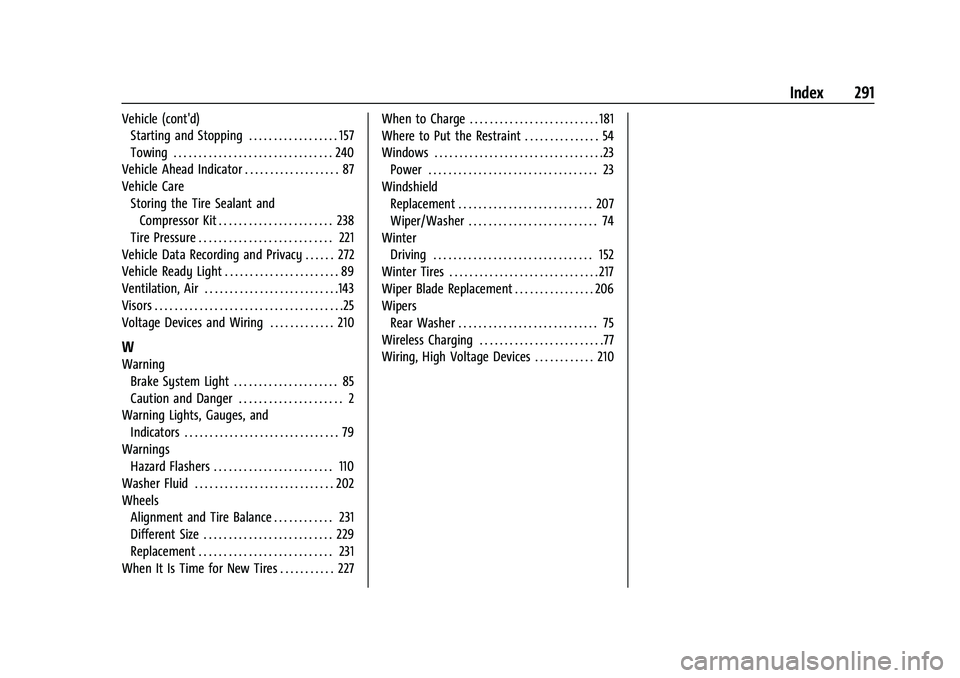
Vehicle (cont'd)Starting and Stopping . . . . . . . . . . . . . . . . . . 157
Towing . . . . . . . . . . . . . . . . . . . . . . . . . . . . . . . . 240
Vehicle Ahead Indicator . . . . . . . . . . . . . . . . . . . 87
Vehicle Care Storing the Tire Sealant andCompressor Kit . . . . . . . . . . . . . . . . . . . . . . . 238
Tire Pressure . . . . . . . . . . . . . . . . . . . . . . . . . . . 221
Vehicle Data Recording and Privacy . . . . . . 272
Vehicle Ready Light . . . . . . . . . . . . . . . . . . . . . . . 89
Ventilation, Air . . . . . . . . . . . . . . . . . . . . . . . . . . .143
Visors . . . . . . . . . . . . . . . . . . . . . . . . . . . . . . . . . . . . . .25
Voltage Devices and Wiring . . . . . . . . . . . . . 210
W
Warning Brake System Light . . . . . . . . . . . . . . . . . . . . . 85
Caution and Danger . . . . . . . . . . . . . . . . . . . . . 2
Warning Lights, Gauges, and Indicators . . . . . . . . . . . . . . . . . . . . . . . . . . . . . . . 79
Warnings Hazard Flashers . . . . . . . . . . . . . . . . . . . . . . . . 110
Washer Fluid . . . . . . . . . . . . . . . . . . . . . . . . . . . . 202
Wheels Alignment and Tire Balance . . . . . . . . . . . . 231
Different Size . . . . . . . . . . . . . . . . . . . . . . . . . . 229
Replacement . . . . . . . . . . . . . . . . . . . . . . . . . . . 231
When It Is Time for New Tires . . . . . . . . . . . 227 When to Charge . . . . . . . . . . . . . . . . . . . . . . . . . . 181
Where to Put the Restraint . . . . . . . . . . . . . . . 54
Windows . . . . . . . . . . . . . . . . . . . . . . . . . . . . . . . . . .23
Power . . . . . . . . . . . . . . . . . . . . . . . . . . . . . . . . . . 23
Windshield Replacement . . . . . . . . . . . . . . . . . . . . . . . . . . . 207
Wiper/Washer . . . . . . . . . . . . . . . . . . . . . . . . . . 74
Winter Driving . . . . . . . . . . . . . . . . . . . . . . . . . . . . . . . . 152
Winter Tires . . . . . . . . . . . . . . . . . . . . . . . . . . . . . . 217
Wiper Blade Replacement . . . . . . . . . . . . . . . . 206
Wipers Rear Washer . . . . . . . . . . . . . . . . . . . . . . . . . . . . 75
Wireless Charging . . . . . . . . . . . . . . . . . . . . . . . . .77
Wiring, High Voltage Devices . . . . . . . . . . . . 210