remote control CHEVROLET BOLT EV 2023 User Guide
[x] Cancel search | Manufacturer: CHEVROLET, Model Year: 2023, Model line: BOLT EV, Model: CHEVROLET BOLT EV 2023Pages: 308, PDF Size: 5.18 MB
Page 148 of 308
Chevrolet BOLT EV Owner Manual (GMNA-Localizing-U.S./Canada-
16404388) - 2023 - CRC - 3/7/22
Climate Controls 147
The defogger only works when the vehicle is
on. The defogger will turn off if the vehicle
is turned off.
Caution
Do not try to clear frost or other material
from the inside of the front windshield
and rear window with a razor blade or
anything else that is sharp. This may
damage the rear window defogger grid
and affect the radio's ability to pick up
stations clearly. The repairs would not be
covered by the vehicle warranty.
Heated Seats (If Equipped)
Liftxoryto heat the driver or
passenger seat cushion. See Heated Front
Seats 029.
Remote Start Climate Control Operation
If equipped with the remote start feature,
the climate control system may run when
the vehicle is started remotely. The system
uses the driver’s previous settings to heat or
cool the inside of the vehicle. The rear defog
may come on during remote start based on
cold ambient conditions. The rear defog
indicator light does not come on during a
remote start. If equipped, the heated seats will turn on if
it is cold outside. The heated seat indicator
lights may not come on during a remote
start. See
Heated Front Seats 029.
Remote Start : The climate control system
may be started by using the remote key.
The climate control system will default to
an appropriate heating or cooling mode. See
Remote Start 014.
The rear window defogger turns on if it is
cold outside.
Sensors
Indicator Light and Solar Sensor (ILSS)
The ILSS is on top of the instrument panel,
near the windshield, where it monitors solar
intensity.
The climate control system uses the sensor
information to adjust the temperature, fan
speed, recirculation, and air delivery mode
for best comfort.
Do not cover the sensor; otherwise the
automatic climate control system may not
work properly. Humidity Sensor
The humidity sensor is near the base of the
inside rearview mirror. The climate control
system uses the sensor information to
adjust the temperature and recirculation for
best comfort.
Outside Air Temperature Sensor
The outside air temperature sensor is behind
the front grille of the vehicle. The vehicle
uses the sensor information to display
outside air temperature. The climate control
system uses the information to adjust the
climate system operation.
Afterblow Feature
If equipped, under certain conditions, the
fan may stay on or may turn on and off
several times after you turn off and lock the
vehicle. This is normal.
Air Vents
Adjustable air vents are in the center and on
the side of the instrument panel.
Page 153 of 308
Chevrolet BOLT EV Owner Manual (GMNA-Localizing-U.S./Canada-
16404388) - 2023 - CRC - 3/7/22
152 Driving and Operating
Driving Information
Driving for Better Energy
Efficiency
Use the following tips to help maximize
energy efficiency and driving range.
In colder temperatures, while these
efficiency tips will help, the electric vehicle
driving range will be lower due to higher
energy usage including energy spent
heating the cabin.
The Range Impacts screen estimates the
influence of the main factors impacting
vehicle range. After charging is complete,
this information is reset. See“Range
Impacts” under. See Energy Information
0 97.
Acceleration/Braking/Coasting
Avoid rapid accelerations and decelerations.
Driving range is maximized at 89 km/h
(55 mph) and less.
Use cruise control when appropriate.
Plan ahead for decelerations and coast
whenever possible. Do not rush to traffic
signals. Do not shift to N (Neutral) to coast. The vehicle recovers more energy while
coasting and braking with One-Pedal mode
turned on. See
One-Pedal Driving 0167.
Using the Regen on Demand paddle during
deceleration recovers more energy. See
Regenerative Braking 0170.
Terrain and Vehicle Speed
Higher speeds and grade changes use more
energy and can significantly reduce driving
range.
Climate Setting
Using the heat and air conditioning systems
decreases the energy available for electric
driving.
Optimal energy efficiency is achieved when
the heat, air conditioning, and fan are
turned off.
Use the heated seat features instead of
climate control system. Heating the seat
uses less energy than heating and cooling
the interior.
Use remote start to heat or cool the interior
when the vehicle is plugged in to maximize
the driving range by utilizing electricity from
the electrical outlet. In hot weather, avoid parking in direct
sunlight or use sunshades inside the vehicle.
Keep the inside of the windows clean to
reduce fogging. Turn off the front defroster
and rear defogger when they are not
needed.
Avoid driving with the windows open at
highway speeds.
Use the Enhanced Battery Gauge on the
Instrument Cluster to view the effect of
climate control settings on your estimated
driving range. See
Battery Gauge (High
Voltage) 081.
Outside Temperature
On colder days, it is best to plug in the
vehicle overnight, then remote start the
vehicle.
Allow the vehicle to warm up for
20 minutes before driving.
If possible, use a level 2 (240 volt) high
power charge station for best results.
This allows the interior of the vehicle and
high voltage battery to warm to the optimal
temperature.
Page 282 of 308
Chevrolet BOLT EV Owner Manual (GMNA-Localizing-U.S./Canada-
16404388) - 2023 - CRC - 3/7/22
Customer Information 281
adaptive equipment required for the vehicle,
such as hand controls or a wheelchair/
scooter lift for the vehicle.
To learn about the GM Mobility program,
see www.gmmobility.com or call the GM
Mobility Assistance Center at 1-800-323-9935.
Text Telephone (TTY) users, call
1-800-833-9935.
General Motors of Canada also has a
Mobility program. See www.gm.ca, or call
1-800-GM-DRIVE (800-463-7483) for details.
TTY users call 1-800-263-3830.
Roadside Assistance Program
From the U.S., call 1-888-811-1926; Text
Telephone (TTY): 1-888-889-2438.
From Canada, call 1-800-268-6800.
Service is available 24 hours a day, 365 days
a year.
Calling for Assistance
When calling Roadside Assistance, have the
following information ready:
.Your name, home address, and home
telephone number.
.Telephone number of your location.
.Location of the vehicle.
.Model, year, color, and license plate
number of the vehicle.
.Odometer reading, Vehicle Identification
Number (VIN), and delivery date of the
vehicle.
.Description of the problem.
Coverage
Tow services are covered under the EV
Component Coverage warranty. For details
on additional Roadside coverage, contact
Chevrolet Roadside Assistance.
In the U.S., anyone driving the vehicle is
covered. In Canada, a person driving the
vehicle without permission from the owner
is not covered.
Roadside Assistance is not a part of the New
Vehicle Limited Warranty. General Motors
North America and Chevrolet reserve the
right to make any changes or discontinue
the Roadside Assistance program at any
time without notification.
General Motors North America and Chevrolet
reserve the right to limit services or
payment to an owner or driver if they
decide the claims are made too often, or the
same type of claim is made many times.
Services Provided
.Lock-Out Service:Service to unlock the
vehicle if you are locked out. A remote
unlock may be available if you have
OnStar. For security reasons, the driver
must present identification before this
service is given.
.Tow from a Public Road or Highway: Tow
to the nearest certified Chevrolet EV
dealer for warranty service, or if the
vehicle was in a crash and cannot be
driven. Assistance is not given when the
vehicle is stuck in the sand, mud,
or snow.
If the vehicle is out of charge, Roadside
will tow the vehicle to the nearest
charging station or to the customer’s
home, whichever is closest.
.Flat Tire Change: If the tire has been
separated from the wheel, has damaged
sidewalls, or has a large puncture, the tire
is too severely damaged for the self
sealing tire to be effective and the vehicle
will have to be towed. It is the owner's
responsibility for the repair or
replacement of the tire if it is not covered
by the warranty.
.Battery Jump Start: Service to jump start
a dead battery.
Page 292 of 308
Chevrolet BOLT EV Owner Manual (GMNA-Localizing-U.S./Canada-
16404388) - 2023 - CRC - 3/7/22
OnStar 291
.Prior to vehicle purchase. PressQto set
up an account.
.After change in ownership and at
90 days.
Transferring Service
PressQto request account transfer
eligibility information. The Advisor can
cancel or change account information.
Selling/Transferring the Vehicle
Call 1-888-4ONSTAR (1-888-466-7827)
immediately to terminate your OnStar or
connected services if the vehicle is disposed
of, sold, transferred, or if the lease ends.
Reactivation for Subsequent Owners
PressQand follow the prompts to speak to
an Advisor as soon as possible. The Advisor
will update vehicle records and explain
OnStar or connected service options.
How OnStar Service Works
Automatic Crash Response, Emergency
Services, Crisis Assist, Stolen Vehicle
Assistance, Remote Services, and Roadside
Assistance are available on most vehicles.
Not all OnStar services are available
everywhere or on all vehicles. For more information, a full description of OnStar
services, system limitations, and OnStar User
Terms, Privacy Statement, and Software
Terms:
.Call 1-888-4ONSTAR (1-888-466-7827).
.See www.onstar.com (U.S.).
.See www.onstar.ca (Canada).
.Call TTY 1-877-248-2080.
.PressQto speak with an Advisor.
OnStar or connected services cannot work
unless the vehicle is in a place where OnStar
has an agreement with a wireless service
provider for service in that area. The
wireless service provider must also have
coverage, network capacity, reception, and
technology compatible with OnStar or
connected services. Service involving location
information about the vehicle cannot work
unless GPS signals are available,
unobstructed, and compatible with the
OnStar hardware. OnStar or connected
services may not work if the OnStar
equipment is not properly installed or it has
not been properly maintained. If equipment
or software is added, connected,
or modified, OnStar or connected services
may not work. Other problems beyond the
control of OnStar —such as hills, tall
buildings, tunnels, weather, electrical system design and architecture of the vehicle,
damage to the vehicle in a crash, or wireless
phone network congestion or jamming
—
may prevent service.
See Radio Frequency Statement 0286.
Services for People with Disabilities
Advisors provide services to help with
physical disabilities and medical conditions.
Press
Qto help:
.Find a hotel, restaurant, etc., that meets
accessibility needs.
.Provide directions to the closest hospital
or pharmacy in urgent situations.
TTY Users
OnStar has the ability to communicate to
deaf, hard-of-hearing, or speech-impaired
customers while in the vehicle. The available
TTY system can provide in-vehicle access to
all OnStar services, except Virtual Advisor
and OnStar Turn-by-Turn Navigation.
If equipped, TTY mode can be turned on or
off by touching Settings, then Apps, and
then Phone. When TTY mode is on, phone
calls can be made or received with OnStar
using the infotainment display.
Page 296 of 308
Chevrolet BOLT EV Owner Manual (GMNA-Localizing-U.S./Canada-
16404388) - 2023 - CRC - 3/7/22
Connected Services 295
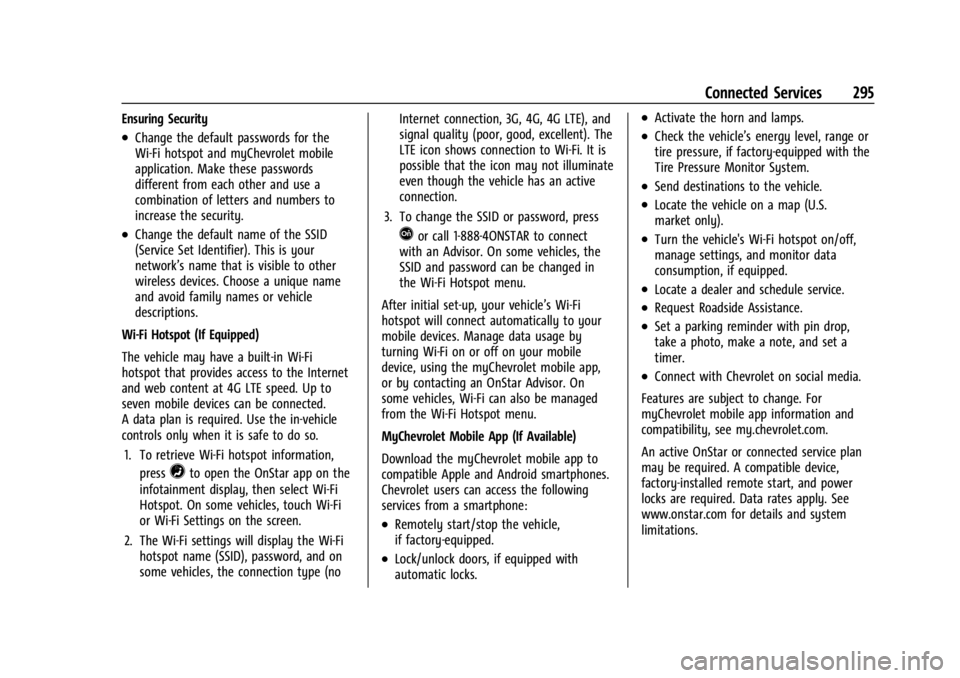
Ensuring Security
.Change the default passwords for the
Wi-Fi hotspot and myChevrolet mobile
application. Make these passwords
different from each other and use a
combination of letters and numbers to
increase the security.
.Change the default name of the SSID
(Service Set Identifier). This is your
network’s name that is visible to other
wireless devices. Choose a unique name
and avoid family names or vehicle
descriptions.
Wi-Fi Hotspot (If Equipped)
The vehicle may have a built-in Wi-Fi
hotspot that provides access to the Internet
and web content at 4G LTE speed. Up to
seven mobile devices can be connected.
A data plan is required. Use the in-vehicle
controls only when it is safe to do so. 1. To retrieve Wi-Fi hotspot information, press
=to open the OnStar app on the
infotainment display, then select Wi-Fi
Hotspot. On some vehicles, touch Wi-Fi
or Wi-Fi Settings on the screen.
2. The Wi-Fi settings will display the Wi-Fi hotspot name (SSID), password, and on
some vehicles, the connection type (no Internet connection, 3G, 4G, 4G LTE), and
signal quality (poor, good, excellent). The
LTE icon shows connection to Wi-Fi. It is
possible that the icon may not illuminate
even though the vehicle has an active
connection.
3. To change the SSID or password, press
Qor call 1-888-4ONSTAR to connect
with an Advisor. On some vehicles, the
SSID and password can be changed in
the Wi-Fi Hotspot menu.
After initial set-up, your vehicle’s Wi-Fi
hotspot will connect automatically to your
mobile devices. Manage data usage by
turning Wi-Fi on or off on your mobile
device, using the myChevrolet mobile app,
or by contacting an OnStar Advisor. On
some vehicles, Wi-Fi can also be managed
from the Wi-Fi Hotspot menu.
MyChevrolet Mobile App (If Available)
Download the myChevrolet mobile app to
compatible Apple and Android smartphones.
Chevrolet users can access the following
services from a smartphone:
.Remotely start/stop the vehicle,
if factory-equipped.
.Lock/unlock doors, if equipped with
automatic locks.
.Activate the horn and lamps.
.Check the vehicle’s energy level, range or
tire pressure, if factory-equipped with the
Tire Pressure Monitor System.
.Send destinations to the vehicle.
.Locate the vehicle on a map (U.S.
market only).
.Turn the vehicle's Wi-Fi hotspot on/off,
manage settings, and monitor data
consumption, if equipped.
.Locate a dealer and schedule service.
.Request Roadside Assistance.
.Set a parking reminder with pin drop,
take a photo, make a note, and set a
timer.
.Connect with Chevrolet on social media.
Features are subject to change. For
myChevrolet mobile app information and
compatibility, see my.chevrolet.com.
An active OnStar or connected service plan
may be required. A compatible device,
factory-installed remote start, and power
locks are required. Data rates apply. See
www.onstar.com for details and system
limitations.
Page 302 of 308

Chevrolet BOLT EV Owner Manual (GMNA-Localizing-U.S./Canada-
16404388) - 2023 - CRC - 3/7/22
Index 301
Headlamps (cont'd)Bulb Replacement . . . . . . . . . . . . . . . . . . . . . . 225
Daytime Running Lamps (DRL) . . . . . . . . . 105
Flash-to-Pass . . . . . . . . . . . . . . . . . . . . . . . . . . . 105
High-Beam On Light . . . . . . . . . . . . . . . . . . . . 89
High/Low Beam Changer . . . . . . . . . . . . . . 104
Lamps On Reminder . . . . . . . . . . . . . . . . . . . . 89
Heated Front Seats . . . . . . . . . . . . . . . . . . . . . . . . . . . . . 29
Mirrors . . . . . . . . . . . . . . . . . . . . . . . . . . . . . . . . . . 21
Steering Wheel . . . . . . . . . . . . . . . . . . . . . . . . . 73
Heating . . . . . . . . . . . . . . . . . . . . . . . . . . . . . . . . . . 144
High Voltage Battery Gauge . . . . . . . . . . . . . . .81
High Voltage Devices and Wiring . . . . . . . . 227
High-Beam On Light . . . . . . . . . . . . . . . . . . . . . . 89
Hill and Mountain Roads . . . . . . . . . . . . . . . . 156
Hill Start Assist (HSA) . . . . . . . . . . . . . . . . . . . . 170
Hood . . . . . . . . . . . . . . . . . . . . . . . . . . . . . . . . . . . . .214
Horn . . . . . . . . . . . . . . . . . . . . . . . . . . . . . . . . . . . . . . .73
How to Wear Seat Belts Properly . . . . . . . . . .33
HVAC . . . . . . . . . . . . . . . . . . . . . . . . . . . . . . . . . . . . 144
I
Immobilizer . . . . . . . . . . . . . . . . . . . . . . . . . . . . . . . 20
Indicator Pedestrian Ahead . . . . . . . . . . . . . . . . . . . . . . . 87
Vehicle Ahead . . . . . . . . . . . . . . . . . . . . . . . . . . 87 Indicators
Warning Lights and Gauges . . . . . . . . . . . . . 79
Infants and Young Children, Restraints . . . . 50
Information Energy . . . . . . . . . . . . . . . . . . . . . . . . . . . . . . . . . . 97
Publication Ordering . . . . . . . . . . . . . . . . . . . 285
Infotainment
Using the System . . . . . . . . . . . . . . . . . . . . . . . 112
Inspection Multi-Point Vehicle . . . . . . . . . . . . . . . . . . . . 272
Instrument Cluster . . . . . . . . . . . . . . . . . . . . . . . . 79
Instrument Panel Overview . . . . . . . . . . . . . . . . 4
Interior Rearview Mirrors . . . . . . . . . . . . . . . . . .22
Introduction . . . . . . . . . . . . . . . . . . . . . . . . . . . 2, 110
J
Jump
Starting - North America . . . . . . . . . . . . . . . 256
K
Keys . . . . . . . . . . . . . . . . . . . . . . . . . . . . . . . . . . . . . . . 6Remote . . . . . . . . . . . . . . . . . . . . . . . . . . . . . . . . . . 7
Remote Operation . . . . . . . . . . . . . . . . . . . . . . . 7
L
Labeling, Tire Sidewall . . . . . . . . . . . . . . . . . . . 236
LampsCourtesy . . . . . . . . . . . . . . . . . . . . . . . . . . . . . . . 107
Daytime Running (DRL) . . . . . . . . . . . . . . . . 105 Lamps (cont'd)
Dome . . . . . . . . . . . . . . . . . . . . . . . . . . . . . . . . . . 107
Exterior Controls . . . . . . . . . . . . . . . . . . . . . . . 103
Exterior Lamps Off Reminder . . . . . . . . . . 104
Exterior Lighting Battery Saver . . . . . . . . 109
Flash-to-Pass . . . . . . . . . . . . . . . . . . . . . . . . . . . 105
High/Low Beam Changer . . . . . . . . . . . . . . 104
License Plate . . . . . . . . . . . . . . . . . . . . . . . . . . . 226
On Reminder . . . . . . . . . . . . . . . . . . . . . . . . . . . 89
Reading . . . . . . . . . . . . . . . . . . . . . . . . . . . . . . . . 107
Lane Change Alert (LCA) . . . . . . . . . . . . . . . . . . . . . 193
Keep Assist (LKA) . . . . . . . . . . . . . . . . . . . . . . 195
Keep Assist Light . . . . . . . . . . . . . . . . . . . . . . . 86
Lap-Shoulder Belt . . . . . . . . . . . . . . . . . . . . . . . . . .35
LATCH System Replacing Parts after a Crash . . . . . . . . . . . 64
LATCH, Lower Anchors and Tethers for Children . . . . . . . . . . . . . . . . . . . . . . . . . . . . . . . . . .55
LED Lighting . . . . . . . . . . . . . . . . . . . . . . . . . . . . . 225
Liftgate . . . . . . . . . . . . . . . . . . . . . . . . . . . . . . . . . . . .18
Lighting Entry . . . . . . . . . . . . . . . . . . . . . . . . . . . . . . . . . . 107
Exit . . . . . . . . . . . . . . . . . . . . . . . . . . . . . . . . . . . . 108
Illumination Control . . . . . . . . . . . . . . . . . . . 106
LED . . . . . . . . . . . . . . . . . . . . . . . . . . . . . . . . . . . . 225
Lights Airbag Readiness . . . . . . . . . . . . . . . . . . . . . . . 83
Page 306 of 308

Chevrolet BOLT EV Owner Manual (GMNA-Localizing-U.S./Canada-
16404388) - 2023 - CRC - 3/7/22
Index 305
StabiliTrakOFF Light . . . . . . . . . . . . . . . . . . . . . . . . . . . . . . . 87
Start Remote . . . . . . . . . . . . . . . . . . . . . . . . . . . . . . . . . 14
Start Assist, Hill . . . . . . . . . . . . . . . . . . . . . . . . . . 170
Starting and Stopping the Vehicle . . . . . . . 162
Status Charging Feedback . . . . . . . . . . . . . . . . . . . . . 201
Steering . . . . . . . . . . . . . . . . . . . . . . . . . . . . . . . . . .154 Heated Wheel . . . . . . . . . . . . . . . . . . . . . . . . . . 73
Wheel Adjustment . . . . . . . . . . . . . . . . . . . . . . 73
Wheel Controls . . . . . . . . . . . . . . . . . . . . . . . . . 111
Storage Center Console . . . . . . . . . . . . . . . . . . . . . . . . . 69
Compartments . . . . . . . . . . . . . . . . . . . . . . . . . . 69
Cupholders . . . . . . . . . . . . . . . . . . . . . . . . . . . . . 69
Glove Box . . . . . . . . . . . . . . . . . . . . . . . . . . . . . . 69
Storage Areas Cargo Cover . . . . . . . . . . . . . . . . . . . . . . . . . . . . 70
Cargo Management System . . . . . . . . . . . . . 71
Storing the Tire Sealant and
Compressor Kit . . . . . . . . . . . . . . . . . . . . . . . . . 255
Struts Gas . . . . . . . . . . . . . . . . . . . . . . . . . . . . . . . . . . . . 224
Stuck Vehicle . . . . . . . . . . . . . . . . . . . . . . . . . . . . .158
Sun Visors . . . . . . . . . . . . . . . . . . . . . . . . . . . . . . . . 24
Surround Vision System . . . . . . . . . . . . . . . . . .185
Symbols . . . . . . . . . . . . . . . . . . . . . . . . . . . . . . . . . . . .3 System
Airbag . . . . . . . . . . . . . . . . . . . . . . . . . . . . . . . . . . 38
Driver Assistance . . . . . . . . . . . . . . . . . . . . . . 183
Forward Collision Alert (FCA) . . . . . . . . . . . 189
Rear Cross Traffic Alert . . . . . . . . . . . . . . . . 188
Surround Vision . . . . . . . . . . . . . . . . . . . . . . . . 185
T
Teen Driver . . . . . . . . . . . . . . . . . . . . . . . . . . . . . . . 135
Text Telephone (TTY) Users . . . . . . . . . . . . . . 280
Theft-Deterrent Systems . . . . . . . . . . . . . . . . . . 20Immobilizer . . . . . . . . . . . . . . . . . . . . . . . . . . . . . 20
Time . . . . . . . . . . . . . . . . . . . . . . . . . . . . . . . . . . . . . . 76
Tires . . . . . . . . . . . . . . . . . . . . . . . . . . . . . . . . . . . . . 234 All-Season . . . . . . . . . . . . . . . . . . . . . . . . . . . . . 235
Buying New Tires . . . . . . . . . . . . . . . . . . . . . . 246
Chains . . . . . . . . . . . . . . . . . . . . . . . . . . . . . . . . . 249
Designations . . . . . . . . . . . . . . . . . . . . . . . . . . . 236
Different Size . . . . . . . . . . . . . . . . . . . . . . . . . . 247
If a Tire Goes Flat . . . . . . . . . . . . . . . . . . . . . 249
Inspection . . . . . . . . . . . . . . . . . . . . . . . . . . . . . 244
Pressure . . . . . . . . . . . . . . . . . . . . . . . . . . . . . . . 239
Pressure Light . . . . . . . . . . . . . . . . . . . . . . . . . . 88
Pressure Monitor Operation . . . . . . . . . . . 241
Pressure Monitor System . . . . . . . . . . . . . . 240
Rotation . . . . . . . . . . . . . . . . . . . . . . . . . . . . . . . 244
Sealant and Compressor Kit . . . . . . . . . . . . 250 Tires (cont'd)
Sealant and Compressor Kit,
Storing . . . . . . . . . . . . . . . . . . . . . . . . . . . . . . . 255
Self-Sealing . . . . . . . . . . . . . . . . . . . . . . . . . . . . 235
Sidewall Labeling . . . . . . . . . . . . . . . . . . . . . . 236
Terminology and Definitions . . . . . . . . . . . 237
Uniform Tire Quality Grading . . . . . . . . . . 247
Wheel Alignment and Tire Balance . . . . 248
Wheel Replacement . . . . . . . . . . . . . . . . . . . . 248
When It Is Time for New Tires . . . . . . . . . 245
Winter . . . . . . . . . . . . . . . . . . . . . . . . . . . . . . . . . 235
Towing
General Information . . . . . . . . . . . . . . . . . . . . 211
Recreational Vehicle . . . . . . . . . . . . . . . . . . . 260
Traction Control System (TCS)/StabiliTrak
Light . . . . . . . . . . . . . . . . . . . . . . . . . . . . . . . . . . 88
Control/Electronic Stability Control . . . . . 171
Off Light . . . . . . . . . . . . . . . . . . . . . . . . . . . . . . . . 87
Trademarks and License Agreements . . . . . .138
Transportation Program, Courtesy . . . . . . . 282
Transporting a Disabled Vehicle . . . . . . . . . . . . . . . . . . . . . 258
Trip Odometer . . . . . . . . . . . . . . . . . . . . . . . . . . . . .81
TTY Users Customer Assistance . . . . . . . . . . . . . . . . . . . 280
Turn and Lane-Change Signals . . . . . . . . . . . 106