ignition CHEVROLET CAMARO 1996 4.G Owner's Manual
[x] Cancel search | Manufacturer: CHEVROLET, Model Year: 1996, Model line: CAMARO, Model: CHEVROLET CAMARO 1996 4.GPages: 402, PDF Size: 21.38 MB
Page 84 of 402
Downloaded from www.Manualslib.com manuals search engine Ensure the shift lever is fully in PARK (P) range
before starting the engine.
Your Chevrolet has a
brake-transmission shift interlock. You have to fully
apply your regular brakes before you can shift
from
PARK (P) when the ignition key is in the RUN position.
If
you cannot shift out of PARK (P), ease pressure on
the shift lever
-- push the shift lever all the way into
PARK (P) and also release the shift lever button on floor
shift console models as you maintain brake application.
Then move the shift lever into the gear you wish.
(Press the shift lever button before moving the shift
lever on floor shift console models.) See “Shifting Out
of PARK (P)” in this section.
REVERSE (R): Use this gear to back up.
NOTICE:
Shifting to REVERSE (R) while your vehicle is
moving forward could damage your transmission.
Shift to REVERSE (R) only after your vehicle
is stopped.
To rock your vehicle back and forth to get out of snow,
ice or sand without damaging
your transmission, see
“Stuck: In Sand, Mud, Ice or Snow in the Index.
NEUTRAL (N): In this position, your engine
doesn’t connect with the wheels.
To restart when you’re
already moving,
use NEUTRAL (N) only. Also, use
NEUTRAL (N) when your vehicle is being towed.
E!!!! CAUTION:
Shifting out of PARK (P) or NEUTRAL (N) while
your engine
is “racing” (running at high speed)
is dangerous. Unless your foot is firmly on the
brake pedal, your vehicle could move very
rapidly. You could lose control and hit people
or objects. Don’t shift out of PARK
(P) or
NEUTRAL
(N) while your engine is racing.
2-29
Page 88 of 402
Downloaded from www.Manualslib.com manuals search engine SECOND (2): Press the clutch peaar as you let up on
the accelerator pedal and shift into SECOND
(2). Then,
slowly let up on the clutch pedal as you press the
accelerator pedal.
THIRD (3), FOURTH (4), FIFTH (5) AND
SIXTH (6): Shift into THIRD (3), FOURTH (4),
FIFTH (5) AND SIXTH (6) gear the same way you do
for
SECOND (2). Slowly let up on the clutch pedal as
you press
the accelerator pedal.
To Stop,
let up on the accelerator pedal and press the
brake pedal. Just before the vehicle stops, press the
clutch pedal and the brake pedal, and shift to
NEUTRAL (N).
NEUTRAL (N): Use this position when you start or
idle your engine.
REVERSE (R): To back up, press down the clutch
pedal and shift into REVERSE (R). Let up on the clutch
pedal slowly while pressing the accelerator pedal. If
you
shift from SIXTH (6) into REVERSE (R), the shift
lever must be first placed in the NEUTRAL (N) position
centered between SECOND
(2) and THIRD (3) prior to
shifting into REVERSE (R).
Your six-speed manual transmission has a feature that
allows you to safely shift into REVERSE (R) while the
vehicle is rolling (at less than
5 mph (8 km/h)). You will
be locked-out
if you try to shift into REVERSE (R) while
your vehicle is moving faster than
5 mph (8 km/h).
If you have turned your ignition off and wish to park
your car in REVERSE (R), you will have
to move the
shift lever quickly
to the right, “crashing” through the
high-load spring and then into gear.
2-33
Page 91 of 402
Downloaded from www.Manualslib.com manuals search engine Second-Gear Start (Option)
Your vehicle may be quipped with a Second-Gear Start
feature. Press 2ND GEAR START
to provide more
traction when you are starting
on ice or other slippery
surfaces.
The 2ND gear light on the cluster will
illuminate when 2nd gear start is selected. The
transmission will be in SECOND (2) gear when the
vehicle begins to move. After starting in SECOND
(2)
the vehicle will upshift normally.
This feature is
only for improved traction when the road
surface is slippery and
is not intended for continuous
use. Always use NORMAL for normal road conditions.
You may press 2ND GEAR START again to turn off this
feature. Whenever you start your vehicle, the
transmission
is in the NORMAL mode.
Limited-Slip Rear Axle
If you have this feature, your rear axle can give you
additional traction on snow, mud, ice, sand or gravel. It
works like a standard axle most of the time, but when
one
of the rear wheels has no traction and the other does,
the limited-slip feature will allow the wheel
with
traction to move the vehicle.
Parking Brake
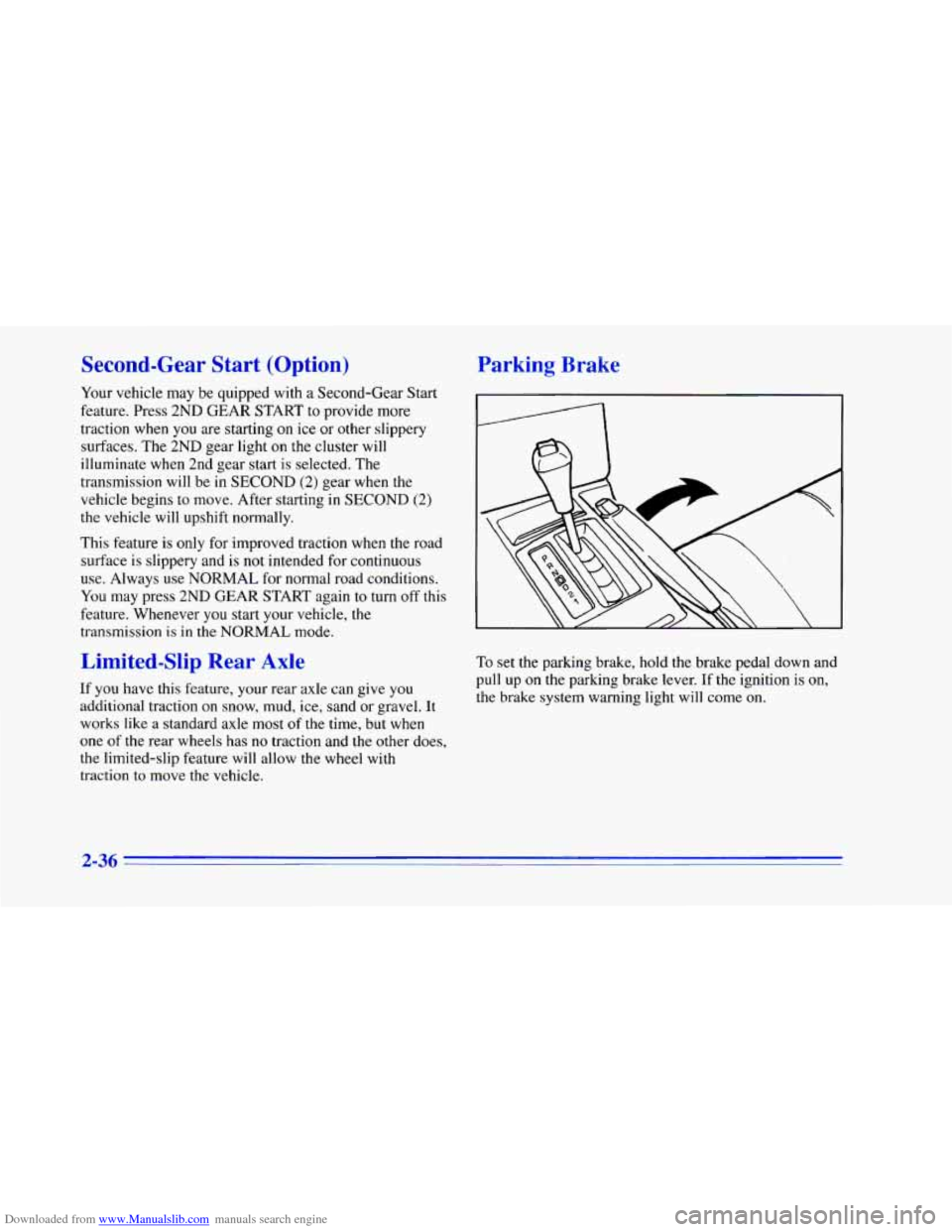
To set the parking brake, hold the brake pedal down and
pull up
on the parking brake lever. If the ignition is on,
the brake system warning light will come
on.
2-36
Page 93 of 402
Downloaded from www.Manualslib.com manuals search engine Shifting Into PARK (P) (Automatic
Transmission
Models Only)
=
I A CAUTION:
It can be dangerous to get out of your vehicle if
the shift lever
is not fully in PARK (P) with the
parking brake firmly set. Your vehicle can roll.
If you have left the engine running, the vehicle can
move suddenly. You or others could be injured.
To be
sure your vehicle won’t move, even when you’re on
fairly level ground, use
the steps that follow. If you’re
pulling
a trailer, see “Towing a lkailer” in the Index. I. Hold the brake pedal down with your right foot and
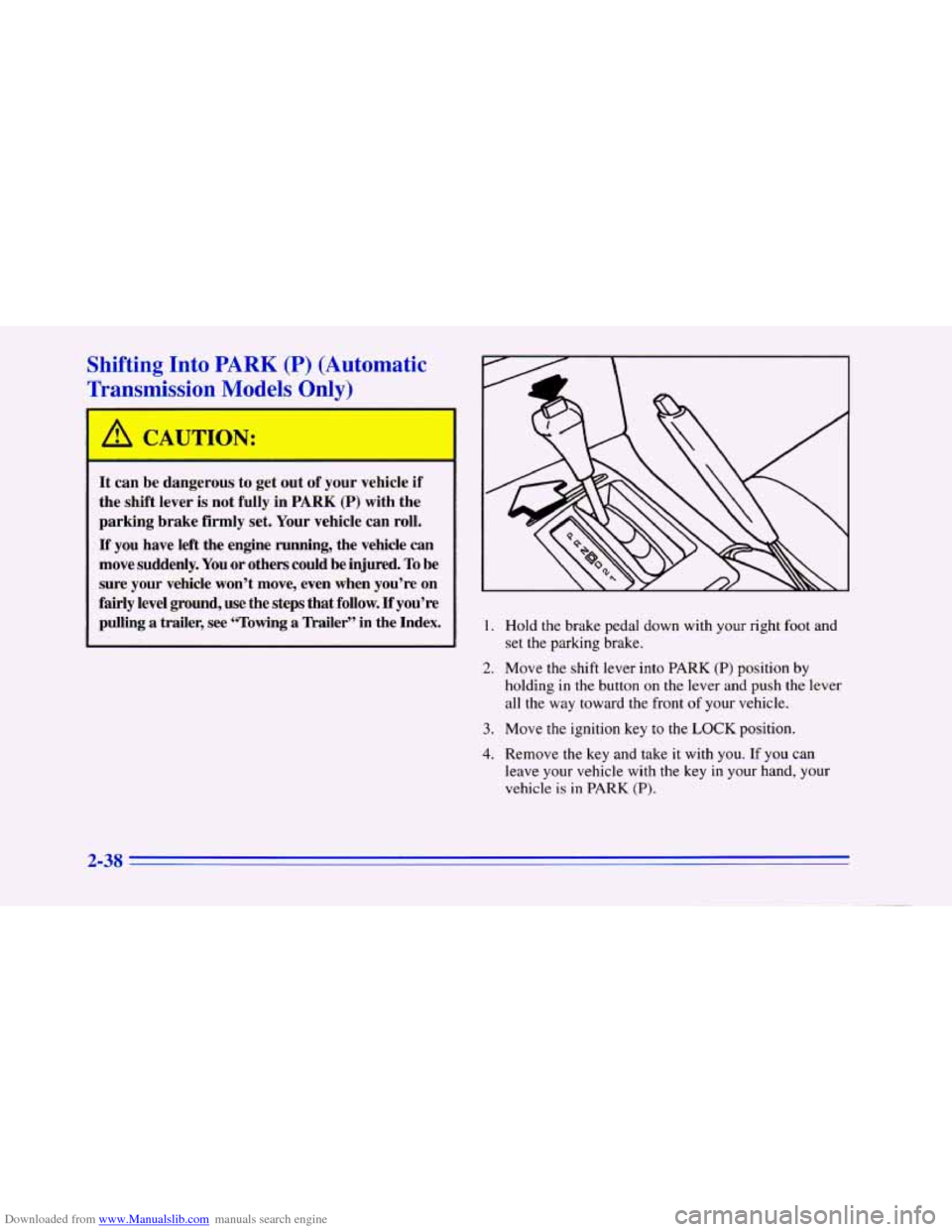
set the parking brake.
2. Move the shift lever into PARK (P) position by
holding
in the button on the lever and push the lever
all the way toward the front of your vehicle.
3. Move the ignition key to the LOCK position.
4. Remove the key and take it with you. If you can
leave your vehicle with the key in your hand, your
vehicle is in PARK
(P).
2-38
Page 95 of 402
Downloaded from www.Manualslib.com manuals search engine J
I
Shifting Out of PARK (P)
(Automatic Transmission)
Your Chevrolet has a brake-transmission shift interlock.
You have to fully apply your regular brake before you
can shift from PARK
(P) when the ignition is in the
I RUN position. See “Automatic Transmission Operation”
in the Index.
If you cannot shift out of PARK (P), ease pressure on
the shift lever -- push the shift lever all the way into
PARK
(P) and release the shift lever button as you
maintain brake application. Then press the
shift lever
button and move the shift lever into the gear
you wish.
If you ever hold the brake pedal down but still can’t
shift out of PARK
(P), try this:
1. Turn the key to the
OFF position.
2. Apply and hold the brake.
3. Shift to NEUTRAL (N).
4. Start the engine and then shift to the drive gear
you want.
5. Have the vehicle fixed as soon as you can.
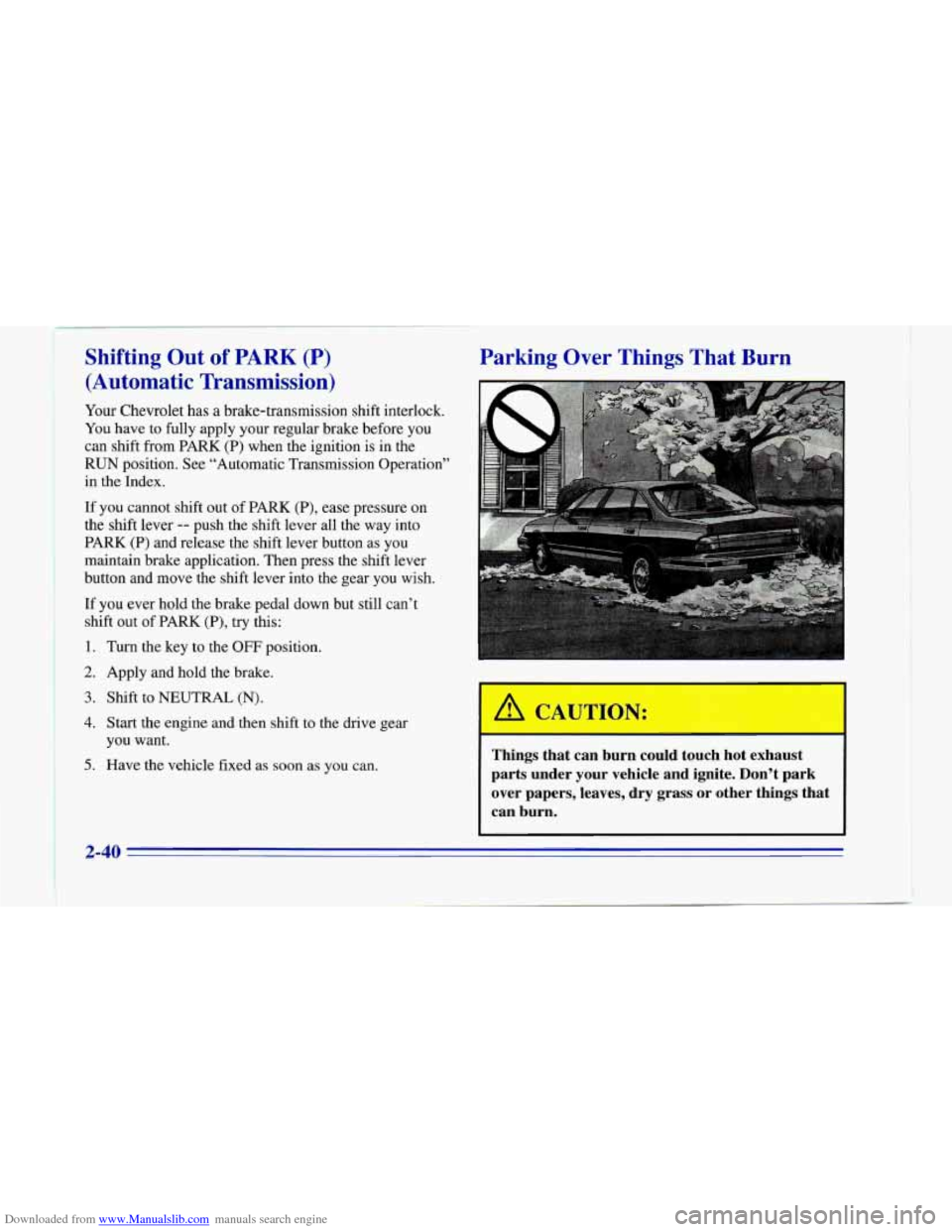
Parking Over Things That Burn
Things that can burn could touch hot exhaust
parts under your vehicle and ignite. Don’t park over papers, leaves,
dry grass or other things that
can burn.
2-40
Page 97 of 402
Downloaded from www.Manualslib.com manuals search engine A CAUTION:
It can be dangerous to get out of your vehicle if
the shift lever is not fully in
PARK (P) with the
parking brake firmly
set. Your vehicle can roll.
Don’t leave your vehicle when the engine is
running unless you have to.
If you’ve left the
engine running, the vehicle can move suddenly. You or others could be injured.
To be sure your
vehicle won’t move, even when you’re on fairly
level ground, always set your parking brake and
move the shift lever
to PARK (P).
Follow the proper steps to be sure your vehicle won’t
move. See “Shifting Into
PARK (P)” in the Index.
If you are parking on a hill and if you’re pulling a
trailer, also see “Towing a Trailer” in the Index.
Windows
Manual Windows
Rotate the window crank handle to open and close each
door window.
Power Windows
With power windows, switches on the door control each
window when the ignition is
on or when RAP is present.
(See “Retained Accessory Power”
in the Index.)
You can open the passenger’s window any amount by
pressing the switch and releasing it when the window
has lowered
to the position you want.
The switch for the driver’s window has an express-down
feature. Quickly press and release the switch for the
driver’s window and the window will lower completely.
You can also open the driver’s window any amount by
pressing the switch again while the window is in the
express-down mode when it has lowered to the position
you want.
Horn
To sound the horn, press either horn symbol on your
steering wheel.
If your horn sounds two or three chirps when unlocking
your vehicle with the Remote Lock Control transmitter (if
you have that option), the alarm was triggered while
you were away. Check the vehicle before entering.
2-42
Page 104 of 402
Downloaded from www.Manualslib.com manuals search engine Increasing Speed While Using Cruise Control
There are two ways to go to a higher speed:
0 Use the accelerator pedal to get to the higher speed.
Push the button at the end of the lever, then release
the button and the accelerator pedal. You’ll now
cruise at the higher speed.
0 Move the cruise switch from ON to R/A. Hold it
there until
you get up to the speed you want, and
then release the switch.
(To increase your speed in
very small amounts, move the switch to
WA for
less than half
a second and then release it. Each
time you
do this, your vehicle will go about 1 mph
(1.6
km/h) faster.)
Reducing Speed While Using Cruise Control
There are two ways to reduce your speed while using
cruise control:
Push in the button at the end of the lever until you
reach the lower speed you want, then release it.
To slow down in very small amounts, push the
button for less than half a second. Each time you
do
this, you’ll go 1 mph (1.6 km/h) slower.
Passing Another Vehicle While Using Cruise Control
Use the accelerator pedal to increase your speed. When
you take your foot off the pedal, your vehicle will slow
down to the cruise control speed you set earlier.
Using Cruise Control on Hills
How well your cruise control will work on hills depends
upon your speed, load and the steepness of the hills.
When going up steep hills, you may have to step
on the
accelerator pedal to maintain your speed. When going
downhill, you may have
to brake or shift to a lower gear
to keep your speed down. Of course, applying the brake
takes you out of cruise control. Many drivers find this
to
be too much trouble and don’t use cruise control on
steep hills.
Ending Out of Cruise Control
There are several ways to turn off the cruise control:
0 Step lightly on the brake pedal or push the clutch
pedal, if
you have a manual transmission ; OR
Move the cruise switch to OFF.
Erasing Speed Memory
When you turn off the cruise control or the ignition,
your cruise control set speed memory
is erased.
-9
Page 105 of 402
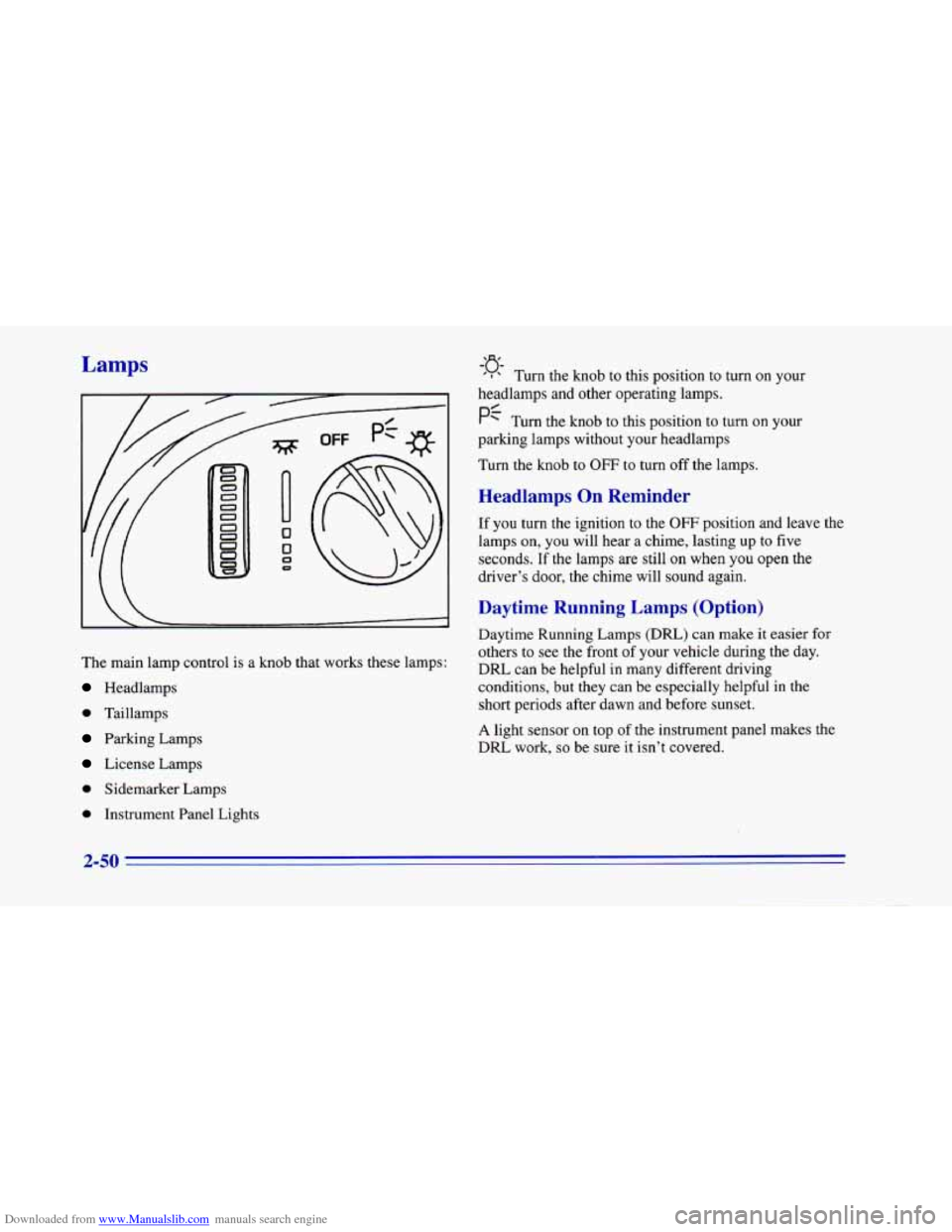
Downloaded from www.Manualslib.com manuals search engine Lamps
The main lamp control is a knob that works these lamps:
Headlamps
0 Taillamps
Parking Lamps
License Lamps
0 Sidemaricer Lamps
0 Instrument Panel Lights
-’J$
’ I Turn the knob to this position to turn on your
headlamps and other operating lamps.
PC Turn the knob to this position to turn on your
parking lamps without your headlamps
Turn the knob
to OFF to turn off the lamps.
Headlamps On Reminder
If you turn the ignition to the OFF position and leave the
lamps on,
you will hear a chime, lasting up to five
seconds. If the lamps are still
on when you open the
driver’s door, the chime will sound again.
Daytime Running Lamps (Option)
Daytime Running Lamps (DRL) can make it easier for
others to see the front
of your vehicle during the day.
DRL can be helpful in many different driving
conditions, but they can be especially helpful in the
short periods after dawn and before sunset.
A light sensor on top of the instrument panel makes the
DRL work,
so be sure it isn’t covered.
2-50
Page 106 of 402
Downloaded from www.Manualslib.com manuals search engine The DRL system will make your front turn signal lamps
come on when:
0 The ignition is on,
0 The headlamp switch is OFF, and
The parking brake is released.
When the
DIU are on, only your front turn signal lamps
will be on. The taillamps, sidemarker and other lamps
won’t be on. Your instrument panel won’t be lit
up either.
When it’s dark enough outside, your front turn signal
lamps will go
out and your headlamps will come on.
The other lamps that come on with your headlamps will
also come on.
When it’s bright enough outside, the regular lamps will
go
off, and your front turn signal lamps will come on.
As with any vehicle, you should turn on the regular
headlamp system when you need
it.
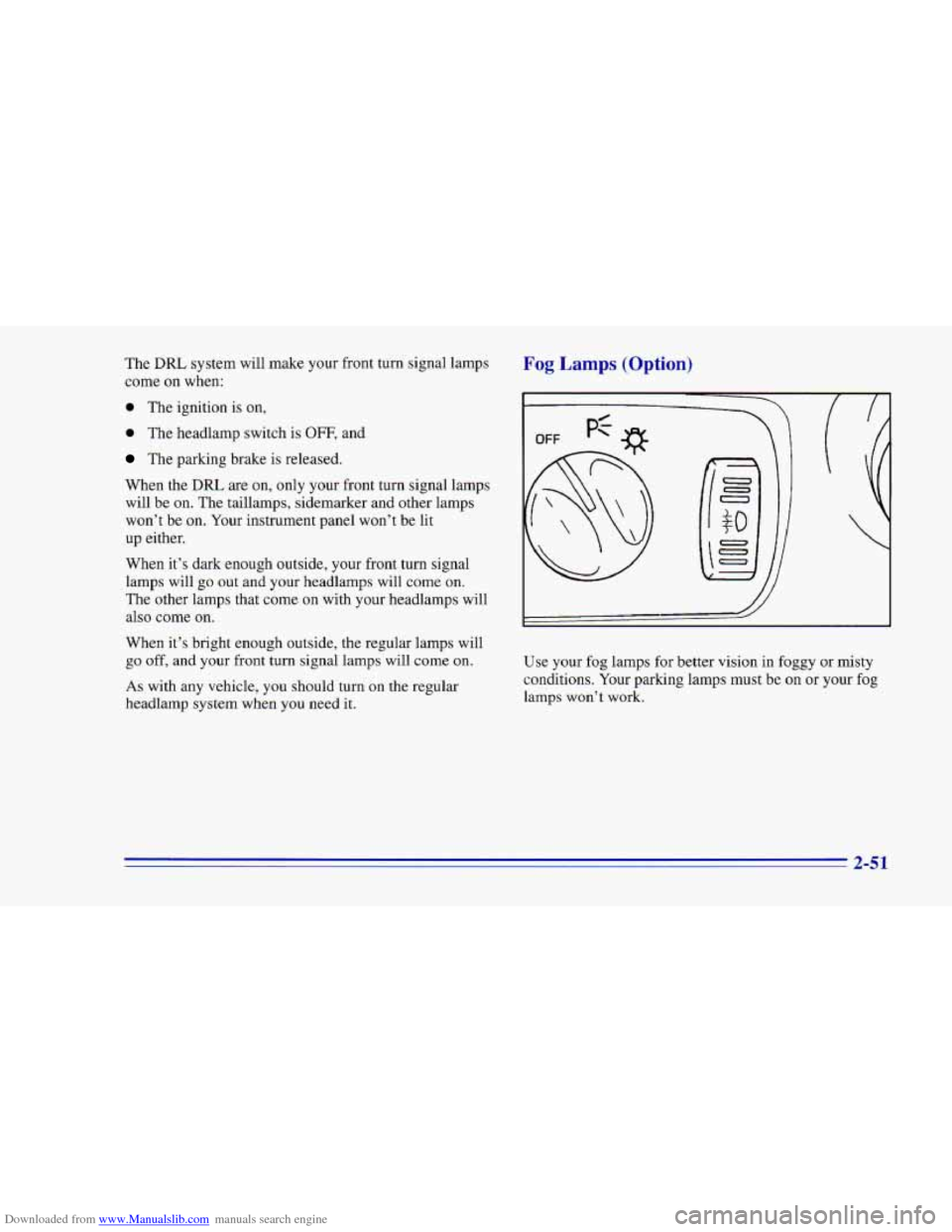
Fog Lamps (Option)
i
0 0
0
J
Use your fog lamps for better vision in foggy or misty
conditions. Your parking lamps must be on
or your fog
lamps won’t work.
2-51
Page 108 of 402
Downloaded from www.Manualslib.com manuals search engine Courtesy Lamps
When any door is opened, several interior lamps go on.
These lamps are courtesy lamps. They make it easier for
you to enter and leave your vehicle.
Courtesy lamps include the dome lamp and other lamps
throughout the interior of your vehicle.
To prevent battery rundown, your interior lamps will be
disabled about
10 minutes after the ignition is turned to
the OFF position. The
10 minute timer will be restarted
if you do any
of the following:
1. Turn the ignition on.
2. Open either door.
3. Press any button on your Remote Lock
Control transmitter.
4. Turn the interior lamp switch from OFF to ON.
5. Open the hatch.
Delayed Illumination (Option)
With delayed illumination, when you open a door, your
courtesy lamps will come on and stay
on for 25 seconds
after the doors are closed. The
25 seconds is shortened if
the ignition is turned to the RUN position or if the
power locks are activated.
To turn this feature on or off,
see “Feature Customization” in the Index.
Exit Lighting (Option)
With exit lighting, the interior lamps will come on when
you remove the key from the ignition
to help you see
while exiting the vehicle. To turn this feature on or off,
see “Feature Customization”
in the Index.
2-53