light CHEVROLET CAMARO 1997 4.G User Guide
[x] Cancel search | Manufacturer: CHEVROLET, Model Year: 1997, Model line: CAMARO, Model: CHEVROLET CAMARO 1997 4.GPages: 404, PDF Size: 20.96 MB
Page 68 of 404
Downloaded from www.Manualslib.com manuals search engine If you’re ever driving and the SECURITY light comes
on and stays on, you will be able
to restart your engine if
you turn
it off. Your PASS-Key I1 system, however, is
not working properly and must be serviced by your
Chevrolet dealer. Your vehicle is not protected by the
PASS-Key
I1 system.
If you lose or damage a PASS-Key
I1 ignition key, see
your Chevrolet dealer
or a locksmith who can service
PASS-Key I1 to have a new key made. In an emergency,
call the Chevrolet Roadside Assistance Program at
1-800-CHEV-USA (1-800-243-8872).
Feature Customization (If Equipped)
Your Chevrolet’s locks and lighting systems can be
programmed with several different features. The
features you can program depend upon the options that
came with your vehicle. The following list tells
you the
features that can be programmed. Listed next to each
feature is the option you need
to have on your vehicle in
order to be able to program that particular feature.
Exit Lighting (available for all)
0 Delayed Illumination (available for all)
0 Last Door Closed Locking (if equipped with power
door locks)
Lockout Prevention (if equipped with power
door locks)
Remote Keyless Entry Verification (if equipped with
Vehicle and Content Theft-Deterrent/Alarm System)
Theft-Deterrent Arming Method (if equipped with
Vehicle and Content Theft-DeterrentIAlarm System)
Theft-Deterrent Arming Verification (if equipped
with Vehicle and Content Theft-DeterrendAlarm
System)
Driver’s Door Alarm Delay (if equipped with
Vehicle and Content Theft-DeterredAlarm System)
Shock Sensor Enable (if equipped with Vehicle and
Content Theft-DeterrenVAlarm System)
2-18
Page 69 of 404
Downloaded from www.Manualslib.com manuals search engine To program features, your vehicle must be in the
programming mode. Follow these steps:
1.
2.
3.
4.
5,
Put your key in the ignition.
Turn the ignition to the
RUN position to disarm the
Vehicle and Content Theft-DeterrentlAlarm System.
Turn the ignition to the
OFF position.
Remove
the RADIO fuse. This fuse is in the main
fuse block, located on the left side
of your
instrument panel. When the main fuse block is open,
the RADIO fuse is located in the lower right hand
corner of the fuse panel. See “Fuses and Circuit
Breakers’’ in the Index.
Turn the ignition
to the ACC position.
You should hear a chime to verify that the system is
in programming mode, If the chime sounds once,
you will be able to program Exit Lighting, Delayed
Illumination, Last
Door Closed Locking and Lockout
Prevention only. If the chime sounds twice and your
vehicle is equipped with the Vehicle and Content
Theft-Deterrent System,
you will also be able to set
Remote Keyless Entry Verification, Arming Method,
Arming Verification, Driver’s Door Delay and Shock
Sensor Enable.
Exit Lighting and Delayed Illumination
Exit Lighting: Your interior lights will come on for up
to 25 seconds when the key is removed from the
ignition switch.
Delayed Illumination: Your interior lights will come
on
and stay on for up to 25 seconds when entering the vehicle
and for up
to five seconds when leaving your vehicle.
Your vehicle comes with both features enabled. (Mode 4)
To change the factory setting, do the following:
1. Turn the courtesy la~nps on by turning the instrument
panel brightness control knob all the way up.
2. Count the number of chimes you hear. The number
of chimes tells you which mode your vehicle is
set for.
3. Turn the courtesy lamp switch to OFF.
4. Turn the courtesy lamp switch from ON to OFF until
you hear the number of chimes that correspond to the
mode selection you want.
Mode 1: Both Off
Mode 2: Delayed Illumination Only
Mode 3: Exit Lighting Only
Mode 4: Both On
2-19
Page 74 of 404
Downloaded from www.Manualslib.com manuals search engine Ignition Positions
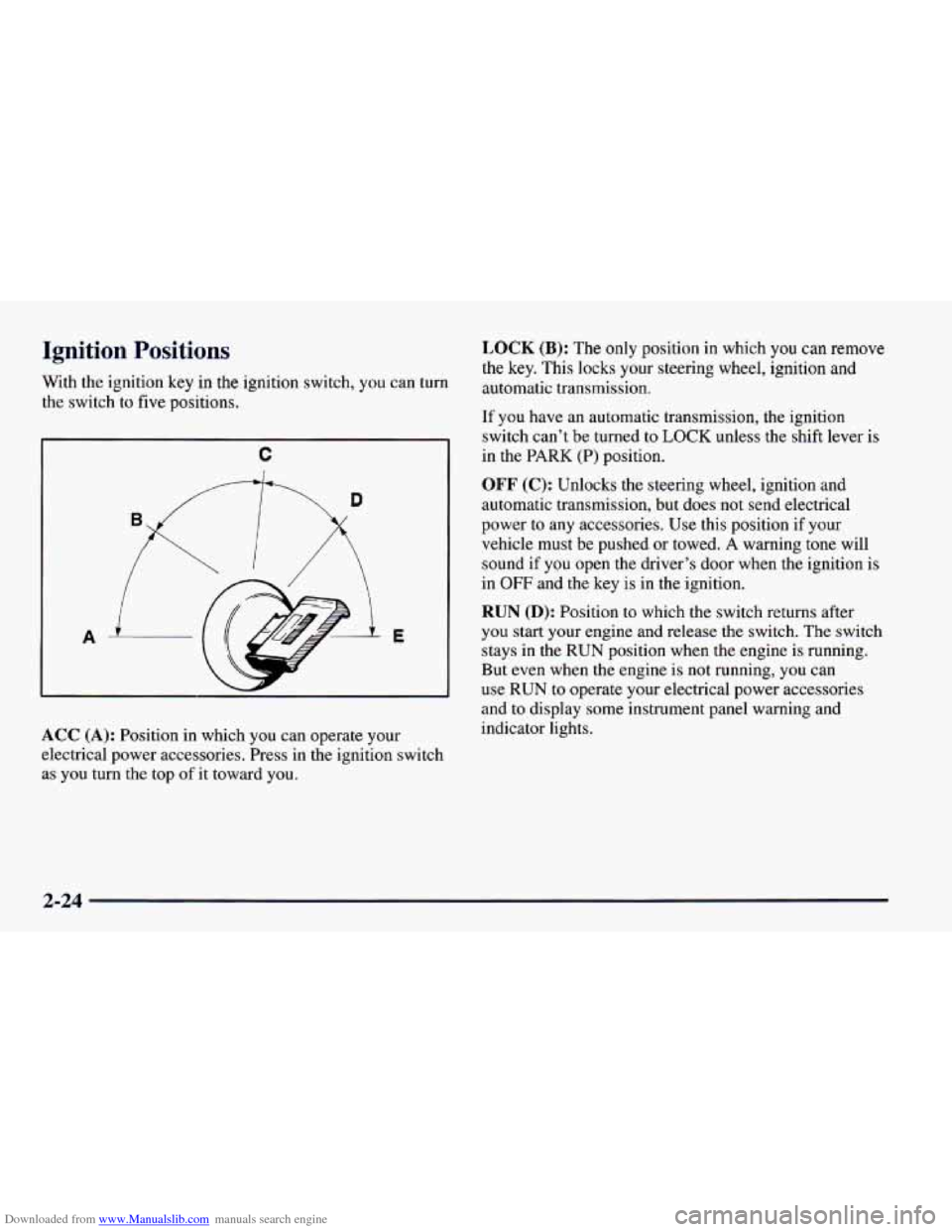
With the ignition key in the ignition switch, you can turn
the switch to five positions.
C
A E
ACC (A): Position in which you can operate your
electrical power accessories. Press in the ignition switch
as you turn the top
of it toward you.
LOCK (B): The only position in which you can remove
the key. This locks your steering wheel, ignition and
automatic transmission.
If you have an automatic transmission, the ignition
switch can’t be turned
to LOCK unless the shift lever is
in the PARK
(P) position.
OFF (C): Unlocks the steering wheel, ignition and
automatic transmission, but does not send electrical
power to any accessories. Use this position if your
vehicle must be pushed or towed.
A warning tone will
sound if you open the driver’s door when the ignition
is
in OFF and the key is in the ignition.
RUN (D): Position to which the switch returns after
you start your engine and release
the switch. The switch
stays in the
RUN position when the engine is running.
But even when the engine is
not running, you can
use
RUN to operate your electrical power accessories
and to display some instrument panel warning and
indicator lights.
2-24
Page 86 of 404
Downloaded from www.Manualslib.com manuals search engine Skip Shift Light (5.7L Engine)
When this light comes on,
you can only shift from
FIRST (1) to FOURTH (4)
instead
of FIRST (1) to
SECOND (2). This helps
you to get the best possible
fuel economy.
This light will come on under these conditions:
The engine coolant temperature is greater than
170°F (77°C).
You are going 15 to 20 mph (24 to 32 km/h) and
You are at 35 percent throttle or less.
When this light is on, the gear shift lever
will rer you
shift from FIRST (1) to FOURTH (4) only. Once you
are in
FOURTH (4), you can press the clutch again and
shift into another gear. Follow
the shift speeds
on this chart when the SKIP
SHIFT light is on.
Computer Aided Manual Transmission Shift Speeds:
1st to 4th 15 mph (24 km/h)
4th to 5th 25 mph (40 km/h)*
5th to 6th 49 mph (64 km/h)**
Each time you come to a stop, the engine's Powertrain
Control Module (PCM) determines when to activate the
SKIP SHIFT upshift system. Use
SECOND (2) gear
only when you accelerate very quickly from a stop.
You
can then follow the full gear shift pattern.
"30 mph (48 km/h) when accelerating to
highway speeds.
**45 mph (72 km/h) when accelerating to
highway speeds.
2-36
Page 87 of 404
Downloaded from www.Manualslib.com manuals search engine Second-Gear Start (If Equipped)
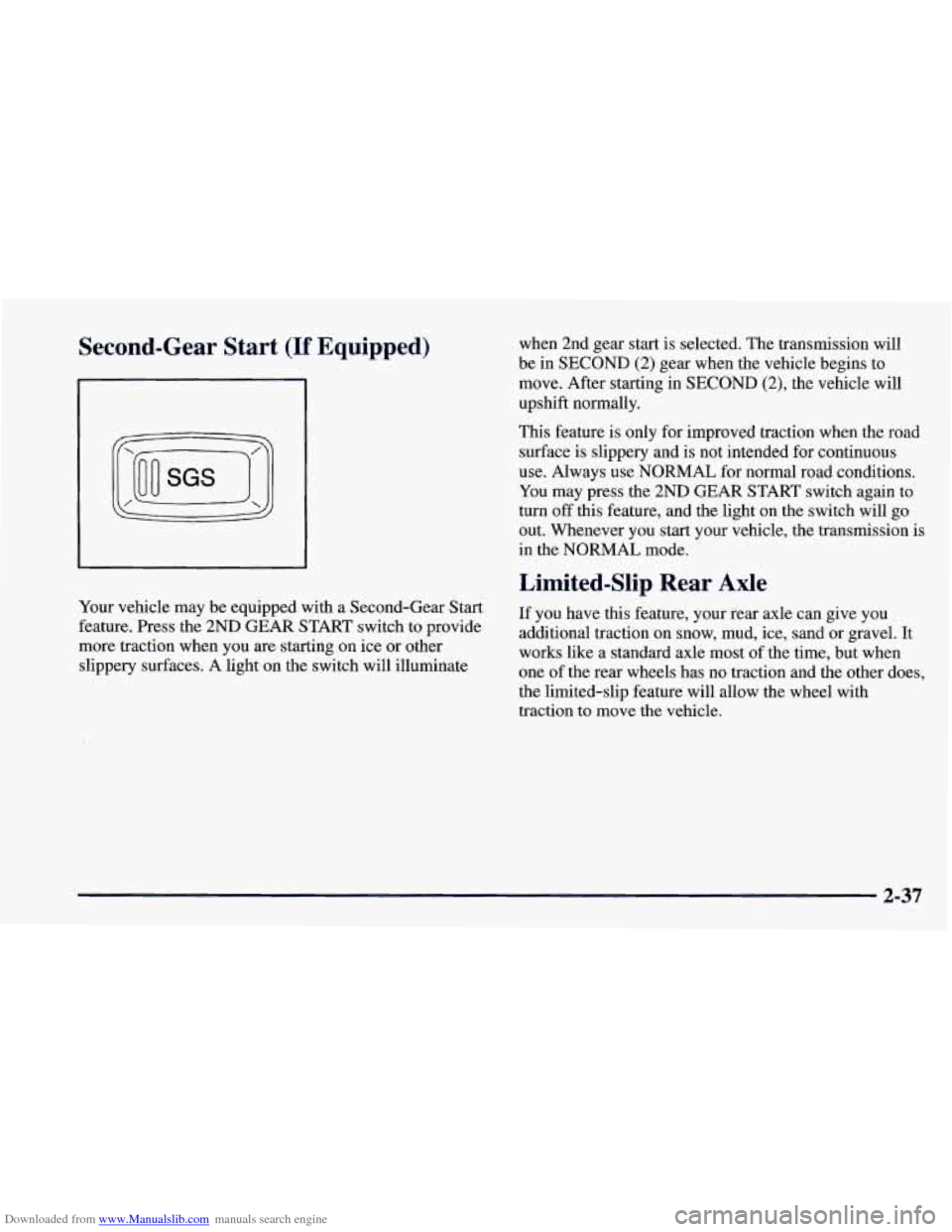
Your vehicle may be equipped with a Second-Gear Start
feature. Press the 2ND GEAR START switch to provide
more traction when you
are starting on ice or other
slippery surfaces. A light on the switch will illuminate when 2nd gear start
is selected. The transmission will
be in SECOND (2) gear when the vehicle begins to
move. After starting in SECOND
(2), the vehicle will
upshift normally.
This feature is only for improved traction when the road
surface
is slippery and is not intended for continuous
use. Always use NORMAL for normal road conditions.
You may press the 2ND GEAR START switch again to
turn off this feature, and the light on the switch will go
out. Whenever you start your vehicle, the transmission is
in the NORMAL mode.
Limited-Slip Rear Axle
If you have this feature, your rear axle can give you
additional traction on snow, mud,
ice, sand or gravel. It
works like a standard axle most of the time, but when
one of the rear wheels has no traction and the other does,
the limited-slip feature will allow the wheel with
traction to move the vehicle.
2-37
Page 88 of 404
Downloaded from www.Manualslib.com manuals search engine Parking Brake
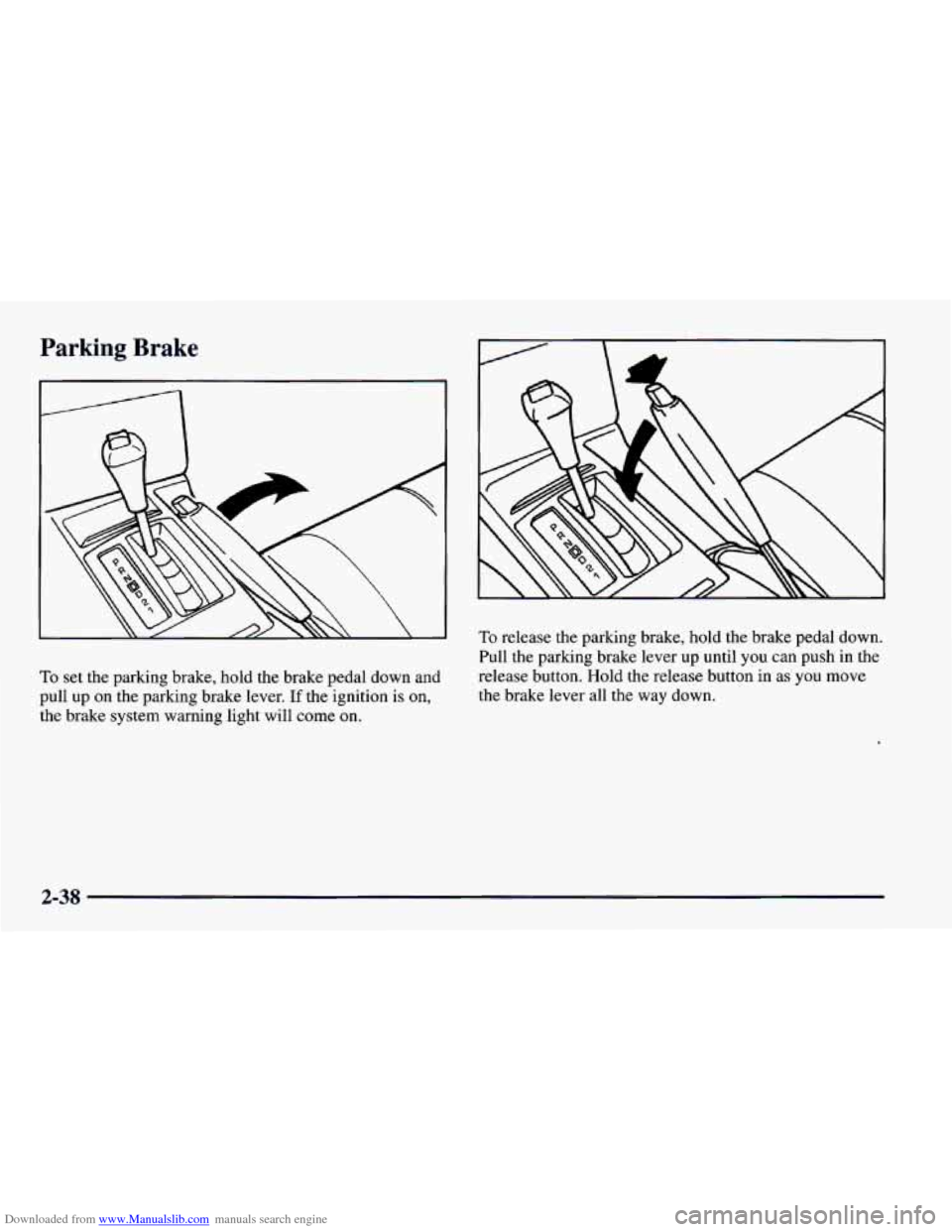
To set the parking brake, hold the brake pedal down and
pull up on the parking brake lever.
If the ignition is on,
the brake system warning light will come
on.
To release the parking brake, hold the brake pedal down.
Pull
the parking brake lever up until you can push in the
release button. Hold the release button in as
you move
the brake lever all the way down.
2-38
Page 96 of 404
Downloaded from www.Manualslib.com manuals search engine As you signal a turn or a lane change, if the arrows don’t
flash but just stay on
as you signal a turn or lane change,
a signal bulb
may be burned out and other drivers won’t
see your turn signal.
If a bulb is burned out, replace it to help avoid an
accident. If the arrows don’t go on at all when
you
signal a turn, check the fuse (see “Fuses and Circuit
Breakers” in the Index).
Headlamp High/Low Beam Changer
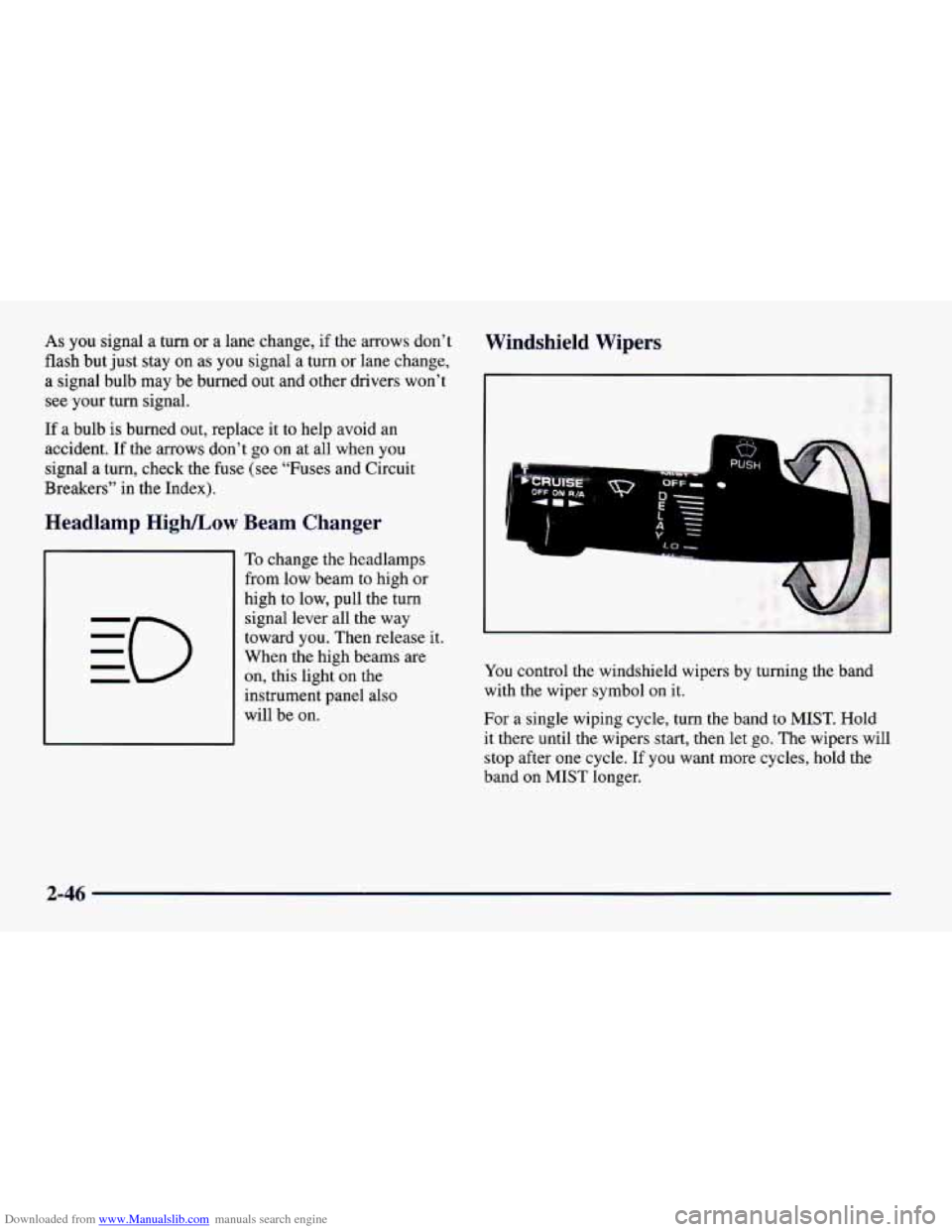
To change the headlamps
from low beam to high or
high to low, pull the turn
signal lever all the way
toward you. Then release it.
When the high beams are
on, this light on the
instrument panel also
will be on.
Windshield Wipers
You control the windshield wipers by turning the band
with
the wiper symbol on it.
For a single wiping cycle, turn the band to
MIST. Hold
it there until the wipers start, then let go. The wipers will
stop after one cycle. If you want more cycles, hold the
band on MIST longer.
2-46
Page 97 of 404
Downloaded from www.Manualslib.com manuals search engine You can set the wiper speed for a long or short delay
between wipes. This can be very useful in light rain or
snow. Turn the band
to choose the delay time. The
closer to
LO, the shorter the delay.
For steady wiping at low speed, turn the band away
from you to the
LO position. For high-speed wiping,
turn the band further,
to HI. To stop the wipers, move
the band to
OFF.
Damaged wiper blades may prevent you from seeing
well enough to drive safely.
To avoid damage, be sure to
clear ice and snow from the wiper blades before using
them. If they’re frozen to the windshield, carefully
loosen or thaw them. If your blades do become
damaged, get new blades or blade inserts.
Heavy snow or ice can overload your wipers.
A circuit
breaker will stop them until the motor cools. Clear away
snow or ice
to prevent an overload.
Windshield Washer
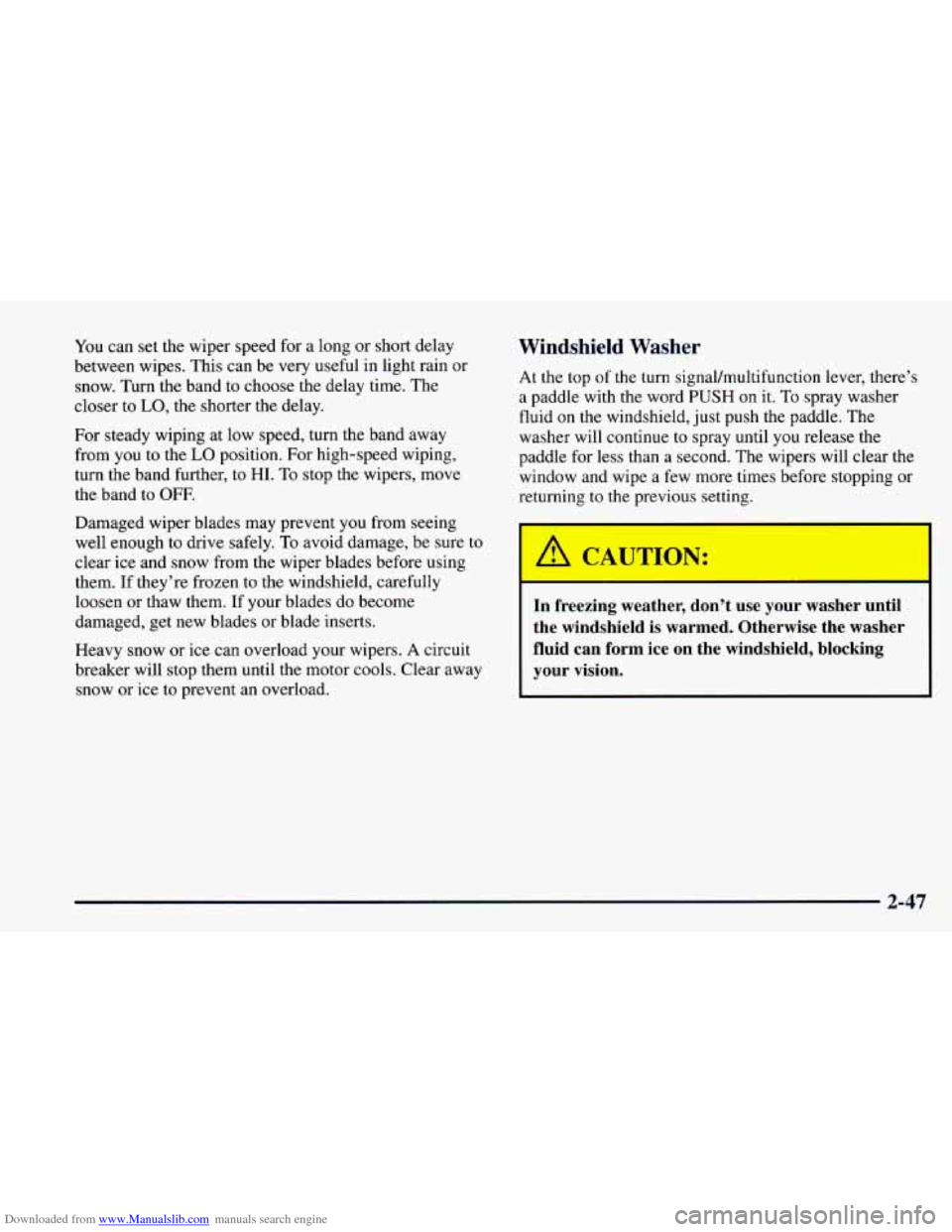
At the top of the turn signal/multifunction lever, there’s
a paddle with the word PUSH on it. To spray washer
fluid on
the windshield, just push the paddle. The
washer
will continue to spray until you release the
paddle for less
than a second. The wipers will clear the
window and wipe a few more times before stopping or
returning to the previous setting.
In freezing weather, don’t use your washer until
the windshield is warmed. Otherwise the washer
fluid can form ice
on the windshield. blockine
your vision.
2-47
Page 101 of 404
Downloaded from www.Manualslib.com manuals search engine Reducing Speed While Using Cruise Control
There are two ways to reduce your speed while using
cruise control:
0 Push in the button at the end of the lever until you
reach the lower speed you want, then release it.
To slow down in very small amounts, push the
button for less than half a second. Each time you do
this, you’ll go 1 mph
(1.6 kmh) slower.
Passing Another Vehicle While Using Cruise Control
Use the accelerator pedal to increase your speed. When
you take your foot off the pedal, your vehicle will slow
down to the cruise control speed you set earlier.
Using Cruise Control on Hills
How well your cruise control will work on hills depends
upon your speed, load and the steepness of the hills.
When going up steep hills,
you may have to step on the
accelerator pedal
to maintain your speed. When going downhill,
you may
have to brake or shift to a lower gear
to keep your speed down. Of course, applying the brake
takes you out of cruise control. Many drivers find this to
be
too much trouble and don’t use cruise control on
steep hills.
Ending Out of Cruise Control
There are several ways to turn off the cruise control:
0 Step lightly on the brake pedal or push the clutch
pedal,
if you have a manual transmission; OR
0 Move the cruise switch to OFF.
Erasing Speed Memory
When you turn off the cruise control or the ignition,
your cruise control set speed memory
is erased.
2-51
Page 102 of 404

Downloaded from www.Manualslib.com manuals search engine Lamps
I\
The main lamp control is a knob that works these lamps:
0 Headlamps
Taillamps
0 Parking Lamps
License Lamps
Sidemarker Lamps
0 Instrument Panel Lights
-‘a- # , Turn the knob to this position to turn on your
headlamps and other operating lamps.
~00~ Turn the knob to this position to turn on your
parking lamps without your headlamps.
Turn the knob to
0 to turn off the lamps.
Headlamps On Reminder
If you turn the ignition to the OFF position and leave the
lamps
on, you will hear a chime, lasting up to five
seconds. If the lamps are still on when
you open the
driver’s door, the chime will sound again.
Daytime Running Lamps
Daytime Running Lamps (DRL) can make it easier for
others
to see the front of your vehicle during the day.
DRL can be helpful in many different driving
conditions, but they can be especially helpful in the
short periods after dawn and before sunset.
A light sensor on top of the instrument panel automatically
turns the headlamps on,
so be sure it isn’t covered.
2-52