lock CHEVROLET CAMARO 1998 4.G User Guide
[x] Cancel search | Manufacturer: CHEVROLET, Model Year: 1998, Model line: CAMARO, Model: CHEVROLET CAMARO 1998 4.GPages: 402, PDF Size: 21.2 MB
Page 33 of 402
Downloaded from www.Manualslib.com manuals search engine 3.
4.
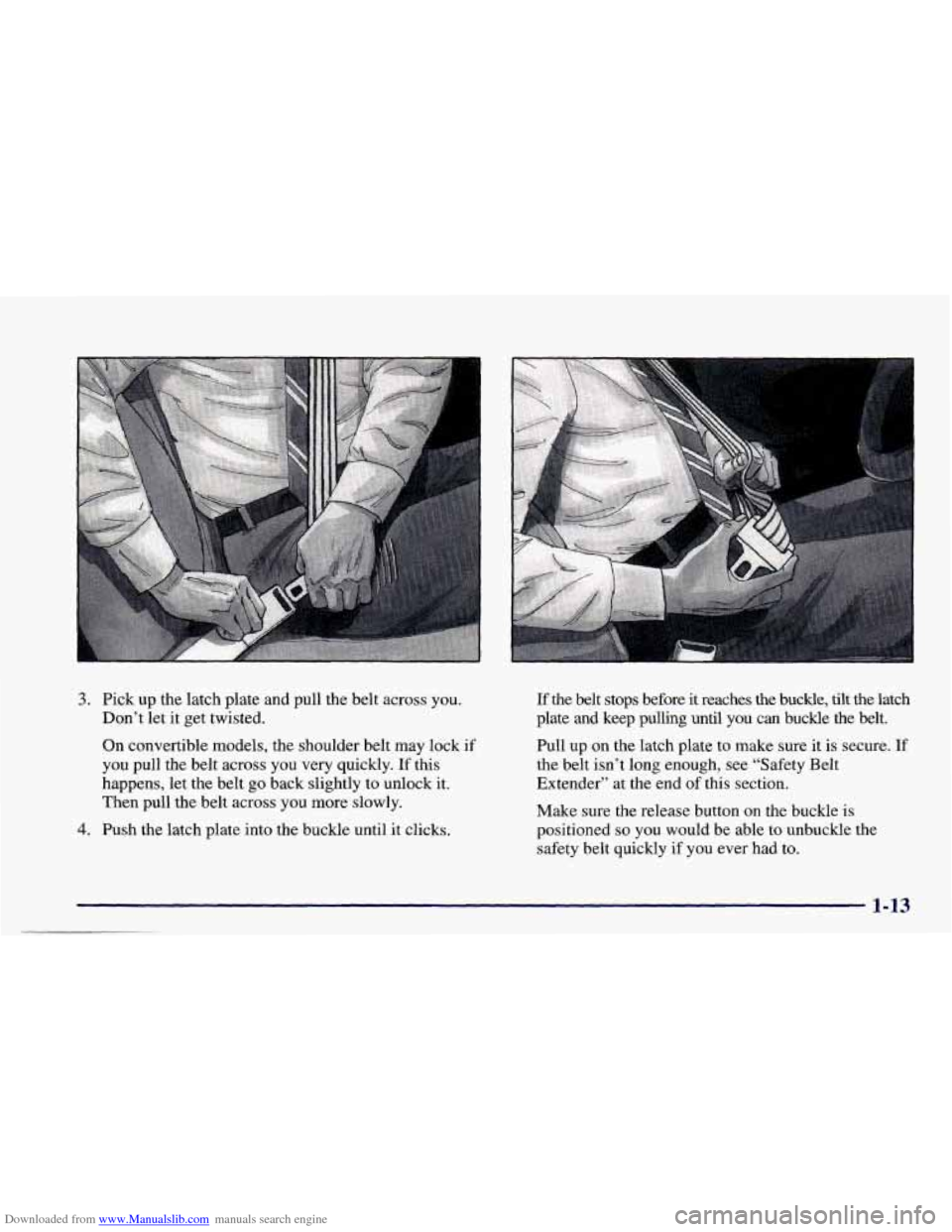
Pick up the latch plate and pull the belt across you.
Don’t let it get twisted.
On convertible models, the shoulder belt may lock if
you pull the belt across you very quickly.
If this
happens, let the belt go back slightly to unlock it.
Then pull the belt across you more slowly.
Push the latch plate into the buckle until it clicks.
If the belt stops before it reaches the buckle, tilt the latch
plate and keep pulling until you can buckle the belt.
Pull up on the latch plate to make sure it is secure.
If
the belt isn’t long enough, see “Safety Belt
Extender” at the end of this section.
Make sure the release button on the buckle
is
positioned so you would be able to unbuckle the
safety belt quickly
if you ever had to.
1-13
Page 34 of 402
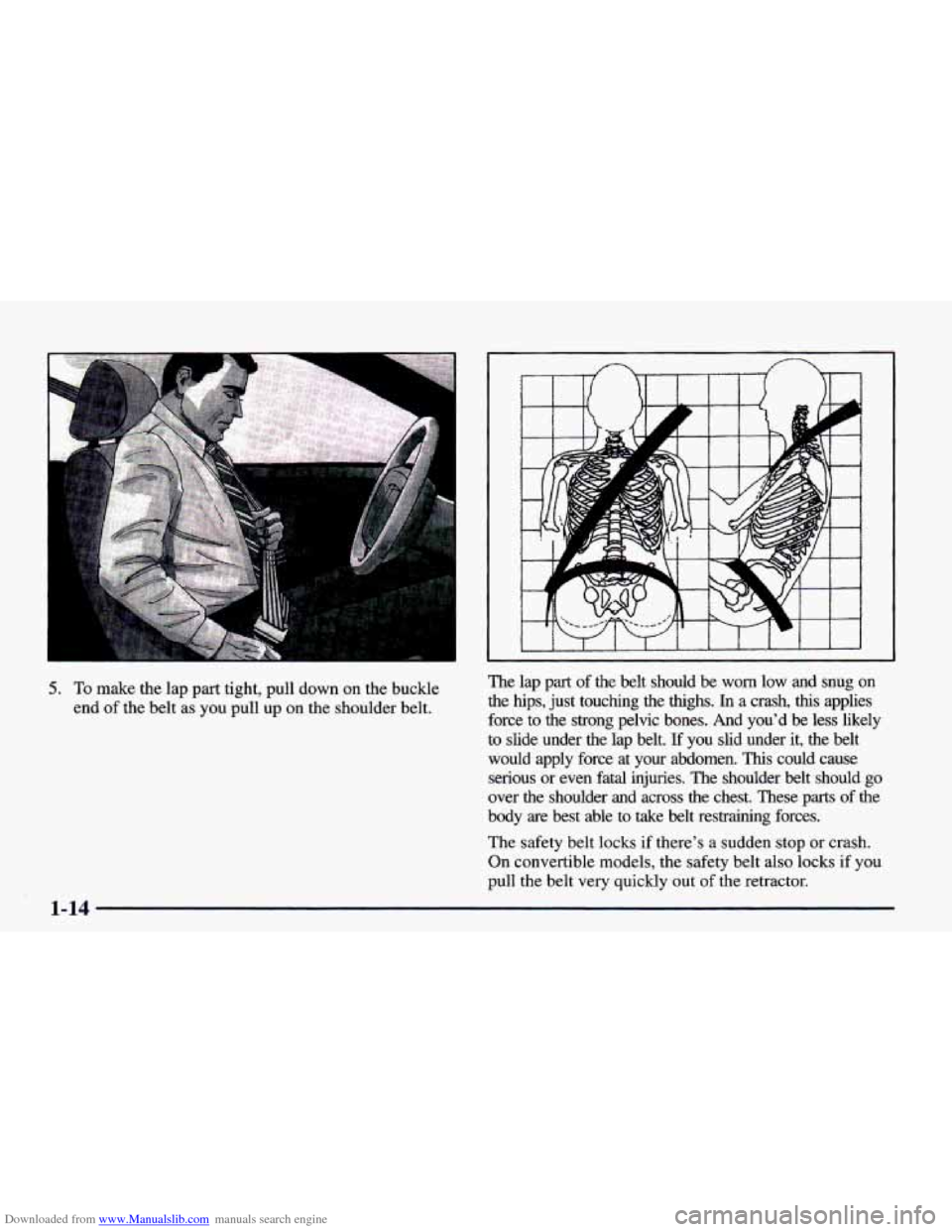
Downloaded from www.Manualslib.com manuals search engine 5. To make the lap part tight, pull down on the buckle
end
of the belt as you pull up on the shoulder belt. The lap part
of the belt should be
worn low and snug on
the hips, just touching the thighs.
In a crash, this applies
force
to the strong pelvic bones. And you’d be less likely
to slide under the lap belt.
If you slid under it, the belt
would apply force at your abdomen.
This could cause
serious or even fatal injuries. The shoulder belt should
go
over the shoulder and across the chest. These parts of the
body are best able to take belt restraining forces.
The safety belt locks if there’s a sudden stop or crash.
On convertible models, the safety belt also locks
if you
pull the belt very quickly out
of the retractor.
Page 47 of 402
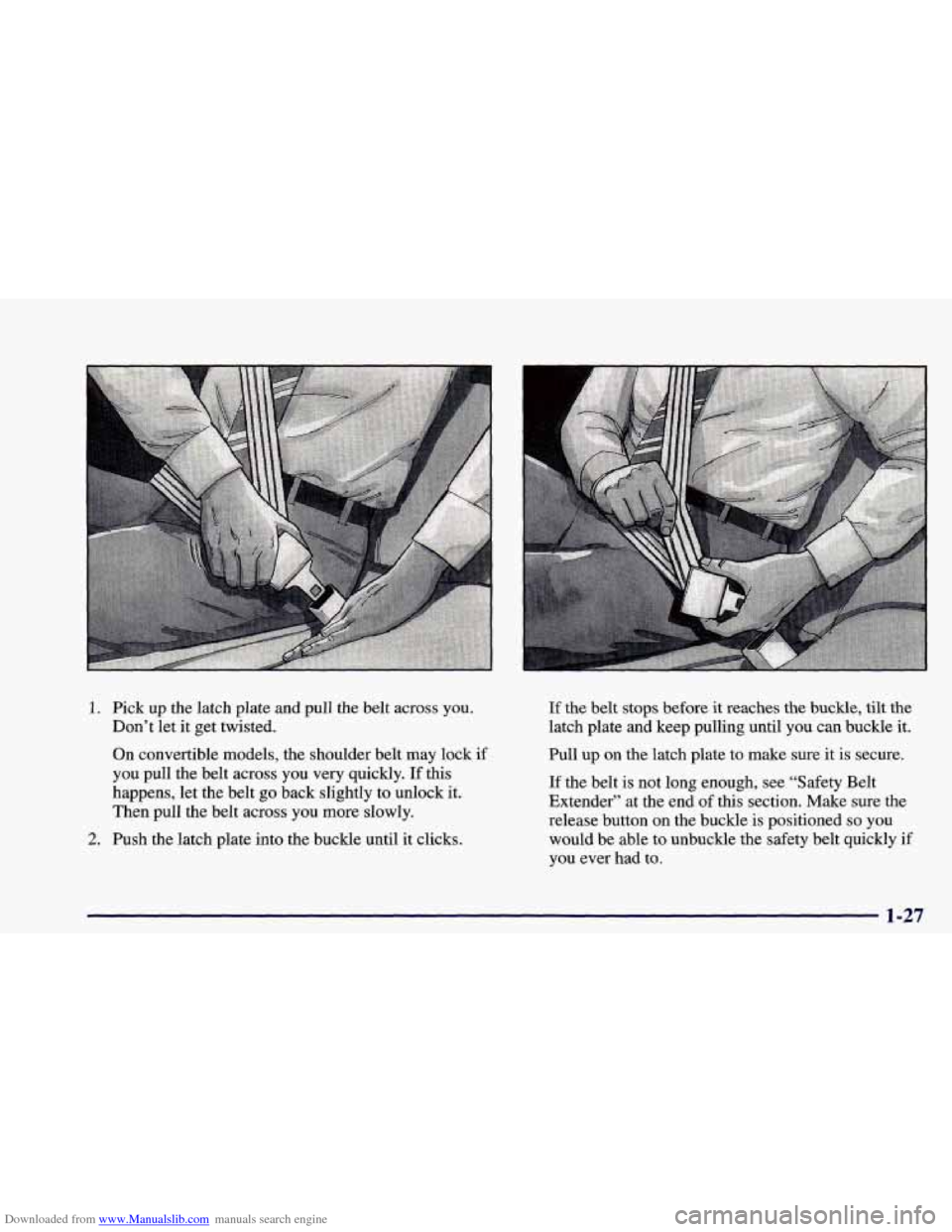
Downloaded from www.Manualslib.com manuals search engine 1. Pick up the latch plate and pull the belt across you.
Don’t let it get twisted.
On convertible models, the shoulder belt may lock
if
you pull the belt across you very quickly. If this
happens, let the belt
go back slightly to unlock it.
Then pull the belt across you more slowly.
2. Push the latch plate into the buckle until it clicks. If
the belt stops before it reaches the buckle, tilt the
latch plate and keep pulling until
you can buckle it.
Pull up on the latch plate
to make sure it is secure.
If the belt is not long enough, see “Safety Belt
Extender” at the end
of this section. Make sure the
release button
on the buckle is positioned so you
would be able to unbuckle the safety belt quickly
if
you ever had to.
1-27
Page 48 of 402
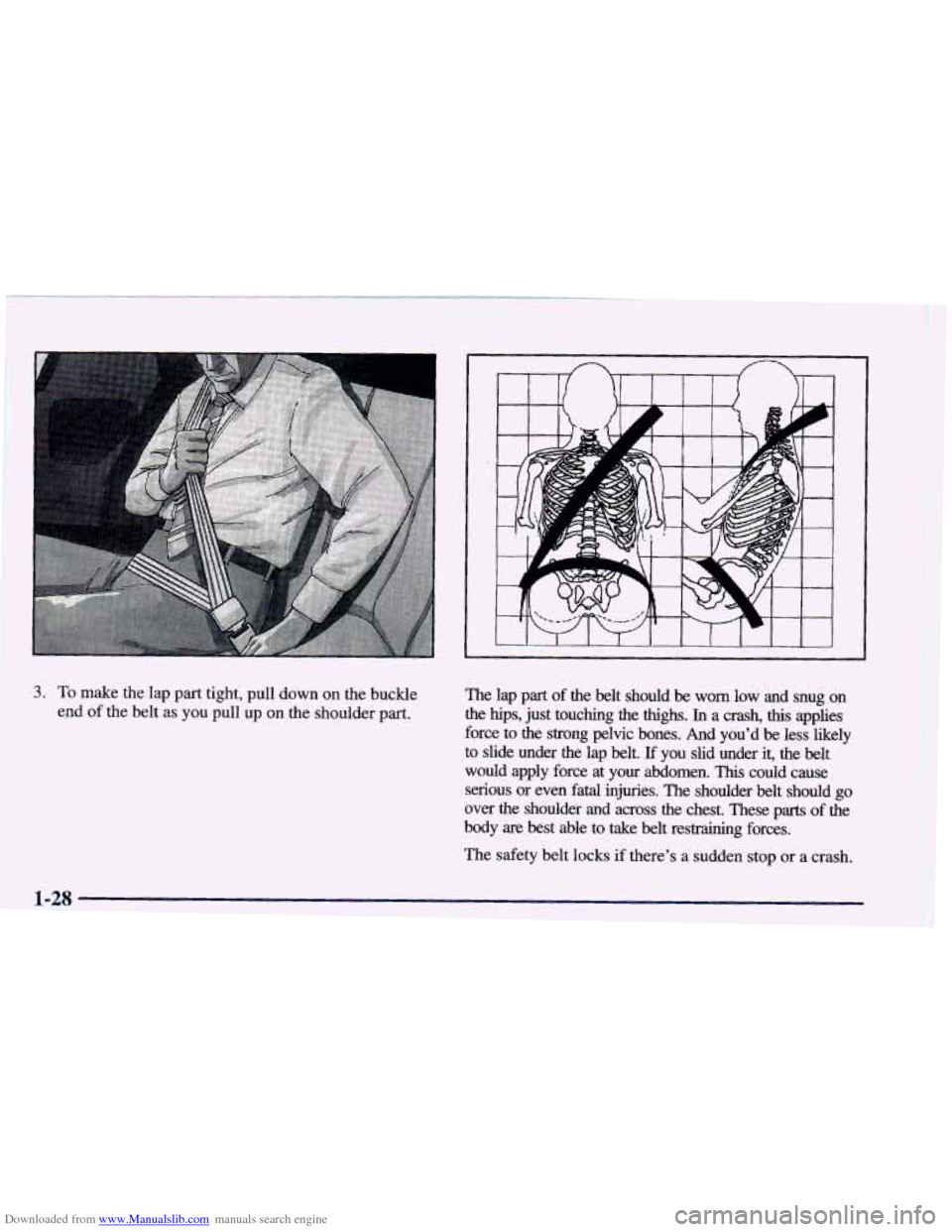
Downloaded from www.Manualslib.com manuals search engine 3. To make the lap part tight, pull down on the buckle
end
of the belt as you pull up on the shoulder part. The lap part of the belt should be worn low and snug on
the hips, just touching the thighs. In a crash, this applies
force to the strong pelvic bones. And you’d
be less likely
to slide under the lap belt. If you slid under it, the belt
would apply force at your abdomen.
This could cause
serious or even
fatal injuries. The shoulder belt should go
over the shoulder and across the chest. These parts
of the
body are best able
to take belt restraining forces.
The safety belt locks
if there’s a sudden stop or a crash.
1-28
Page 49 of 402
Downloaded from www.Manualslib.com manuals search engine On convertible models, the safety belt also locks if you
pull the belt very quickly out of the retractor.
You can be seriously hurt if your shoulder belt is
too loose.
In a crash, you would move forward
too much, which could increase injury. The
shoulder belt should
fit against your body.
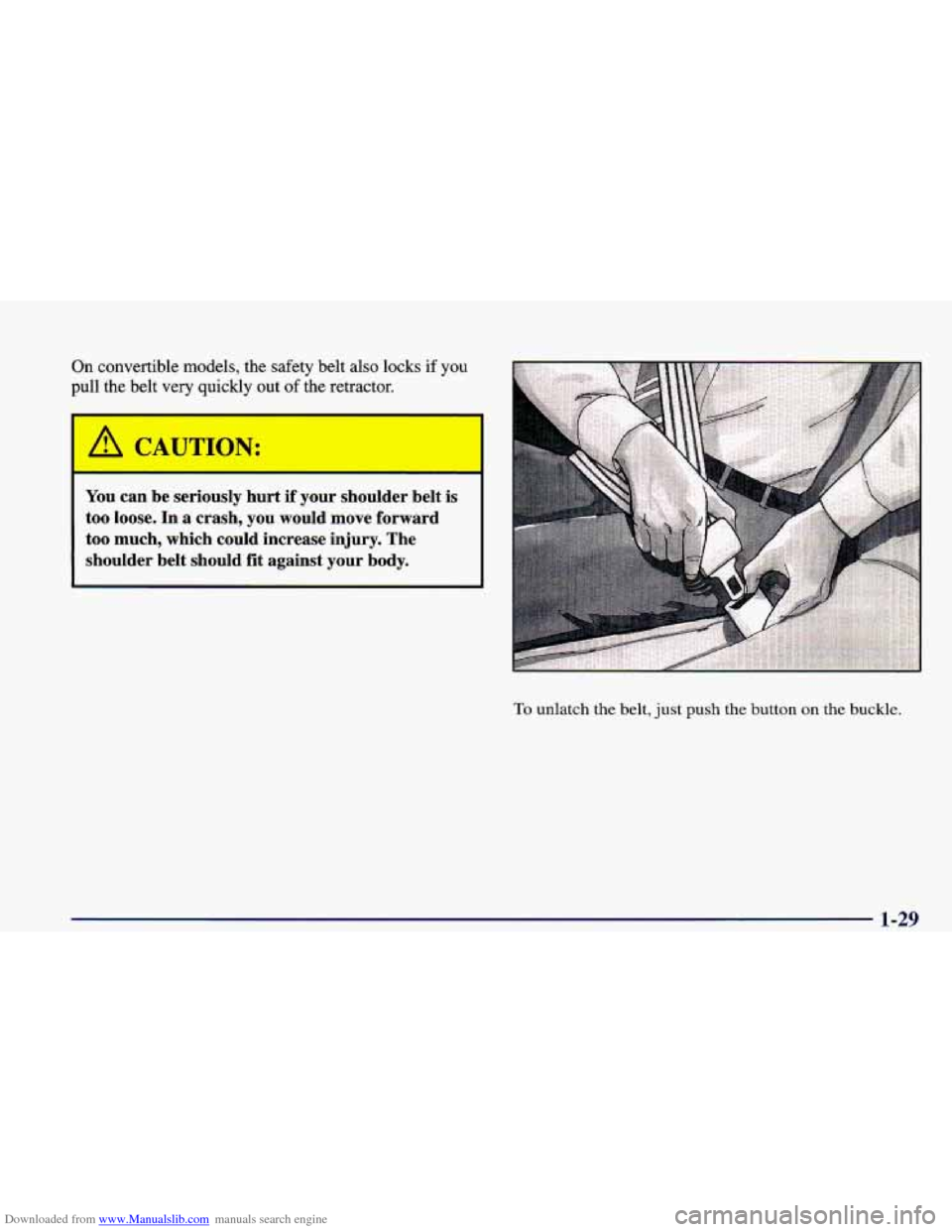
To unlatch the belt, just push the button on the buckle.
1-29
Page 69 of 402
Downloaded from www.Manualslib.com manuals search engine 0 Section 2 Features and Controls
Here you can learn about the many standard and optional features on your vehicle, and information on starting,
shifting and braking.
Also explained are the instrument panel and the warning systems that tell you if everything is
working properly -- and what to do if you have a problem.
2-2
2-4
2-7
2- 12
2- 13
2- 15
2-18
2-19
2-24
2-25
2-27
2-28
2-30 Keys
Door Locks
Keyless Entry
(If Equipped)
Hatch
Theft
Vehicle and Content Theft-DeterrenVAlarm
System (If Equipped)
PASS-Key@
I1
Feature Customization (if Equipped)
New Vehicle “Break-In”
Ignition Positions
Starting Your Engine
Engine Coolant Heater (Canada Only)
Automatic Transmission Operation 2-34
2-37
2-39 2-4 1
2-4
1
2-43
2-43
2-44
2-45
2-50
2-52
2-54
2-72
2-75
Manual Transmission Operation
Parking Brake Shifting Into PARK (P)
Parking Over Things That Bum
Engine Exhaust Shifting Out
of PARK (P)
Windows
Tilt Steering Wheel
Turn SignaVMultifunction Lever
Exterior Lamps
Interior Lamps
Mirrors
Instrument Panel
Warning Lights, Gages and Indicators
2-1
Page 71 of 402
Downloaded from www.Manualslib.com manuals search engine I
I
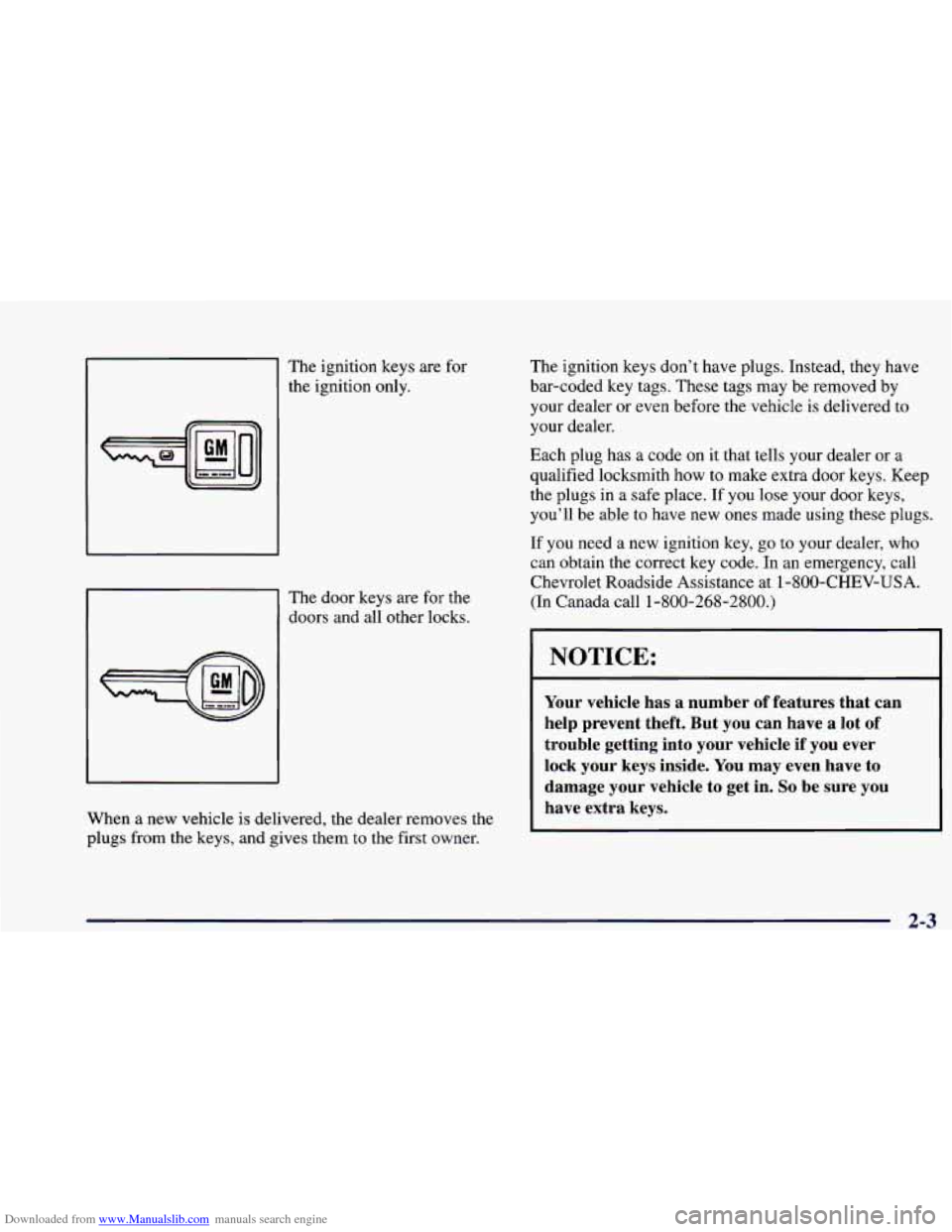
The ignition keys are for
the ignition only.
The door keys are for the
doors and all other locks.
When a new vehicle is delivered, the dealer removes the
plugs from the keys, and gives them to the first owner. The
ignition keys don’t have plugs. Instead, they have
bar-coded key tags. These tags may be removed by
your dealer or even before the vehicle is delivered to
your dealer.
Each plug has a code on it that tells your dealer or a
qualified locksmith how to make extra door keys. Keep
the plugs
in a safe place. If you lose your door keys,
you’ll be able to have new ones made using these plugs.
If you need a new ignition key, go to your dealer, who
can obtain the correct key code. In an emergency, call
Chevrolet Roadside Assistance at
1 -800-CHEV-USA.
(In Canada call
1-800-268-2800.)
I I
I NOTICE:
Your vehicle has a number of features that can
help prevent theft. But you can have
a lot of
trouble getting into your vehicle if you ever
lock your keys inside.
You may even have to
damage your vehicle to get in.
So be sure you
have extra keys.
2-3
Page 72 of 402
Downloaded from www.Manualslib.com manuals search engine Door Locks
I
Unlocked doors can be dangerous.
Passengers
-- especially children -- can easily
open the doors and fall out. When a door is
locked, the inside handle won’t open it.
Outsiders can easily enter through an unlocked
door when you slow down or stop your vehicle.
This may not be
so obvious: You increase the
chance of being thrown out of the vehicle in
a
crash if the doors aren’t locked. Wear safety belts
properly, lock your doors, and you will be
far
better off whenever you drive your vehicle.
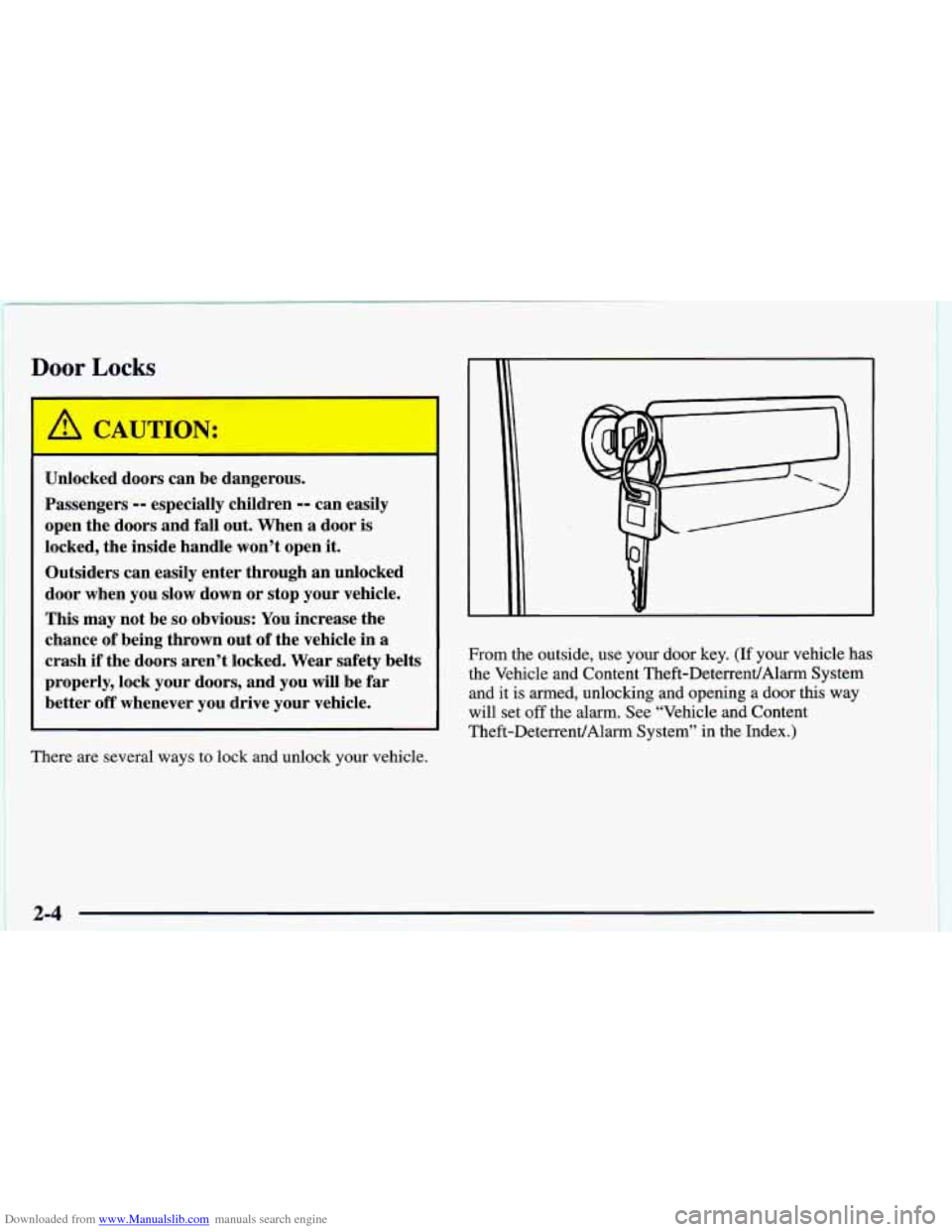
There are several ways to lock and unlock your vehicle. From the outside, use your door key.
(If your vehicle has
the Vehicle and Content Theft-DeterrentlAlarm System and it
is armed, unlocking and opening a door this way
will set
off the alarm. See “Vehicle and Content
Theft-DeterrenVAlarm System” in the Index.)
2-4
Page 73 of 402
Downloaded from www.Manualslib.com manuals search engine U
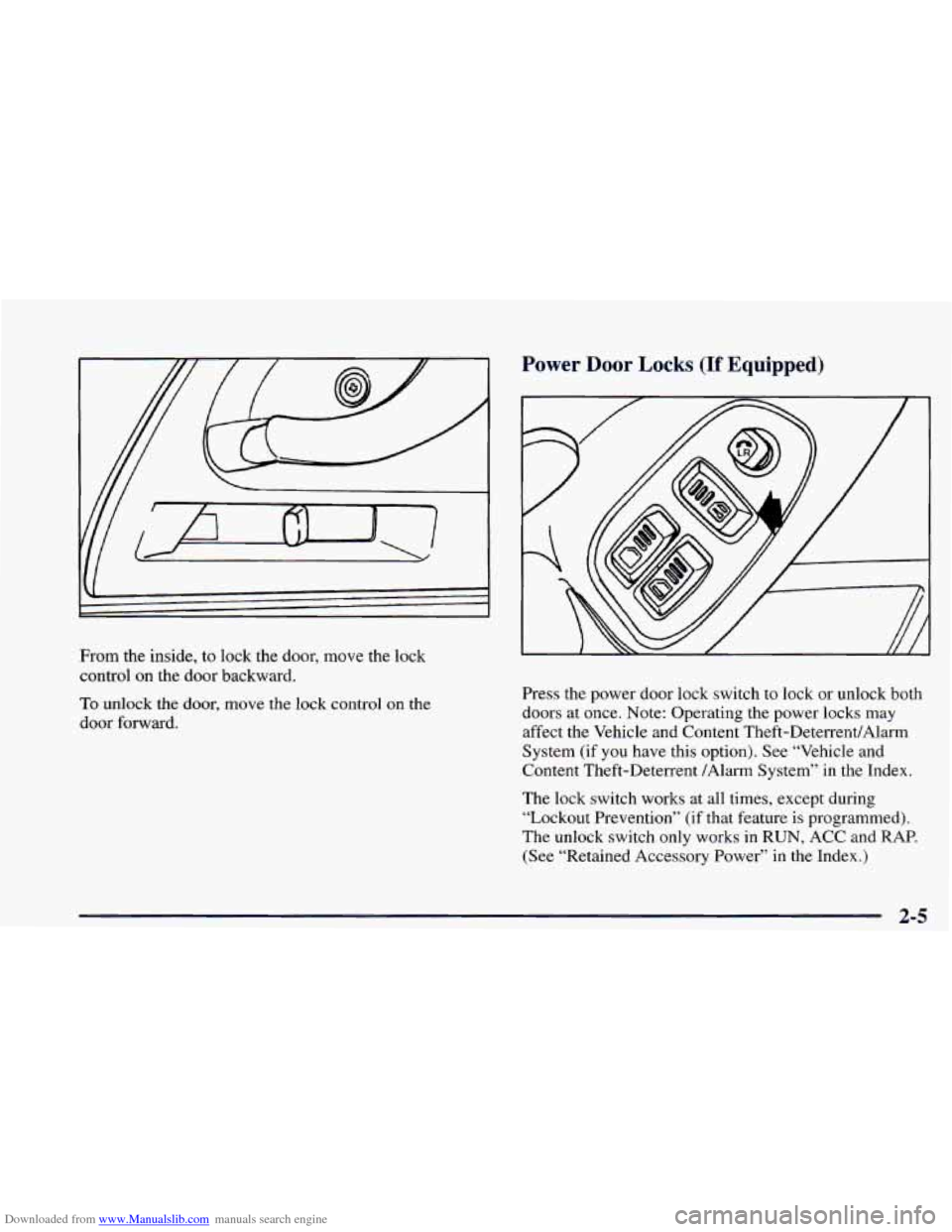
From the inside, to lock the door, move the lock
control
on the door backward.
To unlock the door, move the lock control on the
door forward.
Power Door Locks (If Equipped)
Press the power door lock switch to lock or unlock both
doors
at once. Note: Operating the power locks may
affect the Vehicle and Content Theft-DeterrenUAlarm
System (if
you have this option). See “Vehicle and
Content Theft-Deterrent /Alarm System” in the Index.
The lock switch works at all times, except during
“Lockout Prevention” (if that feature
is programmed).
The unlock switch only works
in RUN, ACC and RAP.
(See “Retained Accessory Power” in the Index.)
2-5
Page 74 of 402
Downloaded from www.Manualslib.com manuals search engine Last Door Closed Locking (If Equipped)
If you have power door locks, you can program your
vehicle to have a delayed locking of the doors. This lets
you or your passengers exit the vehicle after you’ve
pressed the power door lock switch. All the doors will
lock once everyone has gotten out
of the vehicle and
closed their doors..
When the power door lock switch is pressed, a chime
will sound three times, indicating that the Last Door
Closed Locking feature has been activated. Pressing the
LOCK switch again will lock the doors immediately.
Pressing the
UNLOCK switch will cancel a previously
requested Last Door Closed Locking.
This feature is shipped from the factory with the ignition
position in
OFF. To turn this feature on, see “Feature
Customization” in the Index.
Lockout Prevention (If Equipped)
To protect you from locking your keys in the vehicle,
this feature stops the power door locks from locking
when the keys are in the ignition and a door is open.
If
the power lock switch is pressed when a door is open, a
chime will sound five times as a reminder to take the
keys out of
the ignition before locking the door. This
feature is shipped from the factory with the ignition
position in
ON. If you would like to turn this feature
off, see “Feature Customization” in the Index.
Leaving Your Vehicle
If you are leaving the vehicle, take your keys, open your
door and set the locks from inside. Then get out and
close the door.
2-6