lock CHEVROLET CAMARO 1998 4.G Workshop Manual
[x] Cancel search | Manufacturer: CHEVROLET, Model Year: 1998, Model line: CAMARO, Model: CHEVROLET CAMARO 1998 4.GPages: 402, PDF Size: 21.2 MB
Page 130 of 402
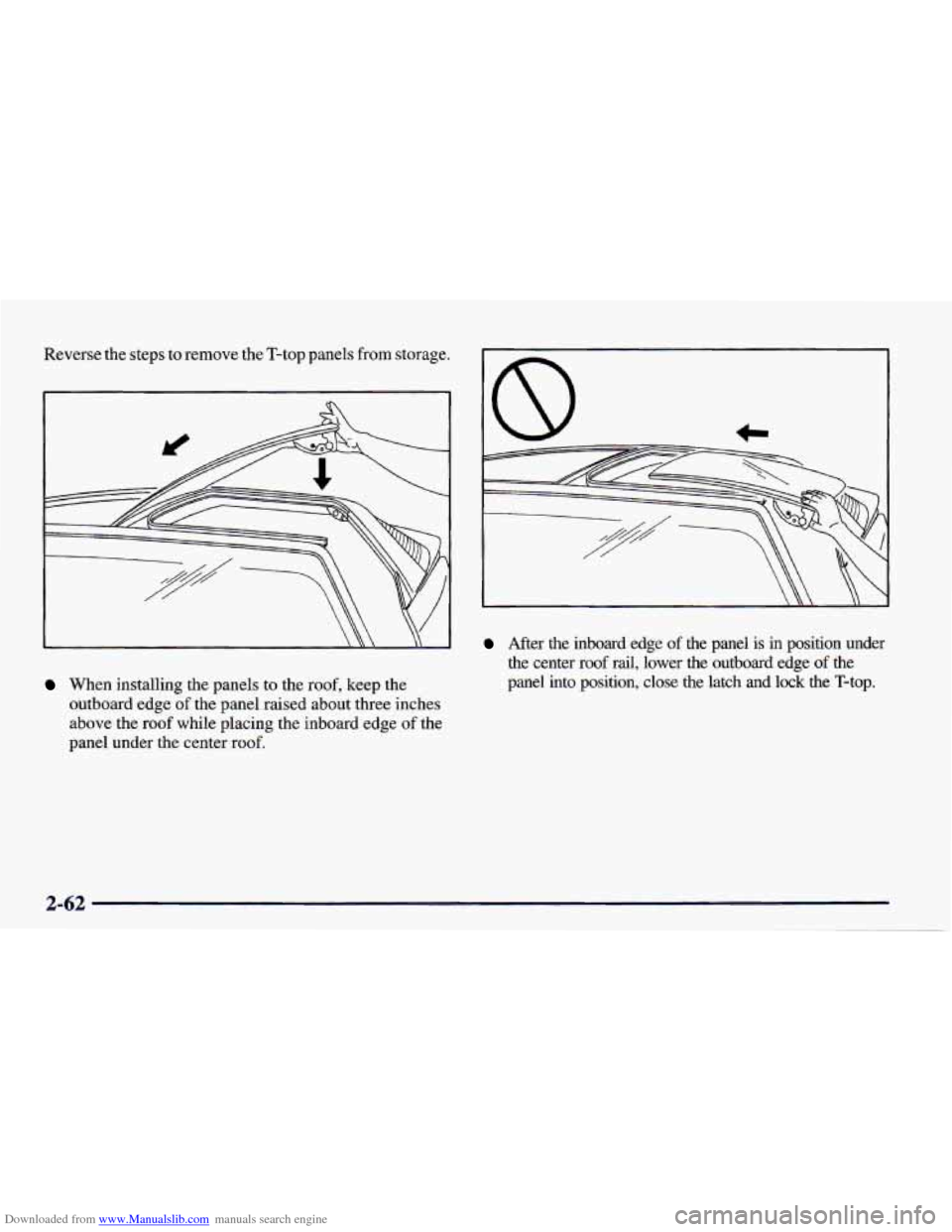
Downloaded from www.Manualslib.com manuals search engine Reverse the steps to remove the T-top panels from storage.
3
When installing the panels to the roof, keep the
outboard edge
of the panel raised about three inches
above the roof while placing the inboard edge
of the
panel under the center roof.
After the inboard edge of the panel is in position under
the center roof
rail, lower the outboard edge of the
panel into position, close the latch and lock the T-top.
2-62
Page 132 of 402
Downloaded from www.Manualslib.com manuals search engine L
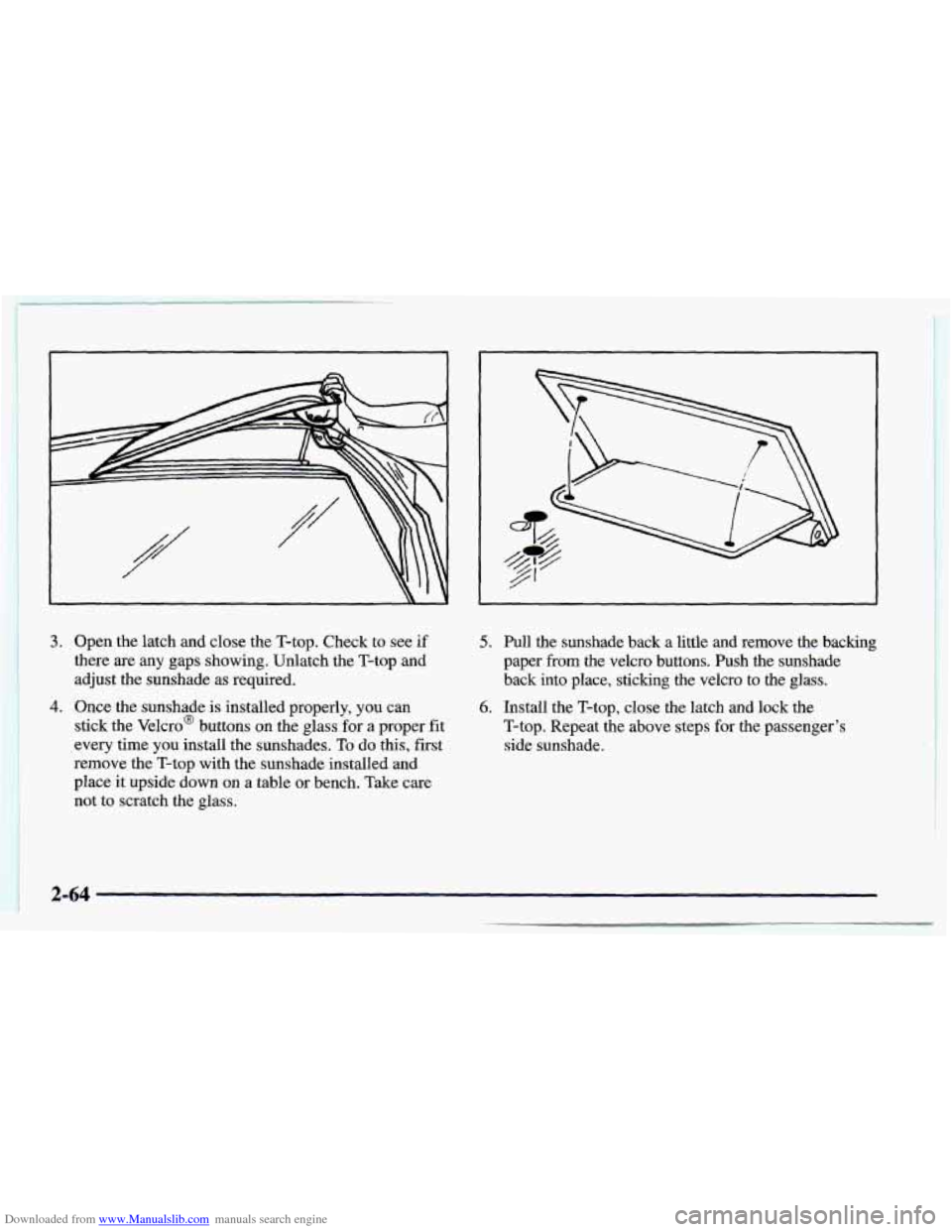
3. Open the latch and close the T-top. Check to see if
there are
any gaps showing, Unlatch the T-top and
adjust the sunshade as required.
I
4. Once the sunshade is installed properly, you can
stick the Velcro@ buttons on the glass for a proper fit
every time you install the sunshades.
To do this, first
remove
the T-top with the sunshade installed and
place it upside down on
a table or bench. Take care
not to scratch the glass.
5. Pull the sunshade back a little and remove the backing
paper
from the Velcro buttons. Push the sunshade
back into place, sticking the Velcro to the glass.
6. Install the T-top, close the latch and lock the
T-top. Repeat the above steps
for the passenger’s
side sunshade.
1-64
Page 134 of 402
Downloaded from www.Manualslib.com manuals search engine ..
'i
I NOTICE:
~~ ~ ~
Don't lower the top if it is damp or wet. When
the top
is down, trapped water can cause stains,
mildew and damage to the inside
of your vehicle.
Be sure to dry
off the top before you lower it.
I NOTICE: I
It is not recommended to lower the top if the
vehicle
is out in cold weather, 0°F (-18OC) or
lower, or you may damage top components.
NOTICE:
Before lowering the convertible top into the
storage area,
be sure there are no objects in the
way of the folded, stored top. The weight of a
stored top
on items in the storage area will cause
the convertible top back glass to break.
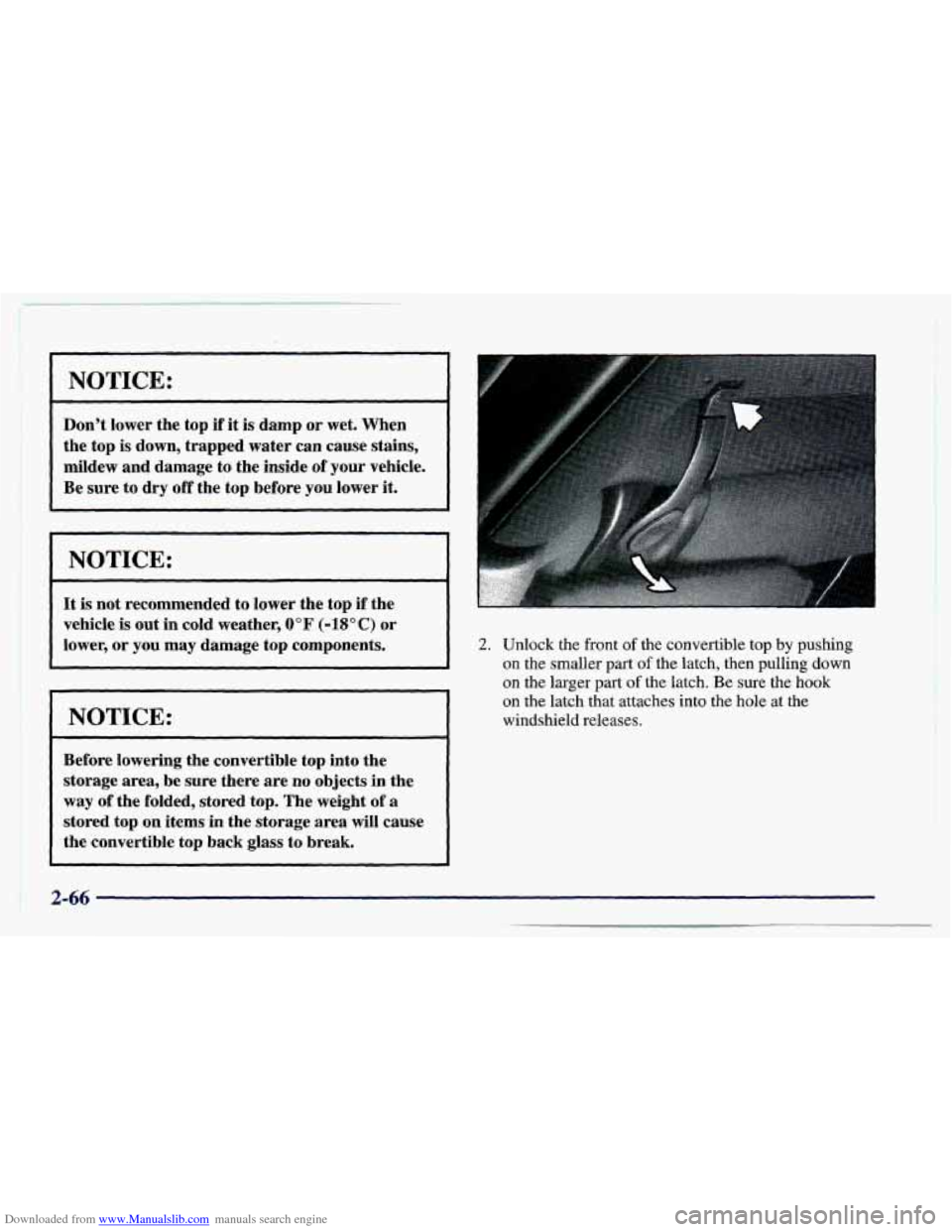
2. Unlock the front of the convertible top by pushing
on the smaller part
of the latch, then pulling down
on the larger
part of the latch. Be sure the hook
on the latch that attaches into the hole at the
windshield releases.
2-66 . --
Page 139 of 402
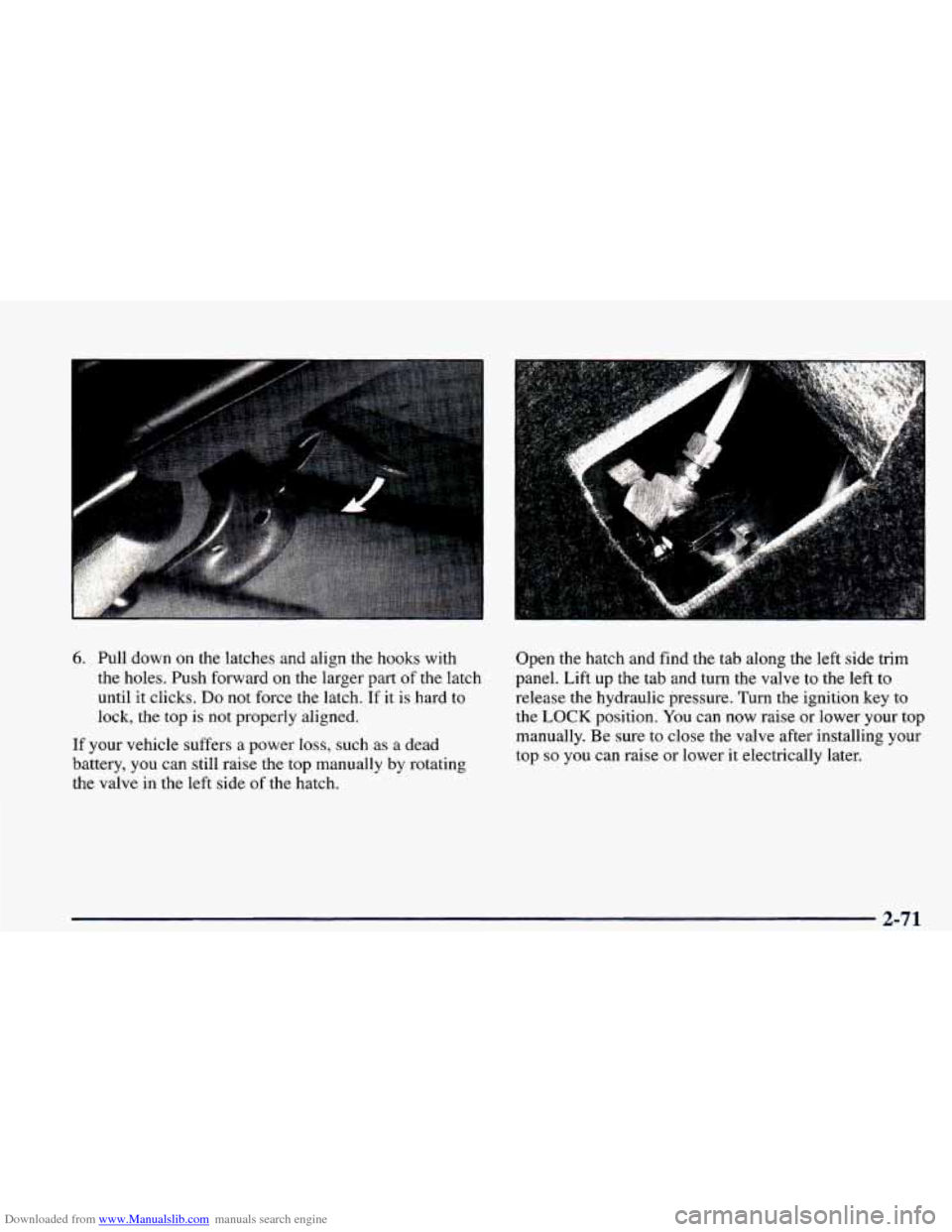
Downloaded from www.Manualslib.com manuals search engine 6. Pull down on the latches and align the hooks with
the holes. Push forward on the larger part of the latch
until it clicks.
Do not force the latch. If it is hard to
lock, the top
is not properly aligned.
If your vehicle suffers a power
loss, such as a dead
battery, you can still raise the top manually by rotating
the valve in the left side of the hatch. Open the hatch and
find the tab along the left side
trim
panel. Lift up the tab and turn the valve to the left to
release the hydraulic pressure.
Turn the ignition key to
the LOCK position. You can now raise or lower your top
manually. Be sure
to close the valve after installing your
top
so you can raise or lower it electrically later.
2-71
Page 145 of 402
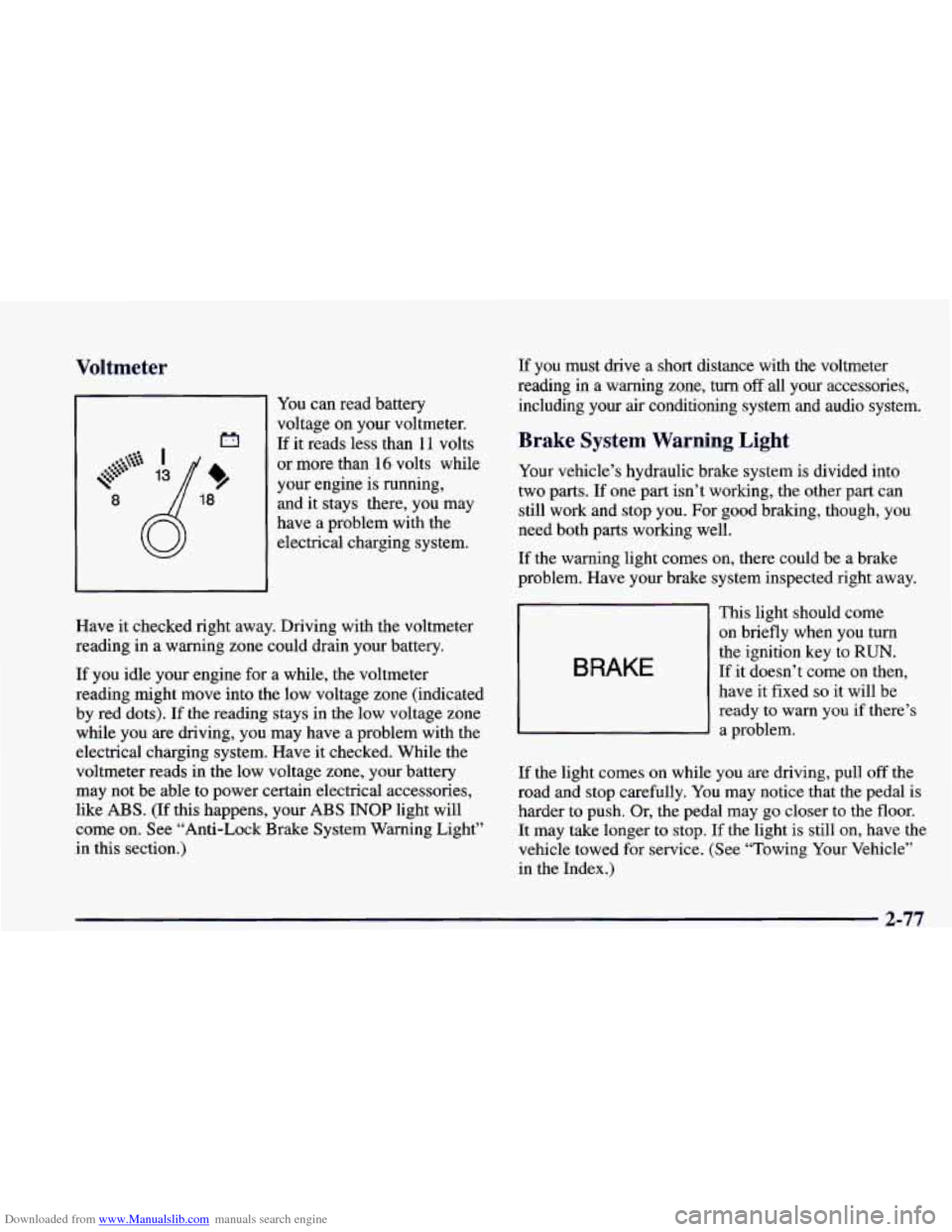
Downloaded from www.Manualslib.com manuals search engine Voltmeter
You can read battery
voltage
on your voltmeter.
If it reads less than 11 volts
or more than
16 volts while
your engine is running,
8 and it stays there, you may
have a problem with the
electrical charging system.
If you must drive a short distance with the voltmeter
reading in a warning zone, turn
off all your accessories,
including your air conditioning system and audio system.
Brake System Warning Light
Your vehicle’s hydraulic brake system is divided into
two parts.
If one part isn’t working, the other part can
still work and stop you. For good braking, though, you
need both parts working well.
If the warning light comes on, there could be a brake
problem. Have your brake system inspected right away.
Have it checked right away. Driving with the voltmeter
reading in a warning zone could drain your battery.
If you idle your engine for a while, the voltmeter
reading might move into the low voltage zone (indicated
by red dots). If the reading stays in
the low voltage zone
while you are driving, you may have a problem with the
electrical charging system. Have it checked. While the
voltmeter reads in the low voltage zone, your battery
may not be able to power certain electrical accessories,
like ABS.
(If this happens, your ABS INOP light will
come
on. See “Anti-Lock Brake System Warning Light”
in this section.)
BRAKE
This light should come
on briefly when you turn
the ignition key
to RUN.
If it doesn’t come on then,
have it fixed
so it will be
ready to warn you if there’s
a problem.
If the light comes on while you are driving, pull off the
road and stop carefully. You may notice that the pedal is
harder to push. Or, the pedal may go closer to the floor.
It may take longer to stop.
If the light is still on, have the
vehicle towed
for service. (See “Towing Your Vehicle’’
in the Index.)
2-77
Page 146 of 402
Downloaded from www.Manualslib.com manuals search engine Your brake system may not be working properly if the brake system warning light is on. Driving
with the brake system warning light on can lead
to an accident. If the light
is still on after you’ve
pulled
off the road and stopped carefully, have
the vehicle towed for service.
When the ignition is on, the brake system warning light
will also come on when you set your parking brake. The
light will stay on if your parking brake doesn’t release
fully. If it stays on after your parking brake is fully
released, it means you have a brake problem.
ABS
INOP
Anti-Lock Brake System Warning Light
With the anti-lock brake system, this light will
come on when you start
your engine and it will
stay on for three seconds.
That’s normal.
If the anti-lock brake system warning light stays on
longer than normal after you’ve started your engine, turn
the ignition
off. Or, if the light comes on and stays on
when you’re driving, stop as soon as possible and turn
the ignition off. Then start
the engine again to reset the
system. If the light still stays on,
or comes on again
while you’re driving, your vehicle needs service.
If the
light is
on and the regular brake system warning light
isn’t on, you still have brakes, but you don’t have
anti-lock brakes. Adjust your driving accordingly.
The anti-lock brake system warning light should come
on briefly when you turn the ignition
key to RUN. If the
light doesn’t come on then, have it fixed so it will be
ready to warn you
if there is a problem.
2-78
Page 147 of 402
Downloaded from www.Manualslib.com manuals search engine ASR (Acceleration Slip Regulation) System
Warning Light (Option)
ASR
OFF
This warning light should
come on briefly as,you start
the engine. If the warning
light doesn’t come
on then,
have it fixed
so it will be
ready to warn you
if there’s
a problem.
If it stays on, or comes on when you’re driving, there
may be
a problem with your ASR system and your
vehicle may need service. When this warning light is
on, the system will not limit wheel spin. Adjust your
driving accordingly.
The ASR system warning light will come on if you turn
the system off by pressing the ASR switch located on
the instrument panel and the warning light will come on
and stay on. To turn the system back on, press the switch
again. The warning light should
go off. (See “ASR
System” in the Index for more information.)
If the
ASR system warning light comes on and stays on
for an extended period of time when the system is
turned on, your vehicle needs service.
Low Traction Light
LOW
TRAC
When your anti-lock system
is adjusting brake pressure
to help avoid a braking skid,
this light will come on.
If you have the
ASR system, this light will also come on
when the system is limiting wheel spin. You may feel or
hear the system working, but this is normal. Slippery
road conditions may exist
if the low traction light comes
on,
so adjust your driving accordingly. The light will
stay on for a few seconds after the ASR system stops
limiting wheel spin.
The low traction light also comes on briefly when you
turn the ignition key to RUN. If the light doesn’t come
on then, have it fixed
so it will be there to tell you when
the anti-lock brake system
or ASR system is active.
2-79
Page 155 of 402
Downloaded from www.Manualslib.com manuals search engine 0 Section 3 Comfort Controls and Audio Systems
In this section, you’ll find out how to operate the comfort control and audio systems offered with your vehicle. Be
sure to read about the particular systems supplied with your vehicle.
3-2
3-3
3-4
3-4
3-5
3-5
3-6
3-6
3-7 Comfort Controls
Air Conditioning
Heating
Ventilation System
Defogging and Defrosting
Rear Window Defogger (If Equipped)
Setting the Clock for Systems without
Automatic Tone Control
Setting the Clock for Systems with
Automatic Tone Control
AM-FM Stereo with Cassette
Tape Player 3-9
3- 14
3-18
3-2 1
3-23
3-23
3-24
3 -25
3-25
3-25 AM-FM
Stereo with Cassette Tape Player and
Automatic Tone Control (If Equipped)
AM-FM Stereo
with Compact Disc Player and
Automatic Tone Control (If Equipped)
Trunk Mounted CD Changer
(If Equipped)
Theft-Deterrent Feature (If Equipped)
Understanding Radio Reception
Tips About Your Audio System
Care of Your Cassette Tape Player
Care of Your Compact Discs
Care of Your Compact Disc Player
Fixed Mast Antenna
3-1
Page 156 of 402
Downloaded from www.Manualslib.com manuals search engine Comfort Controls
lhl
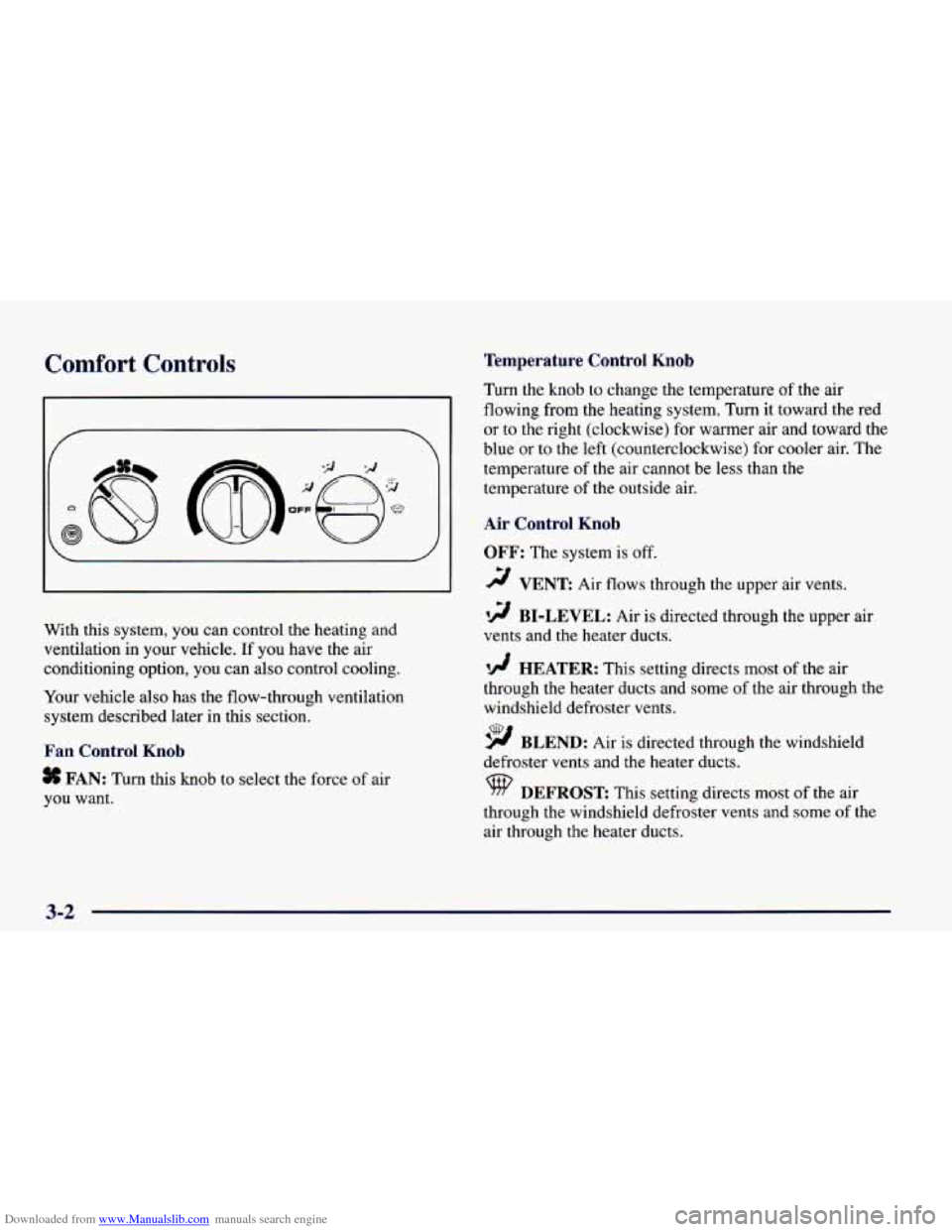
With this system, you can control the heating and
ventilation in your vehicle. If you have the air
conditioning option, you can also control cooling.
Your vehicle also has the flow-through ventilation
system described later in this section.
Fan Control Knob
# FAN: Turn this knob to select the force of air
you want.
Temperature Control Knob
Turn the knob to change the temperature of the air
flowing from the heating system. Turn it toward the red
or
to the right (clockwise) for warmer air and toward the
blue or to the left (counterclockwise) for cooler air. The
temperature of the air cannot be less than the
temperature of the outside air.
Air Control Knob
OFF: The system is off.
2 VENT Air flows through the upper air vents.
i
’!! BI-LEVEL: Air is directed through the upper air
vents and the heater ducts.
‘!A HEATER: This setting directs most of the air
through the heater ducts and some
of the air through the
windshield defroster vents.
9 BLEND: Air is directed through the windshield
defroster vents and the heater ducts.
9 DEFROST This setting directs most of the air
through the windshield defroster vents and some
of the
air through the heater ducts.
3-2
Page 160 of 402
Downloaded from www.Manualslib.com manuals search engine Do not attach anything like a temporary vehicle license
or a decal across the defogger grid on the rear window.
NOTICE:
Don’t use a razor blade or something else sharp
on the inside
of the rear window. If you do, you
could cut or damage the warming grid, and the
repairs wouldn’t be covered by your warranty.
Audio Systems
Your Delco Electronics audio system has been designed
to operate easily and give years of listening pleasure.
You will get the most enjoyment out of it if you acquaint
yourself with it first. Find out what your Delco
Electronics system can do and
how to operate all its
controls, to be sure you’re getting the
most out of the
advanced engineering that went into
it.
If you have power door locks, your vehicle has a feature
called Retained Accessory Power (RAP). With RAP,
you can play your audio system even after the ignition is
off. See “Retained Accessory Power” in the Index.
Setting the Clock for Systems without
Automatic
Tone Control
Press SET. SET will appear on the display for five
seconds. Within five seconds, press and hold the right
arrow
on the SEEK button until the correct minute
appears. Press and hold the left arrow on the
SEEK
button until the correct hour appears.
Setting the Clock for Systems with
Automatic Tone Control
Press and hold HR until the correct hour appears. Press
and hold
MN until the correct minute appears.
3-6