ignition CHEVROLET CAMARO 2011 5.G Owner's Manual
[x] Cancel search | Manufacturer: CHEVROLET, Model Year: 2011, Model line: CAMARO, Model: CHEVROLET CAMARO 2011 5.GPages: 414, PDF Size: 6.24 MB
Page 124 of 414
Black plate (18,1)Chevrolet Camaro Owner Manual - 2011
5-18 Instruments and Controls
Malfunction
Indicator Lamp
A computer system called OBD II
(On-Board Diagnostics-Second
Generation) monitors operation
of the fuel, ignition, and emission
control systems. It makes sure that
emissions are at acceptable levels
for the life of the vehicle, helping to
produce a cleaner environment.
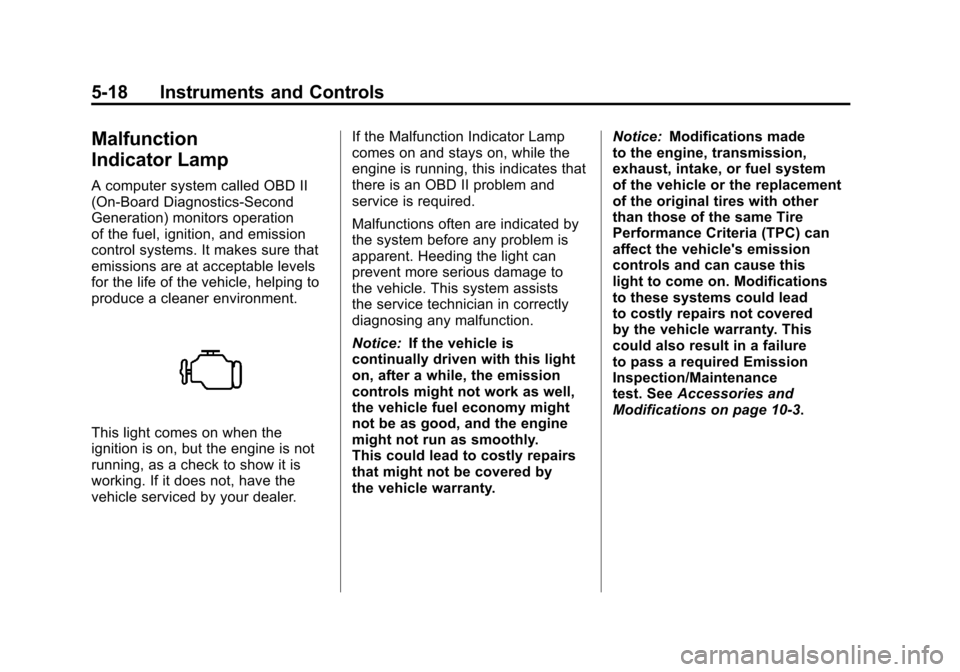
This light comes on when the
ignition is on, but the engine is not
running, as a check to show it is
working. If it does not, have the
vehicle serviced by your dealer.If the Malfunction Indicator Lamp
comes on and stays on, while the
engine is running, this indicates that
there is an OBD II problem and
service is required.
Malfunctions often are indicated by
the system before any problem is
apparent. Heeding the light can
prevent more serious damage to
the vehicle. This system assists
the service technician in correctly
diagnosing any malfunction.
Notice:
If the vehicle is
continually driven with this light
on, after a while, the emission
controls might not work as well,
the vehicle fuel economy might
not be as good, and the engine
might not run as smoothly.
This could lead to costly repairs
that might not be covered by
the vehicle warranty. Notice:
Modifications made
to the engine, transmission,
exhaust, intake, or fuel system
of the vehicle or the replacement
of the original tires with other
than those of the same Tire
Performance Criteria (TPC) can
affect the vehicle's emission
controls and can cause this
light to come on. Modifications
to these systems could lead
to costly repairs not covered
by the vehicle warranty. This
could also result in a failure
to pass a required Emission
Inspection/Maintenance
test. See Accessories and
Modifications on page 10‑3.
Page 126 of 414
Black plate (20,1)Chevrolet Camaro Owner Manual - 2011
5-20 Instruments and Controls
Emissions Inspection and
Maintenance Programs
Some state/provincial and
local governments may have
programs to inspect the on-vehicle
emission control equipment.
For the inspection, the emission
system test equipment is connected
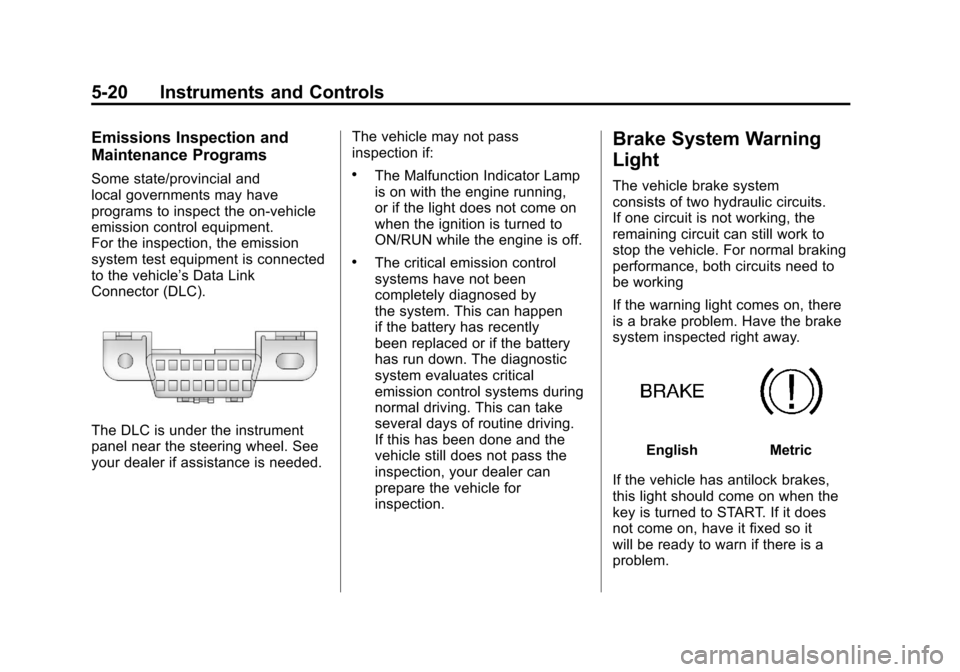
to the vehicle’s Data Link
Connector (DLC).
The DLC is under the instrument
panel near the steering wheel. See
your dealer if assistance is needed.The vehicle may not pass
inspection if:
.The Malfunction Indicator Lamp
is on with the engine running,
or if the light does not come on
when the ignition is turned to
ON/RUN while the engine is off.
.The critical emission control
systems have not been
completely diagnosed by
the system. This can happen
if the battery has recently
been replaced or if the battery
has run down. The diagnostic
system evaluates critical
emission control systems during
normal driving. This can take
several days of routine driving.
If this has been done and the
vehicle still does not pass the
inspection, your dealer can
prepare the vehicle for
inspection.
Brake System Warning
Light
The vehicle brake system
consists of two hydraulic circuits.
If one circuit is not working, the
remaining circuit can still work to
stop the vehicle. For normal braking
performance, both circuits need to
be working
If the warning light comes on, there
is a brake problem. Have the brake
system inspected right away.
EnglishMetric
If the vehicle has antilock brakes,
this light should come on when the
key is turned to START. If it does
not come on, have it fixed so it
will be ready to warn if there is a
problem.
Page 127 of 414
Black plate (21,1)Chevrolet Camaro Owner Manual - 2011
Instruments and Controls 5-21
When the ignition is on, the brake
system warning light also comes
on when the parking brake is set.
The light stays on if the parking
brake does not fully release. If it
stays on after the parking brake is
fully released, it means the vehicle
has a brake problem.
If, while driving, the light comes on
and a brake message comes on
the Driver Information Center (DIC),
pull off the road and stop carefully.
The pedal could be harder to push
or the pedal can go closer to the
floor. It could take longer to stop.
If the light is still on, have the
vehicle towed for service. See
Antilock Brake System (ABS)
Warning Light on page 5‑21and
Towing the Vehicle on page 10‑95.{WARNING
The brake system might not be
working properly if the brake
system warning light is on.
Driving with the brake system
warning light on can lead to a
crash. If the light is still on after
the vehicle has been pulled off
the road and carefully stopped,
have the vehicle towed for
service.
The brake message remains on
until the menu button is pressed.
The brake light remains until the
problem is fixed. See Brake System
Messages on page 5‑34 for more
information.
Antilock Brake System
(ABS) Warning Light
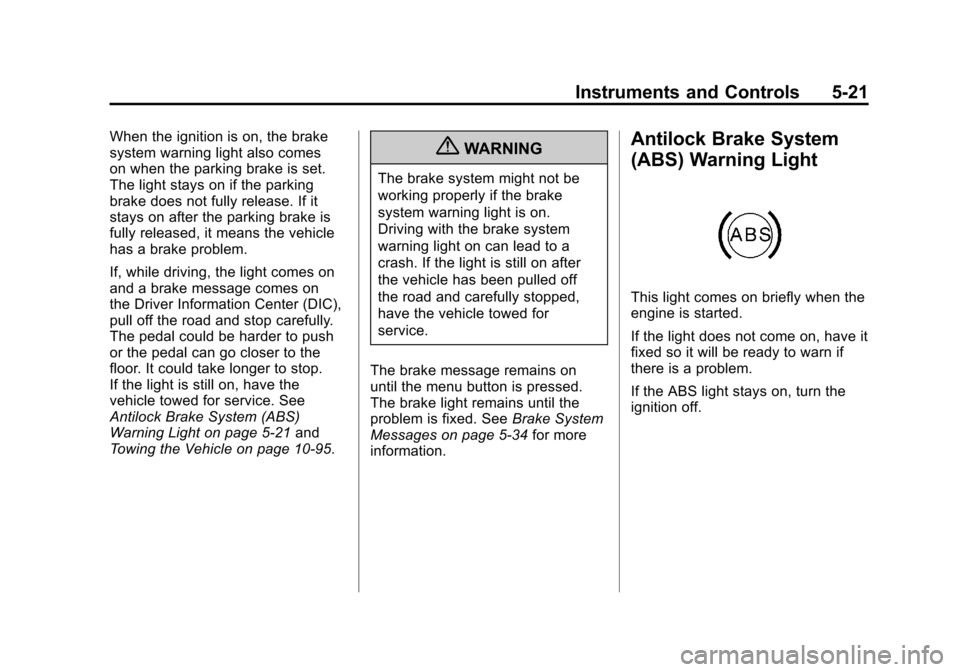
This light comes on briefly when the
engine is started.
If the light does not come on, have it
fixed so it will be ready to warn if
there is a problem.
If the ABS light stays on, turn the
ignition off.
Page 129 of 414
Black plate (23,1)Chevrolet Camaro Owner Manual - 2011
Instruments and Controls 5-23
SeeCompetitive Driving Mode on
page 9‑41, Traction Control
System (TCS) on page 9‑38 and
StabiliTrak
®System on page 9‑39
for more information
Traction Control System
(TCS) OFF/StabiliTrak®
OFF Light
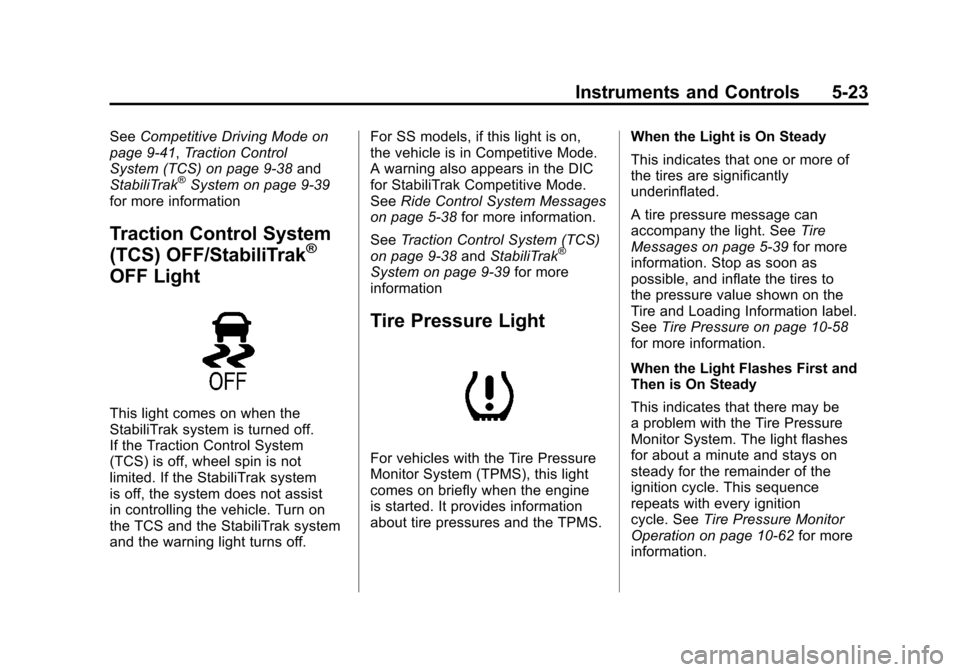
This light comes on when the
StabiliTrak system is turned off.
If the Traction Control System
(TCS) is off, wheel spin is not
limited. If the StabiliTrak system
is off, the system does not assist
in controlling the vehicle. Turn on
the TCS and the StabiliTrak system
and the warning light turns off. For SS models, if this light is on,
the vehicle is in Competitive Mode.
A warning also appears in the DIC
for StabiliTrak Competitive Mode.
See
Ride Control System Messages
on page 5‑38 for more information.
See Traction Control System (TCS)
on page 9‑38 andStabiliTrak
®
System on page 9‑39 for more
information
Tire Pressure Light
For vehicles with the Tire Pressure
Monitor System (TPMS), this light
comes on briefly when the engine
is started. It provides information
about tire pressures and the TPMS. When the Light is On Steady
This indicates that one or more of
the tires are significantly
underinflated.
A tire pressure message can
accompany the light. See
Tire
Messages on page 5‑39 for more
information. Stop as soon as
possible, and inflate the tires to
the pressure value shown on the
Tire and Loading Information label.
See Tire Pressure on page 10‑58
for more information.
When the Light Flashes First and
Then is On Steady
This indicates that there may be
a problem with the Tire Pressure
Monitor System. The light flashes
for about a minute and stays on
steady for the remainder of the
ignition cycle. This sequence
repeats with every ignition
cycle. See Tire Pressure Monitor
Operation on page 10‑62 for more
information.
Page 130 of 414
Black plate (24,1)Chevrolet Camaro Owner Manual - 2011
5-24 Instruments and Controls
Engine Oil Pressure Light
{WARNING
Do not keep driving if the oil
pressure is low. The engine can
become so hot that it catches fire.
Someone could be burned. Check
the oil as soon as possible and
have the vehicle serviced.
Notice: Lack of proper engine oil
maintenance can damage the
engine. The repairs would not be
covered by the vehicle warranty.
Always follow the maintenance
schedule for changing engine oil.
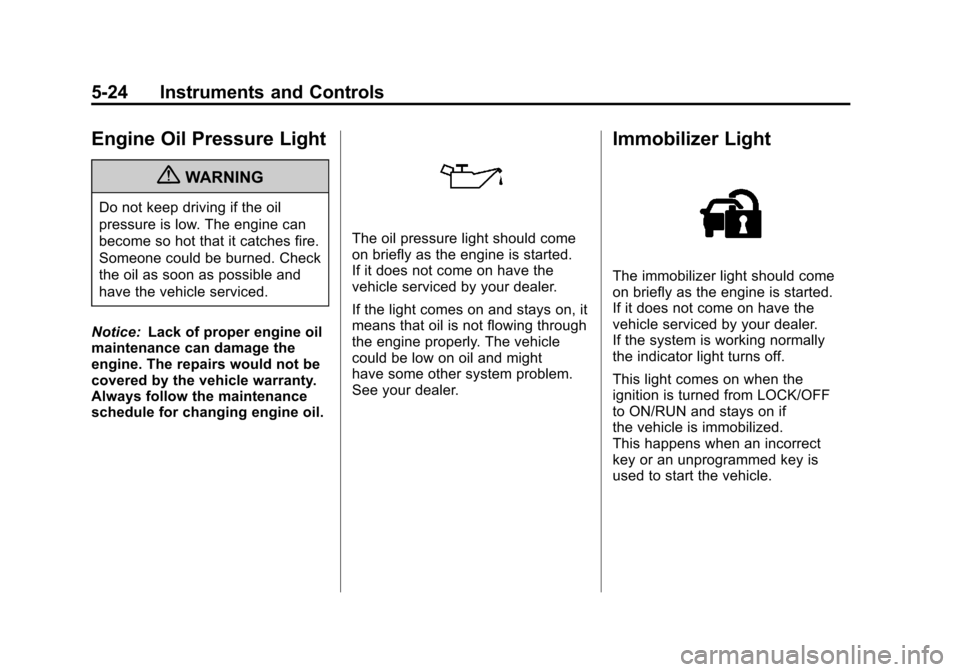
The oil pressure light should come
on briefly as the engine is started.
If it does not come on have the
vehicle serviced by your dealer.
If the light comes on and stays on, it
means that oil is not flowing through
the engine properly. The vehicle
could be low on oil and might
have some other system problem.
See your dealer.
Immobilizer Light
The immobilizer light should come
on briefly as the engine is started.
If it does not come on have the
vehicle serviced by your dealer.
If the system is working normally
the indicator light turns off.
This light comes on when the
ignition is turned from LOCK/OFF
to ON/RUN and stays on if
the vehicle is immobilized.
This happens when an incorrect
key or an unprogrammed key is
used to start the vehicle.
Page 136 of 414
Black plate (30,1)Chevrolet Camaro Owner Manual - 2011
5-30 Instruments and Controls
The images are projected through
the HUD lens located on the driver
side of the instrument panel.
Notice:If you try to use the
HUD image as a parking aid, you
may misjudge the distance and
damage your vehicle. Do not use
the HUD image as a parking aid.
The tap shift gear will also appear
on the HUD if the vehicle has tap
shift and it is active.
The HUD information can be
displayed in one of three languages,
English, French, or Spanish.
The speedometer reading and other
numerical values can be displayed
in either English or metric units.
The language selection is changed
through the radio and the units
of measurement is changed
through the trip computer in the
Driver Information Center (DIC).
See AM-FM Radio on page 7‑8
and Driver Information Center (DIC)
on page 5‑25.
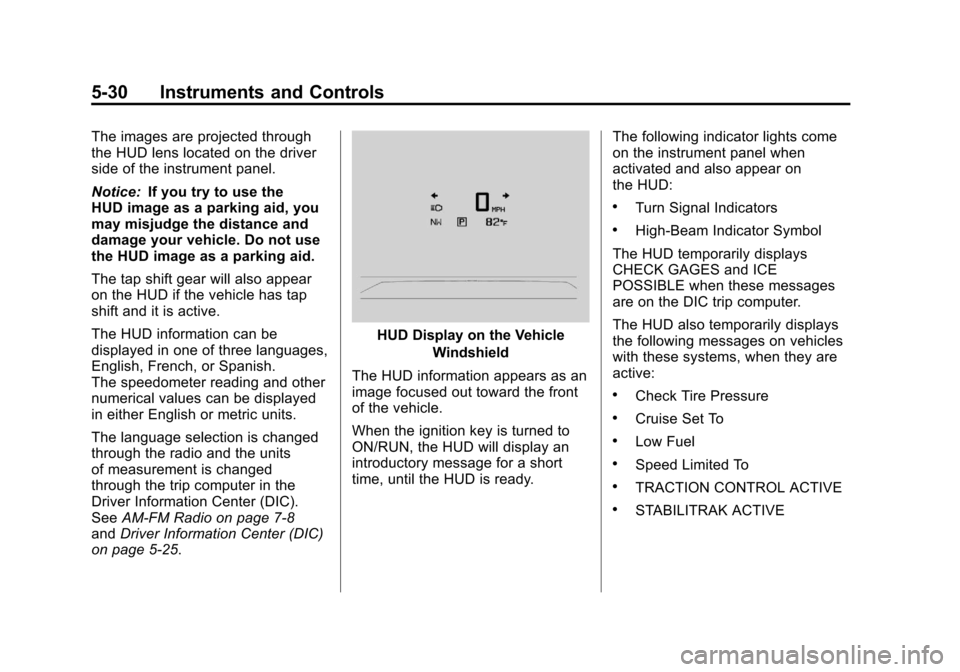
HUD Display on the Vehicle
Windshield
The HUD information appears as an
image focused out toward the front
of the vehicle.
When the ignition key is turned to
ON/RUN, the HUD will display an
introductory message for a short
time, until the HUD is ready. The following indicator lights come
on the instrument panel when
activated and also appear on
the HUD:
.Turn Signal Indicators
.High-Beam Indicator Symbol
The HUD temporarily displays
CHECK GAGES and ICE
POSSIBLE when these messages
are on the DIC trip computer.
The HUD also temporarily displays
the following messages on vehicles
with these systems, when they are
active:
.Check Tire Pressure
.Cruise Set To
.Low Fuel
.Speed Limited To
.TRACTION CONTROL ACTIVE
.STABILITRAK ACTIVE
Page 139 of 414
Black plate (33,1)Chevrolet Camaro Owner Manual - 2011
Instruments and Controls 5-33
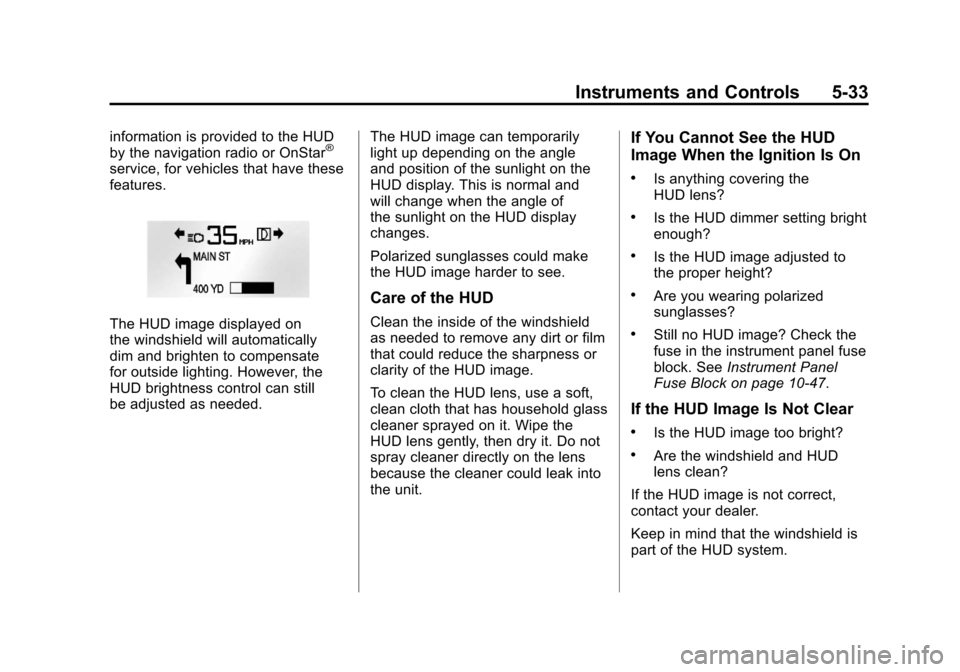
information is provided to the HUD
by the navigation radio or OnStar®
service, for vehicles that have these
features.
The HUD image displayed on
the windshield will automatically
dim and brighten to compensate
for outside lighting. However, the
HUD brightness control can still
be adjusted as needed.The HUD image can temporarily
light up depending on the angle
and position of the sunlight on the
HUD display. This is normal and
will change when the angle of
the sunlight on the HUD display
changes.
Polarized sunglasses could make
the HUD image harder to see.
Care of the HUD
Clean the inside of the windshield
as needed to remove any dirt or film
that could reduce the sharpness or
clarity of the HUD image.
To clean the HUD lens, use a soft,
clean cloth that has household glass
cleaner sprayed on it. Wipe the
HUD lens gently, then dry it. Do not
spray cleaner directly on the lens
because the cleaner could leak into
the unit.
If You Cannot See the HUD
Image When the Ignition Is On
.Is anything covering the
HUD lens?
.Is the HUD dimmer setting bright
enough?
.Is the HUD image adjusted to
the proper height?
.Are you wearing polarized
sunglasses?
.Still no HUD image? Check the
fuse in the instrument panel fuse
block. See
Instrument Panel
Fuse Block on page 10‑47.
If the HUD Image Is Not Clear
.Is the HUD image too bright?
.Are the windshield and HUD
lens clean?
If the HUD image is not correct,
contact your dealer.
Keep in mind that the windshield is
part of the HUD system.
Page 145 of 414
Black plate (39,1)Chevrolet Camaro Owner Manual - 2011
Instruments and Controls 5-39
SERVICE STABILITRAK
This message displays if there
is a problem with the StabiliTrak®
system. If this message appears,
try to reset the system. Stop; turn
off the engine and remove the key
from the ignition; open and close
the driver door and wait for at least
one minute. During this time you
should notice the lights on the
cluster turn off. After a minute
has passed start the engine again.
If this message still comes on, it
means there is a problem. See your
dealer for service. The vehicle is
safe to drive; however, you do not
have the benefit of StabiliTrak,
so reduce your speed and drive
accordingly.
Airbag System Messages
SERVICE AIRBAG
This message displays if there is a
problem with the airbag system.
Take the vehicle to your dealer for
service.
Safety Belt Messages
BUCKLE SEATBELT
This message displays as a
reminder when the safety belt
is not buckled.
Anti-Theft Alarm System
Messages
THEFT ATTEMPTED
This message displays if the vehicle
detects a tamper condition.
Service Vehicle Messages
SERVICE AC SYSTEM
This message is displayed if there is
a problem with the air conditioning
system. Take the vehicle to your
dealer for service.
SERVICE POWER STEERING
This message is displayed if there is
a problem with the power steering
system. Take the vehicle to your
dealer for service.
SERVICE VEHICLE SOON
This message is displayed if there is
a problem with the vehicle. Take the
vehicle to your dealer for service.
Tire Messages
CHECK XXX TIRE PRESSURE
or TIRE PRESSURE LOW ADD
AIR TO TIRE
This message displays if the vehicle
detects low pressure in one or more
tires.
This message also displays“Left
Front”, “Right Front”, “Left Rear”,
or “Right Rear” to indicate the
location of the low tire.
Page 146 of 414
Black plate (40,1)Chevrolet Camaro Owner Manual - 2011
5-40 Instruments and Controls
The low tire pressure warning
light will also come on. SeeTire
Pressure Light on page 5‑23.
If a tire pressure message appears
on the DIC, stop as soon as you
can. Inflate the tires by adding air
until the tire pressure is equal to the
values shown on the Tire Loading
Information label. See Tires on
page 10‑50, Vehicle Load Limits on
page 9‑13, and Tire Pressure on
page 10‑58.
The DIC also shows the tire
pressure values. See Driver
Information Center (DIC) on
page 5‑25.
SERVICE TIRE MONITOR
SYSTEM
This message displays if there is
a problem with the Tire Pressure
Monitor System (TPMS). See Tire
Pressure Monitor Operation on
page 10‑62 for more information.
TIRE LEARNING ACTIVE
This message displays when the
system is learning new tires. See
Tire Pressure Monitor Operation on
page 10‑62for more information.
TIRE PRESSURE SYSTEM
RESET
This message displays when
resetting the TPMS. See Tire
Pressure Monitor Operation on
page 10‑62 for more information.
Transmission Messages
1–4 SHIFT
This message displays when you
can only shift from 1 (First) to
4 (Fourth) instead of 1 (First)
to 2 (Second). See Manual
Transmission on page 9‑34
for more information.
PRESS CLUTCH TO START
This message displays when
attempting to start a vehicle with
a manual transmission without
pressing on the clutch pedal.
SERVICE TRANSMISSION
This message displays if there is
a problem with the transmission.
See your dealer.
SHIFT DENIED
This message displays when
attempting to use the automatic
transmission manual mode to shift
to too low of a gear. See Manual
Mode on page 9‑32 for more
information.
SHIFT TO PARK
This message displays when the
transmission needs to be shifted
to park. This may appear when
attempting to remove the key from
the ignition if the vehicle is not in
P (Park).
Page 150 of 414
Black plate (44,1)Chevrolet Camaro Owner Manual - 2011
5-44 Instruments and Controls
Exit Lighting
This allows the selection of how
long the exterior lamps stay on
when leaving the vehicle when it is
dark outside.
Press the MENU/SELECT knob
when Exit Lighting is highlighted.
Turn the knob to select Off,
30 Seconds, 1 Minute, or 2 Minutes.
Press the knob to confirm and go
back to the last menu.
Vehicle Locator Lights
This allows the vehicle locator lights
to be turned on or off.
Press the MENU/SELECT knob
when Vehicle Locator Lights is
highlighted. Turn the knob to select
On or Off. Press the knob to confirm
and go back to the last menu.Power Door Locks
Select Power Door Locks and the
following will be displayed:
.Unlocked Door Anti Lock Out
.Auto Door Unlock
.Delayed Door Lock
Unlocked Door Anti Lock Out
When on, this feature will keep the
driver door from locking when the
door is open. If off is selected, the
Delayed Door Lock menu will be
available.
Press the MENU/SELECT
knob when Auto Door Unlock is
highlighted. Turn the knob to select
On or Off. Press the knob to confirm
and go back to the last menu. Auto Door Unlock
This allows selection of which of the
doors will automatically unlock when
the vehicle is shifted into P (Park)
(automatic transmission) or when
the key is removed from the ignition
(manual transmission).
Press the MENU/SELECT
knob when Auto Door Unlock is
highlighted. Turn the knob to select
All Doors, Driver Door, or Off. Press
the knob to confirm and go back to
the last menu.
Delayed Door Lock
When on, this feature will delay the
locking of the doors. To override the
delay, press the power door lock on
the driver door.
Press the MENU/SELECT knob
when Delayed Door Lock is
highlighted. Turn the knob to select
On or Off. Press the knob to confirm
and go back to the last menu.