ignition CHEVROLET CAMARO 2011 5.G User Guide
[x] Cancel search | Manufacturer: CHEVROLET, Model Year: 2011, Model line: CAMARO, Model: CHEVROLET CAMARO 2011 5.GPages: 414, PDF Size: 6.24 MB
Page 40 of 414
Black plate (12,1)Chevrolet Camaro Owner Manual - 2011
2-12 Keys, Doors and Windows
Immobilizer Operation
This vehicle has a passive
theft-deterrent system.
The system does not have to be
manually armed or disarmed.
The vehicle is automatically
immobilized when the key is
removed from the ignition.
The system is automatically
disarmed when the vehicle is
started with the correct key.
The key uses a transponder that
matches an immobilizer control unit
in the vehicle and automatically
disarms the system. Only the
correct key starts the vehicle.
The vehicle may not start if the
key is damaged.
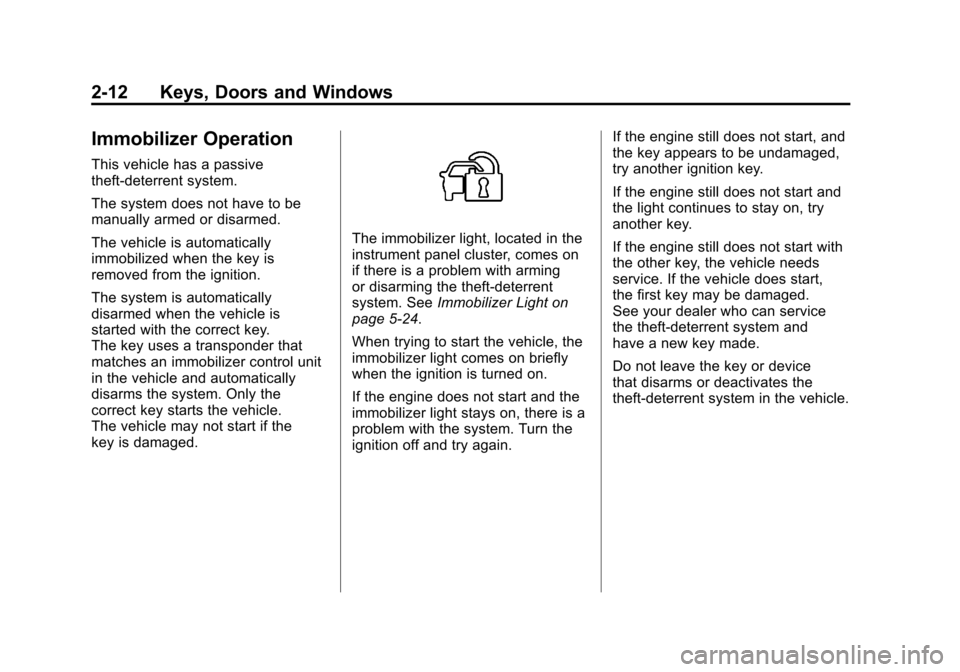
The immobilizer light, located in the
instrument panel cluster, comes on
if there is a problem with arming
or disarming the theft-deterrent
system. SeeImmobilizer Light on
page 5‑24.
When trying to start the vehicle, the
immobilizer light comes on briefly
when the ignition is turned on.
If the engine does not start and the
immobilizer light stays on, there is a
problem with the system. Turn the
ignition off and try again. If the engine still does not start, and
the key appears to be undamaged,
try another ignition key.
If the engine still does not start and
the light continues to stay on, try
another key.
If the engine still does not start with
the other key, the vehicle needs
service. If the vehicle does start,
the first key may be damaged.
See your dealer who can service
the theft-deterrent system and
have a new key made.
Do not leave the key or device
that disarms or deactivates the
theft-deterrent system in the vehicle.
Page 44 of 414
Black plate (16,1)Chevrolet Camaro Owner Manual - 2011
2-16 Keys, Doors and Windows
The switches work when
the ignition is in ON/RUN
or ACC/ACCESSORY, or in
Retained Accessory Power (RAP).
SeeRetained Accessory Power
(RAP) on page 9‑24.
Window Indexing
This automatically lowers the
window a small amount when the
door is opened. When the door is
closed, the window will raise fully.
If the vehicle loses power or the
window freezes, this feature may
not work. From outside the vehicle,
close the door and push the window
inward so that the glass goes under
the molding. If the OPEN, THEN CLOSE
DRIVER WINDOW or OPEN,
THEN CLOSE PASSENGER
WINDOW messages are
displayed on the Driver Information
Center (DIC), follow the procedure
for Programming the Power
Windows later in this section.
See also
Driver Information
Center (DIC) on page 5‑25.
Express Window Operation
The front window switches have
an express-up or down feature that
lowers or raises the window without
holding the switch. Pull the switch
up or press it down all the way and
release it. Stop the window by
pressing or pulling the switch.
Express Window Anti-Pinch
Feature
When express-up is active, the
window will auto-reverse if there
is an obstruction or severe icing.
The window returns to normal
operation after the obstruction
or condition is removed.
{WARNING
If express override is activated,
the window will not reverse
automatically. You or others could
be injured and the window could
be damaged. Before you use
express override, make sure that
all people and obstructions are
clear of the window path.
Page 45 of 414
Black plate (17,1)Chevrolet Camaro Owner Manual - 2011
Keys, Doors and Windows 2-17
Express Window Anti-Pinch
Override
The anti-pinch feature can
be overridden by holding the
window switch all the way down.
The window will lower for as long
as the switch is held. Once the
switch is released, the express
mode is re-activated. In this mode,
the window can still close on an
object in its path. Use care when
using the override mode.
Programming the Power
Windows
If the battery on the vehicle has
been recharged, disconnected,
or is not working, you will need to
reprogram each front power window
for the express-up feature to work.
Before reprogramming, replace or
recharge the vehicle's battery.To program each front window,
follow these steps:
1. With the ignition in ON/RUN or
ACC/ACCESSORY, or when
Retained Accessory Power
(RAP) is active, close all doors.
2. Press and hold the power window switch until the window
is fully open.
3. Pull the power window switch up until the window is fully closed.
4. Continue holding the switch up for approximately two seconds
after the window is completely
closed.
The window is now reprogrammed.
Repeat the process for the other
window.
Sun Visors
Pull the sun visor toward you or
move it to the side to reduce glare.
Roof
Sunroof
On vehicles with a sunroof, the
switch is located on the overhead
console.
The sunroof only operates
when the ignition is in ON/RUN or
ACC/ACCESSORY, or if Retained
Accessory Power (RAP) is active.
See Retained Accessory Power
(RAP) on page 9‑24.
Page 82 of 414
Black plate (36,1)Chevrolet Camaro Owner Manual - 2011
3-36 Seats and Restraints
Servicing the
Airbag-Equipped Vehicle
Airbags affect how the vehicle
should be serviced. There are
parts of the airbag system in
several places around the vehicle.
Your dealer and the service manual
have information about servicing
the vehicle and the airbag system.
To purchase a service manual, see
Service Publications Ordering
Information on page 13‑15.
{WARNING
For up to 10 seconds after the
ignition is turned off and the
battery is disconnected, an airbag
can still inflate during improper
service. You can be injured if you
are close to an airbag when it
inflates. Avoid yellow connectors.
They are probably part of the
airbag system. Be sure to follow
proper service procedures, and
make sure the person performing
work for you is qualified to do so.
Adding Equipment to the
Airbag-Equipped Vehicle
Q: Is there anything I might addto or change about the vehicle
that could keep the airbags
from working properly?
A: Yes. If you add things that
change the vehicle's frame,
bumper system, height, front end
or side sheet metal, they may
keep the airbag system from
working properly. Changing or
moving any parts of the front
seats, safety belts, the airbag
sensing and diagnostic module,
steering wheel, instrument
panel, roof-rail airbag modules,
ceiling headliner or pillar garnish
trim, front sensors, side impact
sensors, or airbag wiring can
affect the operation of the airbag
system.
Page 109 of 414
Black plate (3,1)Chevrolet Camaro Owner Manual - 2011
Instruments and Controls 5-3
bg(Push to Talk): For vehicles
with a Bluetooth®or OnStar®, press
to interact with those systems. See
Bluetooth (Overview) on page 7‑23
or Bluetooth (Infotainment Controls)
on page 7‑24 orBluetooth (Voice
Recognition) on page 7‑28 or the
OnStar Owner's Guide for more
information.
$ c(Mute/End Call): Press to
reject an incoming call, or end a
current call. Press to silence the
vehicle speakers while using the
infotainment system. Press again
to turn the sound on.
_SRC^(Toggle Switch): Press to
select an audio source.
Toggle up or down to select the next
or previous favorite radio station or
CD/MP3 track.
+
x− (Volume): Press + or−to
increase or decrease the volume.
Horn
Press near the horn symbols or
press on the steering wheel pad to
sound the horn.
Windshield Wiper/Washer
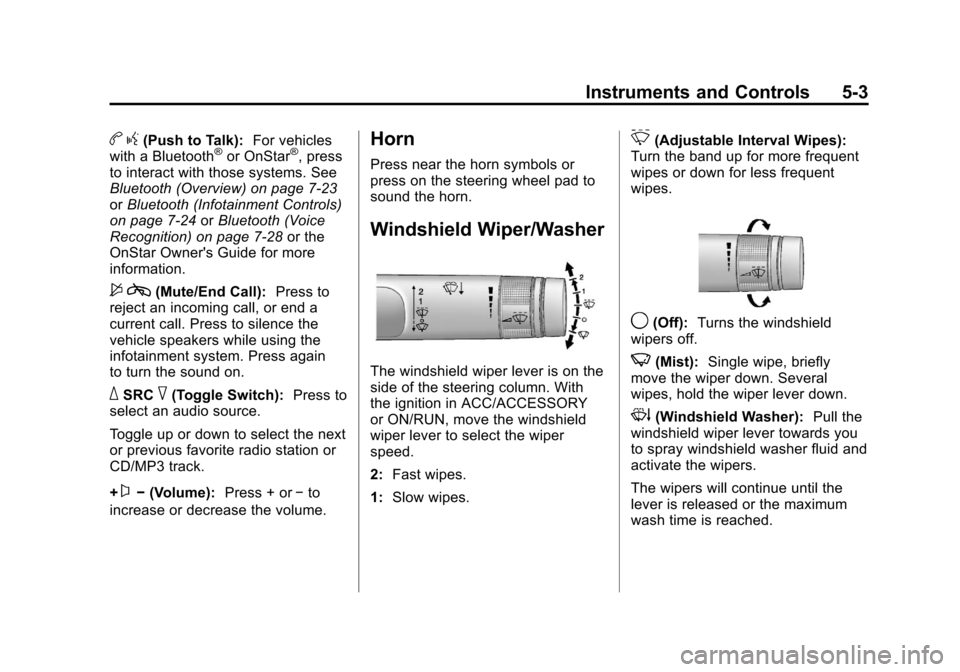
The windshield wiper lever is on the
side of the steering column. With
the ignition in ACC/ACCESSORY
or ON/RUN, move the windshield
wiper lever to select the wiper
speed.
2: Fast wipes.
1: Slow wipes.
&(Adjustable Interval Wipes):
Turn the band up for more frequent
wipes or down for less frequent
wipes.
9(Off): Turns the windshield
wipers off.
3(Mist): Single wipe, briefly
move the wiper down. Several
wipes, hold the wiper lever down.
3(Windshield Washer): Pull the
windshield wiper lever towards you
to spray windshield washer fluid and
activate the wipers.
The wipers will continue until the
lever is released or the maximum
wash time is reached.
Page 111 of 414
Black plate (5,1)Chevrolet Camaro Owner Manual - 2011
Instruments and Controls 5-5
Setting the Time and Date
1. Press the CONFIG button.
2. Select Time and Date Settings.
3. Select Set Time or Set Date.
4. Turn the MENU/SELECT knob toadjust the highlighted value.
5. Press the MENU/SELECT knob to select the next value.
6. To save the time or date and return to the Time and
Date Settings menu, press
the
0BACK button at any time
or press the MENU/SELECT
knob after adjusting the minutes
or year.
Setting the 12/24 Hour Format
1. Press the CONFIG button.
2. Select Time and Date Settings.
3. Highlight 12/24 Hour Format.
4. Press the MENU/SELECT knob to select the 12 hour or 24 hour
display format.
Setting the Month & Day
Format
1. Press the CONFIG button.
2. Select Time and Date Settings.
3. Highlight Month & Day Format.
4. Press the MENU/SELECT knobto select MM/DD (month/day) or
DD/MM (day/month).
Setting the Auto Time Adjust
1. Press the CONFIG button.
2. Select Time and Date Settings.
3. Highlight Auto Time Adjust.
4. Press the MENU/SELECT knobto turn Auto Time Adjust on
or off.
Power Outlets
The vehicle has two accessory
power outlets; one is located below
the climate control system and the
other is inside the center storage
console. They can be used to plug
in electrical equipment, such as a
cell phone or an MP3 player.
The accessory power outlets do not
work when the key is removed from
the ignition and the driver door is
opened. This helps to preserve the
battery life of the vehicle.
Page 115 of 414
Black plate (9,1)Chevrolet Camaro Owner Manual - 2011
Instruments and Controls 5-9
Metric
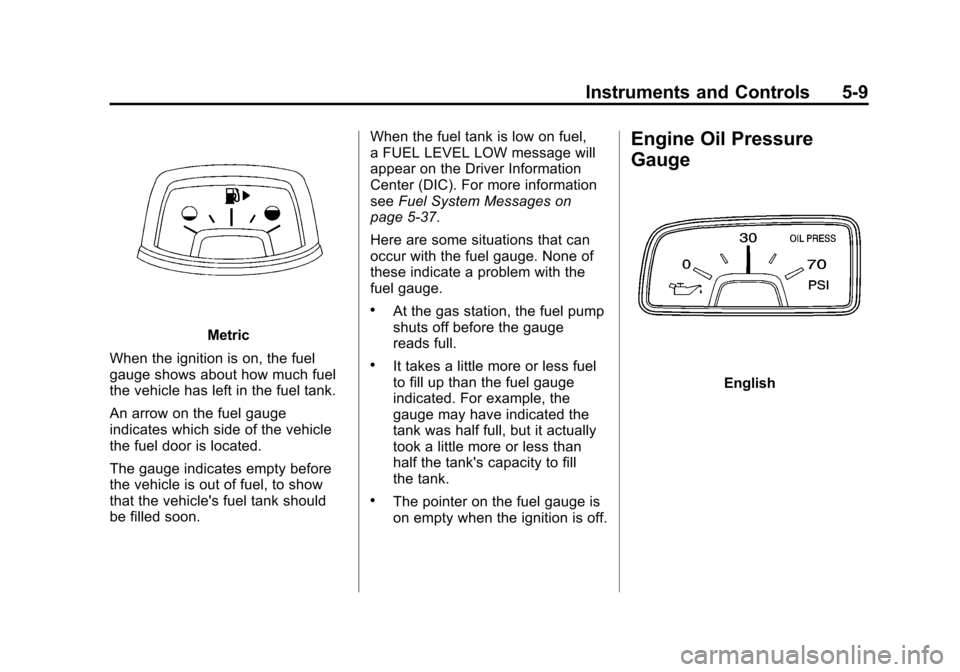
When the ignition is on, the fuel
gauge shows about how much fuel
the vehicle has left in the fuel tank.
An arrow on the fuel gauge
indicates which side of the vehicle
the fuel door is located.
The gauge indicates empty before
the vehicle is out of fuel, to show
that the vehicle's fuel tank should
be filled soon. When the fuel tank is low on fuel,
a FUEL LEVEL LOW message will
appear on the Driver Information
Center (DIC). For more information
see
Fuel System Messages on
page 5‑37.
Here are some situations that can
occur with the fuel gauge. None of
these indicate a problem with the
fuel gauge.
.At the gas station, the fuel pump
shuts off before the gauge
reads full.
.It takes a little more or less fuel
to fill up than the fuel gauge
indicated. For example, the
gauge may have indicated the
tank was half full, but it actually
took a little more or less than
half the tank's capacity to fill
the tank.
.The pointer on the fuel gauge is
on empty when the ignition is off.
Engine Oil Pressure
Gauge
English
Page 119 of 414
Black plate (13,1)Chevrolet Camaro Owner Manual - 2011
Instruments and Controls 5-13
Metric
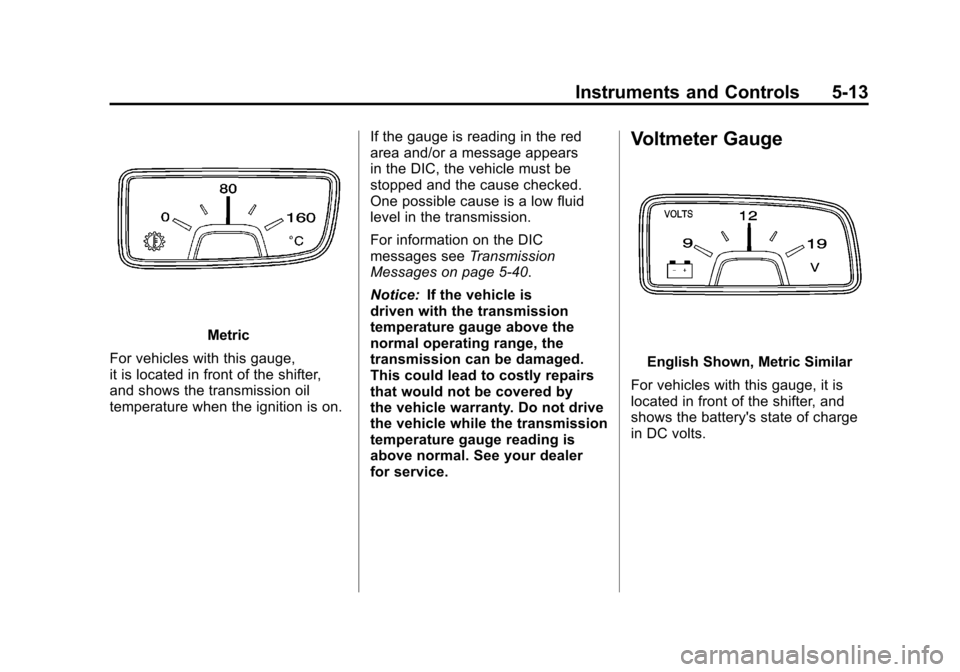
For vehicles with this gauge,
it is located in front of the shifter,
and shows the transmission oil
temperature when the ignition is on. If the gauge is reading in the red
area and/or a message appears
in the DIC, the vehicle must be
stopped and the cause checked.
One possible cause is a low fluid
level in the transmission.
For information on the DIC
messages see
Transmission
Messages on page 5‑40.
Notice: If the vehicle is
driven with the transmission
temperature gauge above the
normal operating range, the
transmission can be damaged.
This could lead to costly repairs
that would not be covered by
the vehicle warranty. Do not drive
the vehicle while the transmission
temperature gauge reading is
above normal. See your dealer
for service.
Voltmeter Gauge
English Shown, Metric Similar
For vehicles with this gauge, it is
located in front of the shifter, and
shows the battery's state of charge
in DC volts.
Page 120 of 414
Black plate (14,1)Chevrolet Camaro Owner Manual - 2011
5-14 Instruments and Controls
When the engine is running,
and the ignition is on, this gauge
shows the condition of the charging
system. The vehicle's charging
system regulates voltage based on
the state of charge of the battery.
It is normal for the voltmeter to
fluctuate. Readings between the
low and high warning zones indicate
the normal operating range.
Readings in the low warning zone
can occur when a large number of
electrical accessories are operating
in the vehicle and the engine is left
idling for an extended period.If there is a problem with the
battery charging system, a message
appears in the Driver Information
Center (DIC) and/or the charging
system light comes on. See
Battery
Voltage and Charging Messages on
page 5‑34 andCharging System
Light on page 5‑17 for more
information.
However, readings in either warning
zone can indicate a possible
problem in the electrical system.
Have the vehicle serviced as soon
as possible.Safety Belt Reminders
Driver Safety Belt Reminder
Light
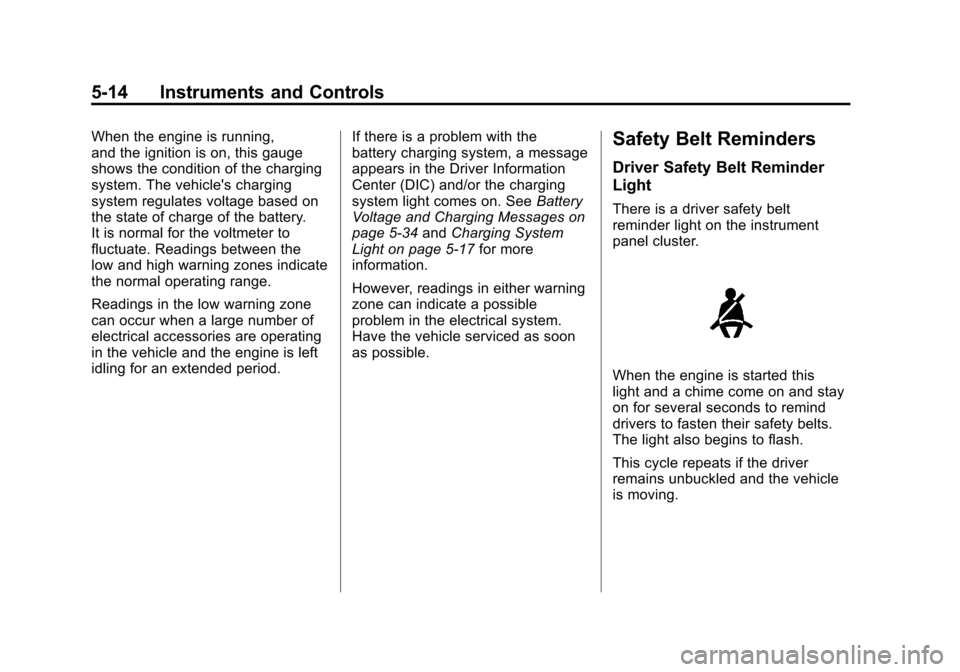
There is a driver safety belt
reminder light on the instrument
panel cluster.
When the engine is started this
light and a chime come on and stay
on for several seconds to remind
drivers to fasten their safety belts.
The light also begins to flash.
This cycle repeats if the driver
remains unbuckled and the vehicle
is moving.
Page 123 of 414
Black plate (17,1)Chevrolet Camaro Owner Manual - 2011
Instruments and Controls 5-17
{WARNING
If the airbag readiness light ever
comes on and stays on, it means
that something may be wrong
with the airbag system. To help
avoid injury to yourself or others,
have the vehicle serviced right
away. SeeAirbag Readiness
Light on page 5‑15 for more
information, including important
safety information.
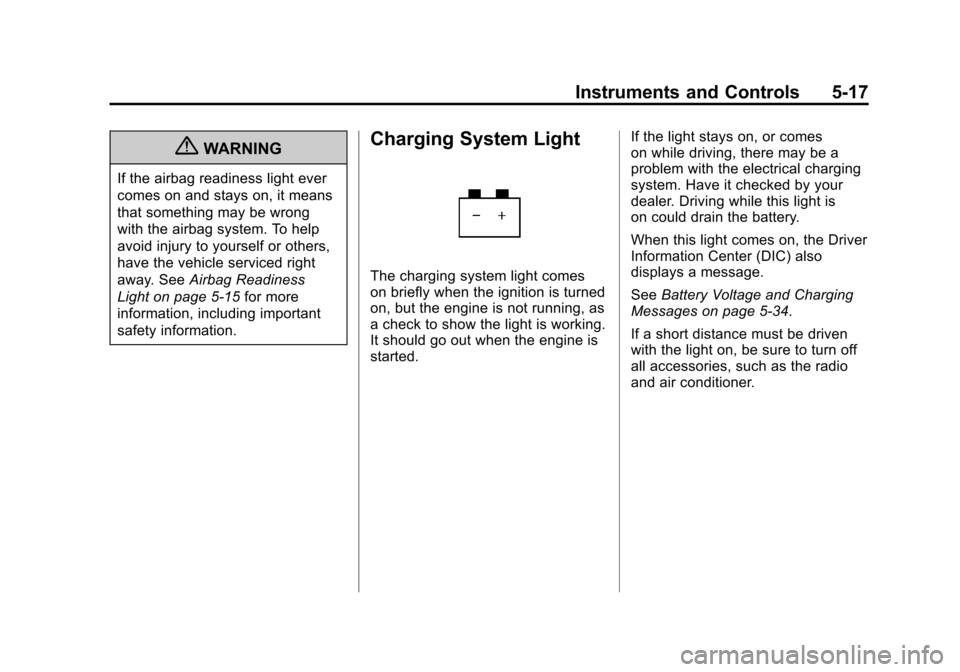
Charging System Light
The charging system light comes
on briefly when the ignition is turned
on, but the engine is not running, as
a check to show the light is working.
It should go out when the engine is
started. If the light stays on, or comes
on while driving, there may be a
problem with the electrical charging
system. Have it checked by your
dealer. Driving while this light is
on could drain the battery.
When this light comes on, the Driver
Information Center (DIC) also
displays a message.
See
Battery Voltage and Charging
Messages on page 5‑34.
If a short distance must be driven
with the light on, be sure to turn off
all accessories, such as the radio
and air conditioner.