wheel CHEVROLET CAMARO 2011 5.G Owner's Manual
[x] Cancel search | Manufacturer: CHEVROLET, Model Year: 2011, Model line: CAMARO, Model: CHEVROLET CAMARO 2011 5.GPages: 414, PDF Size: 6.24 MB
Page 126 of 414
Black plate (20,1)Chevrolet Camaro Owner Manual - 2011
5-20 Instruments and Controls
Emissions Inspection and
Maintenance Programs
Some state/provincial and
local governments may have
programs to inspect the on-vehicle
emission control equipment.
For the inspection, the emission
system test equipment is connected
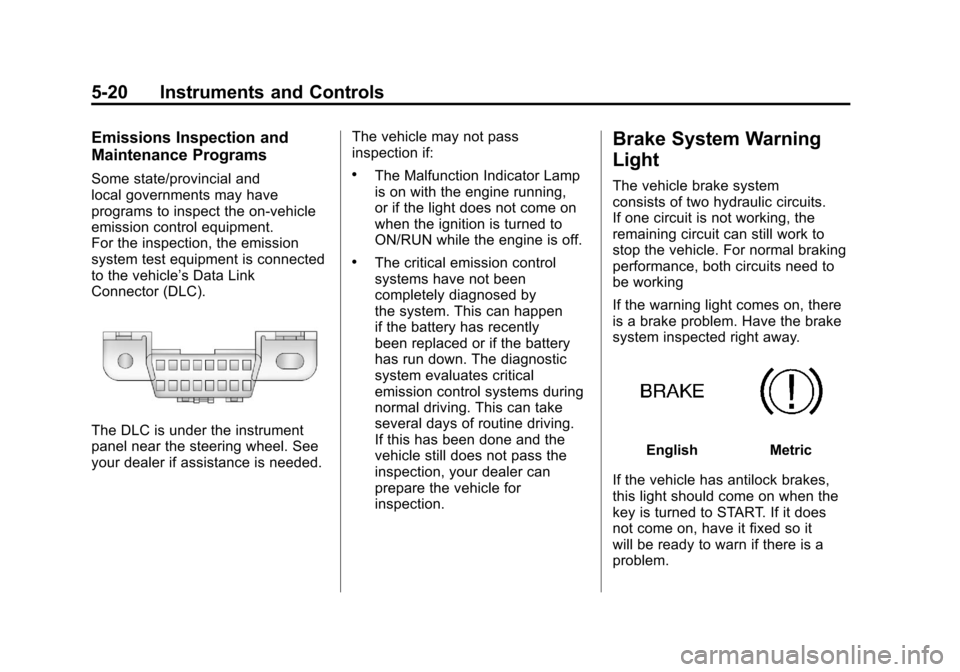
to the vehicle’s Data Link
Connector (DLC).
The DLC is under the instrument
panel near the steering wheel. See
your dealer if assistance is needed.The vehicle may not pass
inspection if:
.The Malfunction Indicator Lamp
is on with the engine running,
or if the light does not come on
when the ignition is turned to
ON/RUN while the engine is off.
.The critical emission control
systems have not been
completely diagnosed by
the system. This can happen
if the battery has recently
been replaced or if the battery
has run down. The diagnostic
system evaluates critical
emission control systems during
normal driving. This can take
several days of routine driving.
If this has been done and the
vehicle still does not pass the
inspection, your dealer can
prepare the vehicle for
inspection.
Brake System Warning
Light
The vehicle brake system
consists of two hydraulic circuits.
If one circuit is not working, the
remaining circuit can still work to
stop the vehicle. For normal braking
performance, both circuits need to
be working
If the warning light comes on, there
is a brake problem. Have the brake
system inspected right away.
EnglishMetric
If the vehicle has antilock brakes,
this light should come on when the
key is turned to START. If it does
not come on, have it fixed so it
will be ready to warn if there is a
problem.
Page 129 of 414
Black plate (23,1)Chevrolet Camaro Owner Manual - 2011
Instruments and Controls 5-23
SeeCompetitive Driving Mode on
page 9‑41, Traction Control
System (TCS) on page 9‑38 and
StabiliTrak
®System on page 9‑39
for more information
Traction Control System
(TCS) OFF/StabiliTrak®
OFF Light
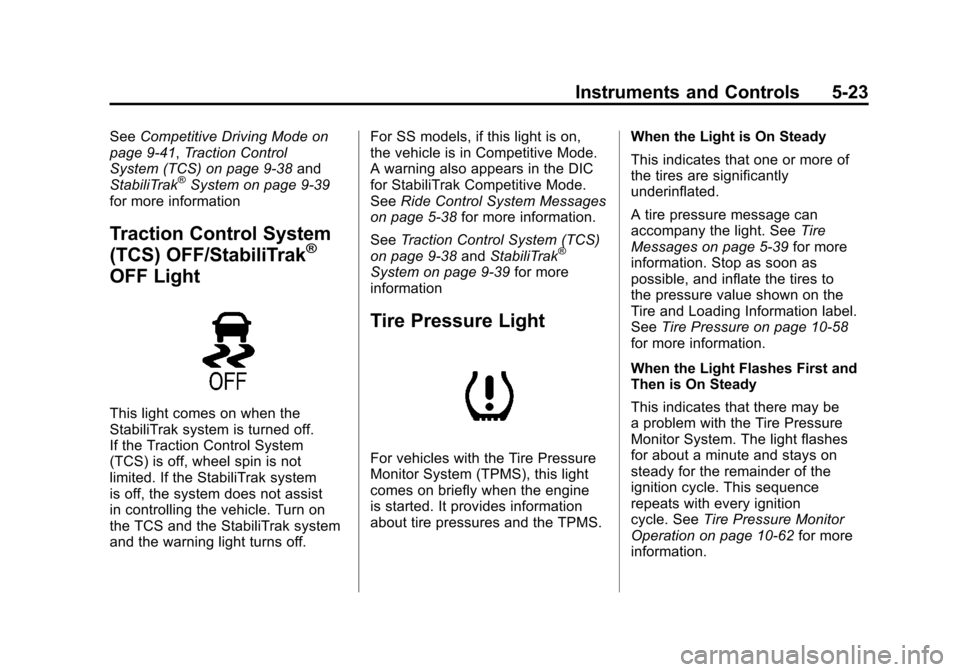
This light comes on when the
StabiliTrak system is turned off.
If the Traction Control System
(TCS) is off, wheel spin is not
limited. If the StabiliTrak system
is off, the system does not assist
in controlling the vehicle. Turn on
the TCS and the StabiliTrak system
and the warning light turns off. For SS models, if this light is on,
the vehicle is in Competitive Mode.
A warning also appears in the DIC
for StabiliTrak Competitive Mode.
See
Ride Control System Messages
on page 5‑38 for more information.
See Traction Control System (TCS)
on page 9‑38 andStabiliTrak
®
System on page 9‑39 for more
information
Tire Pressure Light
For vehicles with the Tire Pressure
Monitor System (TPMS), this light
comes on briefly when the engine
is started. It provides information
about tire pressures and the TPMS. When the Light is On Steady
This indicates that one or more of
the tires are significantly
underinflated.
A tire pressure message can
accompany the light. See
Tire
Messages on page 5‑39 for more
information. Stop as soon as
possible, and inflate the tires to
the pressure value shown on the
Tire and Loading Information label.
See Tire Pressure on page 10‑58
for more information.
When the Light Flashes First and
Then is On Steady
This indicates that there may be
a problem with the Tire Pressure
Monitor System. The light flashes
for about a minute and stays on
steady for the remainder of the
ignition cycle. This sequence
repeats with every ignition
cycle. See Tire Pressure Monitor
Operation on page 10‑62 for more
information.
Page 132 of 414
Black plate (26,1)Chevrolet Camaro Owner Manual - 2011
5-26 Instruments and Controls
DIC Operation and Displays
The DIC has different displays
which can be accessed by using
the DIC buttons on the turn signal
lever located on the left side of the
steering wheel. The DIC displays
trip, fuel, vehicle system information,
and warning messages if a system
problem is detected.
The bottom of the DIC display
shows what position the shift lever
is in (Automatic Transmission Only),
the odometer, and the direction the
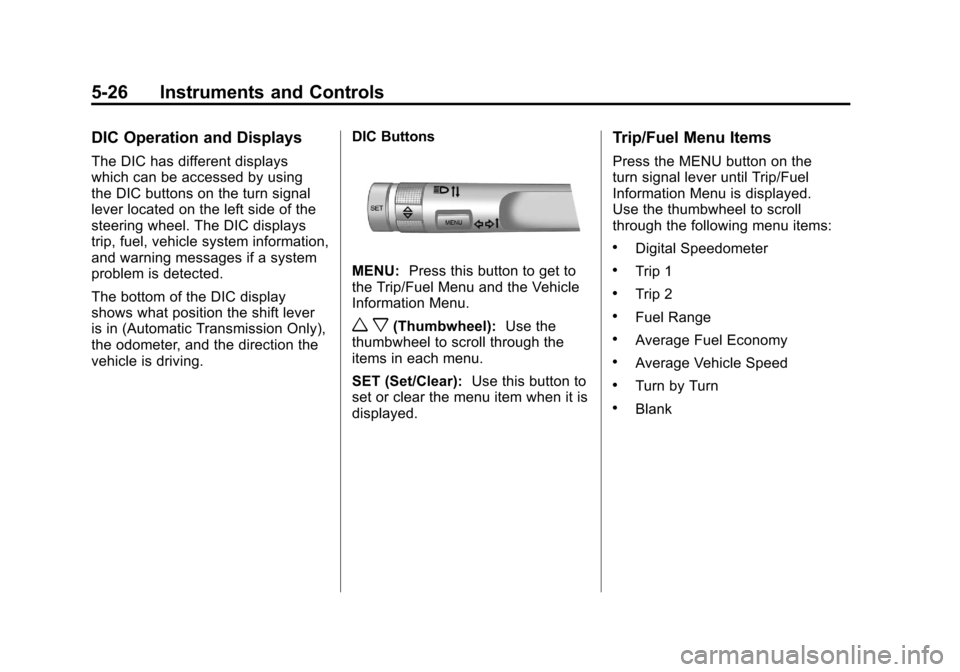
vehicle is driving.DIC Buttons
MENU:
Press this button to get to
the Trip/Fuel Menu and the Vehicle
Information Menu.
w x(Thumbwheel): Use the
thumbwheel to scroll through the
items in each menu.
SET (Set/Clear): Use this button to
set or clear the menu item when it is
displayed.
Trip/Fuel Menu Items
Press the MENU button on the
turn signal lever until Trip/Fuel
Information Menu is displayed.
Use the thumbwheel to scroll
through the following menu items:
.Digital Speedometer
.Trip 1
.Trip 2
.Fuel Range
.Average Fuel Economy
.Average Vehicle Speed
.Turn by Turn
.Blank
Page 133 of 414
Black plate (27,1)Chevrolet Camaro Owner Manual - 2011
Instruments and Controls 5-27
Digital Speedometer
The speedometer shows how fast
the vehicle is moving in either
kilometers per hour (km/h) or miles
per hour (mph). The speedometer
cannot be reset.
Trip 1 and Trip 2
The Trip display shows the
current distance traveled, in either
kilometers (km) or miles (mi), since
the last reset for the trip odometer.
The trip odometer can be reset to
zero by pressing the trip reset stem
or the SET button while the trip
odometer display is showing.
Fuel Range
The Fuel Range display shows the
approximate distance the vehicle
can be driven without refueling.
The fuel range estimate is based
on an average of the vehicle's fuel
economy over recent driving history
and the amount of fuel remaining in
the fuel tank. Fuel range cannot be
reset.Average Fuel Economy
The Average Fuel Economy
display shows the approximate
average liters per 100 kilometers
(L/100 km) or miles per
gallon (mpg). This number is
calculated based on the number
of L/100 km (mpg) recorded since
the last time this menu item was
reset. The fuel economy can be
reset by pressing the SET button
while the Average Fuel Economy
display is showing.
Average Vehicle Speed
The Average Vehicle Speed
display shows the average speed
of the vehicle in kilometers per
hour (km/h) or miles per hour (mph).
This average is calculated based on
the various vehicle speeds recorded
since the last reset of this value.
The average speed can be reset by
pressing the SET button while the
Average Vehicle Speed display is
showing.
Turn by Turn
This display is used for the OnStar
Turn by Turn guidance. See the
OnStar Owner's Guide for more
information.
Blank Display
This display shows no information.
Vehicle Information Menu
Items
Press the MENU button on the
turn signal lever until Vehicle
Information Menu is displayed.
Use the thumbwheel to scroll
through the following menu items:
.Unit
.Tire Pressure
.Remaining Oil Life
.Coolant Temp
.Battery Voltage
.Speed Warning
Page 134 of 414
Black plate (28,1)Chevrolet Camaro Owner Manual - 2011
5-28 Instruments and Controls
Unit
Move the thumbwheel up or down to
switch between US or Metric when
the Unit display is active. Press
SET to confirm the setting. This will
change the displays on the cluster
and DIC to either English (US) or
metric measurements.
Tire Pressure
The display will show a vehicle with
the approximate pressures of all
four tires. Tire pressure is displayed
in either kilopascal (kPa) or in
pounds per square inch (psi).
SeeTire Pressure Monitor System
on page 10‑60 andTire Pressure
Monitor Operation on page 10‑62
for more information. Remaining Oil Life
This display shows an estimate
of the oil's remaining useful life.
If REMAINING OIL LIFE 99% is
displayed, that means 99% of the
current oil life remains.
When the remaining oil life is low,
the CHANGE ENGINE OIL SOON
message will appear on the display.
See
Engine Oil Messages on
page 5‑36. The oil should be
changed as soon as possible.
See Engine Oil on page 10‑10.
In addition to the engine oil life
system monitoring the oil life,
additional maintenance is
recommended in the Maintenance
Schedule in this manual.
See Scheduled Maintenance on
page 11‑2 for more information. Remember, the Oil Life display
must be reset after each oil change.
It will not reset itself. Also, be
careful not to reset the Oil Life
display accidentally at any time
other than when the oil has just
been changed. It cannot be reset
accurately until the next oil change.
To reset the engine oil life system
press the SET button while the Oil
Life display is active. See
Engine
Oil Life System on page 10‑14.
Coolant Temperature
This display shows the temperature
of the engine cooling system fluid
in either degrees Celsius (°C) or
degrees Fahrenheit (°F).
Page 137 of 414
Black plate (31,1)Chevrolet Camaro Owner Manual - 2011
Instruments and Controls 5-31
When the HUD is on, the
speedometer reading is continually
displayed. The current radio
station or CD track number will
display for a short period of time
after the radio or CD track status
changes. This happens whenever
radio information is changed.
The speedometer size is reduced
when radio, CD information,
warnings, or turn-by-turn navigation
information is displayed on
the HUD.
When the phone feature is
activated, the HUD will briefly
display phone information,
if available.
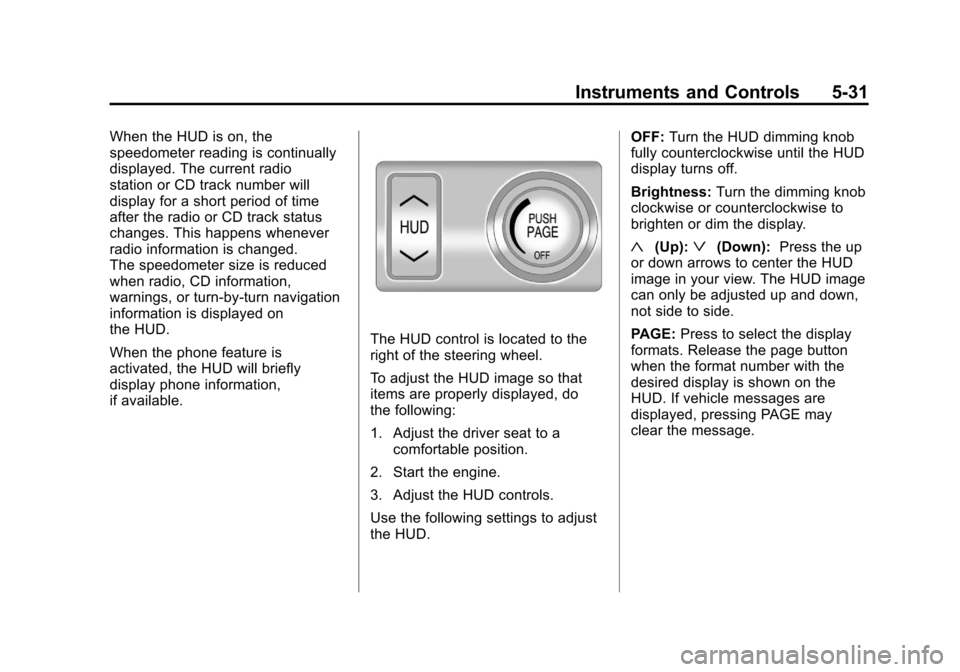
The HUD control is located to the
right of the steering wheel.
To adjust the HUD image so that
items are properly displayed, do
the following:
1. Adjust the driver seat to acomfortable position.
2. Start the engine.
3. Adjust the HUD controls.
Use the following settings to adjust
the HUD. OFF:
Turn the HUD dimming knob
fully counterclockwise until the HUD
display turns off.
Brightness: Turn the dimming knob
clockwise or counterclockwise to
brighten or dim the display.
«(Up):ª(Down): Press the up
or down arrows to center the HUD
image in your view. The HUD image
can only be adjusted up and down,
not side to side.
PAGE: Press to select the display
formats. Release the page button
when the format number with the
desired display is shown on the
HUD. If vehicle messages are
displayed, pressing PAGE may
clear the message.
Page 144 of 414
Black plate (38,1)Chevrolet Camaro Owner Manual - 2011
5-38 Instruments and Controls
LEFT REAR TURN INDICATOR
FAILURE
This message is displayed if
the turn signal bulb needs
to be replaced. SeeTaillamps,
Turn Signal, and Stoplamps on
page 10‑42 andReplacement Bulbs
on page 10‑43 for more information.
RIGHT FRONT TURN
INDICATOR FAILURE
This message is displayed if the
turn signal bulb needs to be
replaced. SeeHeadlamps, Front
Turn Signal and Parking Lamps
(Base Vehicle) on page 10‑39 or
Headlamps, Front Turn Signal and
Parking Lamps (Up-Level Vehicle)
on page 10‑40 andReplacement
Bulbs on page 10‑43 for more
information.
RIGHT REAR TURN
INDICATOR FAILURE
This message is displayed
if the turn signal bulb needs
to be replaced. See Taillamps,
Turn Signal, and Stoplamps on
page 10‑42 andReplacement Bulbs
on page 10‑43 for more information.
TURN SIGNAL ON
This message is displayed if the
turn signal has been left on.
Turn off the turn signal.
Object Detection System
Messages
PARK ASSIST OFF
This message is displayed when the
park assist system has been turned
off. SeeUltrasonic Parking Assist
on page 9‑46.
SERVICE PARK ASSIST
This message is displayed if there
is a problem with the park assist
system. Take the vehicle to your
dealer for service.
Ride Control System
Messages
STABILITRAK COMPETITIVE
MODE (V8 Engine Only)
This message displays when
competitive mode is selected.
See Competitive Driving Mode on
page 9‑41 for more information.
SERVICE TRACTION
CONTROL
This message displays when there
is a problem with the Traction
Control System (TCS). When this
message is displayed, the system
will not limit wheel spin. Adjust your
driving accordingly. See your dealer
for service.
Page 157 of 414
Black plate (1,1)Chevrolet Camaro Owner Manual - 2011
Lighting 6-1
Lighting
Exterior Lighting
Exterior Lamp Controls . . . . . . . . 6-1
Headlamp High/Low-BeamChanger . . . . . . . . . . . . . . . . . . . . . 6-2
Flash-to-Pass . . . . . . . . . . . . . . . . . 6-3
Daytime Running Lamps (DRL) . . . . . . . . . . . . . . . . 6-3
Automatic Headlamp System . . . . . . . . . . . . . . . . . . . . . . 6-4
Hazard Warning Flashers . . . . . 6-5
Turn and Lane-Change Signals . . . . . . . . . . . . . . . . . . . . . . 6-5
Front Fog Lamps . . . . . . . . . . . . . . 6-5
Interior Lighting
Instrument Panel Illumination Control . . . . . . . . . . . . . . . . . . . . . . 6-6
Dome Lamps . . . . . . . . . . . . . . . . . 6-6
Lighting Features
Entry Lighting . . . . . . . . . . . . . . . . . 6-6
Theater Dimming . . . . . . . . . . . . . . 6-6
Battery Load Management . . . . 6-7
Battery Power Protection . . . . . . 6-7
Exterior Lighting
Exterior Lamp Controls
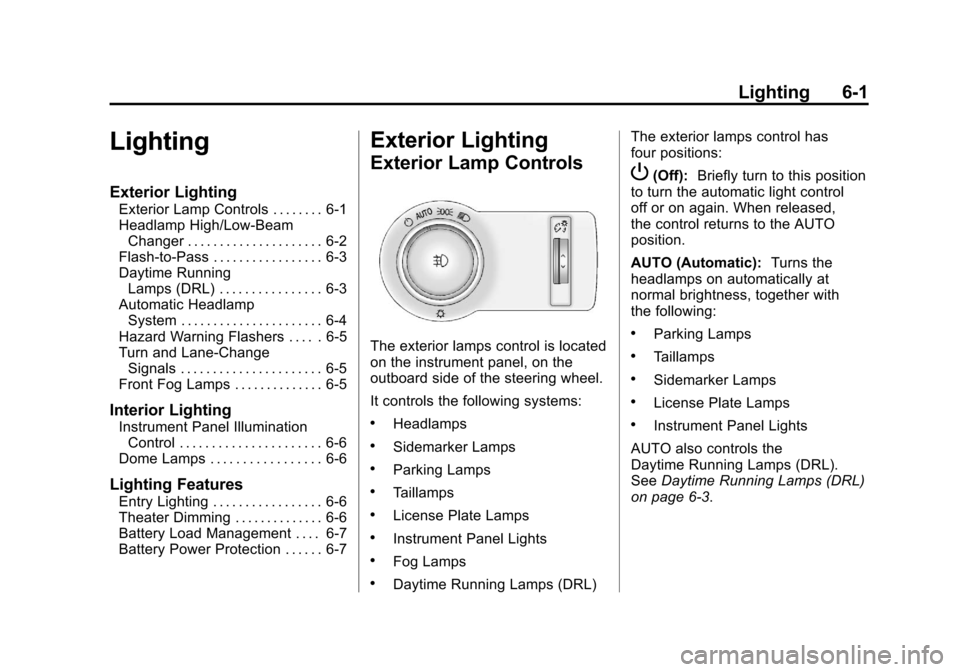
The exterior lamps control is located
on the instrument panel, on the
outboard side of the steering wheel.
It controls the following systems:
.Headlamps
.Sidemarker Lamps
.Parking Lamps
.Taillamps
.License Plate Lamps
.Instrument Panel Lights
.Fog Lamps
.Daytime Running Lamps (DRL) The exterior lamps control has
four positions:
P(Off):
Briefly turn to this position
to turn the automatic light control
off or on again. When released,
the control returns to the AUTO
position.
AUTO (Automatic): Turns the
headlamps on automatically at
normal brightness, together with
the following:
.Parking Lamps
.Taillamps
.Sidemarker Lamps
.License Plate Lamps
.Instrument Panel Lights
AUTO also controls the
Daytime Running Lamps (DRL).
See Daytime Running Lamps (DRL)
on page 6‑3.
Page 161 of 414
Black plate (5,1)Chevrolet Camaro Owner Manual - 2011
Lighting 6-5
Hazard Warning Flashers
|
Hazard Warning Flasher:
Press this button located on the
instrument panel near the audio
system, to make the front and rear
turn signal lamps flash on and off.
This warns others that you are
having trouble. Press again to
turn the flashers off.
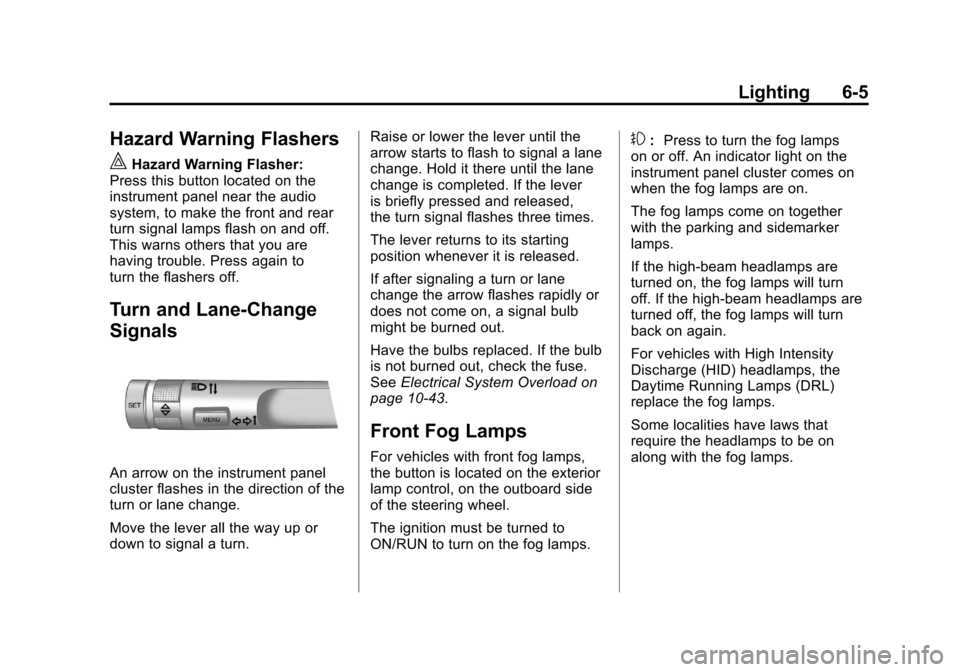
Turn and Lane-Change
Signals
An arrow on the instrument panel
cluster flashes in the direction of the
turn or lane change.
Move the lever all the way up or
down to signal a turn. Raise or lower the lever until the
arrow starts to flash to signal a lane
change. Hold it there until the lane
change is completed. If the lever
is briefly pressed and released,
the turn signal flashes three times.
The lever returns to its starting
position whenever it is released.
If after signaling a turn or lane
change the arrow flashes rapidly or
does not come on, a signal bulb
might be burned out.
Have the bulbs replaced. If the bulb
is not burned out, check the fuse.
See
Electrical System Overload on
page 10‑43.
Front Fog Lamps
For vehicles with front fog lamps,
the button is located on the exterior
lamp control, on the outboard side
of the steering wheel.
The ignition must be turned to
ON/RUN to turn on the fog lamps.
#: Press to turn the fog lamps
on or off. An indicator light on the
instrument panel cluster comes on
when the fog lamps are on.
The fog lamps come on together
with the parking and sidemarker
lamps.
If the high‐beam headlamps are
turned on, the fog lamps will turn
off. If the high‐beam headlamps are
turned off, the fog lamps will turn
back on again.
For vehicles with High Intensity
Discharge (HID) headlamps, the
Daytime Running Lamps (DRL)
replace the fog lamps.
Some localities have laws that
require the headlamps to be on
along with the fog lamps.
Page 162 of 414
Black plate (6,1)Chevrolet Camaro Owner Manual - 2011
6-6 Lighting
Interior Lighting
Instrument Panel
Illumination Control
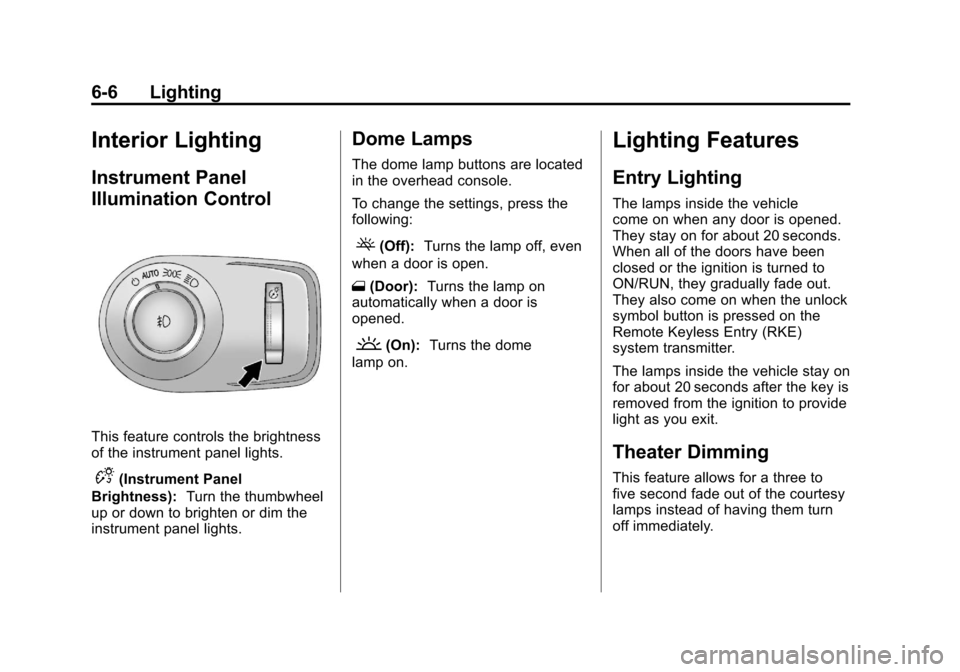
This feature controls the brightness
of the instrument panel lights.
D(Instrument Panel
Brightness): Turn the thumbwheel
up or down to brighten or dim the
instrument panel lights.
Dome Lamps
The dome lamp buttons are located
in the overhead console.
To change the settings, press the
following:
((Off): Turns the lamp off, even
when a door is open.
1 (Door): Turns the lamp on
automatically when a door is
opened.
'(On): Turns the dome
lamp on.
Lighting Features
Entry Lighting
The lamps inside the vehicle
come on when any door is opened.
They stay on for about 20 seconds.
When all of the doors have been
closed or the ignition is turned to
ON/RUN, they gradually fade out.
They also come on when the unlock
symbol button is pressed on the
Remote Keyless Entry (RKE)
system transmitter.
The lamps inside the vehicle stay on
for about 20 seconds after the key is
removed from the ignition to provide
light as you exit.
Theater Dimming
This feature allows for a three to
five second fade out of the courtesy
lamps instead of having them turn
off immediately.