instrument panel CHEVROLET CAMARO SS 2010 User Guide
[x] Cancel search | Manufacturer: CHEVROLET, Model Year: 2010, Model line: CAMARO SS, Model: CHEVROLET CAMARO SS 2010Pages: 372, PDF Size: 1.91 MB
Page 57 of 372
Adding Equipment to
the Airbag-Equipped
Vehicle
Q:Is there anything I might add
to or change about the vehicle
that could keep the airbags
from working properly?
A:Yes. If you add things that
change the vehicle’s frame,
bumper system, height, front end
or side sheet metal, they may
keep the airbag system from
working properly. Changing or
moving any parts of the front
seats, safety belts, the airbag
sensing and diagnostic module,
steering wheel, instrument panel,
roof-rail airbag modules, ceiling
headliner or pillar garnish trim,
front sensors, side impact
sensors, or airbag wiring can
affect the operation of the airbag
system.In addition, the vehicle has a
passenger sensing system for
the right front passenger position,
which includes sensors that
are part of the passenger seat.
The passenger sensing system
may not operate properly if the
original seat trim is replaced
with non-GM covers, upholstery
or trim, or with GM covers,
upholstery or trim designed for
a different vehicle. Any object,
such as an aftermarket seat
heater or a comfort enhancing
pad or device, installed under or
on top of the seat fabric, could
also interfere with the operation
of the passenger sensing system.
This could either prevent proper
deployment of the passenger
airbag(s) or prevent the
passenger sensing system from
properly turning off the passenger
airbag(s). SeePassenger
Sensing System on page 2-28.If you have questions, call
Customer Assistance. The phone
numbers and addresses for
Customer Assistance are in
Step Two of the Customer
Satisfaction Procedure in
this manual. SeeCustomer
Satisfaction Procedure on
page 12-1.
Q:Because I have a disability,
I have to get my vehicle
modied. How can I nd out
whether this will affect my
airbag system?
A:If you have questions, call
Customer Assistance. The phone
numbers and addresses for
Customer Assistance are in
Step Two of the Customer
Satisfaction Procedure in
this manual. SeeCustomer
Satisfaction Procedure on
page 12-1.
Seats and Restraints 2-33
Page 81 of 372
Instruments and
Controls
Instrument Panel OverviewInstrument Panel Overview......4-4
ControlsSteering Wheel Adjustment.....4-6
Steering Wheel Controls.........4-6
Horn....................................4-7
Windshield Wiper/Washer.......4-7
Compass.............................4-8
Clock...................................4-8
Power Outlets.......................4-9
Warning Lights, Gages,
and Indicators
Warning Lights, Gages,
and Indicators.....................4-9
Instrument Cluster...............4-10
Speedometer......................4-11
Odometer...........................4-11
Trip Odometer.....................4-11
Tachometer........................4-11
Fuel Gage..........................4-11
Engine Oil Pressure Gage......4-12Engine Oil
Temperature Gage.............4-13
Engine Coolant
Temperature Gage.............4-14
Transmission
Temperature Gage.............4-14
Voltmeter Gage...................4-15
Safety Belt Reminders..........4-16
Airbag Readiness Light.........4-17
Passenger Airbag Status
Indicator...........................4-18
Charging System Light.........4-19
Malfunction
Indicator Lamp..................4-19
Brake System Warning
Light................................4-22
Antilock Brake System
(ABS) Warning Light...........4-23
Traction Off Light.................4-23
Traction Control System
(TCS)/StabiliTrak
®Light.......4-24
Traction Control System
(TCS) OFF/StabiliTrak
®OFF
Light................................4-24
Tire Pressure Light..............4-24
Engine Oil Pressure Light.....4-25
Immobilizer Light.................4-26
Fog Lamp Light...................4-26
Taillamp Indicator Light.........4-26
Cruise Control Light.............4-26
Information DisplaysDriver Information
Center (DIC).....................4-27
Vehicle MessagesBattery Voltage and
Charging Messages............4-30
Brake System Messages......4-31
Compass Messages.............4-31
Cruise Control Messages......4-31
Door Ajar Messages............4-31
Engine Cooling System
Messages.........................4-32
Engine Oil Messages...........4-32
Engine Power Messages......4-33
Fuel System Messages........4-33
Key and Lock Messages......4-33
Lamp Messages..................4-33
Object Detection System
Messages.........................4-34
Ride Control System
Messages.........................4-34
Airbag System Messages......4-35
Safety Belt Messages...........4-35
Anti-Theft Alarm System
Messages.........................4-35
Service Vehicle Messages.....4-35
Tire Messages....................4-36
Transmission Messages........4-36
Vehicle Reminder
Messages.........................4-37
Instruments and Controls 4-1
Page 84 of 372

Instrument Panel Overview
4-4 Instruments and Controls
Page 85 of 372
A.Air Vents on page 7-3.
B. Driver Shift Controls
(If Equipped). SeeAutomatic
Transmission on page 8-26.
C.Instrument Cluster on page 4-10.
D.Windshield Wiper/Washer on
page 4-7.
E.AM-FM Radio on page 6-8.
F.Turn and Lane-Change Signals
on page 5-4.Headlamp
High/Low-Beam Changer on
page 5-2.Flash-to-Pass
on page 5-3.Driver Information
Center (DIC) on page 4-27
(If Equipped).G.Cruise Control on page 8-38.
H.Exterior Lamp Controls on
page 5-1.Front Fog Lamps
on page 5-5(If Equipped).
Instrument Panel Illumination
Control on page 5-5.
I.Steering Wheel Adjustment on
page 4-6.
J.Horn on page 4-7.
K.Steering Wheel Controls on
page 4-6.
L.Climate Control Systems on
page 7-1.M.Transmission Temperature
Gage on page 4-14.Voltmeter
Gage on page 4-15.Engine
Oil Temperature Gage on
page 4-13.Engine Oil Pressure
Gage on page 4-12.
N. Shift Lever. SeeShifting Into
Park on page 8-21.
O.Power Outlets on page 4-9.
P.Hazard Warning Flashers on
page 5-4.Power Door Locks
on page 1-7.
Q.Glove Box on page 3-1.
Instruments and Controls 4-5
Page 96 of 372
Readings between the low and high
warning zones indicate the normal
operating range.
Readings in the low warning zone
can occur when a large number of
electrical accessories are operating
in the vehicle and the engine is left
idling for an extended period.
If there is a problem with the battery
charging system, a message
appears in the Driver Information
Center (DIC) and/or the charging
system light comes on. SeeBattery
Voltage and Charging Messages
on page 4-30andCharging System
Light on page 4-19for more
information.
However, readings in either warning
zone can indicate a possible
problem in the electrical system.
Have the vehicle serviced as soon
as possible.Safety Belt Reminders
Driver Safety Belt Reminder
Light
There is a driver safety belt reminder
light on the instrument panel cluster.
When the engine is started this light
and a chime come on and stay
on for several seconds to remind
drivers to fasten their safety belts.
The light also begins to flash.
This cycle repeats if the driver
remains unbuckled and the vehicle
is moving.
If the driver safety belt is already
buckled, neither the light nor chime
come on.
Passenger Safety Belt
Reminder Light
The passenger safety belt reminder
light is located on the overhead
console.
When the engine is started, this
light and the chime come on
and stay on for several seconds to
remind the passenger to fasten
their safety belt. The light also
begins to flash.
This cycle repeats if the passenger
remains unbuckled and the vehicle
is moving.
4-16 Instruments and Controls
Page 107 of 372
Information Displays
Driver Information
Center (DIC)
The vehicle may have a Driver
Information Center (DIC). The DIC
displays information about your
vehicle. It also displays warning
messages if a system problem is
detected. SeeVehicle Messages on
page 4-37for more information.
All messages appear in the
DIC display located in the center
of the instrument panel cluster.
The vehicle may also have features
that can be customized through the
controls on the radio. SeeVehicle
Personalization on page 4-38
for more information.
DIC Operation and Displays
The DIC has different displays
which can be accessed by using
the DIC buttons located on the
turn signal lever located on the
left side of the steering wheel.
The DIC displays trip, fuel, vehicle
system information, and warning
messages if a system problem
is detected.
The bottom of the DIC display shows
what position the shift lever is in
(Automatic Transmission Only),
the odometer, and the direction the
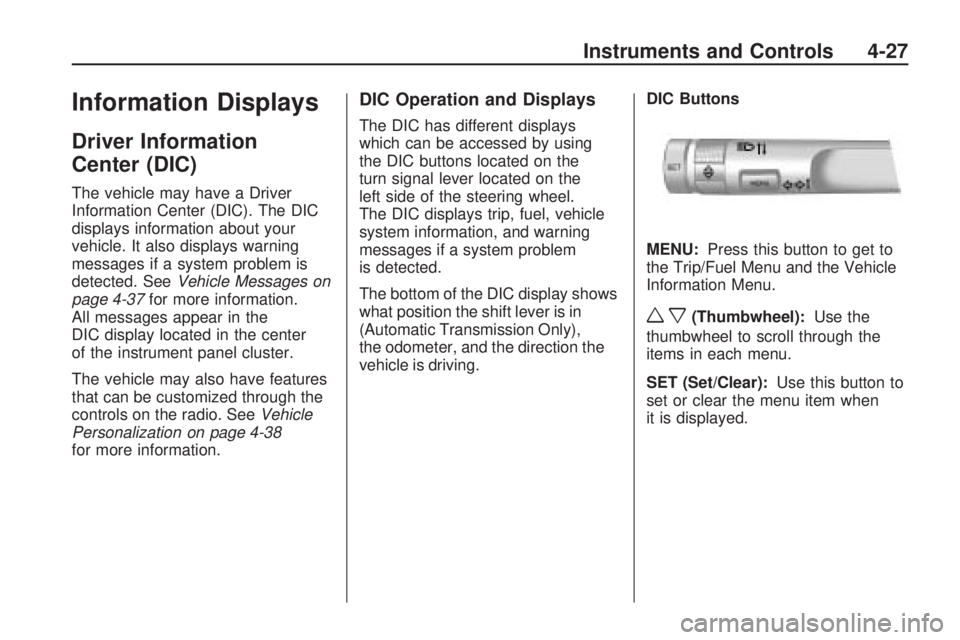
vehicle is driving.DIC Buttons
MENU:Press this button to get to
the Trip/Fuel Menu and the Vehicle
Information Menu.
wx(Thumbwheel):Use the
thumbwheel to scroll through the
items in each menu.
SET (Set/Clear):Use this button to
set or clear the menu item when
it is displayed.
Instruments and Controls 4-27
Page 131 of 372
Lighting
Exterior LightingExterior Lamp Controls...........5-1
Headlamp High/Low-Beam
Changer.............................5-2
Flash-to-Pass........................5-3
Daytime Running
Lamps (DRL)......................5-3
Automatic Headlamp
System..............................5-3
Hazard Warning Flashers.......5-4
Turn and Lane-Change
Signals...............................5-4
Front Fog Lamps..................5-5
Interior LightingInstrument Panel
Illumination Control..............5-5
Dome Lamps........................5-6
Lighting FeaturesEntry Lighting.......................5-6
Theater Dimming...................5-6
Battery Load Management......5-6
Battery Power Protection........5-7
Exterior Lighting
Exterior Lamp Controls
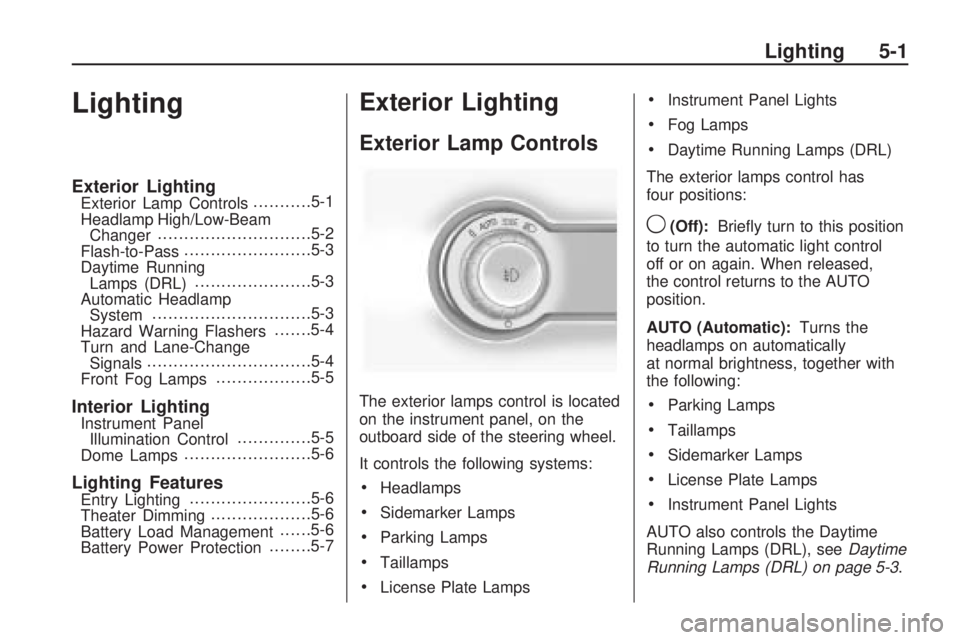
The exterior lamps control is located
on the instrument panel, on the
outboard side of the steering wheel.
It controls the following systems:
•Headlamps
•Sidemarker Lamps
•Parking Lamps
•Taillamps
•License Plate Lamps
•Instrument Panel Lights
•Fog Lamps
•Daytime Running Lamps (DRL)
The exterior lamps control has
four positions:
9(Off):Briefly turn to this position
to turn the automatic light control
off or on again. When released,
the control returns to the AUTO
position.
AUTO (Automatic):Turns the
headlamps on automatically
at normal brightness, together with
the following:
•Parking Lamps
•Taillamps
•Sidemarker Lamps
•License Plate Lamps
•Instrument Panel Lights
AUTO also controls the Daytime
Running Lamps (DRL), seeDaytime
Running Lamps (DRL) on page 5-3.
Lighting 5-1
Page 132 of 372

;(Parking Lamps):Turns the
parking lamps on together with the
following:
•Taillamps
•Sidemarker Lamps
•License Plate Lamps
•Instrument Panel Lights
A warning chime sounds if the
driver’s door is opened when the
ignition switch is off and the parking
lamps are on.
2(Headlamps):Turns the
headlamps on together with the
following lamps listed below.
•Parking Lamps
•Taillamps
•Sidemarker Lamps
•License Plate Lamps
•Instrument Panel LightsA warning chime sounds if the
driver’s door is opened when the
ignition switch is off and the
headlamps are on.
#(Front Fog Lamps):Push the
fog lamps button in to turn the
fog lamps on or off. The fog lamps
come on together with the
following:
•Parking Lamps
•Taillamps
•Sidemarker Lamps
•License Plate Lamps
•Instrument Panel Lights
SeeFront Fog Lamps on page 5-5.
Headlamp High/
Low-Beam Changer
23
Headlamp High/Low Beam
Changer:Push the turn and
lane change lever away from
you to turn the high beams on.
Pull the lever towards you to return
to low beams.
This indicator light turns on in the
instrument panel cluster when
the high beam headlamps are on.
5-2 Lighting
Page 133 of 372

Flash-to-Pass
The flash-to-pass feature works with
the low-beams or daytime running
lamps (DRL) on or off.
To flash the high beams, pull the turn
signal/lane change lever all the way
towards you. Then release it.
Daytime Running
Lamps (DRL)
Daytime Running Lamps (DRL) can
make it easier for others to see
the front of your vehicle during
the day. Fully functional daytime
running lamps are required on
all vehicles first sold in Canada.
A light sensor on top of the
instrument panel makes the DRL
work, so be sure it is not covered.
The DRL system will make the
low-beam headlamps come on at a
reduced brightness or for vehicles
with High Intensity Discharge(HID) headlamps, the dedicated
DRL lights will come on when
the following conditions are met:
•The ignition is in the ON/RUN
position.
•The exterior lamps control is
in AUTO, or has been briefly
turned to OFF to turn the
automatic light control on again.
•The engine is running.
When the DRL are on, the
headlamps, taillamps, sidemarker,
instrument panel and other
lamps will not be on.
The headlamps automatically
change from DRL to the regular
headlamps depending on the
darkness of the surroundings.
The other lamps that come on with
the headlamps will also come on.
When it is bright enough outside,
the headlamps will go off and
the DRL will come on.To turn the DRL lamps off or on
again, turn the exterior lamps control
to the off position and then release.
For vehicles first sold in Canada, the
DRL lamps cannot be turned off.
The regular headlamp system should
be turned on when needed.
Automatic Headlamp
System
When it is dark enough outside and
the headlamp switch is in AUTO, the
automatic headlamp system will turn
on the headlamps at the normal
brightness along with other lamps
such as the taillamps, sidemarker,
parking lamps, license plate lamps,
and the instrument panel lights.
The radio lights will also be dim.
To turn off the automatic headlamp
system, turn the exterior lamps
switch to the off position and then
release. For vehicles first sold in
Canada, the transmission must be in
the P (Park) position, before the
automatic headlamp system can be
turned off.
Lighting 5-3
Page 134 of 372

The vehicle has a light sensor
located on the top of the instrument
panel. Do not cover this sensor
or the system will come on
whenever the ignition is on.
The system may also turn on the
headlamps when driving through a
parking garage, heavy overcast
weather, or a tunnel. This is normal.
There is a delay in the transition
between the daytime and nighttime
operation of the Daytime Running
Lamps (DRL) and the automatic
headlamp systems so that driving
under bridges or bright overhead
street lights does not affect the
system. The DRL and automatic
headlamp system will only be
affected when the light sensor sees
a change in lighting lasting longer
than the delay.If the vehicle is started in a dark
garage, the automatic headlamp
system comes on immediately. If it
is light outside when the vehicle
leaves the garage, there will
be a slight delay before the
automatic headlamp system
changes to the DRL. During that
delay, the instrument panel cluster
may not be as bright as usual.
Make sure the instrument panel
brightness control is in the full bright
position. SeeInstrument Panel
Illumination Control on page 5-5.
Hazard Warning Flashers
|
Hazard Warning Flasher:
Press this button located on the
instrument panel near the audio
system, to make the front and rear
turn signal lamps flash on and
off. This warns others that you are
having trouble. Press again to
turn the flashers off.
Turn and Lane-Change
Signals
An arrow on the instrument panel
cluster flashes in the direction of the
turn or lane change.
Move the lever all the way up or
down to signal a turn.
Raise or lower the lever until the
arrow starts to flash to signal a lane
change. Hold it there until the
lane change is completed. If the
lever is briefly pressed and released,
the turn signal flashes three times.
5-4 Lighting