ECU CHEVROLET CAPTIVA SPORT 2013 Service Manual
[x] Cancel search | Manufacturer: CHEVROLET, Model Year: 2013, Model line: CAPTIVA SPORT, Model: CHEVROLET CAPTIVA SPORT 2013Pages: 374, PDF Size: 6.66 MB
Page 138 of 374
Black plate (42,1)Chevrolet Captiva Sport Owner Manual - 2013 - crc - 11/12/12
5-42 Instruments and Controls devices such as garage door
openers, security systems, and
home automation devices.
Do not use the Universal Remote
system with any garage door opener
that does not have the stop and
reverse feature. This includes any
garage door opener model
manufactured before April 1,1982.
Read the instructions completely
before attempting to program the
Universal Remote system. Because
of the steps involved, it may be
helpful to have another person
available to assist with programming
the Universal Remote system.
Keep the original hand-held
transmitter for use in other vehicles
as well as for future Universal
Remote system programming. It is
also recommended that upon the
sale of the vehicle, the programmed
Universal Remote system buttons
be erased for security purposes.
See “ Erasing Universal Remote
System Buttons ” later in this
section. When programming a garage door,
park outside of the garage. Park
directly in line with and facing the
garage door opener motor-head or
gate motor-head. Be sure that
people and objects are clear of the
garage door or gate being
programmed.
It is recommended that a new
battery be installed in the hand-held
transmitter for quicker and more
accurate transmission of the
radio-frequency signal.
Programming the Universal
Remote System For questions or help programming
the Universal Remote system, call
1-800-355-3515 or go to
www.homelink.com.
Programming a garage door opener
involves time-sensitive actions, so
read the entire procedure before
starting. Otherwise, the device will
time out and the procedure will have
to be repeated. To program up to three devices:
1. Hold the end of the hand-held
transmitter about 3 to 8 cm (1 to
3 in) away from the Universal
Remote system buttons while
keeping the indicator light in
view. The hand-held transmitter
was supplied by the
manufacturer of the garage door
opener receiver
(motor-head unit).
2. At the same time, press and
hold both the hand-held
transmitter button and one of the
three Universal Remote system
buttons to be used to operate
the garage door. Do not release
the Universal Remote system
button or the hand-held
transmitter button until the
indicator light changes from a
slowly to a rapidly flashing light.
You now may release both
buttons.
Page 157 of 374
Black plate (9,1)Chevrolet Captiva Sport Owner Manual - 2013 - crc - 11/12/12
Infotainment System 7-9If this station was one of the
presets, choose another station for
that preset button.
No Artist Info: No artist
information is available at this time
on this channel. The system is
working properly.
No Title Info: No song title
information is available at this time
on this channel. The system is
working properly.
No CAT Info: No category
information is available at this time
on this channel. The system is
working properly.
No Information: No text or
informational messages are
available at this time on this
channel. The system is working
properly.
No Subscription Please Renew:
SiriusXM subscription needs to be
reactivated. Contact SiriusXM at
www.siriusxm.com or 1-866-635-2349 (U.S) and
www.xmradio.ca or call
1-877-209-0079 (Canada).
CAT Not Found: There are no
channels available for the selected
category. The system is working
properly.
XM Theftlocked: The SiriusXM
receiver in the vehicle could have
previously been in another vehicle.
For security purposes, SiriusXM
receivers cannot be swapped
between vehicles. If this message is
received after having the vehicle
serviced, check with your dealer.
XM Radio ID: If tuned to channel 0,
this message alternates with the
SiriusXM Radio eight digit radio ID
label. This label is needed to
activate the service.
Unknown: If this message is
received when tuned to channel 0,
there could be a receiver fault.
Consult with your dealer. Check XM Receiver: If this
message does not clear within a
short period of time, the receiver
could have a fault. Consult with your
dealer.
XM Not Available: If this message
does not clear within a short period
of time, the receiver could have a
fault. Consult with your dealer.
Radio Reception Frequency interference and static
can occur during normal radio
reception if items such as cell phone
chargers, vehicle convenience
accessories, and external electronic
devices are plugged into the
accessory power outlet. If there is
interference or static, unplug the
item from the accessory power
outlet.
Page 158 of 374
Black plate (10,1)Chevrolet Captiva Sport Owner Manual - 2013 - crc - 11/12/12
7-10 Infotainment System FM FM signals only reach about 16 to
65 km (10 to 40 mi). Although the
radio has a built-in electronic circuit
that automatically works to reduce
interference, some static can occur,
especially around tall buildings or
hills, causing the sound to fade in
and out.
AM The range for most AM stations is
greater than for FM, especially at
night. The longer range can cause
station frequencies to interfere with
each other. For better radio
reception, most AM radio stations
boost the power levels during the
day, and then reduce these levels
during the night. Static can also
occur when things like storms and
power lines interfere with radio
reception. When this happens, try
reducing the treble on the radio. Fixed Mast Antenna The fixed mast antenna can
withstand most car washes without
being damaged as long as it is
securely attached to the base. If the
mast becomes slightly bent,
straighten it out by hand. If the mast
is badly bent, replace it.
Occasionally check to make sure
the antenna is tightened to its base.
If tightening is required, tighten
by hand.
Satellite Radio Antenna The SiriusXM Satellite Radio
antenna is on the roof of the vehicle.
Keep the antenna clear of
obstructions for clear radio
reception.
If the vehicle has a sunroof, the
performance of the SiriusXM system
may be affected if the sunroof
is open. Audio Players CD Player Care of the CD Player Do not add any label to a CD.
It could get caught in the CD player.
If a CD is recorded on a personal
computer and a description label is
needed, try labeling the top of the
recorded CD with a marking pen.
The use of CD lens cleaners for
CDs is not advised, due to the risk
of contaminating the lens of the CD
optics with lubricants internal to the
CD player mechanism.
Notice: If a label is added to a
CD, more than one CD is inserted
into the slot at a time, or an
attempt is made to play scratched
or damaged CDs, the CD player
could be damaged. While using
the CD player, use only CDs in
good condition without any label,
load one CD at a time, and keep
Page 202 of 374
Black plate (14,1)Chevrolet Captiva Sport Owner Manual - 2013 - crc - 11/12/12
9-14 Driving and Operating WARNING (Continued) .
Never stack heavier
things, like suitcases,
inside the vehicle so that
some of them are above
the tops of the seats. .
Do not leave an
unsecured child restraint
in the vehicle. .
Secure loose items in the
vehicle. .
Do not leave a seat folded
down unless needed. Starting and
Operating New Vehicle Break-In Notice: The vehicle does not
need an elaborate break-in. But it
will perform better in the long run
if you follow these guidelines: .
Do not drive at any one
constant speed, fast or slow,
for the first 805 km
(500 miles). Do not make
full-throttle starts. Avoid
downshifting to brake or
slow the vehicle. .
Avoid making hard stops for
the first 322 km (200 miles) or
so. During this time the new
brake linings are not yet
broken in. Hard stops with
new linings can mean
premature wear and earlier
replacement. Follow this
breaking-in guideline every
time you get new brake
linings. .
Do not tow a trailer during
break-in. See Trailer Towing
on page 9 ‑ 42 for the trailer
towing capabilities of the
vehicle and more
information.
Following break ‐ in, engine speed
and load can be gradually
increased.
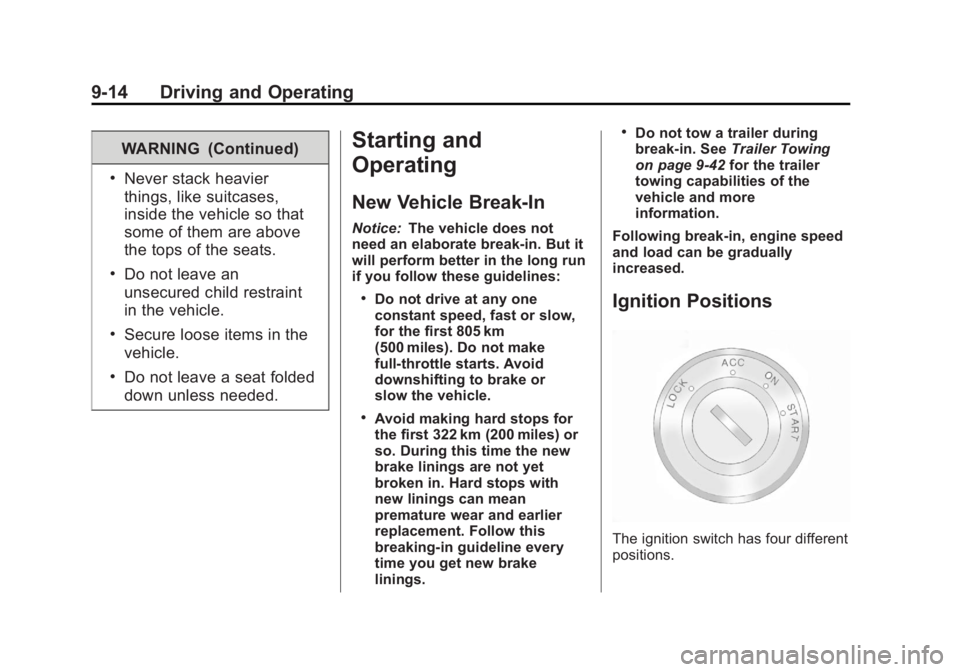
Ignition Positions
The ignition switch has four different
positions.
Page 228 of 374
Black plate (40,1)Chevrolet Captiva Sport Owner Manual - 2013 - crc - 11/12/12
9-40 Driving and Operating WARNING (Continued) .
Do not drive with the liftgate,
trunk/hatch, or rear-most
window open. .
Fully open the air outlets on
or under the instrument
panel. .
Also adjust the Climate
Control system to a setting
that brings in only outside air.
See “ Climate Control
Systems ” in the Index.
For more information about
Carbon Monoxide, see Engine
Exhaust on page 9 ‑ 19 .
Towing a trailer requires a certain
amount of experience. The
combination you are driving is
longer and not as responsive as the
vehicle itself. Get acquainted with
the handling and braking of the rig
before setting out for the open road. Before starting, check all trailer hitch
parts and attachments, safety
chains, electrical connectors, lamps,
tires and mirrors. If the trailer has
electric brakes, start the
combination moving and then apply
the trailer brake controller by hand
to be sure the brakes work.
During the trip, check occasionally
to be sure that the load is secure
and the lamps and any trailer
brakes still work.
Towing with a Stability Control
System When towing, the sound of the
stability control system might be
heard. The system is reacting to the
vehicle movement caused by the
trailer, which mainly occurs during
cornering. This is normal when
towing heavier trailers.
Following Distance
Stay at least twice as far behind the
vehicle ahead as you would when
driving the vehicle without a trailer. This can help to avoid situations
that require heavy braking and
sudden turns.
Passing More passing distance is needed
when towing a trailer. Because the
rig is longer, it is necessary to go
farther beyond the passed vehicle
before returning to the lane.
Backing Up Hold the bottom of the steering
wheel with one hand. To move the
trailer to the left, move your hand to
the left. To move the trailer to the
right, move your hand to the right.
Always back up slowly and,
if possible, have someone
guide you.
Making Turns
Notice: Making very sharp turns
while trailering could cause the
trailer to come in contact with the
vehicle. The vehicle could be
damaged. Avoid making very
sharp turns while trailering.
Page 259 of 374
Black plate (25,1)Chevrolet Captiva Sport Owner Manual - 2013 - crc - 11/12/12
Vehicle Care 10-25pressure from the regular brake
pedal. Do this until the vehicle is
held by the parking brake only. .
To check the P (Park)
mechanism's holding ability:
With the engine running, shift to
P (Park). Then release the
parking brake followed by the
regular brake.
Contact your dealer if service is
required.
Wiper Blade Replacement Windshield wiper blades should be
inspected for wear and cracking.
See Maintenance Schedule on
page 11 ‑ 3 .
Replacement blades come in
different types and are removed in
different ways. For proper type and
length, see Maintenance
Replacement Parts on page 11 ‑ 14 .
Notice: Allowing the wiper arm to
touch the windshield when no
wiper blade is installed could
damage the windshield. Any damage that occurs would not be
covered by your warranty. Do not
allow the wiper arm to touch the
windshield.
Front Wiper Blade
Replacement To replace the windshield wiper
blade:
1. Lift the wiper arm away from the
windshield.
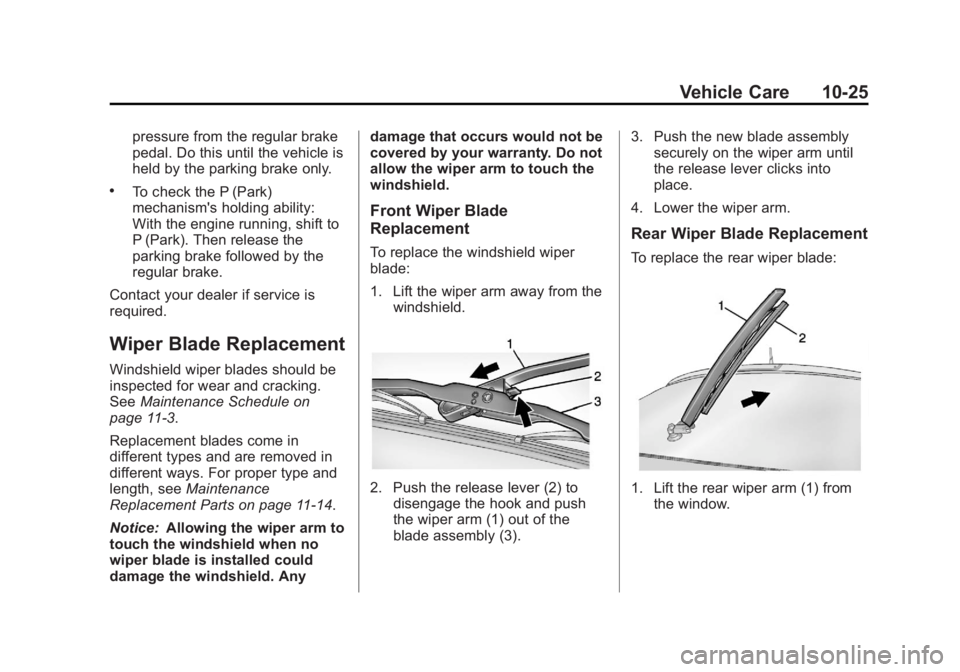
2. Push the release lever (2) to
disengage the hook and push
the wiper arm (1) out of the
blade assembly (3). 3. Push the new blade assembly
securely on the wiper arm until
the release lever clicks into
place.
4. Lower the wiper arm.
Rear Wiper Blade Replacement To replace the rear wiper blade:
1. Lift the rear wiper arm (1) from
the window.
Page 297 of 374
Black plate (63,1)Chevrolet Captiva Sport Owner Manual - 2013 - crc - 11/12/12
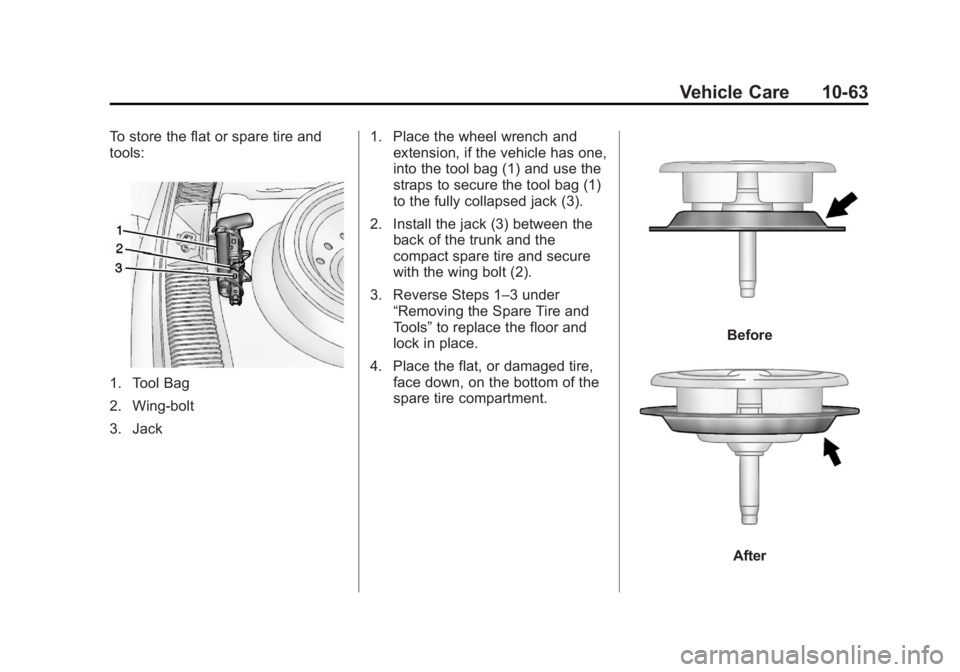
Vehicle Care 10-63To store the flat or spare tire and
tools:
1. Tool Bag
2. Wing-bolt
3. Jack 1. Place the wheel wrench and
extension, if the vehicle has one,
into the tool bag (1) and use the
straps to secure the tool bag (1)
to the fully collapsed jack (3).
2. Install the jack (3) between the
back of the trunk and the
compact spare tire and secure
with the wing bolt (2).
3. Reverse Steps 1 – 3 under
“ Removing the Spare Tire and
Tools ” to replace the floor and
lock in place.
4. Place the flat, or damaged tire,
face down, on the bottom of the
spare tire compartment. Before
After
Page 302 of 374
Black plate (68,1)Chevrolet Captiva Sport Owner Manual - 2013 - crc - 11/12/12
10-68 Vehicle Care 6. Connect the red positive (+)
cable to the positive (+) terminal
on the vehicle with the dead
battery. Use a remote
positive (+) terminal if the vehicle
has one.
7. Do not let the other end touch
metal. Connect it to the
positive (+) terminal of the good
battery. Use a remote
positive (+) terminal if the vehicle
has one.
8. Now connect the black
negative ( − ) cable to the
negative ( − ) terminal of the good
battery. Use a remote
negative ( − ) terminal if the
vehicle has one.
Do not let the other end touch
anything until the next step. The
other end of the negative ( − )
cable does not go to the dead
battery. It goes to a heavy,
unpainted metal engine part or
to a remote negative ( − ) terminal
on the vehicle with the dead
battery. 9. Connect the other end of the
negative ( − ) cable away from the
dead battery, but not near
engine parts that move. The
electrical connection is just as
good there, and the chance of
sparks getting back to the
battery is much less.
10. Now start the vehicle with the
good battery and run the
engine for a while.
11. Press the unlock symbol on the
remote keyless entry
transmitter to disarm your
security system, if equipped.
12. Try to start the vehicle that had
the dead battery. If it will not
start after a few tries, it
probably needs service. Notice: If the jumper cables are
connected or removed in the
wrong order, electrical shorting
may occur and damage the
vehicle. The repairs would not be
covered by the vehicle warranty.
Always connect and remove the
jumper cables in the correct
order, making sure that the
cables do not touch each other or
other metal.
Jumper Cable Removal
Reverse the sequence exactly when
removing the jumper cables.
Page 303 of 374
Black plate (69,1)Chevrolet Captiva Sport Owner Manual - 2013 - crc - 11/12/12
Vehicle Care 10-69
Towing Towing the Vehicle Notice: Incorrectly towing a
disabled vehicle may cause
damage. The damage would not
be covered by the vehicle
warranty. Do not lash or hook to
the chassis components
including the front and rear
subframes, suspension control
arms and links during towing and
recovery of a disabled vehicle or
to secure the vehicle to a flatbed
car carrier. Use the proper nylon
strap harnesses around the tires
to secure the flatbed car carrier.
Have the vehicle towed on a flatbed
car carrier. A wheel lift tow truck
could damage the vehicle.
Consult your dealer or a
professional towing service if the
disabled vehicle must be towed. To tow the vehicle behind another
vehicle for recreational purposes,
such as behind a motor home, see
“ Recreational Vehicle Towing ” in this
section.
Recreational Vehicle
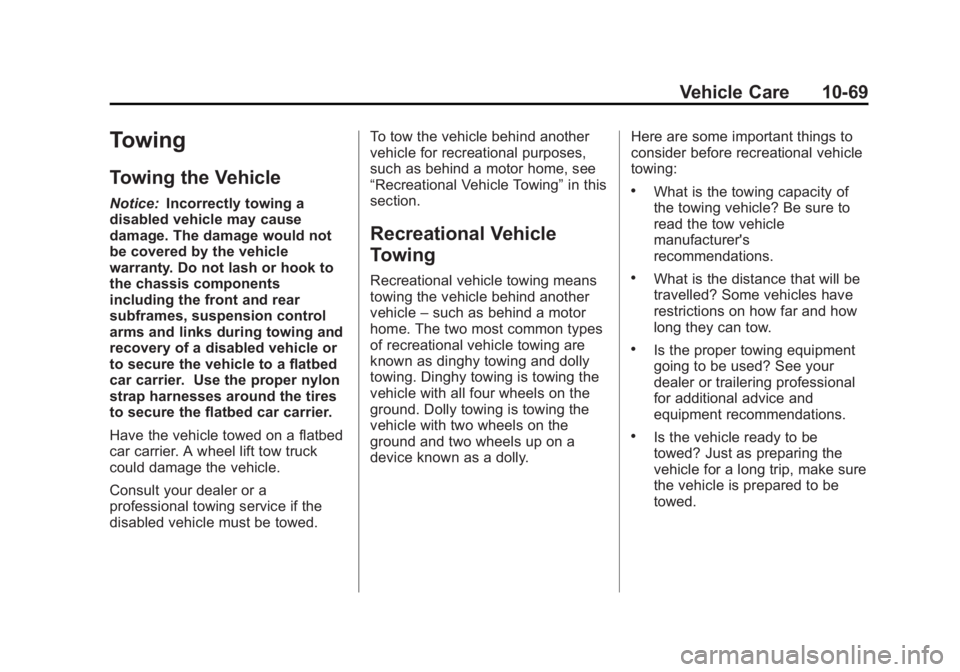
Towing Recreational vehicle towing means
towing the vehicle behind another
vehicle – such as behind a motor
home. The two most common types
of recreational vehicle towing are
known as dinghy towing and dolly
towing. Dinghy towing is towing the
vehicle with all four wheels on the
ground. Dolly towing is towing the
vehicle with two wheels on the
ground and two wheels up on a
device known as a dolly. Here are some important things to
consider before recreational vehicle
towing: .
What is the towing capacity of
the towing vehicle? Be sure to
read the tow vehicle
manufacturer's
recommendations. .
What is the distance that will be
travelled? Some vehicles have
restrictions on how far and how
long they can tow. .
Is the proper towing equipment
going to be used? See your
dealer or trailering professional
for additional advice and
equipment recommendations. .
Is the vehicle ready to be
towed? Just as preparing the
vehicle for a long trip, make sure
the vehicle is prepared to be
towed.
Page 304 of 374
Black plate (70,1)Chevrolet Captiva Sport Owner Manual - 2013 - crc - 11/12/12
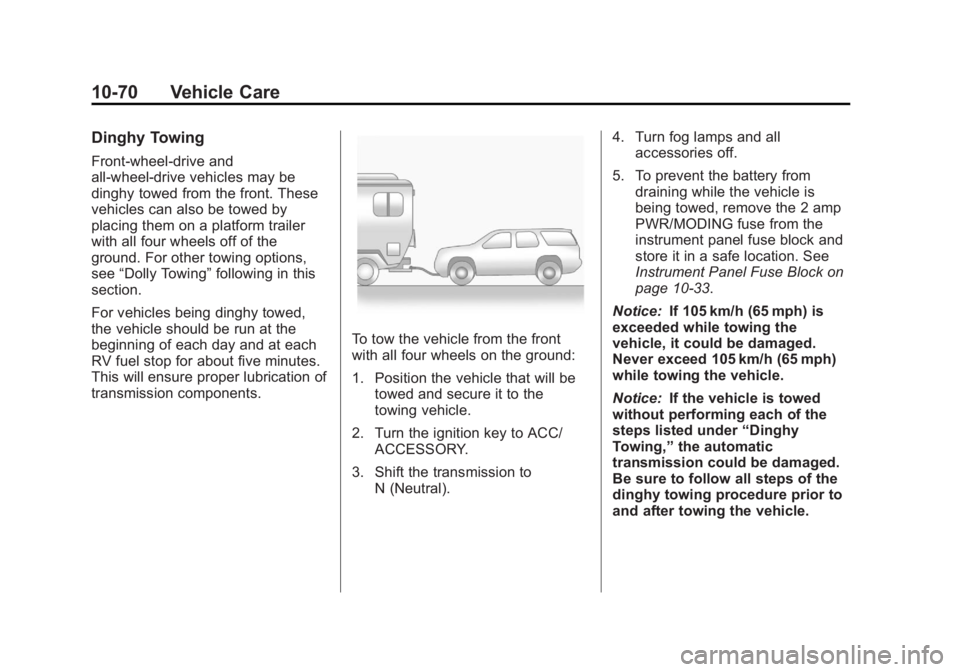
10-70 Vehicle Care Dinghy Towing Front-wheel-drive and
all-wheel-drive vehicles may be
dinghy towed from the front. These
vehicles can also be towed by
placing them on a platform trailer
with all four wheels off of the
ground. For other towing options,
see “ Dolly Towing ” following in this
section.
For vehicles being dinghy towed,
the vehicle should be run at the
beginning of each day and at each
RV fuel stop for about five minutes.
This will ensure proper lubrication of
transmission components. To tow the vehicle from the front
with all four wheels on the ground:
1. Position the vehicle that will be
towed and secure it to the
towing vehicle.
2. Turn the ignition key to ACC/
ACCESSORY.
3. Shift the transmission to
N (Neutral). 4. Turn fog lamps and all
accessories off.
5. To prevent the battery from
draining while the vehicle is
being towed, remove the 2 amp
PWR/MODING fuse from the
instrument panel fuse block and
store it in a safe location. See
Instrument Panel Fuse Block on
page 10 ‑ 33 .
Notice: If 105 km/h (65 mph) is
exceeded while towing the
vehicle, it could be damaged.
Never exceed 105 km/h (65 mph)
while towing the vehicle.
Notice: If the vehicle is towed
without performing each of the
steps listed under “ Dinghy
Towing, ” the automatic
transmission could be damaged.
Be sure to follow all steps of the
dinghy towing procedure prior to
and after towing the vehicle.