ignition CHEVROLET CAPTIVA SPORT 2013 Service Manual
[x] Cancel search | Manufacturer: CHEVROLET, Model Year: 2013, Model line: CAPTIVA SPORT, Model: CHEVROLET CAPTIVA SPORT 2013Pages: 374, PDF Size: 6.66 MB
Page 177 of 374
Black plate (29,1)Chevrolet Captiva Sport Owner Manual - 2013 - crc - 11/12/12
Infotainment System 7-29Ending a Call Press
K to end a call.
Muting a Call During a call, all sounds from inside
the vehicle can be muted so that the
person on the other end of the call
cannot hear them. .
To mute a call, press
J /
0 , and
then say “ Mute call. ”.
To cancel mute, press
J /
0 ,
and then say “ Un-mute call. ”
Transferring a Call Audio can be transferred between
the Bluetooth system and the cell
phone.
The cell phone must be paired and
connected with the Bluetooth
system before a call can be
transferred. The connection process
can take up to two minutes after the
ignition is turned to ON/RUN. Transferring Audio from the
Bluetooth System to a Cell Phone
During a call with the audio in the
vehicle:
1. Press
J /
0 .
2. Say “ Transfer Call. ”
Transferring Audio to the
Bluetooth System from a Cell
Phone
During a call with the audio on the
cell phone, press
J /
0 . The audio
transfers to the vehicle. If the audio
does not transfer to the vehicle, use
the audio transfer feature on the cell
phone. See your cell phone
manufacturer's user guide for more
information.
Voice Pass-Thru
Voice pass-thru allows access to the
voice recognition commands on the
cell phone. See your cell phone
manufacturer's user guide to see if
the cell phone supports this feature. To access contacts stored in the cell
phone:
1. Press and hold
J /
0 for
two seconds.
2. Say “ Bluetooth. ” This command
can be skipped.
3. Say “ Voice. ” The system
responds “ OK, accessing
The cell phone's normal prompt
messages will go through their cycle
according to the phone's operating
instructions.
Dual Tone Multi-Frequency
(DTMF) Tones The Bluetooth system can send
numbers and the numbers stored as
name tags during a call. You can
use this feature when calling a
menu-driven phone system.
Account numbers can also be
stored for use.
Page 180 of 374
Black plate (2,1)Chevrolet Captiva Sport Owner Manual - 2013 - crc - 11/12/12
8-2 Climate Controls counterclockwise. In any setting
other than off, the fan runs
continuously with the ignition on.
There will be some airflow
noticeable from the various outlets
when driving, even with the fan in
the off position. To turn off the air
completely, turn the fan to
9 and
select the @ button.
Temperature Control: Turn
clockwise or counterclockwise to
increase or decrease the
temperature inside the vehicle.
Air Delivery Mode Control: Turn
clockwise or counterclockwise to
change the current airflow mode.
Select from the following air delivery
modes:
H (Vent): Air is directed to the
instrument panel outlets.
) (Bi-Level): Air is divided
between the instrument panel and
the floor outlets.
6 (Floor): Air is directed to the
floor outlets with some air directed
to the windshield. When this mode is selected, the
system turns the recirculation mode
off. Recirculation mode cannot be
selected while in floor mode. This
helps prevent window fogging.
- (Defog): Clears the windows of
fog or moisture. Air is directed to the
floor outlets, with some air directed
to the windshield and side window
outlets. In this mode, the system
turns the recirculation mode off and
runs the air conditioning compressor
unless the outside air is at or below
freezing. Recirculation mode cannot
be selected while in defog mode.
This helps prevent window fogging.
0 (Defrost): Removes fog or frost
from the windshield more quickly.
Air is directed to the windshield and
the side window outlets. In this
mode, the system turns the
recirculation mode off automatically
and runs the air conditioning
compressor unless the outside air is
at or below freezing. Recirculation
mode cannot be selected while in
defrost mode. This helps prevent
window fogging. For best results, clear all snow and
ice from the windshield before
defrosting.
# (Air Conditioning): Press to
turn the air conditioning system on
or off. An indicator light comes on to
show that the air conditioning is on.
The air conditioning can be selected
in any mode as long as the fan is on
and the outside temperature is
above freezing. A flashing indicator
light indicates that the air
conditioning compressor is currently
not available.
On hot days, open the windows to
let hot inside air escape; then close
them. This helps reduce the time it
takes for the vehicle to cool down
and helps the system to operate
more efficiently.
For quick cool down on hot days,
select the following settings
together:
1. Select
H mode.
2. Select
8 .
Page 181 of 374
Black plate (3,1)Chevrolet Captiva Sport Owner Manual - 2013 - crc - 11/12/12
Climate Controls 8-33. Turn the
# on.
4. Select the coolest temperature
and highest fan speed.
5. Once the vehicle's interior
temperature is below the outside
temperature, select recirculation
mode for enhanced cooling.
Using these settings together for
long periods of time may cause the
air inside the vehicle to become too
dry. To prevent this from happening,
after the air inside of the vehicle has
cooled, turn the recirculation
mode off.
The air conditioning system
removes moisture from the air, so a
small amount of water might drip
under the vehicle while idling or
after turning off the engine. This is
normal.
8 (Outside Air): Press to turn
the outside air mode on. An
indicator light comes on to show
that outside air is on. Air from
outside the vehicle will circulate
throughout the vehicle. The outside air mode can be used with all
modes, but it cannot be used with
the recirculation mode. Pressing this
button will cancel the
recirculation mode.
@ (Recirculation): Press to turn
on the recirculation mode. An
indicator light comes on to show
that recirculation is on. This mode
recirculates and helps to quickly
cool or heat the air inside the
vehicle. It can be used to prevent
outside air and odors from entering
the vehicle. Avoid using the
recirculation mode during high
periods of humidity and cool outside
temperatures since this may result
in increased window fogging.
If window fogging is experienced,
select the defrost mode.
Recirculation mode is not available
in floor, defog, or defrost modes and
will shut off automatically and
change to outside air. The indicator
will flash if the button is selected in
any of these modes. This helps prevent window fogging and
moisture building up inside the
vehicle.
Rear Window Defogger The rear window defogger uses a
warming grid to remove fog from the
rear window.
The rear window defogger only
works when the ignition is in
ON/RUN.
1 (Rear Window Defogger):
Press to turn the rear window
defogger on or off. An indicator light
on the button comes on to show that
the rear window is activated.
The rear window defogger stays on
for approximately 10 minutes after
the button is pressed, unless the
ignition is turned to ACC/
ACCESSORY or LOCK/OFF.
If turned on again, the defogger only
runs for approximately five minutes
before turning off again. At higher
vehicle speeds, the defogger may
Page 183 of 374
Black plate (5,1)Chevrolet Captiva Sport Owner Manual - 2013 - crc - 11/12/12
Climate Controls 8-5not cover the sensor on the top of
the instrument panel near the
windshield, or the sensor grille
below the climate control faceplate.
These two sensors help regulate the
inside air temperature.
AUTO (Automatic Fan): Turn the
fan knob to AUTO for the system to
automatically adjust the fan speed
to reach the desired inside
temperature.
Temperature Control: Select the
desired cabin air temperature
between 16-32°C (60-90°F).
Choosing the coldest or warmest
temperature setting does not cause
the system to heat or cool any
faster.
AUTO (Automatic Air Delivery
Mode): Turn the air delivery mode
knob to AUTO for the system to
automatically control the direction of
the airflow to help reach the desired
inside temperature.
The system automatically controls
the air inlet to supply the outside air
or recirculated inside air needed to heat or cool the vehicle faster. The
@ button indicator light is lit
whenever the recirculation mode
is on.
Press the
8 button to change to
outside air. However, the
recirculation mode may turn back on
automatically.
In cold weather, if the fan and air
delivery modes are in automatic, the
system starts at lower fan speeds to
avoid directing cold air into the
vehicle until warmer air is available.
The climate control system directs
air to the floor, but may
automatically change modes as the
vehicle warms up to maintain the
chosen temperature setting. The
length of time needed to warm the
interior depends on the outside
temperature and inside temperature
of the vehicle.
Manual Operation
9 (Fan Control): Turn clockwise
or counterclockwise to increase or
decrease the fan speed. To turn the fan off, turn the left knob to the
9 position. In any setting other than
off, the fan runs continuously with
the ignition on. The fan must be
turned on to run the air conditioning
compressor. There will be some
airflow noticeable from the various
outlets when driving, even with the
fan in the off position. To turn off the
air completely, turn the fan to
9 and select the @ button.
Temperature Control: Turn
clockwise or counterclockwise to
increase or decrease the
temperature. Select the desired
cabin air temperature between
16-32°C (60-90°F). Typically, the
best setting is near 23°C (75°F).
Choosing the coldest or warmest
temperature setting does not cause
the system to heat or cool any
faster.
Air Delivery Mode Control: Turn
clockwise or counterclockwise to
change the current airflow mode.
Page 185 of 374
Black plate (7,1)Chevrolet Captiva Sport Owner Manual - 2013 - crc - 11/12/12
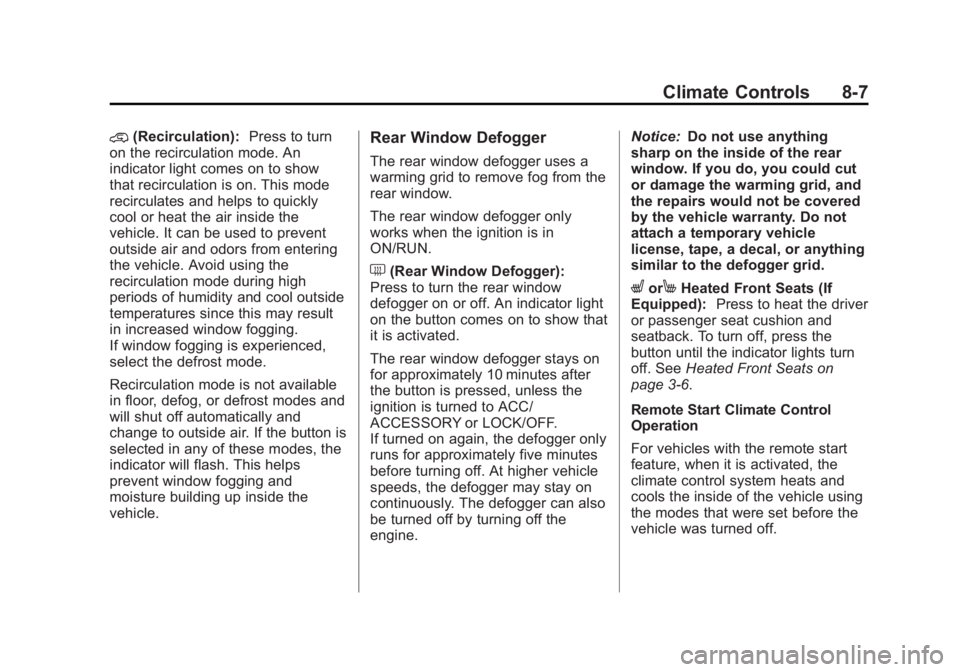
Climate Controls 8-7@ (Recirculation): Press to turn
on the recirculation mode. An
indicator light comes on to show
that recirculation is on. This mode
recirculates and helps to quickly
cool or heat the air inside the
vehicle. It can be used to prevent
outside air and odors from entering
the vehicle. Avoid using the
recirculation mode during high
periods of humidity and cool outside
temperatures since this may result
in increased window fogging.
If window fogging is experienced,
select the defrost mode.
Recirculation mode is not available
in floor, defog, or defrost modes and
will shut off automatically and
change to outside air. If the button is
selected in any of these modes, the
indicator will flash. This helps
prevent window fogging and
moisture building up inside the
vehicle. Rear Window Defogger The rear window defogger uses a
warming grid to remove fog from the
rear window.
The rear window defogger only
works when the ignition is in
ON/RUN.
1 (Rear Window Defogger):
Press to turn the rear window
defogger on or off. An indicator light
on the button comes on to show that
it is activated.
The rear window defogger stays on
for approximately 10 minutes after
the button is pressed, unless the
ignition is turned to ACC/
ACCESSORY or LOCK/OFF.
If turned on again, the defogger only
runs for approximately five minutes
before turning off. At higher vehicle
speeds, the defogger may stay on
continuously. The defogger can also
be turned off by turning off the
engine. Notice: Do not use anything
sharp on the inside of the rear
window. If you do, you could cut
or damage the warming grid, and
the repairs would not be covered
by the vehicle warranty. Do not
attach a temporary vehicle
license, tape, a decal, or anything
similar to the defogger grid.
L or
M Heated Front Seats (If
Equipped): Press to heat the driver
or passenger seat cushion and
seatback. To turn off, press the
button until the indicator lights turn
off. See Heated Front Seats on
page 3 ‑ 6 .
Remote Start Climate Control
Operation
For vehicles with the remote start
feature, when it is activated, the
climate control system heats and
cools the inside of the vehicle using
the modes that were set before the
vehicle was turned off.
Page 189 of 374
Black plate (1,1)Chevrolet Captiva Sport Owner Manual - 2013 - crc - 11/12/12
Driving and Operating 9-1
Driving and
Operating Driving Information Driver Behavior . . . . . . . . . . . . . . . 9-2
Driving Environment . . . . . . . . . . 9-2
Vehicle Design . . . . . . . . . . . . . . . . 9-2
Distracted Driving . . . . . . . . . . . . . 9-3
Defensive Driving . . . . . . . . . . . . . 9-3
Drunk Driving . . . . . . . . . . . . . . . . . 9-4
Control of a Vehicle . . . . . . . . . . . 9-4
Braking . . . . . . . . . . . . . . . . . . . . . . . 9-4
Steering . . . . . . . . . . . . . . . . . . . . . . . 9-4
Off-Road Recovery . . . . . . . . . . . . 9-5
Loss of Control . . . . . . . . . . . . . . . . 9-5
Driving on Wet Roads . . . . . . . . . 9-6
Highway Hypnosis . . . . . . . . . . . . 9-7
Hill and Mountain Roads . . . . . . 9-7
Winter Driving . . . . . . . . . . . . . . . . . 9-8
If the Vehicle Is Stuck . . . . . . . . . 9-9
Vehicle Load Limits . . . . . . . . . . 9-10
Starting and Operating
New Vehicle Break-In . . . . . . . . 9-14
Ignition Positions . . . . . . . . . . . . 9-14
Starting the Engine . . . . . . . . . . 9-16 Retained Accessory
Power (RAP) . . . . . . . . . . . . . . . 9-17
Shifting Into Park . . . . . . . . . . . . 9-17
Shifting out of Park . . . . . . . . . . 9-18
Parking over Things
That Burn . . . . . . . . . . . . . . . . . . 9-19
Engine Exhaust Engine Exhaust . . . . . . . . . . . . . . 9-19
Running the Vehicle While
Parked . . . . . . . . . . . . . . . . . . . . . 9-20
Automatic Transmission Automatic Transmission . . . . . 9-20
Manual Mode . . . . . . . . . . . . . . . . 9-22
Fuel Economy Mode . . . . . . . . . 9-23
Drive Systems All-Wheel Drive . . . . . . . . . . . . . . 9-24
Brakes Antilock Brake
System (ABS) . . . . . . . . . . . . . . 9-24
Parking Brake . . . . . . . . . . . . . . . 9-25
Ride Control Systems
Traction Control
System (TCS) . . . . . . . . . . . . . . 9-27
StabiliTrak ®
System . . . . . . . . . 9-28 Cruise Control Cruise Control . . . . . . . . . . . . . . . 9-29
Object Detection Systems Ultrasonic Parking Assist . . . . 9-31
Rear Vision
Camera (RVC) . . . . . . . . . . . . . 9-33
Fuel Fuel . . . . . . . . . . . . . . . . . . . . . . . . . 9-35
Recommended Fuel . . . . . . . . . 9-35
Gasoline Specifications . . . . . . 9-35
Fuels in Foreign Countries . . . 9-36
Fuel Additives . . . . . . . . . . . . . . . 9-36
Fuel E85 (85% Ethanol) . . . . . 9-36
Filling the Tank . . . . . . . . . . . . . . 9-37
Filling a Portable Fuel
Container . . . . . . . . . . . . . . . . . . . 9-38
Towing General Towing
Information . . . . . . . . . . . . . . . . . 9-39
Driving Characteristics and
Towing Tips . . . . . . . . . . . . . . . . 9-39
Trailer Towing . . . . . . . . . . . . . . . . 9-42
Towing Equipment . . . . . . . . . . . 9-44
Conversions and Add-Ons
Add-On Electrical
Equipment . . . . . . . . . . . . . . . . . 9-45
Page 195 of 374
Black plate (7,1)Chevrolet Captiva Sport Owner Manual - 2013 - crc - 11/12/12
Driving and Operating 9-7Other Rainy Weather Tips Besides slowing down, other wet
weather driving tips include: .
Allow extra following distance. .
Pass with caution. .
Keep windshield wiping
equipment in good shape. .
Keep the windshield washer fluid
reservoir filled. .
Have good tires with proper
tread depth. See Tires on
page 10 ‑ 36 ..
Turn off cruise control.
Highway Hypnosis Always be alert and pay attention to
your surroundings while driving.
If you become tired or sleepy, find a
safe place to park the vehicle
and rest.
Other driving tips include: .
Keep the vehicle well ventilated. .
Keep the interior
temperature cool. .
Keep your eyes moving — scan
the road ahead and to the sides. .
Check the rearview mirror and
vehicle instruments often.
Hill and Mountain Roads Driving on steep hills or through
mountains is different than driving
on flat or rolling terrain. Tips for
driving in these conditions include: .
Keep the vehicle serviced and in
good shape. .
Check all fluid levels and brakes,
tires, cooling system, and
transmission. .
Shift to a lower gear when going
down steep or long hills.
{ WARNING
If you do not shift down, the
brakes could get so hot that they
would not work well. You would
then have poor braking or even
(Continued) WARNING (Continued) none going down a hill. You could
crash. Shift down to let the engine
assist the brakes on a steep
downhill slope.
{ WARNINGCoasting downhill in N (Neutral)
or with the ignition off is
dangerous. The brakes will have
to do all the work of slowing down
and they could get so hot that
they would not work well. You
would then have poor braking or
even none going down a hill.
Steering may also be affected
when ignition is off. You could
crash. Always have the engine
running and the vehicle in gear
when going downhill.
Page 202 of 374
Black plate (14,1)Chevrolet Captiva Sport Owner Manual - 2013 - crc - 11/12/12
9-14 Driving and Operating WARNING (Continued) .
Never stack heavier
things, like suitcases,
inside the vehicle so that
some of them are above
the tops of the seats. .
Do not leave an
unsecured child restraint
in the vehicle. .
Secure loose items in the
vehicle. .
Do not leave a seat folded
down unless needed. Starting and
Operating New Vehicle Break-In Notice: The vehicle does not
need an elaborate break-in. But it
will perform better in the long run
if you follow these guidelines: .
Do not drive at any one
constant speed, fast or slow,
for the first 805 km
(500 miles). Do not make
full-throttle starts. Avoid
downshifting to brake or
slow the vehicle. .
Avoid making hard stops for
the first 322 km (200 miles) or
so. During this time the new
brake linings are not yet
broken in. Hard stops with
new linings can mean
premature wear and earlier
replacement. Follow this
breaking-in guideline every
time you get new brake
linings. .
Do not tow a trailer during
break-in. See Trailer Towing
on page 9 ‑ 42 for the trailer
towing capabilities of the
vehicle and more
information.
Following break ‐ in, engine speed
and load can be gradually
increased.
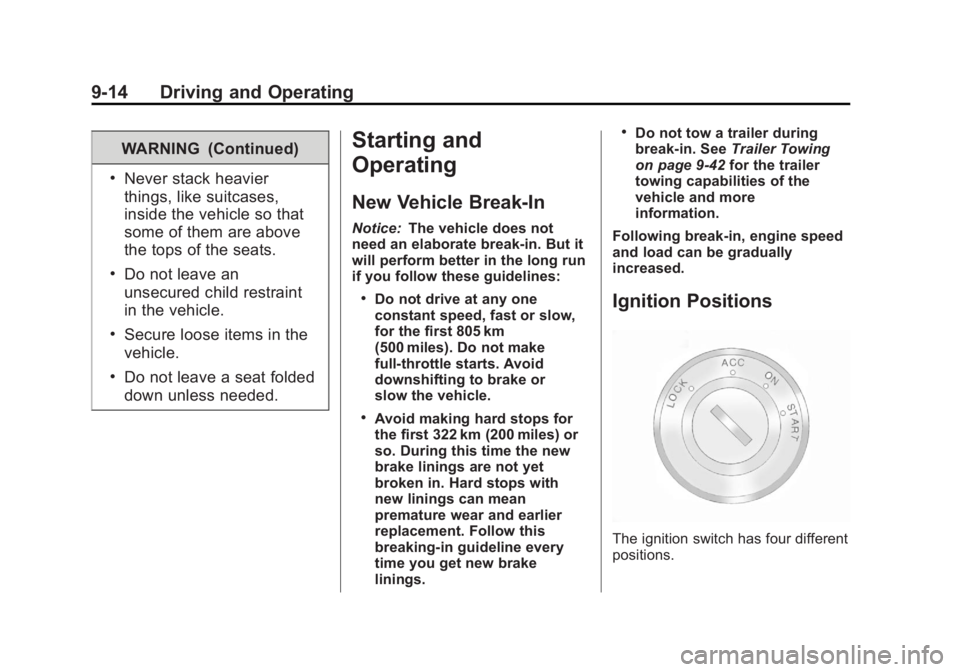
Ignition Positions
The ignition switch has four different
positions.
Page 203 of 374
Black plate (15,1)Chevrolet Captiva Sport Owner Manual - 2013 - crc - 11/12/12
Driving and Operating 9-15To shift out of P (Park), turn the
ignition to ON/RUN or ACC/
ACCESSORY and apply the regular
brake pedal.
Notice: Using a tool to force the
key to turn in the ignition could
cause damage to the switch or
break the key. Use the correct
key, make sure it is all the way in,
and turn it only with your hand.
If the key cannot be turned by
hand, see your dealer.
LOCK (STOPPING THE ENGINE/
LOCK/OFF): When the vehicle is
stopped, turn the ignition switch to
LOCK/OFF to turn the engine off.
Retained Accessory Power (RAP)
will remain active. See Retained
Accessory Power (RAP) on
page 9 ‑ 17 .
This position locks the ignition.
It also locks the steering wheel and
the transmission. The key can only
be removed in LOCK/OFF. The shift
lever must be in P (Park) to turn the
ignition switch to LOCK/OFF. The steering can bind with the
wheels turned off center. If this
happens, move the steering wheel
from right to left while turning the
key to ACC/ACCESSORY. If this
doesn't work, the vehicle needs
service.
Do not turn the engine off when the
vehicle is moving. This will cause a
loss of power assist in the brake
and steering systems and disable
the airbags.
If the vehicle must be shut off in an
emergency:
1. Brake using a firm and steady
pressure. Do not pump the
brakes repeatedly. This may
deplete power assist, requiring
increased brake pedal force.
2. Shift the vehicle to N (Neutral).
This can be done while the
vehicle is moving. After shifting
to N (Neutral), firmly apply the
brakes and steer the vehicle to a
safe location. 3. Come to a complete stop, shift
to P (Park), and turn the ignition
to LOCK/OFF. On vehicles with
an automatic transmission, the
shift lever must be in P (Park) to
turn the ignition switch to the
LOCK/OFF position.
4. Set the parking brake. See
Parking Brake on page 9 ‑ 25
{ WARNINGTurning off the vehicle while
moving may cause loss of power
assist in the brake and steering
systems and disable the airbags.
While driving, only shut the
vehicle off in an emergency.
If the vehicle cannot be pulled over,
and must be shut off while driving,
turn the ignition to ACC/
ACCESSORY.
Page 204 of 374
Black plate (16,1)Chevrolet Captiva Sport Owner Manual - 2013 - crc - 11/12/12
9-16 Driving and Operating ACC (ACC/ACCESSORY): This is
the position in which you can
operate some electrical accessories
or items plugged into the accessory
power outlets.
Use this position if the vehicle must
be pushed or towed.
ON (ON/RUN): This position can
be used to operate the electrical
accessories and to display some
instrument cluster warning and
indicator lights. This position can
also be used for service and
diagnostics, and to verify the proper
operation of the malfunction
indicator lamp as may be required
for emission inspection purposes.
The switch stays in this position
when the engine is running. The
transmission is also unlocked in this
position. If you leave the key in the
ACC/ACCESSORY or ON/RUN
positions with the engine off, the
battery could be drained. You may
not be able to start the vehicle if the
battery is allowed to drain for an
extended period of time. START: This is the position that
starts the engine. When the engine
starts, release the key. The ignition
switch returns to ON/RUN for
driving.
A warning tone will sound when the
driver door is opened, the ignition is
in ACC/ACCESSORY or LOCK/
OFF, and the key is in the ignition.
Starting the Engine Move the shift lever to P (Park) or
N (Neutral). The engine will not start
in any other position. To restart the
engine when the vehicle is already
moving, use N (Neutral) only.
Notice: Do not try to shift to
P (Park) if the vehicle is moving.
If you do, you could damage the
transmission. Shift to P (Park)
only when the vehicle is stopped. Starting Procedure
1. With your foot off the accelerator
pedal, turn the ignition to START.
When the engine starts, let go of
the key. The idle speed will slow
down as the engine warms. Do
not race the engine immediately
after starting it. Operate the
engine and transmission gently
to allow the oil to warm up and
lubricate all moving parts.
The vehicle has a
Computer-Controlled Cranking
System. This feature assists in
starting the engine and protects
components. If the ignition key is
turned to the START position,
and then released when the
engine begins cranking, the
engine will continue cranking for
a few seconds or until the
vehicle starts. If the engine does
not start and the key is held in
START, cranking will be stopped
after 15 seconds to prevent
cranking motor damage. To
prevent gear damage, this
system also prevents cranking if