ignition CHEVROLET CAPTIVA SPORT 2013 Owner's Manual
[x] Cancel search | Manufacturer: CHEVROLET, Model Year: 2013, Model line: CAPTIVA SPORT, Model: CHEVROLET CAPTIVA SPORT 2013Pages: 374, PDF Size: 6.66 MB
Page 112 of 374
Black plate (16,1)Chevrolet Captiva Sport Owner Manual - 2013 - crc - 11/12/12
5-16 Instruments and Controls the ignition is turned to ON/RUN
while the engine is off. See your
dealer for assistance in verifying
proper operation of the
malfunction indicator lamp. .
The OBD II (On-Board
Diagnostics) system determines
that critical emission control
systems have not been
completely diagnosed. The
vehicle would be considered not
ready for inspection. This can
happen if the 12-volt battery has
recently been replaced or run
down. The diagnostic system is
designed to evaluate critical
emission control systems during
normal driving. This can take
several days of routine driving.
If this has been done and the
vehicle still does not pass the
inspection for lack of OBD II
system readiness, your dealer
can prepare the vehicle for
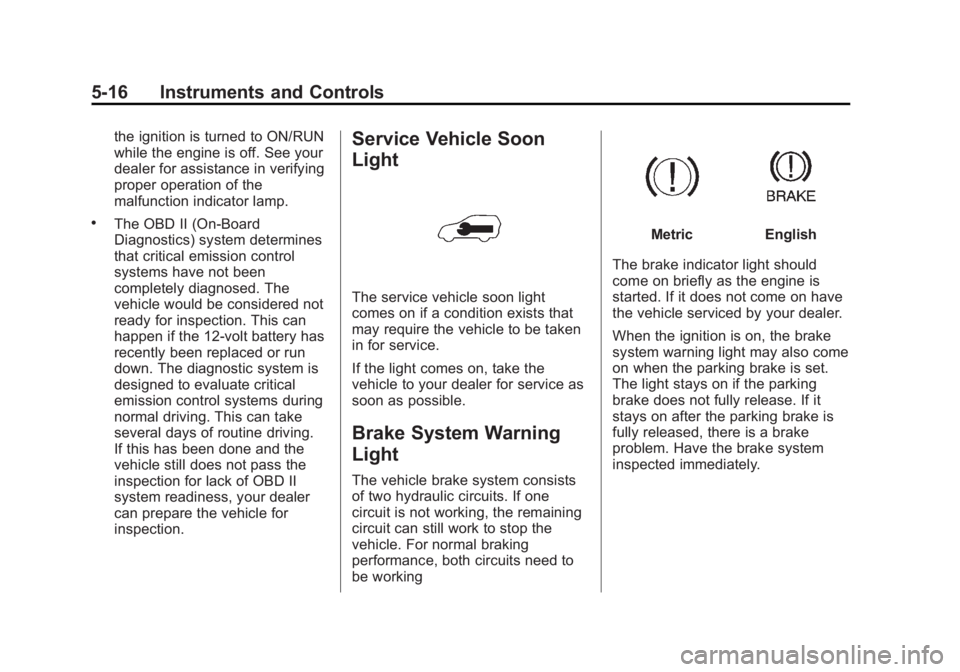
inspection. Service Vehicle Soon
Light
The service vehicle soon light
comes on if a condition exists that
may require the vehicle to be taken
in for service.
If the light comes on, take the
vehicle to your dealer for service as
soon as possible.
Brake System Warning
Light The vehicle brake system consists
of two hydraulic circuits. If one
circuit is not working, the remaining
circuit can still work to stop the
vehicle. For normal braking
performance, both circuits need to
be working Metric English
The brake indicator light should
come on briefly as the engine is
started. If it does not come on have
the vehicle serviced by your dealer.
When the ignition is on, the brake
system warning light may also come
on when the parking brake is set.
The light stays on if the parking
brake does not fully release. If it
stays on after the parking brake is
fully released, there is a brake
problem. Have the brake system
inspected immediately.
Page 113 of 374
Black plate (17,1)Chevrolet Captiva Sport Owner Manual - 2013 - crc - 11/12/12
Instruments and Controls 5-17
{ WARNINGThe brake system might not be
working properly if the brake
system warning light is on.
Driving with the brake system
warning light on can lead to a
crash. If the light is still on after
the vehicle has been pulled off
the road and carefully stopped,
have the vehicle towed for
service.
If the light comes on while driving, a
chime sounds. Pull off the road and
stop. The pedal might be harder to
push or go closer to the floor.
It might also take longer to stop.
If the light is still on, have the
vehicle towed for service. See
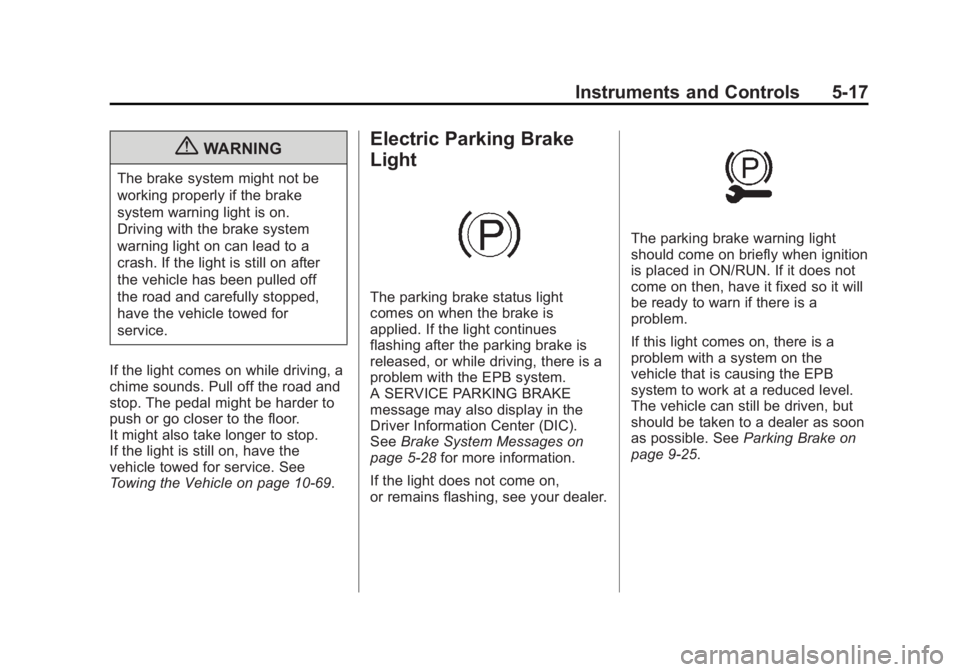
Towing the Vehicle on page 10 ‑ 69 .Electric Parking Brake
Light
The parking brake status light
comes on when the brake is
applied. If the light continues
flashing after the parking brake is
released, or while driving, there is a
problem with the EPB system.
A SERVICE PARKING BRAKE
message may also display in the
Driver Information Center (DIC).
See Brake System Messages on
page 5 ‑ 28 for more information.
If the light does not come on,
or remains flashing, see your dealer. The parking brake warning light
should come on briefly when ignition
is placed in ON/RUN. If it does not
come on then, have it fixed so it will
be ready to warn if there is a
problem.
If this light comes on, there is a
problem with a system on the
vehicle that is causing the EPB
system to work at a reduced level.
The vehicle can still be driven, but
should be taken to a dealer as soon
as possible. See Parking Brake on
page 9 ‑ 25 .
Page 114 of 374
Black plate (18,1)Chevrolet Captiva Sport Owner Manual - 2013 - crc - 11/12/12
5-18 Instruments and Controls
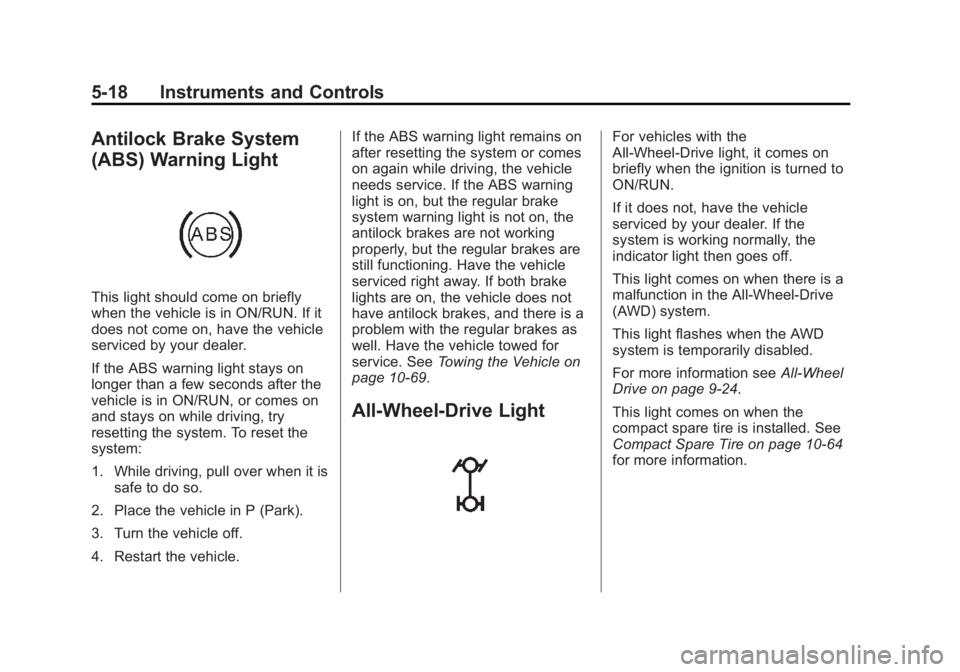
Antilock Brake System
(ABS) Warning Light
This light should come on briefly
when the vehicle is in ON/RUN. If it
does not come on, have the vehicle
serviced by your dealer.
If the ABS warning light stays on
longer than a few seconds after the
vehicle is in ON/RUN, or comes on
and stays on while driving, try
resetting the system. To reset the
system:
1. While driving, pull over when it is
safe to do so.
2. Place the vehicle in P (Park).
3. Turn the vehicle off.
4. Restart the vehicle. If the ABS warning light remains on
after resetting the system or comes
on again while driving, the vehicle
needs service. If the ABS warning
light is on, but the regular brake
system warning light is not on, the
antilock brakes are not working
properly, but the regular brakes are
still functioning. Have the vehicle
serviced right away. If both brake
lights are on, the vehicle does not
have antilock brakes, and there is a
problem with the regular brakes as
well. Have the vehicle towed for
service. See Towing the Vehicle on
page 10 ‑ 69 .
All-Wheel-Drive Light For vehicles with the
All-Wheel-Drive light, it comes on
briefly when the ignition is turned to
ON/RUN.
If it does not, have the vehicle
serviced by your dealer. If the
system is working normally, the
indicator light then goes off.
This light comes on when there is a
malfunction in the All-Wheel-Drive
(AWD) system.
This light flashes when the AWD
system is temporarily disabled.
For more information see All-Wheel
Drive on page 9 ‑ 24 .
This light comes on when the
compact spare tire is installed. See
Compact Spare Tire on page 10 ‑ 64
for more information.
Page 115 of 374
Black plate (19,1)Chevrolet Captiva Sport Owner Manual - 2013 - crc - 11/12/12
Instruments and Controls 5-19
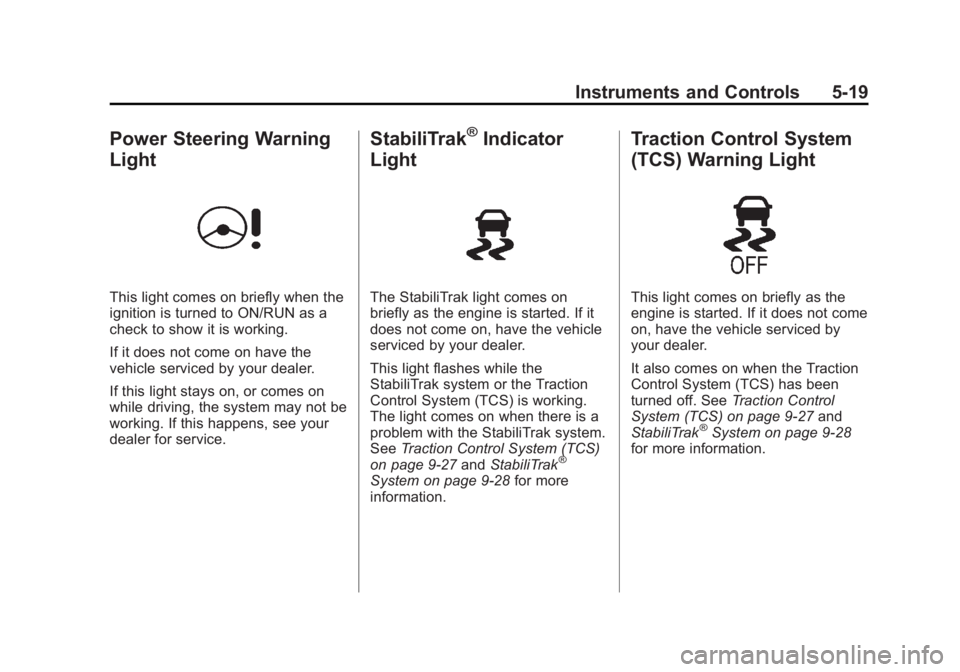
Power Steering Warning
Light
This light comes on briefly when the
ignition is turned to ON/RUN as a
check to show it is working.
If it does not come on have the
vehicle serviced by your dealer.
If this light stays on, or comes on
while driving, the system may not be
working. If this happens, see your
dealer for service. StabiliTrak ®
Indicator
Light
The StabiliTrak light comes on
briefly as the engine is started. If it
does not come on, have the vehicle
serviced by your dealer.
This light flashes while the
StabiliTrak system or the Traction
Control System (TCS) is working.
The light comes on when there is a
problem with the StabiliTrak system.
See Traction Control System (TCS)
on page 9 ‑ 27 and StabiliTrak ®
System on page 9 ‑ 28 for more
information. Traction Control System
(TCS) Warning Light
This light comes on briefly as the
engine is started. If it does not come
on, have the vehicle serviced by
your dealer.
It also comes on when the Traction
Control System (TCS) has been
turned off. See Traction Control
System (TCS) on page 9 ‑ 27 and
StabiliTrak ®
System on page 9 ‑ 28
for more information.
Page 116 of 374
Black plate (20,1)Chevrolet Captiva Sport Owner Manual - 2013 - crc - 11/12/12
5-20 Instruments and Controls
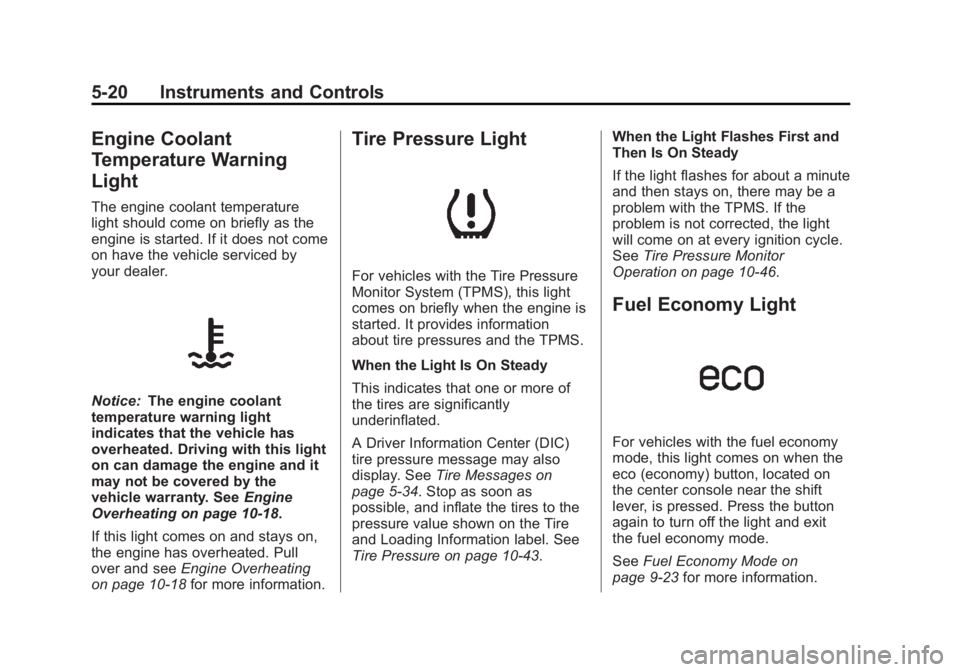
Engine Coolant
Temperature Warning
Light The engine coolant temperature
light should come on briefly as the
engine is started. If it does not come
on have the vehicle serviced by
your dealer.
Notice: The engine coolant
temperature warning light
indicates that the vehicle has
overheated. Driving with this light
on can damage the engine and it
may not be covered by the
vehicle warranty. See Engine
Overheating on page 10 ‑ 18 .
If this light comes on and stays on,
the engine has overheated. Pull
over and see Engine Overheating
on page 10 ‑ 18 for more information. Tire Pressure Light
For vehicles with the Tire Pressure
Monitor System (TPMS), this light
comes on briefly when the engine is
started. It provides information
about tire pressures and the TPMS.
When the Light Is On Steady
This indicates that one or more of
the tires are significantly
underinflated.
A Driver Information Center (DIC)
tire pressure message may also
display. See Tire Messages on
page 5 ‑ 34 . Stop as soon as
possible, and inflate the tires to the
pressure value shown on the Tire
and Loading Information label. See
Tire Pressure on page 10 ‑ 43 . When the Light Flashes First and
Then Is On Steady
If the light flashes for about a minute
and then stays on, there may be a
problem with the TPMS. If the
problem is not corrected, the light
will come on at every ignition cycle.
See Tire Pressure Monitor
Operation on page 10 ‑ 46 .
Fuel Economy Light
For vehicles with the fuel economy
mode, this light comes on when the
eco (economy) button, located on
the center console near the shift
lever, is pressed. Press the button
again to turn off the light and exit
the fuel economy mode.
See Fuel Economy Mode on
page 9 ‑ 23 for more information.
Page 117 of 374
Black plate (21,1)Chevrolet Captiva Sport Owner Manual - 2013 - crc - 11/12/12
Instruments and Controls 5-21
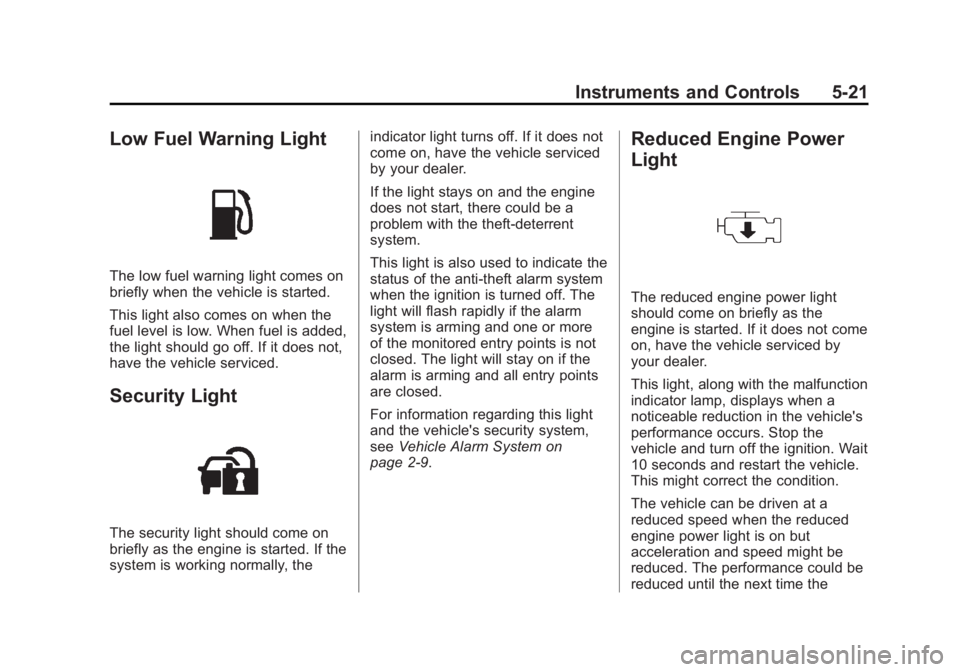
Low Fuel Warning Light
The low fuel warning light comes on
briefly when the vehicle is started.
This light also comes on when the
fuel level is low. When fuel is added,
the light should go off. If it does not,
have the vehicle serviced.
Security Light
The security light should come on
briefly as the engine is started. If the
system is working normally, the indicator light turns off. If it does not
come on, have the vehicle serviced
by your dealer.
If the light stays on and the engine
does not start, there could be a
problem with the theft-deterrent
system.
This light is also used to indicate the
status of the anti-theft alarm system
when the ignition is turned off. The
light will flash rapidly if the alarm
system is arming and one or more
of the monitored entry points is not
closed. The light will stay on if the
alarm is arming and all entry points
are closed.
For information regarding this light
and the vehicle's security system,
see Vehicle Alarm System on
page 2 ‑ 9 . Reduced Engine Power
Light
The reduced engine power light
should come on briefly as the
engine is started. If it does not come
on, have the vehicle serviced by
your dealer.
This light, along with the malfunction
indicator lamp, displays when a
noticeable reduction in the vehicle's
performance occurs. Stop the
vehicle and turn off the ignition. Wait
10 seconds and restart the vehicle.
This might correct the condition.
The vehicle can be driven at a
reduced speed when the reduced
engine power light is on but
acceleration and speed might be
reduced. The performance could be
reduced until the next time the
Page 119 of 374
Black plate (23,1)Chevrolet Captiva Sport Owner Manual - 2013 - crc - 11/12/12
Instruments and Controls 5-23
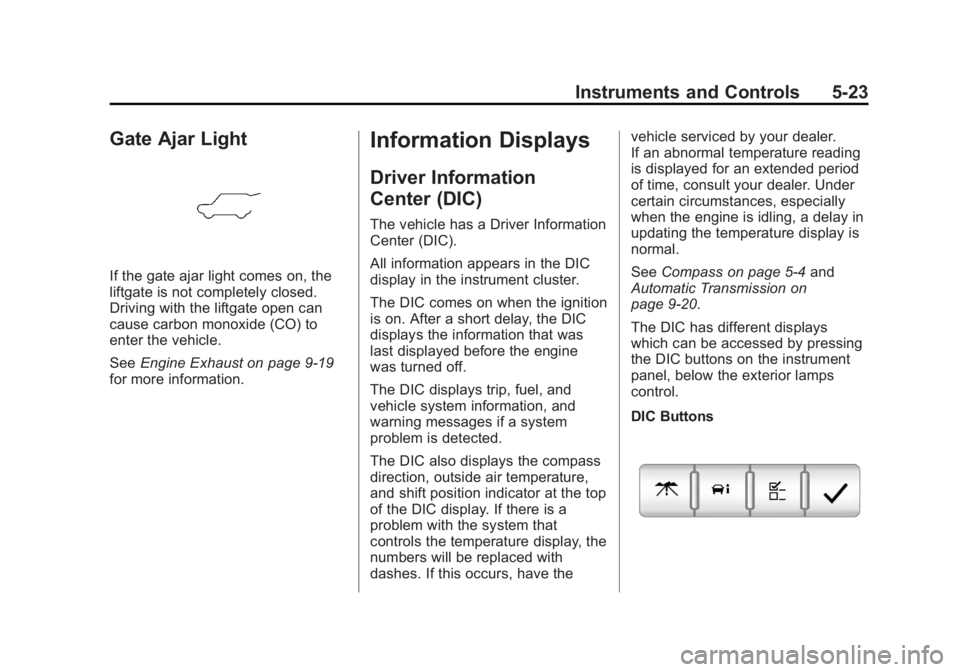
Gate Ajar Light
If the gate ajar light comes on, the
liftgate is not completely closed.
Driving with the liftgate open can
cause carbon monoxide (CO) to
enter the vehicle.
See Engine Exhaust on page 9 ‑ 19
for more information. Information Displays Driver Information
Center (DIC) The vehicle has a Driver Information
Center (DIC).
All information appears in the DIC
display in the instrument cluster.
The DIC comes on when the ignition
is on. After a short delay, the DIC
displays the information that was
last displayed before the engine
was turned off.
The DIC displays trip, fuel, and
vehicle system information, and
warning messages if a system
problem is detected.
The DIC also displays the compass
direction, outside air temperature,
and shift position indicator at the top
of the DIC display. If there is a
problem with the system that
controls the temperature display, the
numbers will be replaced with
dashes. If this occurs, have the vehicle serviced by your dealer.
If an abnormal temperature reading
is displayed for an extended period
of time, consult your dealer. Under
certain circumstances, especially
when the engine is idling, a delay in
updating the temperature display is
normal.
See Compass on page 5 ‑ 4 and
Automatic Transmission on
page 9 ‑ 20 .
The DIC has different displays
which can be accessed by pressing
the DIC buttons on the instrument
panel, below the exterior lamps
control.
DIC Buttons
Page 121 of 374
Black plate (25,1)Chevrolet Captiva Sport Owner Manual - 2013 - crc - 11/12/12
Instruments and Controls 5-25The fuel range estimate is based on
an average of the vehicle's fuel
economy over recent driving history
and the amount of fuel remaining in
the fuel tank. This estimate will
change if driving conditions change.
For example, if driving in traffic and
making frequent stops, this display
may read one number, but if the
vehicle is driven on a freeway, the
number may change even though
the same amount of fuel is in the
fuel tank. This is because different
driving conditions produce different
fuel economies. Generally, freeway
driving produces better fuel
economy than city driving. Fuel
range cannot be reset.
If the vehicle is low on fuel, the
FUEL LEVEL LOW message will be
displayed. See “ FUEL LEVEL LOW ”
under Fuel System Messages on
page 5 ‑ 31 . Average Fuel Economy
Press
3 until AVERAGE FUEL
ECONOMY displays. This display
shows the approximate average
liters per 100 kilometers (L/100 km)
or kilometers per liter (km/L) or
miles per gallon (mpg). This number
is calculated based on the number
of L/100 km (km/L) (mpg) recorded
since the last time this menu item
was reset. To reset the AVERAGE
FUEL ECONOMY, press and
hold
V . The display will show zero.
Fuel Used
Press
3 until FUEL USED
displays. This display shows the
number of liters (L) or gallons (gal)
of fuel used since the last reset of
this menu item. To reset the fuel
used information, press and hold
Vwhile FUEL USED is displayed. Elapsed Time
Press
3 until ELAPSED TIME
displays. This display can be used
as a timer.
To start the timer, press the set/
reset button while ELAPSED TIME
is displayed. The display will show
the amount of time that has passed
since the timer was last reset, not
including time the ignition is off.
Time will continue to be counted as
long as the ignition is on, even if
another display is being shown on
the DIC. The timer will record up to
99 hours, 59 minutes and
59 seconds (99:59:59) after which
the display will return to zero.
To stop the timer, press
V briefly
while ELAPSED TIME is displayed.
To reset the timer to zero, press and
hold
V while ELAPSED TIME is
displayed.
Page 125 of 374
Black plate (29,1)Chevrolet Captiva Sport Owner Manual - 2013 - crc - 11/12/12
Instruments and Controls 5-29STEP ON BRAKE TO
RELEASE PARK BRAKE For vehicles with the Electric
Parking Brake, this message
displays if you try to release the
parking brake without first pressing
the brake pedal. See Parking Brake
on page 9 ‑ 25 for more information.
Compass Messages CALIBRATING COMPASS:
TURN IN CIRCLES This message displays when
calibrating the compass. Drive the
vehicle in circles at less than
8 km/h (5 mph) to complete the
calibration. See Compass on
page 5 ‑ 4 .
COMPASS CALIBRATION
COMPLETE
This message displays when the
compass calibration is complete.
See Compass on page 5 ‑ 4 .Cruise Control Messages CRUISE SET TO XXX This message will display when the
cruise control is set and it will show
the speed it was set to. See Cruise
Control on page 9 ‑ 29 for more
information.
Door Ajar Messages DRIVER DOOR OPEN This message will display when the
driver door is not closed properly.
Close the door completely.
HOOD OPEN If the vehicle has the remote start
feature, this message displays
along with a chime when the hood is
not closed properly. Make sure that
the hood is closed completely. See
Hood on page 10 ‑ 3 . This message
displays while the ignition is in ON/
RUN. Press any of the DIC buttons
to acknowledge this message and
to clear it from the screen. This message continues to display
for two seconds if it has not been
acknowledged when the engine is
turned off. The message comes
back on for two seconds if it has
been acknowledged, but the
condition still exists when the
engine is turned off. If the condition
still exists, the message reappears
when the engine is turned on.
LIFTGATE OPEN This message will display when the
liftgate is not closed properly. Close
the liftgate completely.
PASSENGER DOOR OPEN This message will display when the
passenger doors are not closed
properly. Close the door completely.
Page 129 of 374
Black plate (33,1)Chevrolet Captiva Sport Owner Manual - 2013 - crc - 11/12/12
Instruments and Controls 5-33resetting the system by turning the
ignition off and then back on. If this
message still stays on or turns back
on again while you are driving, the
vehicle needs service. Have the
system inspected by your dealer as
soon as possible.
SERVICE TRACTION
CONTROL This message displays when the
Traction Control System (TCS) is
not functioning properly. A warning
light also appears on the instrument
cluster. See Traction Control System
(TCS) Warning Light on page 5 ‑ 19
and Traction Control System (TCS)
on page 9 ‑ 27 for more information.
Have the TCS serviced by your
dealer as soon as possible.
STABILITRAK OFF
If the vehicle has StabiliTrak, this
message displays when you turn off
the StabiliTrak, or when the stability
control has been automatically
disabled. To limit wheel spin and
realize the full benefits of the stability enhancement system, you
should normally leave StabiliTrak
on. However, you should turn
StabiliTrak off if the vehicle gets
stuck in sand, mud, ice, or snow
and you want to rock the vehicle to
attempt to free it, or if you are
driving in extreme off-road
conditions and require more wheel
spin. See If the Vehicle Is Stuck on
page 9 ‑ 9 . To turn the StabiliTrak
system on or off, see StabiliTrak ®
System on page 9 ‑ 28 .
TRACTION CONTROL OFF This message displays when the
Traction Control System (TCS) turns
off. See Traction Control System
(TCS) on page 9 ‑ 27 for more
information.
This message only displays while
the ignition is in ON/RUN and
disappears after 10 seconds, unless
it is acknowledged or an urgent
warning appears. Any of the following conditions may
cause the TCS to turn off: .
The TCS is turned off by
pressing the TCS/StabiliTrak
button. See StabiliTrak ®
System
on page 9 ‑ 28 for more
information. .
The battery is low. .
There is a TCS failure. See your
dealer for service.
TRACTION CONTROL ON This message displays when the
Traction Control System (TCS) turns
on. See StabiliTrak ®
System on
page 9 ‑ 28 for more information.
Airbag System Messages SERVICE AIR BAG
This message displays when there
is a problem with the airbag system.
Have the vehicle serviced by your
dealer immediately. See Airbag
Readiness Light on page 5 ‑ 12 for
more information.