brake light CHEVROLET CAPTIVA SPORT 2013 Owners Manual
[x] Cancel search | Manufacturer: CHEVROLET, Model Year: 2013, Model line: CAPTIVA SPORT, Model: CHEVROLET CAPTIVA SPORT 2013Pages: 374, PDF Size: 6.66 MB
Page 1 of 374
Black plate (1,1)Chevrolet Captiva Sport Owner Manual - 2013 - crc - 11/12/12
2013 Chevrolet Captiva Sport Owner Manual MIn Brief . . . . . . . . . . . . . . . . . . . . . . . . 1-1
Instrument Panel . . . . . . . . . . . . . . 1-2
Initial Drive Information . . . . . . . . 1-4
Vehicle Features . . . . . . . . . . . . . 1-16
Performance and
Maintenance . . . . . . . . . . . . . . . . 1-19
Keys, Doors, and
Windows . . . . . . . . . . . . . . . . . . . . 2-1
Keys and Locks . . . . . . . . . . . . . . . 2-1
Doors . . . . . . . . . . . . . . . . . . . . . . . . . . 2-8
Vehicle Security . . . . . . . . . . . . . . . . 2-9
Exterior Mirrors . . . . . . . . . . . . . . . 2-12
Interior Mirrors . . . . . . . . . . . . . . . . 2-13
Windows . . . . . . . . . . . . . . . . . . . . . 2-14
Roof . . . . . . . . . . . . . . . . . . . . . . . . . . 2-15
Seats and Restraints . . . . . . . . . 3-1
Head Restraints . . . . . . . . . . . . . . . 3-2
Front Seats . . . . . . . . . . . . . . . . . . . . 3-3
Rear Seats . . . . . . . . . . . . . . . . . . . . 3-8
Safety Belts . . . . . . . . . . . . . . . . . . . . 3-9
Airbag System . . . . . . . . . . . . . . . . 3-17
Child Restraints . . . . . . . . . . . . . . 3-32 Storage . . . . . . . . . . . . . . . . . . . . . . . 4-1
Storage Compartments . . . . . . . . 4-1
Additional Storage Features . . . 4-2
Roof Rack System . . . . . . . . . . . . . 4-3
Instruments and Controls . . . . 5-1
Controls . . . . . . . . . . . . . . . . . . . . . . . 5-2
Warning Lights, Gauges, and
Indicators . . . . . . . . . . . . . . . . . . . . 5-8
Information Displays . . . . . . . . . . 5-23
Vehicle Messages . . . . . . . . . . . . 5-28
Vehicle Personalization . . . . . . . 5-36
Universal Remote System . . . . 5-41
Lighting . . . . . . . . . . . . . . . . . . . . . . . 6-1
Exterior Lighting . . . . . . . . . . . . . . . 6-1
Interior Lighting . . . . . . . . . . . . . . . . 6-4
Lighting Features . . . . . . . . . . . . . . 6-6
Infotainment System . . . . . . . . . 7-1
Introduction . . . . . . . . . . . . . . . . . . . . 7-1
Radio . . . . . . . . . . . . . . . . . . . . . . . . . . 7-5
Audio Players . . . . . . . . . . . . . . . . 7-10
Phone . . . . . . . . . . . . . . . . . . . . . . . . 7-23 Climate Controls . . . . . . . . . . . . . 8-1
Climate Control Systems . . . . . . 8-1
Air Vents . . . . . . . . . . . . . . . . . . . . . . . 8-8
Maintenance . . . . . . . . . . . . . . . . . . . 8-8
Driving and Operating . . . . . . . . 9-1
Driving Information . . . . . . . . . . . . . 9-2
Starting and Operating . . . . . . . 9-14
Engine Exhaust . . . . . . . . . . . . . . 9-19
Automatic Transmission . . . . . . 9-20
Drive Systems . . . . . . . . . . . . . . . . 9-24
Brakes . . . . . . . . . . . . . . . . . . . . . . . 9-24
Ride Control Systems . . . . . . . . 9-27
Cruise Control . . . . . . . . . . . . . . . . 9-29
Object Detection Systems . . . . 9-31
Fuel . . . . . . . . . . . . . . . . . . . . . . . . . . 9-35
Towing . . . . . . . . . . . . . . . . . . . . . . . 9-39
Conversions and Add-Ons . . . 9-45
Vehicle Care . . . . . . . . . . . . . . . . . 10-1
General Information . . . . . . . . . . 10-2
Vehicle Checks . . . . . . . . . . . . . . . 10-3
Headlamp Aiming . . . . . . . . . . . 10-26
Bulb Replacement . . . . . . . . . . 10-26
Page 4 of 374
Black plate (4,1)Chevrolet Captiva Sport Owner Manual - 2013 - crc - 11/12/12
iv Introduction Notice: This means there is
something that could result in
property or vehicle damage. This
would not be covered by the
vehicle's warranty.
A circle with a slash through it is a
safety symbol which means “ Do
Not, ” “ Do not do this, ” or “ Do not let
this happen. ”
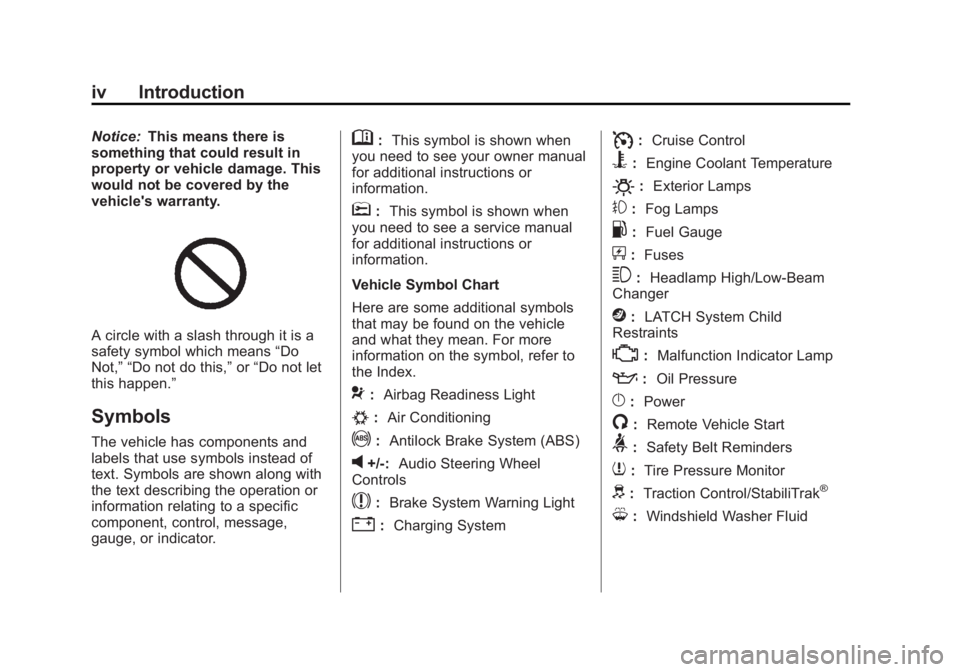
Symbols The vehicle has components and
labels that use symbols instead of
text. Symbols are shown along with
the text describing the operation or
information relating to a specific
component, control, message,
gauge, or indicator. M : This symbol is shown when
you need to see your owner manual
for additional instructions or
information.
* : This symbol is shown when
you need to see a service manual
for additional instructions or
information.
Vehicle Symbol Chart
Here are some additional symbols
that may be found on the vehicle
and what they mean. For more
information on the symbol, refer to
the Index.
9 : Airbag Readiness Light
# : Air Conditioning
! : Antilock Brake System (ABS)
v +/-: Audio Steering Wheel
Controls
$ : Brake System Warning Light
" : Charging System I : Cruise Control
B : Engine Coolant Temperature
O : Exterior Lamps
# : Fog Lamps
. : Fuel Gauge
+ : Fuses
3 : Headlamp High/Low-Beam
Changer
j : LATCH System Child
Restraints
* : Malfunction Indicator Lamp
: : Oil Pressure
} : Power
/ : Remote Vehicle Start
> : Safety Belt Reminders
7 : Tire Pressure Monitor
d : Traction Control/StabiliTrak ®
M : Windshield Washer Fluid
Page 97 of 374
Black plate (1,1)Chevrolet Captiva Sport Owner Manual - 2013 - crc - 11/12/12
Instruments and Controls 5-1
Instruments and
Controls Controls Steering Wheel Adjustment . . . 5-2
Steering Wheel Controls . . . . . . 5-2
Horn . . . . . . . . . . . . . . . . . . . . . . . . . . 5-3
Windshield Wiper/Washer . . . . . 5-3
Rear Window Wiper/
Washer . . . . . . . . . . . . . . . . . . . . . . 5-4
Compass . . . . . . . . . . . . . . . . . . . . . 5-4
Clock . . . . . . . . . . . . . . . . . . . . . . . . . 5-6
Power Outlets . . . . . . . . . . . . . . . . . 5-7
Warning Lights, Gauges, and
Indicators Warning Lights, Gauges, and
Indicators . . . . . . . . . . . . . . . . . . . . 5-8
Instrument Cluster . . . . . . . . . . . . 5-9
Speedometer . . . . . . . . . . . . . . . . 5-10
Odometer . . . . . . . . . . . . . . . . . . . . 5-10
Trip Odometer . . . . . . . . . . . . . . . 5-10
Tachometer . . . . . . . . . . . . . . . . . . 5-10
Fuel Gauge . . . . . . . . . . . . . . . . . . 5-10
Safety Belt Reminders . . . . . . . 5-11 Airbag Readiness Light . . . . . . 5-12
Passenger Airbag Status
Indicator (United States) . . . . 5-12
Charging System Light . . . . . . 5-13
Malfunction
Indicator Lamp . . . . . . . . . . . . . 5-14
Service Vehicle Soon
Light . . . . . . . . . . . . . . . . . . . . . . . 5-16
Brake System Warning
Light . . . . . . . . . . . . . . . . . . . . . . . 5-16
Electric Parking Brake
Light . . . . . . . . . . . . . . . . . . . . . . . 5-17
Antilock Brake System (ABS)
Warning Light . . . . . . . . . . . . . . 5-18
All-Wheel-Drive Light . . . . . . . . 5-18
Power Steering Warning
Light . . . . . . . . . . . . . . . . . . . . . . . 5-19
StabiliTrak ®
Indicator Light . . . 5-19
Traction Control System
(TCS) Warning Light . . . . . . . 5-19
Engine Coolant Temperature
Warning Light . . . . . . . . . . . . . . 5-20
Tire Pressure Light . . . . . . . . . . 5-20
Fuel Economy Light . . . . . . . . . 5-20
Low Fuel Warning Light . . . . . . 5-21
Security Light . . . . . . . . . . . . . . . . 5-21 Reduced Engine Power
Light . . . . . . . . . . . . . . . . . . . . . . . 5-21
High-Beam On Light . . . . . . . . . 5-22
Front Fog Lamp Light . . . . . . . . 5-22
Low Washer Fluid Warning
Light . . . . . . . . . . . . . . . . . . . . . . . 5-22
Cruise Control Light . . . . . . . . . 5-22
Door Ajar Light . . . . . . . . . . . . . . 5-22
Gate Ajar Light . . . . . . . . . . . . . . 5-23
Information Displays Driver Information
Center (DIC) . . . . . . . . . . . . . . . 5-23
Vehicle Messages Vehicle Messages . . . . . . . . . . . 5-28
Brake System Messages . . . . 5-28
Compass Messages . . . . . . . . . 5-29
Cruise Control Messages . . . . 5-29
Door Ajar Messages . . . . . . . . . 5-29
Engine Cooling System
Messages . . . . . . . . . . . . . . . . . . 5-30
Engine Oil Messages . . . . . . . . 5-30
Engine Power Messages . . . . 5-31
Fuel System Messages . . . . . . 5-31
Key and Lock Messages . . . . . 5-32
Lamp Messages . . . . . . . . . . . . . 5-32
Page 112 of 374
Black plate (16,1)Chevrolet Captiva Sport Owner Manual - 2013 - crc - 11/12/12
5-16 Instruments and Controls the ignition is turned to ON/RUN
while the engine is off. See your
dealer for assistance in verifying
proper operation of the
malfunction indicator lamp. .
The OBD II (On-Board
Diagnostics) system determines
that critical emission control
systems have not been
completely diagnosed. The
vehicle would be considered not
ready for inspection. This can
happen if the 12-volt battery has
recently been replaced or run
down. The diagnostic system is
designed to evaluate critical
emission control systems during
normal driving. This can take
several days of routine driving.
If this has been done and the
vehicle still does not pass the
inspection for lack of OBD II
system readiness, your dealer
can prepare the vehicle for
inspection. Service Vehicle Soon
Light
The service vehicle soon light
comes on if a condition exists that
may require the vehicle to be taken
in for service.
If the light comes on, take the
vehicle to your dealer for service as
soon as possible.
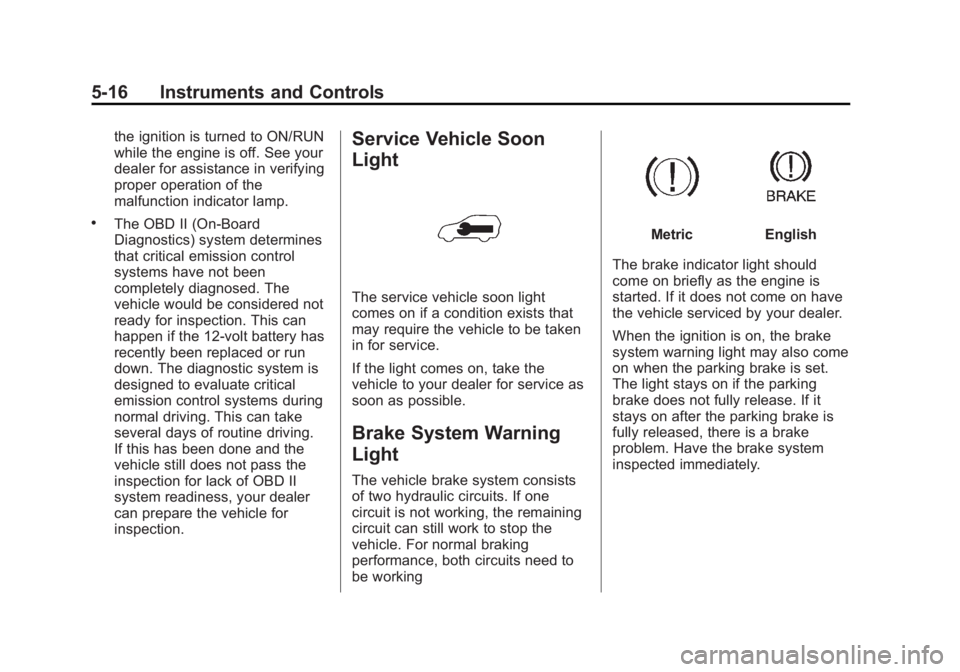
Brake System Warning
Light The vehicle brake system consists
of two hydraulic circuits. If one
circuit is not working, the remaining
circuit can still work to stop the
vehicle. For normal braking
performance, both circuits need to
be working Metric English
The brake indicator light should
come on briefly as the engine is
started. If it does not come on have
the vehicle serviced by your dealer.
When the ignition is on, the brake
system warning light may also come
on when the parking brake is set.
The light stays on if the parking
brake does not fully release. If it
stays on after the parking brake is
fully released, there is a brake
problem. Have the brake system
inspected immediately.
Page 113 of 374
Black plate (17,1)Chevrolet Captiva Sport Owner Manual - 2013 - crc - 11/12/12
Instruments and Controls 5-17
{ WARNINGThe brake system might not be
working properly if the brake
system warning light is on.
Driving with the brake system
warning light on can lead to a
crash. If the light is still on after
the vehicle has been pulled off
the road and carefully stopped,
have the vehicle towed for
service.
If the light comes on while driving, a
chime sounds. Pull off the road and
stop. The pedal might be harder to
push or go closer to the floor.
It might also take longer to stop.
If the light is still on, have the
vehicle towed for service. See
Towing the Vehicle on page 10 ‑ 69 .Electric Parking Brake
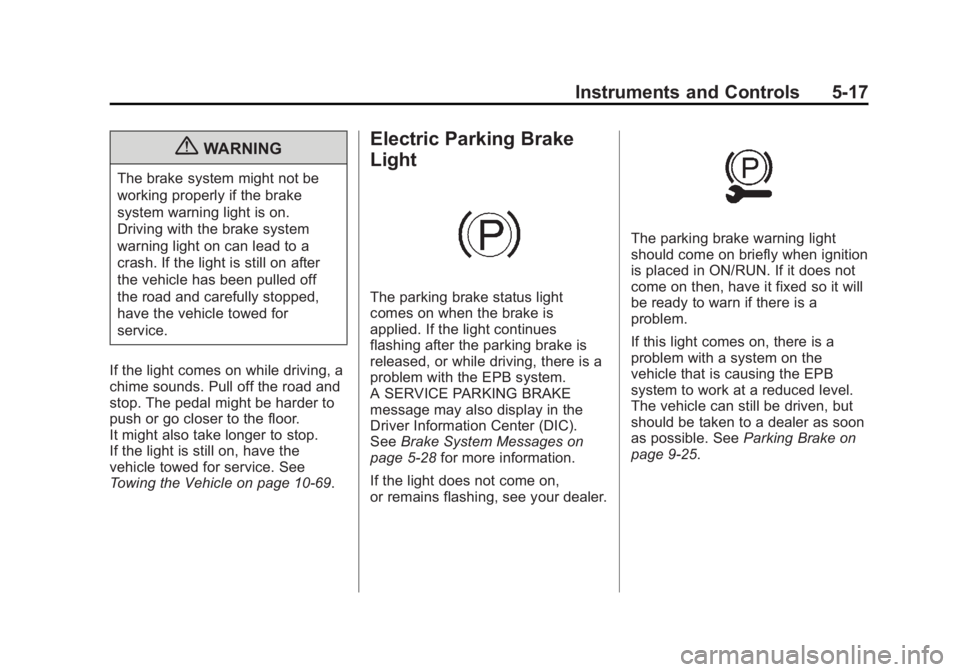
Light
The parking brake status light
comes on when the brake is
applied. If the light continues
flashing after the parking brake is
released, or while driving, there is a
problem with the EPB system.
A SERVICE PARKING BRAKE
message may also display in the
Driver Information Center (DIC).
See Brake System Messages on
page 5 ‑ 28 for more information.
If the light does not come on,
or remains flashing, see your dealer. The parking brake warning light
should come on briefly when ignition
is placed in ON/RUN. If it does not
come on then, have it fixed so it will
be ready to warn if there is a
problem.
If this light comes on, there is a
problem with a system on the
vehicle that is causing the EPB
system to work at a reduced level.
The vehicle can still be driven, but
should be taken to a dealer as soon
as possible. See Parking Brake on
page 9 ‑ 25 .
Page 114 of 374
Black plate (18,1)Chevrolet Captiva Sport Owner Manual - 2013 - crc - 11/12/12
5-18 Instruments and Controls
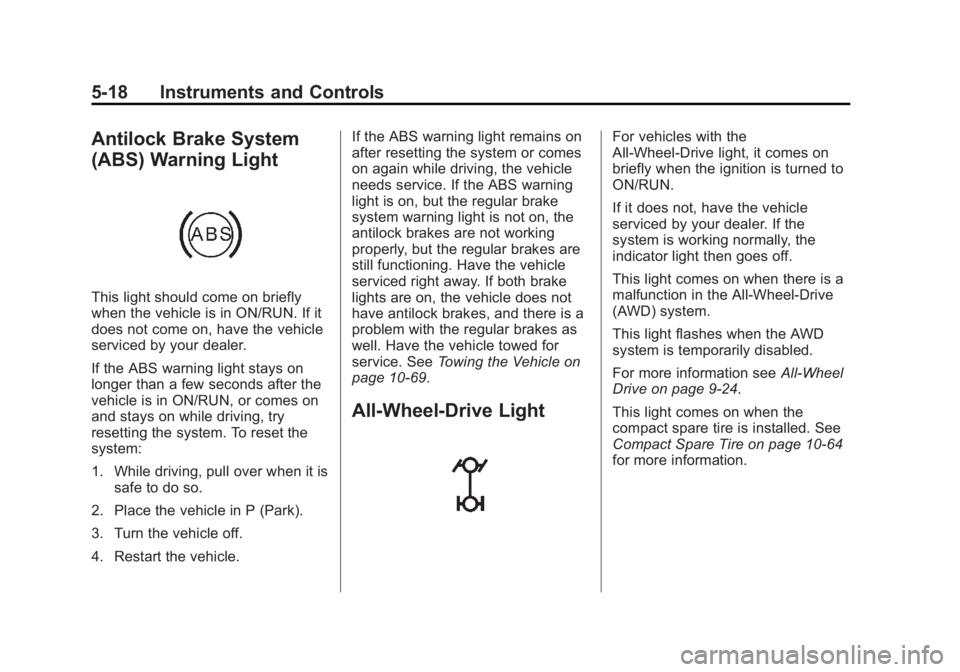
Antilock Brake System
(ABS) Warning Light
This light should come on briefly
when the vehicle is in ON/RUN. If it
does not come on, have the vehicle
serviced by your dealer.
If the ABS warning light stays on
longer than a few seconds after the
vehicle is in ON/RUN, or comes on
and stays on while driving, try
resetting the system. To reset the
system:
1. While driving, pull over when it is
safe to do so.
2. Place the vehicle in P (Park).
3. Turn the vehicle off.
4. Restart the vehicle. If the ABS warning light remains on
after resetting the system or comes
on again while driving, the vehicle
needs service. If the ABS warning
light is on, but the regular brake
system warning light is not on, the
antilock brakes are not working
properly, but the regular brakes are
still functioning. Have the vehicle
serviced right away. If both brake
lights are on, the vehicle does not
have antilock brakes, and there is a
problem with the regular brakes as
well. Have the vehicle towed for
service. See Towing the Vehicle on
page 10 ‑ 69 .
All-Wheel-Drive Light For vehicles with the
All-Wheel-Drive light, it comes on
briefly when the ignition is turned to
ON/RUN.
If it does not, have the vehicle
serviced by your dealer. If the
system is working normally, the
indicator light then goes off.
This light comes on when there is a
malfunction in the All-Wheel-Drive
(AWD) system.
This light flashes when the AWD
system is temporarily disabled.
For more information see All-Wheel
Drive on page 9 ‑ 24 .
This light comes on when the
compact spare tire is installed. See
Compact Spare Tire on page 10 ‑ 64
for more information.
Page 124 of 374
Black plate (28,1)Chevrolet Captiva Sport Owner Manual - 2013 - crc - 11/12/12
5-28 Instruments and Controls
Vehicle Messages Messages are displayed on the DIC
to notify the driver that the status of
the vehicle has changed and that
some action may be needed by the
driver to correct the condition.
Multiple messages may appear one
after another.
Some messages may not require
immediate action, but you can press
any of the DIC buttons, or the trip
odometer reset stem on the
instrument cluster, to acknowledge
that you received the messages and
to clear them from the display.
Some messages cannot be cleared
from the DIC display because they
are more urgent. These messages
require action before they can be
cleared. Take any messages that
appear on the display seriously and
remember that clearing the
messages will only make the
messages disappear, not correct the
problem. You will find the possible messages
that can be displayed and some
information about them grouped by
subject in the following information.
Brake System Messages PARK BRAKE RELEASED For vehicles with the Electric
Parking Brake, this message
displays when the parking brake
has been released from the set
position. See Parking Brake on
page 9 ‑ 25 for more information.
PARK BRAKE SET For vehicles with the Electric
Parking Brake, this message
displays when the parking brake
has been applied to the set position.
See Parking Brake on page 9 ‑ 25 for
more information. RELEASE PARK BRAKE
SWITCH For vehicles with the Electric
Parking Brake, this message
displays if the Park Brake switch is
pulled while the vehicle is moving.
See Parking Brake on page 9 ‑ 25 for
more information.
SERVICE BRAKE SYSTEM This message displays along with
the brake system warning light if
there is a problem with the brake
system or when the brake fluid level
is low. See Brake System Warning
Light on page 5 ‑ 16 . Have the brake
system serviced by your dealer as
soon as possible.
SERVICE PARKING BRAKE
For vehicles with the Electric
Parking Brake, this message
displays if a problem is detected
with the electric parking brake
system. See Parking Brake on
page 9 ‑ 25 for more information.
Page 194 of 374
Black plate (6,1)Chevrolet Captiva Sport Owner Manual - 2013 - crc - 11/12/12
9-6 Driving and Operating If the vehicle starts to slide, follow
these suggestions: .
Ease your foot off the
accelerator pedal and steer the
way you want the vehicle to go.
The vehicle may straighten out.
Be ready for a second skid if it
occurs. .
Slow down and adjust your
driving according to weather
conditions. Stopping distance
can be longer and vehicle
control can be affected when
traction is reduced by water,
snow, ice, gravel, or other
material on the road. Learn to
recognize warning clues — such
as enough water, ice, or packed
snow on the road to make a
mirrored surface — and slow
down when you have any doubt. .
Try to avoid sudden steering,
acceleration, or braking,
including reducing vehicle speed
by shifting to a lower gear. Any
sudden changes could cause
the tires to slide. Remember: Antilock brakes help
avoid only the braking skid.
Driving on Wet Roads Rain and wet roads can reduce
vehicle traction and affect your
ability to stop and accelerate.
Always drive slower in these types
of driving conditions and avoid
driving through large puddles and
deep ‐ standing or flowing water.
{ WARNINGWet brakes can cause crashes.
They might not work as well in a
quick stop and could cause
pulling to one side. You could
lose control of the vehicle.
After driving through a large
puddle of water or a car/vehicle
wash, lightly apply the brake
pedal until the brakes work
normally.
(Continued) WARNING (Continued) Flowing or rushing water creates
strong forces. Driving through
flowing water could cause the
vehicle to be carried away. If this
happens, you and other vehicle
occupants could drown. Do not
ignore police warnings and be
very cautious about trying to drive
through flowing water.
Hydroplaning Hydroplaning is dangerous. Water
can build up under the vehicle's
tires so they actually ride on the
water. This can happen if the road is
wet enough and you are going fast
enough. When the vehicle is
hydroplaning, it has little or no
contact with the road.
There is no hard and fast rule about
hydroplaning. The best advice is to
slow down when the road is wet.
Page 212 of 374
Black plate (24,1)Chevrolet Captiva Sport Owner Manual - 2013 - crc - 11/12/12
9-24 Driving and Operating
Drive Systems All-Wheel Drive Vehicles with this feature always
send engine power to all four
wheels. It is fully automatic, and
adjusts itself as needed for road
conditions.
When using a compact spare tire on
an AWD vehicle, the system
automatically detects the compact
spare and disables AWD. To restore
AWD operation and prevent
excessive wear on the system,
replace the compact spare with a
full-size tire as soon as possible.
See Compact Spare Tire on
page 10 ‑ 64 . Brakes Antilock Brake
System (ABS) This vehicle has the Antilock Brake
System (ABS), an advanced
electronic braking system that helps
prevent a braking skid.
When the vehicle begins to drive
away, ABS checks itself.
A momentary motor or clicking noise
might be heard while this test is
going on, and it might even be
noticed that the brake pedal moves
a little. This is normal.
If there is a problem with ABS, this
warning light stays on. See Antilock
Brake System (ABS) Warning Light
on page 5 ‑ 18 . If driving safely on a wet road and it
becomes necessary to slam on the
brakes and continue braking to
avoid a sudden obstacle, a
computer senses that the wheels
are slowing down. If one of the
wheels is about to stop rolling, the
computer will separately work the
brakes at each wheel.
ABS can change the brake pressure
to each wheel, as required, faster
than any driver could. This can help
you steer around the obstacle while
braking hard.
As the brakes are applied, the
computer keeps receiving updates
on wheel speed and controls
braking pressure accordingly.
Page 213 of 374
Black plate (25,1)Chevrolet Captiva Sport Owner Manual - 2013 - crc - 11/12/12
Driving and Operating 9-25Remember: ABS does not change
the time needed to get a foot up to
the brake pedal or always decrease
stopping distance. If you get too
close to the vehicle in front of you,
there will not be enough time to
apply the brakes if that vehicle
suddenly slows or stops. Always
leave enough room up ahead to
stop, even with ABS.
Using ABS Do not pump the brakes. Just hold
the brake pedal down firmly and let
ABS work. You might hear the ABS
pump or motor operating and feel
the brake pedal pulsate, but this is
normal.
Braking in Emergencies
ABS allows you to steer and brake
at the same time. In many
emergencies, steering can help
more than even the very best
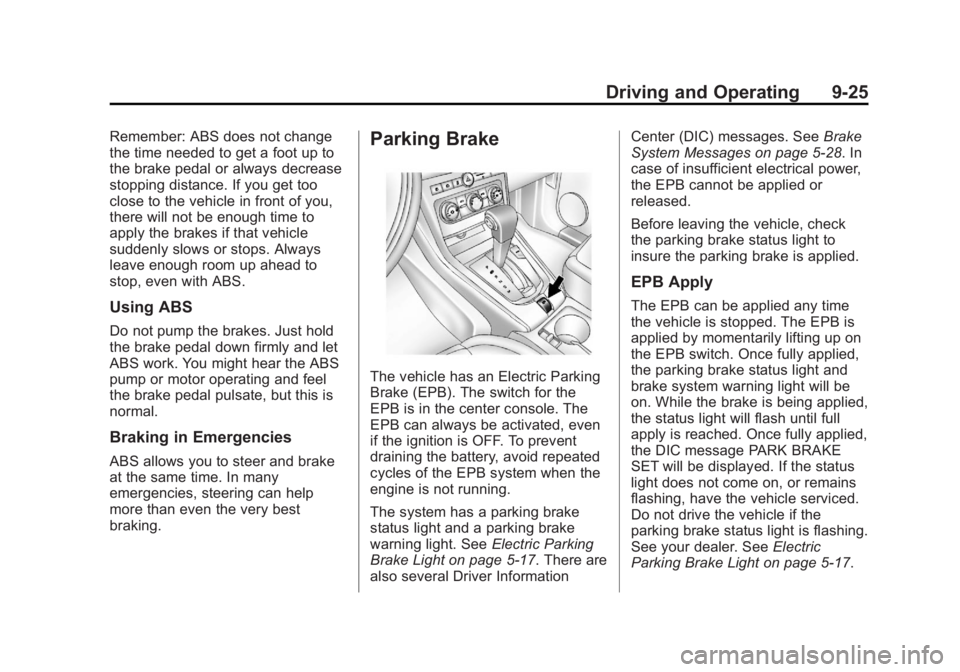
braking. Parking Brake
The vehicle has an Electric Parking
Brake (EPB). The switch for the
EPB is in the center console. The
EPB can always be activated, even
if the ignition is OFF. To prevent
draining the battery, avoid repeated
cycles of the EPB system when the
engine is not running.
The system has a parking brake
status light and a parking brake
warning light. See Electric Parking
Brake Light on page 5 ‑ 17 . There are
also several Driver Information Center (DIC) messages. See Brake
System Messages on page 5 ‑ 28 . In
case of insufficient electrical power,
the EPB cannot be applied or
released.
Before leaving the vehicle, check
the parking brake status light to
insure the parking brake is applied.
EPB Apply The EPB can be applied any time
the vehicle is stopped. The EPB is
applied by momentarily lifting up on
the EPB switch. Once fully applied,
the parking brake status light and
brake system warning light will be
on. While the brake is being applied,
the status light will flash until full
apply is reached. Once fully applied,
the DIC message PARK BRAKE
SET will be displayed. If the status
light does not come on, or remains
flashing, have the vehicle serviced.
Do not drive the vehicle if the
parking brake status light is flashing.
See your dealer. See Electric
Parking Brake Light on page 5 ‑ 17 .