buttons CHEVROLET CAPTIVA SPORT 2013 Owners Manual
[x] Cancel search | Manufacturer: CHEVROLET, Model Year: 2013, Model line: CAPTIVA SPORT, Model: CHEVROLET CAPTIVA SPORT 2013Pages: 374, PDF Size: 6.66 MB
Page 7 of 374
Black plate (3,1)Chevrolet Captiva Sport Owner Manual - 2013 - crc - 11/12/12
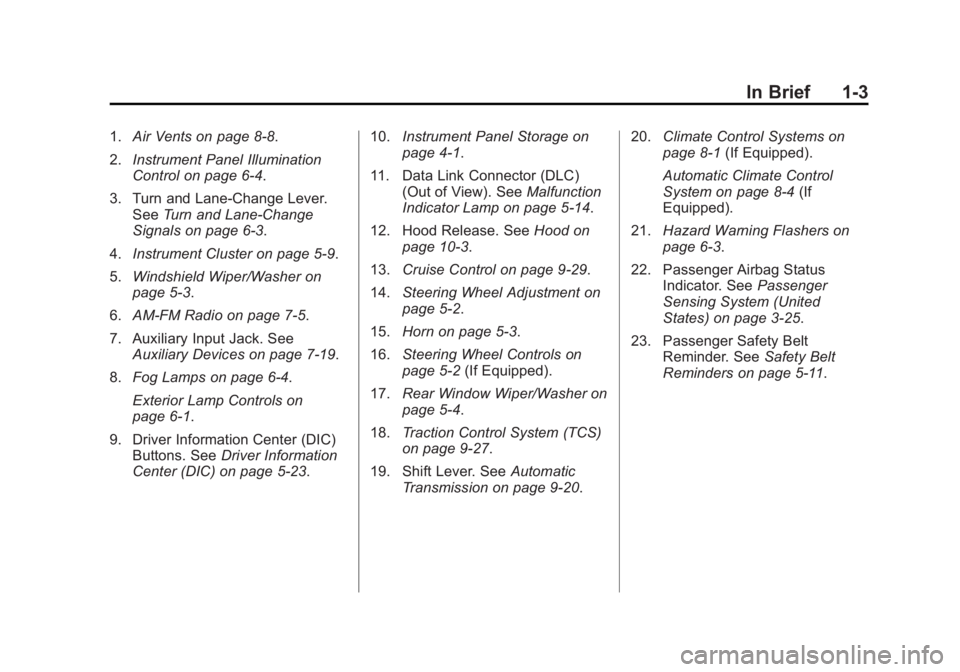
In Brief 1-31. Air Vents on page 8 ‑ 8 .
2. Instrument Panel Illumination
Control on page 6 ‑ 4 .
3. Turn and Lane-Change Lever.
See Turn and Lane-Change
Signals on page 6 ‑ 3 .
4. Instrument Cluster on page 5 ‑ 9 .
5. Windshield Wiper/Washer on
page 5 ‑ 3 .
6. AM-FM Radio on page 7 ‑ 5 .
7. Auxiliary Input Jack. See
Auxiliary Devices on page 7 ‑ 19 .
8. Fog Lamps on page 6 ‑ 4 .
Exterior Lamp Controls on
page 6 ‑ 1 .
9. Driver Information Center (DIC)
Buttons. See Driver Information
Center (DIC) on page 5 ‑ 23 . 10. Instrument Panel Storage on
page 4 ‑ 1 .
11. Data Link Connector (DLC)
(Out of View). See Malfunction
Indicator Lamp on page 5 ‑ 14 .
12. Hood Release. See Hood on
page 10 ‑ 3 .
13. Cruise Control on page 9 ‑ 29 .
14. Steering Wheel Adjustment on
page 5 ‑ 2 .
15. Horn on page 5 ‑ 3 .
16. Steering Wheel Controls on
page 5 ‑ 2 (If Equipped).
17. Rear Window Wiper/Washer on
page 5 ‑ 4 .
18. Traction Control System (TCS)
on page 9 ‑ 27 .
19. Shift Lever. See Automatic
Transmission on page 9 ‑ 20 . 20. Climate Control Systems on
page 8 ‑ 1 (If Equipped).
Automatic Climate Control
System on page 8 ‑ 4 (If
Equipped).
21. Hazard Warning Flashers on
page 6 ‑ 3 .
22. Passenger Airbag Status
Indicator. See Passenger
Sensing System (United
States) on page 3 ‑ 25 .
23. Passenger Safety Belt
Reminder. See Safety Belt
Reminders on page 5 ‑ 11 .
Page 13 of 374
Black plate (9,1)Chevrolet Captiva Sport Owner Manual - 2013 - crc - 11/12/12
In Brief 1-9To return the seatback to the upright
position:
1. Lift the lever fully without
applying pressure to the
seatback, and the seatback will
return to the upright position.
2. Push and pull on the seatback to
make sure it is locked.
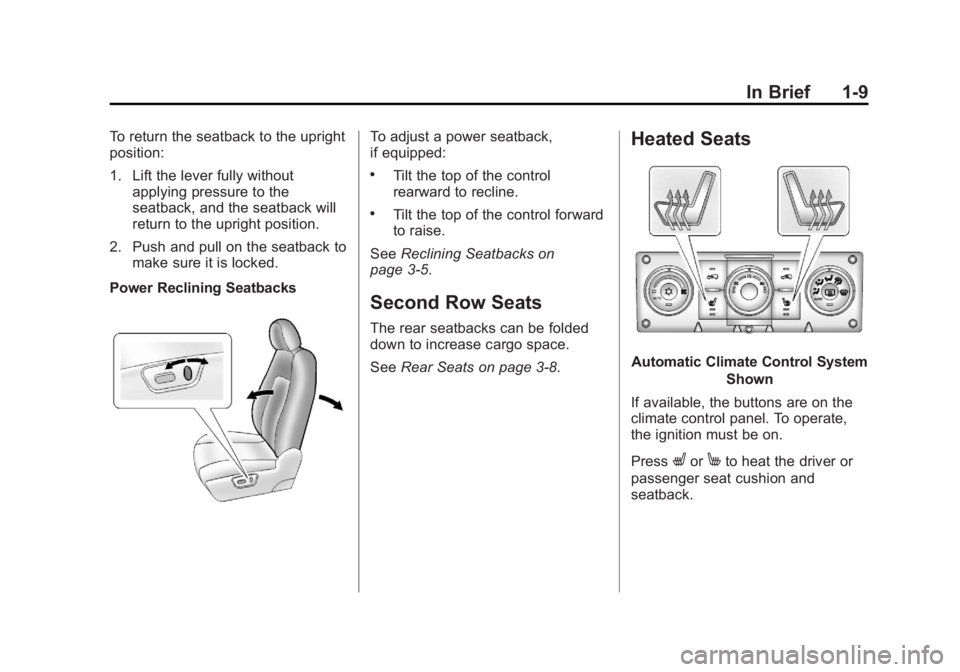
Power Reclining Seatbacks To adjust a power seatback,
if equipped: .
Tilt the top of the control
rearward to recline. .
Tilt the top of the control forward
to raise.
See Reclining Seatbacks on
page 3 ‑ 5 .
Second Row Seats The rear seatbacks can be folded
down to increase cargo space.
See Rear Seats on page 3 ‑ 8 .Heated Seats
Automatic Climate Control System
Shown
If available, the buttons are on the
climate control panel. To operate,
the ignition must be on.
Press
L or
M to heat the driver or
passenger seat cushion and
seatback.
Page 22 of 374
Black plate (18,1)Chevrolet Captiva Sport Owner Manual - 2013 - crc - 11/12/12
1-18 In Brief RES+: Move the thumbwheel up to
resume a set speed or to accelerate
to a higher speed.
− SET: Press the thumbwheel to set
a speed or move the thumbwheel
down to decrease the speed.
See Cruise Control on page 9 ‑ 29 .
Driver Information
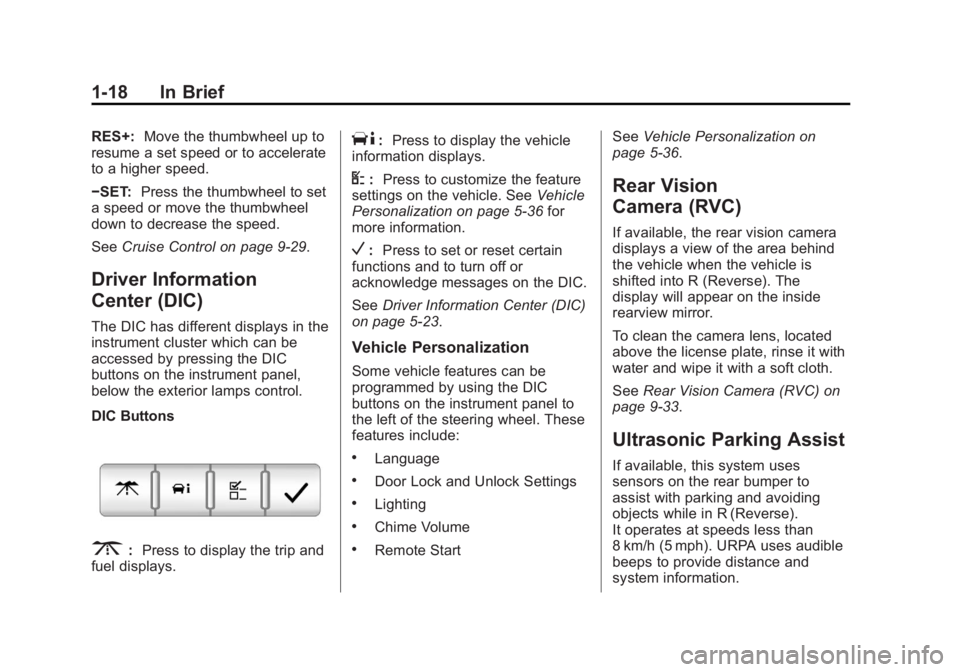
Center (DIC) The DIC has different displays in the
instrument cluster which can be
accessed by pressing the DIC
buttons on the instrument panel,
below the exterior lamps control.
DIC Buttons
3 : Press to display the trip and
fuel displays. T : Press to display the vehicle
information displays.
U : Press to customize the feature
settings on the vehicle. See Vehicle
Personalization on page 5 ‑ 36 for
more information.
V : Press to set or reset certain
functions and to turn off or
acknowledge messages on the DIC.
See Driver Information Center (DIC)
on page 5 ‑ 23 .
Vehicle Personalization Some vehicle features can be
programmed by using the DIC
buttons on the instrument panel to
the left of the steering wheel. These
features include: .
Language .
Door Lock and Unlock Settings .
Lighting .
Chime Volume .
Remote Start See Vehicle Personalization on
page 5 ‑ 36 .
Rear Vision
Camera (RVC) If available, the rear vision camera
displays a view of the area behind
the vehicle when the vehicle is
shifted into R (Reverse). The
display will appear on the inside
rearview mirror.
To clean the camera lens, located
above the license plate, rinse it with
water and wipe it with a soft cloth.
See Rear Vision Camera (RVC) on
page 9 ‑ 33 .
Ultrasonic Parking Assist If available, this system uses
sensors on the rear bumper to
assist with parking and avoiding
objects while in R (Reverse).
It operates at speeds less than
8 km/h (5 mph). URPA uses audible
beeps to provide distance and
system information.
Page 23 of 374
Black plate (19,1)Chevrolet Captiva Sport Owner Manual - 2013 - crc - 11/12/12
In Brief 1-19Keep the sensors on the vehicle's
rear bumper clean to ensure proper
operation.
See Ultrasonic Parking Assist on
page 9 ‑ 31 .
Power Outlets The accessory power outlets can be
used to plug in electrical equipment,
such as a cell phone or MP3 player.
The power outlets are located inside
the center floor console, on the rear
of the center floor console, and in
the rear cargo compartment.
Remove the cover to access and
replace when not in use.
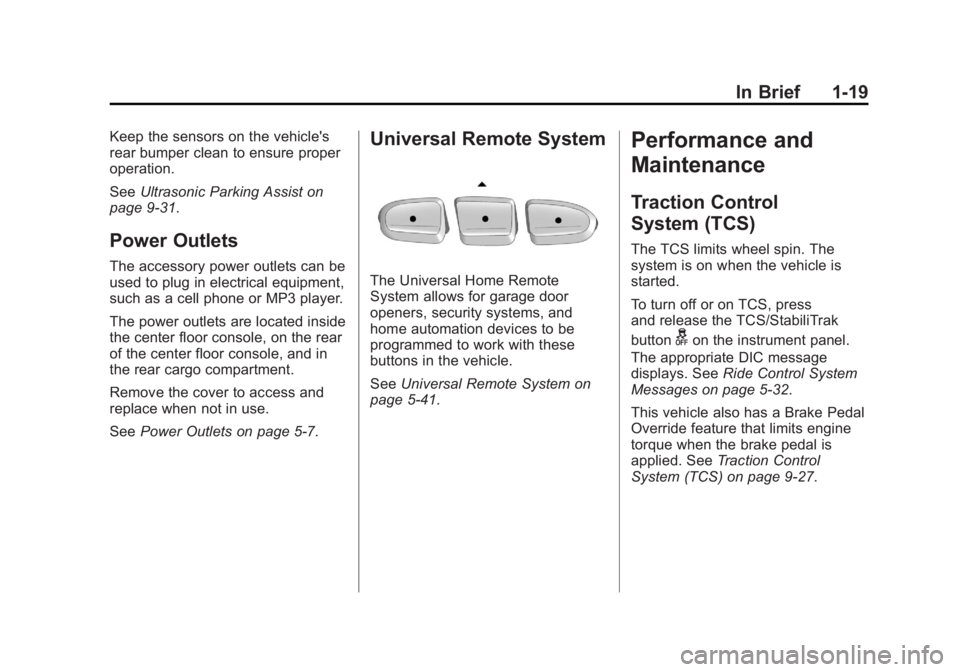
See Power Outlets on page 5 ‑ 7 .Universal Remote System
The Universal Home Remote
System allows for garage door
openers, security systems, and
home automation devices to be
programmed to work with these
buttons in the vehicle.
See Universal Remote System on
page 5 ‑ 41 .Performance and
Maintenance Traction Control
System (TCS) The TCS limits wheel spin. The
system is on when the vehicle is
started.
To turn off or on TCS, press
and release the TCS/StabiliTrak
button
g on the instrument panel.
The appropriate DIC message
displays. See Ride Control System
Messages on page 5 ‑ 32 .
This vehicle also has a Brake Pedal
Override feature that limits engine
torque when the brake pedal is
applied. See Traction Control
System (TCS) on page 9 ‑ 27 .
Page 48 of 374
Black plate (6,1)Chevrolet Captiva Sport Owner Manual - 2013 - crc - 11/12/12
3-6 Seats and Restraints To return the seatback to the upright
position:
1. Lift the lever fully without
applying pressure to the
seatback, and the seatback will
return to the upright position.
2. Push and pull on the seatback to
make sure it is locked.
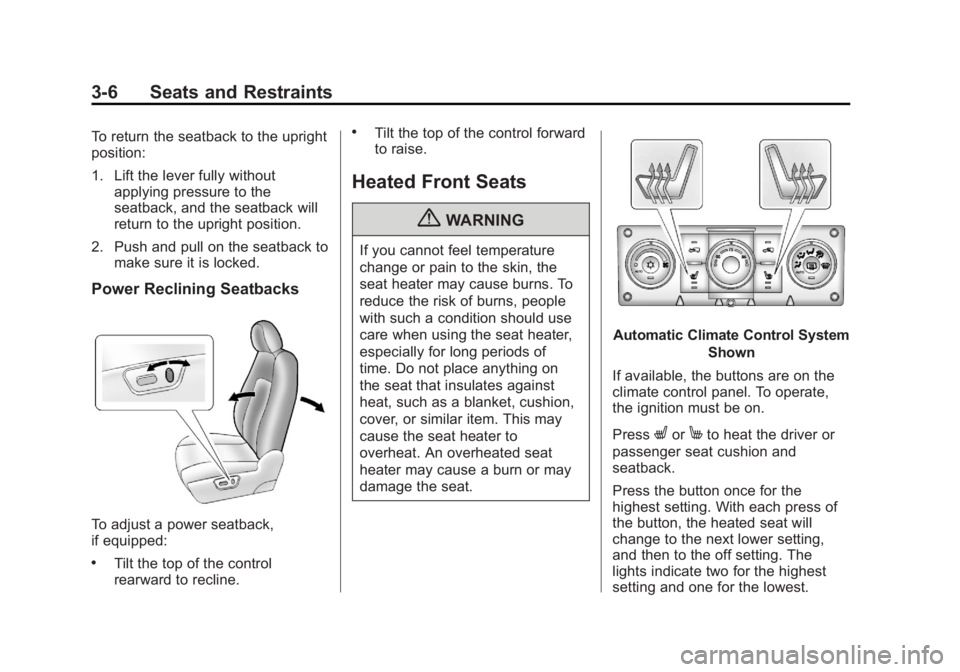
Power Reclining Seatbacks
To adjust a power seatback,
if equipped: .
Tilt the top of the control
rearward to recline. .
Tilt the top of the control forward
to raise.
Heated Front Seats
{ WARNINGIf you cannot feel temperature
change or pain to the skin, the
seat heater may cause burns. To
reduce the risk of burns, people
with such a condition should use
care when using the seat heater,
especially for long periods of
time. Do not place anything on
the seat that insulates against
heat, such as a blanket, cushion,
cover, or similar item. This may
cause the seat heater to
overheat. An overheated seat
heater may cause a burn or may
damage the seat. Automatic Climate Control System
Shown
If available, the buttons are on the
climate control panel. To operate,
the ignition must be on.
Press
L or
M to heat the driver or
passenger seat cushion and
seatback.
Press the button once for the
highest setting. With each press of
the button, the heated seat will
change to the next lower setting,
and then to the off setting. The
lights indicate two for the highest
setting and one for the lowest.
Page 56 of 374
Black plate (14,1)Chevrolet Captiva Sport Owner Manual - 2013 - crc - 11/12/12
3-14 Seats and Restraints
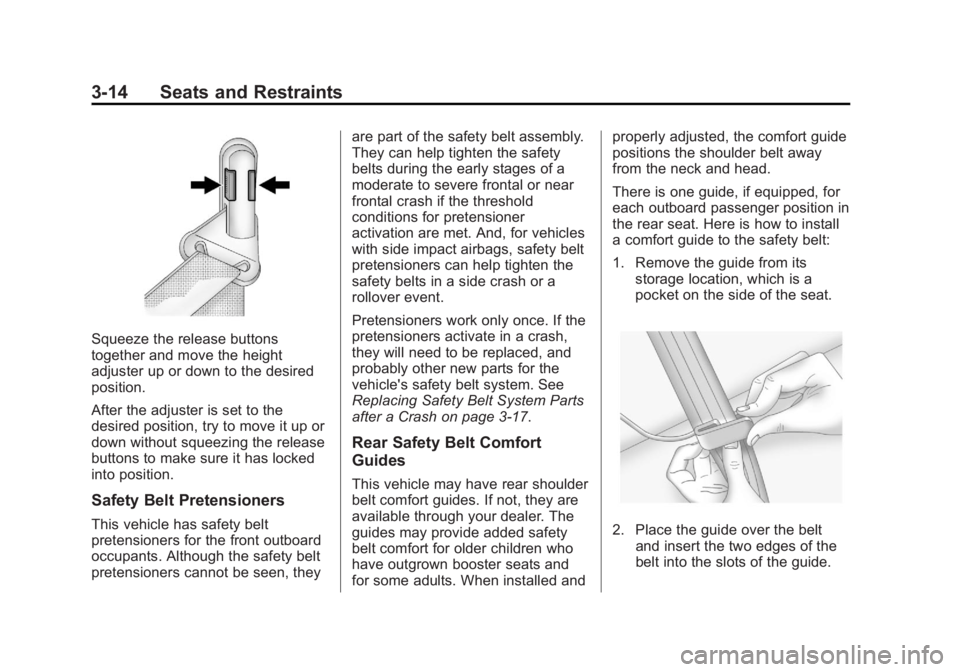
Squeeze the release buttons
together and move the height
adjuster up or down to the desired
position.
After the adjuster is set to the
desired position, try to move it up or
down without squeezing the release
buttons to make sure it has locked
into position.
Safety Belt Pretensioners
This vehicle has safety belt
pretensioners for the front outboard
occupants. Although the safety belt
pretensioners cannot be seen, they are part of the safety belt assembly.
They can help tighten the safety
belts during the early stages of a
moderate to severe frontal or near
frontal crash if the threshold
conditions for pretensioner
activation are met. And, for vehicles
with side impact airbags, safety belt
pretensioners can help tighten the
safety belts in a side crash or a
rollover event.
Pretensioners work only once. If the
pretensioners activate in a crash,
they will need to be replaced, and
probably other new parts for the
vehicle's safety belt system. See
Replacing Safety Belt System Parts
after a Crash on page 3 ‑ 17 .
Rear Safety Belt Comfort
Guides
This vehicle may have rear shoulder
belt comfort guides. If not, they are
available through your dealer. The
guides may provide added safety
belt comfort for older children who
have outgrown booster seats and
for some adults. When installed and properly adjusted, the comfort guide
positions the shoulder belt away
from the neck and head.
There is one guide, if equipped, for
each outboard passenger position in
the rear seat. Here is how to install
a comfort guide to the safety belt:
1. Remove the guide from its
storage location, which is a
pocket on the side of the seat.
2. Place the guide over the belt
and insert the two edges of the
belt into the slots of the guide.
Page 119 of 374
Black plate (23,1)Chevrolet Captiva Sport Owner Manual - 2013 - crc - 11/12/12
Instruments and Controls 5-23
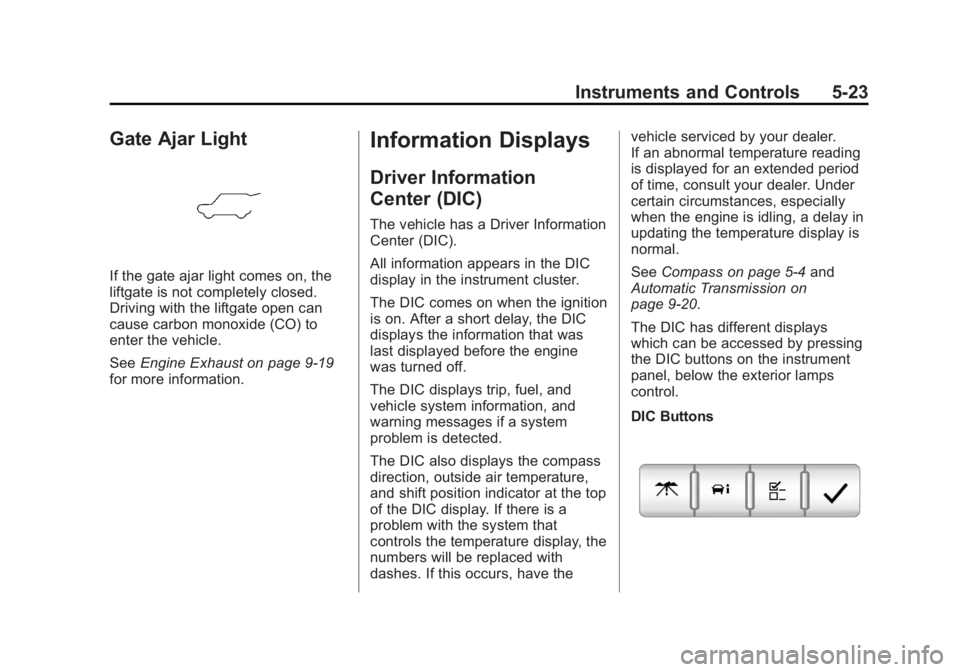
Gate Ajar Light
If the gate ajar light comes on, the
liftgate is not completely closed.
Driving with the liftgate open can
cause carbon monoxide (CO) to
enter the vehicle.
See Engine Exhaust on page 9 ‑ 19
for more information. Information Displays Driver Information
Center (DIC) The vehicle has a Driver Information
Center (DIC).
All information appears in the DIC
display in the instrument cluster.
The DIC comes on when the ignition
is on. After a short delay, the DIC
displays the information that was
last displayed before the engine
was turned off.
The DIC displays trip, fuel, and
vehicle system information, and
warning messages if a system
problem is detected.
The DIC also displays the compass
direction, outside air temperature,
and shift position indicator at the top
of the DIC display. If there is a
problem with the system that
controls the temperature display, the
numbers will be replaced with
dashes. If this occurs, have the vehicle serviced by your dealer.
If an abnormal temperature reading
is displayed for an extended period
of time, consult your dealer. Under
certain circumstances, especially
when the engine is idling, a delay in
updating the temperature display is
normal.
See Compass on page 5 ‑ 4 and
Automatic Transmission on
page 9 ‑ 20 .
The DIC has different displays
which can be accessed by pressing
the DIC buttons on the instrument
panel, below the exterior lamps
control.
DIC Buttons
Page 120 of 374
Black plate (24,1)Chevrolet Captiva Sport Owner Manual - 2013 - crc - 11/12/12
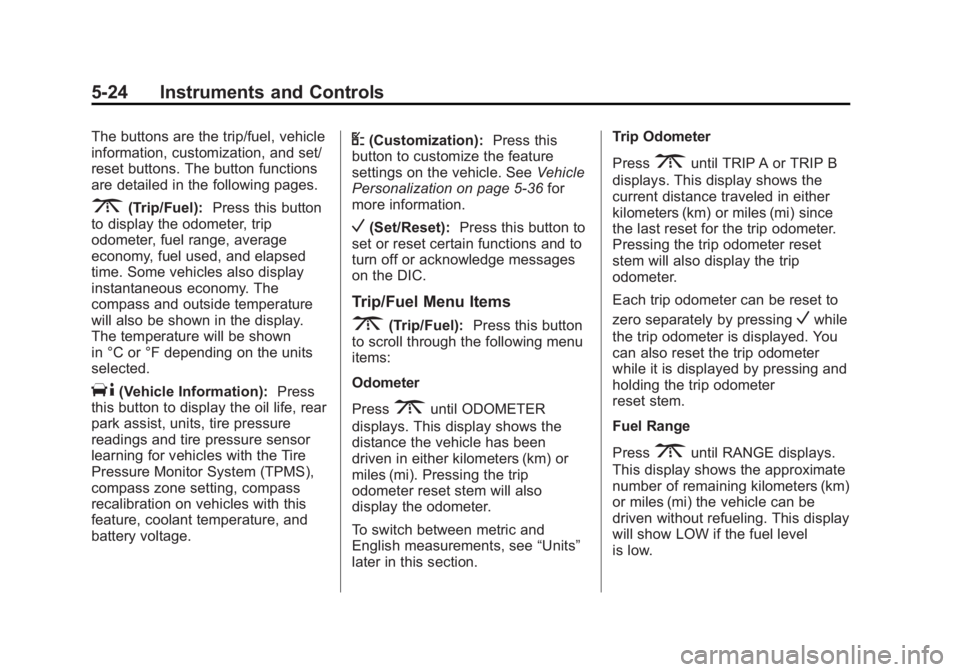
5-24 Instruments and Controls The buttons are the trip/fuel, vehicle
information, customization, and set/
reset buttons. The button functions
are detailed in the following pages.
3 (Trip/Fuel): Press this button
to display the odometer, trip
odometer, fuel range, average
economy, fuel used, and elapsed
time. Some vehicles also display
instantaneous economy. The
compass and outside temperature
will also be shown in the display.
The temperature will be shown
in °C or °F depending on the units
selected.
T (Vehicle Information): Press
this button to display the oil life, rear
park assist, units, tire pressure
readings and tire pressure sensor
learning for vehicles with the Tire
Pressure Monitor System (TPMS),
compass zone setting, compass
recalibration on vehicles with this
feature, coolant temperature, and
battery voltage. U (Customization): Press this
button to customize the feature
settings on the vehicle. See Vehicle
Personalization on page 5 ‑ 36 for
more information.
V (Set/Reset): Press this button to
set or reset certain functions and to
turn off or acknowledge messages
on the DIC.
Trip/Fuel Menu Items
3 (Trip/Fuel): Press this button
to scroll through the following menu
items:
Odometer
Press
3 until ODOMETER
displays. This display shows the
distance the vehicle has been
driven in either kilometers (km) or
miles (mi). Pressing the trip
odometer reset stem will also
display the odometer.
To switch between metric and
English measurements, see “ Units ”
later in this section. Trip Odometer
Press
3 until TRIP A or TRIP B
displays. This display shows the
current distance traveled in either
kilometers (km) or miles (mi) since
the last reset for the trip odometer.
Pressing the trip odometer reset
stem will also display the trip
odometer.
Each trip odometer can be reset to
zero separately by pressing
V while
the trip odometer is displayed. You
can also reset the trip odometer
while it is displayed by pressing and
holding the trip odometer
reset stem.
Fuel Range
Press
3 until RANGE displays.
This display shows the approximate
number of remaining kilometers (km)
or miles (mi) the vehicle can be
driven without refueling. This display
will show LOW if the fuel level
is low.
Page 124 of 374
Black plate (28,1)Chevrolet Captiva Sport Owner Manual - 2013 - crc - 11/12/12
5-28 Instruments and Controls
Vehicle Messages Messages are displayed on the DIC
to notify the driver that the status of
the vehicle has changed and that
some action may be needed by the
driver to correct the condition.
Multiple messages may appear one
after another.
Some messages may not require
immediate action, but you can press
any of the DIC buttons, or the trip
odometer reset stem on the
instrument cluster, to acknowledge
that you received the messages and
to clear them from the display.
Some messages cannot be cleared
from the DIC display because they
are more urgent. These messages
require action before they can be
cleared. Take any messages that
appear on the display seriously and
remember that clearing the
messages will only make the
messages disappear, not correct the
problem. You will find the possible messages
that can be displayed and some
information about them grouped by
subject in the following information.
Brake System Messages PARK BRAKE RELEASED For vehicles with the Electric
Parking Brake, this message
displays when the parking brake
has been released from the set
position. See Parking Brake on
page 9 ‑ 25 for more information.
PARK BRAKE SET For vehicles with the Electric
Parking Brake, this message
displays when the parking brake
has been applied to the set position.
See Parking Brake on page 9 ‑ 25 for
more information. RELEASE PARK BRAKE
SWITCH For vehicles with the Electric
Parking Brake, this message
displays if the Park Brake switch is
pulled while the vehicle is moving.
See Parking Brake on page 9 ‑ 25 for
more information.
SERVICE BRAKE SYSTEM This message displays along with
the brake system warning light if
there is a problem with the brake
system or when the brake fluid level
is low. See Brake System Warning
Light on page 5 ‑ 16 . Have the brake
system serviced by your dealer as
soon as possible.
SERVICE PARKING BRAKE
For vehicles with the Electric
Parking Brake, this message
displays if a problem is detected
with the electric parking brake
system. See Parking Brake on
page 9 ‑ 25 for more information.
Page 125 of 374
Black plate (29,1)Chevrolet Captiva Sport Owner Manual - 2013 - crc - 11/12/12
Instruments and Controls 5-29STEP ON BRAKE TO
RELEASE PARK BRAKE For vehicles with the Electric
Parking Brake, this message
displays if you try to release the
parking brake without first pressing
the brake pedal. See Parking Brake
on page 9 ‑ 25 for more information.
Compass Messages CALIBRATING COMPASS:
TURN IN CIRCLES This message displays when
calibrating the compass. Drive the
vehicle in circles at less than
8 km/h (5 mph) to complete the
calibration. See Compass on
page 5 ‑ 4 .
COMPASS CALIBRATION
COMPLETE
This message displays when the
compass calibration is complete.
See Compass on page 5 ‑ 4 .Cruise Control Messages CRUISE SET TO XXX This message will display when the
cruise control is set and it will show
the speed it was set to. See Cruise
Control on page 9 ‑ 29 for more
information.
Door Ajar Messages DRIVER DOOR OPEN This message will display when the
driver door is not closed properly.
Close the door completely.
HOOD OPEN If the vehicle has the remote start
feature, this message displays
along with a chime when the hood is
not closed properly. Make sure that
the hood is closed completely. See
Hood on page 10 ‑ 3 . This message
displays while the ignition is in ON/
RUN. Press any of the DIC buttons
to acknowledge this message and
to clear it from the screen. This message continues to display
for two seconds if it has not been
acknowledged when the engine is
turned off. The message comes
back on for two seconds if it has
been acknowledged, but the
condition still exists when the
engine is turned off. If the condition
still exists, the message reappears
when the engine is turned on.
LIFTGATE OPEN This message will display when the
liftgate is not closed properly. Close
the liftgate completely.
PASSENGER DOOR OPEN This message will display when the
passenger doors are not closed
properly. Close the door completely.