wheel CHEVROLET CAVALIER 2003 3.G User Guide
[x] Cancel search | Manufacturer: CHEVROLET, Model Year: 2003, Model line: CAVALIER, Model: CHEVROLET CAVALIER 2003 3.GPages: 364, PDF Size: 2.44 MB
Page 101 of 364

OnStaržPersonal Calling
With OnStaržPersonal Calling, you have a safer way to
stay connected while driving. It's a hands-free wireless
phone that's integrated into your vehicle. You can place
calls nationwide using voice-activated dialing with no
contracts, no roaming charges and no access fees. To
®nd out more about OnStar
žPersonal Calling, refer
to the OnStaržowner's guide in your vehicle's glove
box, or call OnStaržat 1-888-4-ONSTAR
(1-888-466-7827).
OnStaržVirtual Advisor
With OnStaržVirtual Advisor you can listen to your
favorite news, entertainment and information topics,
such as traffic and weather reports, stock quotes
and sports scores. You listen to your e-mail through
your vehicle's speakers, and reply with your hands on
the wheel and your eyes on the road.
A completed Subscription Service Agreement is required
prior to delivery of OnStar
žservices and prepaid
calling minutes are also required for OnStaržPersonal
Calling and OnStaržVirtual Advisor use. Terms and
conditions of the Subscription Service Agreement can be
found at www.onstar.com.
Storage Areas
Cupholder(s)
There are two cupholders located at the front of the
center console, in front of the shift lever. There are also
cupholders for the rear seat passengers located
under the center console lid. Open the center console
lid all the way to uncover the rear cupholders. There
may also be a large, removable cupholder inside of the
center console lid.
Center Console Storage Area
To open the center console, pull the lift lever up and the
lid back.
To close the center console, push the lid down until it
clicks.
2-35
Page 103 of 364

Instrument Panel Overview...............................3-2
Hazard Warning Flashers................................3-3
Other Warning Devices...................................3-4
Horn.............................................................3-4
Tilt Wheel.....................................................3-5
Turn Signal/Multifunction Lever.........................3-5
Exterior Lamps.............................................3-12
Interior Lamps..............................................3-14
Accessory Power Outlets...............................3-16
Ashtrays and Cigarette Lighter........................3-16
Climate Controls............................................3-17
Climate Control System.................................3-17
Outlet Adjustment.........................................3-20
Warning Lights, Gages and Indicators.............3-21
Instrument Panel Cluster................................3-22
Speedometer and Odometer...........................3-23
Tachometer.................................................3-23
Safety Belt Reminder Light.............................3-24
Air Bag Readiness Light................................3-24
Charging System Light..................................3-25
Up-Shift Light...............................................3-26
Brake System Warning Light..........................3-26
Anti-Lock Brake System Warning Light.............3-27
Enhanced Traction System Warning Light.........3-28
Enhanced Traction System Active Light............3-29
Engine Coolant Temperature Gage..................3-29
Low Coolant Warning Light............................3-30Malfunction Indicator Lamp.............................3-30
Oil Pressure Light.........................................3-33
Passlock
žWarning Light................................3-34
Check Gages Warning Light...........................3-34
Service Vehicle Soon Light............................3-35
Fuel Gage...................................................3-35
Audio System(s).............................................3-36
Setting the Time for Radios without Radio
Data Systems (RDS)..................................3-36
Setting the Time for Radios with Radio Data
Systems (RDS).........................................3-36
AM-FM Radio...............................................3-37
Radio with CD (Base Level)...........................3-39
Radio with CD (MP3)....................................3-49
Radio with Cassette and CD..........................3-63
Personal Choice Radio Controls......................3-75
Theft-Deterrent Feature (Non RDS Radios).......3-76
Theft-Deterrent Feature (RDS Radios).............3-76
Understanding Radio Reception......................3-76
Care of Your Cassette Tape Player.................3-77
Care of Your CDs.........................................3-78
Care of Your CD Player................................3-78
Fixed Mast Antenna......................................3-78
XMŸ Satellite Radio Antenna System
(United States Only)..................................3-79
Chime Level Adjustment................................3-79
Section 3 Instrument Panel
3-1
Page 105 of 364
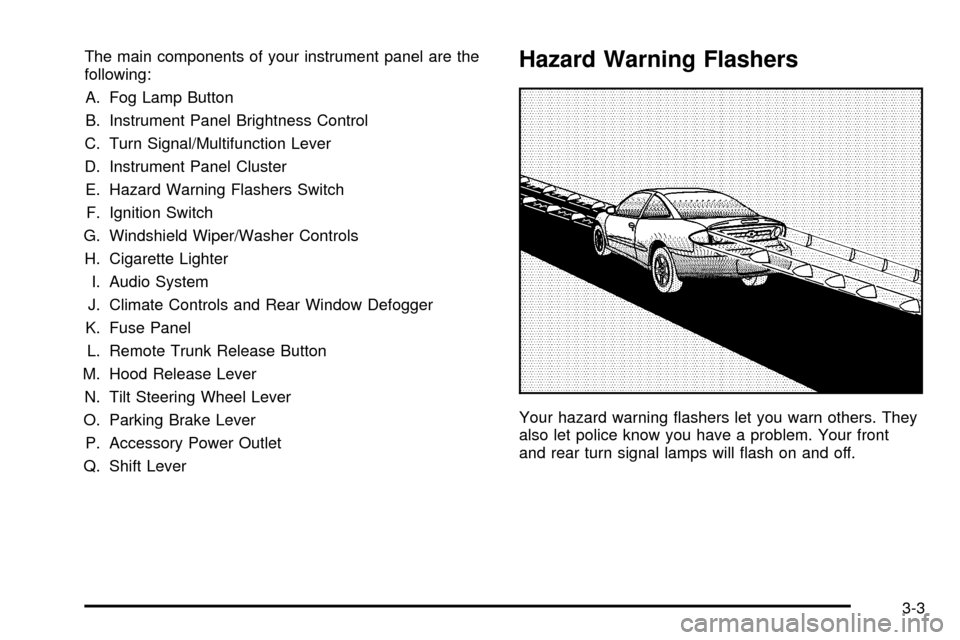
The main components of your instrument panel are the
following:
A. Fog Lamp Button
B. Instrument Panel Brightness Control
C. Turn Signal/Multifunction Lever
D. Instrument Panel Cluster
E. Hazard Warning Flashers Switch
F. Ignition Switch
G. Windshield Wiper/Washer Controls
H. Cigarette Lighter
I. Audio System
J. Climate Controls and Rear Window Defogger
K. Fuse Panel
L. Remote Trunk Release Button
M. Hood Release Lever
N. Tilt Steering Wheel Lever
O. Parking Brake Lever
P. Accessory Power Outlet
Q. Shift LeverHazard Warning Flashers
Your hazard warning ¯ashers let you warn others. They
also let police know you have a problem. Your front
and rear turn signal lamps will ¯ash on and off.
3-3
Page 106 of 364
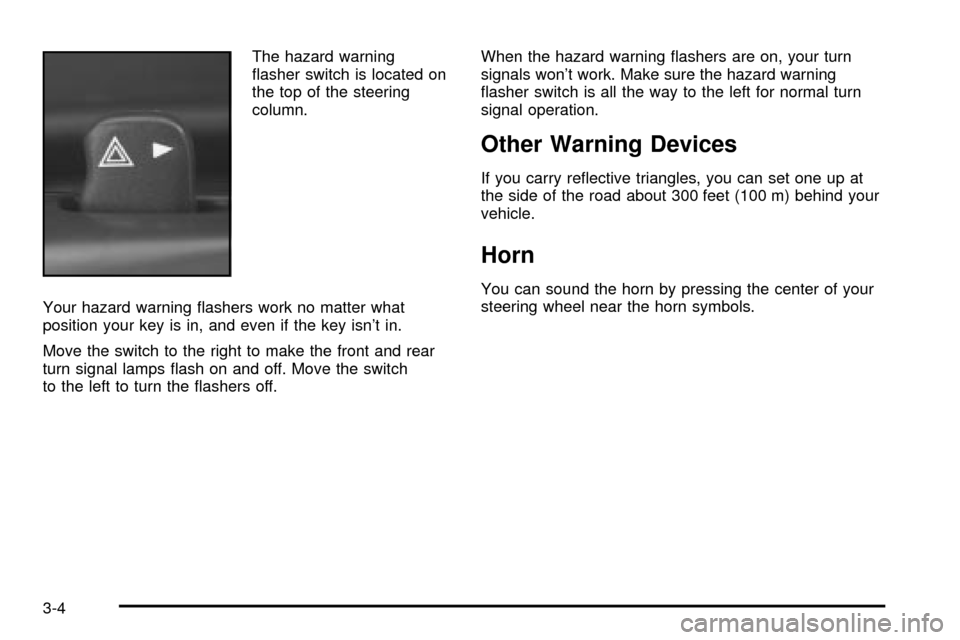
The hazard warning
¯asher switch is located on
the top of the steering
column.
Your hazard warning ¯ashers work no matter what
position your key is in, and even if the key isn't in.
Move the switch to the right to make the front and rear
turn signal lamps ¯ash on and off. Move the switch
to the left to turn the ¯ashers off.When the hazard warning ¯ashers are on, your turn
signals won't work. Make sure the hazard warning
¯asher switch is all the way to the left for normal turn
signal operation.
Other Warning Devices
If you carry re¯ective triangles, you can set one up at
the side of the road about 300 feet (100 m) behind your
vehicle.
Horn
You can sound the horn by pressing the center of your
steering wheel near the horn symbols.
3-4
Page 107 of 364
Tilt Wheel
Your vehicle may have a tilt wheel which allows you to
adjust the steering wheel before you drive. You can
raise it to the highest level to give your legs more room
when you exit and enter the vehicle.
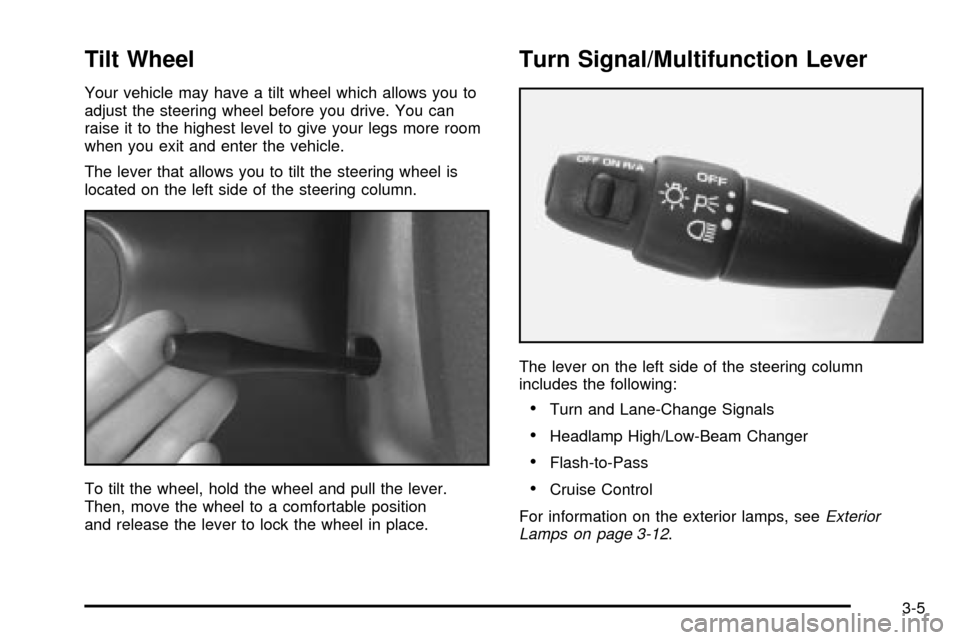
The lever that allows you to tilt the steering wheel is
located on the left side of the steering column.
To tilt the wheel, hold the wheel and pull the lever.
Then, move the wheel to a comfortable position
and release the lever to lock the wheel in place.
Turn Signal/Multifunction Lever
The lever on the left side of the steering column
includes the following:
·Turn and Lane-Change Signals
·Headlamp High/Low-Beam Changer
·Flash-to-Pass
·Cruise Control
For information on the exterior lamps, see
Exterior
Lamps on page 3-12.
3-5
Page 109 of 364
Windshield Wipers
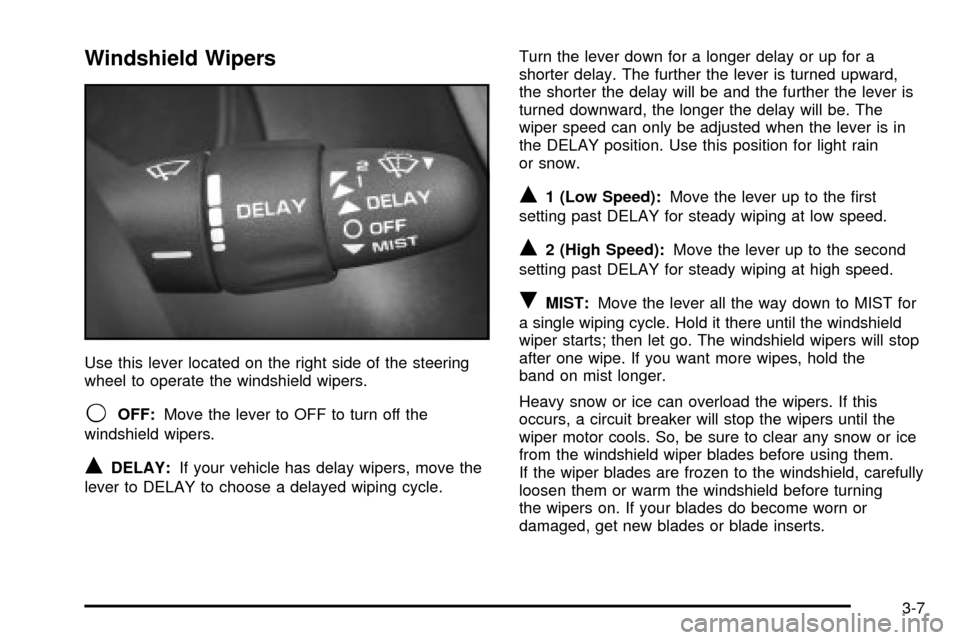
Use this lever located on the right side of the steering
wheel to operate the windshield wipers.
9OFF:Move the lever to OFF to turn off the
windshield wipers.
QDELAY:If your vehicle has delay wipers, move the
lever to DELAY to choose a delayed wiping cycle.Turn the lever down for a longer delay or up for a
shorter delay. The further the lever is turned upward,
the shorter the delay will be and the further the lever is
turned downward, the longer the delay will be. The
wiper speed can only be adjusted when the lever is in
the DELAY position. Use this position for light rain
or snow.
Q1 (Low Speed):Move the lever up to the ®rst
setting past DELAY for steady wiping at low speed.
Q2 (High Speed):Move the lever up to the second
setting past DELAY for steady wiping at high speed.
RMIST:Move the lever all the way down to MIST for
a single wiping cycle. Hold it there until the windshield
wiper starts; then let go. The windshield wipers will stop
after one wipe. If you want more wipes, hold the
band on mist longer.
Heavy snow or ice can overload the wipers. If this
occurs, a circuit breaker will stop the wipers until the
wiper motor cools. So, be sure to clear any snow or ice
from the windshield wiper blades before using them.
If the wiper blades are frozen to the windshield, carefully
loosen them or warm the windshield before turning
the wipers on. If your blades do become worn or
damaged, get new blades or blade inserts.
3-7
Page 111 of 364

{CAUTION:
·Cruise control can be dangerous where
you can't drive safely at a steady speed.
So, don't use your cruise control on
winding roads or in heavy traffic.
·Cruise control can be dangerous on
slippery roads. On such roads, fast
changes in tire traction can cause
needless wheel spinning, and you could
lose control. Don't use cruise control on
slippery roads.
If your vehicle is in cruise control when the optional
enhanced traction system begins to limit wheel spin, the
cruise control will automatically disengage. See
Enhanced Traction System (ETS) on page 4-8. When
road conditions allow you to safely use it again, you may
turn the cruise control back on.
Setting Cruise Control
{CAUTION:
If you leave your cruise control on when you're
not using cruise, you might hit a button and go
into cruise when you don't want to. You could
be startled and even lose control. Keep the
cruise control switch off until you want to use
cruise control.
1. Move the cruise control switch to ON.
2. Get up to the speed you want.
3. Push the SET button at the end of the lever and
release it.
4. Take your foot off the accelerator pedal.
3-9
Page 116 of 364
Fog Lamps
If your vehicle has this feature, use your fog lamps for
better visibility in foggy or misty conditions.
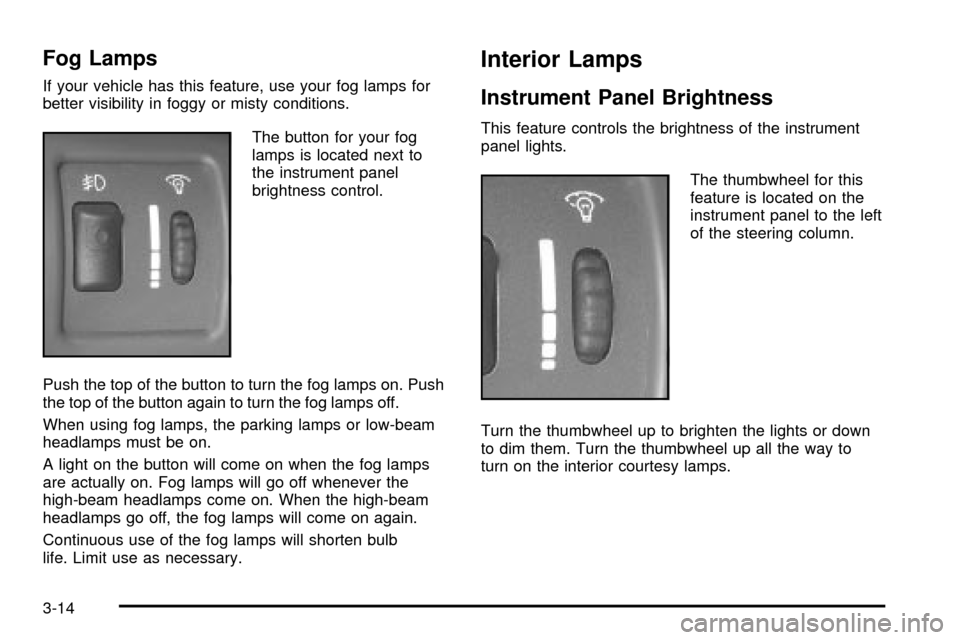
The button for your fog
lamps is located next to
the instrument panel
brightness control.
Push the top of the button to turn the fog lamps on. Push
the top of the button again to turn the fog lamps off.
When using fog lamps, the parking lamps or low-beam
headlamps must be on.
A light on the button will come on when the fog lamps
are actually on. Fog lamps will go off whenever the
high-beam headlamps come on. When the high-beam
headlamps go off, the fog lamps will come on again.
Continuous use of the fog lamps will shorten bulb
life. Limit use as necessary.
Interior Lamps
Instrument Panel Brightness
This feature controls the brightness of the instrument
panel lights.
The thumbwheel for this
feature is located on the
instrument panel to the left
of the steering column.
Turn the thumbwheel up to brighten the lights or down
to dim them. Turn the thumbwheel up all the way to
turn on the interior courtesy lamps.
3-14
Page 130 of 364
Enhanced Traction System
Warning Light
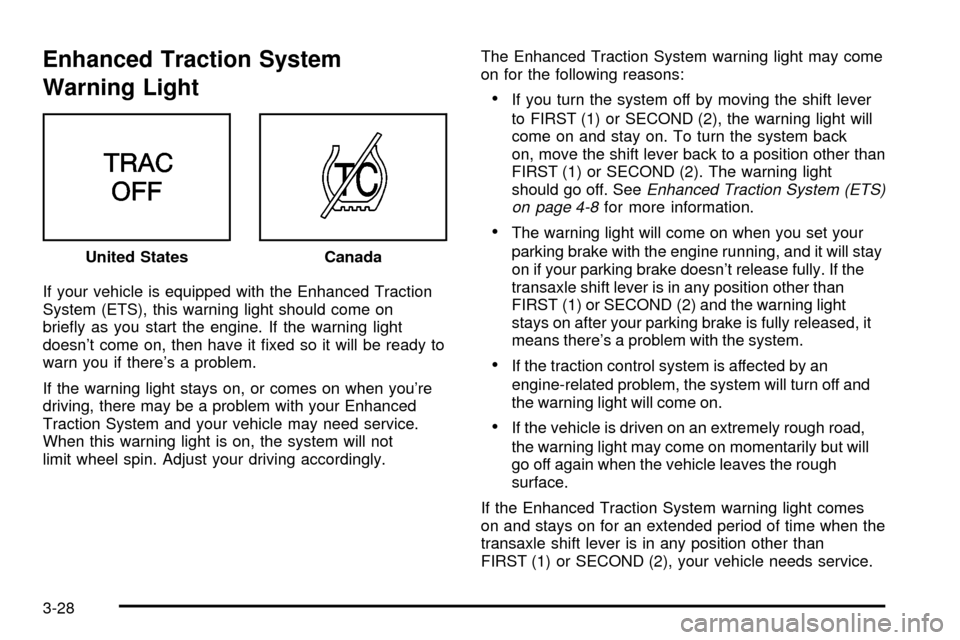
If your vehicle is equipped with the Enhanced Traction
System (ETS), this warning light should come on
brie¯y as you start the engine. If the warning light
doesn't come on, then have it ®xed so it will be ready to
warn you if there's a problem.
If the warning light stays on, or comes on when you're
driving, there may be a problem with your Enhanced
Traction System and your vehicle may need service.
When this warning light is on, the system will not
limit wheel spin. Adjust your driving accordingly.The Enhanced Traction System warning light may come
on for the following reasons:
·If you turn the system off by moving the shift lever
to FIRST (1) or SECOND (2), the warning light will
come on and stay on. To turn the system back
on, move the shift lever back to a position other than
FIRST (1) or SECOND (2). The warning light
should go off. See
Enhanced Traction System (ETS)
on page 4-8for more information.
·The warning light will come on when you set your
parking brake with the engine running, and it will stay
on if your parking brake doesn't release fully. If the
transaxle shift lever is in any position other than
FIRST (1) or SECOND (2) and the warning light
stays on after your parking brake is fully released, it
means there's a problem with the system.
·If the traction control system is affected by an
engine-related problem, the system will turn off and
the warning light will come on.
·If the vehicle is driven on an extremely rough road,
the warning light may come on momentarily but will
go off again when the vehicle leaves the rough
surface.
If the Enhanced Traction System warning light comes
on and stays on for an extended period of time when the
transaxle shift lever is in any position other than
FIRST (1) or SECOND (2), your vehicle needs service. United States
Canada
3-28
Page 131 of 364
Enhanced Traction System
Active Light
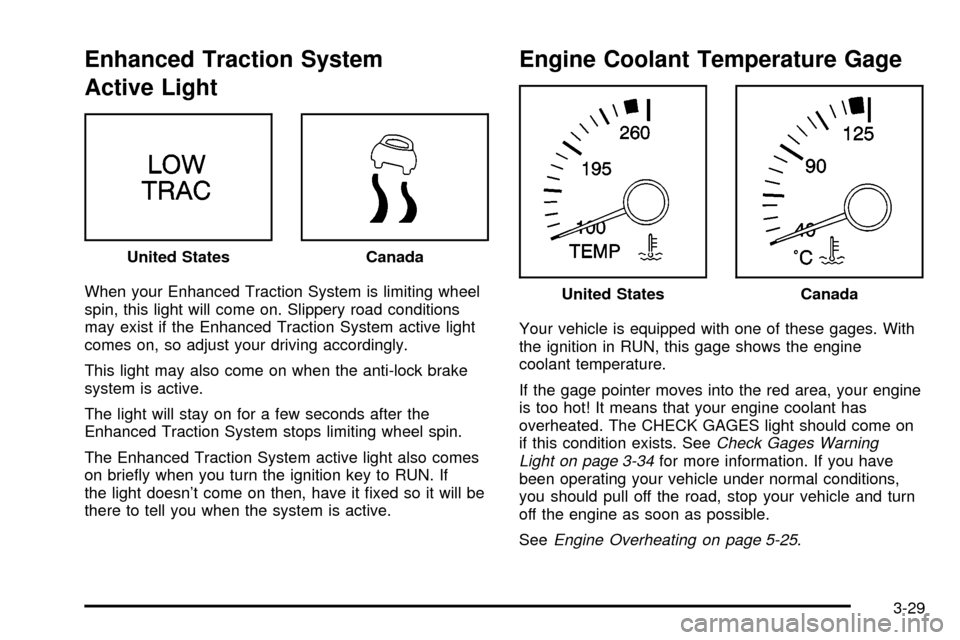
When your Enhanced Traction System is limiting wheel
spin, this light will come on. Slippery road conditions
may exist if the Enhanced Traction System active light
comes on, so adjust your driving accordingly.
This light may also come on when the anti-lock brake
system is active.
The light will stay on for a few seconds after the
Enhanced Traction System stops limiting wheel spin.
The Enhanced Traction System active light also comes
on brie¯y when you turn the ignition key to RUN. If
the light doesn't come on then, have it ®xed so it will be
there to tell you when the system is active.
Engine Coolant Temperature Gage
Your vehicle is equipped with one of these gages. With
the ignition in RUN, this gage shows the engine
coolant temperature.
If the gage pointer moves into the red area, your engine
is too hot! It means that your engine coolant has
overheated. The CHECK GAGES light should come on
if this condition exists. See
Check Gages Warning
Light on page 3-34for more information. If you have
been operating your vehicle under normal conditions,
you should pull off the road, stop your vehicle and turn
off the engine as soon as possible.
See
Engine Overheating on page 5-25. United States
Canada
United StatesCanada
3-29