warning CHEVROLET CITY EXPRESS 2015 Repair Manual
[x] Cancel search | Manufacturer: CHEVROLET, Model Year: 2015, Model line: CITY EXPRESS, Model: CHEVROLET CITY EXPRESS 2015Pages: 297, PDF Size: 3.5 MB
Page 102 of 297
Black plate (15,1)Chevrolet City Express Owner Manual (GMNA-Localizing-U.S./Canada-
7707496) - 2015 - CRC - 11/26/14
Instruments and Controls 5-15
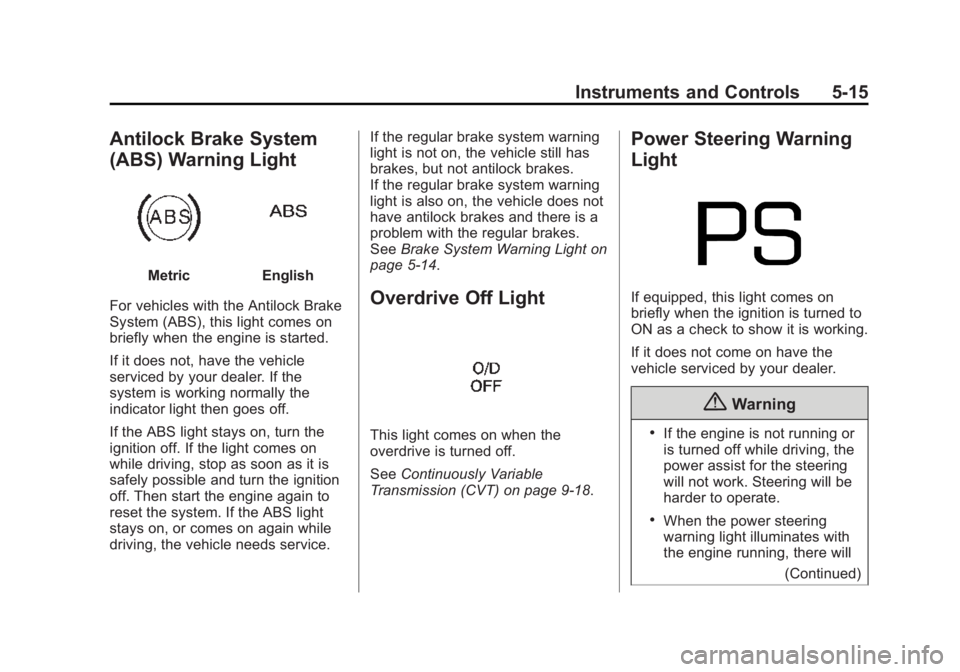
Antilock Brake System
(ABS) Warning Light Metric English
For vehicles with the Antilock Brake
System (ABS), this light comes on
briefly when the engine is started.
If it does not, have the vehicle
serviced by your dealer. If the
system is working normally the
indicator light then goes off.
If the ABS light stays on, turn the
ignition off. If the light comes on
while driving, stop as soon as it is
safely possible and turn the ignition
off. Then start the engine again to
reset the system. If the ABS light
stays on, or comes on again while
driving, the vehicle needs service. If the regular brake system warning
light is not on, the vehicle still has
brakes, but not antilock brakes.
If the regular brake system warning
light is also on, the vehicle does not
have antilock brakes and there is a
problem with the regular brakes.
See Brake System Warning Light on
page 5-14 .
Overdrive Off Light
This light comes on when the
overdrive is turned off.
See Continuously Variable
Transmission (CVT) on page 9-18 .Power Steering Warning
Light
If equipped, this light comes on
briefly when the ignition is turned to
ON as a check to show it is working.
If it does not come on have the
vehicle serviced by your dealer.
{ Warning .
If the engine is not running or
is turned off while driving, the
power assist for the steering
will not work. Steering will be
harder to operate. .
When the power steering
warning light illuminates with
the engine running, there will
(Continued)
Page 103 of 297
Black plate (16,1)Chevrolet City Express Owner Manual (GMNA-Localizing-U.S./Canada-
7707496) - 2015 - CRC - 11/26/14
5-16 Instruments and Controls Warning (Continued) be no power assist for the
steering. You will still have
control of the vehicle but the
steering will be harder to
operate. Have the power
steering system checked by
your dealer.
When the power steering warning
light illuminates with the engine
running, there will be no power
assist for the steering but you will
still have control of the vehicle. At
this time, greater steering effort is
required to operate the steering
wheel, especially in sharp turns and
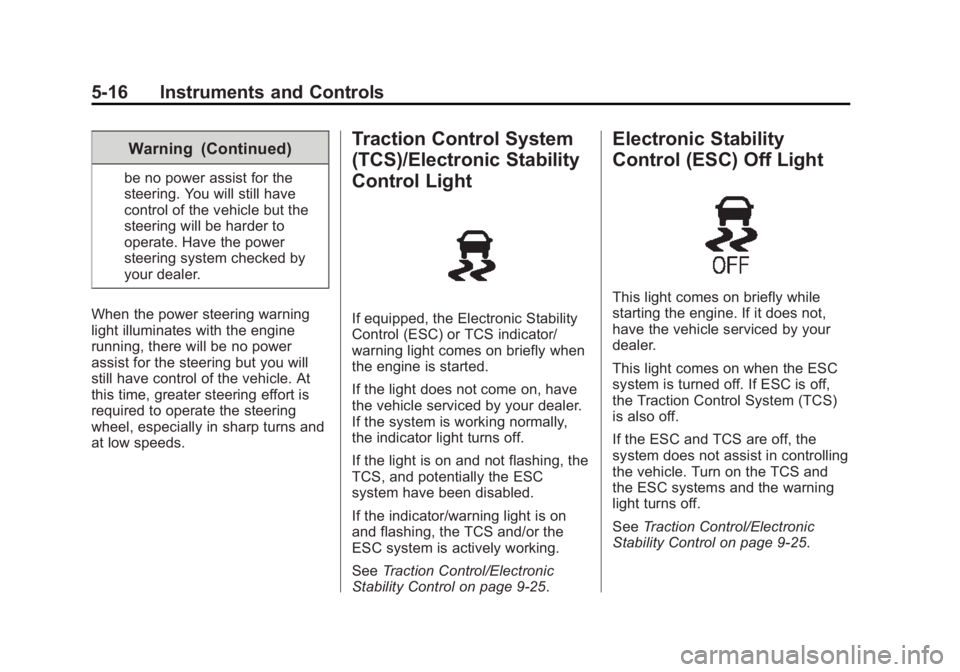
at low speeds. Traction Control System
(TCS)/Electronic Stability
Control Light
If equipped, the Electronic Stability
Control (ESC) or TCS indicator/
warning light comes on briefly when
the engine is started.
If the light does not come on, have
the vehicle serviced by your dealer.
If the system is working normally,
the indicator light turns off.
If the light is on and not flashing, the
TCS, and potentially the ESC
system have been disabled.
If the indicator/warning light is on
and flashing, the TCS and/or the
ESC system is actively working.
See Traction Control/Electronic
Stability Control on page 9-25 .Electronic Stability
Control (ESC) Off Light
This light comes on briefly while
starting the engine. If it does not,
have the vehicle serviced by your
dealer.
This light comes on when the ESC
system is turned off. If ESC is off,
the Traction Control System (TCS)
is also off.
If the ESC and TCS are off, the
system does not assist in controlling
the vehicle. Turn on the TCS and
the ESC systems and the warning
light turns off.
See Traction Control/Electronic
Stability Control on page 9-25 .
Page 104 of 297
Black plate (17,1)Chevrolet City Express Owner Manual (GMNA-Localizing-U.S./Canada-
7707496) - 2015 - CRC - 11/26/14
Instruments and Controls 5-17
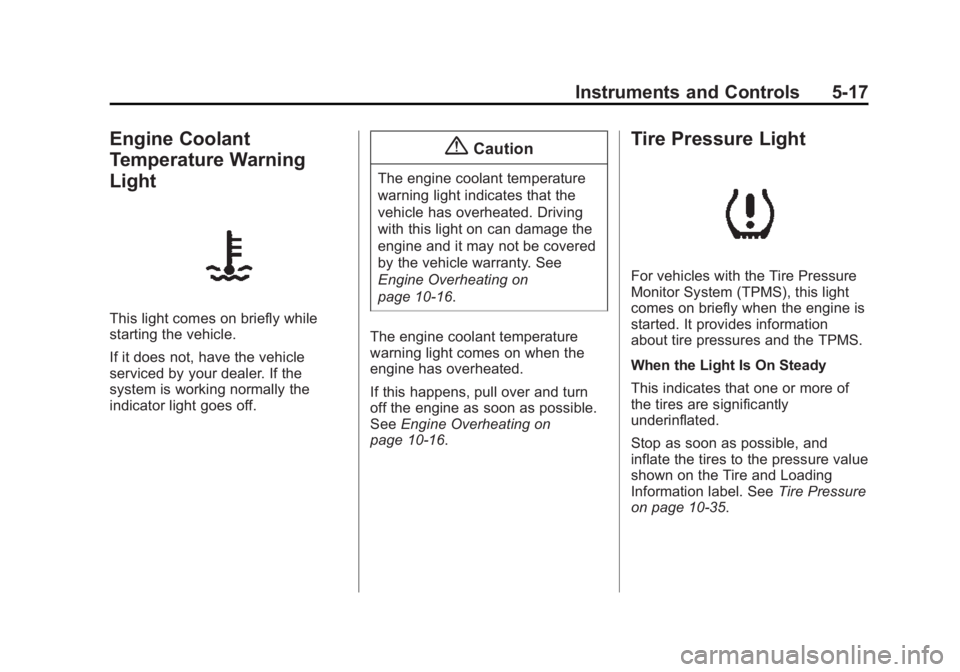
Engine Coolant
Temperature Warning
Light
This light comes on briefly while
starting the vehicle.
If it does not, have the vehicle
serviced by your dealer. If the
system is working normally the
indicator light goes off. { CautionThe engine coolant temperature
warning light indicates that the
vehicle has overheated. Driving
with this light on can damage the
engine and it may not be covered
by the vehicle warranty. See
Engine Overheating on
page 10-16 .
The engine coolant temperature
warning light comes on when the
engine has overheated.
If this happens, pull over and turn
off the engine as soon as possible.
See Engine Overheating on
page 10-16 . Tire Pressure Light
For vehicles with the Tire Pressure
Monitor System (TPMS), this light
comes on briefly when the engine is
started. It provides information
about tire pressures and the TPMS.
When the Light Is On Steady
This indicates that one or more of
the tires are significantly
underinflated.
Stop as soon as possible, and
inflate the tires to the pressure value
shown on the Tire and Loading
Information label. See Tire Pressure
on page 10-35 .
Page 105 of 297
Black plate (18,1)Chevrolet City Express Owner Manual (GMNA-Localizing-U.S./Canada-
7707496) - 2015 - CRC - 11/26/14
5-18 Instruments and Controls When the Light Flashes First and
Then Is On Steady
If the light flashes for about a minute
and then stays on, there may be a
problem with the TPMS. If the
problem is not corrected, the light
will come on at every ignition cycle.
See Tire Pressure Monitor
Operation on page 10-37 .
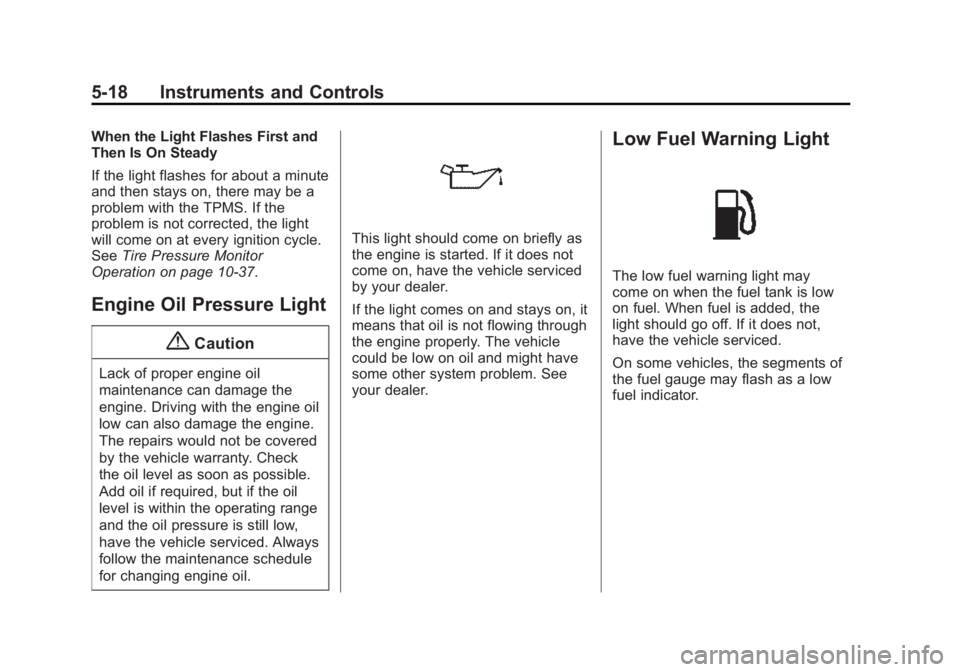
Engine Oil Pressure Light
{ CautionLack of proper engine oil
maintenance can damage the
engine. Driving with the engine oil
low can also damage the engine.
The repairs would not be covered
by the vehicle warranty. Check
the oil level as soon as possible.
Add oil if required, but if the oil
level is within the operating range
and the oil pressure is still low,
have the vehicle serviced. Always
follow the maintenance schedule
for changing engine oil. This light should come on briefly as
the engine is started. If it does not
come on, have the vehicle serviced
by your dealer.
If the light comes on and stays on, it
means that oil is not flowing through
the engine properly. The vehicle
could be low on oil and might have
some other system problem. See
your dealer. Low Fuel Warning Light
The low fuel warning light may
come on when the fuel tank is low
on fuel. When fuel is added, the
light should go off. If it does not,
have the vehicle serviced.
On some vehicles, the segments of
the fuel gauge may flash as a low
fuel indicator.
Page 106 of 297
Black plate (19,1)Chevrolet City Express Owner Manual (GMNA-Localizing-U.S./Canada-
7707496) - 2015 - CRC - 11/26/14
Instruments and Controls 5-19
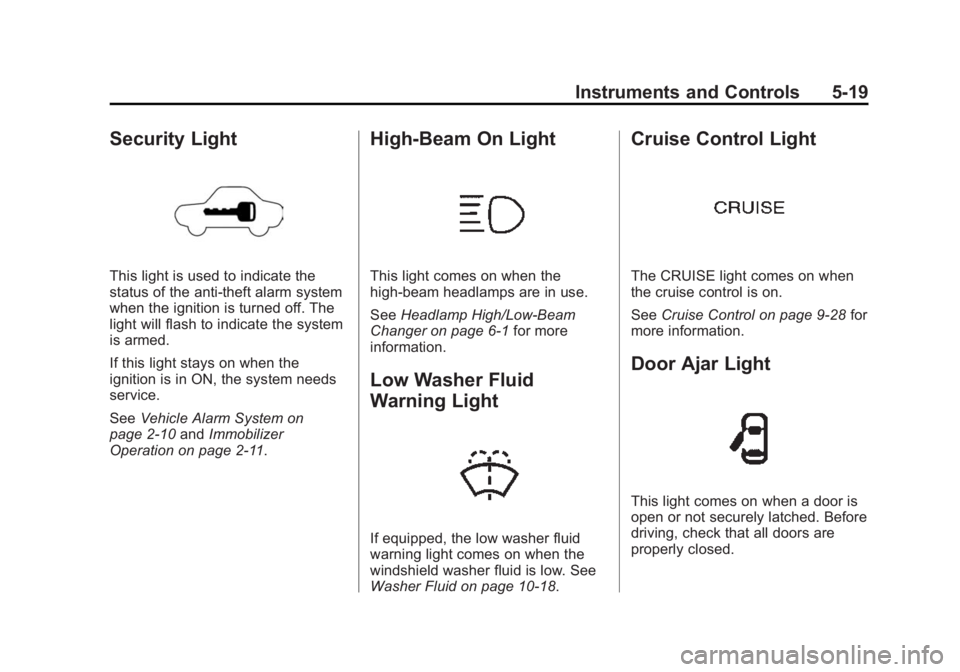
Security Light
This light is used to indicate the
status of the anti-theft alarm system
when the ignition is turned off. The
light will flash to indicate the system
is armed.
If this light stays on when the
ignition is in ON, the system needs
service.
See Vehicle Alarm System on
page 2-10 and Immobilizer
Operation on page 2-11 . High-Beam On Light
This light comes on when the
high-beam headlamps are in use.
See Headlamp High/Low-Beam
Changer on page 6-1 for more
information.
Low Washer Fluid
Warning Light
If equipped, the low washer fluid
warning light comes on when the
windshield washer fluid is low. See
Washer Fluid on page 10-18 .Cruise Control Light
The CRUISE light comes on when
the cruise control is on.
See Cruise Control on page 9-28 for
more information.
Door Ajar Light
This light comes on when a door is
open or not securely latched. Before
driving, check that all doors are
properly closed.
Page 107 of 297
Black plate (20,1)Chevrolet City Express Owner Manual (GMNA-Localizing-U.S./Canada-
7707496) - 2015 - CRC - 11/26/14
5-20 Instruments and Controls
Vehicle Messages Fuel System Messages LOOSE FUEL CAP This message displays when the
fuel cap is not on tight. Tighten the
fuel cap, then press and hold the
trip odometer reset stem to reset the
message. Tire Messages CHECK TIRE PRES (Pressure) If the vehicle has the Tire Pressure
Monitor System (TPMS), this
message displays when the
pressure in one or more of the tires
is low. The low tire pressure warning
light will also come on. See Tire
Pressure Light on page 5-17 . If a
tire pressure message appears,
stop as soon as you can. Have the
tire pressures checked and set to
those shown on the Tire and
Loading Information label. See Tires
on page 10-26 , Vehicle Load Limits
on page 9-9 , and Tire Pressure on
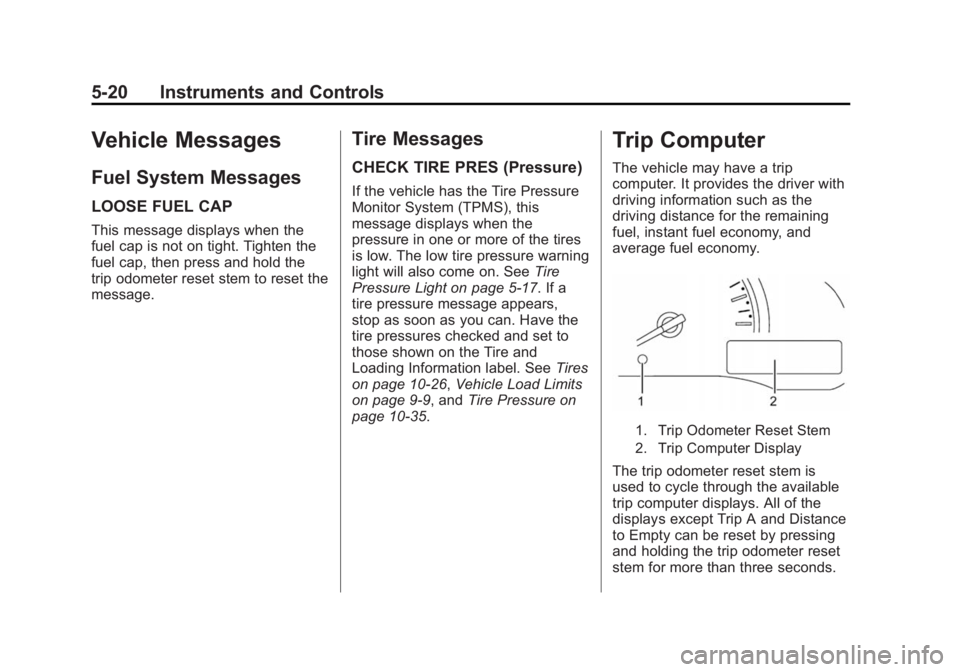
page 10-35 .Trip Computer The vehicle may have a trip
computer. It provides the driver with
driving information such as the
driving distance for the remaining
fuel, instant fuel economy, and
average fuel economy.
1. Trip Odometer Reset Stem
2. Trip Computer Display
The trip odometer reset stem is
used to cycle through the available
trip computer displays. All of the
displays except Trip A and Distance
to Empty can be reset by pressing
and holding the trip odometer reset
stem for more than three seconds.
Page 112 of 297
Black plate (1,1)Chevrolet City Express Owner Manual (GMNA-Localizing-U.S./Canada-
7707496) - 2015 - CRC - 11/26/14
Lighting 6-1
Lighting Exterior Lighting Exterior Lamp Controls . . . . . . . . 6-1
Exterior Lamps Off
Reminder . . . . . . . . . . . . . . . . . . . . 6-1
Headlamp High/Low-Beam
Changer . . . . . . . . . . . . . . . . . . . . . 6-1
Flash-to-Pass . . . . . . . . . . . . . . . . . 6-2
Daytime Running
Lamps (DRL) . . . . . . . . . . . . . . . . 6-2
Hazard Warning Flashers . . . . . 6-2
Turn and Lane-Change
Signals . . . . . . . . . . . . . . . . . . . . . . 6-3
Interior Lighting Instrument Panel Illumination
Control . . . . . . . . . . . . . . . . . . . . . . 6-3
Cargo Lamp . . . . . . . . . . . . . . . . . . 6-4
Dome Lamps . . . . . . . . . . . . . . . . . 6-4
Reading Lamps . . . . . . . . . . . . . . . 6-5
Lighting Features Exterior Lighting Battery
Saver . . . . . . . . . . . . . . . . . . . . . . . . 6-5 Exterior Lighting Exterior Lamp Controls
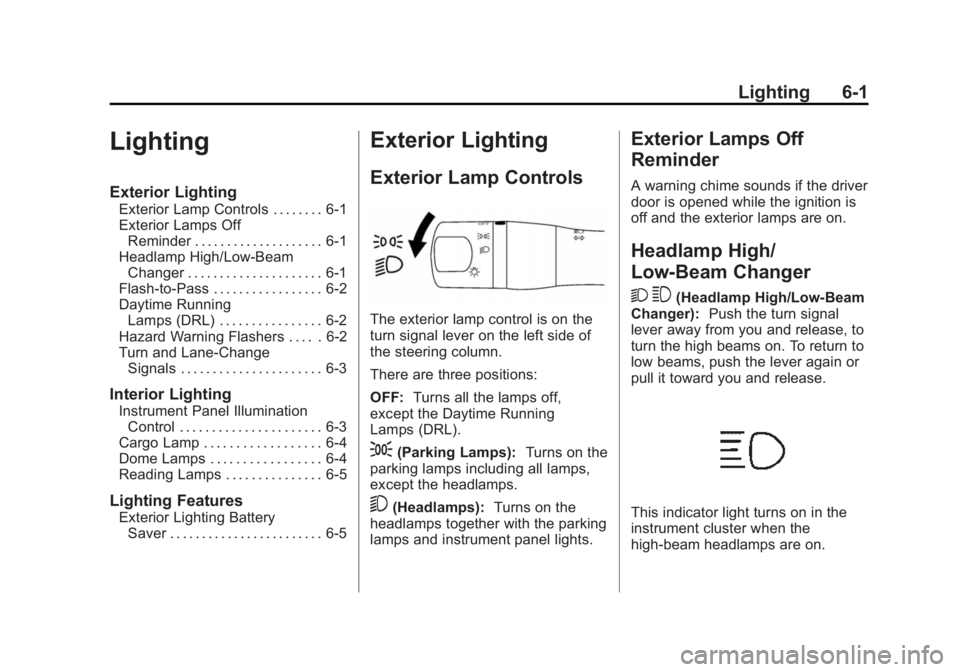
The exterior lamp control is on the
turn signal lever on the left side of
the steering column.
There are three positions:
OFF: Turns all the lamps off,
except the Daytime Running
Lamps (DRL).
; (Parking Lamps): Turns on the
parking lamps including all lamps,
except the headlamps.
5 (Headlamps): Turns on the
headlamps together with the parking
lamps and instrument panel lights. Exterior Lamps Off
Reminder A warning chime sounds if the driver
door is opened while the ignition is
off and the exterior lamps are on.
Headlamp High/
Low-Beam Changer
2 3 (Headlamp High/Low-Beam
Changer): Push the turn signal
lever away from you and release, to
turn the high beams on. To return to
low beams, push the lever again or
pull it toward you and release.
This indicator light turns on in the
instrument cluster when the
high-beam headlamps are on.
Page 113 of 297
Black plate (2,1)Chevrolet City Express Owner Manual (GMNA-Localizing-U.S./Canada-
7707496) - 2015 - CRC - 11/26/14
6-2 Lighting
Flash-to-Pass This feature is used to signal to the
vehicle ahead that you want
to pass.
If the headlamps are off or in the
low ‐ beam position, pull the turn
signal lever toward you to
momentarily switch to high beams.
Release the lever to turn the
high-beam headlamps off.
Daytime Running
Lamps (DRL) DRL can make it easier for others to
see the front of your vehicle during
the day.
A light sensor on top of the
instrument panel makes the DRL
work, so be sure it is not covered. The DRL system makes the
low-beam headlamps come on at a
reduced brightness when the
following conditions are met: .
The ignition is in the ON
position. .
The exterior lamp control is in
the OFF position. .
The parking brake is released.
If the parking brake is applied
before the engine is started, the
DRL do not come on.
When the DRL are on, only the
low-beam headlamps, at a reduced
level of brightness, will be on. The
taillamps, sidemarker, instrument
panel, and other lamps will not
be on.
Turn the exterior lamp control to
the
; or
5 position for full
illumination when driving at night.
The DRL remain on until the ignition
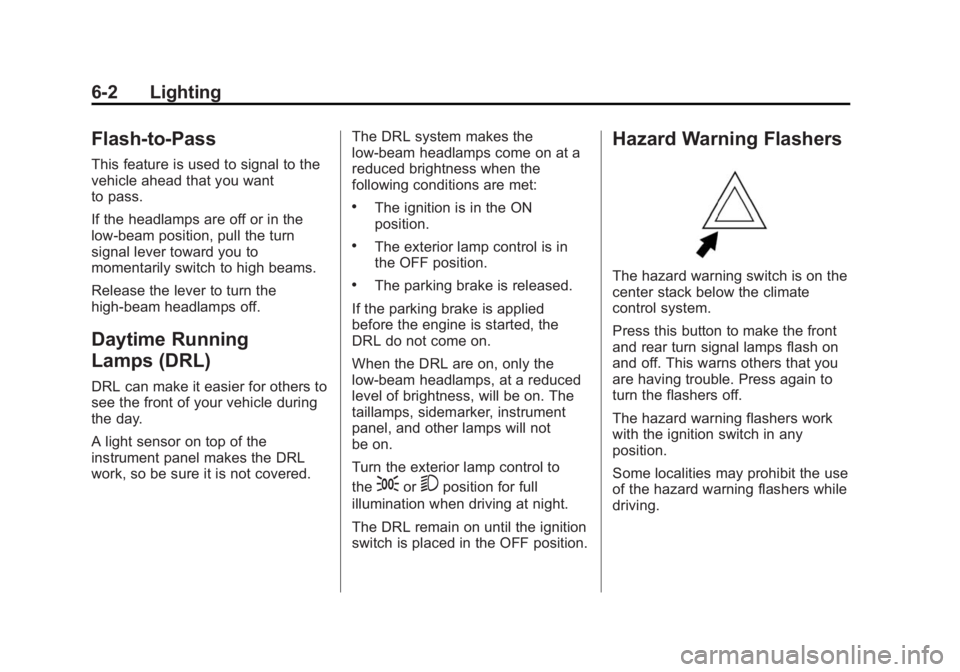
switch is placed in the OFF position. Hazard Warning Flashers
The hazard warning switch is on the
center stack below the climate
control system.
Press this button to make the front
and rear turn signal lamps flash on
and off. This warns others that you
are having trouble. Press again to
turn the flashers off.
The hazard warning flashers work
with the ignition switch in any
position.
Some localities may prohibit the use
of the hazard warning flashers while
driving.
Page 118 of 297
Black plate (1,1)Chevrolet City Express Owner Manual (GMNA-Localizing-U.S./Canada-
7707496) - 2015 - CRC - 11/26/14
Infotainment System 7-1
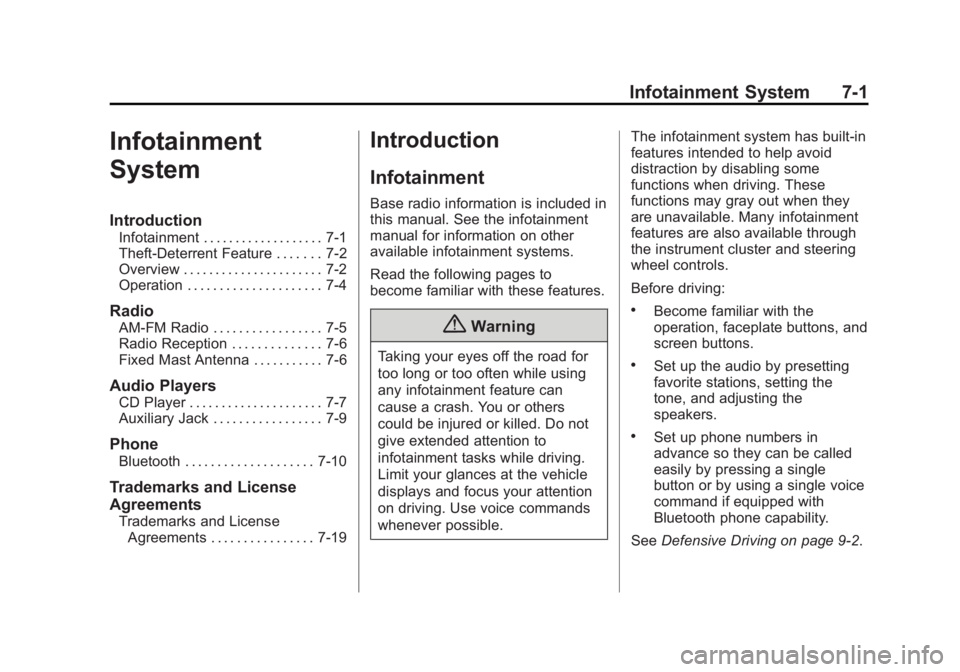
Infotainment
System Introduction Infotainment . . . . . . . . . . . . . . . . . . . 7-1
Theft-Deterrent Feature . . . . . . . 7-2
Overview . . . . . . . . . . . . . . . . . . . . . . 7-2
Operation . . . . . . . . . . . . . . . . . . . . . 7-4
Radio AM-FM Radio . . . . . . . . . . . . . . . . . 7-5
Radio Reception . . . . . . . . . . . . . . 7-6
Fixed Mast Antenna . . . . . . . . . . . 7-6
Audio Players CD Player . . . . . . . . . . . . . . . . . . . . . 7-7
Auxiliary Jack . . . . . . . . . . . . . . . . . 7-9
Phone Bluetooth . . . . . . . . . . . . . . . . . . . . 7-10
Trademarks and License
Agreements
Trademarks and License
Agreements . . . . . . . . . . . . . . . . 7-19 Introduction Infotainment Base radio information is included in
this manual. See the infotainment
manual for information on other
available infotainment systems.
Read the following pages to
become familiar with these features.
{ WarningTaking your eyes off the road for
too long or too often while using
any infotainment feature can
cause a crash. You or others
could be injured or killed. Do not
give extended attention to
infotainment tasks while driving.
Limit your glances at the vehicle
displays and focus your attention
on driving. Use voice commands
whenever possible. The infotainment system has built-in
features intended to help avoid
distraction by disabling some
functions when driving. These
functions may gray out when they
are unavailable. Many infotainment
features are also available through
the instrument cluster and steering
wheel controls.
Before driving: .
Become familiar with the
operation, faceplate buttons, and
screen buttons. .
Set up the audio by presetting
favorite stations, setting the
tone, and adjusting the
speakers. .
Set up phone numbers in
advance so they can be called
easily by pressing a single
button or by using a single voice
command if equipped with
Bluetooth phone capability.
See Defensive Driving on page 9-2 .
Page 128 of 297
Black plate (11,1)Chevrolet City Express Owner Manual (GMNA-Localizing-U.S./Canada-
7707496) - 2015 - CRC - 11/26/14
Infotainment System 7-11.
When the vehicle is in motion,
some commands may not be
available so full attention may be
given to operating the vehicle. .
Pair cell phone(s) to the vehicle.
The system may not work with
all cell phones. See “ Pairing ” in
this section later. .
If the cell phone has voice
dialing capability, learn to use
that feature to access the
address book or contact list.
{ WarningWhen using a cell phone, it can
be distracting to look too long or
too often at the screen of the
phone or the infotainment system.
Taking your eyes off the road too
long or too often could cause a
crash resulting in injury or death.
Focus your attention on driving. Bluetooth Controls Use the buttons on the steering
wheel to operate the in-vehicle
Bluetooth system. See Steering
Wheel Controls on page 5-2 .
g V (Press to Talk): Press to
answer incoming calls and start
speech recognition.
V (End): Press and hold to end a
call or reject a call.
A Bluetooth system can use a
Bluetooth-capable cell phone with a
Hands-Free Profile to make and
receive phone calls. The system
can be used while the key is in the
ON or ACC/ACCESSORY position.
If the
g V button on the steering
wheel is pressed before the
initialization completes, the system
will announce “ Hands-free phone
system not ready ” and will not react
to voice commands. Not all phones
support all functions, and not all
phones work with the in-vehicle Bluetooth system. See
www.gm.com/bluetooth for more
information on compatible phones.
Choosing a Language The available languages are
English, Spanish, and French.
To change the language:
1. Press and hold
g V for more
than fivecseconds.
2. The system responds with,
“ Press the PHONE/SEND (
g V )
button for the hands-free phone
system to enter the voice
adaptation mode or press the
PHONE/END (
V ) button to
select a different language. ”
3. Press
V .
4. The system responds with the
current language and gives the
option to change to another
language. Do nothing and the
session will end after
five seconds and the current
language will remain.