driver info center CHEVROLET COBALT 2005 1.G User Guide
[x] Cancel search | Manufacturer: CHEVROLET, Model Year: 2005, Model line: COBALT, Model: CHEVROLET COBALT 2005 1.GPages: 362, PDF Size: 2.35 MB
Page 124 of 362
Speedometer and Odometer
Your speedometer lets you see your speed in both
miles per hour (mph) and kilometers per hour (km/h).
Your vehicle’s odometer works together with the
driver information center. You can set a Trip A and
Trip B odometer. See “Trip Information” underDIC
Operation and Displays on page 3-35.
The odometer mileage can be checked without the
vehicle running. Simply open the driver’s door and the
mileage will be displayed briey.
If your vehicle ever needs a new odometer installed, the
new one will be set to the correct mileage total of the
old odometer.
Tachometer
The tachometer displays the engine speed in revolutions
per minute (rpm).
Notice:If you operate the engine with the
tachometer in the shaded warning area, your vehicle
could be damaged, and the damages would not
be covered by your warranty. Do not operate
the engine with the tachometer in the shaded
warning area.
Safety Belt Reminder Light
When the key is turned to RUN or START, a chime will
come on for several seconds to remind people to
fasten their safety belts, unless the driver’s safety belt is
already buckled.
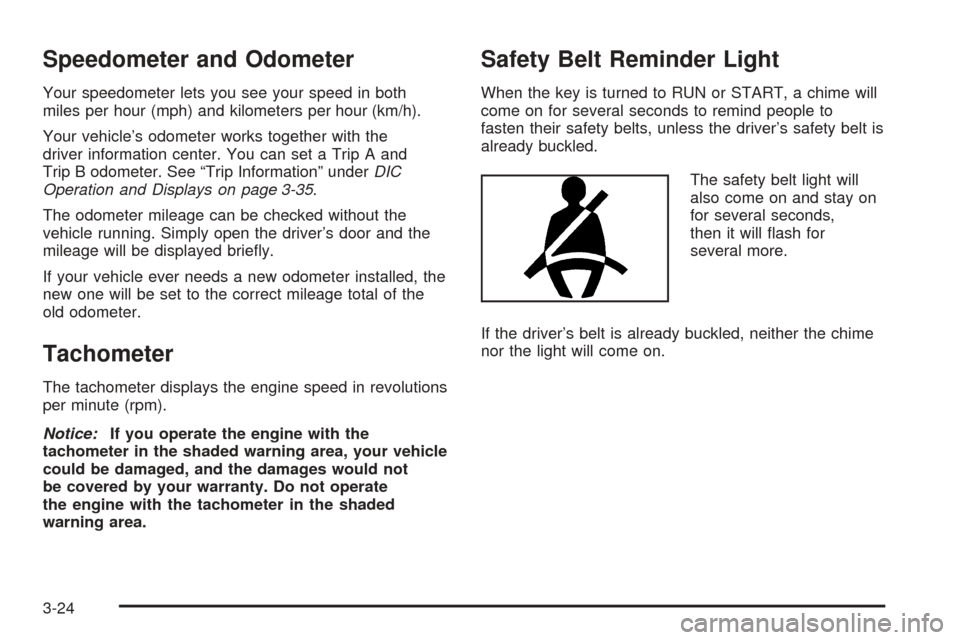
The safety belt light will
also come on and stay on
for several seconds,
then it will ash for
several more.
If the driver’s belt is already buckled, neither the chime
nor the light will come on.
3-24
Page 135 of 362
Driver Information Center (DIC)
The Driver Information Center (DIC) display gives
you the status of many of your vehicle’s systems. The
DIC is also used to display driver personalization
menu modes and warning/status messages. All
messages will appear in the DIC display, located at the
bottom of the tachometer on the instrument panel
cluster.
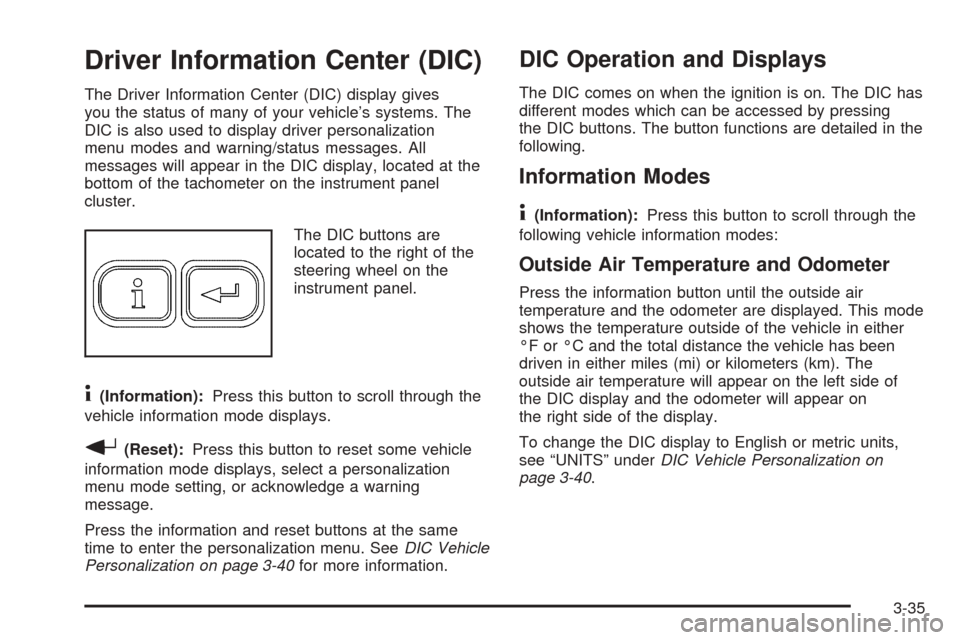
The DIC buttons are
located to the right of the
steering wheel on the
instrument panel.
4(Information):Press this button to scroll through the
vehicle information mode displays.
r(Reset):Press this button to reset some vehicle
information mode displays, select a personalization
menu mode setting, or acknowledge a warning
message.
Press the information and reset buttons at the same
time to enter the personalization menu. SeeDIC Vehicle
Personalization on page 3-40for more information.
DIC Operation and Displays
The DIC comes on when the ignition is on. The DIC has
different modes which can be accessed by pressing
the DIC buttons. The button functions are detailed in the
following.
Information Modes
4
(Information):Press this button to scroll through the
following vehicle information modes:
Outside Air Temperature and Odometer
Press the information button until the outside air
temperature and the odometer are displayed. This mode
shows the temperature outside of the vehicle in either
°F or °C and the total distance the vehicle has been
driven in either miles (mi) or kilometers (km). The
outside air temperature will appear on the left side of
the DIC display and the odometer will appear on
the right side of the display.
To change the DIC display to English or metric units,
see “UNITS” underDIC Vehicle Personalization on
page 3-40.
3-35
Page 184 of 362
Using Anti-Lock
Do not pump the brakes. Just hold the brake pedal
down rmly and let anti-lock work for you. You may feel
a slight brake pedal pulsation or notice some noise,
but this is normal.
Braking in Emergencies
At some time, nearly every driver gets into a situation
that requires hard braking.
If you have anti-lock brakes, you can steer and brake at
the same time. However, if you do not have anti-lock
brakes, your rst reaction — to hit the brake pedal hard
and hold it down — may be the wrong thing to do.
Your wheels can stop rolling. Once they do, the vehicle
cannot respond to your steering. Momentum will
carry it in whatever direction it was headed when the
wheels stopped rolling. That could be off the road, into
the very thing you were trying to avoid, or into traffic.
If you do not have anti-lock brakes, use a “squeeze”
braking technique. This will give you maximum braking
while maintaining steering control. You can do this
by pushing on the brake pedal with steadily increasing
pressure.In an emergency, you will probably want to squeeze the
brakes hard without locking the wheels. If you hear or
feel the wheels sliding, ease off the brake pedal.
This will help you retain steering control. If you do have
anti-lock brakes, it is different. SeeAnti-Lock Brake
System (ABS) on page 4-6.
In many emergencies, steering can help you more than
even the very best braking.
Enhanced Traction System (ETS)
Your vehicle may have an Enhanced Traction System
(ETS) that limits wheel spin. This is especially useful in
slippery road conditions. The system operates only if
it senses that one or both of the front wheels are
spinning or beginning to lose traction. When this
happens, the system reduces engine power and may
also upshift the transaxle to limit wheel spin. You
may feel or hear the system working, but this is normal.
A LOW TRACTION message will appear on the
Driver Information Center (DIC) when the traction control
system is actively limiting wheel spin. Slippery road
conditions may exist if this message is displayed,
so adjust your driving accordingly.
4-8
Page 207 of 362
Tire and Loading Information Label
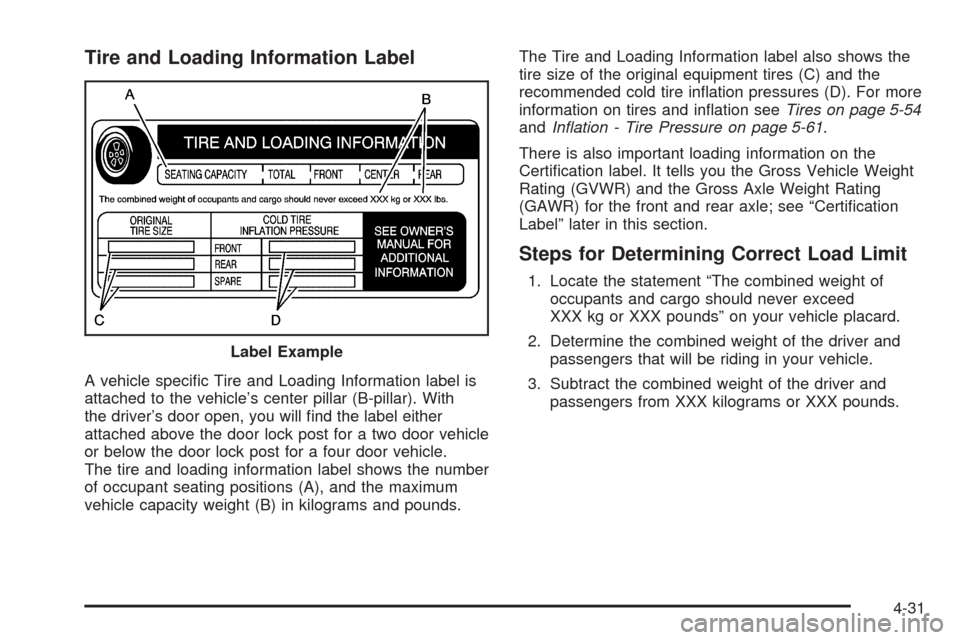
A vehicle specic Tire and Loading Information label is
attached to the vehicle’s center pillar (B-pillar). With
the driver’s door open, you will nd the label either
attached above the door lock post for a two door vehicle
or below the door lock post for a four door vehicle.
The tire and loading information label shows the number
of occupant seating positions (A), and the maximum
vehicle capacity weight (B) in kilograms and pounds.The Tire and Loading Information label also shows the
tire size of the original equipment tires (C) and the
recommended cold tire ination pressures (D). For more
information on tires and ination seeTires on page 5-54
andInation - Tire Pressure on page 5-61.
There is also important loading information on the
Certication label. It tells you the Gross Vehicle Weight
Rating (GVWR) and the Gross Axle Weight Rating
(GAWR) for the front and rear axle; see “Certication
Label” later in this section.
Steps for Determining Correct Load Limit
1. Locate the statement “The combined weight of
occupants and cargo should never exceed
XXX kg or XXX pounds” on your vehicle placard.
2. Determine the combined weight of the driver and
passengers that will be riding in your vehicle.
3. Subtract the combined weight of the driver and
passengers from XXX kilograms or XXX pounds. Label Example
4-31
Page 229 of 362
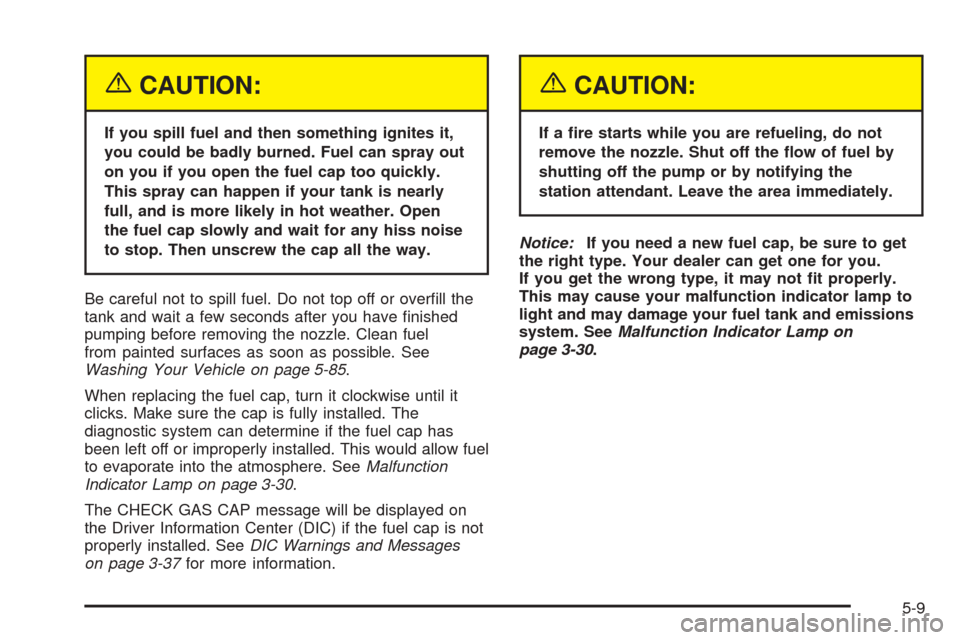
{CAUTION:
If you spill fuel and then something ignites it,
you could be badly burned. Fuel can spray out
on you if you open the fuel cap too quickly.
This spray can happen if your tank is nearly
full, and is more likely in hot weather. Open
the fuel cap slowly and wait for any hiss noise
to stop. Then unscrew the cap all the way.
Be careful not to spill fuel. Do not top off or overll the
tank and wait a few seconds after you have nished
pumping before removing the nozzle. Clean fuel
from painted surfaces as soon as possible. See
Washing Your Vehicle on page 5-85.
When replacing the fuel cap, turn it clockwise until it
clicks. Make sure the cap is fully installed. The
diagnostic system can determine if the fuel cap has
been left off or improperly installed. This would allow fuel
to evaporate into the atmosphere. SeeMalfunction
Indicator Lamp on page 3-30.
The CHECK GAS CAP message will be displayed on
the Driver Information Center (DIC) if the fuel cap is not
properly installed. SeeDIC Warnings and Messages
on page 3-37for more information.
{CAUTION:
If a re starts while you are refueling, do not
remove the nozzle. Shut off the ow of fuel by
shutting off the pump or by notifying the
station attendant. Leave the area immediately.
Notice:If you need a new fuel cap, be sure to get
the right type. Your dealer can get one for you.
If you get the wrong type, it may not t properly.
This may cause your malfunction indicator lamp to
light and may damage your fuel tank and emissions
system. SeeMalfunction Indicator Lamp on
page 3-30.
5-9
Page 240 of 362
When the system has calculated that oil life has been
diminished, it will indicate that an oil change is
necessary. A CHANGE OIL SOON message in the
Driver Information Center (DIC) will come on. SeeDIC
Warnings and Messages on page 3-37. Change
your oil as soon as possible within the next 600 miles
(1 000 km). It is possible that, if you are driving
under the best conditions, the oil life system may not
indicate that an oil change is necessary for over a year.
However, your engine oil and lter must be changed
at least once a year and at this time the system must be
reset. Your dealer has GM-trained service people who
will perform this work using genuine GM parts and reset
the system. It is also important to check your oil
regularly and keep it at the proper level.
If the system is ever reset accidentally, you must
change your oil at 3,000 miles (5 000 km) since your
last oil change. Remember to reset the oil life system
whenever the oil is changed.
How to Reset the Engine Oil Life
System
The Engine Oil Life System calculates when to change
your engine oil and lter based on vehicle use.
Anytime your oil is changed, reset the system so it can
calculate when the next oil change is required. If a
situation occurs where you change your oil prior to a
CHANGE OIL SOON message being turned on,
reset the system.After changing the engine oil, the system must be reset
as follows:
1. Turn the ignition to RUN, with the engine off.
2. Press the information and reset buttons on the DIC
at the same time to enter the personalization menu.
SeeDIC Vehicle Personalization on page 3-40.
3. Press the information button to scroll through the
available personalization menu modes until the
DIC display shows OIL-LIFE RESET.
4. Press and hold the reset button until the DIC
display shows ACKNOWLEDGED. This will tell you
the system has been reset.
5. Turn the key to LOCK.
If the CHANGE OIL SOON message comes back on
when you start your vehicle, the engine oil life system
has not reset. Repeat the reset procedure.
What to Do with Used Oil
Used engine oil contains certain elements that may be
unhealthy for your skin and could even cause cancer.
Do not let used oil stay on your skin for very long. Clean
your skin and nails with soap and water, or a good
hand cleaner. Wash or properly dispose of clothing or
rags containing used engine oil. See the manufacturer’s
warnings about the use and disposal of oil products.
5-20
Page 273 of 362

Replacement Bulbs
Exterior Lamps Bulb Number
Back-Up Lamps 921
Center High-Mounted
Stoplamp (CHMSL)912
Front Parking/Turn Signal Lamps 3157KX
Halogen Headlamps,
High/Low-Beam9007 LL
Sidemarker 194
Stoplamp, Taillamp and Turn
Signal Lamps3057KX
For replacement bulbs not listed here, contact your
dealer.
Windshield Wiper Blade
Replacement
Windshield wiper blades should be inspected at least
twice a year for wear or cracking. See “Scheduled
Maintenance” for more information on wiper blade
inspection.Replacement blades come in different types and are
removed in different ways. For proper type and length,
seeCapacities and Specications on page 5-97.
Here is how to remove the Shepherd’s Hook type:
1. Pull the windshield wiper arm away from the
windshield.
2. Push the release lever and slide the wiper assembly
toward the driver’s side of the vehicle.
3. Install a new blade by reversing Steps 1 and 2.
5-53
Page 281 of 362
Ination - Tire Pressure
Tires need the correct amount of air pressure to operate
effectively.
Notice:Do not let anyone tell you that
under-ination or over-ination is all right. It is not.
If your tires do not have enough air (under-ination),
you can get the following:
Too much exing
Too much heat
Tire overloading
Premature or irregular wear
Poor handling
Reduced fuel economy
If your tires have too much air (over-ination), you
can get the following:
Unusual wear
Poor handling
Rough ride
Needless damage from road hazardsA Tire and Loading Information label is attached to the
vehicle’s center pillar, below the driver’s door latch.
This label lists your vehicle’s original equipment
tires and their recommended cold tire ination pressures.
The recommended cold tire ination pressure, shown
on the label, is the minimum amount of air pressure
needed to support your vehicle’s maximum load carrying
capacity.
For additional information regarding how much weight
your vehicle can carry, and an example of the tire
and loading information label, seeLoading Your Vehicle
on page 4-30. How you load your vehicle affects
vehicle handling and ride comfort, never load your
vehicle with more weight than it was designed to carry.
When to Check
Check your tires once a month or more. Do not forget to
check the compact spare tire, it should be at 60 psi
(420 kPa). For additional information regarding
the compact spare tire, seeCompact Spare Tire on
page 5-80.
5-61
Page 352 of 362

Cruise Control................................................3-10
Cupholder(s)..................................................2-35
Customer Assistance Information
Courtesy Transportation.................................. 7-7
Customer Assistance for Text
Telephone (TTY) Users............................... 7-4
Customer Assistance Offices........................... 7-4
Customer Satisfaction Procedure..................... 7-2
GM Mobility Reimbursement Program............... 7-5
Reporting Safety Defects to General Motors....7-11
Reporting Safety Defects to the
Canadian Government..............................7-11
Reporting Safety Defects to the
United States Government.........................7-10
Roadside Assistance Program......................... 7-6
Service Publications Ordering Information........7-11
D
Daytime Running Lamps..................................3-14
Defensive Driving............................................. 4-2
Delayed Locking............................................... 2-8
Differential, Limited-Slip..................................... 4-9
Doing Your Own Service Work........................... 5-4
Dome Lamp...................................................3-15Door
Automatic Door Locks.................................... 2-9
Delayed Locking........................................... 2-8
Locks.......................................................... 2-7
Power Door Locks......................................... 2-8
Programmable Automatic Door Unlock.............. 2-9
Rear Door Security Locks............................... 2-9
Driver
Position, Safety Belt.....................................1-15
Seat Height Adjuster...................................... 1-3
Driver Information Center (DIC).........................3-35
DIC Operation and Displays..........................3-35
DIC Vehicle Personalization..........................3-40
DIC Warnings and Messages........................3-37
Driver’s Storage Compartment..........................2-35
Driving
At Night.....................................................4-16
City...........................................................4-20
Defensive..................................................... 4-2
Drunken....................................................... 4-2
Freeway.....................................................4-21
Hill and Mountain Roads..............................4-23
In Rain and on Wet Roads...........................4-17
Rocking Your Vehicle to Get it Out.................4-30
Winter........................................................4-25
4