display CHEVROLET COLORADO 2011 1.G Service Manual
[x] Cancel search | Manufacturer: CHEVROLET, Model Year: 2011, Model line: COLORADO, Model: CHEVROLET COLORADO 2011 1.GPages: 392, PDF Size: 6.37 MB
Page 164 of 392
Black plate (20,1)Chevrolet Colorado Owner Manual - 2011
7-20 Infotainment System
CD Messages
CHECK CD:If this message
displays and/or the CD comes out, it
could be for one of the following
reasons:
.It is very hot. When the
temperature returns to normal,
the CD should play.
.You are driving on a very rough
road. When the road becomes
smoother, the CD should play.
.The CD is dirty, scratched, wet,
or upside down.
.The air is very humid. If so, wait
about an hour and try again.
.The format of the CD might not
be compatible. See “Using an
MP3” later in this section.
.There could have been a
problem while burning the CD.
.The label could be caught in the
CD player.
If the CD is not playing correctly, for
any other reason, try a known
good CD.
If any error occurs repeatedly or if
an error cannot be corrected,
contact your dealer. If the radio
displays an error message, write it
down and provide it to your dealer
when reporting the problem.
Phone
Bluetooth
Vehicles with a Bluetooth system
can use a Bluetooth capable cell
phone with a Hands‐Free Profile to
make and receive phone calls. The
system can be used while the key is
in ON/RUN or ACC/ACCESSORY
position. The range of the Bluetooth
system can be up to 9.1 m (30 ft).
Not all phones support all functions,
and not all phones are guaranteed
to work with the Bluetooth system.
See www.gm.com/bluetooth for
more information on compatible
phones.
Voice Recognition
The Bluetooth system uses voice
recognition to interpret voice
commands to dial phone numbers
and name tags.
For additional information say “Help”
while you are in a voice
recognition menu.
Page 202 of 392
Black plate (28,1)Chevrolet Colorado Owner Manual - 2011
9-28 Driving and Operating
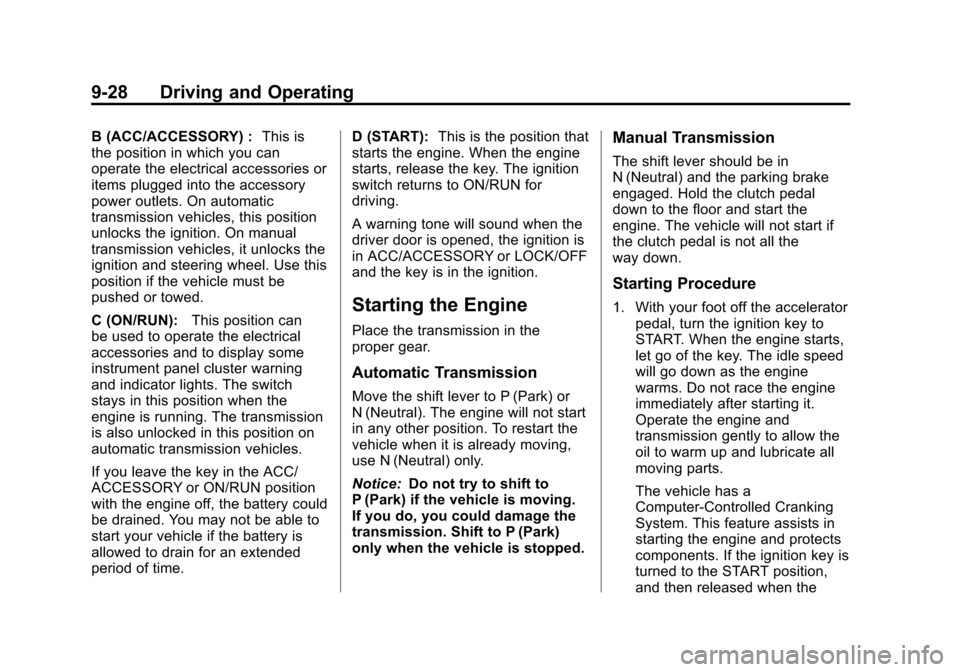
B (ACC/ACCESSORY) :This is
the position in which you can
operate the electrical accessories or
items plugged into the accessory
power outlets. On automatic
transmission vehicles, this position
unlocks the ignition. On manual
transmission vehicles, it unlocks the
ignition and steering wheel. Use this
position if the vehicle must be
pushed or towed.
C (ON/RUN): This position can
be used to operate the electrical
accessories and to display some
instrument panel cluster warning
and indicator lights. The switch
stays in this position when the
engine is running. The transmission
is also unlocked in this position on
automatic transmission vehicles.
If you leave the key in the ACC/
ACCESSORY or ON/RUN position
with the engine off, the battery could
be drained. You may not be able to
start your vehicle if the battery is
allowed to drain for an extended
period of time. D (START):
This is the position that
starts the engine. When the engine
starts, release the key. The ignition
switch returns to ON/RUN for
driving.
A warning tone will sound when the
driver door is opened, the ignition is
in ACC/ACCESSORY or LOCK/OFF
and the key is in the ignition.
Starting the Engine
Place the transmission in the
proper gear.
Automatic Transmission
Move the shift lever to P (Park) or
N (Neutral). The engine will not start
in any other position. To restart the
vehicle when it is already moving,
use N (Neutral) only.
Notice: Do not try to shift to
P (Park) if the vehicle is moving.
If you do, you could damage the
transmission. Shift to P (Park)
only when the vehicle is stopped.
Manual Transmission
The shift lever should be in
N (Neutral) and the parking brake
engaged. Hold the clutch pedal
down to the floor and start the
engine. The vehicle will not start if
the clutch pedal is not all the
way down.
Starting Procedure
1. With your foot off the accelerator pedal, turn the ignition key to
START. When the engine starts,
let go of the key. The idle speed
will go down as the engine
warms. Do not race the engine
immediately after starting it.
Operate the engine and
transmission gently to allow the
oil to warm up and lubricate all
moving parts.
The vehicle has a
Computer-Controlled Cranking
System. This feature assists in
starting the engine and protects
components. If the ignition key is
turned to the START position,
and then released when the
Page 209 of 392
Black plate (35,1)Chevrolet Colorado Owner Manual - 2011
Driving and Operating 9-35
Automatic
Transmission
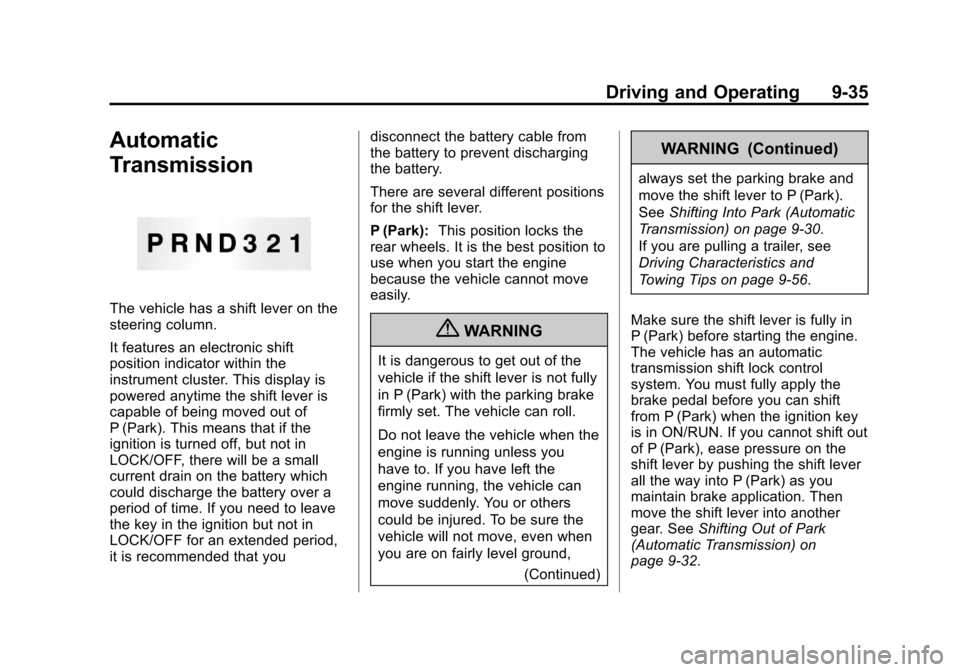
The vehicle has a shift lever on the
steering column.
It features an electronic shift
position indicator within the
instrument cluster. This display is
powered anytime the shift lever is
capable of being moved out of
P (Park). This means that if the
ignition is turned off, but not in
LOCK/OFF, there will be a small
current drain on the battery which
could discharge the battery over a
period of time. If you need to leave
the key in the ignition but not in
LOCK/OFF for an extended period,
it is recommended that youdisconnect the battery cable from
the battery to prevent discharging
the battery.
There are several different positions
for the shift lever.
P (Park):
This position locks the
rear wheels. It is the best position to
use when you start the engine
because the vehicle cannot move
easily.
{WARNING
It is dangerous to get out of the
vehicle if the shift lever is not fully
in P (Park) with the parking brake
firmly set. The vehicle can roll.
Do not leave the vehicle when the
engine is running unless you
have to. If you have left the
engine running, the vehicle can
move suddenly. You or others
could be injured. To be sure the
vehicle will not move, even when
you are on fairly level ground,
(Continued)
WARNING (Continued)
always set the parking brake and
move the shift lever to P (Park).
SeeShifting Into Park (Automatic
Transmission) on page 9‑30.
If you are pulling a trailer, see
Driving Characteristics and
Towing Tips on page 9‑56.
Make sure the shift lever is fully in
P (Park) before starting the engine.
The vehicle has an automatic
transmission shift lock control
system. You must fully apply the
brake pedal before you can shift
from P (Park) when the ignition key
is in ON/RUN. If you cannot shift out
of P (Park), ease pressure on the
shift lever by pushing the shift lever
all the way into P (Park) as you
maintain brake application. Then
move the shift lever into another
gear. See Shifting Out of Park
(Automatic Transmission) on
page 9‑32.
Page 220 of 392
Black plate (46,1)Chevrolet Colorado Owner Manual - 2011
9-46 Driving and Operating
Ride Control Systems
Traction Control
System (TCS)
The Traction Control System (TCS)
is part of StabiliTrak. TCS limits
wheel slip which is especially useful
in slippery road conditions. The
system operates only if it senses
that any of the wheels are spinning
or beginning to lose traction. When
this happens, TCS applies the
brakes to limit wheel spin and also
reduces engine power. The system
may be heard or felt while it is
working. This is normal and does
not mean there is a problem with
the vehicle.
Notice:If the wheel(s) of one axle
is allowed to spin excessively
while the StabiliTrak
®, ABS, brake
warning lights, and any relevant
DIC messages are displayed, the
transfer case could be damaged.
The repairs would not be covered
by the vehicle warranty. Reduce
engine power and do not spin the wheel(s) excessively while these
lights and messages are
displayed.
TCS can operate on dry roads
under some conditions. When
this happens, the system may be
heard working or a reduction in
acceleration may be noticed. This
is normal and does not mean there
is a problem with the vehicle.
Examples of these conditions
include hard acceleration in a turn,
an abrupt upshift or downshift of the
transmission or driving on rough
roads.
If cruise control is being used when
TCS begins to limit wheel spin, the
cruise control automatically
disengages. The cruise control can
be re-engaged when road
conditions allow. See
Cruise Control
on page 9‑49.
The message TRACTION FAULT
appears in the Driver Information
Center (DIC) when a TCS or
Antilock Brake System (ABS)
problem has been detected and the vehicle needs service. When this
message is on, the system will not
limit wheel spin. Adjust your driving
accordingly. See
Ride Control
System Messages on page 5‑25.
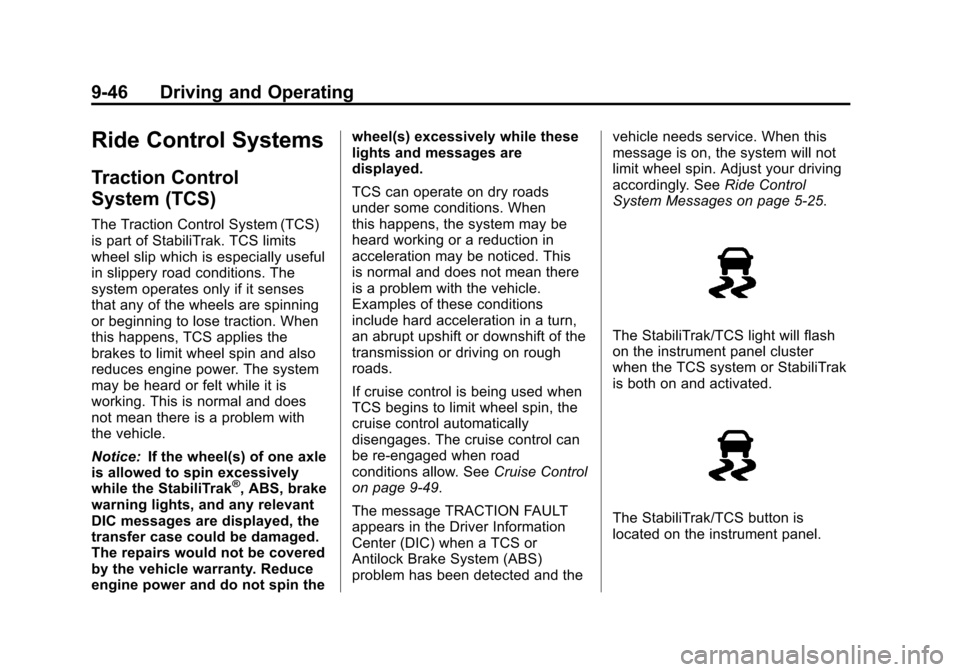
The StabiliTrak/TCS light will flash
on the instrument panel cluster
when the TCS system or StabiliTrak
is both on and activated.
The StabiliTrak/TCS button is
located on the instrument panel.
Page 221 of 392
Black plate (47,1)Chevrolet Colorado Owner Manual - 2011
Driving and Operating 9-47
To turn off TCS, press and release
the StabiliTrak/TCS button. The
StabiliTrak/TCS light comes on in
the instrument panel cluster, and
TRAC OFF comes on the DIC. To
turn TCS back on, press and
release the StabiliTrak/TCS button.
Adding non-dealer/non-retailer
accessories can affect the vehicle's
performance. SeeAccessories and
Modifications on page 10‑4.
StabiliTrak®System
The vehicle has an electronic
stability control system called
StabiliTrak. It is an advanced
computer controlled system that
assists the driver with directional
control of the vehicle in difficult
driving conditions.
StabiliTrak activates when the
computer senses a discrepancy
between the intended path and the
direction the vehicle is actually
traveling. StabiliTrak selectively
applies braking pressure at any one of the vehicle's brakes to assist the
driver with keeping the vehicle on
the intended path.
When the vehicle is started and
begins to move, the system
performs several diagnostic checks
to insure there are no problems.
The system may be heard or felt
while it is working. This is normal
and does not mean there is a
problem with the vehicle. The
system should initialize before the
vehicle reaches 32 km/h (20 mph).
In some cases, it may take
approximately two miles of driving
before the system initializes.
If cruise control is being used when
StabiliTrak activates, the cruise
control automatically disengages.
The cruise control can be
re-engaged when road conditions
allow. See
Cruise Control on
page 9‑49. If there is a problem detected with
StabiliTrak, a SERVICE STAB SYS
message displays on the Driver
Information Center (DIC). See
Ride
Control System Messages on
page 5‑25 for more information.
When this message is displayed,
the system is not working. Adjust
your driving accordingly.
StabiliTrak and Traction Control
(TCS) come on automatically
whenever the vehicle is started and
the systems are reset with each
ignition cycle. However, when the
transfer case is placed in
Four-Wheel-Low mode, StabiliTrak
is automatically disabled. See
Four-Wheel Drive on page 10‑30
for more information. It is
recommended to leave the system
on for normal driving conditions, but
it may be necessary to turn the TCS
portion of the system off if the
vehicle is stuck in sand, mud, ice,
or snow, and it is necessary to
“rock” the vehicle to attempt to free
it. If traction control is turned off,
only the brake-traction control
Page 222 of 392
Black plate (48,1)Chevrolet Colorado Owner Manual - 2011
9-48 Driving and Operating
portion of traction control will work.
The engine speed management will
be disabled. In this mode, engine
power is not reduced automatically
and the drive wheels can spin more
freely. This can cause the
brake-traction control to activate
constantly. SeeIf the Vehicle is
Stuck on page 9‑19.
The StabiliTrak/TCS light will flash
on the instrument panel cluster
when the TCS system or StabiliTrak
is both on and activated.
The StabiliTrak/TCS button is
located on the instrument panel.
To turn off TCS, press and release
the StabiliTrak/TCS button. The
StabiliTrak/TCS light comes on in
the instrument panel cluster, and
TRAC OFF comes on the DIC. To
turn TCS back on, press and
release the StabiliTrak/TCS button.
To turn off TCS and StabiliTrak,
press and hold the StabiliTrak/TCS
button until the TRAC OFF and
STAB SYS OFF messages come on
the DIC and the StabiliTrak/TCS
light comes on the instrument panel.
To turn TCS and StabiliTrak back
on, press and release the
StabiliTrak/TCS button. When the TCS or StabiliTrak system
is turned off, the StabiliTrak/TCS
light and the appropriate TRAC OFF
or STAB SYS OFF message will be
displayed on the DIC. The vehicle
will still have brake-traction control
when TCS or StabiliTrak is off, but
will not be able to use the engine
speed management system. The
StabiliTrak/TCS light flashes when
either system is actively working.
See
Traction Control System (TCS)
on page 9‑46 for more information.
Limited-Slip Rear Axle
Vehicles with a limited-slip rear axle
can give more traction on snow,
mud, ice, sand or gravel. It works
like a standard axle most of the
time, but when traction is low, this
feature allows the drive wheel with
the most traction to move the
vehicle.
Page 251 of 392
Black plate (11,1)Chevrolet Colorado Owner Manual - 2011
Vehicle Care 10-11
Notice:Use only engine oil that is
approved to the dexos™
specification or an equivalent
engine oil of the appropriate
viscosity grade. Engine oils
approved to the dexos™
specification will show the
dexos™ symbol on the container.
Failure to use the recommended
engine oil or equivalent can result
in engine damage not covered by
the vehicle warranty. If you are
unsure whether your oil is
approved to the dexos™
specification, ask your service
provider. Use of Substitute Engine Oils if
dexos™
is unavailable: In the event
that dexos™ approved engine oil is
not available at an oil change or for
maintaining proper oil level, you
may use substitute engine oil
displaying the API Starburst symbol
and of SAE 5W-30 viscosity grade.
Use of oils that do not meet the
dexos™ specification, however, may
result in reduced performance under
certain circumstances.
Viscosity Grade
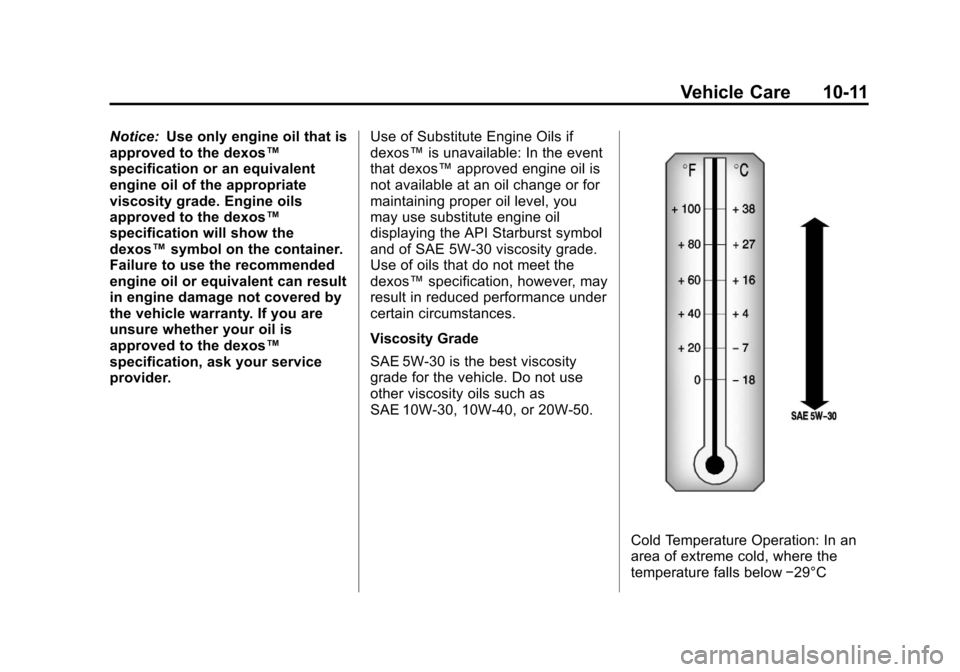
SAE 5W-30 is the best viscosity
grade for the vehicle. Do not use
other viscosity oils such as
SAE 10W‐30, 10W‐40, or 20W-50.
Cold Temperature Operation: In an
area of extreme cold, where the
temperature falls below −29°C
Page 252 of 392
Black plate (12,1)Chevrolet Colorado Owner Manual - 2011
10-12 Vehicle Care
(−20°F), an SAE 0W-30 oil should
be used. An oil of this viscosity
grade will provide easier cold
starting for the engine at extremely
low temperatures. When selecting
an oil of the appropriate viscosity
grade, be sure to always select an
oil that meets the required
specification, dexos™. See
“Specification”for more information.
Engine Oil Additives/Engine
Oil Flushes
Do not add anything to the oil. The
recommended oils with the dexos™
specification and displaying the
dexos™certification mark are all
that is needed for good performance
and engine protection.
Engine oil system flushes are not
recommended and could cause
engine damage not covered by the
vehicle warranty.
What to Do with Used Oil
Used engine oil contains certain
elements that can be unhealthy for
your skin and could even cause cancer. Do not let used oil stay on
your skin for very long. Clean your
skin and nails with soap and water,
or a good hand cleaner. Wash or
properly dispose of clothing or rags
containing used engine oil. See the
manufacturer's warnings about the
use and disposal of oil products.
Used oil can be a threat to the
environment. If you change your
own oil, be sure to drain all the oil
from the filter before disposal. Never
dispose of oil by putting it in the
trash or pouring it on the ground,
into sewers, or into streams or
bodies of water. Recycle it by taking
it to a place that collects used oil.
Engine Oil Life System
When to Change Engine Oil
This vehicle has a computer system
that indicates when to change the
engine oil and filter. This is based
on engine revolutions and engine
temperature, and not on mileage.
Based on driving conditions, the
mileage at which an oil change is
indicated can vary considerably. For
the oil life system to work properly,
the system must be reset every time
the oil is changed.
When the system has calculated
that oil life has been diminished, it
indicates that an oil change is
necessary. A CHANGE OIL
message comes on. See
Engine Oil
Messages on page 5‑24. Change
the oil as soon as possible within
the next 1 000 km (600 miles). It is
possible that, if driving under the
best conditions, the oil life system
might indicate that an oil change is
not necessary for up to a year. The
engine oil and filter must be
changed at least once a year and,
at this time, the system must be
reset. Your dealer has trained
people who will perform this work
and reset the system. It is also
important to check the oil regularly
over the course of an oil drain
interval and keep it at the proper
level.
Page 253 of 392
Black plate (13,1)Chevrolet Colorado Owner Manual - 2011
Vehicle Care 10-13
If the system is ever reset
accidentally, the oil must be
changed at 5 000 km (3,000 miles)
since the last oil change.
Remember to reset the oil life
system whenever the oil is changed.
How to Reset the Engine Oil
Life System
Reset the system whenever the
engine oil is changed so that the
system can calculate the next
engine oil change. To reset the
system:
1. Turn the ignition to ON/RUN,with the engine off.
2. Press and release the stem in the lower center of the
instrument cluster until the OIL
LIFE message is displayed.
3. Once the alternating OIL LIFE and RESET messages appear,
press and hold the stem until
several beeps sound. This
confirms that the oil life system
has been reset.
4. Turn the key to LOCK/OFF. If the CHANGE OIL message
comes back on when the vehicle is
started, the engine oil life system
has not been reset. Repeat the
procedure.
Automatic Transmission
Fluid
When to Check and Change
Automatic Transmission Fluid
A good time to check the automatic
transmission fluid level is when the
engine oil is changed.
Change the fluid and filter at the
intervals listed in
Scheduled
Maintenance on page 11‑2, and be
sure to use the transmission fluid
listed in Recommended Fluids and
Lubricants on page 11‑6.
How to Check Automatic
Transmission Fluid
Because this operation can be a
little difficult, it may be decided to
have this done at the dealer service
department. If not taken to the dealer, be sure to
follow all the instructions here, or a
false reading on the dipstick could
result.
Notice:
Too much or too little
fluid can damage the
transmission. Too much can
mean that some of the fluid could
come out and fall on hot engine
parts or exhaust system parts,
starting a fire. Too little fluid
could cause the transmission to
overheat. Be sure to get an
accurate reading if checking the
transmission fluid.
Wait at least 30 minutes before
checking the transmission fluid level
if the vehicle has been driven:
.When outside temperatures are
above 32°C (90°F).
.At high speed for quite a while.
.In heavy traffic —especially in
hot weather.
.While pulling a trailer.
Page 263 of 392
Black plate (23,1)Chevrolet Colorado Owner Manual - 2011
Vehicle Care 10-23
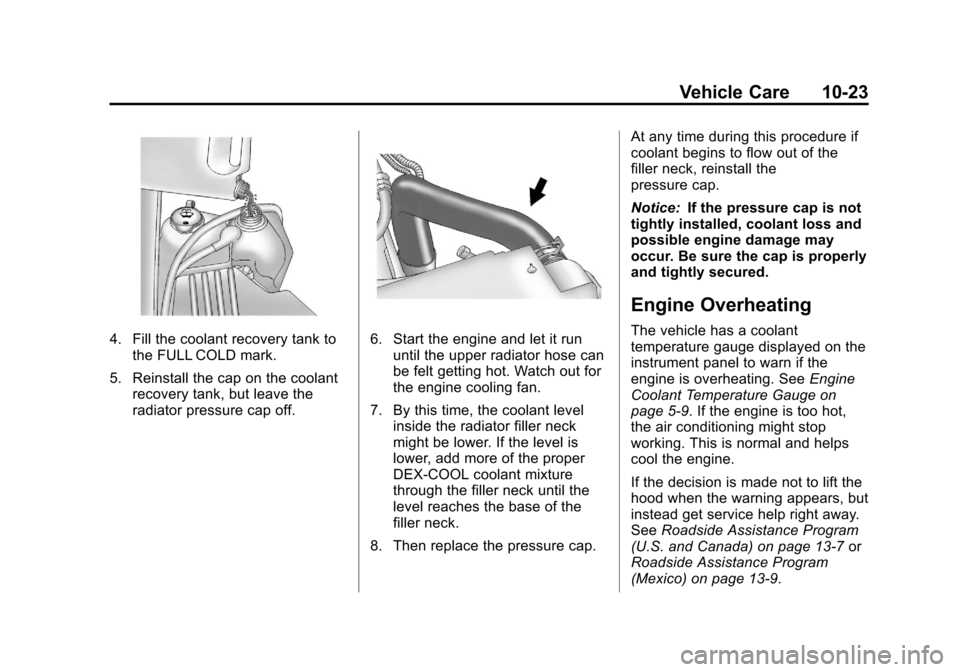
4. Fill the coolant recovery tank tothe FULL COLD mark.
5. Reinstall the cap on the coolant recovery tank, but leave the
radiator pressure cap off.6. Start the engine and let it rununtil the upper radiator hose can
be felt getting hot. Watch out for
the engine cooling fan.
7. By this time, the coolant level inside the radiator filler neck
might be lower. If the level is
lower, add more of the proper
DEX‐COOL coolant mixture
through the filler neck until the
level reaches the base of the
filler neck.
8. Then replace the pressure cap. At any time during this procedure if
coolant begins to flow out of the
filler neck, reinstall the
pressure cap.
Notice:
If the pressure cap is not
tightly installed, coolant loss and
possible engine damage may
occur. Be sure the cap is properly
and tightly secured.
Engine Overheating
The vehicle has a coolant
temperature gauge displayed on the
instrument panel to warn if the
engine is overheating. See Engine
Coolant Temperature Gauge on
page 5‑9. If the engine is too hot,
the air conditioning might stop
working. This is normal and helps
cool the engine.
If the decision is made not to lift the
hood when the warning appears, but
instead get service help right away.
See Roadside Assistance Program
(U.S. and Canada) on page 13‑7 or
Roadside Assistance Program
(Mexico) on page 13‑9.