cluster CHEVROLET COLORADO 2017 2.G User Guide
[x] Cancel search | Manufacturer: CHEVROLET, Model Year: 2017, Model line: COLORADO, Model: CHEVROLET COLORADO 2017 2.GPages: 419, PDF Size: 7.38 MB
Page 111 of 419

Chevrolet Colorado Owner Manual (GMNA-Localizing-U.S./Canada/Mexico-10122675) - 2017 - crc - 8/22/16
110 Instruments and Controls
Instrument Cluster (Base Level)
English Shown, Metric Similar
Page 113 of 419
Chevrolet Colorado Owner Manual (GMNA-Localizing-U.S./Canada/Mexico-10122675) - 2017 - crc - 8/22/16
112 Instruments and Controls
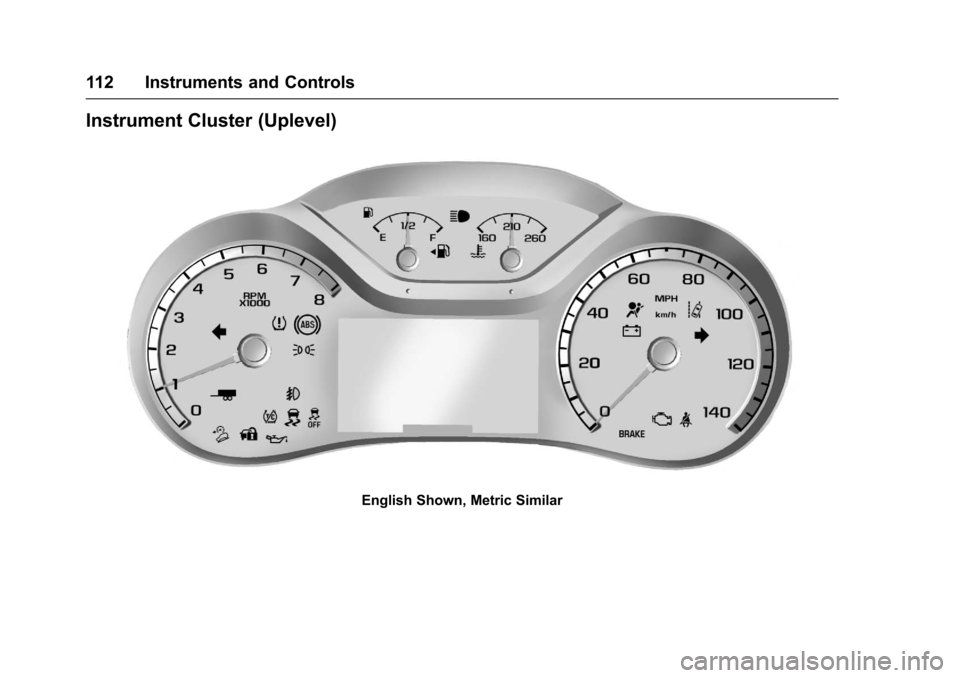
Instrument Cluster (Uplevel)
English Shown, Metric Similar
Page 114 of 419
Chevrolet Colorado Owner Manual (GMNA-Localizing-U.S./Canada/Mexico-10122675) - 2017 - crc - 8/22/16
Instruments and Controls 113
If the vehicle has a diesel engine,see the Duramax diesel supplementfor more information.
Cluster Menu
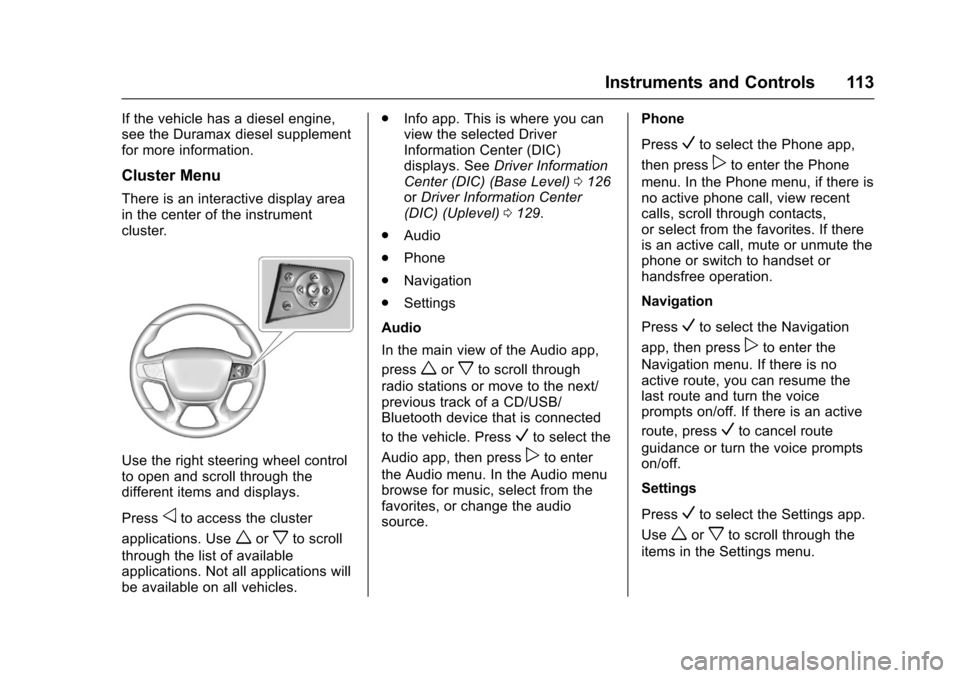
There is an interactive display areain the center of the instrumentcluster.
Use the right steering wheel controlto open and scroll through thedifferent items and displays.
Pressoto access the cluster
applications. Useworxto scroll
through the list of availableapplications. Not all applications willbe available on all vehicles.
.Info app. This is where you canview the selected DriverInformation Center (DIC)displays. SeeDriver InformationCenter (DIC) (Base Level)0126orDriver Information Center(DIC) (Uplevel)0129.
.Audio
.Phone
.Navigation
.Settings
Audio
In the main view of the Audio app,
pressworxto scroll through
radio stations or move to the next/previous track of a CD/USB/Bluetooth device that is connected
to the vehicle. PressVto select the
Audio app, then presspto enter
the Audio menu. In the Audio menubrowse for music, select from thefavorites, or change the audiosource.
Phone
PressVto select the Phone app,
then presspto enter the Phone
menu. In the Phone menu, if there isno active phone call, view recentcalls, scroll through contacts,or select from the favorites. If thereis an active call, mute or unmute thephone or switch to handset orhandsfree operation.
Navigation
PressVto select the Navigation
app, then presspto enter the
Navigation menu. If there is noactive route, you can resume thelast route and turn the voiceprompts on/off. If there is an active
route, pressVto cancel route
guidance or turn the voice promptson/off.
Settings
PressVto select the Settings app.
Useworxto scroll through the
items in the Settings menu.
Page 117 of 419
Chevrolet Colorado Owner Manual (GMNA-Localizing-U.S./Canada/Mexico-10122675) - 2017 - crc - 8/22/16
116 Instruments and Controls
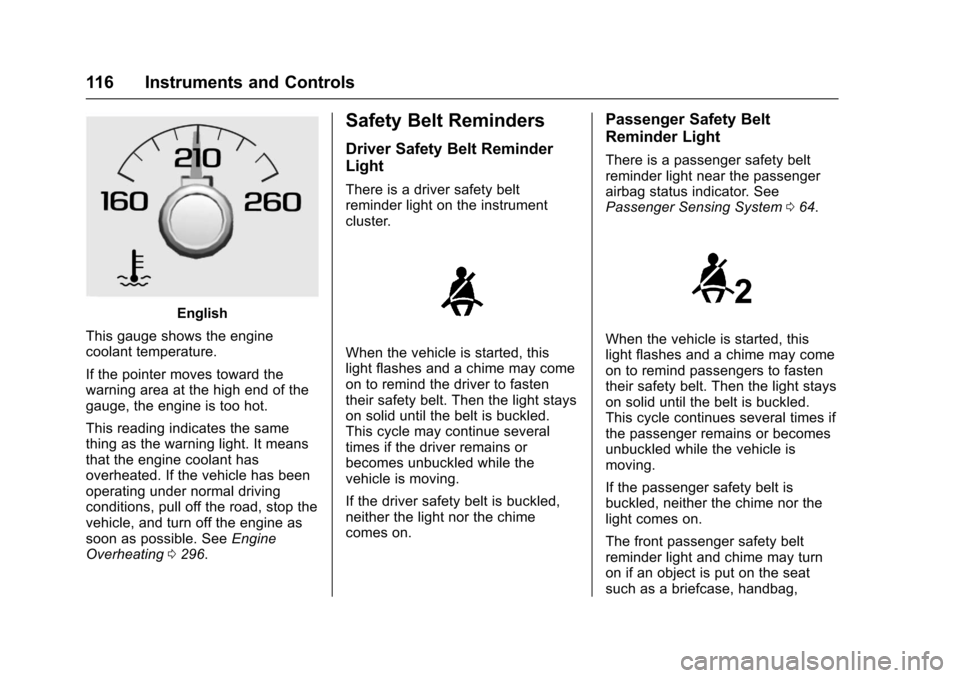
English
This gauge shows the enginecoolant temperature.
If the pointer moves toward thewarning area at the high end of thegauge, the engine is too hot.
This reading indicates the samething as the warning light. It meansthat the engine coolant hasoverheated. If the vehicle has beenoperating under normal drivingconditions, pull off the road, stop thevehicle, and turn off the engine assoon as possible. SeeEngineOverheating0296.
Safety Belt Reminders
Driver Safety Belt Reminder
Light
There is a driver safety beltreminder light on the instrumentcluster.
When the vehicle is started, thislight flashes and a chime may comeon to remind the driver to fastentheir safety belt. Then the light stayson solid until the belt is buckled.This cycle may continue severaltimes if the driver remains orbecomes unbuckled while thevehicle is moving.
If the driver safety belt is buckled,neither the light nor the chimecomes on.
Passenger Safety Belt
Reminder Light
There is a passenger safety beltreminder light near the passengerairbag status indicator. SeePassenger Sensing System064.
When the vehicle is started, thislight flashes and a chime may comeon to remind passengers to fastentheir safety belt. Then the light stayson solid until the belt is buckled.This cycle continues several times ifthe passenger remains or becomesunbuckled while the vehicle ismoving.
If the passenger safety belt isbuckled, neither the chime nor thelight comes on.
The front passenger safety beltreminder light and chime may turnon if an object is put on the seatsuch as a briefcase, handbag,
Page 127 of 419
Chevrolet Colorado Owner Manual (GMNA-Localizing-U.S./Canada/Mexico-10122675) - 2017 - crc - 8/22/16
126 Instruments and Controls
Door Ajar Light (Uplevel
Cluster)
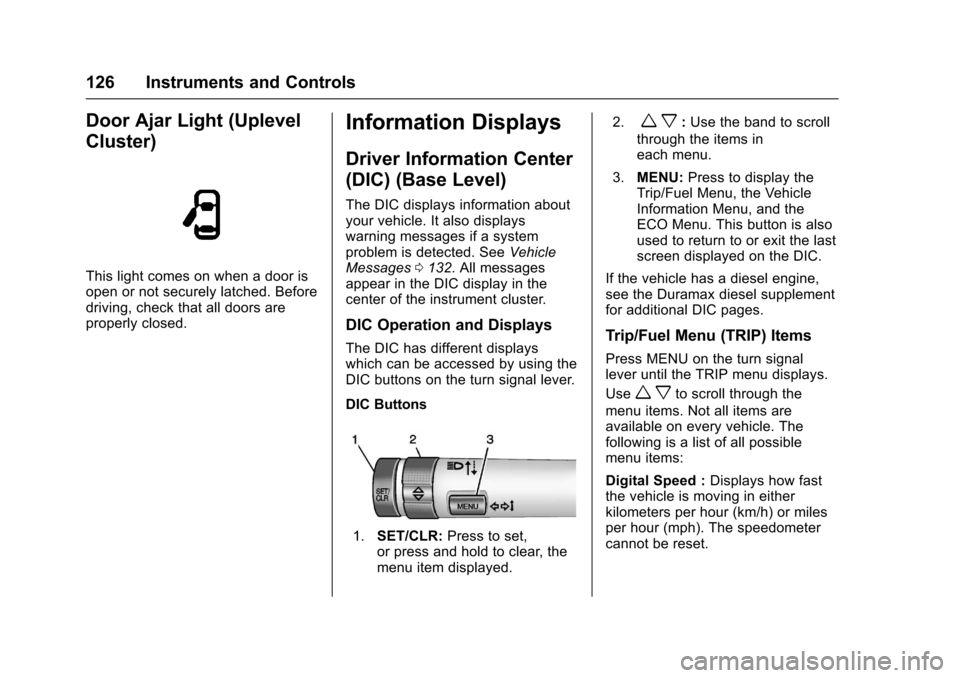
This light comes on when a door isopen or not securely latched. Beforedriving, check that all doors areproperly closed.
Information Displays
Driver Information Center
(DIC) (Base Level)
The DIC displays information aboutyour vehicle. It also displayswarning messages if a systemproblem is detected. SeeVehicleMessages0132.Allmessagesappear in the DIC display in thecenter of the instrument cluster.
DIC Operation and Displays
The DIC has different displayswhich can be accessed by using theDIC buttons on the turn signal lever.
DIC Buttons
1.SET/CLR:Press to set,or press and hold to clear, themenu item displayed.
2.wx:Use the band to scroll
through the items ineach menu.
3.MENU:Press to display theTrip/Fuel Menu, the VehicleInformation Menu, and theECO Menu. This button is alsoused to return to or exit the lastscreen displayed on the DIC.
If the vehicle has a diesel engine,see the Duramax diesel supplementfor additional DIC pages.
Trip/Fuel Menu (TRIP) Items
Press MENU on the turn signallever until the TRIP menu displays.
Usewxto scroll through the
menu items. Not all items areavailable on every vehicle. Thefollowing is a list of all possiblemenu items:
Digital Speed :Displays how fastthe vehicle is moving in eitherkilometers per hour (km/h) or milesper hour (mph). The speedometercannot be reset.
Page 130 of 419
Chevrolet Colorado Owner Manual (GMNA-Localizing-U.S./Canada/Mexico-10122675) - 2017 - crc - 8/22/16
Instruments and Controls 129
The display provides feedback onhow current driving behavior in thebar graph affects the runningaverage in the top display and howwell recent driving compares to thebest that has been achieved.
Driver Information Center
(DIC) (Uplevel)
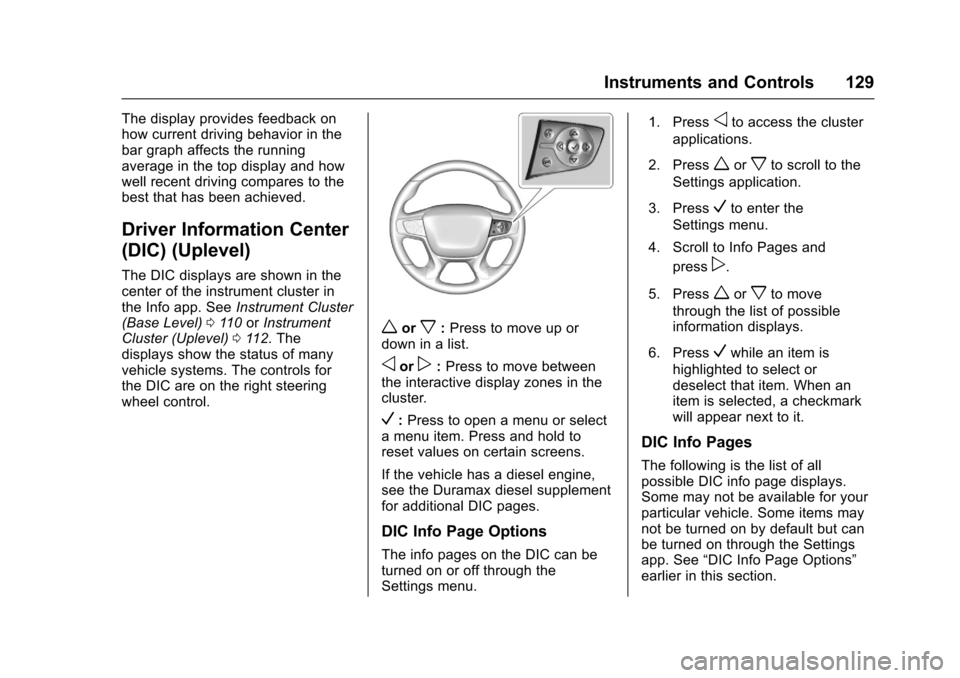
The DIC displays are shown in thecenter of the instrument cluster inthe Info app. SeeInstrument Cluster(Base Level)011 0orInstrumentCluster (Uplevel)011 2.Thedisplays show the status of manyvehicle systems. The controls forthe DIC are on the right steeringwheel control.
worx:Press to move up ordown in a list.
oorp:Press to move betweenthe interactive display zones in thecluster.
V:Press to open a menu or selectamenuitem.Pressandholdtoreset values on certain screens.
If the vehicle has a diesel engine,see the Duramax diesel supplementfor additional DIC pages.
DIC Info Page Options
The info pages on the DIC can beturned on or off through theSettings menu.
1. Pressoto access the cluster
applications.
2. Pressworxto scroll to the
Settings application.
3. PressVto enter the
Settings menu.
4. Scroll to Info Pages and
pressp.
5. Pressworxto move
through the list of possibleinformation displays.
6. PressVwhile an item is
highlighted to select ordeselect that item. When anitem is selected, a checkmarkwill appear next to it.
DIC Info Pages
The following is the list of allpossible DIC info page displays.Some may not be available for yourparticular vehicle. Some items maynot be turned on by default but canbe turned on through the Settingsapp. See“DIC Info Page Options”earlier in this section.
Page 133 of 419
Chevrolet Colorado Owner Manual (GMNA-Localizing-U.S./Canada/Mexico-10122675) - 2017 - crc - 8/22/16
132 Instruments and Controls
Vehicle Messages
Messages displayed on the DICindicate the status of the vehicle orsome action that may be needed tocorrect a condition. Multiplemessages may display one after theother.
The messages that do not requireimmediate action can beacknowledged and cleared by
pressing SET/CLR orV.The
messages that require immediateaction cannot be cleared until thataction is performed. All messagesshould be taken seriously andclearing the messages does notcorrect the problem.
The following are some of thevehicle messages that may bedisplayed depending on yourvehicle content.
If the vehicle has a diesel engine,see the Duramax diesel supplementfor additional messages.
Battery Voltage and
Charging Messages
BATTERY LOW START
VEHICLE
When the vehicle’sbatteryisseverely discharged, this messagewill display and four chimes willsound. Start the vehicleimmediately. If the vehicle is notstarted and the battery continues todischarge, the climate controls,heated seats, and audio systemswill shut off and the vehicle mayrequire a jump start. These systemswill function again after the vehicleis started.
BATTERY SAVER ACTIVE
This message displays when thebattery voltage drops belowexpected levels and features aredisabled. Turn off all unnecessaryaccessory features.
SERVICE BATTERY
CHARGING SYSTEM
On some vehicles, this messagedisplays if there is a problem withthe battery charging system. Undercertain conditions, the chargingsystem light may also turn on in theinstrument cluster. SeeChargingSystem Light011 8.Drivingwiththisproblem could drain the battery.Turn off all unnecessaryaccessories. Have the electricalsystem checked as soon aspossible. See your dealer.
TRANSPORT MODE ON
This message is displayed when thevehicle is in transport mode. Somefeatures can be disabled while inthis mode, including RemoteKeyless Entry (RKE), remote start,and the vehicle alarm system. Takethe vehicle to your dealer for serviceto turn transport mode off.
Page 148 of 419
Chevrolet Colorado Owner Manual (GMNA-Localizing-U.S./Canada/Mexico-10122675) - 2017 - crc - 8/22/16
Lighting 147
10 minutes after the ignition isturned off. When the headlamps areturned on while the vehicle is off,the headlamps will stay on for10 minutes before turning off toprevent the battery from beingdrained. Turn the headlamp controloff and then back to the headlampon position to make the headlampsstay on for an additional 10 minutes.To k e e p t h e l a m p s o n f o r m o r e t h a n10 minutes, the ignition must be inthe ACC/ACCESSORY or ON/RUNposition.
#:If equipped, it turns on the foglamps. SeeFog Lamps0149.
Exterior Lamps Off
Reminder
Areminderchimesoundswhentheheadlamps or parking lamps aremanually turned on, the ignition isoff, and a door is open. To disablethe chime, turn the lamps off.
Headlamp High/
Low-Beam Changer
Push the turn signal lever towardthe instrument panel to change theheadlamps from low to high beam.
Pull the turn signal lever toward youand release it to return to low-beamheadlamps.
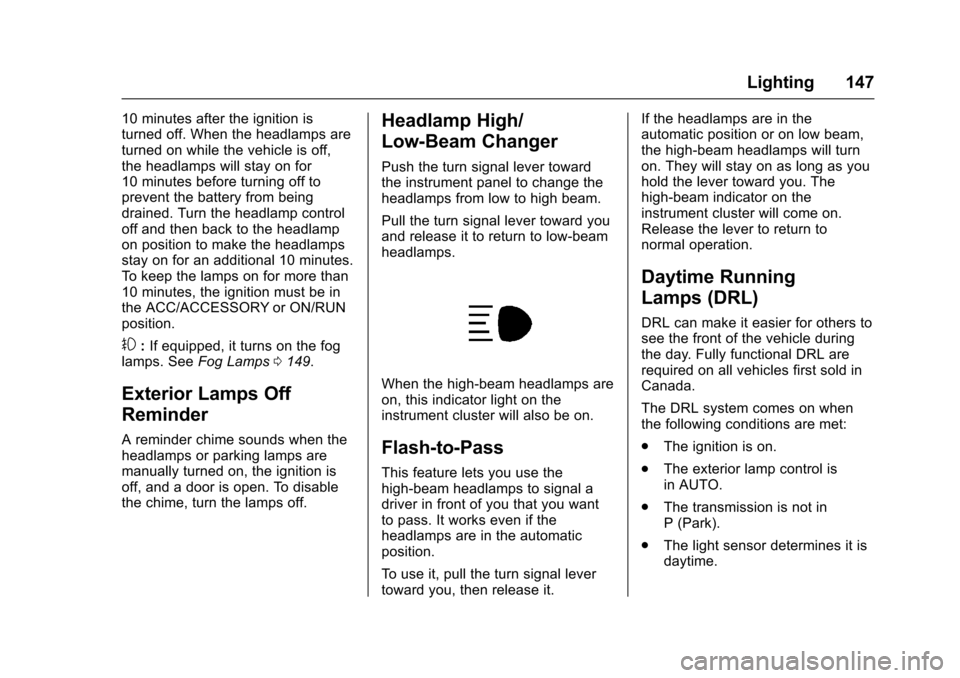
When the high-beam headlamps areon, this indicator light on theinstrument cluster will also be on.
Flash-to-Pass
This feature lets you use thehigh-beam headlamps to signal adriver in front of you that you wantto pass. It works even if theheadlamps are in the automaticposition.
To u s e i t , p u l l t h e t u r n s i g n a l l e v e rtoward you, then release it.
If the headlamps are in theautomatic position or on low beam,the high-beam headlamps will turnon. They will stay on as long as youhold the lever toward you. Thehigh-beam indicator on theinstrument cluster will come on.Release the lever to return tonormal operation.
Daytime Running
Lamps (DRL)
DRL can make it easier for others tosee the front of the vehicle duringthe day. Fully functional DRL arerequired on all vehicles first sold inCanada.
The DRL system comes on whenthe following conditions are met:
.The ignition is on.
.The exterior lamp control isin AUTO.
.The transmission is not inP(Park).
.The light sensor determines it isdaytime.
Page 149 of 419
Chevrolet Colorado Owner Manual (GMNA-Localizing-U.S./Canada/Mexico-10122675) - 2017 - crc - 8/22/16
148 Lighting
When the DRL system is on, onlythe DRL are on. The taillamps,sidemarker lamps, instrument panellights, and other lamps will notbe on.
When it begins to get dark, theautomatic headlamp systemswitches from DRL to theheadlamps.
To t u r n o f f t h e D R L , t u r n t h e e x t e r i o rlamp control to the off position andthen release. For vehicles first soldin Canada, off will only work whenthe vehicle is in P (Park).
Automatic Headlamp
System
When the exterior lamp control isset to AUTO and it is dark enoughoutside, the headlamps come onautomatically.
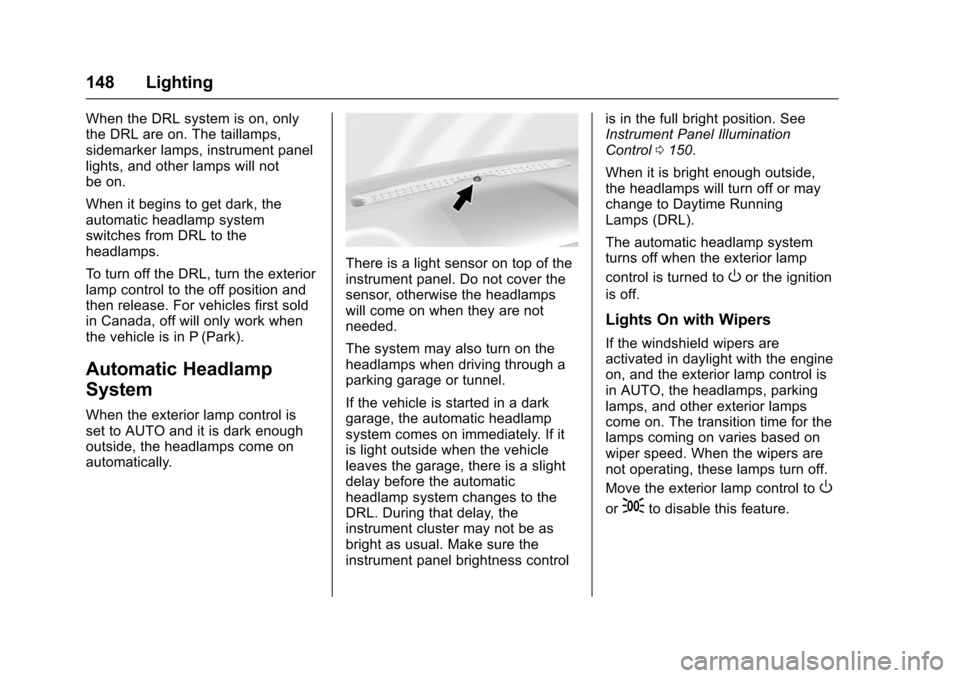
There is a light sensor on top of theinstrument panel. Do not cover thesensor, otherwise the headlampswill come on when they are notneeded.
The system may also turn on theheadlamps when driving through aparking garage or tunnel.
If the vehicle is started in a darkgarage, the automatic headlampsystem comes on immediately. If itis light outside when the vehicleleaves the garage, there is a slightdelay before the automaticheadlamp system changes to theDRL. During that delay, theinstrument cluster may not be asbright as usual. Make sure theinstrument panel brightness control
is in the full bright position. SeeInstrument Panel IlluminationControl0150.
When it is bright enough outside,the headlamps will turn off or maychange to Daytime RunningLamps (DRL).
The automatic headlamp systemturns off when the exterior lamp
control is turned toOor the ignition
is off.
Lights On with Wipers
If the windshield wipers areactivated in daylight with the engineon, and the exterior lamp control isin AUTO, the headlamps, parkinglamps, and other exterior lampscome on. The transition time for thelamps coming on varies based onwiper speed. When the wipers arenot operating, these lamps turn off.
Move the exterior lamp control toO
or;to disable this feature.
Page 150 of 419
Chevrolet Colorado Owner Manual (GMNA-Localizing-U.S./Canada/Mexico-10122675) - 2017 - crc - 8/22/16
Lighting 149
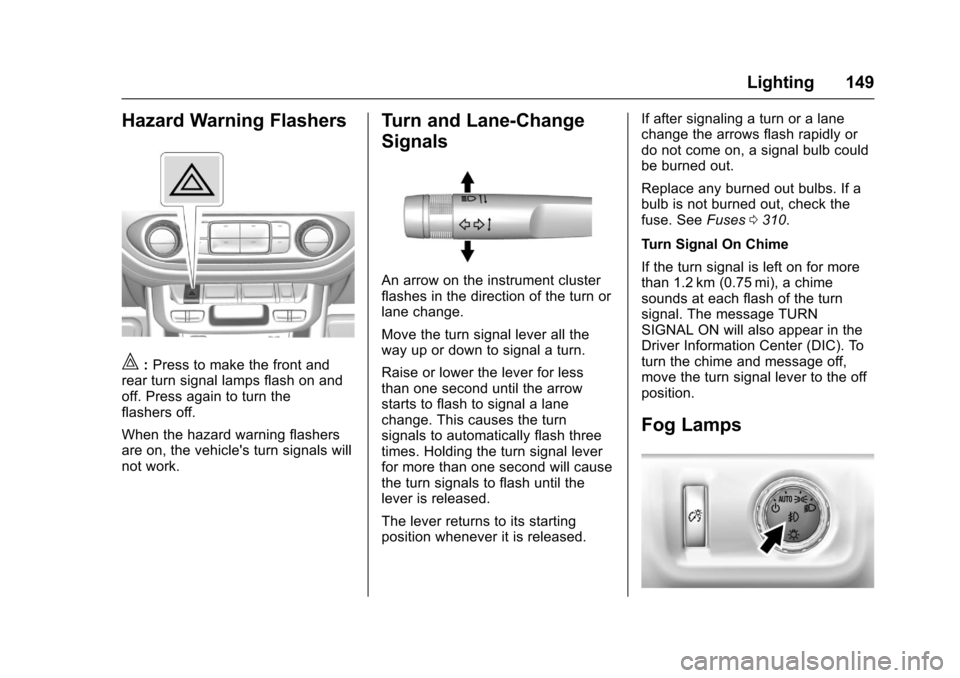
Hazard Warning Flashers
|:Press to make the front andrear turn signal lamps flash on andoff. Press again to turn theflashers off.
When the hazard warning flashersare on, the vehicle's turn signals willnot work.
Turn and Lane-Change
Signals
An arrow on the instrument clusterflashes in the direction of the turn orlane change.
Move the turn signal lever all theway up or down to signal a turn.
Raise or lower the lever for lessthan one second until the arrowstarts to flash to signal a lanechange. This causes the turnsignals to automatically flash threetimes. Holding the turn signal leverfor more than one second will causethe turn signals to flash until thelever is released.
The lever returns to its startingposition whenever it is released.
If after signaling a turn or a lanechange the arrows flash rapidly ordo not come on, a signal bulb couldbe burned out.
Replace any burned out bulbs. If abulb is not burned out, check thefuse. SeeFuses0310.
Turn Signal On Chime
If the turn signal is left on for morethan 1.2 km (0.75 mi), a chimesounds at each flash of the turnsignal. The message TURNSIGNAL ON will also appear in theDriver Information Center (DIC). Toturn the chime and message off,move the turn signal lever to the offposition.
Fog Lamps