cluster CHEVROLET COLORADO 2017 2.G Owner's Manual
[x] Cancel search | Manufacturer: CHEVROLET, Model Year: 2017, Model line: COLORADO, Model: CHEVROLET COLORADO 2017 2.GPages: 419, PDF Size: 7.38 MB
Page 151 of 419
Chevrolet Colorado Owner Manual (GMNA-Localizing-U.S./Canada/Mexico-10122675) - 2017 - crc - 8/22/16
150 Lighting
If equipped, the control is on thecenter of the exterior lamp control,to the left of the steering column.
The ignition must be in the ON/RUNposition for the fog lamps tocome on.
#:Press to turn the fog lamps onor off. A light will come on in theinstrument cluster.
When the fog lamps are turned on,the parking lamps automaticallyturn on.
When the headlamps are changedto high beam, the fog lamps go off.When the high-beam headlamps areturned off, the fog lamps will comeon again.
Some localities have laws thatrequire the headlamps to be on withthe fog lamps.
Interior Lighting
Instrument Panel
Illumination Control
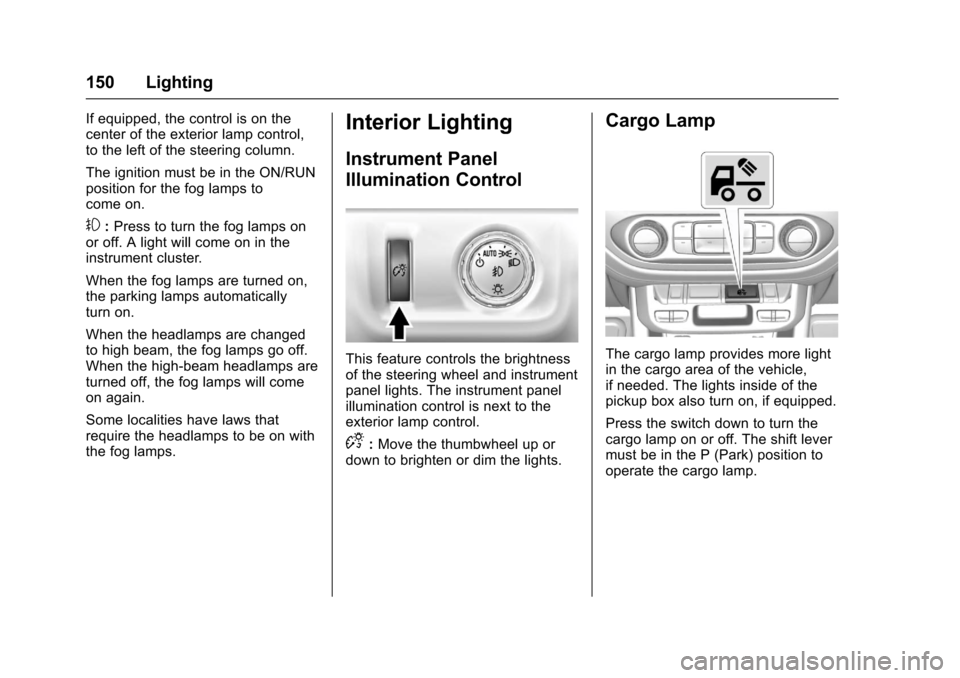
This feature controls the brightnessof the steering wheel and instrumentpanel lights. The instrument panelillumination control is next to theexterior lamp control.
D:Move the thumbwheel up ordown to brighten or dim the lights.
Cargo Lamp
The cargo lamp provides more lightin the cargo area of the vehicle,if needed. The lights inside of thepickup box also turn on, if equipped.
Press the switch down to turn thecargo lamp on or off. The shift levermust be in the P (Park) position tooperate the cargo lamp.
Page 155 of 419
Chevrolet Colorado Owner Manual (GMNA-Localizing-U.S./Canada/Mexico-10122675) - 2017 - crc - 8/22/16
154 Infotainment System
The infotainment system has built-infeatures intended to help avoiddistraction by disabling somefunctions when driving. Thesefunctions may gray out when theyare unavailable. Many infotainmentfeatures are also available throughthe instrument cluster and steeringwheel controls.
Before driving:
.Become familiar with theoperation, faceplate buttons, andscreen buttons.
.Set up the audio by presettingfavorite stations, setting thetone, and adjusting thespeakers.
.Set up phone numbers inadvance so they can be calledeasily by pressing a singlebutton or by using a single voicecommand if equipped withBluetooth phone capability.
SeeDefensive Driving0215.
To p l a y t h e i n f o t a i n m e n t s y s t e m w i t hthe ignition off, seeRetainedAccessory Power (RAP)0237.
Theft-Deterrent Feature
TheftLock®is designed todiscourage theft of the vehicle'sradio by learning a portion of theVehicle Identification Number (VIN).The radio does not operate if it isstolen or moved to a differentvehicle.
Page 159 of 419
Chevrolet Colorado Owner Manual (GMNA-Localizing-U.S./Canada/Mexico-10122675) - 2017 - crc - 8/22/16
158 Infotainment System
4.6
.Radio: Press and release togo to the next station orchannel. Press and hold tofast seek the next strongeststation or channel.
.USB/BT Music/Pictures:Press and hold to go to thenext content. Press andhold to fast forward.
5.#
.Press and release toaccess the phone screen,answer an incoming call,or access the device homescreen. Press and hold toaccess Press to Talk.
Home Page (Base Radio)
Home Page Features
The infotainment system displays aHome Page to access all of theapplications. Turn the MENU knobto highlight feature icons. Press theMENU knob to access the feature’soptions.
Va r i o u s f u n c t i o n s a r e d i s a b l e d w h e nthe vehicle is moving.
AUDIO :Select the AUDIO screenicon to display the active sourcepage. The sources available areAM, FM, SXM (if equipped), USB/iPod, AUX Input, and BluetoothAudio (if equipped). SeeAM-FMRadio (Base Radio)0161orAM-FM Radio (Base Radio withTo u c h s c r e e n )0163,Satellite Radio(Base Radio)0164orSatelliteRadio (Base Radio withTo u c h s c r e e n )0165,Auxiliary Jack0179,andBluetooth Audio0180.
PHONE :Select the PHONE screenicon to display the Phone mainpage. SeeBluetooth (Overview)0187orBluetooth (InfotainmentControls - Base Radio)0188orBluetooth (Voice Recognition)0192orBluetooth (Infotainment Controls -Base Radio withTo u c h s c r e e n )0197.
NAV (Navigation, If Equipped) :Select the NAV screen icon todisplay the OnStar Turn-by-TurnNavigation. SeeOnStar Overview0397,ifequipped.
SETTINGS :Select the SETTINGSscreen icon to display the Settingsmain page. See“Setting RadioPreferences”following.
Pandora (If Equipped)
Select the PANDORA icon to beginPandora. SeePandora InternetRadio0167.
Setting Radio Preferences
Select the SETTINGS screen iconto display the Settings menu andthe following may display:
Time and Date :SeeClock0106.
Language (Current Language) :This will set the display language inthe radio and instrument cluster.Select to display a list of languages.
SelectoBACK to go back to the
previous menu.
Valet Mode:
Using the circular numeric keypad,enter a four-digit code:
1. Turn the MENU knob tohighlight a number.
Page 161 of 419
Chevrolet Colorado Owner Manual (GMNA-Localizing-U.S./Canada/Mexico-10122675) - 2017 - crc - 8/22/16
160 Infotainment System
displays stating all vehiclecustomization settings will berestored to the factory settings.Select Cancel or Confirm.
Clear All Private Data (IfEquipped) :This option clears allprivate information from the vehicle.Select Clear All Private Data. SelectCancel or Confirm.
Restore Radio Settings :Thisoption will restore factory radiosettings. Select Restore RadioSettings. A screen displays statingall personalized radio settings willbe restored back to the factorysettings. Select Cancel or Confirm.
English and Metric Unit
Conversion
To c h a n g e t h e d i s p l a y u n i t s b e t w e e nEnglish and metric units, seeDriverInformation Center (DIC) (BaseLevel)0126orDriver InformationCenter (DIC) (Uplevel)0129orInstrument Cluster (Base Level)011 0orInstrument Cluster(Uplevel)011 2.
Home Page (Base Radio
with Touchscreen)
Touchscreen Buttons
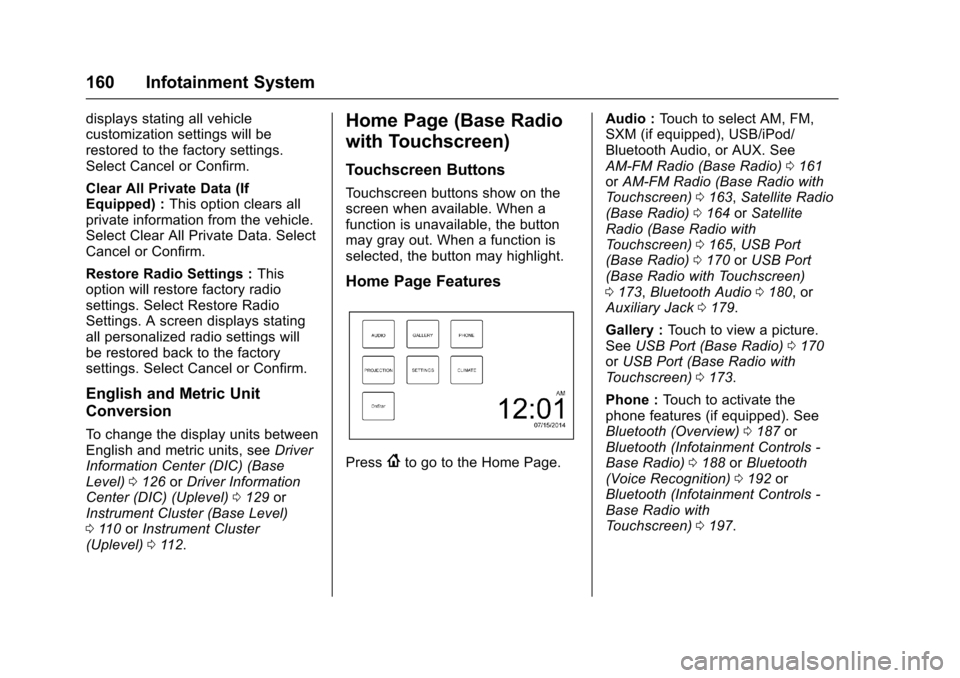
To u c h s c r e e n b u t t o n s s h o w o n t h escreen when available. When afunction is unavailable, the buttonmay gray out. When a function isselected, the button may highlight.
Home Page Features
Press{to go to the Home Page.
Audio :To u c h t o s e l e c t A M , F M ,SXM (if equipped), USB/iPod/Bluetooth Audio, or AUX. SeeAM-FM Radio (Base Radio)0161orAM-FM Radio (Base Radio withTo u c h s c r e e n )0163,Satellite Radio(Base Radio)0164orSatelliteRadio (Base Radio withTo u c h s c r e e n )0165,USB Port(Base Radio)0170orUSB Port(Base Radio with Touchscreen)0173,Bluetooth Audio0180,orAuxiliary Jack0179.
Gallery :To u c h t o v i e w a p i c t u r e .SeeUSB Port (Base Radio)0170orUSB Port (Base Radio withTo u c h s c r e e n )0173.
Phone :To u c h t o a c t i v a t e t h ephone features (if equipped). SeeBluetooth (Overview)0187orBluetooth (Infotainment Controls -Base Radio)0188orBluetooth(Voice Recognition)0192orBluetooth (Infotainment Controls -Base Radio withTo u c h s c r e e n )0197.
Page 182 of 419
Chevrolet Colorado Owner Manual (GMNA-Localizing-U.S./Canada/Mexico-10122675) - 2017 - crc - 8/22/16
Infotainment System 181
Voice Recognition
If equipped, voice recognition allowsfor hands-free operation within theaudio and phone applications. Thisfeature can be started by pressinggon the steering wheel or by
selectinggon the infotainment
display.
However, not all features withinthese areas are supported by voicecommands. Generally, only complextasks that require multiple manualinteractions to complete aresupported by voice commands.
For example, tasks that take morethan one or two button presses suchas selecting a song or artist to playfrom a media device would besupported by voice commands.Other tasks, like adjusting thevolume or seeking up or down areaudio features that are easilyperformed by pressing one or twobuttons, and are not supported byvoice commands.
In general there are flexible ways tospeak commands for completing thetasks. Most of them, except
destination entry and voice keypad,can be completed in a singlecommand. If the task takes morethan one command to complete, thefirst command would be to indicatethe kind of task that is to beperformed. The system replies withprompts that lead through a dialogto enter the necessary information.
Voice recognition can be used whenthe ignition is on or when RetainedAccessory Power (RAP) is active.SeeRetained Accessory Power(RAP)0237.
Using Voice Recognition
Voice recognition becomes availableonce the system has beeninitialized. This begins when theignition is turned on. Initializationmay take a few moments.
1. Pressgon the steering wheel
to activate voice recognition,
or selectgon the infotainment
display.
.If voice recognition isstarted from the steeringwheel control, the
instrument cluster displaysthe selections and visualdialog content.
.If voice recognition isstarted from theinfotainment display, theselections and visual dialogcontent appear on both theinfotainment display andthe instrument clusterdisplay.
2. The audio system mutes andthe system plays a promptfollowed by a beep.
3. Wait until after the beepcompletes, then clearly speakone of the commandsdescribed in this section.
Pressgto interrupt any voice
recognition system prompt. Forexample, if the prompt seemsto be taking too long to finish,
pressgagain and the beep
should happen right away.
There are two voice prompt modessupported:
Page 184 of 419
Chevrolet Colorado Owner Manual (GMNA-Localizing-U.S./Canada/Mexico-10122675) - 2017 - crc - 8/22/16
Infotainment System 183
.Speak the command naturally,not too fast, not too slow. Usedirect commands without a lot ofextra words.
.Usually Phone and Audiocommands can be spoken in asingle command.
For example,“Call Dave Smithat work,”“Play”followed by theartist or song name, or“Tune”followed by the radio stationnumber.
There is no need to memorizespecific command words. Directcommands might be more clearlyunderstood by the system. Anexample of a direct command wouldbe“Call 555-1212.”Examples ofthese direct commands aredisplayed on most of the screenswhile a voice session is active.If“Phone”or“Phone Commands,”isstated, the system understands thataphonecallisrequestedandwillrespond with questions until enoughdetails are gathered.
If the phone number has beensaved with a name and a place, thedirect command should includeboth, for example“Call Dave Smithat work.”
Using Voice Recognition for
List Options
When a list is displayed, a voiceprompt will ask to confirm or selectan option from that list. A selectioncan be made by manually selectingthe item, or by speaking the linenumber for the item to select.
When a screen contains a list,options may be available but notdisplayed. The list on a voicerecognition screen functions thesame as a list on other screens.Scrolling can be used to helpdisplay other entries from the list.
Manually scrolling or paging the liston a screen during a voicerecognition session suspends thecurrent voice recognition event andplays the prompt“Make yourselection from the list using themanual controls or press the Backbutton to try again.”
If manual selection takes more than15 seconds, the session terminatesand prompts that it has timed out.The screen returns back to thescreen where voice recognition wasinitiated.
The Back Command
Say“Back”or press the Back buttonto go to the previous screen.
If in voice recognition, and“Back”isstated all the way through to theinitial screen, then“Back”is statedone more time, the voice recognitionsession will cancel.
Help
Say“Help”on any voice recognitionscreen and the help prompt for thescreen is played. Additionally, apop-up displays a text version of thehelp prompt. Depending on howvoice recognition was initiated, theHelp pop-up will appear either onthe instrument cluster or theinfotainment display. Press theDismiss button to make the pop-upgo away.
Page 235 of 419
Chevrolet Colorado Owner Manual (GMNA-Localizing-U.S./Canada/Mexico-10122675) - 2017 - crc - 8/22/16
234 Driving and Operating
Caution
Using a tool to force the key to
turn in the ignition could cause
damage to the switch or break the
key. Use the correct key, make
sure it is all the way in, and turn it
only with your hand. If the key
cannot be turned by hand, see
your dealer.
1(ACC/ACCESSORY):Thisposition lets things like the radioand the windshield wipers operatewhile the engine is off. It alsounlocks the steering wheel. Use thisposition if the vehicle must bepushed or towed.
2(ON/RUN):This position can beused to operate the electricalaccessories and to display someinstrument cluster warning andindicator lights. This position canalso be used for service anddiagnostics, and to verify the properoperation of the malfunctionindicator lamp as may be requiredfor emission inspection purposes.The switch stays in this position
when the engine is running. Thetransmission is also unlocked in thisposition on automatic transmissionvehicles.
If the key is left in the ACC/ACCESSORY or ON/RUN positionwith the engine off, the battery couldbe drained. The vehicle may notstart if the battery is allowed to drainfor an extended period of time.
3(START):This is the position thatstarts the engine. When the enginestarts, release the key. The ignitionswitch returns to ON/RUN fordriving.
Awarningtonewillsoundwhenthedriver door is opened, the ignition isin ACC/ACCESSORY or LOCK/OFF, and the key is in the ignition.
Starting the Engine
If the vehicle has a diesel engine,see the Duramax dieselsupplement.
Caution
If you add electrical parts or
accessories, you could change
the way the engine operates. Any
resulting damage would not be
covered by the vehicle warranty.
SeeAdd-On Electrical
Equipment0278.
Place the transmission in theproper gear.
Automatic Transmission
Move the shift lever to P (Park) orN(Neutral). The engine will not startin any other position. To restart theengine when the vehicle is alreadymoving, use N (Neutral) only.
Caution
Do not try to shift to P (Park) if the
vehicle is moving. If you do, you
could damage the transmission.
Shift to P (Park) only when the
vehicle is stopped.
Page 242 of 419
Chevrolet Colorado Owner Manual (GMNA-Localizing-U.S./Canada/Mexico-10122675) - 2017 - crc - 8/22/16
Driving and Operating 241
Running the Vehicle
While Parked
It is better not to park with theengine running.
If the vehicle is left with the enginerunning, follow the proper steps tobe sure the vehicle will not move.SeeShifting Into Park0238andEngine Exhaust0240.Ifthevehiclehas a manual transmission, seeParking0239.
If parking on a hill and pulling atrailer, seeDriving Characteristicsand Towing Tips0270.
Automatic
Transmission
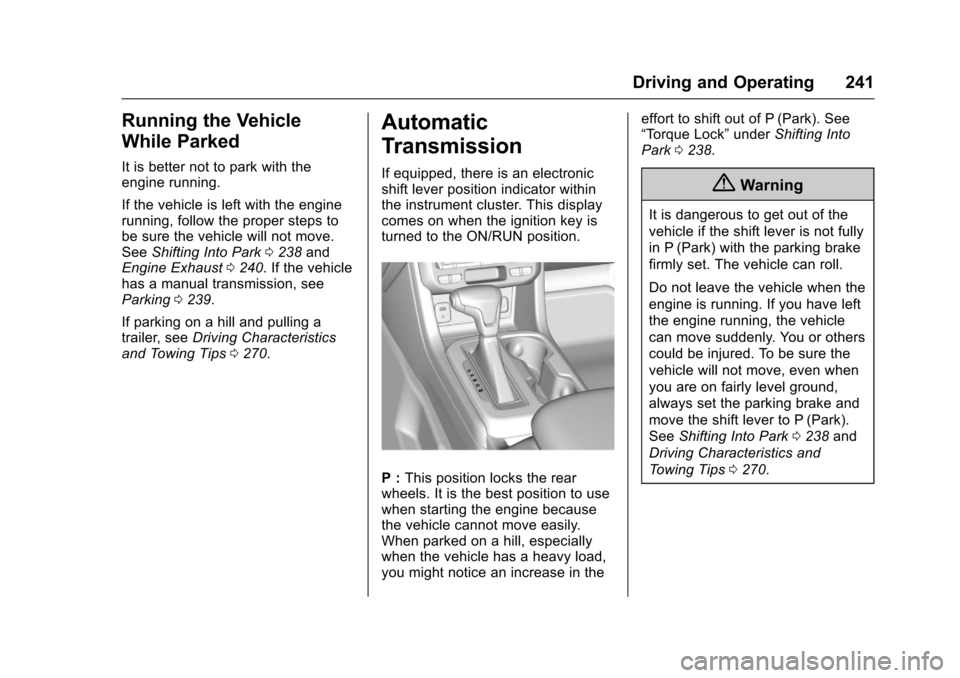
If equipped, there is an electronicshift lever position indicator withinthe instrument cluster. This displaycomes on when the ignition key isturned to the ON/RUN position.
P:This position locks the rearwheels. It is the best position to usewhen starting the engine becausethe vehicle cannot move easily.When parked on a hill, especiallywhen the vehicle has a heavy load,you might notice an increase in the
effort to shift out of P (Park). See“To r q u e L o c k”underShifting IntoPark0238.
{Warning
It is dangerous to get out of the
vehicle if the shift lever is not fully
in P (Park) with the parking brake
firmly set. The vehicle can roll.
Do not leave the vehicle when the
engine is running. If you have left
the engine running, the vehicle
can move suddenly. You or others
could be injured. To be sure the
vehicle will not move, even when
you are on fairly level ground,
always set the parking brake and
move the shift lever to P (Park).
SeeShifting Into Park0238and
Driving Characteristics and
To w i n g T i p s0270.
Page 246 of 419
Chevrolet Colorado Owner Manual (GMNA-Localizing-U.S./Canada/Mexico-10122675) - 2017 - crc - 8/22/16
Driving and Operating 245
Gear before shifting from D(Drive) to M (Manual Mode)6th 5th 4th 3rd 2nd 1st
Range after shifting from D(Drive) to M (Manual Mode)M4 M4 M3 M2 M2 M1
Grade Braking is not available whenRange Selection Mode is active.SeeTo w / H a u l M o d e0245.
While using Range Selection Mode,cruise control and the Tow/HaulMode can be used.
Caution
Spinning the tires or holding the
vehicle in one place on a hill
using only the accelerator pedal
may damage the transmission.
The repair will not be covered by
the vehicle warranty. If you are
stuck, do not spin the tires. When
stopping on a hill, use the brakes
to hold the vehicle in place.
Low Traction Mode
Low Traction Mode assists invehicle acceleration when roadconditions are slippery, such as withice or snow. While the vehicle is at astop, select M2 using RangeSelection Mode. This will limittorque to the wheels and help toprevent the tires from spinning.
Tow/Haul Mode
If equipped, Tow/Haul Mode adjuststhe transmission shift pattern toreduce shift cycling. This providesincreased performance, vehiclecontrol, and transmission coolingwhen driving down steep hills ormountain grades, towing, or haulingheavy loads.
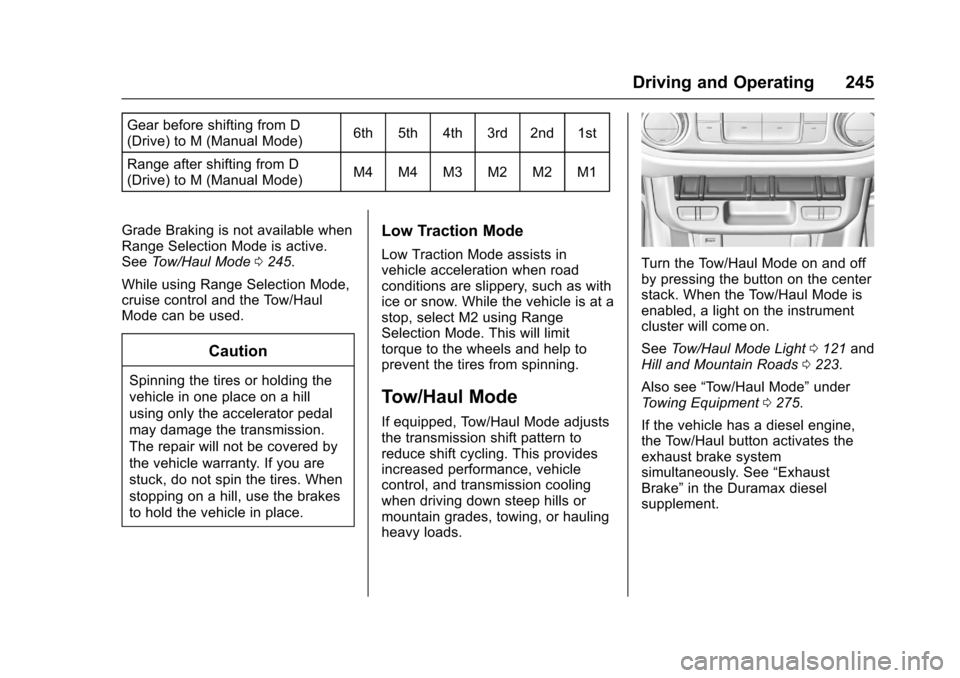
Turn the Tow/Haul Mode on and offby pressing the button on the centerstack. When the Tow/Haul Mode isenabled, a light on the instrumentcluster will come on.
SeeTo w / H a u l M o d e L i g h t0121andHill and Mountain Roads0223.
Also see“To w / H a u l M o d e”underTo w i n g E q u i p m e n t0275.
If the vehicle has a diesel engine,the Tow/Haul button activates theexhaust brake systemsimultaneously. See“ExhaustBrake”in the Duramax dieselsupplement.
Page 258 of 419
Chevrolet Colorado Owner Manual (GMNA-Localizing-U.S./Canada/Mexico-10122675) - 2017 - crc - 8/22/16
Driving and Operating 257
instrument cluster. Both tractioncontrol and StabiliTrak areautomatically disabled in thiscondition.
The indicator light for both systemsis in the instrument cluster. Thislight will:
.Flash when TCS is limitingwheel spin.
.Flash when StabiliTrak isactivated.
.Turn on and stay on when eithersystem is not working.
If either system fails to turn on or toactivate, a message displays in theDriver Information Center (DIC), anddcomes on and stays on toindicate that the system is inactiveand is not assisting the driver in
maintaining control. The vehicle issafe to drive, but driving should beadjusted accordingly.
Ifdcomes on and stays on:
1. Stop the vehicle.
2. Turn the engine off and wait15 seconds.
3. Start the engine.
Drive the vehicle. Ifdcomes on
and stays on, the vehicle may needmore time to diagnose the problem.If the condition persists, see yourdealer.
Turning the Systems Off
and On
The button for TCS and StabiliTrakis on the center stack.
Caution
Do not repeatedly brake or
accelerate heavily when TCS is
off. The vehicle driveline could be
damaged.
To t u r n o f f o n l y T C S , p r e s s a n d
releaseg.TheTractionOfflighti
displays in the instrument cluster. Toturn TCS on again, press and
releaseg.TheTractionOfflighti
displayed in the instrument clusterwill turn off.
If TCS is limiting wheel spin wheng
is pressed, the system will not turnoff until the wheels stop spinning.
To t u r n o f f b o t h T C S a n d S t a b i l i T r a k ,
press and holdguntil the Traction
Off lightiand StabiliTrak Off light
gcome on and stay on in theinstrument cluster. To turn TCS andStabiliTrak on again, press and
releaseg.TheTractionOfflighti
and StabiliTrak Off lightgin the
instrument cluster turn off.