warning CHEVROLET COLORADO 2017 2.G Workshop Manual
[x] Cancel search | Manufacturer: CHEVROLET, Model Year: 2017, Model line: COLORADO, Model: CHEVROLET COLORADO 2017 2.GPages: 419, PDF Size: 7.38 MB
Page 106 of 419
Chevrolet Colorado Owner Manual (GMNA-Localizing-U.S./Canada/Mexico-10122675) - 2017 - crc - 8/22/16
Instruments and Controls 105
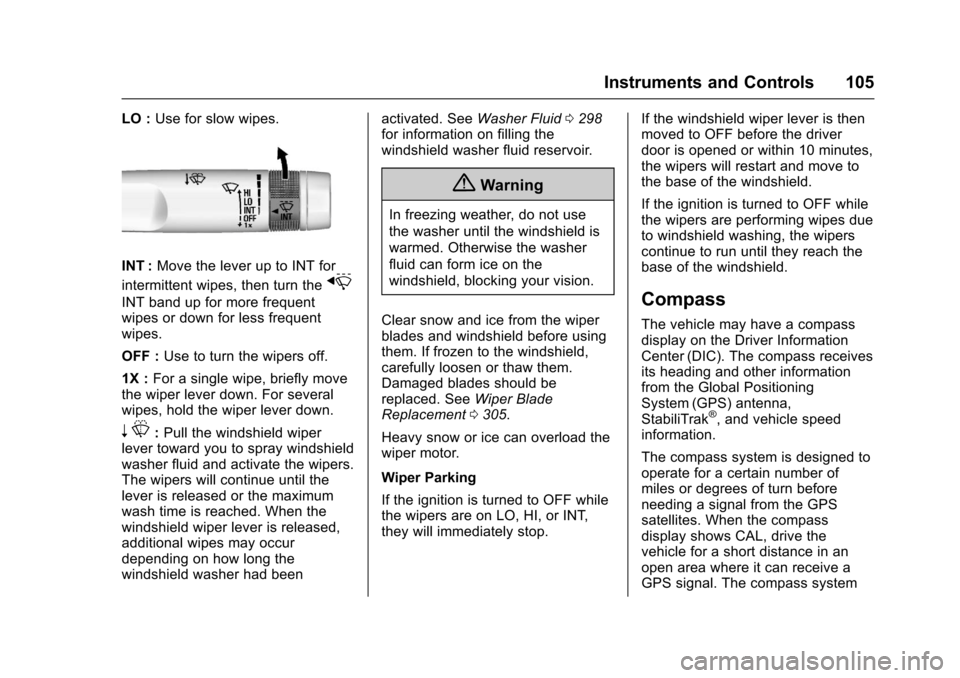
LO :Use for slow wipes.
INT :Move the lever up to INT for
intermittent wipes, then turn thex
INT band up for more frequentwipes or down for less frequentwipes.
OFF :Use to turn the wipers off.
1X :For a single wipe, briefly movethe wiper lever down. For severalwipes, hold the wiper lever down.
nL:Pull the windshield wiperlever toward you to spray windshieldwasher fluid and activate the wipers.The wipers will continue until thelever is released or the maximumwash time is reached. When thewindshield wiper lever is released,additional wipes may occurdepending on how long thewindshield washer had been
activated. SeeWasher Fluid0298for information on filling thewindshield washer fluid reservoir.
{Warning
In freezing weather, do not use
the washer until the windshield is
warmed. Otherwise the washer
fluid can form ice on the
windshield, blocking your vision.
Clear snow and ice from the wiperblades and windshield before usingthem. If frozen to the windshield,carefully loosen or thaw them.Damaged blades should bereplaced. SeeWiper BladeReplacement0305.
Heavy snow or ice can overload thewiper motor.
Wiper Parking
If the ignition is turned to OFF whilethe wipers are on LO, HI, or INT,they will immediately stop.
If the windshield wiper lever is thenmoved to OFF before the driverdoor is opened or within 10 minutes,the wipers will restart and move tothe base of the windshield.
If the ignition is turned to OFF whilethe wipers are performing wipes dueto windshield washing, the wiperscontinue to run until they reach thebase of the windshield.
Compass
The vehicle may have a compassdisplay on the Driver InformationCenter (DIC). The compass receivesits heading and other informationfrom the Global PositioningSystem (GPS) antenna,StabiliTrak®,andvehiclespeedinformation.
The compass system is designed tooperate for a certain number ofmiles or degrees of turn beforeneeding a signal from the GPSsatellites. When the compassdisplay shows CAL, drive thevehicle for a short distance in anopen area where it can receive aGPS signal. The compass system
Page 108 of 419
Chevrolet Colorado Owner Manual (GMNA-Localizing-U.S./Canada/Mexico-10122675) - 2017 - crc - 8/22/16
Instruments and Controls 107
To s e t t h e c l o c k d i s p l a y :
1. Touch SETTINGS on the HomePage, then touch Timeand Date.
2. Touch Clock Display, thentouch Off or On to turn theclock display off or on.
3. TouchSto go back to the
previous menu.
Power Outlets
For USB charging port locations,seeUSB Port (Base Radio)0170orUSB Port (Base Radio withTo u c h s c r e e n )0173.
Accessory power outlets can beused to plug in electrical equipment,such as a cell phone, MP3player, etc.
The vehicle may have accessorypower outlets:
.On the center stack below theclimate control system,if equipped.
.On the center floor console,if equipped.
.On the rear of the center storageconsole.
Lift the cover to access and replacewhen not in use.
{Warning
Power is always supplied to the
outlets. Do not leave electrical
equipment plugged in when the
vehicle is not in use because the
vehicle could catch fire and cause
injury or death.
Caution
Leaving electrical equipment
plugged in for an extended period
of time while the vehicle is off will
drain the battery. Always unplug
electrical equipment when not in
use and do not plug in equipment
that exceeds the maximum
15 amp rating.
Certain power accessory plugs maynot be compatible with theaccessory power outlet and couldoverload vehicle or adapter fuses.If a problem is experienced, seeyour dealer.
When adding electrical equipment,be sure to follow the properinstallation instructions included withthe equipment. SeeAdd-OnElectrical Equipment0278.
Caution
Hanging heavy equipment from
the power outlet can cause
damage not covered by the
vehicle warranty. The power
outlets are designed for
accessory power plugs only, such
as mobile phone charge cords.
Wireless Charging
If equipped, the vehicle has wirelesscharging in front of the center floorconsole. The system wirelesslycharges one PMA or Qi compatiblemobile device.
Page 109 of 419
Chevrolet Colorado Owner Manual (GMNA-Localizing-U.S./Canada/Mexico-10122675) - 2017 - crc - 8/22/16
108 Instruments and Controls
To c h e c k f o r p h o n e o r o t h e r d e v i c ecompatibility:
.In the U.S., seemy.chevrolet.com/learn.
.In Canada, seegmtotalconnect.ca.
.Or, see your dealer for details.
{Warning
Wireless charging can affect the
operation of an implanted
pacemaker or other medical
devices. If you have one, it is
recommended to consult with
your doctor before using the
wireless charging system.
The vehicle must be in ON/RUN,ACC/ACCESSORY, or RetainedAccessory Power (RAP). Thewireless charging feature may notcorrectly indicate charging when thevehicle is in RAP. SeeRetainedAccessory Power (RAP)0237.
The operating temperature is -20 °C(-4 °F) to 60 °C (140 °F) for thecharging system and 0 °C (32 °F) to35 °C (95 °F) for the phone.
{Warning
Remove all metal objects from the
charging pad before charging
your mobile device. Metal objects,
such as coins, keys, rings,
or paper clips, between the phone
and charging pad will become
very hot. On the rare occasion
that the charging system does not
detect a metal object, and the
object gets wedged between the
phone and charger, remove the
phone and allow the metallic
object to cool before removing it
from the charging pad, to prevent
burns.
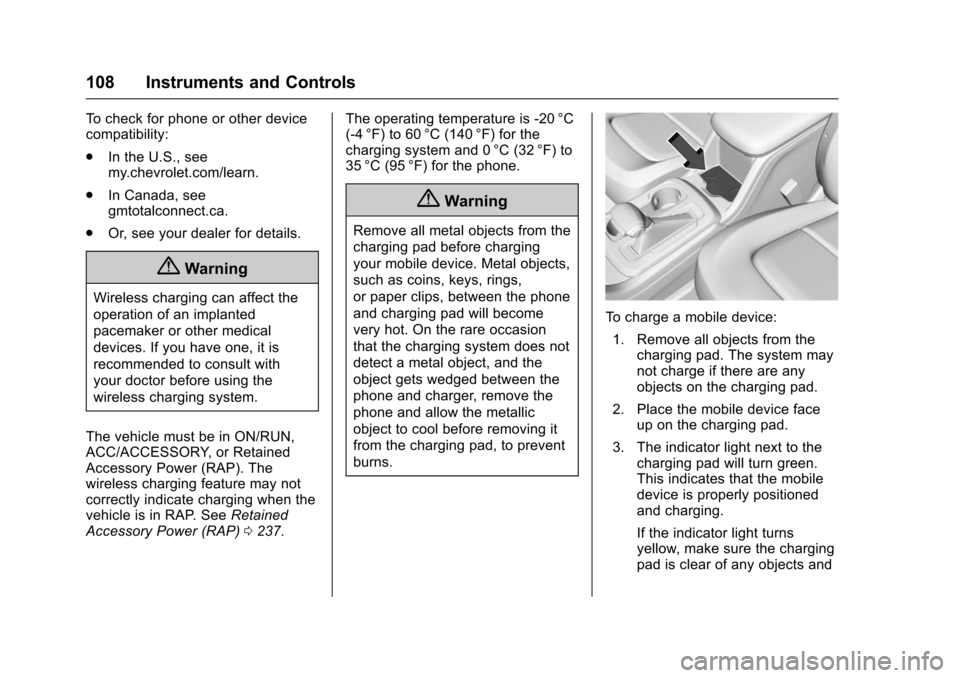
To c h a r g e a m o b i l e d e v i c e :
1. Remove all objects from thecharging pad. The system maynot charge if there are anyobjects on the charging pad.
2. Place the mobile device faceup on the charging pad.
3. The indicator light next to thecharging pad will turn green.This indicates that the mobiledevice is properly positionedand charging.
If the indicator light turnsyellow, make sure the chargingpad is clear of any objects and
Page 110 of 419
Chevrolet Colorado Owner Manual (GMNA-Localizing-U.S./Canada/Mexico-10122675) - 2017 - crc - 8/22/16
Instruments and Controls 109
verify that the mobile device iscapable of wireless chargingbefore re-positioning it.
If the indicator light does notturn on, this indicates that themobile device may need to bere-positioned.
To r e - p o s i t i o n , r e m o v e t h emobile device from the pad,turn 180 degrees and waitthree seconds before placing/aligning the mobile device onthe pad again.
Warning Lights,
Gauges, and
Indicators
Warning lights and gauges cansignal that something is wrongbefore it becomes serious enoughto cause an expensive repair orreplacement. Paying attention to thewarning lights and gauges couldprevent injury.
Some warning lights come on brieflywhen the engine is started toindicate they are working. Whenone of the warning lights comes onand stays on while driving, or whenone of the gauges shows there maybe a problem, check the section thatexplains what to do. Waiting to dorepairs can be costly and evendangerous.
Page 115 of 419
Chevrolet Colorado Owner Manual (GMNA-Localizing-U.S./Canada/Mexico-10122675) - 2017 - crc - 8/22/16
114 Instruments and Controls
Units :Presspwhile Units is
displayed to enter the Units menu.Choose U.S. or metric units by
pressingVwhile the desired item is
highlighted.
Info Pages :Presspwhile Info
Pages is displayed to enter the InfoPages menu and select the items tobe displayed in the Info app. SeeDriver Information Center (DIC)(Base Level)0126orDriverInformation Center (DIC)(Uplevel)0129.
Speed Warning :The SpeedWarning display allows the driver toset a speed that they do not want toexceed. To set the Speed Warning,
presspwhen Speed Warning is
displayed. Pressworxto adjust
the value. PressVto set the speed.
Once the speed is set, this feature
can be turned off by pressingV
while viewing this page. If theselected speed limit is exceeded, apop-up warning is displayed with achime.
Speedometer
The speedometer shows thevehicle's speed in either kilometersper hour (km/h) or miles perhour (mph).
Odometer
The odometer shows how far thevehicle has been driven, in eitherkilometers or miles.
Trip Odometer
The trip odometer shows how farthe vehicle has been driven sincethe trip odometer was last reset.
The trip odometer is accessed andreset through the Driver InformationCenter (DIC). SeeDriverInformation Center (DIC) (BaseLevel)0126orDriver InformationCenter (DIC) (Uplevel)0129.
Tachometer
The tachometer displays the enginespeed in revolutions perminute (rpm).
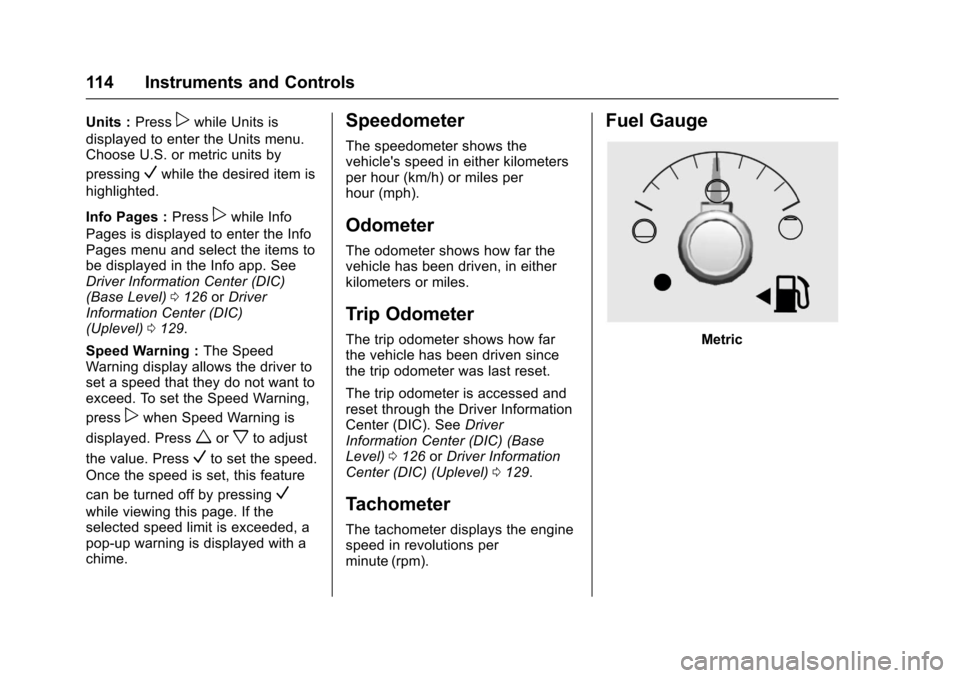
Fuel Gauge
Metric
Page 117 of 419
Chevrolet Colorado Owner Manual (GMNA-Localizing-U.S./Canada/Mexico-10122675) - 2017 - crc - 8/22/16
116 Instruments and Controls
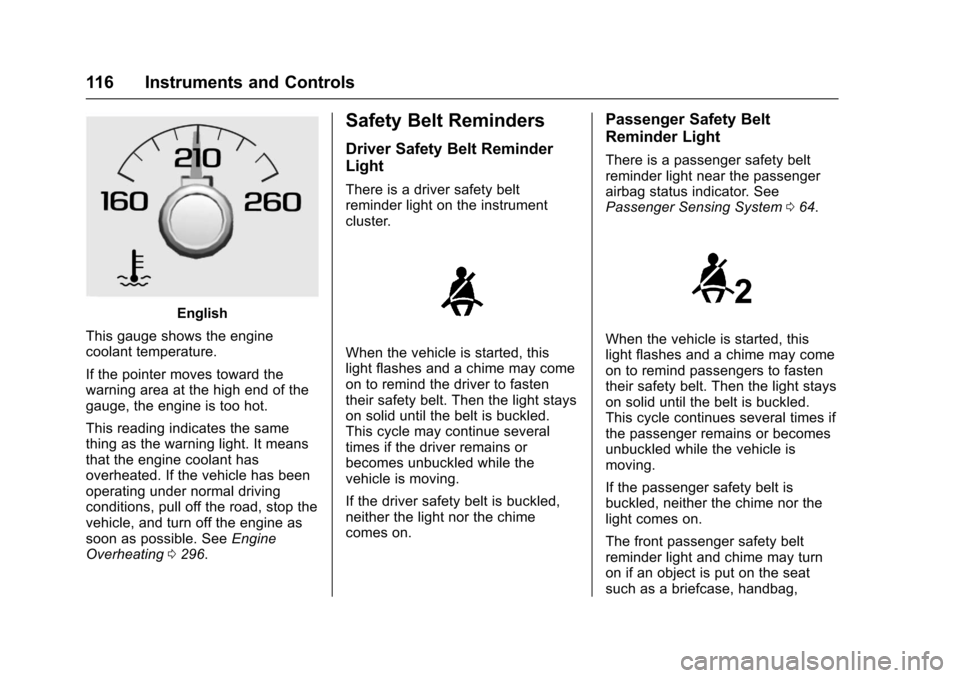
English
This gauge shows the enginecoolant temperature.
If the pointer moves toward thewarning area at the high end of thegauge, the engine is too hot.
This reading indicates the samething as the warning light. It meansthat the engine coolant hasoverheated. If the vehicle has beenoperating under normal drivingconditions, pull off the road, stop thevehicle, and turn off the engine assoon as possible. SeeEngineOverheating0296.
Safety Belt Reminders
Driver Safety Belt Reminder
Light
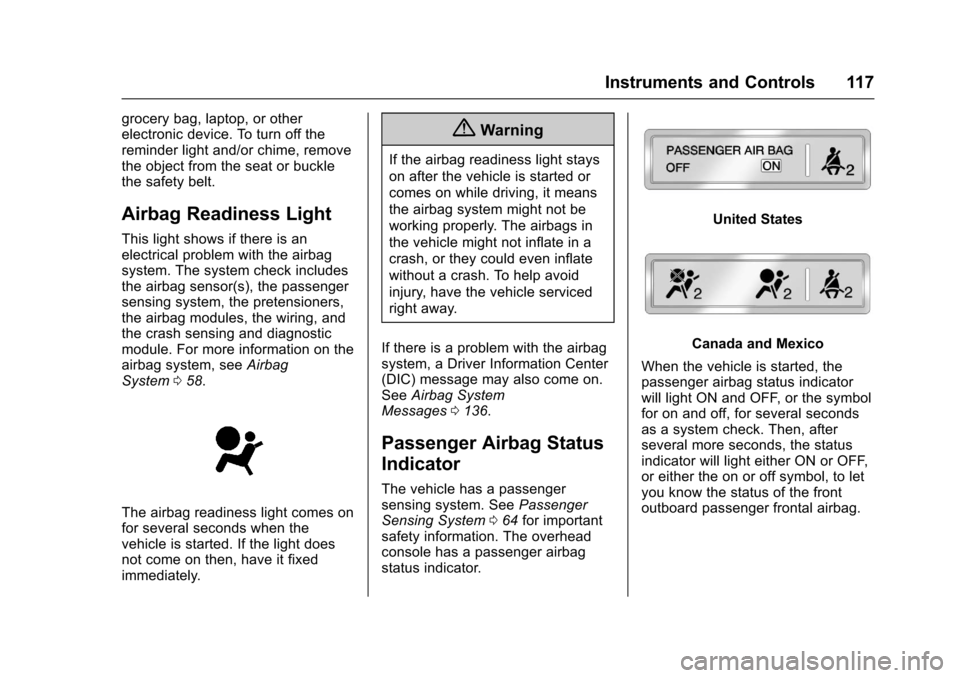
There is a driver safety beltreminder light on the instrumentcluster.
When the vehicle is started, thislight flashes and a chime may comeon to remind the driver to fastentheir safety belt. Then the light stayson solid until the belt is buckled.This cycle may continue severaltimes if the driver remains orbecomes unbuckled while thevehicle is moving.
If the driver safety belt is buckled,neither the light nor the chimecomes on.
Passenger Safety Belt
Reminder Light
There is a passenger safety beltreminder light near the passengerairbag status indicator. SeePassenger Sensing System064.
When the vehicle is started, thislight flashes and a chime may comeon to remind passengers to fastentheir safety belt. Then the light stayson solid until the belt is buckled.This cycle continues several times ifthe passenger remains or becomesunbuckled while the vehicle ismoving.
If the passenger safety belt isbuckled, neither the chime nor thelight comes on.
The front passenger safety beltreminder light and chime may turnon if an object is put on the seatsuch as a briefcase, handbag,
Page 118 of 419
Chevrolet Colorado Owner Manual (GMNA-Localizing-U.S./Canada/Mexico-10122675) - 2017 - crc - 8/22/16
Instruments and Controls 117
grocery bag, laptop, or otherelectronic device. To turn off thereminder light and/or chime, removethe object from the seat or bucklethe safety belt.
Airbag Readiness Light
This light shows if there is anelectrical problem with the airbagsystem. The system check includesthe airbag sensor(s), the passengersensing system, the pretensioners,the airbag modules, the wiring, andthe crash sensing and diagnosticmodule. For more information on theairbag system, seeAirbagSystem058.
The airbag readiness light comes onfor several seconds when thevehicle is started. If the light doesnot come on then, have it fixedimmediately.
{Warning
If the airbag readiness light stays
on after the vehicle is started or
comes on while driving, it means
the airbag system might not be
working properly. The airbags in
the vehicle might not inflate in a
crash, or they could even inflate
without a crash. To help avoid
injury, have the vehicle serviced
right away.
If there is a problem with the airbagsystem, a Driver Information Center(DIC) message may also come on.SeeAirbag SystemMessages0136.
Passenger Airbag Status
Indicator
The vehicle has a passengersensing system. SeePassengerSensing System064for importantsafety information. The overheadconsole has a passenger airbagstatus indicator.
United States
Canada and Mexico
When the vehicle is started, thepassenger airbag status indicatorwill light ON and OFF, or the symbolfor on and off, for several secondsas a system check. Then, afterseveral more seconds, the statusindicator will light either ON or OFF,or either the on or off symbol, to letyou know the status of the frontoutboard passenger frontal airbag.
Page 119 of 419
Chevrolet Colorado Owner Manual (GMNA-Localizing-U.S./Canada/Mexico-10122675) - 2017 - crc - 8/22/16
118 Instruments and Controls
If the word ON or the on symbol islit on the passenger airbag statusindicator, it means that the frontoutboard passenger frontal airbag isallowed to inflate.
If the word OFF or the off symbol islit on the airbag status indicator, itmeans that the passenger sensingsystem has turned off the frontoutboard passenger frontal airbag.
If, after several seconds, both statusindicator lights remain on, or if thereare no lights at all, there may be aproblem with the lights or thepassenger sensing system. Seeyour dealer for service.
{Warning
If the airbag readiness light ever
comes on and stays on, it means
that something may be wrong
with the airbag system. To help
avoid injury to yourself or others,
have the vehicle serviced right
away. SeeAirbag Readiness
Light011 7for more information,
including important safety
information.
Charging System Light
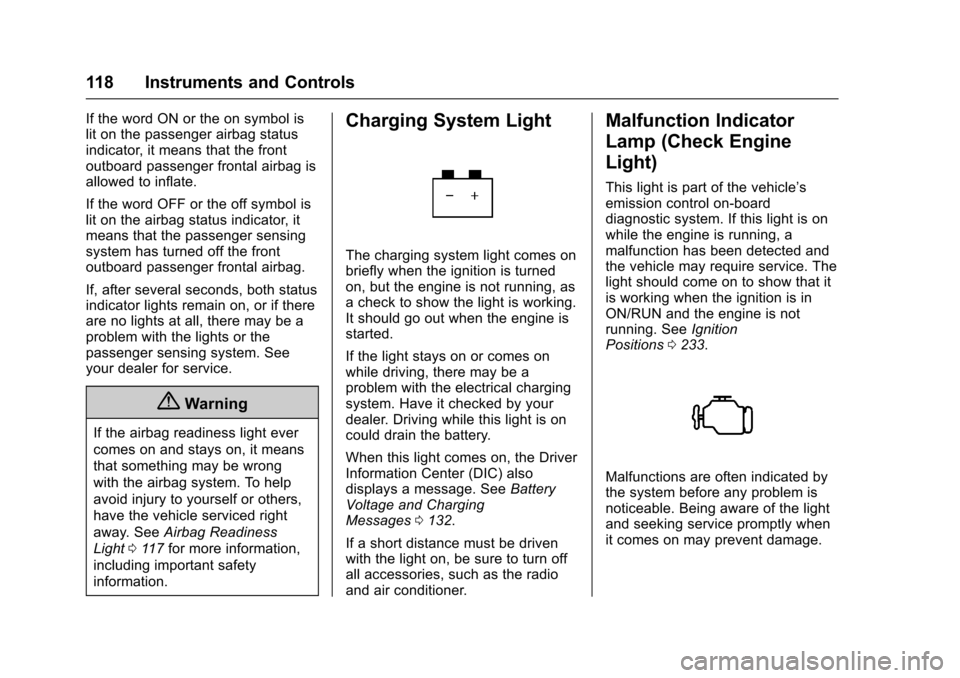
The charging system light comes onbriefly when the ignition is turnedon, but the engine is not running, asachecktoshowthelightisworking.It should go out when the engine isstarted.
If the light stays on or comes onwhile driving, there may be aproblem with the electrical chargingsystem. Have it checked by yourdealer. Driving while this light is oncould drain the battery.
When this light comes on, the DriverInformation Center (DIC) alsodisplays a message. SeeBatteryVoltage and ChargingMessages0132.
If a short distance must be drivenwith the light on, be sure to turn offall accessories, such as the radioand air conditioner.
Malfunction Indicator
Lamp (Check Engine
Light)
This light is part of the vehicle’semission control on-boarddiagnostic system. If this light is onwhile the engine is running, amalfunction has been detected andthe vehicle may require service. Thelight should come on to show that itis working when the ignition is inON/RUN and the engine is notrunning. SeeIgnitionPositions0233.
Malfunctions are often indicated bythe system before any problem isnoticeable. Being aware of the lightand seeking service promptly whenit comes on may prevent damage.
Page 121 of 419
Chevrolet Colorado Owner Manual (GMNA-Localizing-U.S./Canada/Mexico-10122675) - 2017 - crc - 8/22/16
120 Instruments and Controls
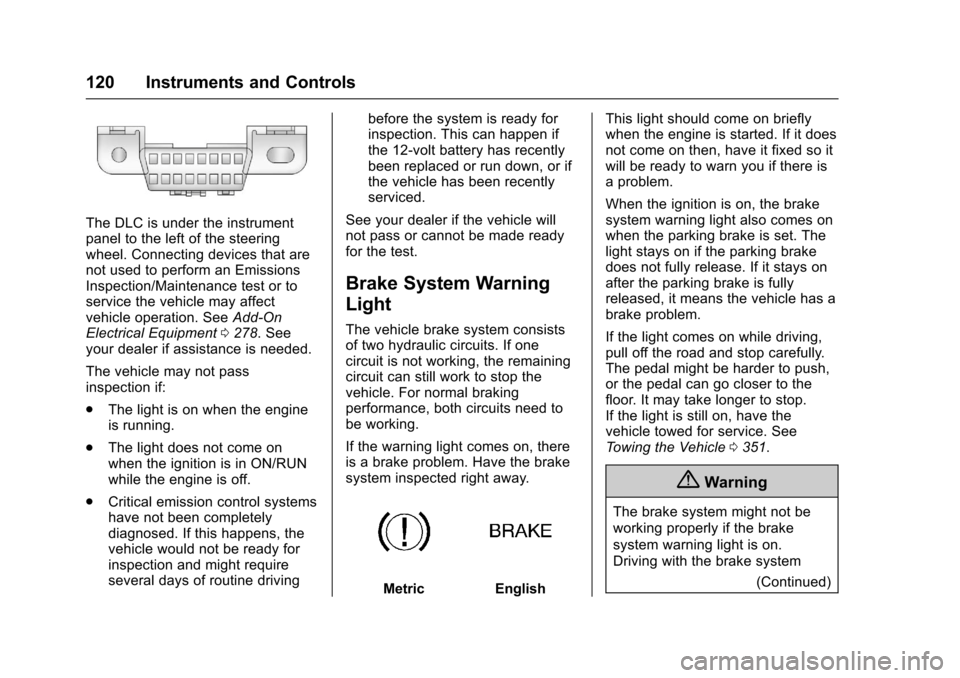
The DLC is under the instrumentpanel to the left of the steeringwheel. Connecting devices that arenot used to perform an EmissionsInspection/Maintenance test or toservice the vehicle may affectvehicle operation. SeeAdd-OnElectrical Equipment0278.Seeyour dealer if assistance is needed.
The vehicle may not passinspection if:
.The light is on when the engineis running.
.The light does not come onwhen the ignition is in ON/RUNwhile the engine is off.
.Critical emission control systemshave not been completelydiagnosed. If this happens, thevehicle would not be ready forinspection and might requireseveral days of routine driving
before the system is ready forinspection. This can happen ifthe 12-volt battery has recentlybeen replaced or run down, or ifthe vehicle has been recentlyserviced.
See your dealer if the vehicle willnot pass or cannot be made readyfor the test.
Brake System Warning
Light
The vehicle brake system consistsof two hydraulic circuits. If onecircuit is not working, the remainingcircuit can still work to stop thevehicle. For normal brakingperformance, both circuits need tobe working.
If the warning light comes on, thereis a brake problem. Have the brakesystem inspected right away.
MetricEnglish
This light should come on brieflywhen the engine is started. If it doesnot come on then, have it fixed so itwill be ready to warn you if there isaproblem.
When the ignition is on, the brakesystem warning light also comes onwhen the parking brake is set. Thelight stays on if the parking brakedoes not fully release. If it stays onafter the parking brake is fullyreleased, it means the vehicle has abrake problem.
If the light comes on while driving,pull off the road and stop carefully.The pedal might be harder to push,or the pedal can go closer to thefloor. It may take longer to stop.If the light is still on, have thevehicle towed for service. SeeTo w i n g t h e V e h i c l e0351.
{Warning
The brake system might not be
working properly if the brake
system warning light is on.
Driving with the brake system
(Continued)
Page 122 of 419
Chevrolet Colorado Owner Manual (GMNA-Localizing-U.S./Canada/Mexico-10122675) - 2017 - crc - 8/22/16
Instruments and Controls 121
Warning (Continued)
warning light on can lead to a
crash. If the light is still on after
the vehicle has been pulled off
the road and carefully stopped,
have the vehicle towed for
service.
Antilock Brake System
(ABS) Warning Light
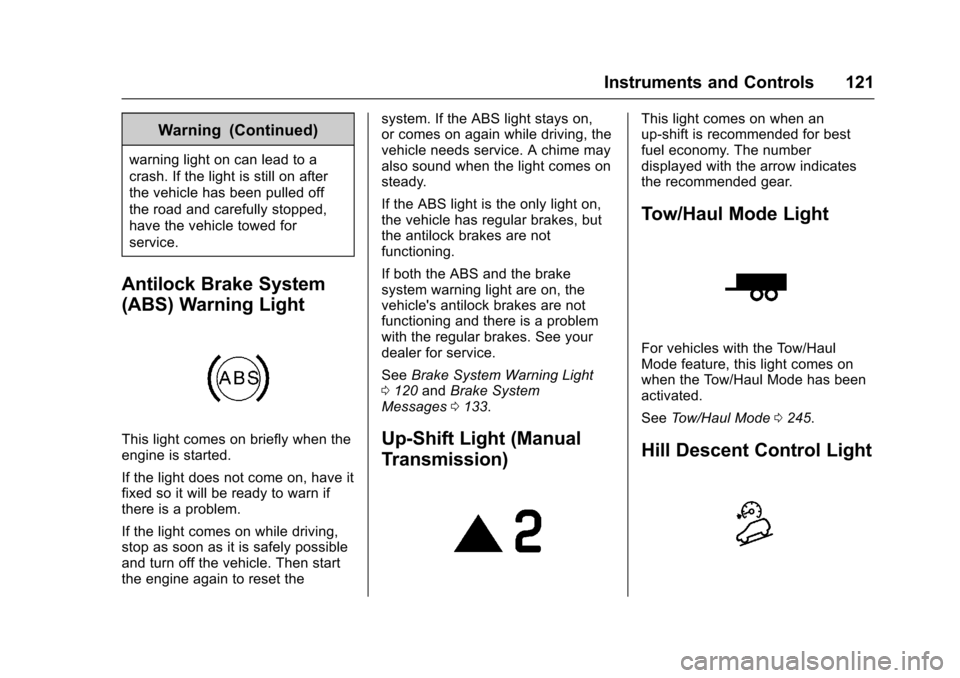
This light comes on briefly when theengine is started.
If the light does not come on, have itfixed so it will be ready to warn ifthere is a problem.
If the light comes on while driving,stop as soon as it is safely possibleand turn off the vehicle. Then startthe engine again to reset the
system. If the ABS light stays on,or comes on again while driving, thevehicle needs service. A chime mayalso sound when the light comes onsteady.
If the ABS light is the only light on,the vehicle has regular brakes, butthe antilock brakes are notfunctioning.
If both the ABS and the brakesystem warning light are on, thevehicle's antilock brakes are notfunctioning and there is a problemwith the regular brakes. See yourdealer for service.
SeeBrake System Warning Light0120andBrake SystemMessages0133.
Up-Shift Light (Manual
Transmission)
This light comes on when anup-shift is recommended for bestfuel economy. The numberdisplayed with the arrow indicatesthe recommended gear.
Tow/Haul Mode Light
For vehicles with the Tow/HaulMode feature, this light comes onwhen the Tow/Haul Mode has beenactivated.
SeeTo w / H a u l M o d e0245.
Hill Descent Control Light