wheel CHEVROLET COLORADO 2017 2.G Repair Manual
[x] Cancel search | Manufacturer: CHEVROLET, Model Year: 2017, Model line: COLORADO, Model: CHEVROLET COLORADO 2017 2.GPages: 419, PDF Size: 7.38 MB
Page 252 of 419
Chevrolet Colorado Owner Manual (GMNA-Localizing-U.S./Canada/Mexico-10122675) - 2017 - crc - 8/22/16
Driving and Operating 251
Automatic Transfer Case
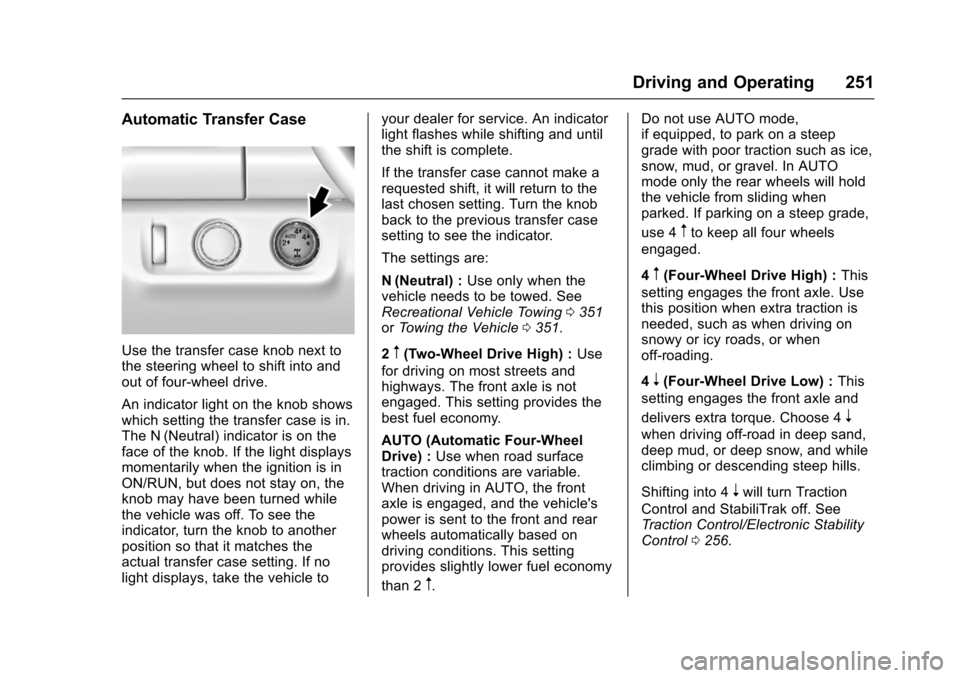
Use the transfer case knob next tothe steering wheel to shift into andout of four-wheel drive.
An indicator light on the knob showswhich setting the transfer case is in.The N (Neutral) indicator is on theface of the knob. If the light displaysmomentarily when the ignition is inON/RUN, but does not stay on, theknob may have been turned whilethe vehicle was off. To see theindicator, turn the knob to anotherposition so that it matches theactual transfer case setting. If nolight displays, take the vehicle to
your dealer for service. An indicatorlight flashes while shifting and untilthe shift is complete.
If the transfer case cannot make arequested shift, it will return to thelast chosen setting. Turn the knobback to the previous transfer casesetting to see the indicator.
The settings are:
N(Neutral) :Use only when thevehicle needs to be towed. SeeRecreational Vehicle Towing0351orTo w i n g t h e V e h i c l e0351.
2m(Two-Wheel Drive High) :Use
for driving on most streets andhighways. The front axle is notengaged. This setting provides thebest fuel economy.
AUTO (Automatic Four-WheelDrive) :Use when road surfacetraction conditions are variable.When driving in AUTO, the frontaxle is engaged, and the vehicle'spower is sent to the front and rearwheels automatically based ondriving conditions. This settingprovides slightly lower fuel economy
than 2m.
Do not use AUTO mode,if equipped, to park on a steepgrade with poor traction such as ice,snow, mud, or gravel. In AUTOmode only the rear wheels will holdthe vehicle from sliding whenparked. If parking on a steep grade,
use 4mto keep all four wheels
engaged.
4m(Four-Wheel Drive High) :This
setting engages the front axle. Usethis position when extra traction isneeded, such as when driving onsnowy or icy roads, or whenoff-roading.
4n(Four-Wheel Drive Low) :This
setting engages the front axle and
delivers extra torque. Choose 4n
when driving off-road in deep sand,deep mud, or deep snow, and whileclimbing or descending steep hills.
Shifting into 4nwill turn Traction
Control and StabiliTrak off. SeeTr a c t i o n C o n t r o l / E l e c t r o n i c S t a b i l i t yControl0256.
Page 255 of 419
Chevrolet Colorado Owner Manual (GMNA-Localizing-U.S./Canada/Mexico-10122675) - 2017 - crc - 8/22/16
254 Driving and Operating
Brakes
Antilock Brake
System (ABS)
This vehicle has an Antilock BrakeSystem (ABS), an advancedelectronic braking system that helpsprevent a braking skid.
When the vehicle begins to driveaway, ABS checks itself.Amomentarymotororclickingnoisemay be heard while this test is goingon, and it may even be noticed thatthe brake pedal moves a little. Thisis normal.
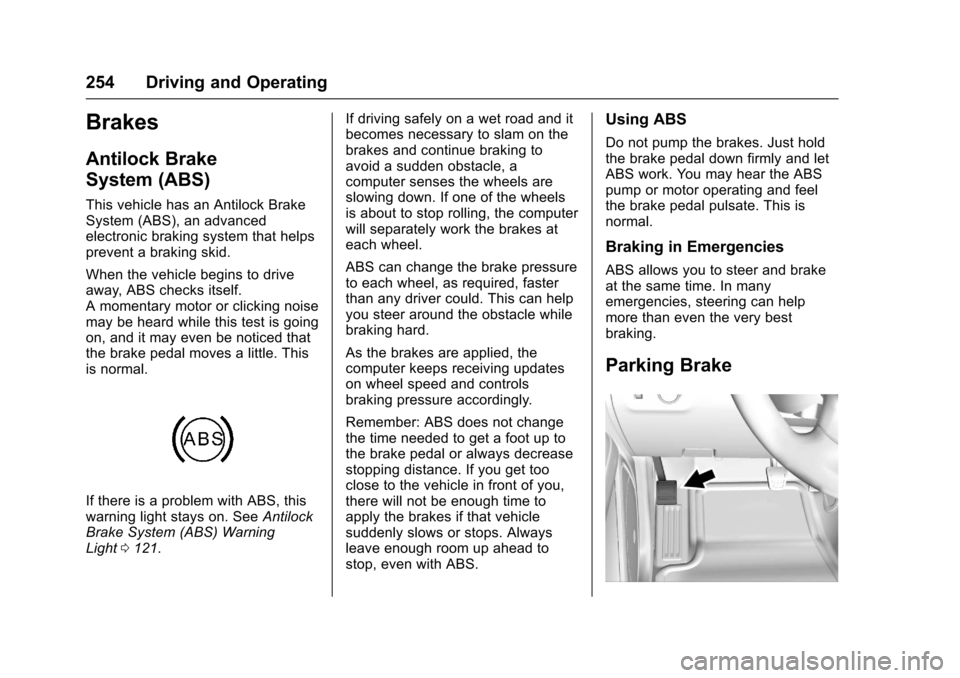
If there is a problem with ABS, thiswarning light stays on. SeeAntilockBrake System (ABS) WarningLight0121.
If driving safely on a wet road and itbecomes necessary to slam on thebrakes and continue braking toavoid a sudden obstacle, acomputer senses the wheels areslowing down. If one of the wheelsis about to stop rolling, the computerwill separately work the brakes ateach wheel.
ABS can change the brake pressureto each wheel, as required, fasterthan any driver could. This can helpyou steer around the obstacle whilebraking hard.
As the brakes are applied, thecomputer keeps receiving updateson wheel speed and controlsbraking pressure accordingly.
Remember: ABS does not changethe time needed to get a foot up tothe brake pedal or always decreasestopping distance. If you get tooclose to the vehicle in front of you,there will not be enough time toapply the brakes if that vehiclesuddenly slows or stops. Alwaysleave enough room up ahead tostop, even with ABS.
Using ABS
Do not pump the brakes. Just holdthe brake pedal down firmly and letABS work. You may hear the ABSpump or motor operating and feelthe brake pedal pulsate. This isnormal.
Braking in Emergencies
ABS allows you to steer and brakeat the same time. In manyemergencies, steering can helpmore than even the very bestbraking.
Parking Brake
Page 257 of 419
Chevrolet Colorado Owner Manual (GMNA-Localizing-U.S./Canada/Mexico-10122675) - 2017 - crc - 8/22/16
256 Driving and Operating
HSA holds the braking pressure foramaximumoftwosecondstoensure that there is no rolling. Thebrakes will automatically releasewhen the accelerator pedal isapplied within the two-secondwindow. It will not activate if thevehicle is in a drive gear and facingdownhill, or if the vehicle is facinguphill and in R (Reverse).
Ride Control Systems
Traction Control/
Electronic Stability
Control
System Operation
The vehicle has a Traction ControlSystem (TCS) and StabiliTrak®,anelectronic stability control system.These systems help limit wheel slipand assist the driver in maintainingcontrol, especially on slippery roadconditions.
TCS activates if it senses that anyof the drive wheels are spinning orbeginning to lose traction. When thishappens, TCS applies the brakes tothe spinning wheels and reducesengine power to limit wheel spin.
StabiliTrak activates when thevehicle senses a difference betweenthe intended path and the directionthe vehicle is actually traveling.StabiliTrak selectively appliesbraking pressure to any one of the
vehicle wheel brakes to assist thedriver in keeping the vehicle on theintended path.
If cruise control is being used andtraction control or StabiliTrak beginsto limit wheel spin, cruise control willdisengage. Cruise control may beturned back on when roadconditions allow.
Both systems come onautomatically when the vehicle isstarted and begins to move. Thesystems may be heard or felt whilethey are operating or whileperforming diagnostic checks. Thisis normal and does not mean thereis a problem with the vehicle.
It is recommended to leave bothsystems on for normal drivingconditions, but it may be necessaryto turn TCS off if the vehicle getsstuck in sand, mud, ice, or snow.SeeIf the Vehicle Is Stuck0225and“Turning the Systems Off andOn”later in this section.
When the transfer case (if equipped)is in Four-Wheel Drive Low, thestability system is automatically
disabled, andgcomes on in the
Page 258 of 419
Chevrolet Colorado Owner Manual (GMNA-Localizing-U.S./Canada/Mexico-10122675) - 2017 - crc - 8/22/16
Driving and Operating 257
instrument cluster. Both tractioncontrol and StabiliTrak areautomatically disabled in thiscondition.
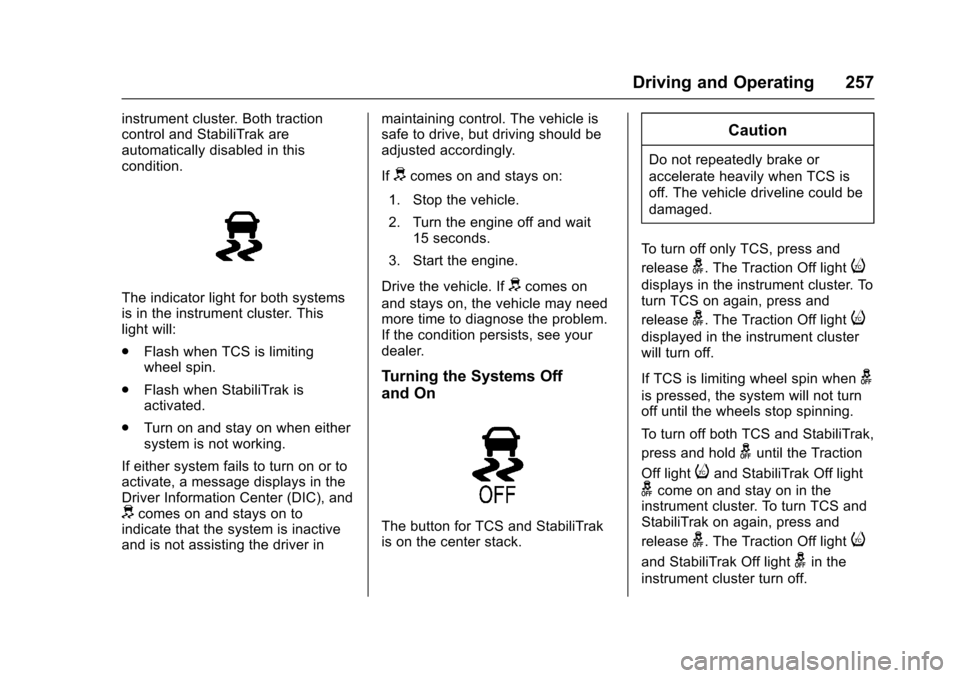
The indicator light for both systemsis in the instrument cluster. Thislight will:
.Flash when TCS is limitingwheel spin.
.Flash when StabiliTrak isactivated.
.Turn on and stay on when eithersystem is not working.
If either system fails to turn on or toactivate, a message displays in theDriver Information Center (DIC), anddcomes on and stays on toindicate that the system is inactiveand is not assisting the driver in
maintaining control. The vehicle issafe to drive, but driving should beadjusted accordingly.
Ifdcomes on and stays on:
1. Stop the vehicle.
2. Turn the engine off and wait15 seconds.
3. Start the engine.
Drive the vehicle. Ifdcomes on
and stays on, the vehicle may needmore time to diagnose the problem.If the condition persists, see yourdealer.
Turning the Systems Off
and On
The button for TCS and StabiliTrakis on the center stack.
Caution
Do not repeatedly brake or
accelerate heavily when TCS is
off. The vehicle driveline could be
damaged.
To t u r n o f f o n l y T C S , p r e s s a n d
releaseg.TheTractionOfflighti
displays in the instrument cluster. Toturn TCS on again, press and
releaseg.TheTractionOfflighti
displayed in the instrument clusterwill turn off.
If TCS is limiting wheel spin wheng
is pressed, the system will not turnoff until the wheels stop spinning.
To t u r n o f f b o t h T C S a n d S t a b i l i T r a k ,
press and holdguntil the Traction
Off lightiand StabiliTrak Off light
gcome on and stay on in theinstrument cluster. To turn TCS andStabiliTrak on again, press and
releaseg.TheTractionOfflighti
and StabiliTrak Off lightgin the
instrument cluster turn off.
Page 260 of 419
Chevrolet Colorado Owner Manual (GMNA-Localizing-U.S./Canada/Mexico-10122675) - 2017 - crc - 8/22/16
Driving and Operating 259
Cruise Control
With cruise control a speed of about40 km/h (25 mph) or more can bemaintained without keeping yourfoot on the accelerator. Cruisecontrol does not work at speedsbelow about 40 km/h (25 mph).
{Warning
Cruise control can be dangerous
where you cannot drive safely at
asteadyspeed.Donotuse
cruise control on winding roads or
in heavy traffic.
Cruise control can be dangerous
on slippery roads. On such roads,
fast changes in tire traction can
cause excessive wheel slip, and
you could lose control. Do not use
cruise control on slippery roads.
If equipped with a manualtransmission, the cruise control willremain active when the gears areshifted. The cruise is deactivated ifthe clutch is pressed for severalseconds. If the cruise control is
being used and the Traction Control(TCS) system or StabiliTrak beginsto limit wheel spin, the cruise controlwill automatically disengage. SeeTr a c t i o n C o n t r o l / E l e c t r o n i c S t a b i l i t yControl0256.Ifacollisionalertoccurs when cruise control isactivated, cruise control isdisengaged. SeeForward CollisionAlert (FCA) System0263.Whenroad conditions allow you to safelyuse it again, cruise control can beturned back on.
If the brakes are applied, the cruisecontrol disengages.
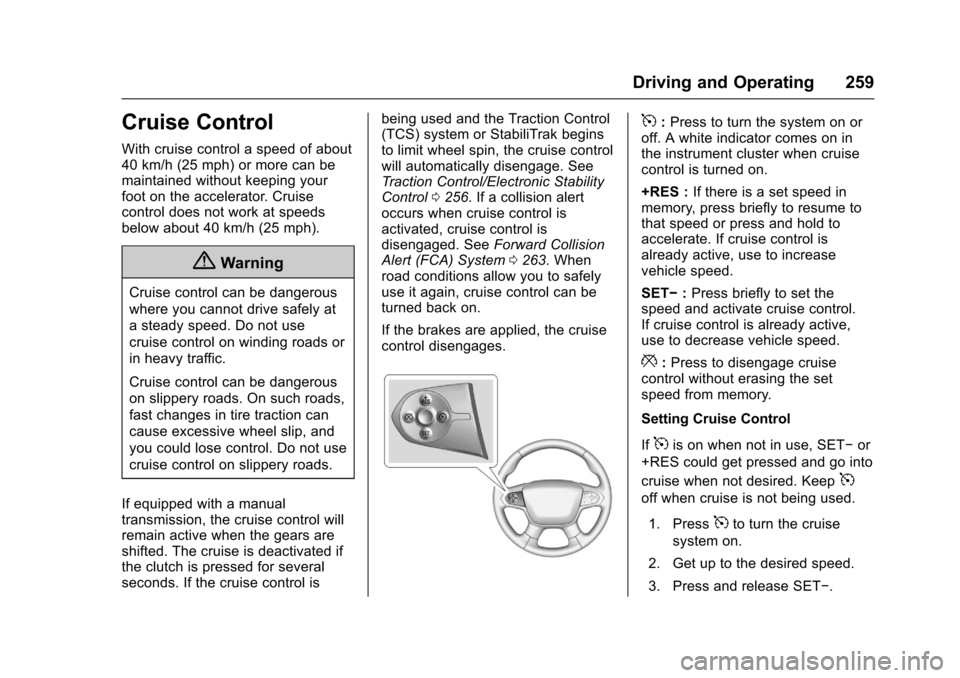
5:Press to turn the system on oroff. A white indicator comes on inthe instrument cluster when cruisecontrol is turned on.
+RES :If there is a set speed inmemory, press briefly to resume tothat speed or press and hold toaccelerate. If cruise control isalready active, use to increasevehicle speed.
SET✓:Press briefly to set thespeed and activate cruise control.If cruise control is already active,use to decrease vehicle speed.
*:Press to disengage cruisecontrol without erasing the setspeed from memory.
Setting Cruise Control
If5is on when not in use, SET✓or
+RES could get pressed and go into
cruise when not desired. Keep5
off when cruise is not being used.
1. Press5to turn the cruise
system on.
2. Get up to the desired speed.
3. Press and release SET✓.
Page 264 of 419
Chevrolet Colorado Owner Manual (GMNA-Localizing-U.S./Canada/Mexico-10122675) - 2017 - crc - 8/22/16
Driving and Operating 263
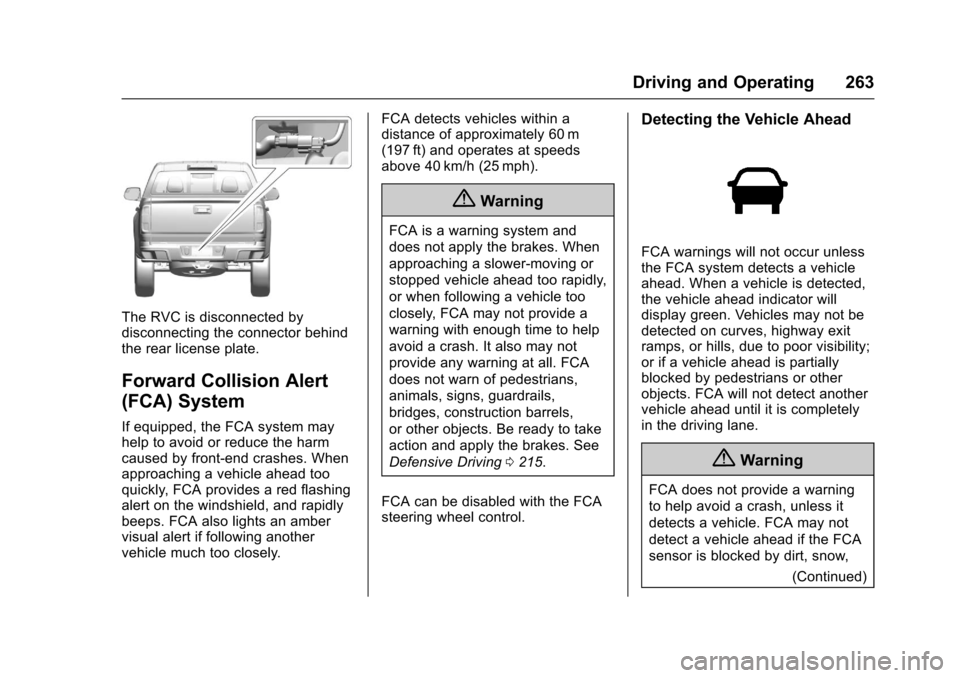
The RVC is disconnected bydisconnecting the connector behindthe rear license plate.
Forward Collision Alert
(FCA) System
If equipped, the FCA system mayhelp to avoid or reduce the harmcaused by front-end crashes. Whenapproaching a vehicle ahead tooquickly, FCA provides a red flashingalert on the windshield, and rapidlybeeps. FCA also lights an ambervisual alert if following anothervehicle much too closely.
FCA detects vehicles within adistance of approximately 60 m(197 ft) and operates at speedsabove 40 km/h (25 mph).
{Warning
FCA is a warning system and
does not apply the brakes. When
approaching a slower-moving or
stopped vehicle ahead too rapidly,
or when following a vehicle too
closely, FCA may not provide a
warning with enough time to help
avoid a crash. It also may not
provide any warning at all. FCA
does not warn of pedestrians,
animals, signs, guardrails,
bridges, construction barrels,
or other objects. Be ready to take
action and apply the brakes. See
Defensive Driving0215.
FCA can be disabled with the FCAsteering wheel control.
Detecting the Vehicle Ahead
FCA warnings will not occur unlessthe FCA system detects a vehicleahead. When a vehicle is detected,the vehicle ahead indicator willdisplay green. Vehicles may not bedetected on curves, highway exitramps, or hills, due to poor visibility;or if a vehicle ahead is partiallyblocked by pedestrians or otherobjects. FCA will not detect anothervehicle ahead until it is completelyin the driving lane.
{Warning
FCA does not provide a warning
to help avoid a crash, unless it
detects a vehicle. FCA may not
detect a vehicle ahead if the FCA
sensor is blocked by dirt, snow,
(Continued)
Page 265 of 419
Chevrolet Colorado Owner Manual (GMNA-Localizing-U.S./Canada/Mexico-10122675) - 2017 - crc - 8/22/16
264 Driving and Operating
Warning (Continued)
or ice, or if the windshield is
damaged. It may also not detect a
vehicle on winding or hilly roads,
or in conditions that can limit
visibility such as fog, rain,
or snow, or if the headlamps or
windshield are not cleaned or in
proper condition. Keep the
windshield, headlamps, and FCA
sensors clean and in good repair.
Collision Alert
When your vehicle approachesanother detected vehicle too rapidly,the red lights will flash on thewindshield. Also, eight rapidhigh-pitched beeps will sound fromthe front. When this Collision Alertoccurs, the brake system mayprepare for driver braking to occur
more rapidly which can cause abrief, mild deceleration. Continue toapply the brake pedal as needed.Cruise control may be disengagedwhen the Collision Alert occurs.
Tailgating Alert
The vehicle ahead indicator willdisplay amber when you arefollowing a detected vehicle aheadmuch too closely.
Selecting the Alert Timing
The Collision Alert control is on the
steering wheel. Press[to set the
FCA timing to Far, Medium, Near,or Off. The first button press showsthe current setting on the DIC.Additional button presses willchange this setting. The chosensetting will remain until it is changedand will affect the timing of both theCollision Alert and the TailgatingAlert features. The timing of both
alerts will vary based on vehiclespeed. The faster the vehicle speed,the farther away the alert will occur.Consider traffic and weatherconditions when selecting the alerttiming. The range of selectable alerttiming may not be appropriate for alldrivers and driving conditions.
Unnecessary Alerts
FCA may provide unnecessaryalerts for turning vehicles, vehiclesin other lanes, objects that are notvehicles, or shadows. These alertsare normal operation and thevehicle does not need service.
Cleaning the System
If the FCA system does not seem tooperate properly, cleaning theoutside of the windshield in front ofthe rearview mirror, and cleaning theheadlamps, may correct the issue.
Lane Departure
Warning (LDW)
If equipped, LDW may help avoidcrashes due to unintentional lanedepartures. It may provide an alert if
Page 271 of 419
Chevrolet Colorado Owner Manual (GMNA-Localizing-U.S./Canada/Mexico-10122675) - 2017 - crc - 8/22/16
270 Driving and Operating
Trailer Towing
General Towing
Information
Only use towing equipment that hasbeen designed for the vehicle.Contact your dealer or traileringdealer for assistance with preparingthe vehicle for towing a trailer. Readthe entire section before towing atrailer.
For towing a disabled vehicle, seeTo w i n g t h e V e h i c l e0351.Fortowing the vehicle behind anothervehicle such as a motor home, seeRecreational Vehicle Towing0351.
Driving Characteristics
and Towing Tips
Driving with a Trailer
When towing a trailer:
.Become familiar with the stateand local laws that apply totrailer towing.
.Do not tow a trailer during thefirst 800 km (500 mi) to preventdamage to the engine, axle,or other parts.
.Then during the first 800 km(500 mi) of trailer towing, do notdrive over 80 km/h (50 mph) anddo not make starts at full throttle.
.Vehicles can tow in D (Drive).Shift the transmission to a lowergear if the transmission shiftstoo often under heavy loads and/or hilly conditions.
.If equipped with 4WD, seeFour-Wheel Drive0247beforepulling a trailer.
{Warning
When towing a trailer, exhaust
gases may collect at the rear of
the vehicle and enter if the
liftgate, trunk/hatch, or rear-most
window is open.
When towing a trailer:
(Continued)
Warning (Continued)
.Do not drive with theliftgate, trunk/hatch,or rear-most window open.
.Fully open the air outlets onor under the instrumentpanel.
.Also adjust the climatecontrol system to a settingthat brings in only outsideair. See“Climate ControlSystems”in the Index.
For more information about
carbon monoxide, seeEngine
Exhaust0240.
To w i n g a t r a i l e r r e q u i r e s a c e r t a i namount of experience. Thecombination you are driving islonger and not as responsive as thevehicle itself. Get acquainted withthe handling and braking of the rigbefore setting out for the open road.
Before starting, check all trailer hitchparts and attachments, safetychains, electrical connectors, lamps,tires, and mirrors. If the trailer has
Page 272 of 419
Chevrolet Colorado Owner Manual (GMNA-Localizing-U.S./Canada/Mexico-10122675) - 2017 - crc - 8/22/16
Driving and Operating 271
electric brakes, start thecombination moving and then applythe trailer brake controller by handto be sure the brakes work.
During the trip, check occasionallyto be sure that the load is secureand the lamps and any trailerbrakes still work.
Following Distance
Stay at least twice as far behind thevehicle ahead as you would whendriving the vehicle without a trailer.This can help to avoid heavybraking and sudden turns.
Passing
More passing distance is neededwhen towing a trailer. Thecombination will not accelerate asquickly and is longer so it isnecessary to go much fartherbeyond the passed vehicle beforereturning to the lane.
Backing Up
Hold the bottom of the steeringwheel with one hand. To move thetrailer to the left, move that hand tothe left. To move the trailer to the
right, move your hand to the right.Always back up slowly and,if possible, have someoneguide you.
Making Turns
Caution
Making very sharp turns while
trailering could cause the trailer to
come in contact with the vehicle.
The vehicle could be damaged.
Avoid making very sharp turns
while trailering.
When turning with a trailer, makewider turns than normal. Do this sothe trailer will not strike softshoulders, curbs, road signs, trees,or other objects. Avoid jerky orsudden maneuvers. Signal well inadvance.
If the trailer turn signal bulbs burnout, the arrows on the instrumentcluster will still flash for turns. It isimportant to check occasionally tobe sure the trailer bulbs are stillworking.
Driving on Grades
Reduce speed and shift to a lowergearbeforestarting down a long orsteep downgrade. If thetransmission is not shifted down, thebrakes might get hot and no longerwork well.
Vehicles can tow in D (Drive). Shiftthe transmission to a lower gear ifthe transmission shifts too oftenunder heavy loads and/or hillyconditions.
The Tow/Haul Mode may be used ifthe transmission shifts too often.SeeTo w / H a u l M o d e0245.
When towing at high altitude onsteep uphill grades, consider thefollowing: Engine coolant will boil atalowertemperaturethanatnormalaltitudes. If the engine is turned offimmediately after towing at highaltitude on steep uphill grades, thevehicle may show signs similar toengine overheating. To avoid this,let the engine run while parked,preferably on level ground, with thetransmission in P (Park) for a few
Page 273 of 419
Chevrolet Colorado Owner Manual (GMNA-Localizing-U.S./Canada/Mexico-10122675) - 2017 - crc - 8/22/16
272 Driving and Operating
minutes before turning the engineoff. If the overheat warning comeson, seeEngine Overheating0296.
Parking on Hills
{Warning
Parking the vehicle on a hill with
the trailer attached can be
dangerous. If something goes
wrong, the rig could start to move.
People can be injured, and both
the vehicle and the trailer can be
damaged. When possible, always
park the rig on a flat surface.
If parking the rig on a hill:
1. Press the brake pedal, but donot shift into P (Park) yet. Turnthe wheels into the curb iffacing downhill or into traffic iffacing uphill.
2. Have someone place chocksunder the trailer wheels.
3. When the wheel chocks are inplace, release the regularbrakes until the chocks absorbthe load.
4. Reapply the brake pedal. Thenapply the parking brake andshift into P (Park).
5. Release the brake pedal.
Leaving After Parking on a Hill
1. Apply and hold the brakepedal.
2. Start the engine.
3. Shift into a gear.
4. Release the parking brake.
5. Let up on the brake pedal.
6. Drive slowly until the trailer isclear of the chocks.
7. Stop and have someone pickup and store the chocks.
Maintenance when Trailer
Towing
The vehicle needs service moreoften when pulling a trailer. SeeMaintenance Schedule0366.Things that are especially importantin trailer operation are automatictransmission fluid, engine oil, axlelubricant, belts, cooling system, and
brake system. It is a good idea toinspect these before and duringthe trip.
Check periodically to see that allhitch nuts and bolts are tight.
Trailer Towing
Do not tow a trailer during break-in.SeeNew Vehicle Break-In0232.
{Warning
The driver can lose control when
pulling a trailer if the correct
equipment is not used or the
vehicle is not driven properly. For
example, if the trailer is too heavy
or the trailer brakes are
inadequate for the load, the
vehicle may not stop as expected.
The driver and passengers could
be seriously injured. The vehicle
may also be damaged; the
resulting repairs would not be
covered by the vehicle warranty.
Pull a trailer only if all the steps in
this section have been followed.
(Continued)