brake light CHEVROLET COLORADO 2020 User Guide
[x] Cancel search | Manufacturer: CHEVROLET, Model Year: 2020, Model line: COLORADO, Model: CHEVROLET COLORADO 2020Pages: 368, PDF Size: 5.67 MB
Page 162 of 368
Chevrolet Colorado Owner Manual (GMNA-Localizing-U.S./Canada/Mexico-
13566640) - 2020 - CRC - 9/30/19
Driving and Operating 161
{Warning
Turning off the vehicle while
moving may cause loss of power
assist in the brake and steering
systems and disable the airbags.
While driving, turn off the vehicle
only in an emergency.
In an emergency, if the vehicle
cannot be pulled over and must be
turned off while driving: 1. Push the key all the way in toward the steering column,
then turn the key to ACC/
ACCESSORY.
2. Brake using firm and steady pressure. Do not pump the
brakes repeatedly. This may
deplete power assist, requiring
increased brake pedal force.
3. Shift the vehicle to N (Neutral). This can be done while the
vehicle is moving. Continue
braking and steer the vehicle to
a safe location.
4. Come to a complete stop. 5. Shift to P (Park).
6. Push the key all the way in
toward the steering column (1),
then turn the ignition to
LOCK/OFF (2).
7. Set the parking brake. See Parking Brake 0181.
8. Remove the key.
9. Release the brake pedal.
Caution
Use the correct key, make sure it
is all the way in —or pushed all
the way in toward the steering
column when turning off the
vehicle —and turn it only with
your hand.
1 (ACC/ACCESSORY) : This
position allows features such as the
infotainment system to operate
while the vehicle is off. It also
unlocks the steering column,
if equipped with a locking steering
column. Use this position if the vehicle must be pushed or towed.
See
Retained Accessory Power
(RAP) 0164.
From ON/RUN, push the key all the
way in toward the steering column,
then turn the key to ACC/
ACCESSORY.
If the key is left in ACC/
ACCESSORY with the engine off,
the battery could drain and the
vehicle may not start.
A warning chime will sound when
the driver door is opened and the
key is in the ignition.
2 (ON/RUN) : This position can be
used to operate the electrical
accessories and to display some
instrument cluster warning and
indicator lights. This position can
also be used for service and
diagnostics, and to verify the proper
operation of the malfunction
indicator lamp as may be required
for emission inspection purposes.
The switch stays in this position
when the engine is running. The
transmission is also unlocked in this
position.
Page 174 of 368
Chevrolet Colorado Owner Manual (GMNA-Localizing-U.S./Canada/Mexico-
13566640) - 2020 - CRC - 9/30/19
Driving and Operating 173
Range Selection Mode. This will
limit torque to the wheels and help
to prevent the tires from spinning.
Tow/Haul Mode
If equipped, Tow/Haul Mode adjusts
the transmission shift pattern to
reduce shift cycling. This provides
increased performance, vehicle
control, and transmission cooling
when driving down steep hills or
mountain grades, towing, or hauling
heavy loads.
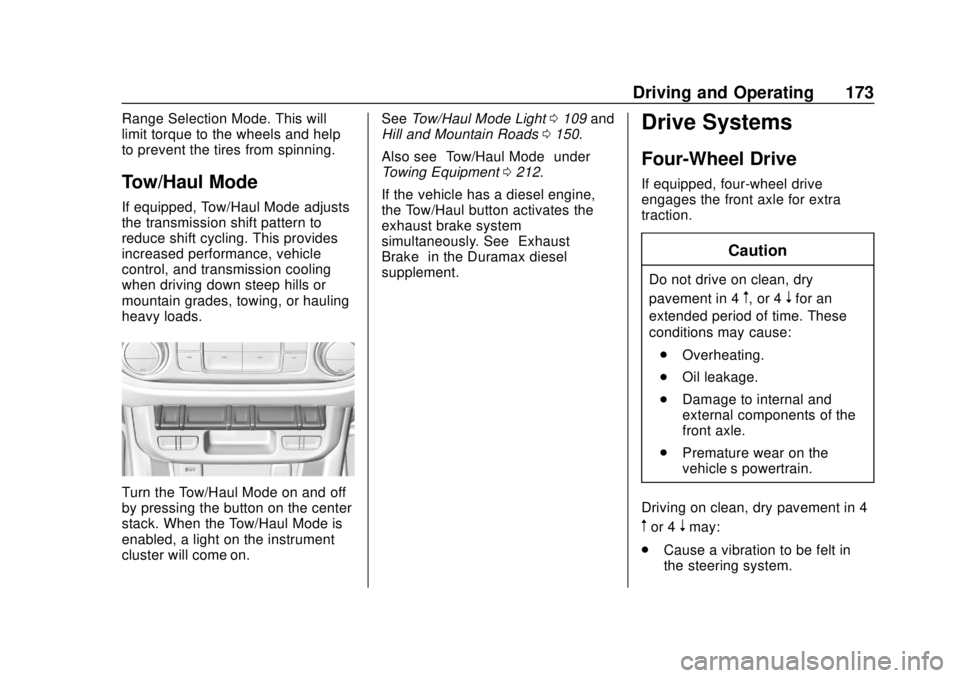
Turn the Tow/Haul Mode on and off
by pressing the button on the center
stack. When the Tow/Haul Mode is
enabled, a light on the instrument
cluster will come on.See
Tow/Haul Mode Light 0109 and
Hill and Mountain Roads 0150.
Also see “Tow/Haul Mode” under
Towing Equipment 0212.
If the vehicle has a diesel engine,
the Tow/Haul button activates the
exhaust brake system
simultaneously. See “Exhaust
Brake” in the Duramax diesel
supplement.
Drive Systems
Four-Wheel Drive
If equipped, four-wheel drive
engages the front axle for extra
traction.
Caution
Do not drive on clean, dry
pavement in 4
m, or 4nfor an
extended period of time. These
conditions may cause:
. Overheating.
. Oil leakage.
. Damage to internal and
external components of the
front axle.
. Premature wear on the
vehicle’s powertrain.
Driving on clean, dry pavement in 4
mor 4nmay:
. Cause a vibration to be felt in
the steering system.
Page 175 of 368
Chevrolet Colorado Owner Manual (GMNA-Localizing-U.S./Canada/Mexico-
13566640) - 2020 - CRC - 9/30/19
174 Driving and Operating
.Cause tires to wear faster.
. Cause additional driveline noise.
{Warning
If equipped with four-wheel drive,
the vehicle will be free to roll if the
transfer case is in N (Neutral),
even when the shift lever is in
P (Park). You or someone else
could be seriously injured. Be
sure the transfer case is in a drive
gear —2
m, 4m, or 4n—or set the
parking brake before placing the
transfer case in N (Neutral). See
Shifting Into Park 0164.
Caution
Extended high-speed operation in
4
nmay damage or shorten the
life of the drivetrain. Engagement noise and bump when
shifting between 4
nand 4mor from
N (Neutral), with the engine running,
is normal.
Shifting into 4
nwill turn Traction
Control and StabiliTrak/Electronic
Stability Control (ESC) off. See
Traction Control/Electronic Stability
Control 0182.
Electronic Transfer Case
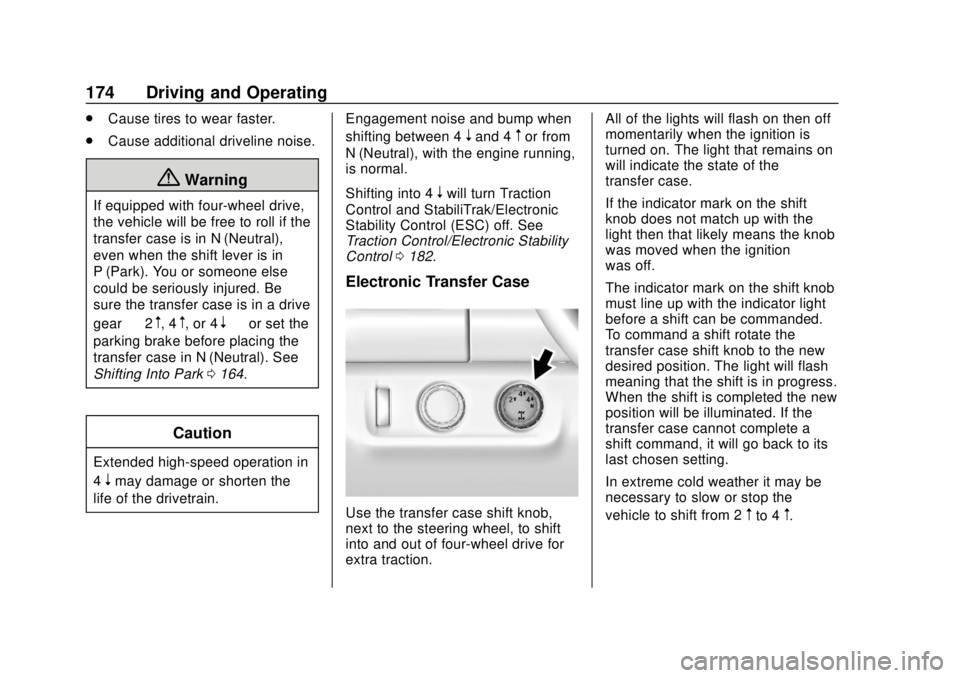
Use the transfer case shift knob,
next to the steering wheel, to shift
into and out of four-wheel drive for
extra traction. All of the lights will flash on then off
momentarily when the ignition is
turned on. The light that remains on
will indicate the state of the
transfer case.
If the indicator mark on the shift
knob does not match up with the
light then that likely means the knob
was moved when the ignition
was off.
The indicator mark on the shift knob
must line up with the indicator light
before a shift can be commanded.
To command a shift rotate the
transfer case shift knob to the new
desired position. The light will flash
meaning that the shift is in progress.
When the shift is completed the new
position will be illuminated. If the
transfer case cannot complete a
shift command, it will go back to its
last chosen setting.
In extreme cold weather it may be
necessary to slow or stop the
vehicle to shift from 2mto 4m.
Page 177 of 368
Chevrolet Colorado Owner Manual (GMNA-Localizing-U.S./Canada/Mexico-
13566640) - 2020 - CRC - 9/30/19
176 Driving and Operating
Shifting Out of 4n
1. To shift out of 4nthe vehicle
must be stopped or moving
less than 5 km/h (3 mph) with
the transmission in N (Neutral)
and the ignition on. It is best for
the vehicle to be moving
1.6 to 3.2 km/h (1 to 2 mph).
2. Turn the knob to 4
mor 2m. Wait
for the 4
mor 2mindicator light
to stop flashing before shifting
the transmission into gear.
If the transmission is in gear and/or
moving more than 5 km/h (3 mph),
the 4
mor 2mindicator light will flash
for 30 seconds, but will not complete
the shift. With the vehicle moving
less than 5 km/h (3 mph), and the
transmission in N (Neutral), attempt
the shift again.
Shifting Into N (Neutral)
To shift:
1. Park the vehicle on a level surface. 2. Set the parking brake and
press and hold the brake
pedal. See Parking Brake
0 181.
3. Start the vehicle or turn the ignition on.
4. Shift the transmission to N (Neutral).
5. Shift the transfer case to 2
m.
6. Turn the transfer case knob clockwise past the 4
ndetent to
N (Neutral) until it stops and
hold it there until the
N (Neutral) light starts flashing.
This will take at least
10 seconds. Then slowly
release the knob to the 4
n
position. The N (Neutral) light
will come on when the transfer
case shift to N (Neutral) is
complete.
7. With the engine running, verify that the transfer case is in
N (Neutral) by shifting the
transmission to R (Reverse),
then to D (Drive). There should
be no movement of the vehicle
while shifting the transmission. 8. Turn the engine off, and the
ignition to ACC/ACCESSORY.
9. Place the transmission shift lever in P (Park). See
Recreational Vehicle Towing
0299.
Shifting Out of N (Neutral)
To shift: 1. Set the parking brake.
2. Turn the ignition on with the engine off.
3. Shift the transmission to N (Neutral).
4. Turn the transfer case shift knob to 2
m.
After the transfer case has
shifted out of N (Neutral), the
N (Neutral) light will go out.
5. Shift to P (Park).
Page 178 of 368
Chevrolet Colorado Owner Manual (GMNA-Localizing-U.S./Canada/Mexico-
13566640) - 2020 - CRC - 9/30/19
Driving and Operating 177
Caution
Shifting the transmission into gear
before the requested mode
indicator light has stopped
flashing could damage the
transfer case.
6. Release the parking brake.
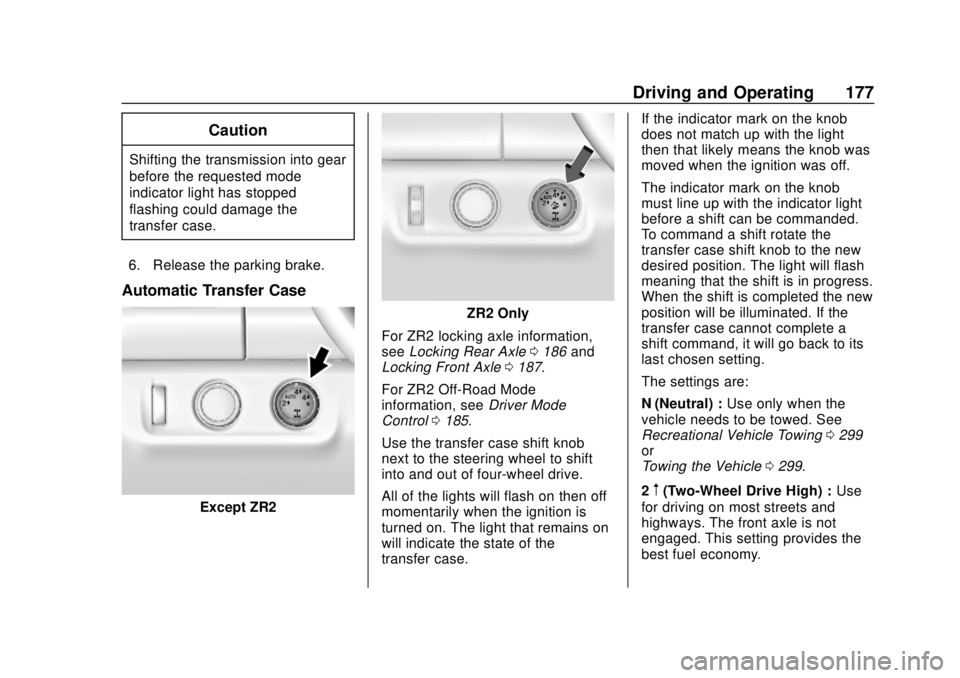
Automatic Transfer Case
Except ZR2
ZR2 Only
For ZR2 locking axle information,
see Locking Rear Axle 0186 and
Locking Front Axle 0187.
For ZR2 Off-Road Mode
information, see Driver Mode
Control 0185.
Use the transfer case shift knob
next to the steering wheel to shift
into and out of four-wheel drive.
All of the lights will flash on then off
momentarily when the ignition is
turned on. The light that remains on
will indicate the state of the
transfer case. If the indicator mark on the knob
does not match up with the light
then that likely means the knob was
moved when the ignition was off.
The indicator mark on the knob
must line up with the indicator light
before a shift can be commanded.
To command a shift rotate the
transfer case shift knob to the new
desired position. The light will flash
meaning that the shift is in progress.
When the shift is completed the new
position will be illuminated. If the
transfer case cannot complete a
shift command, it will go back to its
last chosen setting.
The settings are:
N (Neutral) :
Use only when the
vehicle needs to be towed. See
Recreational Vehicle Towing 0299
or
Towing the Vehicle 0299.
2
m(Two-Wheel Drive High) : Use
for driving on most streets and
highways. The front axle is not
engaged. This setting provides the
best fuel economy.
Page 180 of 368
Chevrolet Colorado Owner Manual (GMNA-Localizing-U.S./Canada/Mexico-
13566640) - 2020 - CRC - 9/30/19
Driving and Operating 179
less than 5 km/h (3 mph), and the
transmission in N (Neutral), attempt
the shift again.
Shifting Out of 4
n
To shift:1. The vehicle must be stopped or moving less than 5 km/h
(3 mph) with the transmission
in N (Neutral) and the ignition
on. It is best for the vehicle to
be moving
1.6 to 3.2 km/h (1 to 2 mph).
2. Turn the knob to 4
m, AUTO,
or 2
m. Wait for the 4m, AUTO,
or 2
mindicator light to stop
flashing before shifting the
transmission into gear.
Caution
Shifting the transmission into gear
before the requested mode
indicator light has stopped
flashing could damage the
transfer case. If the transmission is in gear and/or
moving more than 5 km/h (3 mph),
the 4
m, AUTO, or 2mindicator light
will flash for 30 seconds but will not
complete the shift. With the vehicle
moving less than 5 km/h (3 mph),
and the transmission in N (Neutral),
attempt the shift again.
Shifting Into N (Neutral)
To shift:
1. Park the vehicle on a level surface.
2. Set the parking brake and press and hold the brake
pedal. See Parking Brake
0 181.
3. Start the vehicle or turn the ignition on.
4. Shift the transmission to N (Neutral).
5. Shift the transfer case to 2
m.
6. Turn the transfer case shift knob clockwise past the 4
n
detent to N (Neutral) until it
stops and hold it there until the
N (Neutral) light starts flashing. This will take at least
10 seconds. Then slowly
release the knob to the 4
n
position. The N (Neutral) light
will come on when the transfer
case shift to N (Neutral) is
complete.
7. With the engine running, verify that the transfer case is in
N (Neutral) by shifting the
transmission to R (Reverse),
then shift the transmission to
D (Drive). There should be no
movement of the vehicle while
shifting the transmission.
8. Turn the engine off, and the ignition to ACC/ACCESSORY.
9. Place the transmission shift lever in P (Park).
Shifting Out of N (Neutral)
To shift: 1. Set the parking brake.
2. Turn the ignition on with the engine off.
3. Shift the transmission to N (Neutral).
Page 181 of 368
Chevrolet Colorado Owner Manual (GMNA-Localizing-U.S./Canada/Mexico-
13566640) - 2020 - CRC - 9/30/19
180 Driving and Operating
4. Turn the transfer case shiftknob to 2
m.
After the transfer case has
shifted out of N (Neutral), the
N (Neutral) light will go out and
the new 2
mstate will be
displayed.
5. Place the transmission shift lever in P (Park).
6. Release the parking brake.
Brakes
Antilock Brake
System (ABS)
The Antilock Brake System (ABS)
helps prevent a braking skid and
maintain steering while
braking hard.
ABS performs a system check when
the vehicle is first driven.
A momentary motor or clicking noise
may be heard while this test is going
on, and the brake pedal may move
slightly. This is normal.
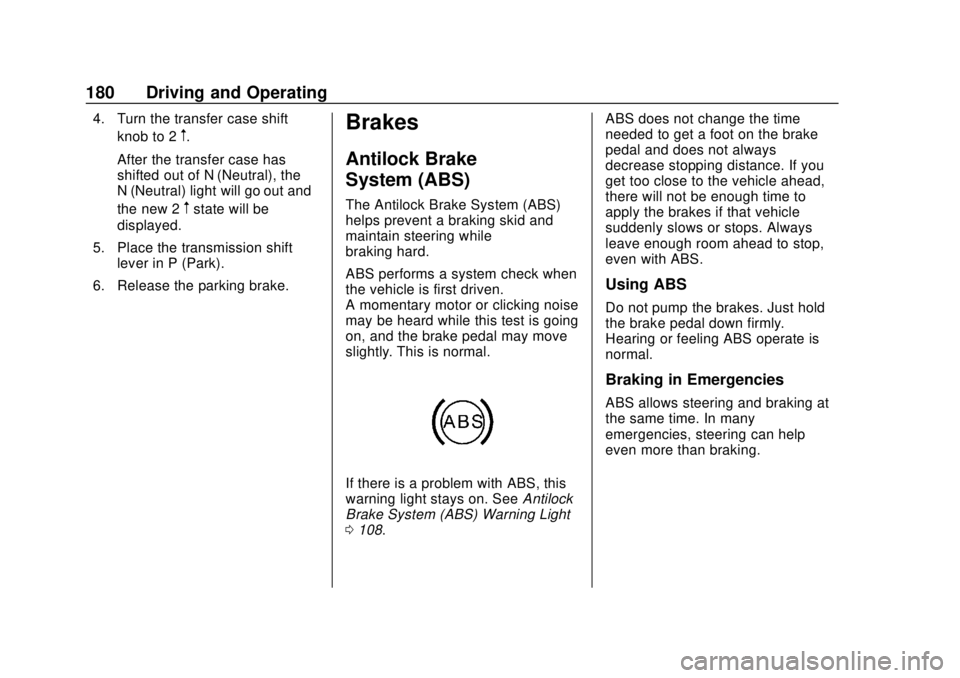
If there is a problem with ABS, this
warning light stays on. See Antilock
Brake System (ABS) Warning Light
0 108. ABS does not change the time
needed to get a foot on the brake
pedal and does not always
decrease stopping distance. If you
get too close to the vehicle ahead,
there will not be enough time to
apply the brakes if that vehicle
suddenly slows or stops. Always
leave enough room ahead to stop,
even with ABS.
Using ABS
Do not pump the brakes. Just hold
the brake pedal down firmly.
Hearing or feeling ABS operate is
normal.
Braking in Emergencies
ABS allows steering and braking at
the same time. In many
emergencies, steering can help
even more than braking.
Page 182 of 368
Chevrolet Colorado Owner Manual (GMNA-Localizing-U.S./Canada/Mexico-
13566640) - 2020 - CRC - 9/30/19
Driving and Operating 181
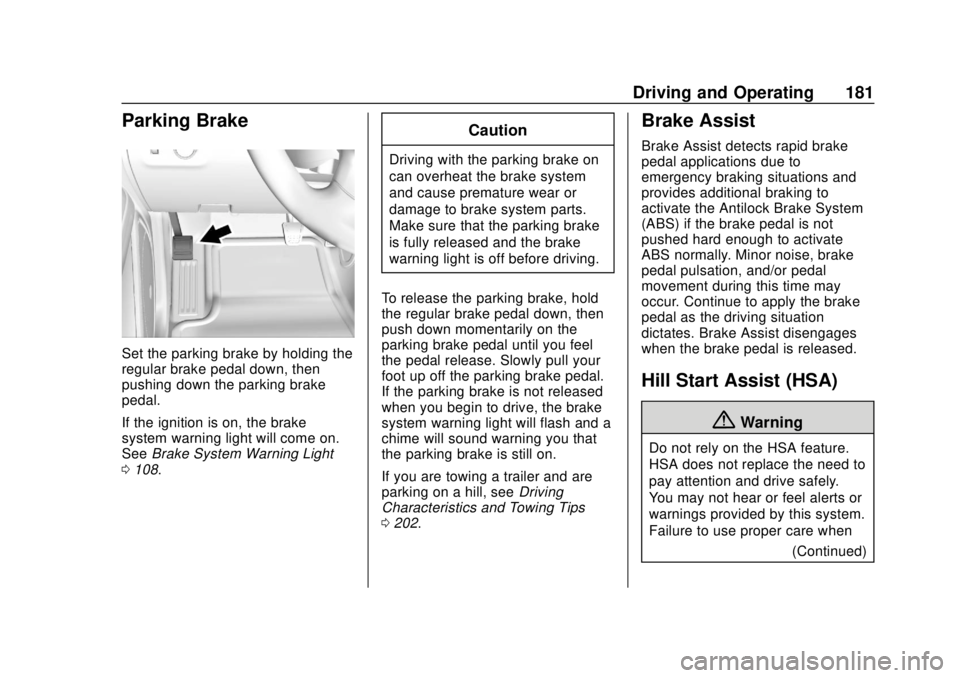
Parking Brake
Set the parking brake by holding the
regular brake pedal down, then
pushing down the parking brake
pedal.
If the ignition is on, the brake
system warning light will come on.
SeeBrake System Warning Light
0 108.
Caution
Driving with the parking brake on
can overheat the brake system
and cause premature wear or
damage to brake system parts.
Make sure that the parking brake
is fully released and the brake
warning light is off before driving.
To release the parking brake, hold
the regular brake pedal down, then
push down momentarily on the
parking brake pedal until you feel
the pedal release. Slowly pull your
foot up off the parking brake pedal.
If the parking brake is not released
when you begin to drive, the brake
system warning light will flash and a
chime will sound warning you that
the parking brake is still on.
If you are towing a trailer and are
parking on a hill, see Driving
Characteristics and Towing Tips
0 202.
Brake Assist
Brake Assist detects rapid brake
pedal applications due to
emergency braking situations and
provides additional braking to
activate the Antilock Brake System
(ABS) if the brake pedal is not
pushed hard enough to activate
ABS normally. Minor noise, brake
pedal pulsation, and/or pedal
movement during this time may
occur. Continue to apply the brake
pedal as the driving situation
dictates. Brake Assist disengages
when the brake pedal is released.
Hill Start Assist (HSA)
{Warning
Do not rely on the HSA feature.
HSA does not replace the need to
pay attention and drive safely.
You may not hear or feel alerts or
warnings provided by this system.
Failure to use proper care when
(Continued)
Page 184 of 368
Chevrolet Colorado Owner Manual (GMNA-Localizing-U.S./Canada/Mexico-
13566640) - 2020 - CRC - 9/30/19
Driving and Operating 183
comes on in the instrument cluster.
Both TCS and StabiliTrak/ESC are
automatically disabled.
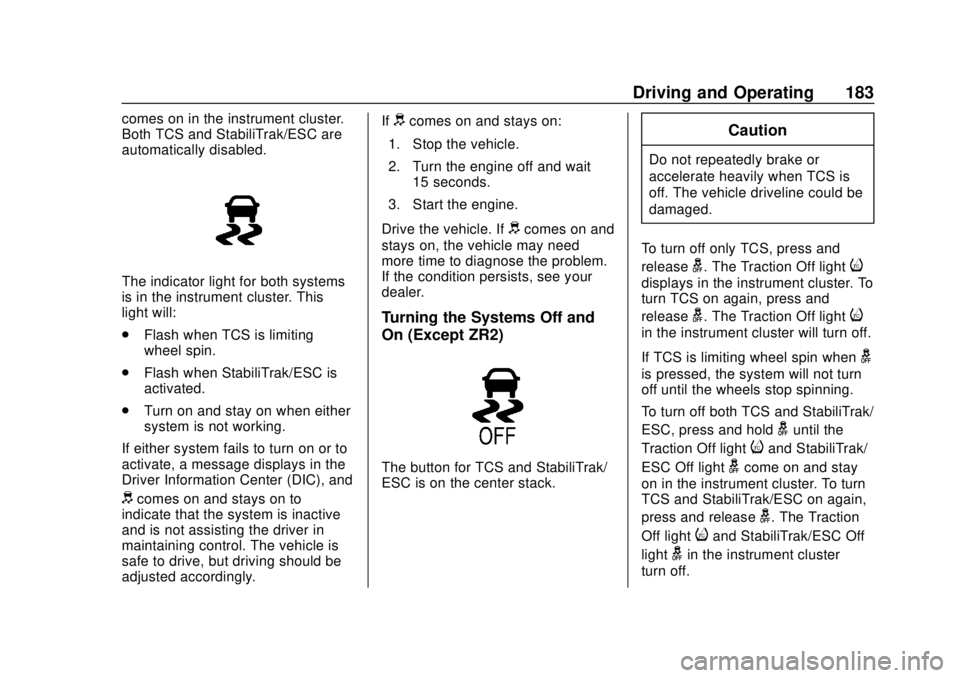
The indicator light for both systems
is in the instrument cluster. This
light will:
.Flash when TCS is limiting
wheel spin.
. Flash when StabiliTrak/ESC is
activated.
. Turn on and stay on when either
system is not working.
If either system fails to turn on or to
activate, a message displays in the
Driver Information Center (DIC), and
dcomes on and stays on to
indicate that the system is inactive
and is not assisting the driver in
maintaining control. The vehicle is
safe to drive, but driving should be
adjusted accordingly. If
dcomes on and stays on:
1. Stop the vehicle.
2. Turn the engine off and wait 15 seconds.
3. Start the engine.
Drive the vehicle. If
dcomes on and
stays on, the vehicle may need
more time to diagnose the problem.
If the condition persists, see your
dealer.
Turning the Systems Off and
On (Except ZR2)
The button for TCS and StabiliTrak/
ESC is on the center stack.
Caution
Do not repeatedly brake or
accelerate heavily when TCS is
off. The vehicle driveline could be
damaged.
To turn off only TCS, press and
release
g. The Traction Off lighti
displays in the instrument cluster. To
turn TCS on again, press and
release
g. The Traction Off lighti
in the instrument cluster will turn off.
If TCS is limiting wheel spin when
g
is pressed, the system will not turn
off until the wheels stop spinning.
To turn off both TCS and StabiliTrak/
ESC, press and hold
guntil the
Traction Off light
iand StabiliTrak/
ESC Off light
gcome on and stay
on in the instrument cluster. To turn
TCS and StabiliTrak/ESC on again,
press and release
g. The Traction
Off light
iand StabiliTrak/ESC Off
light
gin the instrument cluster
turn off.
Page 185 of 368
Chevrolet Colorado Owner Manual (GMNA-Localizing-U.S./Canada/Mexico-
13566640) - 2020 - CRC - 9/30/19
184 Driving and Operating
StabiliTrak/ESC will automatically
turn on if the vehicle exceeds
56 km/h (35 mph). TCS will remain
off until
gis pressed or until the
ignition is turned off and then
back on.
Adding accessories can affect the
vehicle performance. See
Accessories and Modifications
0 224.
Turning the Systems Off and
On (ZR2 Only)
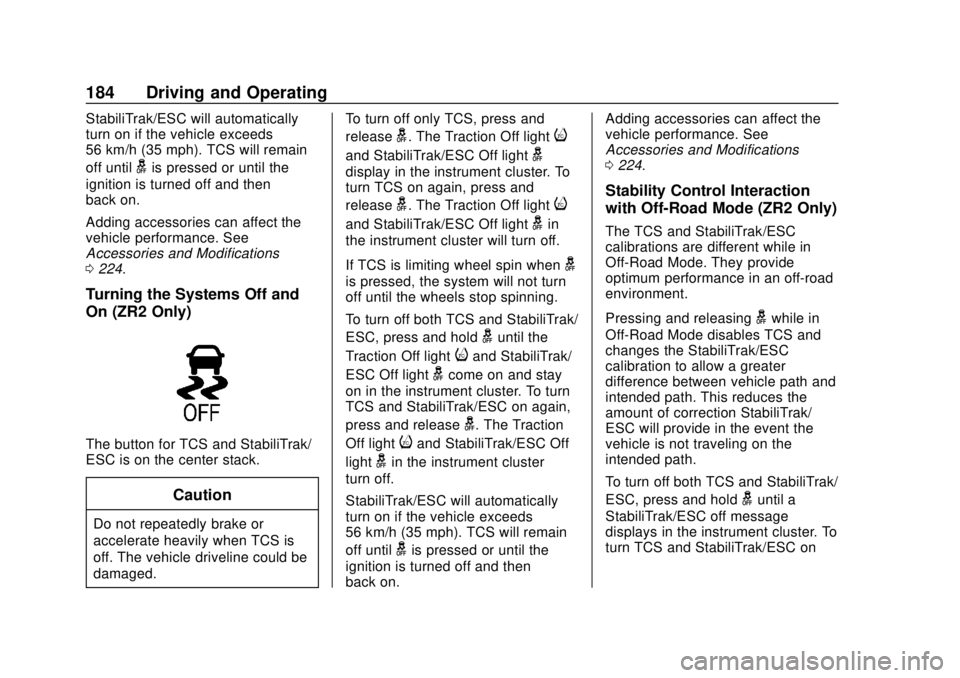
The button for TCS and StabiliTrak/
ESC is on the center stack.
Caution
Do not repeatedly brake or
accelerate heavily when TCS is
off. The vehicle driveline could be
damaged. To turn off only TCS, press and
release
g. The Traction Off lighti
and StabiliTrak/ESC Off lightg
display in the instrument cluster. To
turn TCS on again, press and
release
g. The Traction Off lighti
and StabiliTrak/ESC Off lightgin
the instrument cluster will turn off.
If TCS is limiting wheel spin when
g
is pressed, the system will not turn
off until the wheels stop spinning.
To turn off both TCS and StabiliTrak/
ESC, press and hold
guntil the
Traction Off light
iand StabiliTrak/
ESC Off light
gcome on and stay
on in the instrument cluster. To turn
TCS and StabiliTrak/ESC on again,
press and release
g. The Traction
Off light
iand StabiliTrak/ESC Off
light
gin the instrument cluster
turn off.
StabiliTrak/ESC will automatically
turn on if the vehicle exceeds
56 km/h (35 mph). TCS will remain
off until
gis pressed or until the
ignition is turned off and then
back on. Adding accessories can affect the
vehicle performance. See
Accessories and Modifications
0
224.
Stability Control Interaction
with Off-Road Mode (ZR2 Only)
The TCS and StabiliTrak/ESC
calibrations are different while in
Off-Road Mode. They provide
optimum performance in an off-road
environment.
Pressing and releasing
gwhile in
Off-Road Mode disables TCS and
changes the StabiliTrak/ESC
calibration to allow a greater
difference between vehicle path and
intended path. This reduces the
amount of correction StabiliTrak/
ESC will provide in the event the
vehicle is not traveling on the
intended path.
To turn off both TCS and StabiliTrak/
ESC, press and hold
guntil a
StabiliTrak/ESC off message
displays in the instrument cluster. To
turn TCS and StabiliTrak/ESC on