battery CHEVROLET CORVETTE 1994 4.G User Guide
[x] Cancel search | Manufacturer: CHEVROLET, Model Year: 1994, Model line: CORVETTE, Model: CHEVROLET CORVETTE 1994 4.GPages: 274, PDF Size: 15.61 MB
Page 77 of 274
Downloaded from www.Manualslib.com manuals search engine Features and Controls
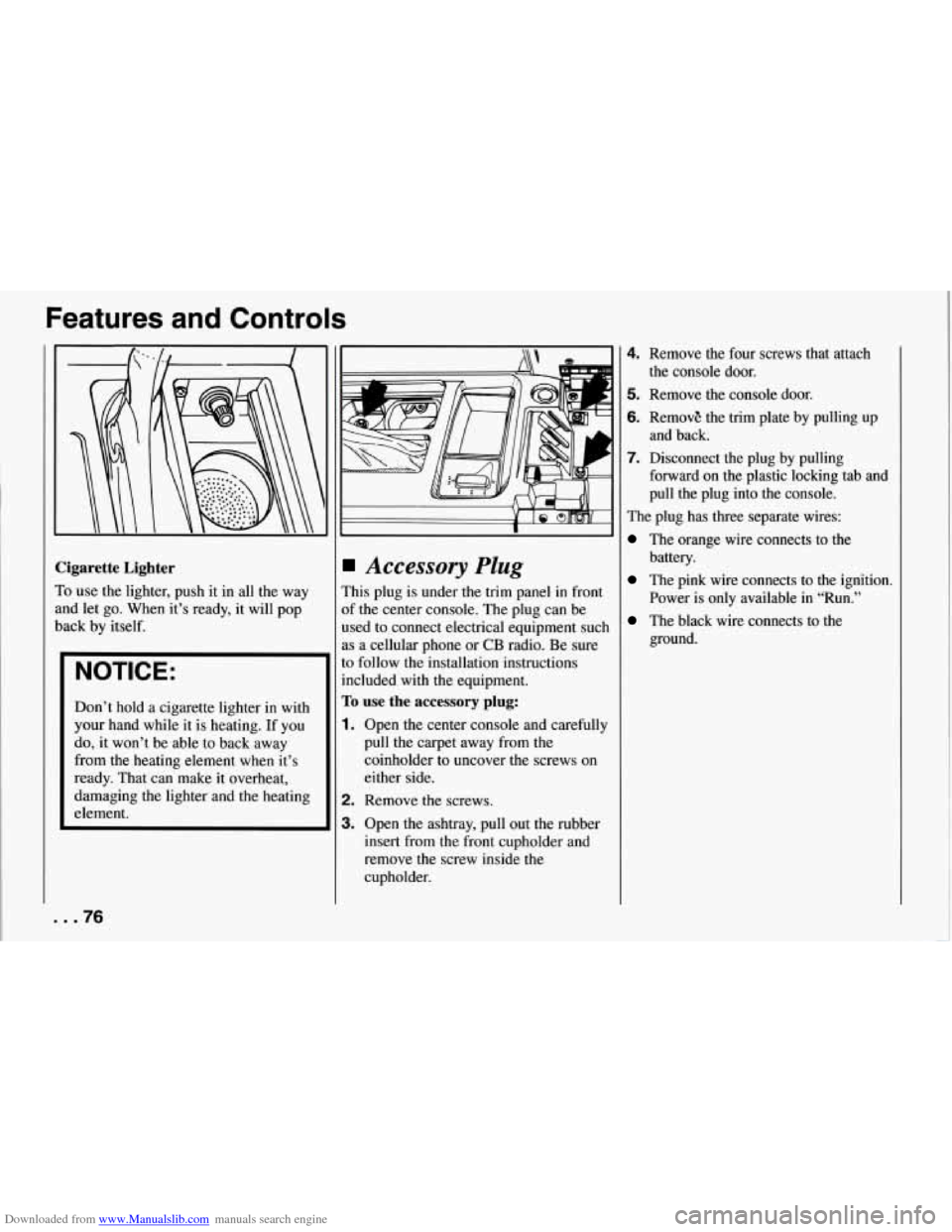
Cigarette Lighter
To use the lighter, push it in all the way
and let go. When it’s ready, it will pop
back by itself.
NOTICE:
Don’t hold a cigarette lighter in with
your hand while it is heating. If you
do, it won’t be able to back away
from the heating element when it’s
ready. That can make it overheat,
damaging the lighter and the heating
element.
Accessory Plug
This plug is under the trim panel in front
of the center console. The plug can be
used to connect electrical equipment such
as a cellular phone
or CB radio. Be sure
to follow the installation instructions
included with
the equipment.
To use the accessory plug:
1. Open the center console and carefully
pull the carpet away from the
coinholder to uncover the screws on
either side.
2. Remove the screws.
3. Open the ashtray, pull out the rubber
insert from the front cupholder and
remove the screw inside the
cupholder.
4. Remove the four screws that attach
5. Remove the console door.
6. RemovE the trim plate by pulling up
7. Disconnect the plug by pulling
the console door.
and back.
forward on the plastic locking tab and
pull the plug into the console.
The plug has three separate wires:
The orange wire connects to the
battery.
The pink wire connects to the ignition.
Power is only available in “Run.”
The black wire connects to the
ground.
... 76
Page 78 of 274
Downloaded from www.Manualslib.com manuals search engine NOTICE:
When using the accessory plug:
0
0
0
0
Don't splice wires directly into the accessory plug wire. If
done incorrectly, splicing
might cause damage to your
electrical system.
The maximum load of any
electrical equipment should not exceed
10 amps.
Be sure to turn
off any
electrical equipment when not
in use. Leaving electrical equipment on for extended
periods can drain your battery.
Do not use this plug if the
electrical equipment requires
frequent connecting and
disconnecting. This may cause
excessive wear on the accessory plug and damage
your electrical system. After
you've installed the electrical
equipment, put the trim panel and console
lid back in place and install the screws.
77 ...
Page 91 of 274
Downloaded from www.Manualslib.com manuals search engine Features and Controls
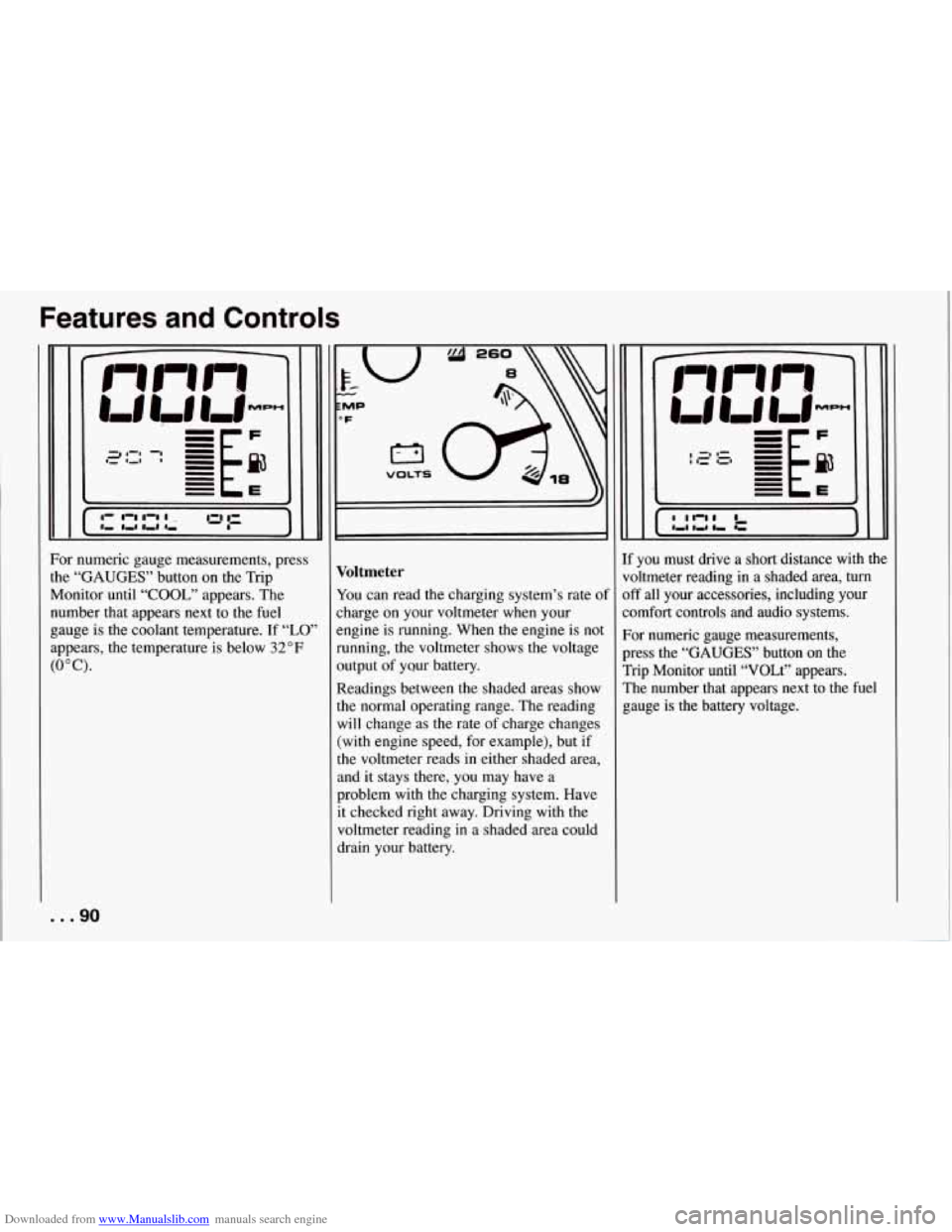
For numeric gauge measurements, press
the
“GAUGES” button on the Trip
Monitor until
“COOL,” appears. The
number that appears next to the fuel
gauge is the coolant temperature. If
“LO’
appears, the temperature is below 32°F
(0°C).
... 90
T VOLTS I
Voltmeter
You can read the charging system’s rate of
charge on your voltmeter when your
engine is running. When the engine is not
running, the voltmeter shows the voltage
output of yQur battery.
Readings between the shaded areas show
the normal operating range. The reading
will change as the rate of charge changes
(with engine speed, for example), but if
the voltmeter reads
in either shaded area,
and it stays there, you may have a
problem with the charging system. Have
it checked right away. Driving with the
voltmeter reading in a shaded area could
drain your battery. If you must
drive a short distance with the
voltmeter reading
in a shaded area, turn
off all your accessories, including your
comfort controls and audio systems.
For numeric gauge measurements,
press the
“GAUGES’’ button on the
Trip Monitor until “VOLt” appears.
The number that appears next to the fuel
gauge is
the battery voltage.
Page 94 of 274
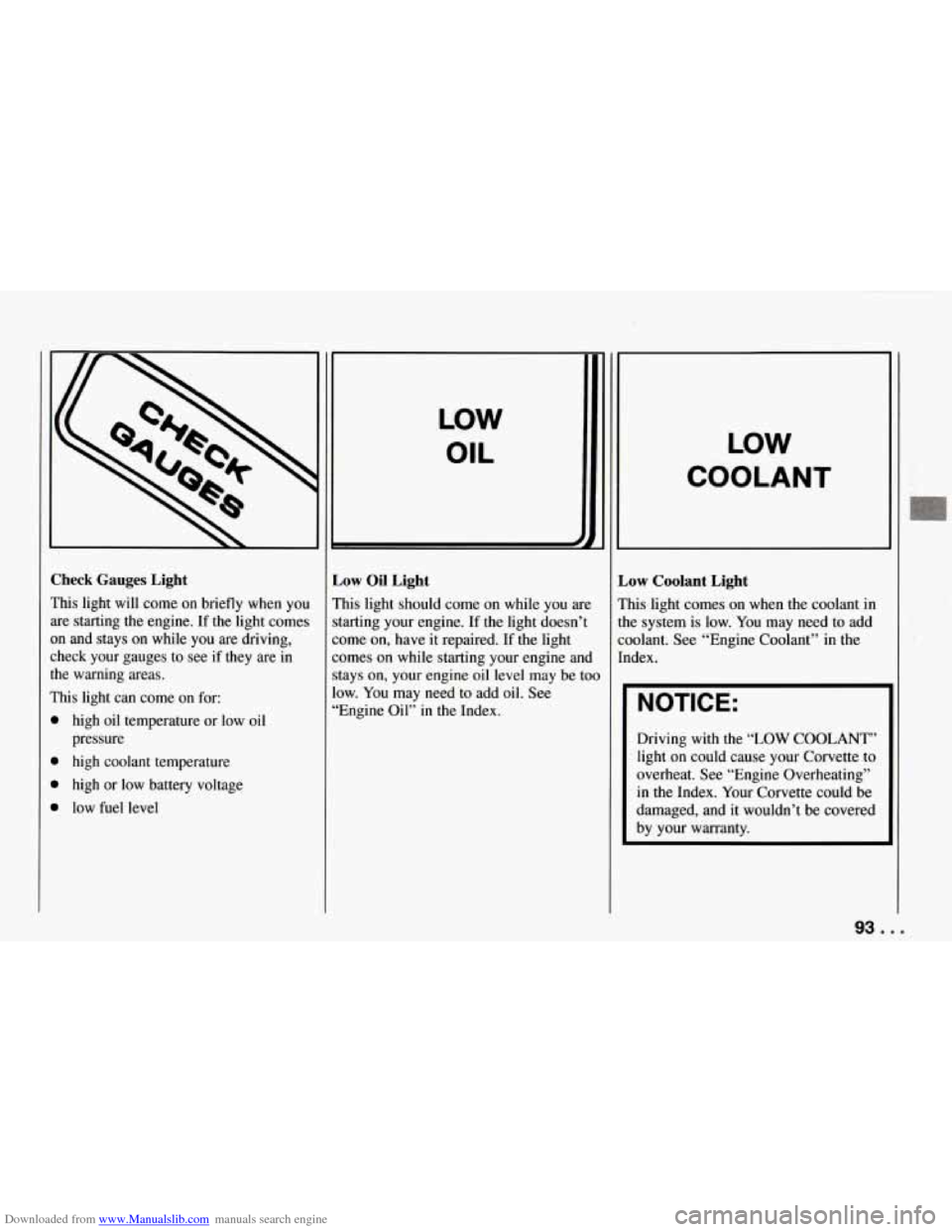
Downloaded from www.Manualslib.com manuals search engine Check Gauges Light
This light will come on briefly when you are starting
the engine. If the light comes
on and stays on while you are driving,
check your gauges to see if they are in
the warning areas.
This light can come on for:
high oil temperature or low oil
pressure
high coolant temperature
high or low battery voltage
low fuel level
LOW
OIL
L
Low Oil Light
This light should come on while you are
starting your engine. If
the light doesn’t
come on, have it repaired.
If the light
comes on while starting your engine and
stays on, your engine oil level may be too
low. You may need to add oil. See
“Engine Oil” in the Index.
LOW
COOLANT
Low Coolant Light
This light comes on when the coolant in
the system is low. You may need to add
coolant. See “Engine Coolant” in the
Index.
NOTICE:
Driving with the “LOW COOLANT”
light on could cause your Corvette to
overheat. See “Engine Overheating”
in the Index. Your Corvette could be
damaged, and it wouldn’t be covered
by your warranty.
93 ...
Page 95 of 274
Downloaded from www.Manualslib.com manuals search engine Features and Controls
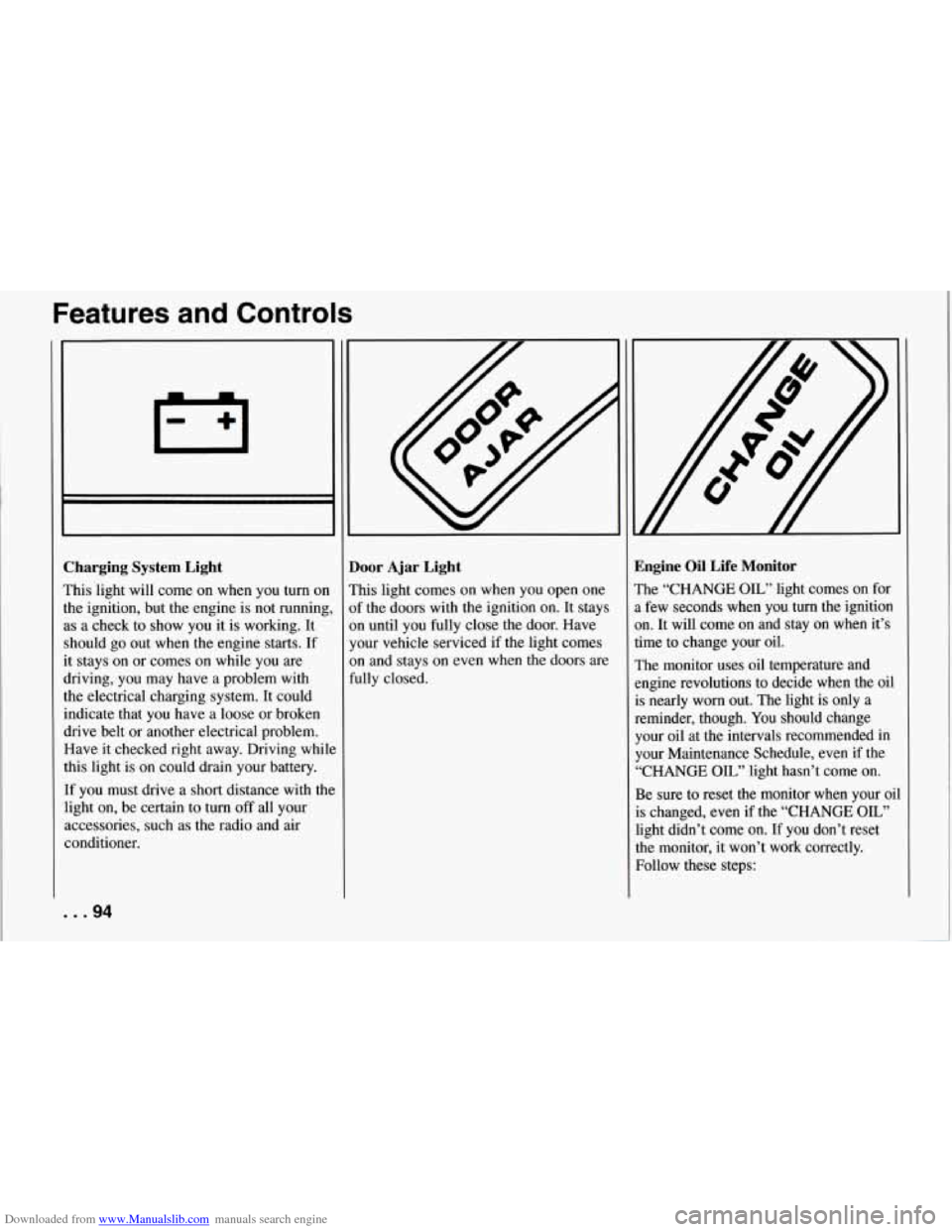
Zharging System Light
rhis light will come on when you turn on
he ignition, but the engine is not running
LS a check to show you it is working. It
ihould go out when the engine starts. If
t stays on or comes on while you are
Iriving, you may have a problem with
he electrical charging system. It could
ndicate that you have a loose or broken
lrive belt or another electrical problem.
3ave it checked right away. Driving whil
his light is
on could drain your battery.
:f you must drive a short distance with thl
ight on, be certain to turn
off all your
tccessories, such as the radio and air
:onditioner.
loor Ajar Light
’his light comes on when you open one
If the doors with the ignition on. It stays
In until you fully close the door. Have
‘our vehicle serviced if the light comes
In and stays on even when the doors are
ully closed.
-1
E
1
a
a
ti
1
e
i:
l-
4
4
E
1
t
E
GI
1
Sngine Oil Life Monitor
?he “CHANGE OIL” light comes on for
, few seconds when you turn the ignition
In. It will come on and stay on when it’s
ime to change your oil.
:he monitor uses oil temperature and
rngine revolutions to decide when the oil
s nearly worn out. The light is only a
eminder, though. You should change
‘our oil at the intervals recommended in
‘our Maintenance Schedule, even if the
‘CHANGE
OIL” light hasn’t come on.
3e sure to reset the monitor when your oil
s changed, even if the “CHANGE OIL”
ight didn’t come on. If you don’t reset
he monitor, it won’t work correctly.
Tollow these steps:
... 94
Page 99 of 274
Downloaded from www.Manualslib.com manuals search engine Features and Controls
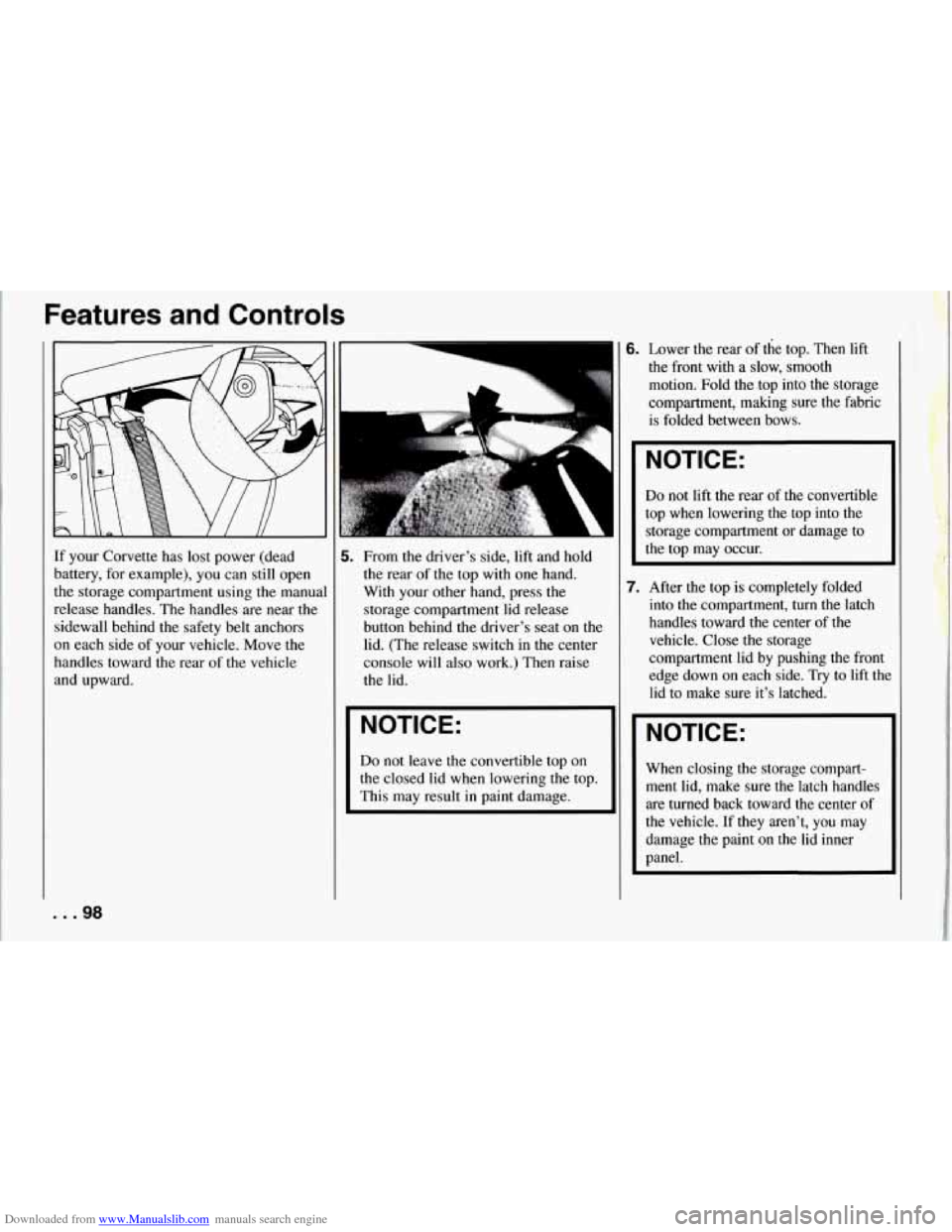
If your Corvette has lost power (dead
battery, for example), you can still open
the storage compartment using the manual
release handles. The handles are near the
sidewall behind the safety belt anchors
on each side of your vehicle. Move the
handles toward the rear
of the vehicle
and upward.
6. Lower the rear of the top. Then lift
the front with a slow, smooth
motion. Fold the top into
the storage
compartment, making sure the fabric
is folded between bows.
5. From the driver’s side, lift and hold
the rear of the top with one hand.
With your other hand, press the
storage compartment lid release
button behind the driver’s seat on the
lid. (The release switch in the center
console will also work.) Then raise
the lid.
NOTICE:
Do not leave the convertible top on
the closed lid when lowering the top.
This may result in paint damage.
I NOTICE:
Do not lift the rear of the convertible
top when lowering
the top into the
storage compartment or damage to
the top may occur.
7. After the top is completely folded
into the compartment, turn the latch
handles toward the center of the
vehicle. Close the storage
compartment lid by pushing
the front
edge down on each side.
Try to lift the
lid to make sure it’s latched.
NOTICE:
When closing the storage compart-
ment lid, make sure the latch handles
are turned back toward the center of
the vehicle. If they aren’t, you may
damage the paint on the lid inner
panel.
. .98
Page 140 of 274
Downloaded from www.Manualslib.com manuals search engine Run your engine only as long as you
must. This saves fuel. When you run the
engine, make it go a little faster than just
idle. That is, push the accelerator slightly.
This uses less fuel for the heat that you
get and it keeps the battery charged. You
will need a well-charged battery to restart
the vehicle, and possibly for signaling
later on with your headlights. Let the
heater run for awhile.
Then, shut the engine
off and close the
window almost all the way to preserve the
heat. Start the engine again and repeat this
only when you feel really uncomfortable
from the cold. But do it as little as
possible. Preserve the fuel as long as you
can.
To help keep warm, you can get out
of the vehicle and do some fairly vigorous
exercises every half hour or
so until help
comes.
Towing a Trailer
Your Corvette is neither designed nor
intended to tow a trailer.
139 ...
Page 144 of 274
Downloaded from www.Manualslib.com manuals search engine 1 Jump Starting
If your battery has run down, you may
want to use another vehicle and some
jumper cables to start your Corvette.
But please follow the steps below to
do it safely.
NOTICE:
Ignoring these steps could result
in costly damage to your vehicle
that wouldn’t be covered by your
warranty.
Trying to start your Corvette by
pushing or pulling it could damage
your vehicle,
even if you have a
manual transmission. And if you
have an automatic transmission, it
won’t start that way.
Ib Jump Start Your Corvette:
1. Check the other vehicle. It must have
a 12-volt battery with a- negative
ground system.
NOTICE:
If the other system isn’t a 12-volt
system with a negative ground, both
vehicles can be damaged.
2. Get the vehicles close enough so the
jumper cables can reach, but be sure
the vehicles aren’t touching each
other. If they are, it could cause a ground connection you don’t
want.
You wouldn’t be able to start your
Corvette, and the bad grounding could
damage the electrical systems.
3. Turn off the ignition on both vehicles.
Turn
off all lights that aren’t needed,
and radios. This will avoid sparks and
help save both batteries. And it could
save your radio!
I NOTICE:
I
If you leave your radio on, it could be
badly damaged. The repairs wouldn’t
be covered by your warranty.
4. Open the hoods and locate the
batteries. Find the positive
(+) and
negative
(-) terminals on each.
143 ...
Page 145 of 274
Downloaded from www.Manualslib.com manuals search engine Problems on the Road
5. Check that the jumper cables don’t
have loose or missing insulation. If
they do,
you could get a shock. The
vehicles could be damaged, too.
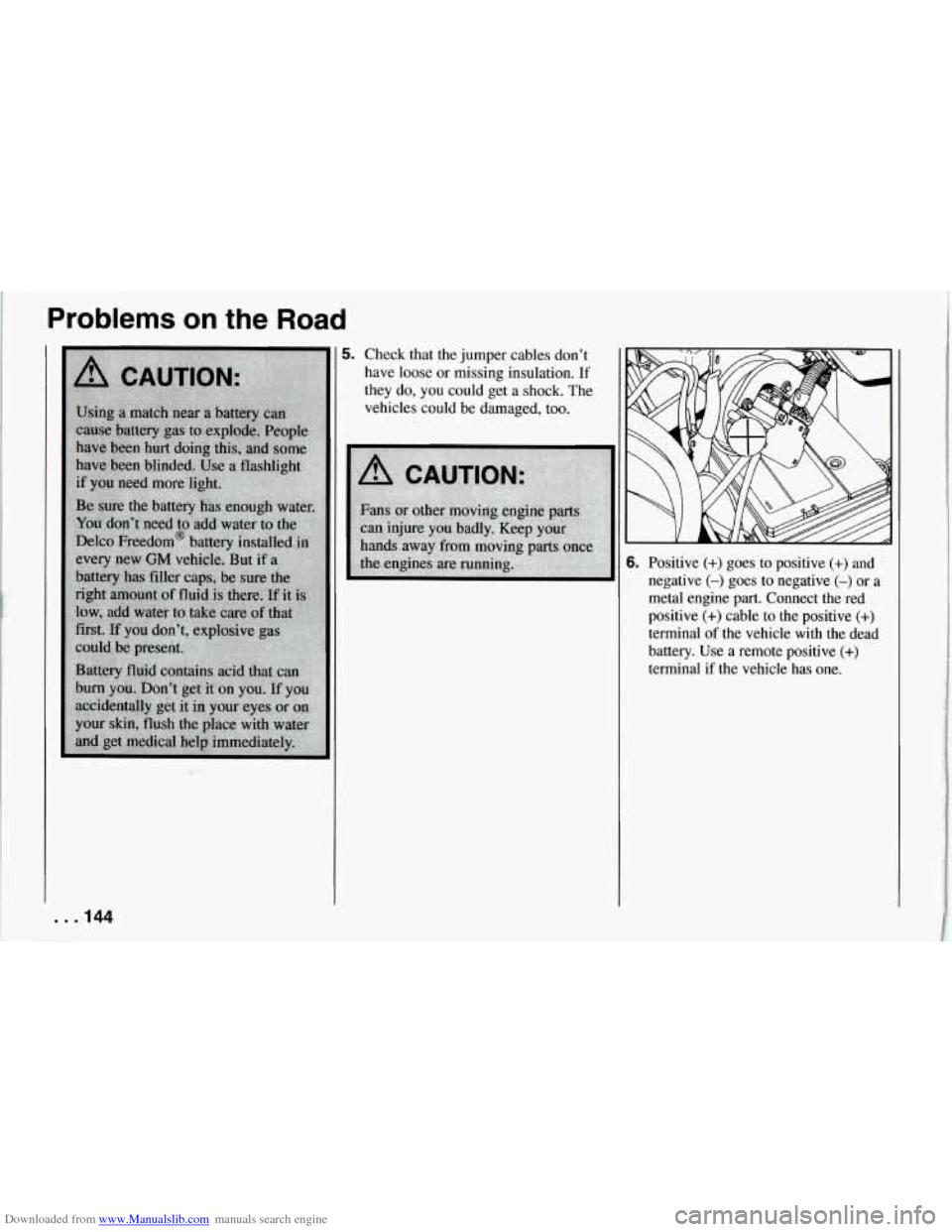
6. Positive (+) goes to positive (+) and
negative
(-) goes to negative (-) or a
metal engine part. Connect the red
positive
(+) cable to the positive (+)
terminal of the vehicle with the dead
battery. Use a remote positive
(+)
terminal if the vehicle has one.
. . .144
Page 146 of 274
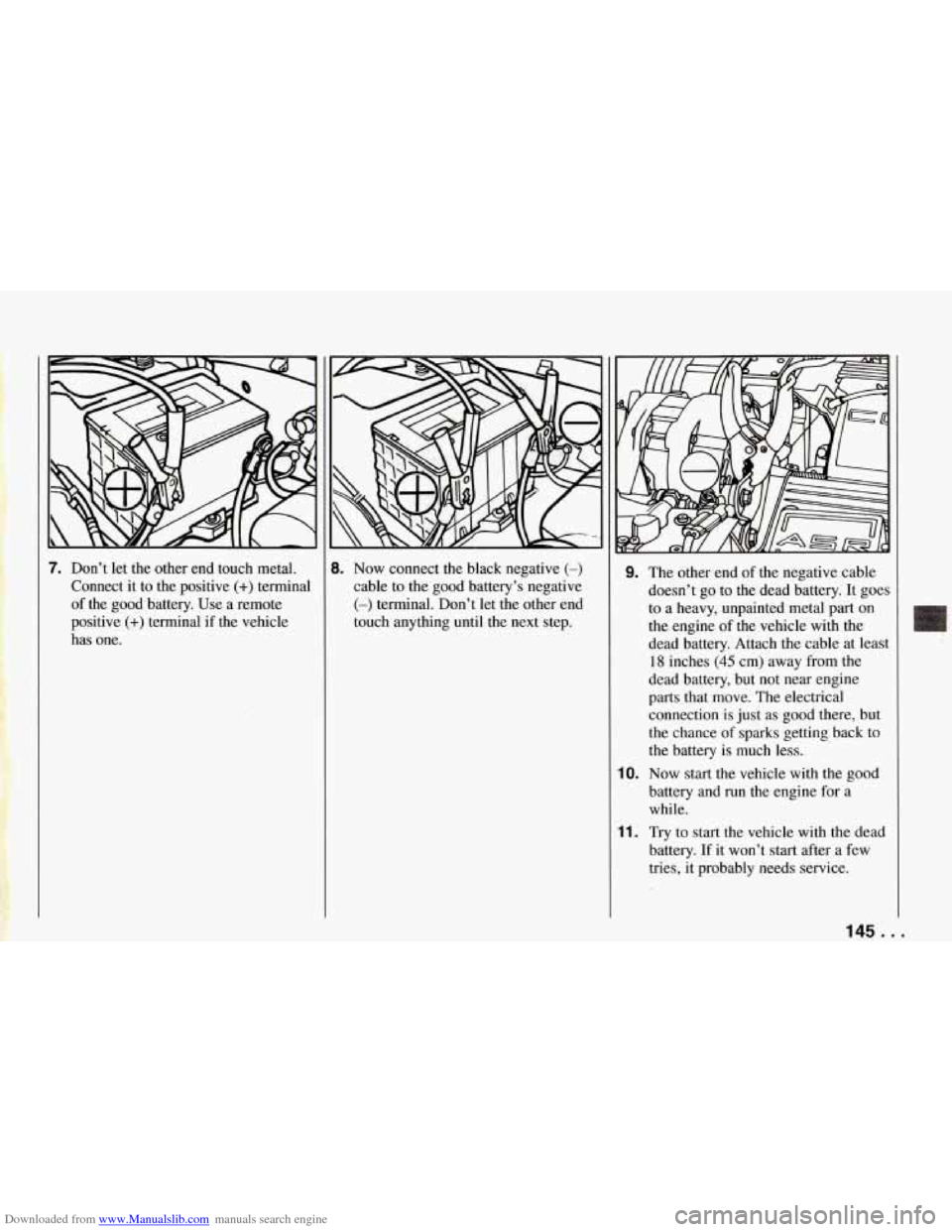
Downloaded from www.Manualslib.com manuals search engine 7. Don’t let the other end touch metal.
Connect it to the positive
(+) terminal
of the good battery. Use a remote
positive
(+) terminal if the vehicle
has one.
8. Now connect the black negative (-)
cable to the good battery’s negative
(-) terminal. Don’t let the other end
touch anything until the next step.
9. The other end of the negative cable
doesn’t go to the dead battery. It goes
to a heavy, unpainted metal part on
the engine of the vehicle with the
dead battery. Attach the cable at least
18 inches (45 cm) away from the
dead battery, but not near engine
parts that move. The electrical
connection is just as good there, but
the chance of sparks getting back to
the battery is much less.
10. Now start the vehicle with the good
battery and
run the engine for a
while.
11. Try to start the vehicle with the dead
battery. If it won’t start after a few
tries, it probably needs service.
145 ...