display CHEVROLET CORVETTE 1998 5.G Workshop Manual
[x] Cancel search | Manufacturer: CHEVROLET, Model Year: 1998, Model line: CORVETTE, Model: CHEVROLET CORVETTE 1998 5.GPages: 378, PDF Size: 19.91 MB
Page 182 of 378
Downloaded from www.Manualslib.com manuals search engine Whenever a CD magazine with discs is loaded in the
changer, the CD symbol will appear on the radio display.
If the CD changer is checking the magazine for CDs, the
CD symbol will flash on the display until the changer is
ready to play. When
a CD begins playing, a disc and
track number will be displayed. The disc numbers are
listed on the front of the magazine.
If your vehicle is equipped with the AM-FM Stereo
with Cassette Tape Player and Automatic Tone Control, the following buttons are used for the trunk mounted
CD changer except the EJECT button for ejecting the
CD magazine.
PREV (1): Press this button or the SEEK left arrow to
go to the previous track if the current selection has been
playing for less than eight seconds. If the PREV button
is pressed and the current selection has been playing for
more than eight seconds, it will go to the beginning of
the current selection. If you hold or press this button
more than once, the player will continue moving back
through the disc. The sound will mute while seeking.
PROG (2): Press this button to select a disc. The disc
number and track number will be displayed.
NEXT (3): Press this button or the SEEK right arrow to
go to the next track.
If you hold the button or press it more
than once, the player will continue moving forward
through the disc. The sound will mute while seeking.
REV (4): Press and hold this button to reverse quickly
through a track selection. Release it to resume playing.
FWD (6): Press and hold this button to advance quickly
through a track selection. Release it to resume playing.
SEEK: Press the right arrow to seek to the next
selection
on the CD. Press the left arrow to search for
the previous selection on the CD. The sound will mute
while seeking.
P.SCAN: Press this button to hear the tracks in random,
rather than sequential, order.
RANDOM will appear on
the display. Press P.SCAN again to turn
off random play.
TAPE AUX: Press this button if you have a disc loaded
in the changer and the radio is turned on, to play a
compact disc. Press AM-FM to return to the radio when
a compact disc is playing. Press TAPE AUX to switch
between the tape and compact disc if both are loaded.
To eject the disc holder in the trunk mounted CD
changer, slide the CD changer door all the way open and
the disc holder will automatically eject.
If your vehicle is equipped with the AM-FM Stereo with
CD Player and Automatic Tone Control, the following
buttons are used for the trunk mounted CD changer
except the EJECT button for ejecting the CD magazine.
3-23
Page 183 of 378
Downloaded from www.Manualslib.com manuals search engine PREV (1): Press this button or the SEEK left arrow to
go to the previous track
if the current selection has been
playing for less than eight seconds. If the PREV button
is pressed and the current selection has been playing for
more than eight seconds, it
will go to the beginning of
the current selection.
If you hold or press this button
more than once, the player will continue moving back through the disc. The sound will mute while seeking.
RDM (2): Press this button to hear the tracks in random,
rather than sequential, order. RANDOM will appear on
the display. Press RDM again to turn
off random play.
NEXT (3): Press this button or the SEEK right arrow to
go to the next track.
If you hold the button or press it more
than once, the player
will continue moving forward
through the disc. The sound will mute while seeking.'
REV (4): Press and hold this button to reverse quickly
through a track selection. Release it to resume playing.
(5): Press this button to select a disc. The disc number
and track number will be displayed.
FWD (6): Press and hold this button to advance quickly
through a track selection. Release it to resume playing.
SEEK: Press the right arrow to seek to the next
selection on the CD. Press the left arrow to search for
the previous selection on the CD. The sound will mute
while seeking.
CD AUX: Press this button if you have a disc loaded in
the changer and the radio
is turned on, to play a compact
disc. Press AM-FM to return to the radio when a
compact disc is playing. Press CD
AUX to switch
between the trunk mounted CD changer and compact
disc
if both are loaded.
To eject the disc holder in the trunk mounted CD
changer, slide the CD changer door all the way open and
the disc holder will automatically eject.
Compact Disc Changer Errors
If an error occurs while trying to play a CD in the
compact disc changer, the following conditions may
have caused the error:
0
0
0
0
The road is too rough. The disc should play when the
road is smoother.
The disc is dirty, scratched, wet or loaded label
side up.
The air is very humid. If
so, wait about an hour and
try again.
The CD changer door is open. Completely close the
changer door to restore normal operation.
Page 184 of 378
Downloaded from www.Manualslib.com manuals search engine An empty magazine is inserted in the CD changer.
Try the magazine again with a disc loaded on one of
the trays.
If any error occurs repeatedly or if an error cannot be
corrected, please contact your dealer.
Theft-Deterrent Feature
THEFTLOCK" is designed to discourage theft of your
radio. It works by using a secret code to disable all radio
functions whenever battery power is removed.
The THEFTLOCK feature for the radio may be used or
ignored.
If ignored, the system plays normally and the
radio is not protected by the feature. If THEFTLOCK is
activated, your radio will not operate if stolen.
When THEFTLOCK is activated, the radio will display
LOC to indicate a locked condition anytime battery
power has been interrupted. If your battery loses power
for any reason, you must unlock the radio with the secret
code before it will operate.
Activating the Theft-Deterrent Feature
The instructions which follow explain how to enter your
secret code to activate the THEFTLOCK system. It is
recommended that you read through
all nine steps
before starting the procedure. NOTE:
If you allow more than 15 seconds to elapse
between any steps, the radio automatically reverts to
time and you must start the procedure over at Step
4.
1. Write down any three or four-digit number from
000 to 1999 and keep it in a safe place separate
from the vehicle.
2. Turn the ignition to ACCESSORY or ON.
3. Turn the radio off.
4. Press the 1 and 4 buttons together. Hold them down
until
--- shows on the display. Next you will use the
secret code number which you have written down.
5. Press MN and
000 will appear on the display.
6. Press MN again to make the last two digits agree
with your code.
7. Press HR to make the first one or two digits agree
with your code.
8. Press AM-FM after you have confirmed that the
code matches the secret code you have written down.
The display will show REP to let you know that you
need to repeat Steps
5 through 7 to confirm your
secret code.
9. Press AM-FM and this time the display will show
SEC to let you know that your radio is secure. The
indicator by the volume control will begin flashing
when the ignition is turned
off.
Page 185 of 378
Downloaded from www.Manualslib.com manuals search engine Unlocking the Theft-Deterrent Feature After a
Power
Loss
Enter your secret code as follows; pause no more than
15 seconds between steps:
1. LOC appears when the ignition is on.
2. Press MN and 000 will appear on the display.
3. Press MN again to make the last two digits agree
with your code.
with your code.
code matches the secret code you have written down.
The display will show SEC, indicating the radio is
now operable and secure.
4. Press HR to make the first one or two digits agree
5. Press AM-FM after you have confirmed that the
If you enter the wrong code eight times, INOP will
appear on the display. You will have to wait an hour
with the ignition on before you can try again. When you
try again, you will only have three chances to enter the
correct code before INOP appears.
If you lose or forget your code, contact your dealer.
Disabling the Theft-Deterrent Feature
1. Turn the ignition to ACCESSORY or ON.
2. Turn the radio off.
3. Press the 1 and 4 buttons together. Hold them down
4. Press MN and 000 will appear on the display.
5. Press MN again to make the last two digits agree
6. Press HR to make the first one or two digits agree
until SEC shows on the display.
with your code.
with your code.
7. Press AM-FM after you have confirmed that the
code matches the secret code you have written down.
The display will show
---, indicating that the radio is
no longer secured.
If the code entered is incorrect, SEC will appear on the
display. The radio will remain secured until the correct
code is entered.
When battery power is removed and later applied to a secured radio, the radio won’t turn on and LOC will
appear on the display.
To unlock a secured radio, see “Unlocking the
Theft-Deterrent Feature After a Power
Loss” earlier in
this section.
Enter your secret code as follows; pause no more than
15 seconds between steps:
3-26
Page 187 of 378
Downloaded from www.Manualslib.com manuals search engine Care of Your Cassette Tape Player
A tape player that is not cleaned regularly can cause
reduced sound quality, ruined cassettes or a damaged
mechanism. Cassette tapes should be stored in their
cases away from contaminants, direct sunlight and
extreme heat. If they aren’t, they may not operate
properly or may cause failure of the tape player.
Your tape player should be cleaned regularly after every
50 hours of use. Your radio may display CLN to indicate
that you have used your tape player for
50 hours without
resetting the tape clean timer. If this message appears on
the display, your cassette tape player needs to be
cleaned. It will still play tapes, but you should clean it as
soon as possible to prevent damage to your tapes and
player.
If you notice a reduction in sound quality, try a
known good cassette to see
if it is the tape or the tape
player at fault.
If this other cassette has no improvement
in sound quality, clean the tape player. Cleaning may be done with a scrubbing action,
non-abrasive cleaning cassette with pads which scrub
the tape head as the hubs
of the cleaner cassette turn. It
is normal for the cassette to eject while cleaning. Insert
the cassette at least three times to ensure thorough
cleaning.
A scrubbing action cleaning cassette is
available through your dealership.
You may also choose a non-scrubbing action, wet-type
cleaner which uses a cassette with a fabric belt to clean
the tape head.
This type of cleaning cassette will not
eject and, it may not clean as thoroughly as the
scrubbing type cleaner.
After you clean the player, press and hold
EJECT for
five seconds to reset the CLN indicator. The radio will
display --- to show the indicator was reset.
Cassettes are subject to wear and the sound quality
may degrade over time. Always make sure the cassette tape
is in good condition before you have your tape
player serviced.
Page 200 of 378
Downloaded from www.Manualslib.com manuals search engine If your vehicle is in cruise control when the TCS system
begins to limit wheel spin, the cruise control will
automatically disengage. When road conditions allow
you to safely use it again, you may re-engage the cruise
control. (See “Cruise Control” in the Index.)
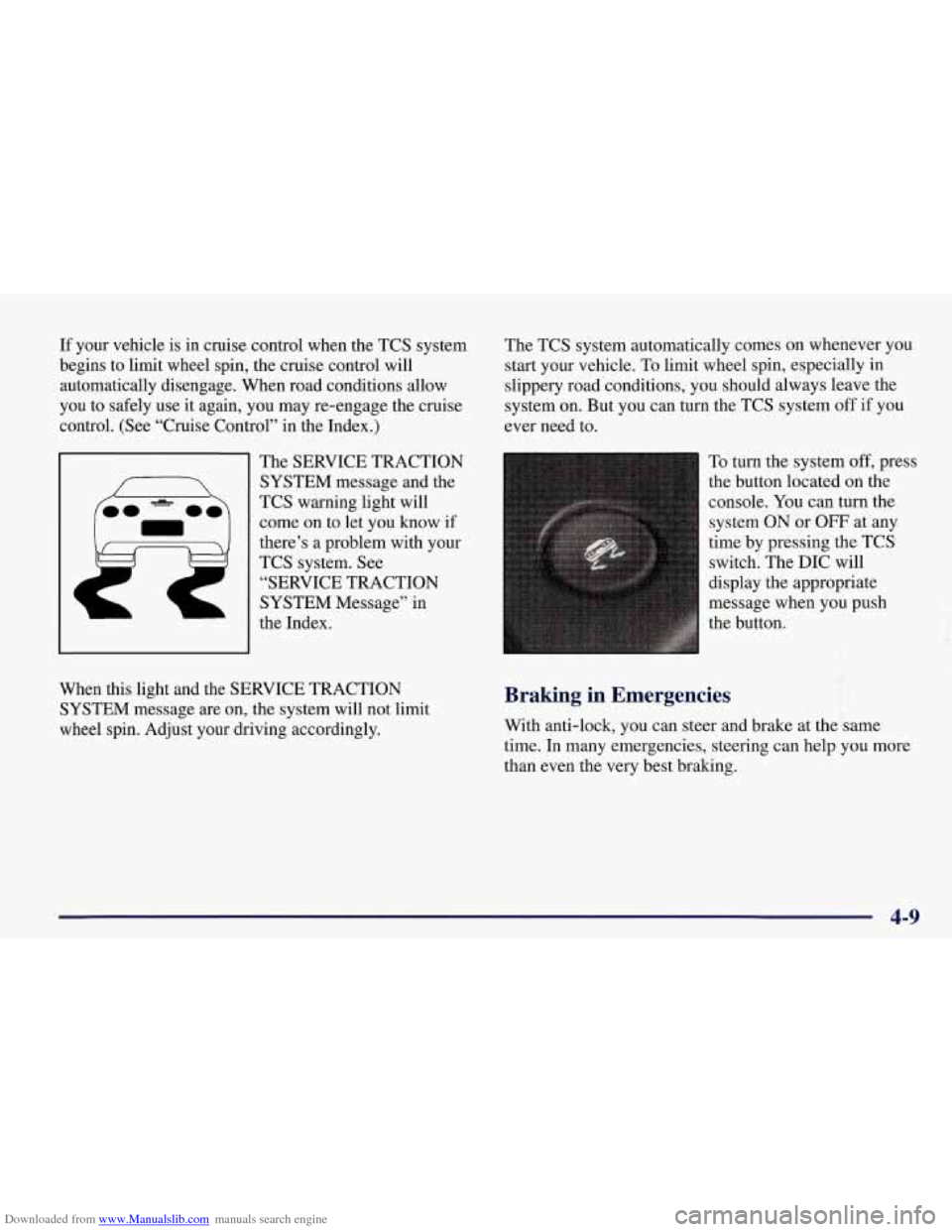
The SERVICE TRACTION
SYSTEM message and the
TCS warning light will
come on to let you know if
there’s
a problem with your
TCS system.
See
“SERVICE TRACTION
SYSTEM Message” in
the Index. The
TCS system automatically comes on whenever you
start your vehicle. To limit wheel spin, especially in
slippery road conditions, you should always leave the
system
on. But you can turn the TCS system off if you
ever need to.
To turn the system
off, press
the button located on the
console.
You can turn the
system ON
or OFF at any
time by pressing the TCS
switch. The DIC will
display the appropriate
message when you push
the button.
f
When this light and the SERVICE TRACTION
SYSTEM message are on, the system will not limit
wheel spin. Adjust your driving accordingly. Braking in Emergencies
With anti-lock, you can steer and brake at the same
time.
In many emergencies, steering can help you more
than even the very best braking.
4-9
Page 234 of 378
Downloaded from www.Manualslib.com manuals search engine Engine Overheating
You will find an engine coolant temperature gage on the
instrument cluster and a COOLANT OVER TEMP
message on the Driver Information Center
(DIC).
Overheated Engine Protection
Operating Mode
Should a low coolant condition exist and the messages
COOLANT OVERTEMP and REDUCED ENGINE
POWER are displayed, along with the Check Engine
light, an overheat protection mode which alternates
firing groups of four cylinders helps prevent engine
damage. In this mode, you will notice a loss in power
and engine performance. This operating mode allows
your vehicle to be driven to a safe place in an
emergency; you may drive up
to 50 miles (80 km).
1 NOTICE:
After driving in the overheated engine protection
operating mode, to avoid engine damage, allow
the engine to cool before attempting any repair.
The engine oil will be severely degraded. Repair
the cause of coolant loss, change the oil and reset
the oil life monitor. See “Engine Oil, When to
Change” in the Index.
5-13
Page 287 of 378
Downloaded from www.Manualslib.com manuals search engine i ,h, CAUTION:
When the LOW TIRE PRESSURE or FLAT TIRE message is displayed on the Driver
Information Center, your vehicle’s handling
capabilities will be reduced during severe
maneuvers.
If you drive too fast, you could lose
control of your vehicle.
You or others could be
injured, Don’t drive over
55 mph (90 km/h) when
the
LOW TIRE PRESSURE or FLAT TIRE
message is displayed. Drive cautiously, and check
your tire pressures as soon as you can.
I
I
If a tire goes flat, you won’t need to stop on the side of
the road to change the tire. You can just keep on driving.
The shorter the distance you drive and the slower the
speed, the greater the chance that the tire will not have
to be replaced.
If you drive on a deflated EMT for
50 miles (80 km) or less and at speeds of 55 mph
(90 km/h) or less, there is a good chance that the tire can
be repaired. The tire can operate effectively with no air
pressure for up to 200 miles (320
km) at speeds up to
55 mph (90 km/h), but the tire would then have to be
replaced. When a tire is filled with air, it provides a cushion between the
road and the wheel. Because you
won’t have this cushion when driving on a deflated tire,
try to avoid potholes that could damage your wheel and
require replacement of it.
Some road hazards can damage a tire beyond repair.
This damage could occur even before you’ve driven on
the tire in
a deflated condition. When a tire has been
damaged, or
if you’ve driven any distance on a deflated
EMT, check with an authorized Goodyear EMT Service
Center to determine whether the tire can be repaired or
should be replaced. To maintain your vehicle’s extended
mobility feature, all replacement tires must be Extended
Mobility Tires. As soon as possible, contact the nearest
authorized Chevrolet or Goodyear EMT servicing
facility for inspection and repair or replacement. Call
Chevrolet at 1-800-CHEV-USA (1-800-243-8872) or
Goodyear at 1-800-789-9878 24-hours a day for
information on the location of the nearest EMT
servicing facility. In Canada, contact the Customer
Communication Center at 1-800-263-3777, or Canadian
Roadside Assistance at 1-800-268-6800. You can also
use the Goodyear number listed above to locate an
authorized EMT servicing facility.
Page 289 of 378
Downloaded from www.Manualslib.com manuals search engine Inflation -- Tire Pressure
The Tire-Loading Information label, which is on the
rear edge of the driver’s door shows the correct inflation
pressures for your tires when they’re cold. “Cold”
means your vehicle has been sitting for at least three
hours or driven no more than
1 mile (1.6 km).
NOTICE:
Don’t let anyone tell you that underinflation or
overinflation is all right. It’s not.
If your tires
don’t have enough
air (underinflation), you can
get the following:
0 Too much flexing
0 Too much heat
0 Tire overloading
0 Bad wear
Bad handling
0 Bad fuel economy.
NOTICE: (Continued) NOTICE: (Continued)
If your tires
have too much air (overinflation).
you can get the following:
Unusual wear
Bad handling
0 Rough ride
0 Needless damage from road hazards.
When to Check
Check your tires once a month or more.
How to Check
With the Tire Pressure Monitor, you can check tire
inflation pressures while driving. After you’ve reached a
speed
of 15 mph (24 kmh) or more, press and release the
GAGES button on the Driver Information Center (DIC)
until the front tire pressures are displayed. Then, press
and release the GAGES button for the rear tire
pressures.
If the display doesn’t show tire pressure, or if
the SERVICE TIRE
MON SYS message appears, see
your dealer for service.
Page 358 of 378
Downloaded from www.Manualslib.com manuals search engine Player ...................................... 3-17
Care
....................................... 3-29
Competitive Driving
............................ 2-24
Console. Center
........................... .. .... 2-55
Control of a Vehicle
.............................. 4-5
Convenience Net
............................... 2-57
Convenience Net. Cleaning
....................... 6-54
Convertible Top
................................ 2-68
Convex Outside Mirror
.......................... 2-54
Coolant
............................. 5.13.5.16. 6.22
SurgeTank
.................................. 5-18
Surge Tank Pressure Cap
....................... 6-26
Coolant Heater. Engine
.......................... 2-24
CoolingSystem
................................ 5-16
Courtesy Lamps
................................ 2-52
InCanada
.................................... 8-8
1ntheU.S. ................................... 8-8
Cruise Control ................................. 2-47
Customer Assistance for Text Telephone Users
......... 8-4
Customer Assistance Infomation
................... 8- 1
Customer Satisfaction Procedure .................... 8-2
Damage. Finish
............................... 6-59
Daytime Running Lamps
......................... 2-50
Dead Battery
................................... 5-3
Defects. Reporting Safety
........................ 8- 10
InCanada
................................... 8-11
To General Motors
............................ 8- 11
Defensive Driving
............................... 4-2
Defogger. Rear Window
......................... 3- 11
Defogging ............................ 3-3.3-7. 3-11
Defrosting ................................ 3-3. 3-11
Dimensions. Vehicle
............................ 6-7 1
Dolby B Noise Reduction ........................ 3-16 Door
Locks
....................................... 2-4
Downshifting
.................................. 2-31
Driver Information Center (DIC)
................... 2-87
Warnings and Messages
........................ 2-97
Controls and Displays
......................... 2-88
ABS active
.................................. 2-98
Charge System Fault
.......................... 2-99
Coolant Over Temp
.......................... 2- 101
Flat Tire
. (lf. lr. rf. rr) ........................ 2-104
High Oil Temperature Reduce Engine rpm
........ 2- 102
High Tire Pressure
. (If. lr. rf. rr) ................ 2-105
High Trans Temp
............................ 2- 102
Low Coolant
................................ 2- 101
LowOilLevel ............................... 2-99
Low
Oil Pressure ............................. 2-98
Low Tire Pressure
. (If. lr. rf. rr) ................ 2-103
Maximum Speed
80 mph (129 Wh) ............ 2-101
Reduced Engine Power
........................ 2-99
ServiceABS
................................. 2-98
Service Column Lock
.......................... 2-98
Service Ride Control
......................... 2- 101
Service Tire Monitor (MON) System (SYS) ....... 2-106
Service Traction System
...................... 2-100
Service Vehicle Soon
.......................... 2-99
Shocks Inoperative
........................... 2- 10 1
Traction System
- OFF ....................... 2-100
Traction System
- ON ........................ 2-100
Traction System
(SYS) Active .................. 2-100
Driver Position
................................. 1-11
Driving
........................................ 4-1
City
........................................ 4-19
Defensive
.................................... 4-2
Driver Information Center
(DIC) Messages
9-3