light CHEVROLET CORVETTE 2003 5.G Repair Manual
[x] Cancel search | Manufacturer: CHEVROLET, Model Year: 2003, Model line: CORVETTE, Model: CHEVROLET CORVETTE 2003 5.GPages: 368, PDF Size: 2.55 MB
Page 171 of 368
SERVICE ACTIVE HANDLING:If the SERVICE
ACTIVE HNDLG message is displayed, there is a
problem with your Active Handling System and your
vehicle needs service. The instrument cluster light
will also be on and a chime will sound. When this
message is displayed, the system is not working. Adjust
your driving accordingly.
ACTIVE HANDLING:Your vehicle is equipped with a
computer controlled system to assist the driver in
controlling the vehicle in difficult driving conditions. You
may feel or hear the system working and see the
ACTIVE HANDLING message displayed in the DIC.
This is normal when the system is operating. Also see
Braking on page 4-6.
LOW TIRE PRESSURE (Except Z06):You will hear
two chimes when this message is displayed. To
acknowledge the warning, press RESET. After you
press RESET, a message will appear every 10 minutes
until this condition changes. This message indicates
that the pressure in one of your tires is less than 25 psi
(172 kPa). Next to the LOW TIRE PRESSURE
message, you can see either LF (left front), LR (left
rear), RF (right front) or RR (right rear) to indicate to you
which tire is low on pressure. You can receive more
than one tire pressure message at a time. To read other
messages that may have been sent at the same time,
press RESET. If a tire pressure message appears on the
DIC, stop as soon as you can. Have the tire pressures
checked and set to those shown on your Tire LoadingInformation Label. See
Extended Mobility Tires (Except
Z06) on page 5-54andTire Pressure Monitor System
(Except Z06) on page 5-57.
{CAUTION:
When the LOW TIRE PRESSURE or FLAT TIRE
message is displayed on the Driver Information
Center, your vehicle's handling capabilities will
be reduced during severe maneuvers. If you
drive too fast, you could lose control of your
vehicle. You or others could be injured. Don't
drive over 55 mph (90 km/h) when the LOW
TIRE PRESSURE or FLAT TIRE message is
displayed. Drive cautiously and check your tire
pressures as soon as you can.
FLAT TIRE (Except Z06):You will hear two chimes
when this message is displayed followed by the
message MAX SPEED 55 MPH (90 km/h). If this
message appears, do not drive your vehicle above this
limit. The next message to appear is REDUCED
HANDLING. Adjust your driving accordingly. To
acknowledge these warnings, press RESET. After you
press RESET, a message will reappear every
10 minutes until this condition changes.
3-59
Page 175 of 368
Radio with Cassette
Your vehicle is equipped with six Bosežampli®ed
speakers. See your dealer for details.
Playing the Radio
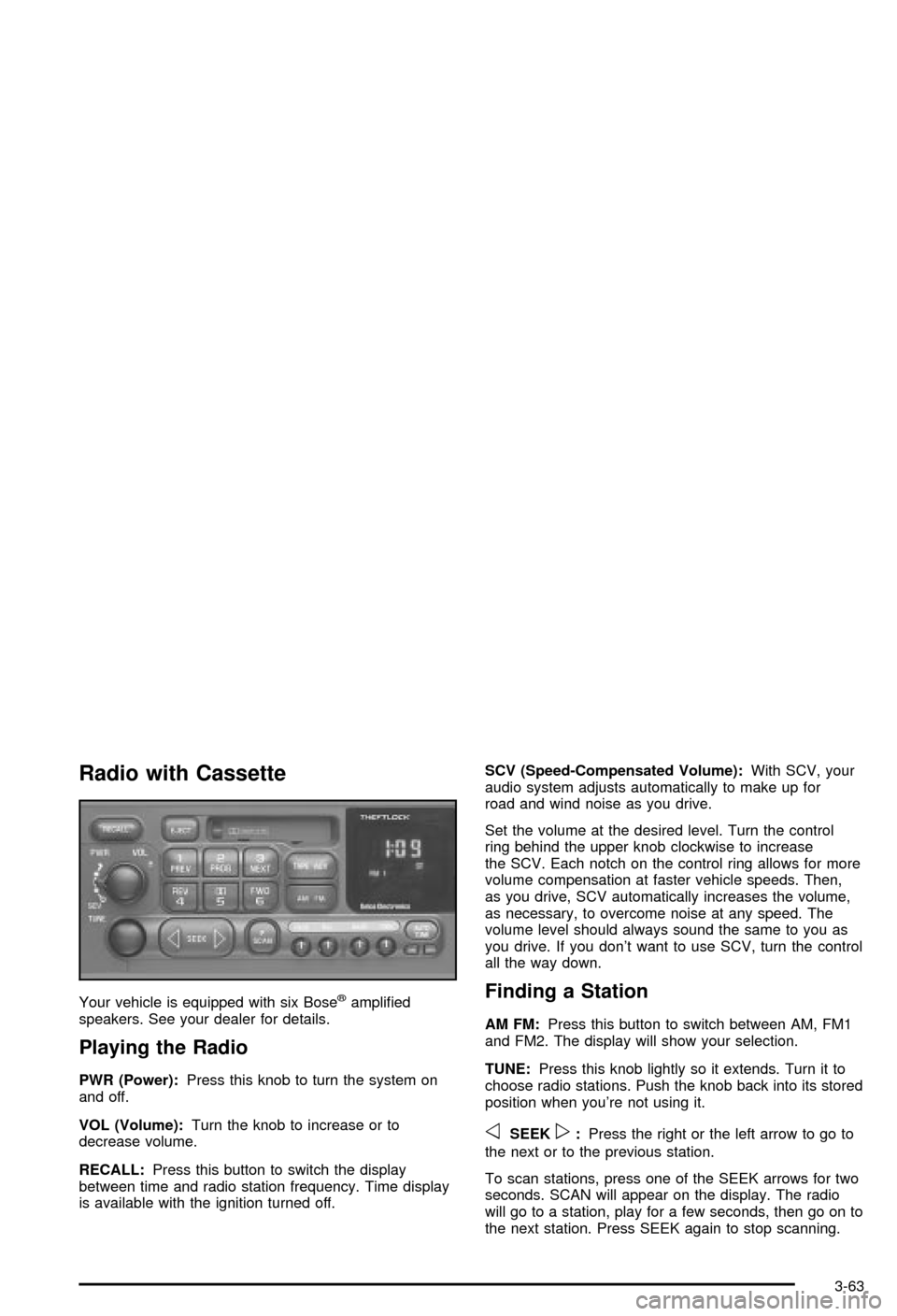
PWR (Power):Press this knob to turn the system on
and off.
VOL (Volume):Turn the knob to increase or to
decrease volume.
RECALL:Press this button to switch the display
between time and radio station frequency. Time display
is available with the ignition turned off.SCV (Speed-Compensated Volume):With SCV, your
audio system adjusts automatically to make up for
road and wind noise as you drive.
Set the volume at the desired level. Turn the control
ring behind the upper knob clockwise to increase
the SCV. Each notch on the control ring allows for more
volume compensation at faster vehicle speeds. Then,
as you drive, SCV automatically increases the volume,
as necessary, to overcome noise at any speed. The
volume level should always sound the same to you as
you drive. If you don't want to use SCV, turn the control
all the way down.
Finding a Station
AM FM:Press this button to switch between AM, FM1
and FM2. The display will show your selection.
TUNE:Press this knob lightly so it extends. Turn it to
choose radio stations. Push the knob back into its stored
position when you're not using it.
oSEEKp:Press the right or the left arrow to go to
the next or to the previous station.
To scan stations, press one of the SEEK arrows for two
seconds. SCAN will appear on the display. The radio
will go to a station, play for a few seconds, then go on to
the next station. Press SEEK again to stop scanning.
3-63
Page 176 of 368

The radio will seek or scan only to stations that are in
the selected band and only to those with a strong signal.
P.SCAN (Preset Scan):Press this button to listen to
each of your favorite stations stored on the pushbuttons
for a few seconds. The AUTO TONE setting stored
for that pushbutton will be automatically chosen.
P.SCAN will appear on the display. Press P.SCAN
again or one of the pushbuttons to stop scanning
presets.
The radio will scan only to stations that are in the
selected band and only to those with a strong signal.
Setting Preset Stations
The six numbered pushbuttons let you return to your
favorite stations. You can set up to 18 stations (six AM,
six FM1 and six FM2) by performing the following
steps:
1. Turn the radio on.
2. Press AM FM to select AM, FM1 or FM2.
3. Tune in the desired station.
4. Press AUTO TONE to select the equalization that
best suits the type of station selected.5. Press and hold one of the six numbered
pushbuttons. The sound will mute. When it returns,
release the pushbutton. Whenever you press
that numbered pushbutton, the station you set will
return and the AUTO TONE equalization that
you selected will also be automatically selected for
that pushbutton.
6. Repeat the steps for each pushbutton.
Setting the Tone (Bass/Treble)
BASS:To adjust the bass, press this knob lightly so it
extends. Turn the knob to increase or to decrease bass.
TREB (Treble):To adjust the treble, press this knob
lightly so it extends. Turn the knob to increase or
to decrease treble. If a station is weak or noisy, you
may want to decrease the treble.
Return these knobs to their stored positions when
you're not using them.
AUTO TONE (Automatic Tone):Press this button to
choose bass and treble equalization settings designed
for country/western, jazz, talk, pop, rock and classical
stations.
To return the bass and treble to the manual mode,
either press and release the AUTO TONE button until
the display goes blank or press and release the BASS or
TREB knob and turn it until the display goes blank.
3-64
Page 177 of 368

Adjusting the Speakers (Balance/Fade)
BAL (Balance):To adjust the balance between the
right and the left speakers, press this knob lightly so it
extends. Turn the knob to move the sound toward
the right or the left speakers.
FADE:To adjust the fade between the front and the
rear speakers, press this knob lightly so it extends. Turn
the knob to move the sound toward the front or the
rear speakers.
Return these knobs to their stored positions when
you're not using them.
Playing a Cassette Tape
Your tape player is built to work best with tapes that are
up to 30 to 45 minutes long on each side. Tapes longer
than that are so thin they may not work well in this player.
If a tape is inserted when the ignition is on but the radio is
off, the tape will begin playing. A tape symbol is shown in
the center of the graphic display whenever a tape is
inserted. When a tape is active, the tape symbol will be
accompanied by a direction arrow.
While the tape is playing, use the VOL, AUTO TONE,
BAL, FADE, BASS and TREB controls just as you do for
the radio. Other controls may have different functions
when a tape is inserted. The display will show the tape
symbol and an arrow to show which side of the tape
is playing.If you hear nothing or hear just a garbled sound, it may
not be in squarely. Press EJECT to remove the tape
and start over.
The player is able to detect a tight or broken tape, and
will eject the tape. The radio will go back to playing
the last station selected.
The player automatically senses the cassette for metal
or CrO 2 and sets the pre-emphasis. Anytime a tape
is inserted, the top side is selected to play ®rst.
If an error appears on the display, see ªCassette Tape
Messagesº later in this section.
1 PREV (Previous):Your tape must have at least three
seconds of silence between each selection for previous
to work. Press this pushbutton to go to the previous
selection on the tape if the current selection has been
playing for less than eight seconds. If pressed when the
current selection has been playing for more than
eight seconds, it will go to the beginning of the current
selection.
2 PROG (Program):Press this pushbutton to play the
other side of the tape.
3 NEXT:Your tape must have at least three seconds of
silence between each selection for next to work.
Press this pushbutton to go to the next selection on the
tape. If you hold this pushbutton or press it more
than once, the player will continue moving forward
through the tape.
3-65
Page 179 of 368
Radio with CD
Your vehicle is equipped with six Bosežampli®ed
speakers. See your dealer for details.
Playing the Radio
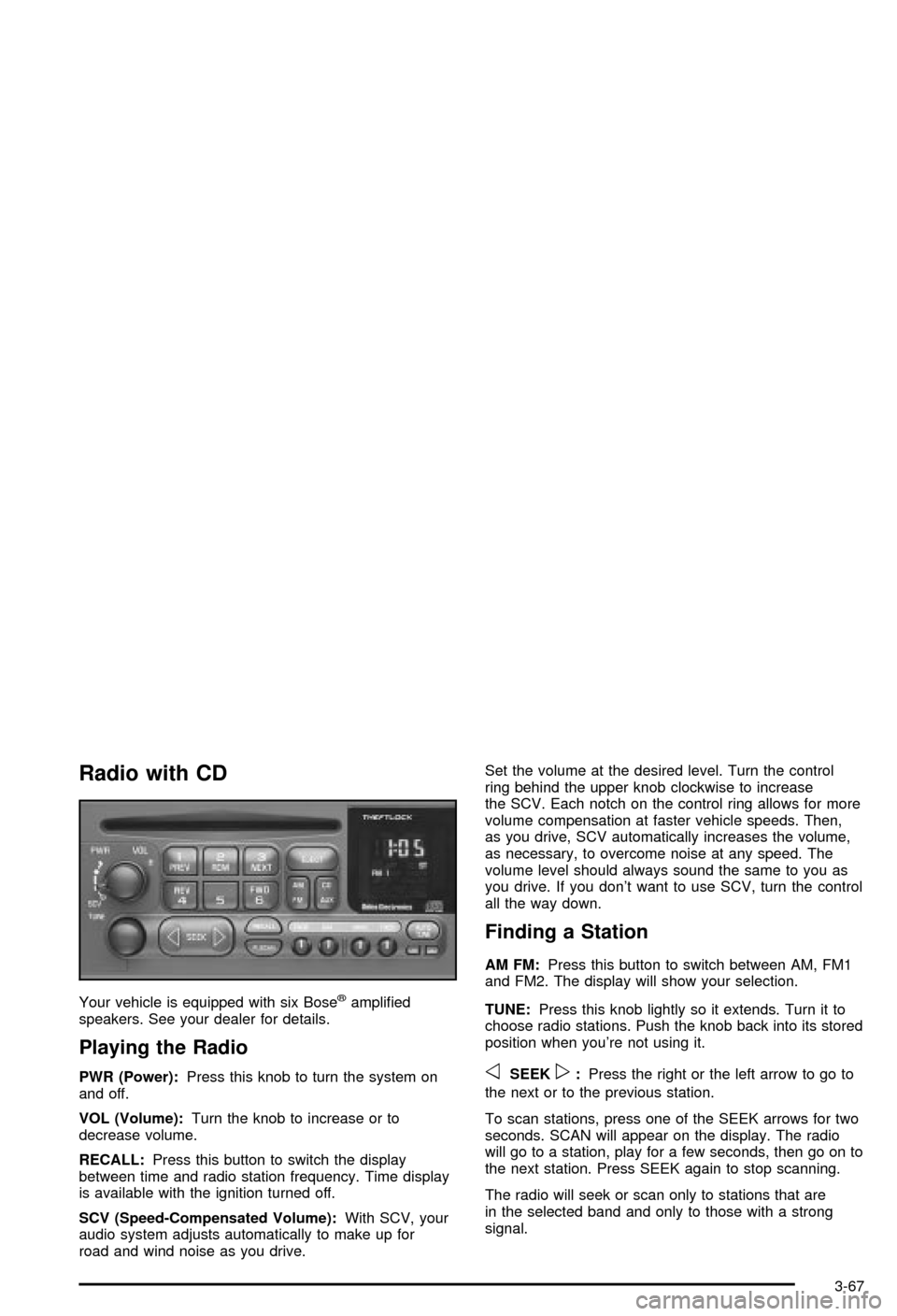
PWR (Power):Press this knob to turn the system on
and off.
VOL (Volume):Turn the knob to increase or to
decrease volume.
RECALL:Press this button to switch the display
between time and radio station frequency. Time display
is available with the ignition turned off.
SCV (Speed-Compensated Volume):With SCV, your
audio system adjusts automatically to make up for
road and wind noise as you drive.Set the volume at the desired level. Turn the control
ring behind the upper knob clockwise to increase
the SCV. Each notch on the control ring allows for more
volume compensation at faster vehicle speeds. Then,
as you drive, SCV automatically increases the volume,
as necessary, to overcome noise at any speed. The
volume level should always sound the same to you as
you drive. If you don't want to use SCV, turn the control
all the way down.
Finding a Station
AM FM:Press this button to switch between AM, FM1
and FM2. The display will show your selection.
TUNE:Press this knob lightly so it extends. Turn it to
choose radio stations. Push the knob back into its stored
position when you're not using it.
oSEEKp:Press the right or the left arrow to go to
the next or to the previous station.
To scan stations, press one of the SEEK arrows for two
seconds. SCAN will appear on the display. The radio
will go to a station, play for a few seconds, then go on to
the next station. Press SEEK again to stop scanning.
The radio will seek or scan only to stations that are
in the selected band and only to those with a strong
signal.
3-67
Page 180 of 368

P.SCAN (Preset Scan):Press this button to listen to
each of your favorite stations stored on the pushbuttons
for a few seconds. The AUTO TONE setting stored
for that pushbutton will be automatically chosen.
P.SCAN will appear on the display. Press P.SCAN
again or one of the pushbuttons to stop scanning
presets.
The radio will scan only to stations that are in the
selected band and only to those with a strong signal.
Setting Preset Stations
The six numbered pushbuttons let you return to your
favorite stations. You can set up to 18 stations (six AM,
six FM1 and six FM2) by performing the following
steps:
1. Turn the radio on.
2. Press AM FM to select AM, FM1 or FM2.
3. Tune in the desired station.
4. Press AUTO TONE to select the equalization that
best suits the type of station selected.5. Press and hold one of the six numbered
pushbuttons. The sound will mute. When it returns,
release the pushbutton. Whenever you press
that numbered pushbutton, the station you set will
return and the AUTO TONE equalization that
you selected will also be automatically selected for
that pushbutton.
6. Repeat the steps for each pushbutton.
Setting the Tone (Bass/Treble)
BASS:To adjust the bass, press this knob lightly so it
extends. Turn the knob to increase or to decrease bass.
TREB (Treble):To adjust the treble, press this knob
lightly so it extends. Turn the knob to increase or
to decrease treble. If a station is weak or noisy, you
may want to decrease the treble.
Return these knobs to their stored positions when
you're not using them.
AUTO TONE (Automatic Tone):Press this button to
choose bass and treble equalization settings designed
for country/western, jazz, talk, pop, rock and classical
stations.
To return the bass and treble to the manual mode,
either press and release the AUTO TONE button until
the display goes blank or press and release the BASS or
TREB knob and turn it until the display goes blank.
3-68
Page 181 of 368

Adjusting the Speakers (Balance/Fade)
BAL (Balance):To adjust the balance between the
right and the left speakers, press this knob lightly so it
extends. Turn the knob to move the sound toward
the right or the left speakers.
FADE:To adjust the fade between the front and the
rear speakers, press this knob lightly so it extends. Turn
the knob to move the sound toward the front or the
rear speakers.
Return these knobs to their stored positions when
you're not using them.
Playing a Compact Disc
Insert a CD partway into the slot, label side up. The
player will pull it in. The disc should begin playing. The
display will show CD and the CD symbol. If you want
to insert a CD with the ignition off, ®rst press RECALL or
EJECT.
The integral CD player can play the smaller 8 cm single
discs with an adapter ring. Full-size compact discs
and the smaller discs are loaded in the same manner.
If playing a CD-R the sound quality may be reduced due
to CD-R quality, the method of recording, the quality
of the music that has been recorded and the way
the CD-R has been handled. You may experience anincrease in skipping, difficulty in ®nding tracks and/or
difficulty in loading and ejecting. If these problems occur
try a known good CD.
Do not add paper labels to discs, they could get caught
in the CD player.
Do not play 3 inch discs without a standard
adapter disc.
If an error appears on the display, see ªCompact Disc
Messagesº later in this section.
1 PREV (Previous):Press this pushbutton to go to the
previous track if the current track has been playing
for less than eight seconds. If pressed when the current
track has been playing for more than eight seconds,
it will go to the beginning of the current track. If you hold
this pushbutton or press it more than once, the player
will continue moving back through the disc.
2 RDM (Random):Press this pushbutton to hear the
tracks in random order, rather than sequential,
order. RANDOM will appear on the display. Press this
pushbutton again to turn off random play. Random
is reset to off when the disc is ejected.
3 NEXT:Press this pushbutton to go to the next track.
If you hold this pushbutton or press it more than
once, the player will continue moving forward through
the disc.
3-69
Page 190 of 368

Care of Your Cassette Tape Player
A tape player that is not cleaned regularly can cause
reduced sound quality, ruined cassettes or a damaged
mechanism. Cassette tapes should be stored in their
cases away from contaminants, direct sunlight and
extreme heat. If they aren't, they may not operate
properly or may cause failure of the tape player.
Your tape player should be cleaned regularly after every
50 hours of use. Your radio may display CLN to
indicate that you have used your tape player for
50 hours without resetting the tape clean timer. If this
message appears on the display, your cassette
tape player needs to be cleaned. It will still play tapes,
but you should clean it as soon as possible to
prevent damage to your tapes and player. If you notice
a reduction in sound quality, try a known good
cassette to see if the tape or the tape player is at fault.
If this other cassette has no improvement in sound
quality, clean the tape player.
For best results, use a scrubbing action, non-abrasive
cleaning cassette with pads which scrub the tape
head as the hubs of the cleaner cassette turn. The
recommended cleaning cassette is available through
your dealership.The cut tape detection feature of your cassette tape
player may identify the cleaning cassette as a damaged
tape, in error. To prevent the cleaning cassette from
being ejected, use the following steps:
1. Turn the ignition on.
2. Turn the radio off.
3. Press and hold the TAPE AUX button for ®ve
seconds. The tape symbol on the display will
¯ash for two seconds.
4. Insert the scrubbing action cleaning cassette.
5. Eject the cleaning cassette after the manufacturer's
recommended cleaning time.
After the cleaning cassette is ejected, the cut tape
detection feature will be active again.
You may also choose a non-scrubbing action, wet-type
cleaner which uses a cassette with a fabric belt to
clean the tape head. This type of cleaning cassette will
not eject on its own. A non-scrubbing action cleaner
may not clean as thoroughly as the scrubbing type
cleaner. The use of a non-scrubbing action, dry-type
cleaning cassette is not recommended.
3-78
Page 191 of 368

After you clean the player, press and hold the EJECT
button for ®ve seconds to reset the CLN indicator.
The radio will display --- or CLEANED to show the
indicator was reset.
Cassettes are subject to wear and the sound quality
may degrade over time. Always make sure the cassette
tape is in good condition before you have your tape
player serviced.
Care of Your CDs
Handle discs carefully. Store them in their original cases
or other protective cases and away from direct sunlight
and dust. If the surface of a disc is soiled, dampen
a clean, soft cloth in a mild, neutral detergent solution
and clean it, wiping from the center to the edge.
Be sure never to touch the side without writing when
handling discs. Pick up discs by grasping the outer
edges or the edge of the hole and the outer edge.
Care of Your CD Player
The use of CD lens cleaner discs is not advised, due to
the risk of contaminating the lens of the CD optics
with lubricants internal to the CD mechanism.
Fixed Mast Antenna (Z06)
The ®xed mast antenna can withstand most car washes
without being damaged. If the mast should ever
become slightly bent, you can straighten it out by hand.
If the mast is badly bent, as it might be by vandals,
you should replace it.
Check occasionally to be sure the mast is still tightened
to the rear quarter panel.
Power Antenna Mast Care
(Convertible)
Your power antenna will look its best and work well if
it's cleaned from time to time. To clean the antenna mast
do the following:
1. Turn on the ignition and radio to raise the antenna.
2. Dampen a clean cloth with mineral spirits or
equivalent solvent.
3. Wipe the cloth over the mast sections, removing
any dirt.
4. Wipe dry with a clean cloth.
5. Make the antenna go up and down by turning the
radio or ignition off and on.
6. Repeat if necessary.
3-79
Page 199 of 368
Anti-lock Brake System (ABS)
Your vehicle has anti-lock brakes. ABS is an advanced
electronic braking system that will help prevent a
braking skid.
When you start your engine and begin to drive away,
your anti-lock brake system will check itself. You
may hear a momentary motor or clicking noise while
this test is going on, and you may even notice that your
brake pedal moves a little. This is normal.
If there's a problem with
the anti-lock brake system,
this warning light will
stay on. See
Anti-Lock
Brake System Warning
Light on page 3-36
.
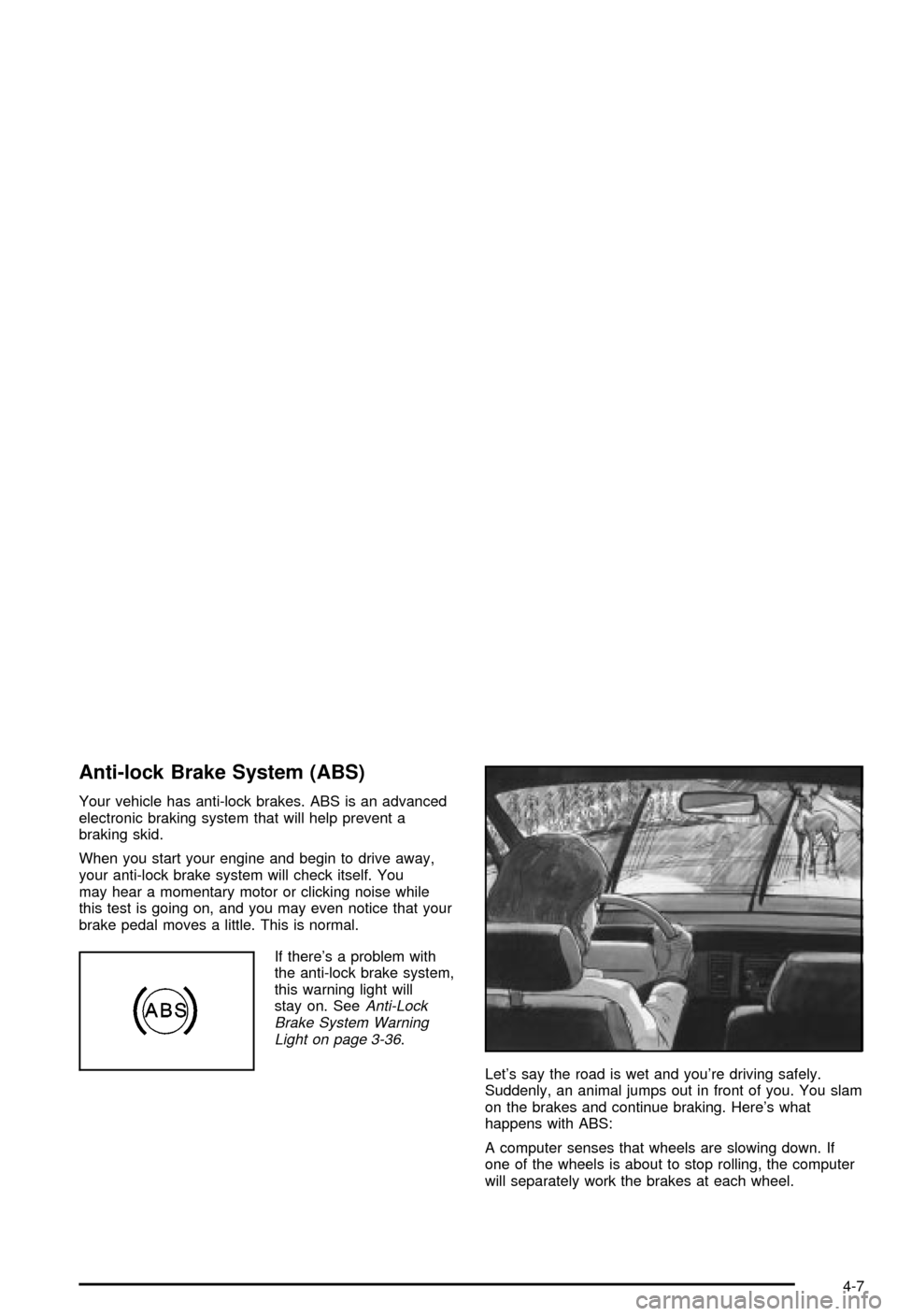
Let's say the road is wet and you're driving safely.
Suddenly, an animal jumps out in front of you. You slam
on the brakes and continue braking. Here's what
happens with ABS:
A computer senses that wheels are slowing down. If
one of the wheels is about to stop rolling, the computer
will separately work the brakes at each wheel.
4-7