ECU CHEVROLET CORVETTE 2008 6.G Owner's Manual
[x] Cancel search | Manufacturer: CHEVROLET, Model Year: 2008, Model line: CORVETTE, Model: CHEVROLET CORVETTE 2008 6.GPages: 432, PDF Size: 2.4 MB
Page 84 of 432
Immobilizer
This device complies with Part 15 of the FCC Rules.
Operation is subject to the following two conditions:
1. This device may not cause interference.
2. This device must accept any interference received,
including interference that may cause undesired
operation.
This device complies with RSS-210 of Industry Canada.
Operation is subject to the following two conditions:
1. This device may not cause interference.
2. This device must accept any interference received,
including interference that may cause undesired
operation of the device.
Changes or modications to this system by other than
an authorized service facility could void authorization to
use this equipment.
Immobilizer Operation
This vehicle has a passive theft-deterrent system.
The system is automatically armed when the ignition
mode transitions to off.
The immobilization system is disarmed when the ignition
mode transitions to OFF/ACCESSORY or START and
a valid transmitter is found in the vehicle.You do not have to manually arm or disarm the system.
The security light comes on if there is a problem with
arming or disarming the theft-deterrent system.
The system has one or more keyless access
transmitters that are matched to an immobilizer control
unit in the vehicle. Only a correctly matched keyless
access transmitter starts the vehicle. The vehicle
may not start if the keyless access transmitter is
damaged.
If the engine does not start and the security light comes
on, there may be a problem with the immobilizer
system. Press the START button again.
If the vehicle does not start and the keyless access
transmitter appears to be undamaged, try another
keyless access transmitter. Or, place the transmitter in
the transmitter pocket. See “NO FOBS DETECTED”
underDIC Warnings and Messages on page 3-57for
additional information. Check the fuse. SeeFuses and
Circuit Breakers on page 5-100. If the engine still does
not start with the other transmitter, the vehicle needs
service. If the engine does start, the rst transmitter may
be
faulty. See your dealer/retailer who can service the
theft-deterrent system and have a new keyless access
transmitter programmed to the vehicle.
2-20
Page 107 of 432
OnStar®System
OnStar uses several innovative technologies and live
advisors to provide a wide range of safety, security,
information, and convenience services. If the airbags
deploy, the system is designed to make an automatic call
to OnStar Emergency advisors who can request
emergency services be sent to your location. If the keys
are locked in the vehicle, call OnStar at 1-888-4-ONSTAR
and they can send a signal to unlock the doors. For
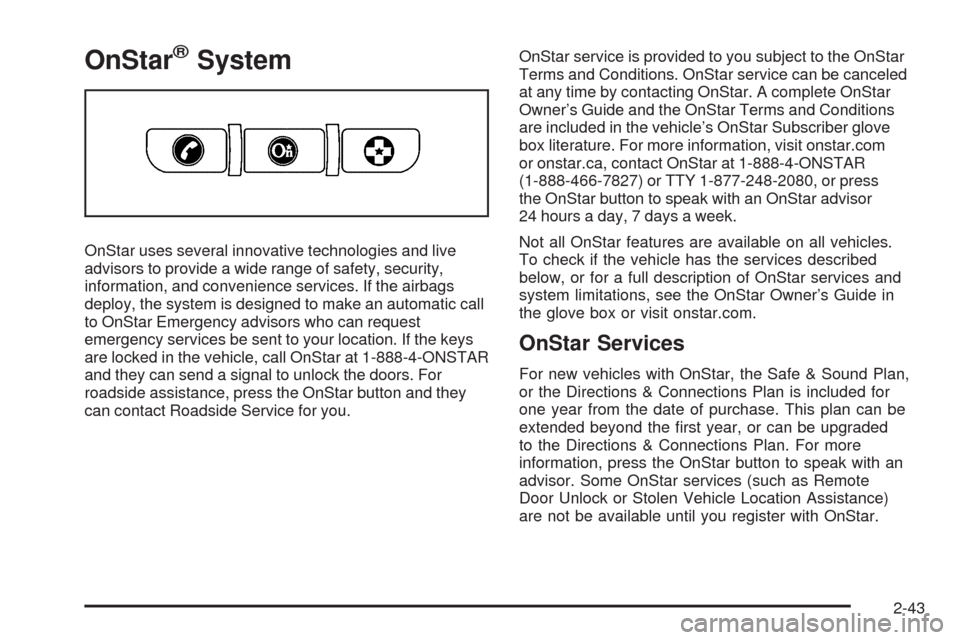
roadside assistance, press the OnStar button and they
can contact Roadside Service for you.OnStar service is provided to you subject to the OnStar
Terms and Conditions. OnStar service can be canceled
at any time by contacting OnStar. A complete OnStar
Owner’s Guide and the OnStar Terms and Conditions
are included in the vehicle’s OnStar Subscriber glove
box literature. For more information, visit onstar.com
or onstar.ca, contact OnStar at 1-888-4-ONSTAR
(1-888-466-7827) or TTY 1-877-248-2080, or press
the OnStar button to speak with an OnStar advisor
24 hours a day, 7 days a week.
Not all OnStar features are available on all vehicles.
To check if the vehicle has the services described
below, or for a full description of OnStar services and
system limitations, see the OnStar Owner’s Guide in
the glove box or visit onstar.com.
OnStar Services
For new vehicles with OnStar, the Safe & Sound Plan,
or the Directions & Connections Plan is included for
one year from the date of purchase. This plan can be
extended beyond the rst year, or can be upgraded
to the Directions & Connections Plan. For more
information, press the OnStar button to speak with an
advisor. Some OnStar services (such as Remote
Door Unlock or Stolen Vehicle Location Assistance)
are not be available until you register with OnStar.
2-43
Page 110 of 432
Universal Home Remote
System
The Universal Home Remote System provides a way to
replace up to three hand-held radio-frequency (RF)
transmitters used to activate devices such as garage
door openers, security systems, and home lighting.
This device complies with Part 15 of the FCC Rules.
Operation is subject to the following two conditions:
1. This device may not cause harmful interference.
2. This device must accept any interference received,
including interference that may cause undesired
operation.
The FCC Grant of Equipment Authorization Certicate
number is KOBGTV06A.
This device complies with RSS-210 of Industry Canada.
Operation is subject to the following two conditions:
1. This device may not cause interference.
2. This device must accept any interference received,
including interference that may cause undesired
operation of the device.
The Canadian Registration ID number is 3521A-GTV06A.
Changes or modications to this system by other than
an authorized service facility could void authorization to
use this equipment.
Universal Home Remote System
Operation
This vehicle may have the Universal Home Remote
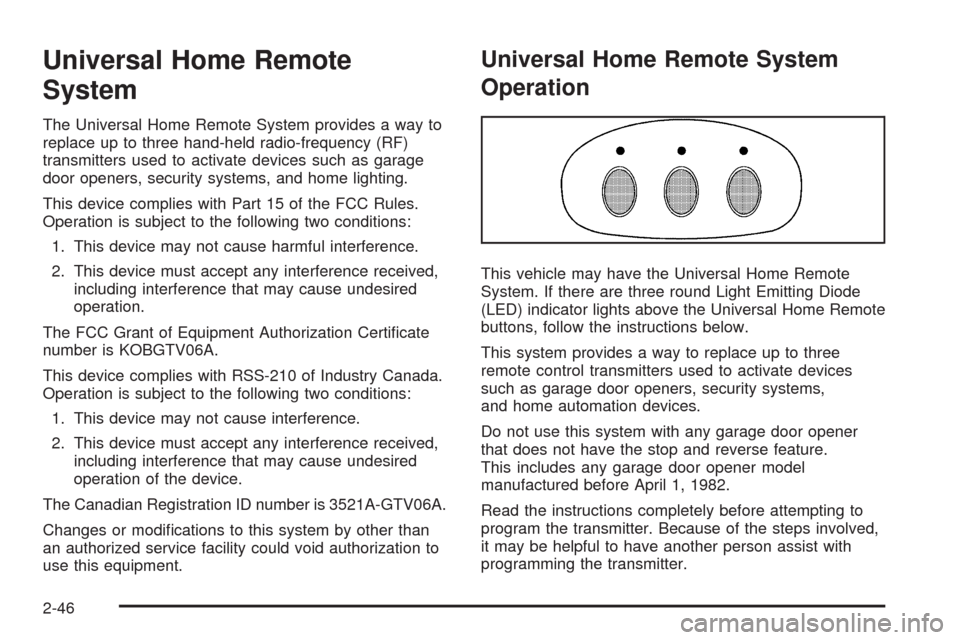
System. If there are three round Light Emitting Diode
(LED) indicator lights above the Universal Home Remote
buttons, follow the instructions below.
This system provides a way to replace up to three
remote control transmitters used to activate devices
such as garage door openers, security systems,
and home automation devices.
Do not use this system with any garage door opener
that does not have the stop and reverse feature.
This includes any garage door opener model
manufactured before April 1, 1982.
Read the instructions completely before attempting to
program the transmitter. Because of the steps involved,
it may be helpful to have another person assist with
programming the transmitter.
2-46
Page 112 of 432
3. Locate in the garage, the garage door opener
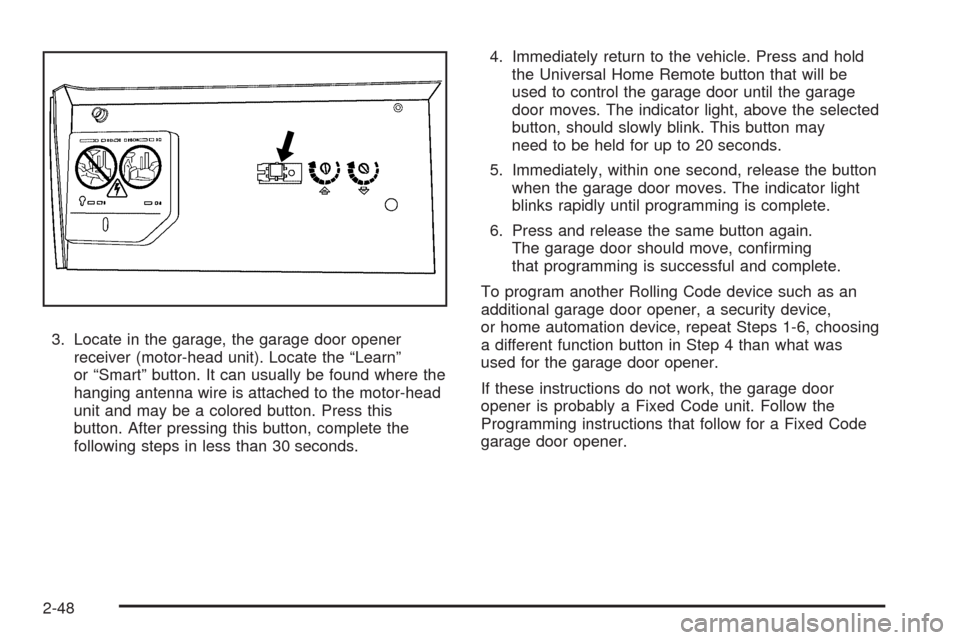
receiver (motor-head unit). Locate the “Learn”
or “Smart” button. It can usually be found where the
hanging antenna wire is attached to the motor-head
unit and may be a colored button. Press this
button. After pressing this button, complete the
following steps in less than 30 seconds.4. Immediately return to the vehicle. Press and hold
the Universal Home Remote button that will be
used to control the garage door until the garage
door moves. The indicator light, above the selected
button, should slowly blink. This button may
need to be held for up to 20 seconds.
5. Immediately, within one second, release the button
when the garage door moves. The indicator light
blinks rapidly until programming is complete.
6. Press and release the same button again.
The garage door should move, conrming
that programming is successful and complete.
To program another Rolling Code device such as an
additional garage door opener, a security device,
or home automation device, repeat Steps 1-6, choosing
a different function button in Step 4 than what was
used for the garage door opener.
If these instructions do not work, the garage door
opener is probably a Fixed Code unit. Follow the
Programming instructions that follow for a Fixed Code
garage door opener.
2-48
Page 116 of 432
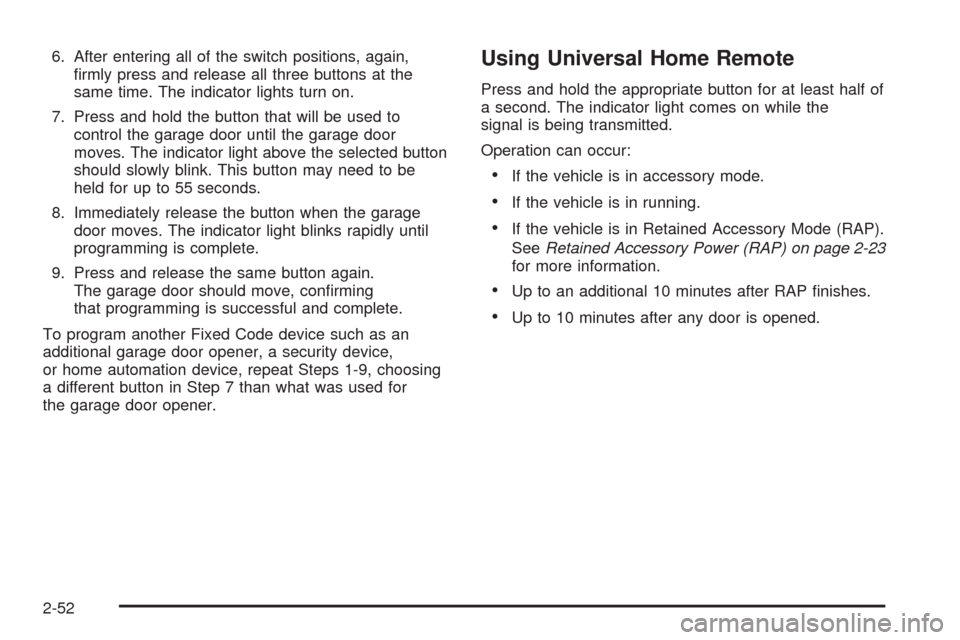
6. After entering all of the switch positions, again,
rmly press and release all three buttons at the
same time. The indicator lights turn on.
7. Press and hold the button that will be used to
control the garage door until the garage door
moves. The indicator light above the selected button
should slowly blink. This button may need to be
held for up to 55 seconds.
8. Immediately release the button when the garage
door moves. The indicator light blinks rapidly until
programming is complete.
9. Press and release the same button again.
The garage door should move, conrming
that programming is successful and complete.
To program another Fixed Code device such as an
additional garage door opener, a security device,
or home automation device, repeat Steps 1-9, choosing
a different button in Step 7 than what was used for
the garage door opener.Using Universal Home Remote
Press and hold the appropriate button for at least half of
a second. The indicator light comes on while the
signal is being transmitted.
Operation can occur:
If the vehicle is in accessory mode.
If the vehicle is in running.
If the vehicle is in Retained Accessory Mode (RAP).
SeeRetained Accessory Power (RAP) on page 2-23
for more information.
Up to an additional 10 minutes after RAP nishes.
Up to 10 minutes after any door is opened.
2-52
Page 120 of 432
Cargo Cover
If your vehicle has this feature, the security shade can
provide hidden storage in the rear area of the vehicle.
The shade is also helpful in blocking the glare from the
removable roof when it is stored in the rear compartment.
Using the Cargo Cover
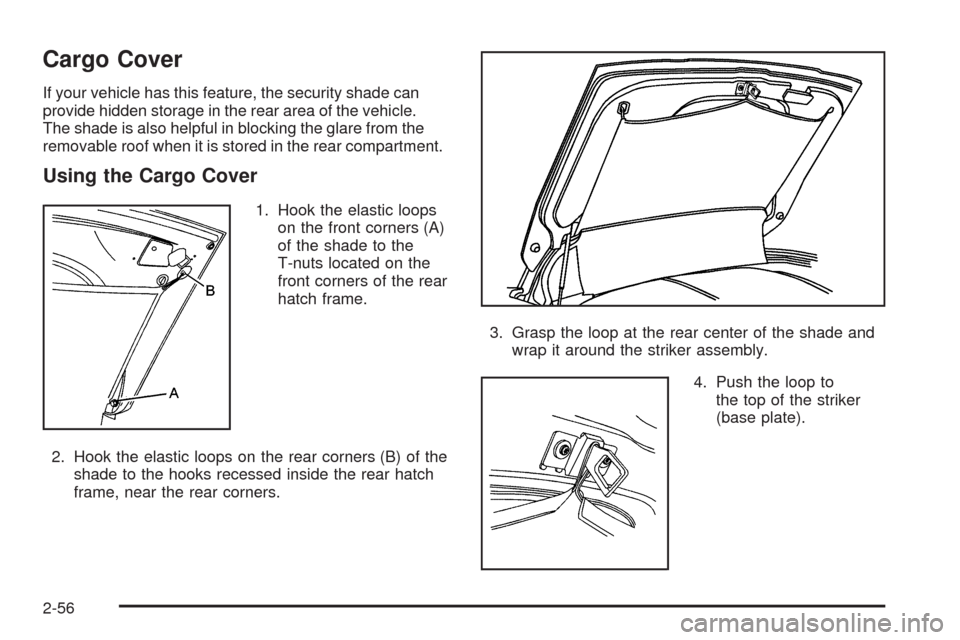
1. Hook the elastic loops
on the front corners (A)
of the shade to the
T-nuts located on the
front corners of the rear
hatch frame.
2. Hook the elastic loops on the rear corners (B) of the
shade to the hooks recessed inside the rear hatch
frame, near the rear corners.3. Grasp the loop at the rear center of the shade and
wrap it around the striker assembly.
4. Push the loop to
the top of the striker
(base plate).
2-56
Page 123 of 432
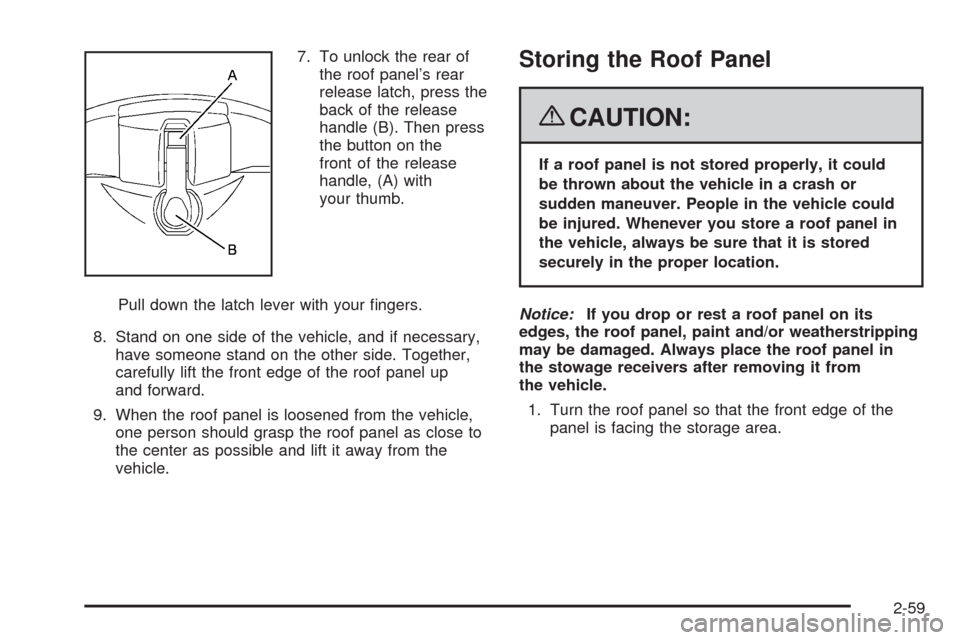
7. To unlock the rear of
the roof panel’s rear
release latch, press the
back of the release
handle (B). Then press
the button on the
front of the release
handle, (A) with
your thumb.
Pull down the latch lever with your ngers.
8. Stand on one side of the vehicle, and if necessary,
have someone stand on the other side. Together,
carefully lift the front edge of the roof panel up
and forward.
9. When the roof panel is loosened from the vehicle,
one person should grasp the roof panel as close to
the center as possible and lift it away from the
vehicle.Storing the Roof Panel
{CAUTION:
If a roof panel is not stored properly, it could
be thrown about the vehicle in a crash or
sudden maneuver. People in the vehicle could
be injured. Whenever you store a roof panel in
the vehicle, always be sure that it is stored
securely in the proper location.
Notice:If you drop or rest a roof panel on its
edges, the roof panel, paint and/or weatherstripping
may be damaged. Always place the roof panel in
the stowage receivers after removing it from
the vehicle.
1. Turn the roof panel so that the front edge of the
panel is facing the storage area.
2-59
Page 125 of 432
In most cases, it makes it easier if two people re-install
the roof panel.
1. Park on a level surface and set the parking brake.
Shift an automatic transmission into PARK (P).
Shift a manual transmission into NEUTRAL.
2. Check that the front release latches and the rear
release latch on the vehicle’s roof opening are in
their opened positions before attempting to
install the roof panel.
3. If the roof panel is stored in the rear storage area of
the vehicle, grasp the rear edge of the roof panel
with both hands and gently lift it up and remove
it from the storage area.
4. Carefully place the roof panel over the top of the
vehicle.
5. Position the rear edge of the roof panel to the
weatherstrip on the back of the roof opening.
Then align and t the pins at the rear of the roof
panel inside the openings in the rear overhead
weatherstrip. Gently lower the front edge of the
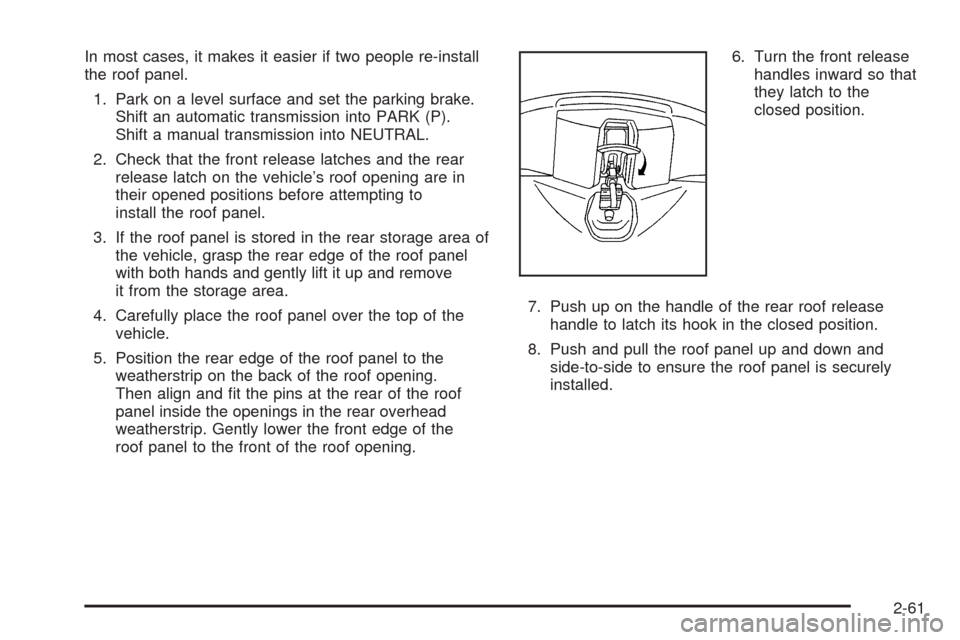
roof panel to the front of the roof opening.6. Turn the front release
handles inward so that
they latch to the
closed position.
7. Push up on the handle of the rear roof release
handle to latch its hook in the closed position.
8. Push and pull the roof panel up and down and
side-to-side to ensure the roof panel is securely
installed.
2-61
Page 138 of 432
Tire Pressure Light.......................................3-44
Malfunction Indicator Lamp.............................3-45
Engine Oil Pressure Gage.............................3-48
Security Light...............................................3-49
Fog Lamp Light............................................3-49
Lights On Reminder......................................3-50
Highbeam On Light.......................................3-50
Fuel Gage...................................................3-50
Driver Information Center (DIC).......................3-51
DIC Operation and Displays...........................3-52
DIC Warnings and Messages.........................3-57
Other Messages...........................................3-74
DIC Vehicle Personalization............................3-75Audio System(s).............................................3-84
Setting the Clock..........................................3-85
Radio(s)......................................................3-85
Using an MP3..............................................3-98
XM Radio Messages...................................3-102
Navigation/Radio System..............................3-103
Theft-Deterrent Feature................................3-103
Audio Steering Wheel Controls......................3-103
Radio Reception.........................................3-104
Diversity Antenna System.............................3-105
XM™ Satellite Radio Antenna System............3-105
Section 3 Instrument Panel
3-2
Page 142 of 432
T. Heated Seat Controls (If Equipped). SeeHeated
Seats on page 1-4.
U. Shift Lever (Automatic Shown). SeeAutomatic
Transmission Operation on page 2-26orManual
Transmission Operation on page 2-30.
V. Active Handling Button. SeeActive Handling System
on page 4-7.
W. Accessory Power Outlet. SeeAccessory Power
Outlet(s) on page 3-24.
X. Selective Ride Control. SeeSelective Ride Control
on page 4-10.
Y. Center Console Cupholder. SeeCupholders on
page 2-53.
Z. Ashtray and Cigarette Lighter. SeeAshtray(s) and
Cigarette Lighter on page 3-25.
AA. Parking Brake. SeeParking Brake on page 2-32.
AB. Glove Box. SeeGlove Box on page 2-53.
AC. Instrument Panel Fuse Block. SeeInstrument Panel
Fuse Block on page 5-100.Hazard Warning Flashers
Your hazard warning ashers let you warn others.
They also let police know you have a problem. Your
front and rear turn signal lamps will ash on and off.
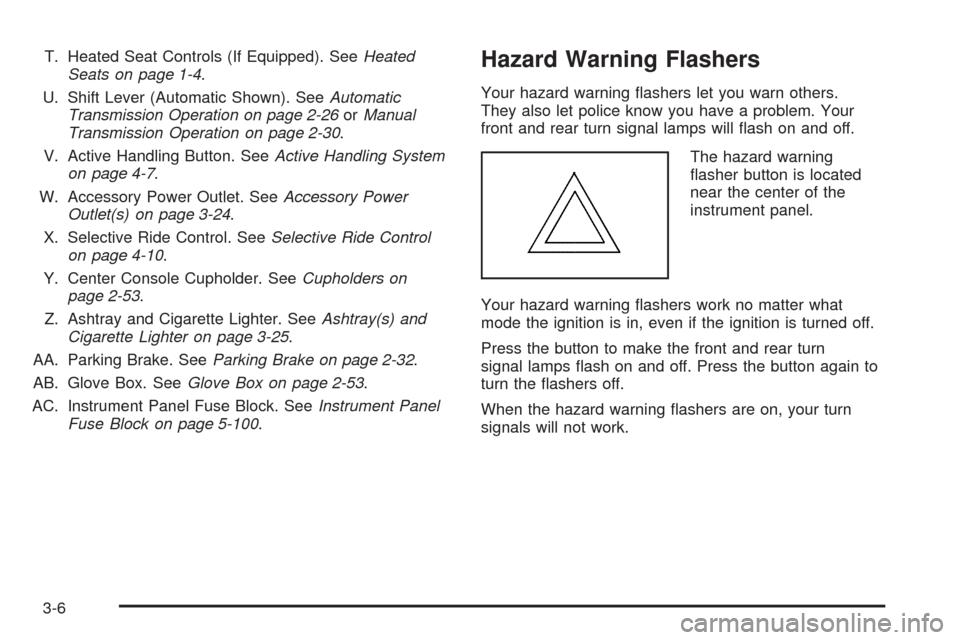
The hazard warning
asher button is located
near the center of the
instrument panel.
Your hazard warning ashers work no matter what
mode the ignition is in, even if the ignition is turned off.
Press the button to make the front and rear turn
signal lamps ash on and off. Press the button again to
turn the ashers off.
When the hazard warning ashers are on, your turn
signals will not work.
3-6