wheel CHEVROLET CORVETTE 2008 6.G Owner's Guide
[x] Cancel search | Manufacturer: CHEVROLET, Model Year: 2008, Model line: CORVETTE, Model: CHEVROLET CORVETTE 2008 6.GPages: 432, PDF Size: 2.4 MB
Page 220 of 432
Audio System(s)
Determine which radio your vehicle has and then read
the pages following to familiarize yourself with its
features.
{CAUTION:
This system provides you with far greater
access to audio stations and song listings.
Giving extended attention to entertainment
tasks while driving can cause a crash and you
or others can be injured or killed. Always keep
your eyes on the road and your mind on the
drive — avoid engaging in extended searching
while driving.
Keeping your mind on the drive is important for
safe driving. SeeDefensive Driving on page 4-2.
Here are some ways in which you can help avoid
distraction while driving.While your vehicle is parked:
Familiarize yourself with all of its controls.
Familiarize yourself with its operation.
Set up your audio system by presetting your
favorite radio stations, setting the tone, and
adjusting the speakers. Then, when driving
conditions permit, you can tune to your favorite
radio stations using the presets and steering wheel
controls if the vehicle has them.
Notice:Before adding any sound equipment to
your vehicle, such as an audio system, CD player,
CB radio, mobile telephone, or two-way radio, make
sure that it can be added by checking with your
dealer/retailer. Also, check federal rules covering
mobile radio and telephone units. If sound
equipment can be added, it is very important to do
it properly. Added sound equipment may interfere
with the operation of your vehicle’s engine, radio,
or other systems, and even damage them. Your
vehicle’s systems may interfere with the operation
of sound equipment that has been added.
Your vehicle has a feature called Retained Accessory
Power (RAP). With RAP, the audio system can be
played even after the ignition is turned off. SeeRetained
Accessory Power (RAP) on page 2-23for more
information.
3-84
Page 239 of 432
Navigation/Radio System
Your vehicle may have a navigation radio system.
The navigation system has built-in features intended to
minimize driver distraction. Technology alone, no
matter how advanced, can never replace your own
judgment. See the Navigation System manual for some
tips to help you reduce distractions while driving.
Theft-Deterrent Feature
THEFTLOCK®is designed to discourage theft of your
vehicle’s radio. The feature works automatically by
learning a portion of the Vehicle Identication Number
(VIN). If the radio is moved to a different vehicle, it
will not operate and LOCKED will appear on the display.
With THEFTLOCK
®activated, the radio will not
operate if stolen.
Your radio has a blinking indicator light located on the
upper left side of the radio. The indicator light is used
to show that the theft-deterrent feature mode is set.
The blinking indicator light will only ash when the
ignition is in the off position.
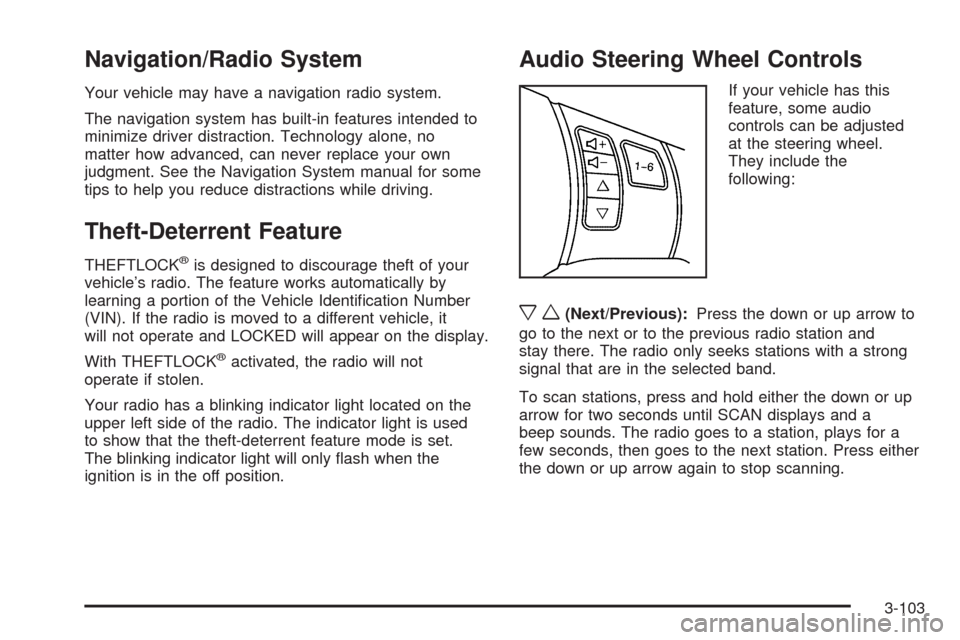
Audio Steering Wheel Controls
If your vehicle has this
feature, some audio
controls can be adjusted
at the steering wheel.
They include the
following:
xw(Next/Previous):Press the down or up arrow to
go to the next or to the previous radio station and
stay there. The radio only seeks stations with a strong
signal that are in the selected band.
To scan stations, press and hold either the down or up
arrow for two seconds until SCAN displays and a
beep sounds. The radio goes to a station, plays for a
few seconds, then goes to the next station. Press either
the down or up arrow again to stop scanning.
3-103
Page 247 of 432
Antilock Brake System (ABS)
Your vehicle has the Antilock Brake System (ABS), an
advanced electronic braking system that will help
prevent a braking skid.
When you start the engine and begin to drive away,
ABS will check itself. You might hear a momentary
motor or clicking noise while this test is going on, and
you might even notice that the brake pedal moves
a little. This is normal.
If there is a problem with
ABS, this warning light will
stay on. SeeAntilock Brake
System (ABS) Warning
Light on page 3-42.
Let us say the road is wet and you are driving safely.
Suddenly, an animal jumps out in front of you. You slam
on the brakes and continue braking. Here is what
happens with ABS:
A computer senses that wheels are slowing down. If
one of the wheels is about to stop rolling, the computer
will separately work the brakes at each wheel.ABS can change the brake pressure faster than any
driver could. The computer is programmed to make the
most of available tire and road conditions. This can
help you steer around the obstacle while braking hard.
As you brake, the computer keeps receiving updates
on wheel speed and controls braking pressure
accordingly.
Remember: ABS does not change the time you need to
get your foot up to the brake pedal or always decrease
stopping distance. If you get too close to the vehicle in
front of you, you will not have time to apply the brakes if
that vehicle suddenly slows or stops. Always leave
enough room up ahead to stop, even though you
have ABS.
Using ABS
Do not pump the brakes. Just hold the brake pedal
down rmly and let antilock work for you. You might hear
a motor or clicking noise and feel the brake pedal
move a little during a stop, but this is normal.
Braking in Emergencies
With ABS, you can steer and brake at the same time.
In many emergencies, steering can help you more than
even the very best braking.
4-5
Page 248 of 432
Traction Control System (TCS)
Your vehicle has a traction control system called TCS
that limits wheel spin. This is especially useful in slippery
road conditions. The system operates only if it senses
that the rear wheels are spinning too much or are
beginning to lose traction. When this happens, the
system works the rear brakes and reduces engine power
(by closing the throttle and managing engine spark) to
limit wheel spin.
The TRACTION SYSTEM ACTIVE message displays on
the Driver Information Center (DIC) when the TCS
system is limiting wheel spin. SeeDIC Warnings and
Messages on page 3-57. You may feel or hear the
system working, but this is normal.
If your vehicle is in cruise control when the TCS system
begins to limit wheel spin, the cruise control will
automatically disengage. When road conditions allow you
to safely use it again, you may re-engage the cruise
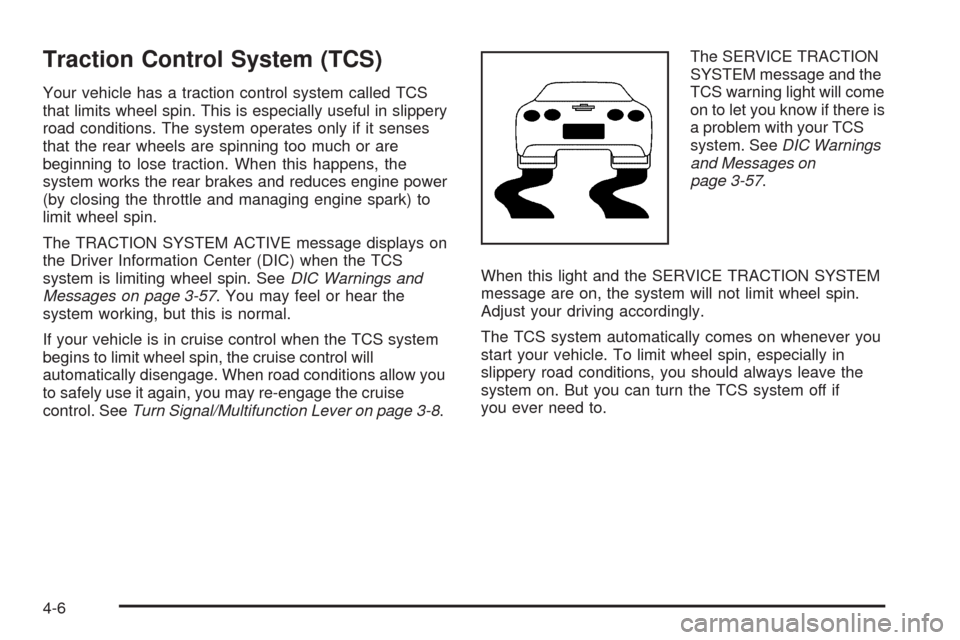
control. SeeTurn Signal/Multifunction Lever on page 3-8.The SERVICE TRACTION
SYSTEM message and the
TCS warning light will come
on to let you know if there is
a problem with your TCS
system. SeeDIC Warnings
and Messages on
page 3-57.
When this light and the SERVICE TRACTION SYSTEM
message are on, the system will not limit wheel spin.
Adjust your driving accordingly.
The TCS system automatically comes on whenever you
start your vehicle. To limit wheel spin, especially in
slippery road conditions, you should always leave the
system on. But you can turn the TCS system off if
you ever need to.
4-6
Page 249 of 432
To turn the system off,
press the button located
on the console.
You can turn the system on or off at any time by
pressing the ACTIVE HANDLING button. The DIC will
display the appropriate message when you push
the button.
Notice:When traction control is turned off, or
Competitive Driving Mode is active, it is possible to
lose traction. If you attempt to shift with the rear
wheels spinning with a loss of traction, it is possible
to cause damage to the transmission. Do not attempt
to shift when the rear wheels do not have traction.
Damage caused by misuse of the vehicle is not
covered. See your warranty book for additional
information.
Adding non-dealer/non-retailer accessories can affect
your vehicle’s performance. SeeAccessories and
Modifications on page 5-3for more information.Active Handling System
The Active Handling System is a computer controlled
system that helps the driver maintain directional control
of the vehicle in difficult driving conditions. This is
accomplished by selectively applying any one of the
vehicle’s brakes.
When you rst start your vehicle during cold winter
weather and begin to drive away, the message ACTIVE
HANDLING WARMING UP may be displayed in the
DIC. This is normal. You can acknowledge this message
by pressing the RESET button. The Active Handling
System performance is affected until the message,
ACTIVE HANDLING READY, is displayed in the DIC.
The ACTIVE HANDLING CALIBRATING message may
be displayed in the DIC and the instrument panel
cluster light will be on after exceeding 18 mph (30 km/h)
for 10 seconds. The Active Handling System is off
until the ACTIVE HANDLING READY message
is displayed. This could take up to 15 minutes.
The ACTIVE HANDLING message will come on when
the system is operating. SeeDIC Warnings and
Messages on page 3-57for more information. You may
also feel or hear the system working. This is normal.
4-7
Page 251 of 432
Competitive Driving Mode
The driver can select this optional handling mode by
pressing the ACTIVE HANDLING button on the
console two times within a ve second time period.
COMPETITIVE DRIVING MODE will be displayed in the
DIC. Competitive Driving Mode allows the driver to have
full control of the rear wheels while the Active Handling
System helps maintain directional control of the vehicle
by selective brake application. This involves less
intervention than with both the Active Handling System
and Traction Control Systems on. The instrument cluster
light will not be on. The Traction Control System will not
be operating. Adjust your driving accordingly.
When you press the ACTIVE HANDLING button again,
or press the Acc. button, the Active Handling and Traction
Control Systems will be on. The TRACTION SYSTEM
AND ACTIVE HANDLING-ON message will be displayed
temporarily in the DIC and a chime will be heard.Notice:When traction control is turned off, or
Competitive Driving Mode is active, it is possible to
lose traction. If you attempt to shift with the rear
wheels spinning with a loss of traction, it is possible
to cause damage to the transmission. Do not
attempt to shift when the rear wheels do not have
traction. Damage caused by misuse of the vehicle is
not covered. See your warranty book for additional
information.
Limited-Slip Rear Axle
Your limited-slip rear axle can give you additional
traction on snow, mud, ice, sand or gravel. It works like
a standard axle most of the time, but when one of
the rear wheels has no traction and the other does, this
feature will allow the wheel with traction to move the
vehicle.
4-9
Page 252 of 432
Selective Ride Control
You may have a ride control system on your vehicle
called Magnetic Selective Ride Control. The system
provides the following performance benets:
Reduced Impact Harshness
Improved Road Isolation
Improved High-Speed Stability
Improved Handling Response
Better Control of Body Ride Motions
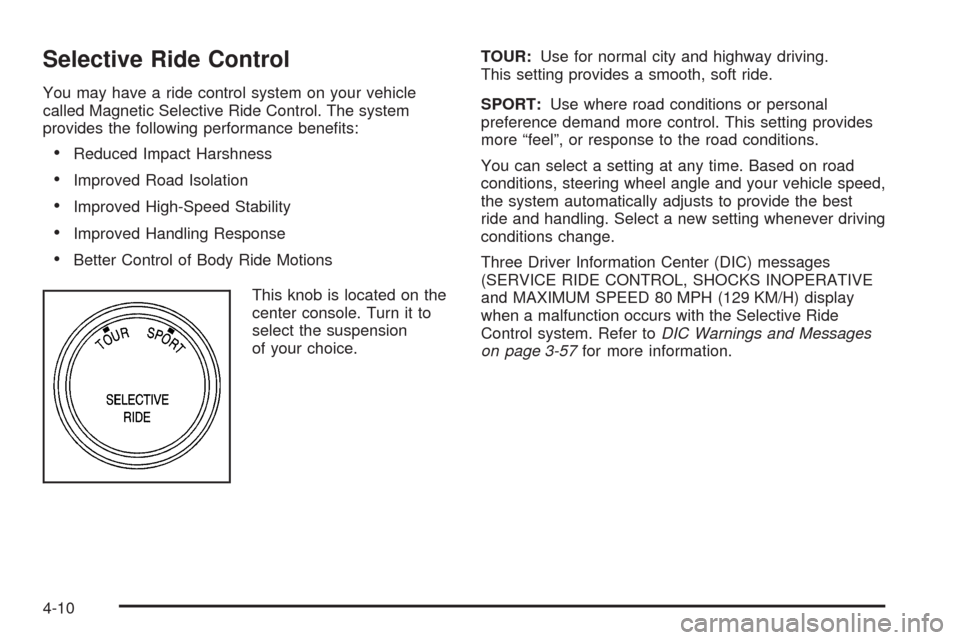
This knob is located on the
center console. Turn it to
select the suspension
of your choice.TOUR:Use for normal city and highway driving.
This setting provides a smooth, soft ride.
SPORT:Use where road conditions or personal
preference demand more control. This setting provides
more “feel”, or response to the road conditions.
You can select a setting at any time. Based on road
conditions, steering wheel angle and your vehicle speed,
the system automatically adjusts to provide the best
ride and handling. Select a new setting whenever driving
conditions change.
Three Driver Information Center (DIC) messages
(SERVICE RIDE CONTROL, SHOCKS INOPERATIVE
and MAXIMUM SPEED 80 MPH (129 KM/H) display
when a malfunction occurs with the Selective Ride
Control system. Refer toDIC Warnings and Messages
on page 3-57for more information.
4-10
Page 253 of 432
Steering
Power Steering
If you lose power steering assist because the engine
stops or the system is not functioning, you can steer but
it will take much more effort.
Magnetic Speed Variable Assist
Steering
Your vehicle has a steering system that continuously
adjusts the effort you feel when steering at all vehicle
speeds. It provides ease when parking, yet a rm, solid
feel at highway speeds.
Steering Tips
It is important to take curves at a reasonable speed.
A lot of the “driver lost control” accidents mentioned on
the news happen on curves. Here is why:
Experienced driver or beginner, each of us is subject to
the same laws of physics when driving on curves.
The traction of the tires against the road surface makes
it possible for the vehicle to change its path when
you turn the front wheels. If there is no traction, inertia
will keep the vehicle going in the same direction. If
you have ever tried to steer a vehicle on wet ice, you
will understand this.Traction in a curve depends on the condition of the tires
and the road surface, the angle at which the curve is
banked, and your speed. While in a curve, speed is the
one factor you can control.
Suppose you are steering through a sharp curve.
Then you suddenly accelerate. Both control
systems — steering and acceleration — have to do their
work where the tires meet the road. Adding the sudden
acceleration can demand too much of those places. You
can lose control. SeeTraction Control System (TCS) on
page 4-6.
What should you do if this ever happens? Ease up on
the accelerator pedal, steer the vehicle the way you
want it to go, and slow down.
Speed limit signs near curves warn that you should
adjust your speed. Of course, the posted speeds
are based on good weather and road conditions. Under
less favorable conditions you will want to go slower.
If you need to reduce speed when approaching a curve,
do it before you enter the curve, while the front wheels
are straight ahead.
Try to adjust the speed so you can drive through the
curve. Maintain a reasonable, steady speed. Wait
to accelerate until you are out of the curve, and then
accelerate gently into the straightaway.
Adding non-dealer/non-retailer accessories can affect
your vehicle’s performance. SeeAccessories and
Modifications on page 5-3.
4-11
Page 254 of 432
Steering in Emergencies
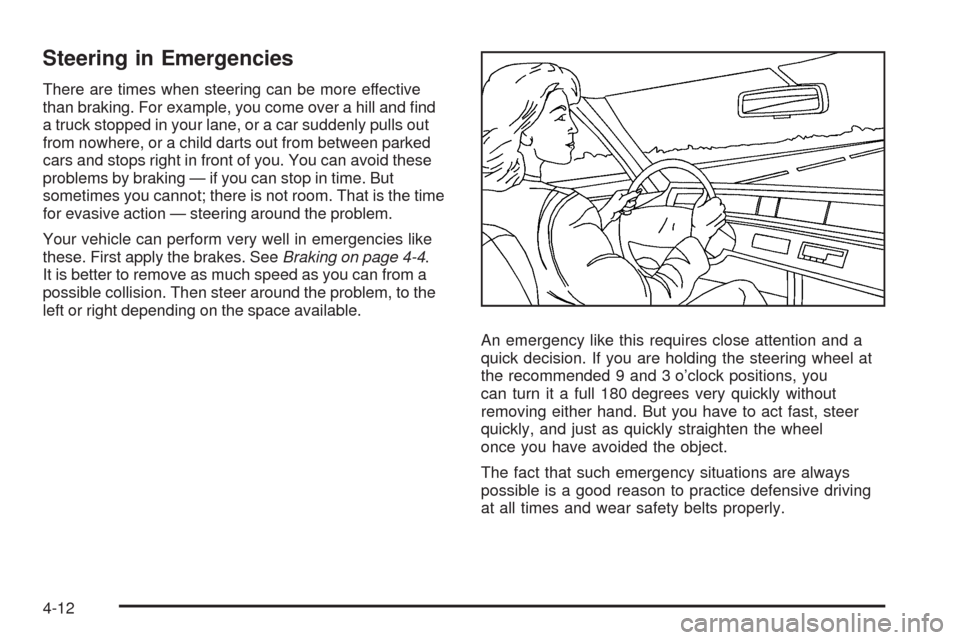
There are times when steering can be more effective
than braking. For example, you come over a hill and nd
a truck stopped in your lane, or a car suddenly pulls out
from nowhere, or a child darts out from between parked
cars and stops right in front of you. You can avoid these
problems by braking — if you can stop in time. But
sometimes you cannot; there is not room. That is the time
for evasive action — steering around the problem.
Your vehicle can perform very well in emergencies like
these. First apply the brakes. SeeBraking on page 4-4.
It is better to remove as much speed as you can from a
possible collision. Then steer around the problem, to the
left or right depending on the space available.
An emergency like this requires close attention and a
quick decision. If you are holding the steering wheel at
the recommended 9 and 3 o’clock positions, you
can turn it a full 180 degrees very quickly without
removing either hand. But you have to act fast, steer
quickly, and just as quickly straighten the wheel
once you have avoided the object.
The fact that such emergency situations are always
possible is a good reason to practice defensive driving
at all times and wear safety belts properly.
4-12
Page 255 of 432
Off-Road Recovery
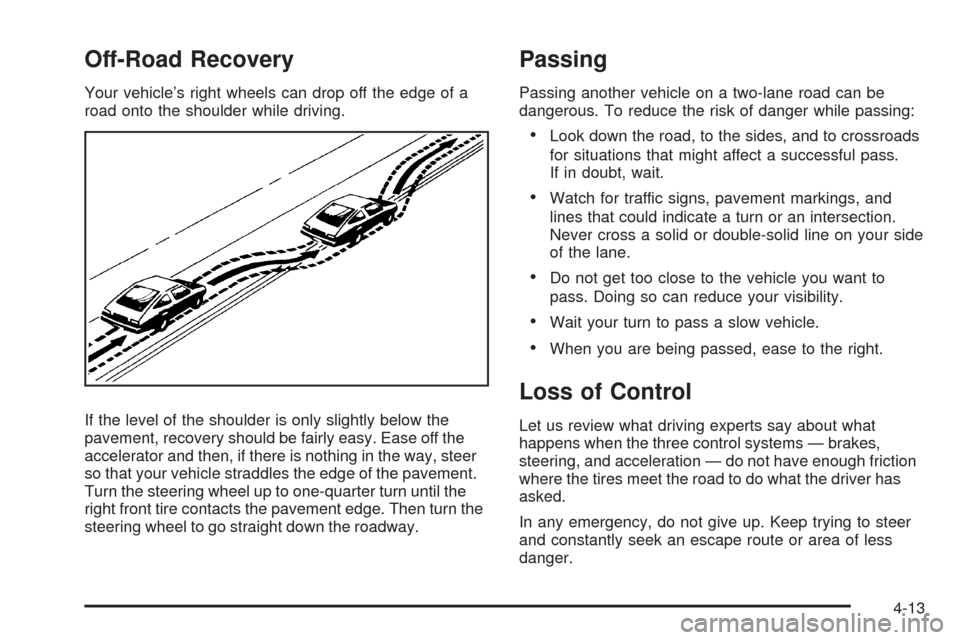
Your vehicle’s right wheels can drop off the edge of a
road onto the shoulder while driving.
If the level of the shoulder is only slightly below the
pavement, recovery should be fairly easy. Ease off the
accelerator and then, if there is nothing in the way, steer
so that your vehicle straddles the edge of the pavement.
Turn the steering wheel up to one-quarter turn until the
right front tire contacts the pavement edge. Then turn the
steering wheel to go straight down the roadway.
Passing
Passing another vehicle on a two-lane road can be
dangerous. To reduce the risk of danger while passing:
Look down the road, to the sides, and to crossroads
for situations that might affect a successful pass.
If in doubt, wait.
Watch for traffic signs, pavement markings, and
lines that could indicate a turn or an intersection.
Never cross a solid or double-solid line on your side
of the lane.
Do not get too close to the vehicle you want to
pass. Doing so can reduce your visibility.
Wait your turn to pass a slow vehicle.
When you are being passed, ease to the right.
Loss of Control
Let us review what driving experts say about what
happens when the three control systems — brakes,
steering, and acceleration — do not have enough friction
where the tires meet the road to do what the driver has
asked.
In any emergency, do not give up. Keep trying to steer
and constantly seek an escape route or area of less
danger.
4-13