change time CHEVROLET CORVETTE 2008 6.G Owners Manual
[x] Cancel search | Manufacturer: CHEVROLET, Model Year: 2008, Model line: CORVETTE, Model: CHEVROLET CORVETTE 2008 6.GPages: 432, PDF Size: 2.4 MB
Page 2 of 432
GENERAL MOTORS, GM, the GM Emblem,
CHEVROLET, the CHEVROLET Emblem, the names
CORVETTE and Z06 and the CORVETTE Emblem are
registered trademarks of General Motors Corporation.
This manual includes the latest information at the time
it was printed. GM reserves the right to make changes
after that time without further notice. For vehicles
rst sold in Canada, substitute the name “General
Motors of Canada Limited” for Chevrolet Motor Division
wherever it appears in this manual.
This manual describes features that may or may not
be on your specic vehicle.
Keep this manual the vehicle for quick reference.
Canadian Owners
A French language copy of this manual can be obtained
from your dealer/retailer or from:
Helm, Incorporated
P.O. Box 07130
Detroit, MI 48207
1-800-551-4123
helminc.com
Propriétaires Canadiens
On peut obtenir un exemplaire de ce guide en français
auprès de concessionnaire ou à l’adresse suivante:
Helm Incorporated
P.O. Box 07130
Detroit, MI 48207
1-800-551-4123
helminc.com
Litho in U.S.A.
Part No. 15865985 B Second Printing
©2007 General Motors Corporation. All Rights Reserved.
ii
Page 34 of 432
Infants and Young Children
Everyone in a vehicle needs protection! This includes
infants and all other children. Neither the distance
traveled nor the age and size of the traveler changes
the need, for everyone, to use safety restraints. In fact,
the law in every state in the United States and in
every Canadian province says children up to some
age must be restrained while in a vehicle.{CAUTION:
Children can be seriously injured or strangled
if a shoulder belt is wrapped around their
neck and the safety belt continues to tighten.
Never leave children unattended in a vehicle
and never allow children to play with the
safety belts.
Every time infants and young children ride in vehicles,
they should have the protection provided by appropriate
restraints. Children who are not restrained properly can
strike other people, or can be thrown out of the vehicle.
In addition, young children should not use the vehicle’s
adult safety belts alone; they need to use a child restraint.
1-30
Page 101 of 432
Mirrors
Automatic Dimming Rearview Mirror
with OnStar
®and Compass
The vehicle may have an automatic dimming rearview
mirror with OnStar®, a compass and map lamps.
Three OnStar®buttons are at the bottom of the mirror.
SeeOnStar®System on page 2-43for more
information on the services OnStar®provides.
Mirror Operation
The mirror automatically changes to reduce glare from
headlamps behind you. A time delay feature prevents
rapid changing from the day to night positions while
driving under lights and through traffic.
P(On/Off):The automatic dimming feature is
activated when the vehicle is started. The automatic
dimming feature is turned on or off by pressing
this button located on the lower part of the mirror. Press
and hold the button for up to three seconds to turn
this feature on or off.
T(Indicator Light):This light will turn on when the
automatic dimming feature is active.
Map Lamps
The mirror has map lamps located at the bottom of the
mirror. To manually turn the lamps on or off, press
the button next to each lamp.
Compass Operation
The mirror has an eight-point compass display in the
bottom of the mirror face.
When the ignition and the compass feature are on,
the compass will show two character boxes for
approximately two seconds. After two seconds, the
mirror will display the current compass heading.
For example, NE is displayed for north-east.
Compass Calibration
If after two seconds the display does not show a
compass heading, there may be a strong magnetic eld
interfering with the compass. Such interference may
be caused by a magnetic antenna mount, note
pad holder or similar object. If the letter C appears in
the compass window, the compass needs calibration.
The mirror compass can be calibrated by driving
the vehicle in circles at 5 mph (8 km/h) or less until the
display reads a direction.
The compass can be placed in calibration mode by
pressing and holding the left map light button until
a C appears on the compass display.
2-37
Page 103 of 432
Cleaning the Mirror
When cleaning the mirror, use a paper towel or similar
material dampened with glass cleaner. Do not spray
glass cleaner directly on the mirror as that may cause
the liquid cleaner to enter the mirror housing.
Automatic Dimming Rearview Mirror
with Compass
If the vehicle has this feature, an automatic dimming
mirror automatically dims to the proper level to minimize
glare at night from lights behind your vehicle.
The mirror also includes a compass display in the upper
right corner of the mirror face.
P(On/Off):This is the on/off button.
Automatic Dimming Mirror Operation
The automatic dimming mirror function is turned on each
time the ignition is started. A light near the on/off button
will come on to indicate the automatic dimming is on.
Press the on/off button for about six seconds to
manually turn the automatic dimming function on or off.
Compass Display
Press the on/off button, located to the far left, briey to
turn the compass display on or off.
If the display reads CAL, the compass needs to be
calibrated. For more information, see “Compass
Calibration” later in this section.
To adjust between Fahrenheit and Celsius:
1. Press and hold the on/off button for approximately
four seconds until either a ashing °F, or °C
appears.
2. Press the button again to change the display to the
desired unit of measurement. After approximately
four seconds of inactivity, the new unit will be locked
in and the compass/temperature display will return.
If an abnormal temperature reading is displayed
for an extended period of time, please consult your
dealer/retailer. Under certain circumstances, a delay in
updating the temperature is normal.
2-39
Page 137 of 432
Instrument Panel Overview...............................3-4
Hazard Warning Flashers................................3-6
Other Warning Devices...................................3-7
Horn .............................................................3-7
Tilt Wheel.....................................................3-7
Turn Signal/Multifunction Lever.........................3-8
Turn and Lane-Change Signals (Auto Signal).....3-9
Headlamp High/Low-Beam Changer..................3-9
Flash-to-Pass...............................................3-10
Windshield Wipers........................................3-10
Windshield Washer.......................................3-11
Cruise Control..............................................3-11
Exterior Lamps.............................................3-15
Wiper Activated Headlamps............................3-16
Headlamps on Reminder................................3-16
Daytime Running Lamps (DRL).......................3-16
Fog Lamps ..................................................3-17
Twilight Sentinel
®..........................................3-18
Exterior Lighting Battery Saver........................3-19
Instrument Panel Brightness...........................3-19
Courtesy Lamps...........................................3-19
Entry/Exit Lighting.........................................3-19
Reading Lamps............................................3-20Battery Run-Down Protection..........................3-20
Head-Up Display (HUD).................................3-20
Accessory Power Outlet(s).............................3-24
Ashtray(s) and Cigarette Lighter......................3-25
Climate Controls............................................3-26
Dual Automatic Climate Control System...........3-26
Outlet Adjustment.........................................3-32
Passenger Compartment Air Filter...................3-32
Warning Lights, Gages, and Indicators............3-34
Instrument Panel Cluster................................3-35
Speedometer and Odometer...........................3-36
Tachometer.................................................3-36
Safety Belt Reminders...................................3-36
Airbag Readiness Light..................................3-37
Passenger Airbag Status Indicator...................3-38
Voltmeter Gage............................................3-40
One-to-Four Shift Light
(Manual Transmission)...............................3-40
Brake System Warning Light..........................3-41
Antilock Brake System (ABS) Warning Light........3-42
Traction Control System (TCS) Warning Light......3-42
Active Handling System Light.........................3-43
Engine Coolant Temperature Gage..................3-44
Section 3 Instrument Panel
3-1
Page 145 of 432
Turn and Lane-Change Signals
(Auto Signal)
The turn signal has two upward (for right) and two
downward (for left) positions. These positions allow you
to signal a turn or a lane change.
To signal a turn, move the multifunction lever all the
way up or down. When the turn is nished, the lever will
return automatically.
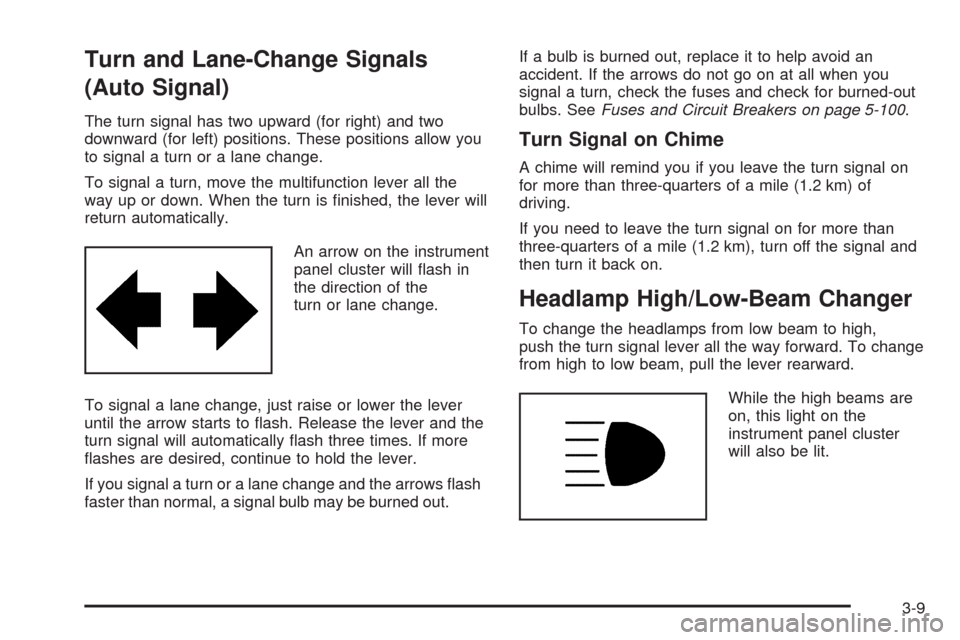
An arrow on the instrument
panel cluster will ash in
the direction of the
turn or lane change.
To signal a lane change, just raise or lower the lever
until the arrow starts to ash. Release the lever and the
turn signal will automatically ash three times. If more
ashes are desired, continue to hold the lever.
If you signal a turn or a lane change and the arrows ash
faster than normal, a signal bulb may be burned out.If a bulb is burned out, replace it to help avoid an
accident. If the arrows do not go on at all when you
signal a turn, check the fuses and check for burned-out
bulbs. SeeFuses and Circuit Breakers on page 5-100.
Turn Signal on Chime
A chime will remind you if you leave the turn signal on
for more than three-quarters of a mile (1.2 km) of
driving.
If you need to leave the turn signal on for more than
three-quarters of a mile (1.2 km), turn off the signal and
then turn it back on.
Headlamp High/Low-Beam Changer
To change the headlamps from low beam to high,
push the turn signal lever all the way forward. To change
from high to low beam, pull the lever rearward.
While the high beams are
on, this light on the
instrument panel cluster
will also be lit.
3-9
Page 153 of 432
When it is dark enough outside, the front turn signal
lamps turn off and the normal low-beam headlamps
turn on.
When it is bright enough outside, the regular lamps
go off, and the front turn signal lamps will take over.
If the vehicle is started in a dark garage, the automatic
headlamp system will come on immediately. Once
the vehicle leaves the garage, it takes approximately
one minute for the automatic headlamp system to
change to DRL if it is light outside. During that delay,
the instrument panel cluster may not be as bright
as usual. Make sure the instrument panel brightness
knob is in the full bright position. SeeInstrument Panel
Brightness on page 3-19for more information.
If it is dark enough outside and the exterior lamp control
is off, a HEADLAMPS SUGGESTED message will
display on the Driver’s Information Center (DIC).
SeeDIC Warnings and Messages on page 3-57.
Turning the exterior lamp control to off a second time,
or turning on the headlamps will remove the
HEADLAMPS SUGGESTED message in the DIC.
If the parking lamps or the fog lamps were turned on
instead, the HEADLAMPS SUGGESTED message
will continue to be displayed.
The regular headlamp system should be turned on
when needed.To turn off the DRL, turn the exterior lamp control to
the off position or shift into PARK (P). The DRL
will stay off until the control is toggled again or the
vehicle is shifted out of PARK (P).
This procedure applies only to vehicles rst sold in the
United States.
Fog Lamps
Use fog lamps for better vision in foggy or misty
conditions.
The fog lamps control is located on the multifunction
lever next to the exterior lamp control.
-(Fog Lamps):Turning the band to this position will
turn the fog lamps on.
When you turn the fog lamps on, the fog lamp light will
appear on the instrument panel cluster to indicate
that the fog lamps and the parking lamps are on.
If you turn the high-beam headlamps on, the fog lamps
will turn off. They will turn on again when you switch
to low-beam headlamps.
The ignition must be on for the fog lamps to operate.
Some localities have laws that require the headlamps to
be on along with the fog lamps.
3-17
Page 154 of 432
Twilight Sentinel®
Twilight Sentinel®can turn your lamps on and off for you.
A light sensor on top of the instrument panel makes the
Twilight Sentinel
®work, so be sure it is not covered.
With Twilight Sentinel
®, you will see the following
happen:
When it is dark enough outside, the front turn signal
lamps (DRL) will go off, and the headlamps and
parking lamps will come on. The other lamps
that come on with headlamps will also come on.
When it is bright enough outside, the headlamps
will go off, and the front turn signal lamps (DRL)
will come on, as long as the exterior lamp switch is
in the AUTO position.
If you start your vehicle in a dark garage, the automatic
headlamp system will come on immediately. Once you
leave the garage, it will take about one minute for the
automatic headlamp system to change to DRL if it is light
outside. During that delay, your instrument panel cluster
may not be as bright as usual. Make sure your instrument
panel brightness control is in full bright position.
SeeInstrument Panel Brightness on page 3-19.You can idle the vehicle with the lamps off, even when
it is dark outside.
After starting the vehicle, turn the exterior lamp control
band on the multifunction lever to off and then
release it. The lamps will remain off until you turn the
control band to off again.
Twilight Sentinel
®also provides exterior illumination as
you leave the vehicle. If Twilight Sentinel®has turned
on the lamps when you turn off the ignition, your lamps
will remain on until:
The exterior lamp switch is moved from off to the
parking lamp position, or
A delay time that you select has elapsed.
See “Personal Options” underDIC Vehicle
Personalization on page 3-75to select the delay time
that you want. You can also select no delay time.
If you turn off the ignition with the exterior lamp switch
in the parking lamp or headlamp position, the Twilight
Sentinel
®delay will not occur. The lamps will turn off as
soon as the switch is turned off.
As with any vehicle, you should turn on the regular
headlamp system when you need it.
3-18
Page 163 of 432
The length of time needed for warm up will depend
on the outside temperature and the length of time
that has elapsed since your vehicle was last driven.
3. Wait for the system to regulate. This may take from
10 to 30 minutes. Then adjust the temperature, if
necessary.
Do not cover the solar sensor located in the center of
the instrument panel, near the windshield. For more
information on the solar sensor, see “Sensor” later in
this section.
Manual Operation
Driver Power/Temperature:Press the driver
temperature knob on the driver side of the climate
control panel to turn the climate control system off.
This is the only setting that completely shuts off the fan.
The digital display will show only the outside
temperature. You can still adjust the driver and the
passenger set temperature and the air intake mode
when the climate control is off.
Passenger Power/Temperature:Press the passenger
temperature knob on the passenger side of the
climate control panel to turn the passenger’s climate
control system on or off. Turn the knob to increase
or decrease the temperature for the passenger.If the passenger’s climate control system is off, the
driver’s temperature knob will control the temperature
for the entire vehicle.
N(MODE):Press this button to manually lock in the
current air delivery setting and to stop the automatic
mode control. Pressing the MODE button will delete
AUTO from the digital display and the mode graphics will
be shown. To change the setting, press the MODE
button again. The AUTO button must be pressed
to return to the automatic mode selection.
To change the current mode, select one of the following:
H(Vent):This mode directs most of the air to the
instrument panel outlets, with a very small amount of
air directed to the oor outlets.
%(Bi-Level):This mode directs about half of the air to
the instrument panel outlets, and directs the remaining
air to the oor outlets.
6(Floor):This mode directs most of the air to the
oor outlets with some air directed to the side window
defogger outlets and some air directed toward the
windshield.
The MODE button can also be used to select the defog
mode. Information on defogging and defrosting can
be found later in this section.
3-27
Page 164 of 432
x9w(Fan):Press the button with the fan symbol
to manually increase or decrease the fan speed.
Keep pressing the up or down arrow on this switch until
the desired fan speed appears on the display.
Pressing the arrows will delete AUTO from the digital
display. The fan graphics with the fan speed bars will be
shown. To increase the fan speed so that more air
ows into the vehicle, press the up arrow on the
fan switch. To decrease the fan speed and airow,
press the down arrow. The AUTO button must be
pressed to return to the automatic fan control.
If the airow seems low when the fan speed is at the
highest setting, the passenger compartment air lter
may need to be replaced. For more information,
seePassenger Compartment Air Filter on page 3-32
andScheduled Maintenance on page 6-4.
?(Recirculation):Press this button to turn the
recirculation mode on or off. When the climate control
system is in recirculation mode an indicator light will
come on. This mode prevents outside air from entering
your vehicle. It can be used to prevent outside air and
odors from entering your vehicle and to help cool the air
inside your vehicle more quickly. Recirculation mode is
not available in defrost or defog mode.
^(Air Conditioning Off):Press this button to turn the
air conditioning compressor off. Press AUTO to return
to automatic operation. When in AUTO, the air
conditioning compressor will come on automatically,
as needed.
Air conditioning does not operate at temperatures below
about 35°F to 40°F (2°C to 4°C). In temperatures
above 40°F (4°C), the air conditioning cannot be turned
off in defrost and defog, as it helps to remove moisture
from the vehicle. It also helps to keep the windows clear.
You may notice a slight change in engine performance
when the air-conditioning compressor shuts off and
turns on again. This is normal. The system is designed
to make adjustments to help with fuel economy while
still maintaining the selected temperature.
On hot days, open the windows to let hot inside air
escape; then close them. This helps to reduce the time
it takes for your vehicle to cool down. It also helps
the system to operate more efficiently.
3-28