tow CHEVROLET CORVETTE 2010 6.G Owner's Manual
[x] Cancel search | Manufacturer: CHEVROLET, Model Year: 2010, Model line: CORVETTE, Model: CHEVROLET CORVETTE 2010 6.GPages: 472, PDF Size: 11.44 MB
Page 153 of 472

Notice:If you drop or rest a roof panel on its edges,
the roof panel, paint and/or weatherstripping may
be damaged. Always place the roof panel in the
stowage receivers after removing it from the
vehicle.
1. Turn the roof panel so that the front edge of the panel is facing the storage area.
2. Insert the roof panel so that the outside front
edges line up between
the receiver covers.
Push forward on the
roof panel until it stops.
3. Gently place the roof
panel down so that the
back pins on the roof
panel drop into the
receivers in the back
of the storage area.
Press down firmly to seat the pins in the receivers.
3-57
Page 154 of 472

Installing the Roof Panel
{WARNING:
An improperly attached roof panel may fall into or
fly off the vehicle. You or others could be injured.
After installing the roof panel, always check that it
is firmly attached by pushing up on the underside
of the panel. Check now and then to be sure the
roof panel is firmly in place.
Notice: If you drop or rest a roof panel on its edges,
the roof panel, paint and/or weatherstripping may
be damaged. Always place the roof panel in the
stowage receivers after removing it from the
vehicle. In most cases, it makes it easier if two people install the
roof panel.
1. Park on a level surface and set the parking brake. Shift an automatic transmission into P (Park). Shift
a manual transmission into N (Neutral).
2. Check that the front release latches and the rear release latch on the vehicle's roof opening are in
their opened positions before attempting to install
the roof panel.
3. To remove the roof panel from the rear storage area of the vehicle, pull up on the rear edge and
remove it from the storage area.
4. Carefully place the roof panel over the top of the vehicle.
5. Position the rear edge of the roof panel to the weatherstrip on the back of the roof opening.
Then align and fit the pins at the rear of the roof
panel inside the openings in the rear overhead
weatherstrip. Gently lower the front edge of the
roof panel to the front of the roof opening.
3-58
Page 163 of 472
Notice:Lowering the top if it is damp, wet, or dirty
can cause stains, mildew, and damage to the inside
of your vehicle. Dry off the top before lowering it.
Notice: If you lower the top on your vehicle in cold
weather (0°F/-18°C or lower), you may damage top
components. Do not lower the top in cold weather.
Notice: If you raise or lower the convertible top
while the vehicle is in motion, you could damage
the top or the top mechanism. The repairs would
not be covered by your warranty. Always put an
automatic transmission in (P) Park or a manual
transmission in (N) Neutral before raising or
lowering the convertible top.
Lowering the Power Convertible Top
1. Park on a level surface. Start the engine. Shift an automatic transmission into P (Park) and set the
parking brake. Shift a manual transmission into
N (Neutral), and set the parking brake.
2. Make sure the trunk is closed and the rear trunk partition in the rear storage area is in the fastened
upright position, and that no objects are forward of
the divider. See “Rear Trunk Partition” underRear
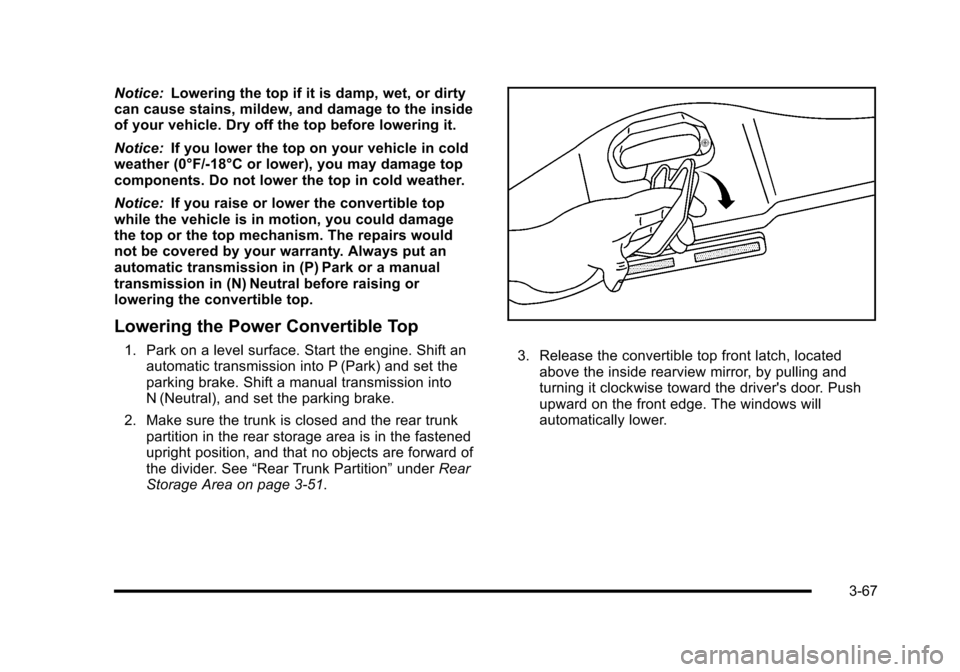
Storage Area on page 3‑51. 3. Release the convertible top front latch, located above the inside rearview mirror, by pulling and
turning it clockwise toward the driver's door. Push
upward on the front edge. The windows will
automatically lower.
3-67
Page 165 of 472
If the radio is on the sound may be muted for a brief
time due to a new audio system equalization being
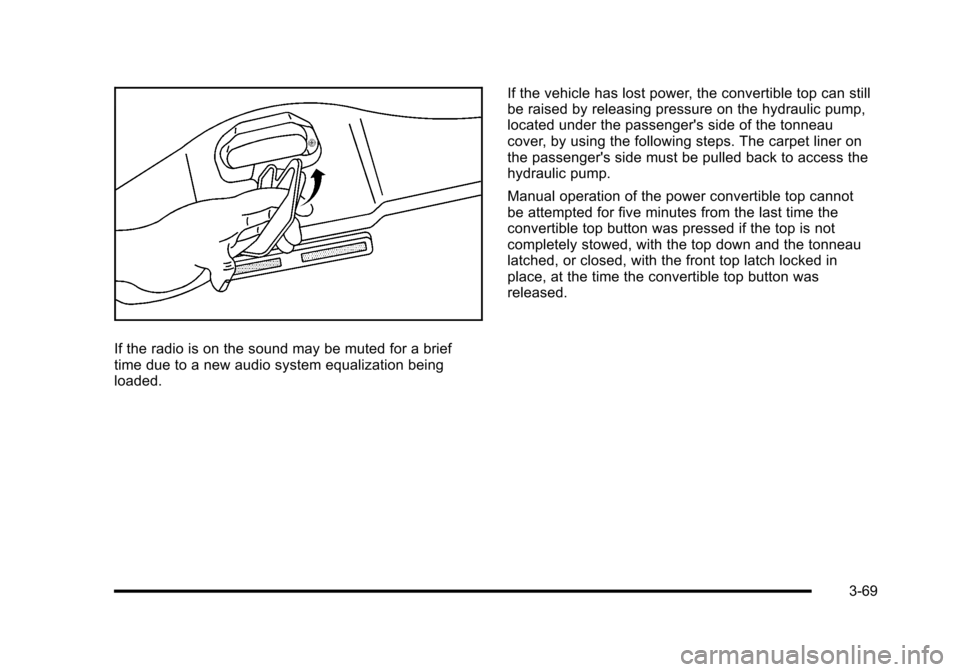
loaded. If the vehicle has lost power, the convertible top can still
be raised by releasing pressure on the hydraulic pump,
located under the passenger's side of the tonneau
cover, by using the following steps. The carpet liner on
the passenger's side must be pulled back to access the
hydraulic pump.
Manual operation of the power convertible top cannot
be attempted for five minutes from the last time the
convertible top button was pressed if the top is not
completely stowed, with the top down and the tonneau
latched, or closed, with the front top latch locked in
place, at the time the convertible top button was
released.
3-69
Page 171 of 472
Instrument Panel Overview
Hazard Warning Flashers
The hazard warning flashers warns others that you
have a problem. The button is located near the center
of the instrument panel.
|: Press to make the front and rear turn signal lamps
flash on and off. Press again to turn the flashers off.
The hazard warning flashers work no matter what mode
the ignition is in, even if the ignition is turned off.
When the hazard warning flashers are on, the turn
signals will not work.
Horn
Press near or on the horn symbols on the steering
wheel pad to sound the horn.
Tilt Wheel
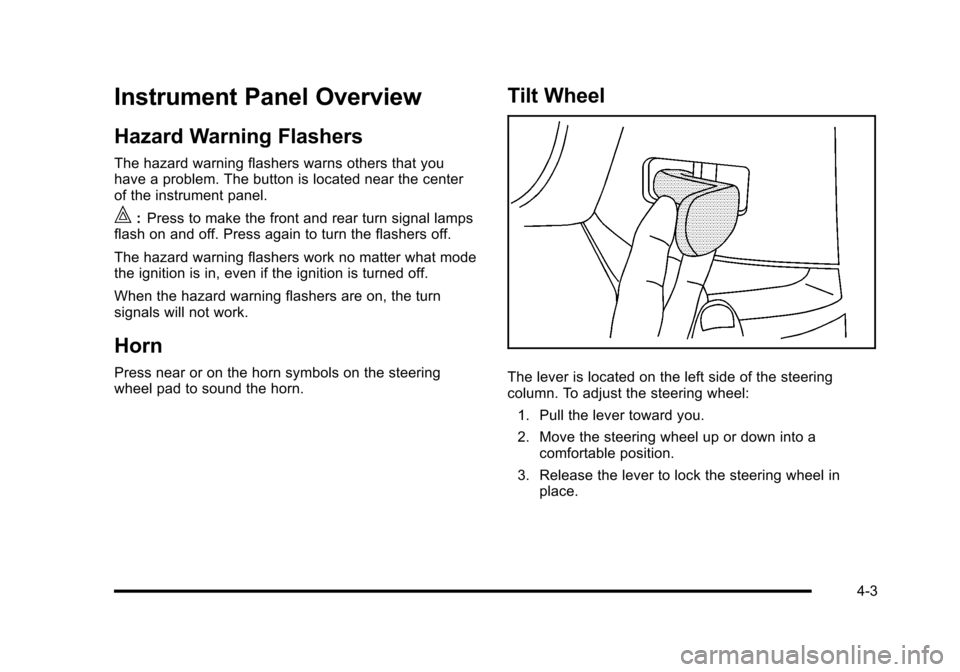
The lever is located on the left side of the steering
column. To adjust the steering wheel:
1. Pull the lever toward you.
2. Move the steering wheel up or down into a comfortable position.
3. Release the lever to lock the steering wheel in place.
4-3
Page 172 of 472
Telescopic Steering Column
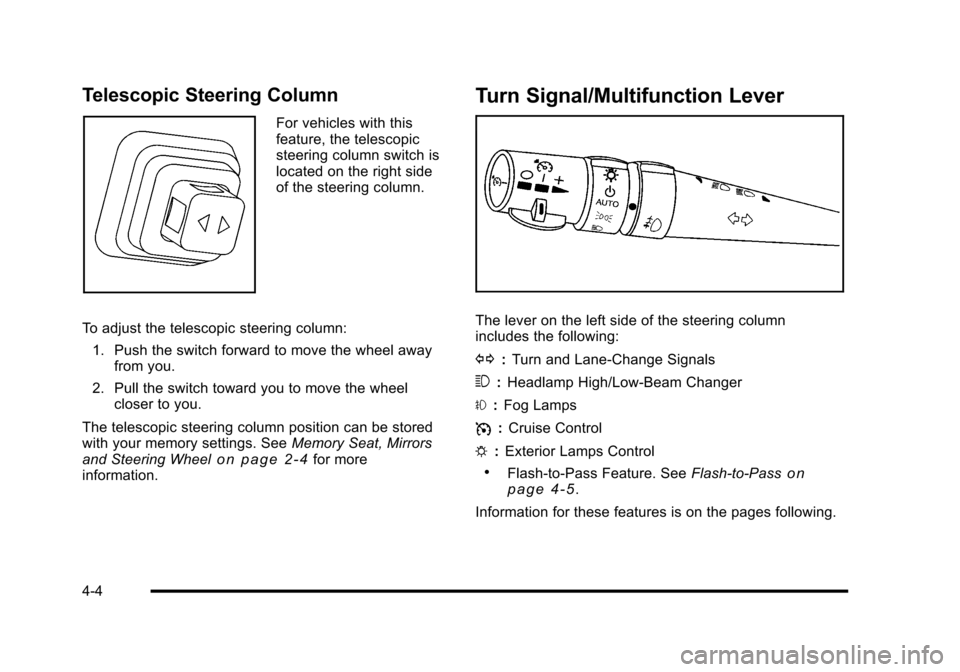
For vehicles with this
feature, the telescopic
steering column switch is
located on the right side
of the steering column.
To adjust the telescopic steering column: 1. Push the switch forward to move the wheel away from you.
2. Pull the switch toward you to move the wheel closer to you.
The telescopic steering column position can be stored
with your memory settings. See Memory Seat, Mirrors
and Steering Wheel
on page 2‑4for more
information.
Turn Signal/Multifunction Lever
The lever on the left side of the steering column
includes the following:
G :Turn and Lane-Change Signals
3 :Headlamp High/Low-Beam Changer
# :Fog Lamps
I :Cruise Control
P :Exterior Lamps Control
.Flash-to-Pass Feature. See Flash-to-Passon
page 4‑5.
Information for these features is on the pages following.
4-4
Page 173 of 472
Turn and Lane-Change Signals
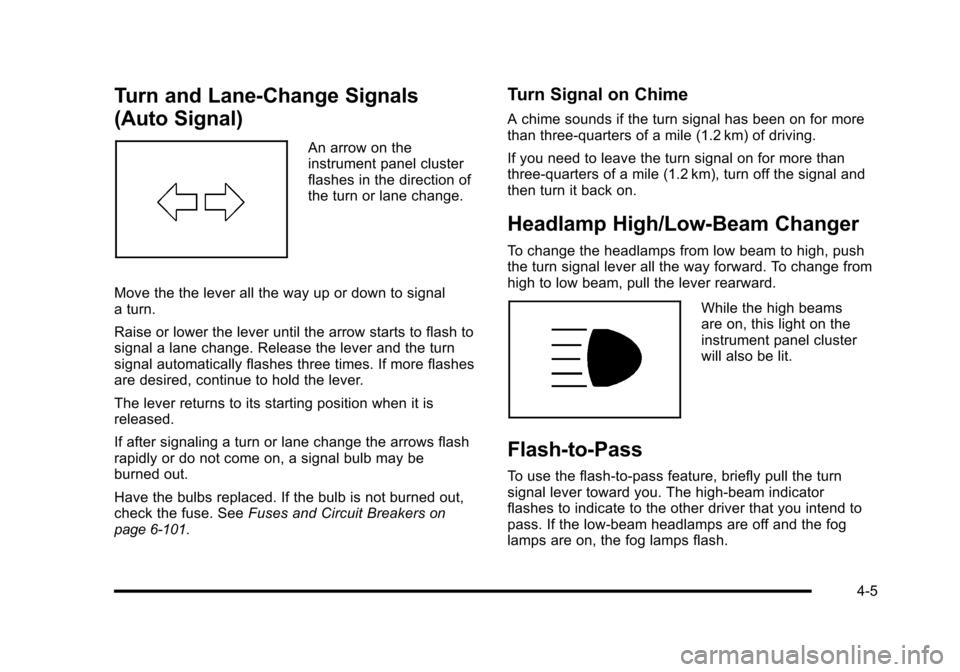
(Auto Signal)
An arrow on the
instrument panel cluster
flashes in the direction of
the turn or lane change.
Move the the lever all the way up or down to signal
a turn.
Raise or lower the lever until the arrow starts to flash to
signal a lane change. Release the lever and the turn
signal automatically flashes three times. If more flashes
are desired, continue to hold the lever.
The lever returns to its starting position when it is
released.
If after signaling a turn or lane change the arrows flash
rapidly or do not come on, a signal bulb may be
burned out.
Have the bulbs replaced. If the bulb is not burned out,
check the fuse. See Fuses and Circuit Breakers
on
page 6‑101.
Turn Signal on Chime
A chime sounds if the turn signal has been on for more
than three‐quarters of a mile (1.2 km) of driving.
If you need to leave the turn signal on for more than
three‐quarters of a mile (1.2 km), turn off the signal and
then turn it back on.
Headlamp High/Low-Beam Changer
To change the headlamps from low beam to high, push
the turn signal lever all the way forward. To change from
high to low beam, pull the lever rearward.
While the high beams
are on, this light on the
instrument panel cluster
will also be lit.
Flash-to-Pass
To use the flash-to-pass feature, briefly pull the turn
signal lever toward you. The high-beam indicator
flashes to indicate to the other driver that you intend to
pass. If the low-beam headlamps are off and the fog
lamps are on, the fog lamps flash.
4-5
Page 184 of 472
Battery Run-Down Protection
This vehicle has a feature to help prevent the battery
from being drained in case any of the following lamps
are left on; the underhood lamp, if your vehicle has
this feature, vanity mirror lamps, cargo lamps, reading
lamps, console or glove box lamps. If any of these
lamps are left on, they will automatically time-out after
about 10 minutes. To reset it, all of the above lamps
must be turned off or the ignition key on.
Head-Up Display (HUD)
{WARNING:
If the HUD image is too bright, or too high in your
field of view, it may take you more time to see
things you need to see when it is dark outside.
Be sure to keep the HUD image dim and placed
low in your field of view.
For vehicles with the Head-Up Display (HUD), you can
see some of the driver information that appears on the
instrument panel cluster. The information may be displayed in English or metric
units and appears as an image focused out toward the
front of the vehicle. The HUD consists of the following
information:
.Speedometer
.Turn Signal Indicators
.High-Beam Indicator Symbol
.Tachometer
.Manual Paddle Shift Gear Indicator (If Equipped)
These displays on the HUD are for use when
using the manual paddle shift controls to shift
the transmission. See
“Manual Paddle Shift”in
Automatic Transmission Operation on page 3‑26.
.Shift Light
This light is used for performance driving to
indicate that the vehicle's best performance level
has been reached to shift the transmission into the
next higher gear. An arrow pointing up will light up
on the display just prior to reaching the engine fuel
cut-off mode. This cut-off is about 6,500 RPM for
the LS3 engine, 6,600 RPM for the LS9 & ZR1
engines and 7,000 RPM for the LS7 engine.
.Check Gauges Warning
.Engine Coolant Temperature Gauge
4-16
Page 205 of 472
This light comes on briefly while starting the engine. If it
does not come on, have it fixed so it is ready to warn if
there is a problem.
{WARNING:
The brake system might not be working properly if
the brake system warning light is on. Driving with
the brake system warning light on can lead to a
crash. If the light is still on after the vehicle has
been pulled off the road and carefully stopped,
have the vehicle towed for service.
If this warning light stays on after the engine is started,
the parking brake may still be set or there could be a
brake problem. Refer to Parking Brake
on page 3‑34to
see if it is set. If the parking brake is not set, have the
brake system inspected right away.
If the light comes on while driving and a CHECK
BRAKE FLUID message shows on the DIC, pull off the
road and stop carefully. The pedal may be harder to
push or the pedal may go closer to the floor. It may take
longer to stop. If the light is still on, have the vehicle
towed for service. See Towing Your Vehicle
on
page 5‑33and DIC Warnings and Messageson
page 4‑52for more information.
Antilock Brake System (ABS)
Warning Light
For vehicles with the
Antilock Brake System
(ABS), this light comes on
briefly when the engine is
started.
If it does not, have the vehicle serviced by your dealer/
retailer. If the system is working normally the indicator
light then goes off.
If the ABS light stays on, turn the ignition off. If the light
comes on while driving, stop as soon as it is safely
possible and turn the ignition off. Then start the engine
again to reset the system. If the ABS light stays on,
or comes on again while driving, the vehicle needs
service. If the regular brake system warning light is not
on, the vehicle still has brakes, but not antilock brakes.
If the regular brake system warning light is also on, the
vehicle does not have antilock brakes and there is a
problem with the regular brakes. See Brake System
Warning Light on page 4‑36.
For vehicles with a Driver Information Center (DIC), see
DIC Warnings and Messages
on page 4‑52for all
brake related DIC messages.
4-37
Page 250 of 472
Audio Settings
Press and holdOewhen no tone or speaker control
is displayed to adjust all tone and speaker controls to
the middle position. AUDIO SETTINGS CENTERED
displays.
Adjusting the Tone (Bass/Treble)
O e(Bass/Treble): To adjust the Bass or Treble:
Press and release
O euntil BASS or TREBLE
displays.
.Turn theO eknob to increase or to decrease
the level.
.Press and hold theO eknob until the level
changes to the middle position.
Adjusting the Speakers (Balance/Fade)
O e(Balance/Fade): To adjust the Balance:
Press and release
O euntil BALANCE displays.
.Turn theOeknob to move the sound toward the
right or the left speakers.
.Press and hold theO eknob until the level
changes to the middle position. To adjust the Fade:
Press and release
O
euntil FADE displays
.Turn theOeknob to move the sound toward the
front or the rear speakers.
.Press and hold theO eknob until the level
changes to the middle position.
AUTO EQ (Automatic Equalization) : The radio saves
separate AUTO EQ settings for each preset and source.
For vehicles without the Bose
®sound system:
.Press AUTO EQ to select equalization settings
designed for CLASSICAL, POP, ROCK, JAZZ,
TALK, and COUNTRY.
.Selecting CUSTOM or changing bass or treble,
returns the EQ to the manual bass and treble
settings.
For vehicles with the Bose
®sound system:
.Press AUTO EQ to select equalization settings
from EQ1 through EQ6.
.Selecting CUSTOM or changing bass or treble,
returns the EQ to the manual bass and treble
settings.
4-82