buttons CHEVROLET CORVETTE 2011 6.G User Guide
[x] Cancel search | Manufacturer: CHEVROLET, Model Year: 2011, Model line: CORVETTE, Model: CHEVROLET CORVETTE 2011 6.GPages: 428, PDF Size: 6.63 MB
Page 39 of 428
Black plate (7,1)Chevrolet Corvette Owner Manual - 2011
Keys, Doors and Windows 2-7
13. A beep sounds onceprogramming in complete.
The DIC displays READY
FOR FOB #2.
To program additional
transmitters, take transmitter 1
out of the transmitter pocket
and place transmitter 2 in
the pocket. Up to four
transmitters can be
programmed. The DIC then
displays MAXIMUM NUMBER
OF FOBS LEARNED and exits
the programming mode.
Press Acc. on the ignition
switch to complete the process.
14. Press Acc. on the ignition switch if programming is
complete.
15. Press
Kon each newly
programmed transmitter to
complete the process.
Starting the Vehicle with a Low
Transmitter Battery
If the transmitter battery is weak,
the DIC may display NO FOBS
DETECTED when trying to start the
vehicle. To start the vehicle, place
the transmitter in the glove box
transmitter pocket with the buttons
facing the passenger side. Then,
with the vehicle in P (Park) for an
automatic transmission, press the
brake pedal and
/. If the vehicle
has a manual transmission, press
the clutch and
/. Replace the
transmitter battery as soon as
possible. Change the transmitter
battery if the DIC displays
FOB BATTERY LOW.
Battery Replacement
Notice: When replacing the
battery, do not touch any of
the circuitry on the transmitter.
Static from your body could
damage the transmitter.
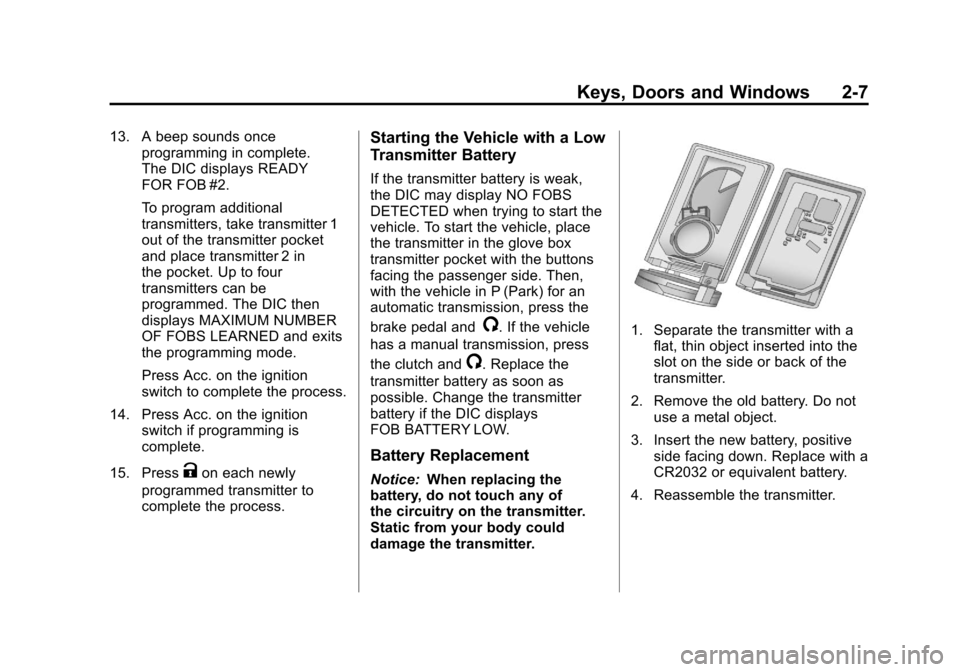
1. Separate the transmitter with a
flat, thin object inserted into the
slot on the side or back of the
transmitter.
2. Remove the old battery. Do not use a metal object.
3. Insert the new battery, positive side facing down. Replace with a
CR2032 or equivalent battery.
4. Reassemble the transmitter.
Page 48 of 428
Black plate (16,1)Chevrolet Corvette Owner Manual - 2011
2-16 Keys, Doors and Windows
Folding Mirrors
Manually fold the mirrors inward
to prevent damage when going
through an automatic car wash.
To fold, pull the mirror toward the
vehicle. Push the mirror outward,
to return it to the original position.
Heated Mirrors
<
(Rear Window Defogger):
Press to heat the mirrors.
See “Rear Window Defogger” under
Dual Automatic Climate Control
System on page 8‑1 for more
information.
Automatic Dimming
Mirror
If the vehicle has this feature, the
driver side outside mirror adjusts for
the glare of headlamps behind you.
This feature is controlled by the
on and off setting on the inside
rearview mirror.
Interior Mirrors
Automatic Dimming
Rearview Mirror
Vehicles with an automatic dimming
inside rearview mirror, compass
display, and/or map lamps, and
OnStar
®will automatically change
to reduce glare from headlamps
behind you. A time delay feature
prevents rapid changing from the
day to night positions while driving
under lights and through traffic.
If the vehicle has OnStar
®, there
are three control buttons located at
the bottom of the mirror. See the
OnStar
®owner's guide for more
information on the services OnStar®
provides.
P(On/Off): The automatic
dimming feature is activated
when the vehicle is started.
Press and hold this button for
up to six seconds to turn this
feature on or off.
T(Indicator Light): This light turns
on when the automatic dimming
feature is active.
Map Lamps
If the mirror has map lamps, they
are located at the bottom of the
mirror. To manually turn the lamps
on or off, press the button next to
each lamp.
Cleaning the Mirror
Do not spray glass cleaner directly
on the mirror. Use a soft towel
dampened with water.
Page 67 of 428
Black plate (3,1)Chevrolet Corvette Owner Manual - 2011
Seats and Restraints 3-3
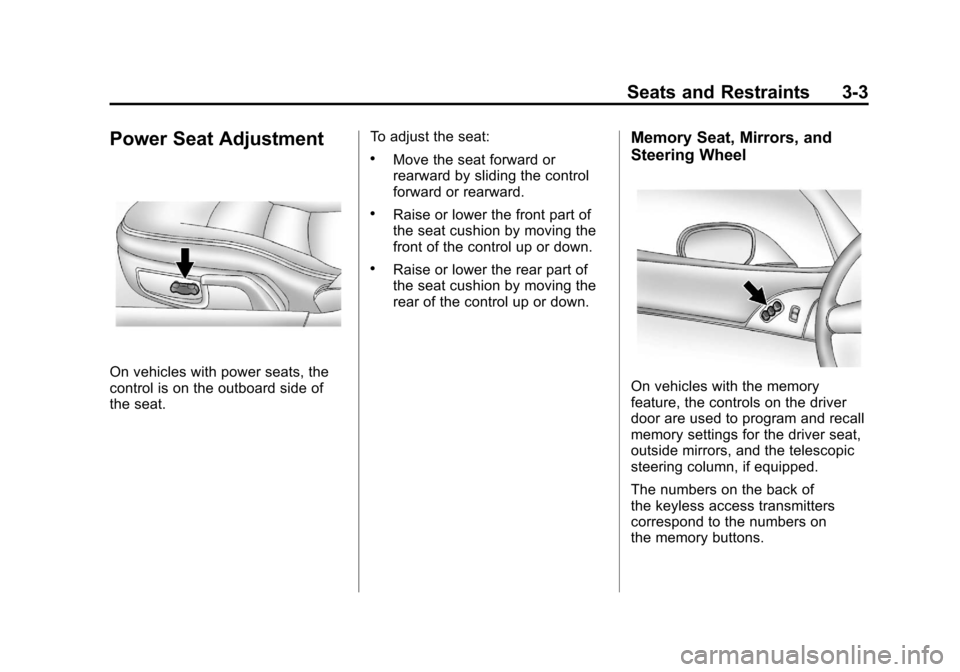
Power Seat Adjustment
On vehicles with power seats, the
control is on the outboard side of
the seat.To adjust the seat:
.Move the seat forward or
rearward by sliding the control
forward or rearward.
.Raise or lower the front part of
the seat cushion by moving the
front of the control up or down.
.Raise or lower the rear part of
the seat cushion by moving the
rear of the control up or down.
Memory Seat, Mirrors, and
Steering Wheel
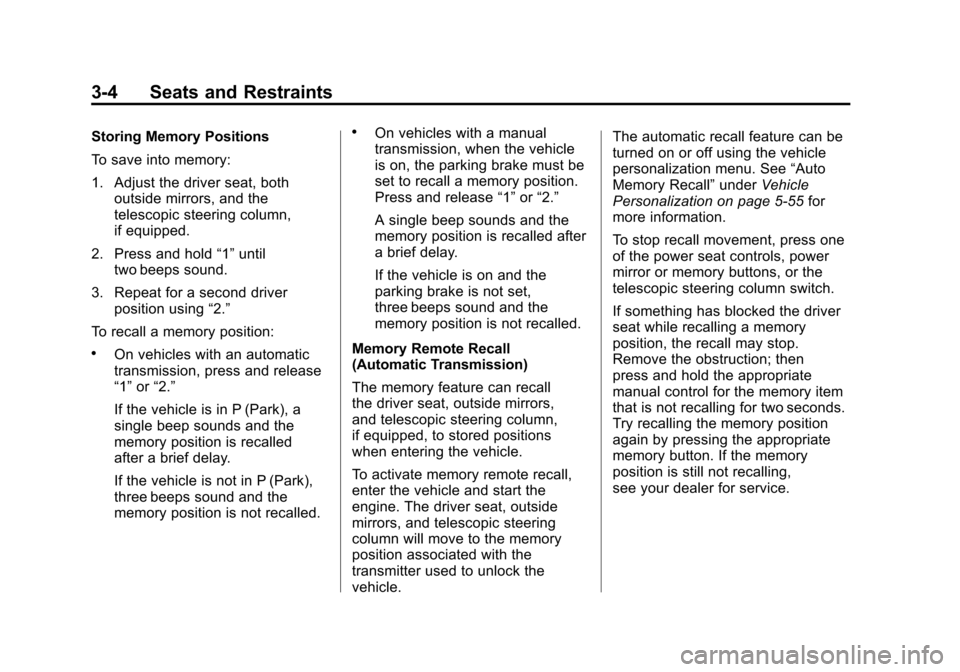
On vehicles with the memory
feature, the controls on the driver
door are used to program and recall
memory settings for the driver seat,
outside mirrors, and the telescopic
steering column, if equipped.
The numbers on the back of
the keyless access transmitters
correspond to the numbers on
the memory buttons.
Page 68 of 428
Black plate (4,1)Chevrolet Corvette Owner Manual - 2011
3-4 Seats and Restraints
Storing Memory Positions
To save into memory:
1. Adjust the driver seat, bothoutside mirrors, and the
telescopic steering column,
if equipped.
2. Press and hold “1”until
two beeps sound.
3. Repeat for a second driver position using “2.”
To recall a memory position:
.On vehicles with an automatic
transmission, press and release
“1” or“2.”
If the vehicle is in P (Park), a
single beep sounds and the
memory position is recalled
after a brief delay.
If the vehicle is not in P (Park),
three beeps sound and the
memory position is not recalled.
.On vehicles with a manual
transmission, when the vehicle
is on, the parking brake must be
set to recall a memory position.
Press and release “1”or“2.”
A single beep sounds and the
memory position is recalled after
a brief delay.
If the vehicle is on and the
parking brake is not set,
three beeps sound and the
memory position is not recalled.
Memory Remote Recall
(Automatic Transmission)
The memory feature can recall
the driver seat, outside mirrors,
and telescopic steering column,
if equipped, to stored positions
when entering the vehicle.
To activate memory remote recall,
enter the vehicle and start the
engine. The driver seat, outside
mirrors, and telescopic steering
column will move to the memory
position associated with the
transmitter used to unlock the
vehicle. The automatic recall feature can be
turned on or off using the vehicle
personalization menu. See
“Auto
Memory Recall” underVehicle
Personalization on page 5‑55 for
more information.
To stop recall movement, press one
of the power seat controls, power
mirror or memory buttons, or the
telescopic steering column switch.
If something has blocked the driver
seat while recalling a memory
position, the recall may stop.
Remove the obstruction; then
press and hold the appropriate
manual control for the memory item
that is not recalling for two seconds.
Try recalling the memory position
again by pressing the appropriate
memory button. If the memory
position is still not recalling,
see your dealer for service.
Page 73 of 428
Black plate (9,1)Chevrolet Corvette Owner Manual - 2011
Seats and Restraints 3-9
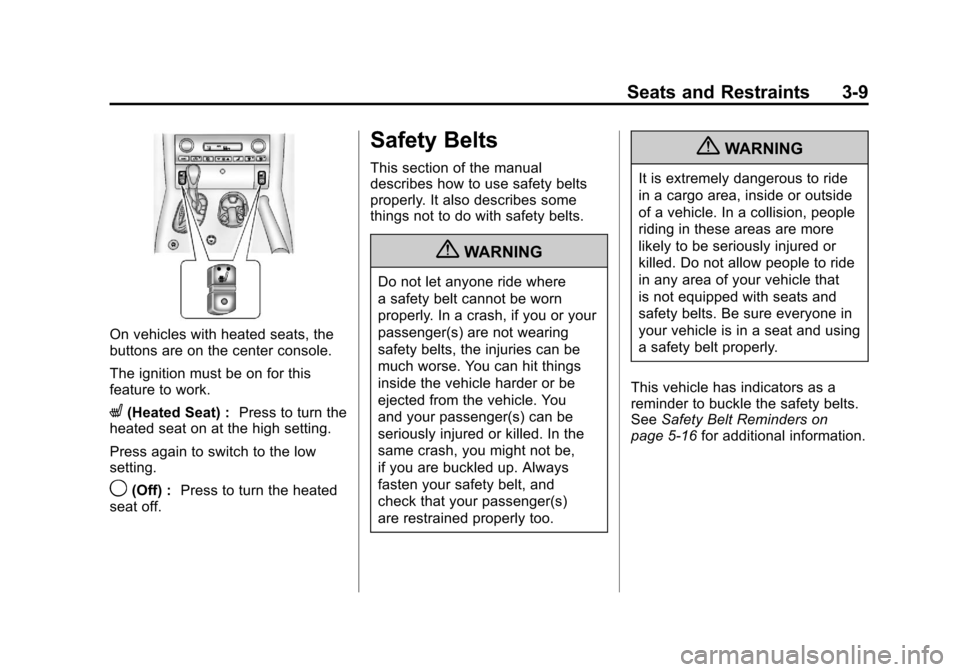
On vehicles with heated seats, the
buttons are on the center console.
The ignition must be on for this
feature to work.
L(Heated Seat) :Press to turn the
heated seat on at the high setting.
Press again to switch to the low
setting.
9(Off) : Press to turn the heated
seat off.
Safety Belts
This section of the manual
describes how to use safety belts
properly. It also describes some
things not to do with safety belts.
{WARNING
Do not let anyone ride where
a safety belt cannot be worn
properly. In a crash, if you or your
passenger(s) are not wearing
safety belts, the injuries can be
much worse. You can hit things
inside the vehicle harder or be
ejected from the vehicle. You
and your passenger(s) can be
seriously injured or killed. In the
same crash, you might not be,
if you are buckled up. Always
fasten your safety belt, and
check that your passenger(s)
are restrained properly too.
{WARNING
It is extremely dangerous to ride
in a cargo area, inside or outside
of a vehicle. In a collision, people
riding in these areas are more
likely to be seriously injured or
killed. Do not allow people to ride
in any area of your vehicle that
is not equipped with seats and
safety belts. Be sure everyone in
your vehicle is in a seat and using
a safety belt properly.
This vehicle has indicators as a
reminder to buckle the safety belts.
See Safety Belt Reminders on
page 5‑16 for additional information.
Page 124 of 428
Black plate (4,1)Chevrolet Corvette Owner Manual - 2011
5-4 Instruments and Controls
To select tracks on a CD:
.Pressworxto go to the next
or to the previous track when a
CD is playing.
.Press and holdworxfor
more than 2 seconds to scan
the current CD. The CD goes
to the next track, plays the first
10 seconds, then goes to the
next track. Press again to stop
scanning.
.Press and holdworxfor
more than 4 seconds to scan all
of the CDs loaded. The CD goes
to the next CD, plays the first
10 seconds of each track, then
goes to the next CD. Press
again to stop scanning.
+
e−e(Volume): Press to
increase or to decrease the radio
volume.
1 to 6 (Preset Pushbuttons):
Press to play stations that are
programmed on the radio preset
pushbuttons.
Horn
Press near or on the horn symbols
on the steering wheel pad to sound
the horn.
Windshield Wiper/Washer
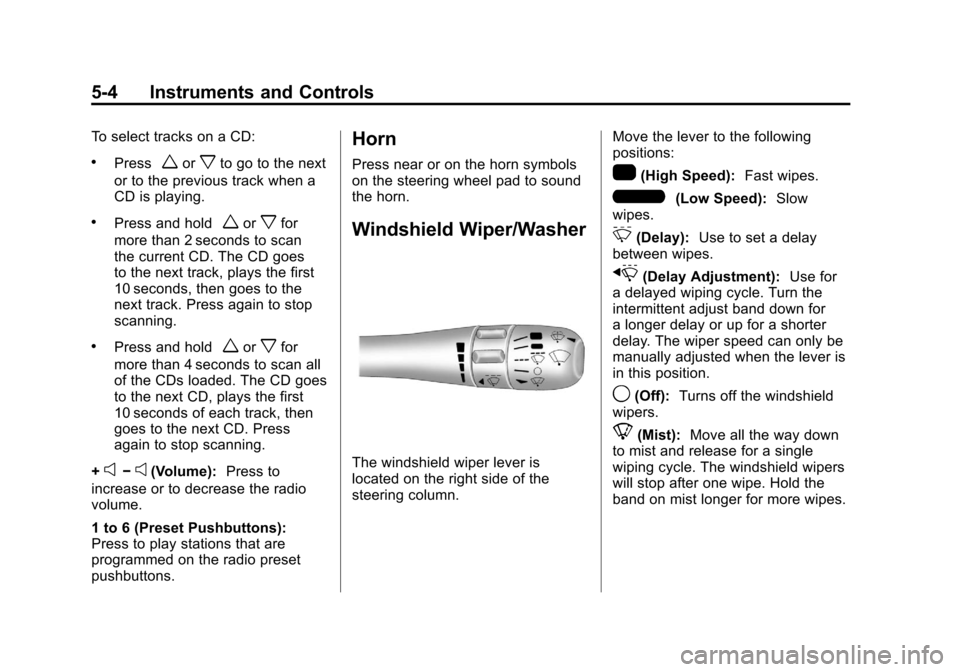
The windshield wiper lever is
located on the right side of the
steering column. Move the lever to the following
positions:
1(High Speed):
Fast wipes.
6(Low Speed):Slow
wipes.
&(Delay): Use to set a delay
between wipes.
x(Delay Adjustment): Use for
a delayed wiping cycle. Turn the
intermittent adjust band down for
a longer delay or up for a shorter
delay. The wiper speed can only be
manually adjusted when the lever is
in this position.
9(Off): Turns off the windshield
wipers.
8(Mist): Move all the way down
to mist and release for a single
wiping cycle. The windshield wipers
will stop after one wipe. Hold the
band on mist longer for more wipes.
Page 145 of 428
Black plate (25,1)Chevrolet Corvette Owner Manual - 2011
Instruments and Controls 5-25
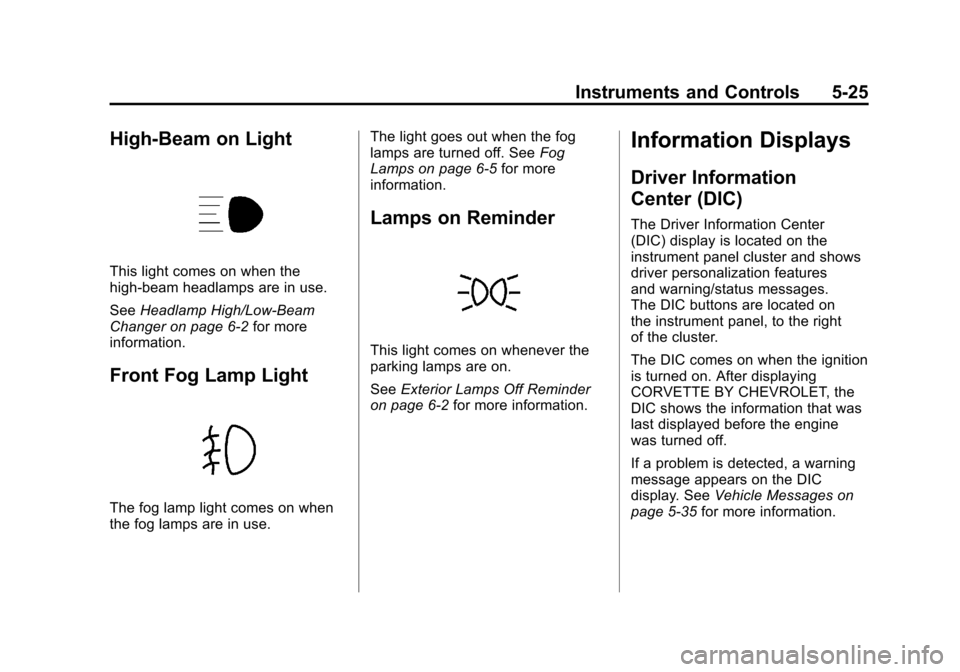
High-Beam on Light
This light comes on when the
high-beam headlamps are in use.
SeeHeadlamp High/Low-Beam
Changer on page 6‑2 for more
information.
Front Fog Lamp Light
The fog lamp light comes on when
the fog lamps are in use. The light goes out when the fog
lamps are turned off. See
Fog
Lamps on page 6‑5 for more
information.
Lamps on Reminder
This light comes on whenever the
parking lamps are on.
See Exterior Lamps Off Reminder
on page 6‑2 for more information.
Information Displays
Driver Information
Center (DIC)
The Driver Information Center
(DIC) display is located on the
instrument panel cluster and shows
driver personalization features
and warning/status messages.
The DIC buttons are located on
the instrument panel, to the right
of the cluster.
The DIC comes on when the ignition
is turned on. After displaying
CORVETTE BY CHEVROLET, the
DIC shows the information that was
last displayed before the engine
was turned off.
If a problem is detected, a warning
message appears on the DIC
display. See Vehicle Messages on
page 5‑35 for more information.
Page 146 of 428
Black plate (26,1)Chevrolet Corvette Owner Manual - 2011
5-26 Instruments and Controls
DIC Operation and Displays
Depending on the features on the
vehicle, the drive gear may display
on the DIC. See“Manual Paddle
Shift” under Automatic Transmission
on page 9‑28 and“Head-Up
Display (HUD)” in the index of
the Navigation system manual
for more information.
The Driver Information Center (DIC)
has different modes which can be
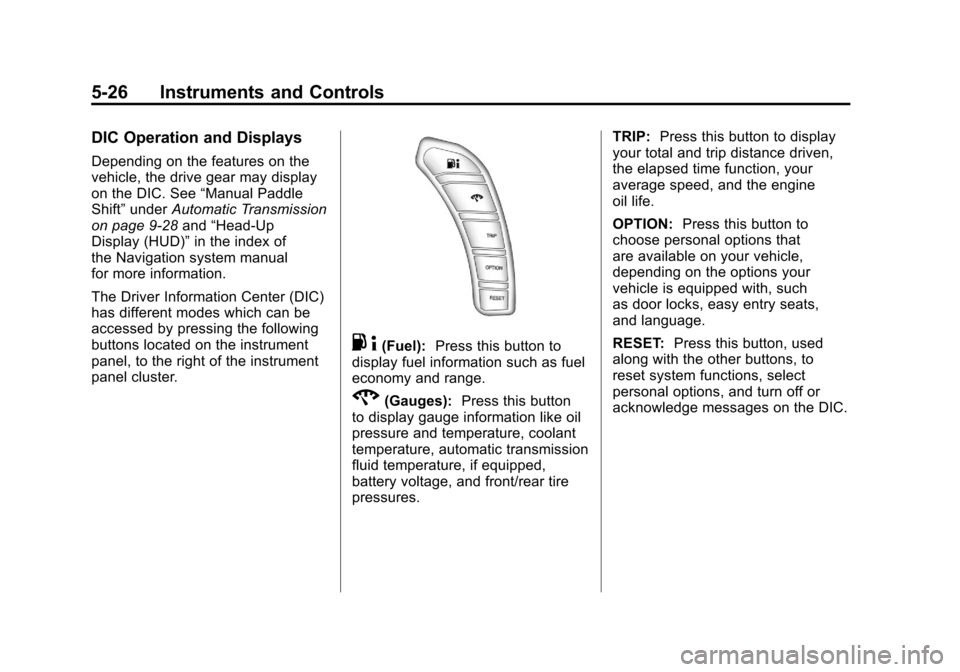
accessed by pressing the following
buttons located on the instrument
panel, to the right of the instrument
panel cluster.
. 4(Fuel): Press this button to
display fuel information such as fuel
economy and range.
2(Gauges): Press this button
to display gauge information like oil
pressure and temperature, coolant
temperature, automatic transmission
fluid temperature, if equipped,
battery voltage, and front/rear tire
pressures. TRIP:
Press this button to display
your total and trip distance driven,
the elapsed time function, your
average speed, and the engine
oil life.
OPTION: Press this button to
choose personal options that
are available on your vehicle,
depending on the options your
vehicle is equipped with, such
as door locks, easy entry seats,
and language.
RESET: Press this button, used
along with the other buttons, to
reset system functions, select
personal options, and turn off or
acknowledge messages on the DIC.
Page 150 of 428
Black plate (30,1)Chevrolet Corvette Owner Manual - 2011
5-30 Instruments and Controls
You can start or stop the elapsed
time by pressing the RESET button.
To reset the elapsed time to zero,
press the RESET button for
three seconds while the timer
is displayed.
Pressing and holding the RESET
button for at least 10 seconds will
reset the timer display to the time
since last ignition cycle.
Average Speed:Press the TRIP
button until the average speed is
displayed, such as:
.AVERAGE SPEED 100 km/h or
.AVERAGE SPEED 62 MPH
Press and hold the RESET button to
reset to 0.0 km/h (mph). Engine Oil Life:
Press the TRIP
button until the engine oil life is
displayed, such as OIL LIFE
REMAINING 89%.
This is an estimate of the engine
oil's remaining useful life. It will
show 100% when the system is
reset after an oil change. It will
alert you to change the oil on a
schedule consistent with your
driving conditions.
When the remaining oil life is low,
the system will alert you with the
message CHANGE ENGINE OIL.
Remember, you must reset the
engine oil life system yourself
after each oil change. It will not
reset itself. To reset the system,
see Engine Oil Life System on
page 10‑22. Be careful not to
reset the engine oil life system accidentally at any time other than
when the oil has just been changed.
It cannot be reset accurately until
the next oil change.
See
Scheduled Maintenance on
page 11‑2 andEngine Oil on
page 10‑15 for more information.
OPTION Button
The OPTION button allows you
to access the PERSONAL
OPTIONS menu and customize
the personalization settings on your
vehicle. See Vehicle Personalization
on page 5‑55 for more information.
RESET Button
The RESET button, used along
with other buttons, will reset
system functions and turn off or
acknowledge messages on the DIC.
Page 163 of 428
Black plate (43,1)Chevrolet Corvette Owner Manual - 2011
Instruments and Controls 5-43
.The vehicle is experiencing
Electromagnetic
Interference (EMI). Some
locations, such as airports,
automatic toll booths, and some
gas stations have EMI fields
which may interfere with the
keyless access transmitter.
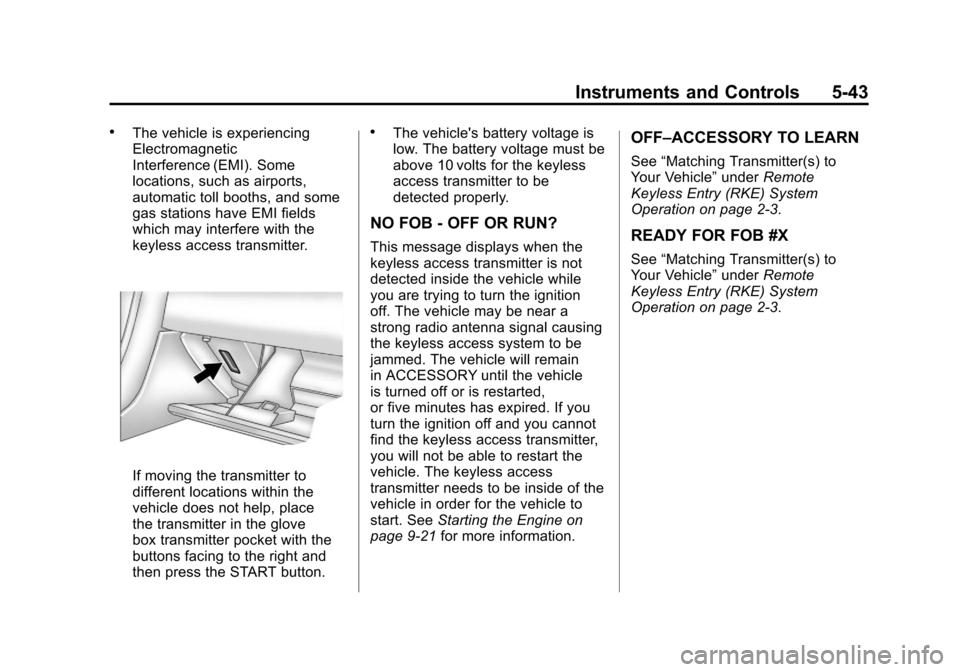
If moving the transmitter to
different locations within the
vehicle does not help, place
the transmitter in the glove
box transmitter pocket with the
buttons facing to the right and
then press the START button.
.The vehicle's battery voltage is
low. The battery voltage must be
above 10 volts for the keyless
access transmitter to be
detected properly.
NO FOB - OFF OR RUN?
This message displays when the
keyless access transmitter is not
detected inside the vehicle while
you are trying to turn the ignition
off. The vehicle may be near a
strong radio antenna signal causing
the keyless access system to be
jammed. The vehicle will remain
in ACCESSORY until the vehicle
is turned off or is restarted,
or five minutes has expired. If you
turn the ignition off and you cannot
find the keyless access transmitter,
you will not be able to restart the
vehicle. The keyless access
transmitter needs to be inside of the
vehicle in order for the vehicle to
start. SeeStarting the Engine on
page 9‑21 for more information.
OFF–ACCESSORY TO LEARN
See“Matching Transmitter(s) to
Your Vehicle” underRemote
Keyless Entry (RKE) System
Operation on page 2‑3.
READY FOR FOB #X
See “Matching Transmitter(s) to
Your Vehicle” underRemote
Keyless Entry (RKE) System
Operation on page 2‑3.