buttons CHEVROLET CORVETTE 2011 6.G Owner's Manual
[x] Cancel search | Manufacturer: CHEVROLET, Model Year: 2011, Model line: CORVETTE, Model: CHEVROLET CORVETTE 2011 6.GPages: 428, PDF Size: 6.63 MB
Page 176 of 428
Black plate (56,1)Chevrolet Corvette Owner Manual - 2011
5-56 Instruments and Controls
Entering the Personal
Options Menu
To enter the personal options menu,
use the following steps:
1. If you have an automatictransmission vehicle, turn the
vehicle on with the shift lever in
P (Park).
If you have a manual
transmission vehicle, turn the
vehicle on with the parking
brake set.
To avoid excessive drain on the
battery, it is recommended that
the headlamps are turned off. 2. Press the OPTION button and
you will enter the PERSONAL
OPTIONS menu.
The DIC will display the current
driver number (1 or 2) for a
few seconds and then will
display instructions on which
buttons to use for setting the
personalizations. The RESET
button is used to select a
setting for a particular feature.
The OPTION button is used to
move to the next feature.
3. Press the OPTION button while the instruction screen is
displayed to enter the first
personalization menu item.
4. Once you have cycled through all of the personal options,
pressing the OPTION button
a final time exits the personal
options menu. In addition,
if no button is pressed within
45 seconds, the DIC will exit the
personal options menu. Personal Options
The following options are available
for programming:
Display Units:
This option allows
you to choose the measurement
units.
Press the OPTION button until
DISPLAY UNITS appears on the
display, then press the RESET
button to scroll through the following
modes:
.ENGLISH (default)
.METRIC
If you choose ENGLISH, all
information will be displayed in
English units.
If you choose METRIC, all
information will be displayed in
metric units.
When the mode you want is
selected, press the OPTION button
to set your choice and advance to
the next personal option.
Page 182 of 428
Black plate (62,1)Chevrolet Corvette Owner Manual - 2011
5-62 Instruments and Controls
If you choose DRIVER, on
automatic transmission vehicles,
the driver's door will automatically
unlock when the shift lever is
moved into P (Park). On manual
transmission vehicles, the driver's
door will automatically unlock when
the ignition is turned off or is in RAP.
If you choose BOTH, on automatic
transmission vehicles, both doors
will automatically unlock when the
shift lever is moved into P (Park).
On manual transmission vehicles,
both doors will automatically unlock
when the ignition is turned off or is
in RAP.
When the mode you want is
selected, press the OPTION button
to set your choice and advance to
the next personal option.
Language:This option allows you
to select the language the DIC, the
Head-Up Display (HUD), if your
vehicle has this feature, and the
radio uses to display messages.
Each language mode will be
displayed in its own language. For example, English will be
displayed as ENGLISH, Spanish as
ESPANOL, etc. If your vehicle has
the navigation system, you will not
have the Japanese language mode.
Press the OPTION button until
LANGUAGE appears on the display,
then press the RESET button to
scroll through the following modes:
.ENGLISH (default)
.DEUTSCH (German)
.FRANCAIS (French)
.ITALIANO (Italian)
.ESPANOL (Spanish)
If you choose a language that you
do not understand, press the
OPTION and RESET buttons
for five seconds. The DIC will
begin displaying all of the various
languages one by one for as long
as the buttons are pressed. When
the desired language is displayed,
release the buttons and the DIC
will set to this language. When the mode you want is
selected, press the OPTION button
to set your choice and advance to
the next personal option.
Personalize Name:
This option
allows you to type in a name or
greeting that will appear on the DIC
display whenever the corresponding
keyless access transmitter (1 or 2)
is used or one of the memory
buttons (1 or 2) located on the
driver's door is pressed.
Press the OPTION button until
PERSONALIZE NAME appears on
the display, then press the RESET
button to scroll through the following
modes:
.YES
.NO (default)
If you choose YES, you can type in
a name that will appear on the DIC
display.
Page 184 of 428
Black plate (64,1)Chevrolet Corvette Owner Manual - 2011
5-64 Instruments and Controls
Universal Remote
System
SeeRadio Frequency Statement on
page 13‑19 for information
regarding Part 15 of the Federal
Communications Commission
(FCC) rules and Industry Canada
Standards RSS-210/220/310.
The FCC Grant of Equipment
Authorization Certificate number
is KOBFTE05A.
The Canadian Registration
ID number is 3521A-FTE05A.
Universal Remote System
Programming
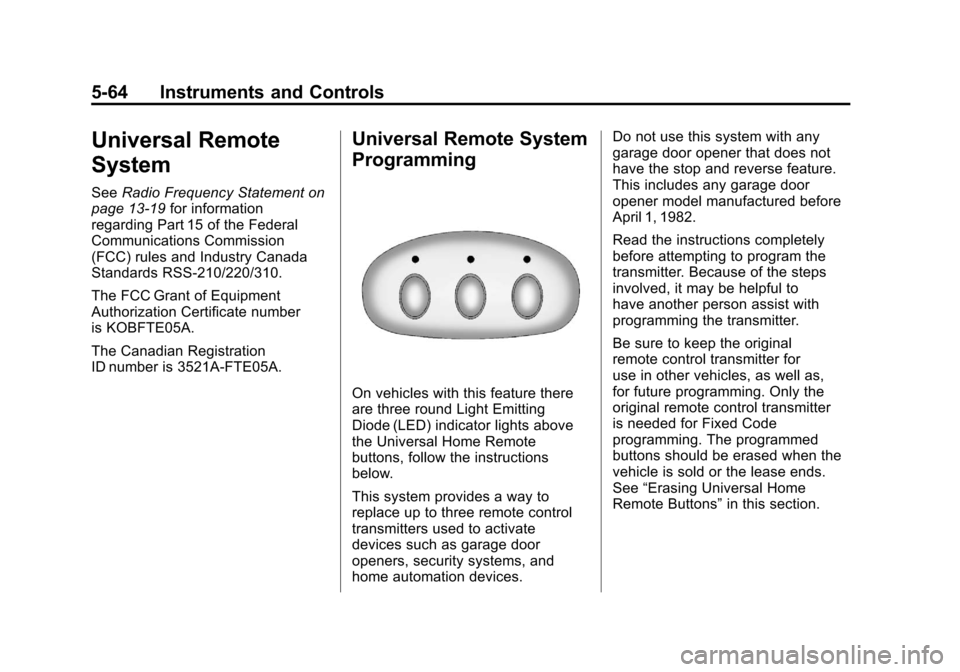
On vehicles with this feature there
are three round Light Emitting
Diode (LED) indicator lights above
the Universal Home Remote
buttons, follow the instructions
below.
This system provides a way to
replace up to three remote control
transmitters used to activate
devices such as garage door
openers, security systems, and
home automation devices. Do not use this system with any
garage door opener that does not
have the stop and reverse feature.
This includes any garage door
opener model manufactured before
April 1, 1982.
Read the instructions completely
before attempting to program the
transmitter. Because of the steps
involved, it may be helpful to
have another person assist with
programming the transmitter.
Be sure to keep the original
remote control transmitter for
use in other vehicles, as well as,
for future programming. Only the
original remote control transmitter
is needed for Fixed Code
programming. The programmed
buttons should be erased when the
vehicle is sold or the lease ends.
See
“Erasing Universal Home
Remote Buttons” in this section.
Page 185 of 428
Black plate (65,1)Chevrolet Corvette Owner Manual - 2011
Instruments and Controls 5-65
Park the vehicle outside of the
garage when programming a garage
door. Be sure that people and
objects are clear of the garage door
or gate that is being programmed.
Programming Universal Home
Remote—Rolling Code
For questions or help programming
the Universal Home Remote
System, call 1-866-572-2728
or go to learcar2u.com.
Most garage door openers sold
after 1996 are Rolling Code units.
Programming a garage door opener
involves time-sensitive actions, so
read the entire procedure before
starting. Otherwise, the device will
time out and the procedure will have
to be repeated. To program up to three devices:
1. Press START or put the vehicle
in accessory mode. See Ignition
Positions on page 9‑20 for
additional information.
Programming can only occur
when the vehicle is running or
in accessory mode.
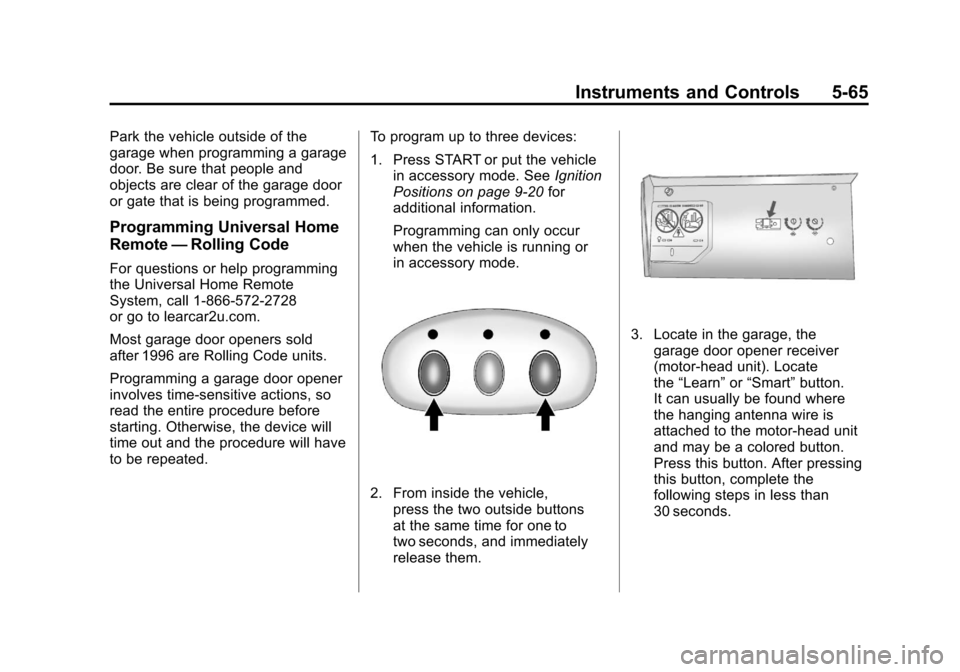
2. From inside the vehicle, press the two outside buttons
at the same time for one to
two seconds, and immediately
release them.
3. Locate in the garage, thegarage door opener receiver
(motor-head unit). Locate
the “Learn” or“Smart” button.
It can usually be found where
the hanging antenna wire is
attached to the motor-head unit
and may be a colored button.
Press this button. After pressing
this button, complete the
following steps in less than
30 seconds.
Page 188 of 428
Black plate (68,1)Chevrolet Corvette Owner Manual - 2011
5-68 Instruments and Controls
The switch positions on the
hand-held transmitter could be
labeled, as follows:
.A switch in the up position
could be labeled as“Up,”
“+,” or“On.”
.A switch in the down
position could be labeled
as “Down,” “−,” or“Off.”
.A switch in the middle
position could be labeled as
“Middle,” “0,” or“Neutral.”
3. Write down the eight to 12 switch settings from left to right as
follows:
.When a switch is in the up
position, write “Left.”
.When a switch is in the
down position, write “Right.”
.If a switch is set between
the up and down position,
write“Middle.”
The switch settings written
down in Step 3 now
become the button strokes
to be entered into the
Universal Home Remote
in Step 5. Be sure to enter
the switch settings written
down in Step 3, in order
from left to right, into the
Universal Home Remote,
when completing Step 5.
4. From inside the vehicle, first firmly press all three buttons
at the same time for about
three seconds. Release the
buttons to put the Universal
Home Remote into
programming mode.
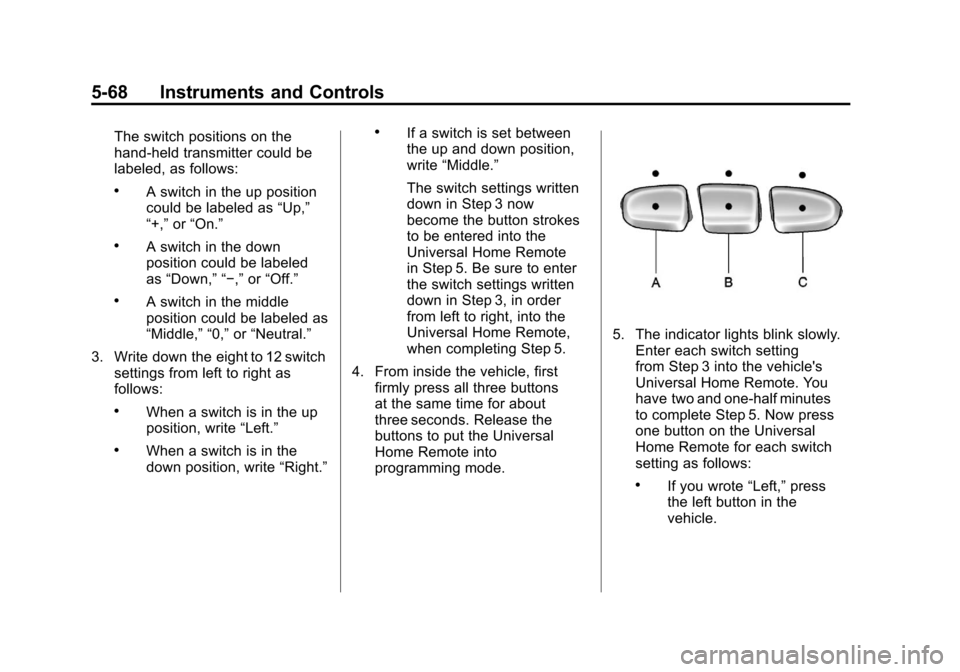
5. The indicator lights blink slowly.Enter each switch setting
from Step 3 into the vehicle's
Universal Home Remote. You
have two and one-half minutes
to complete Step 5. Now press
one button on the Universal
Home Remote for each switch
setting as follows:
.If you wrote “Left,”press
the left button in the
vehicle.
Page 189 of 428
Black plate (69,1)Chevrolet Corvette Owner Manual - 2011
Instruments and Controls 5-69
.If you wrote“Right,”press
the right button in the
vehicle.
.If you wrote “Middle,”press
the middle button in the
vehicle.
6. After entering all of the switch positions, again, firmly press and
release all three buttons at the
same time. The indicator lights
turn on.
7. Press and hold the button that will be used to control the
garage door until the garage
door moves. The indicator
light above the selected button
should slowly blink. This button
may need to be held for up to
55 seconds. 8. Immediately release the button
when the garage door moves.
The indicator light blinks rapidly
until programming is complete.
9. Press and release the same button again. The garage door
should move, confirming that
programming is successful and
complete.
To program another Fixed Code
device such as an additional garage
door opener, a security device,
or home automation device, repeat
Steps 1-9, choosing a different
button in Step 7 than what was
used for the garage door opener.
Universal Remote System
Operation
Press and hold the appropriate
button for at least half of a second.
The indicator light comes on while
the signal is being transmitted.
Operation can occur:
.If the vehicle is in
accessory mode.
.If the vehicle is in running.
.If the vehicle is in Retained
Accessory Mode (RAP).
See Retained Accessory
Power (RAP) on page 9‑21 for
more information.
.Up to an additional 10 minutes
after RAP finishes.
.Up to 10 minutes after any door
is opened.
Page 190 of 428
Black plate (70,1)Chevrolet Corvette Owner Manual - 2011
5-70 Instruments and Controls
Reprogramming Universal
Home Remote Buttons
Any of the three buttons can be
reprogrammed by repeating the
instructions.
Erasing Universal Home
Remote Buttons
The programmed buttons should be
erased when the vehicle is sold or
the lease ends.
To erase either Rolling Code or
Fixed Code on the Universal Home
Remote device:
1. Press and hold the two outsidebuttons at the same time for
approximately 20 seconds,
until the indicator lights, located
directly above the buttons, begin
to blink rapidly. 2. Once the indicator lights begin
to blink, release both buttons.
The codes from all buttons are
erased.
For help or information on the
Universal Home Remote System,
call the customer assistance phone
number under Customer Assistance
Offices (United States and Canada)
on page 13‑5 orCustomer
Assistance Offices (Mexico) on
page 13‑5.
Page 205 of 428
Black plate (7,1)Chevrolet Corvette Owner Manual - 2011
Infotainment System 7-7
Finding a Station
BAND:Press to switch between
FM1, FM2, AM, XM1 or XM2.
O e(Tune): Turn to select radio
stations.
tSEEKu: Press to go to the
previous or to the next station and
stay there.
The radio only stops at stations with
a strong signal.
tSCANu: Press and holdtorufor 2 seconds until
FREQUENCY SCAN displays.
The radio goes to a station, plays
for a few seconds, then goes on
to the next station. Press
toru
again to stop scanning. To scan preset stations:
Press and hold
torufor
four seconds until PRESET
SCAN displays. The radio goes to
the next preset station, plays for a
few seconds, then goes to the next
preset station. Press
toruagain
or one of the pushbuttons to stop
scanning presets.
The radio only scans stations with a
strong signal.
1–6 (Preset Pushbuttons):
Press to play stations that are
programmed to the radio preset
pushbuttons.
Storing Radio Stations
Drivers are encouraged to store
radio station while the vehicle is
parked, see Defensive Driving on
page 9‑2. Tune to stored radio
stations using the presets, favorites
button, and steering wheel controls,
if the vehicle has this feature.
Up to 30 stations (6 FM1, 6 FM2,
and 6 AM, 6 XM1 and 6 XM2),
and equalization settings for each
station can be programmed on the
six numbered pushbuttons.
To set presets:
1. Tune to a radio station.
2. Press AUTO EQ to select the equalization.
3. Press and hold one of the six numbered pushbuttons until the
radio beeps once.
4. Repeat the steps for each pushbutton.
Page 206 of 428
Black plate (8,1)Chevrolet Corvette Owner Manual - 2011
7-8 Infotainment System
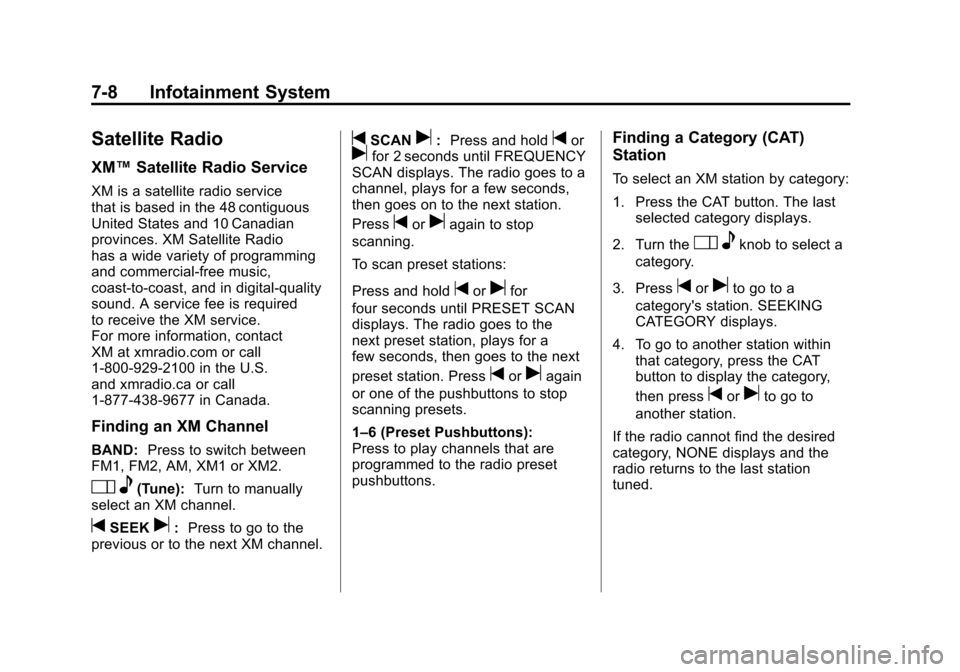
Satellite Radio
XM™Satellite Radio Service
XM is a satellite radio service
that is based in the 48 contiguous
United States and 10 Canadian
provinces. XM Satellite Radio
has a wide variety of programming
and commercial-free music,
coast-to-coast, and in digital-quality
sound. A service fee is required
to receive the XM service.
For more information, contact
XM at xmradio.com or call
1-800-929-2100 in the U.S.
and xmradio.ca or call
1-877-438-9677 in Canada.
Finding an XM Channel
BAND: Press to switch between
FM1, FM2, AM, XM1 or XM2.
O e(Tune): Turn to manually
select an XM channel.
tSEEKu: Press to go to the
previous or to the next XM channel.
tSCANu: Press and holdtorufor 2 seconds until FREQUENCY
SCAN displays. The radio goes to a
channel, plays for a few seconds,
then goes on to the next station.
Press
toruagain to stop
scanning.
To scan preset stations:
Press and hold
torufor
four seconds until PRESET SCAN
displays. The radio goes to the
next preset station, plays for a
few seconds, then goes to the next
preset station. Press
toruagain
or one of the pushbuttons to stop
scanning presets.
1–6 (Preset Pushbuttons):
Press to play channels that are
programmed to the radio preset
pushbuttons.
Finding a Category (CAT)
Station
To select an XM station by category:
1. Press the CAT button. The last selected category displays.
2. Turn the
O eknob to select a
category.
3. Press
toruto go to a
category's station. SEEKING
CATEGORY displays.
4. To go to another station within that category, press the CAT
button to display the category,
then press
toruto go to
another station.
If the radio cannot find the desired
category, NONE displays and the
radio returns to the last station
tuned.
Page 207 of 428
Black plate (9,1)Chevrolet Corvette Owner Manual - 2011
Infotainment System 7-9
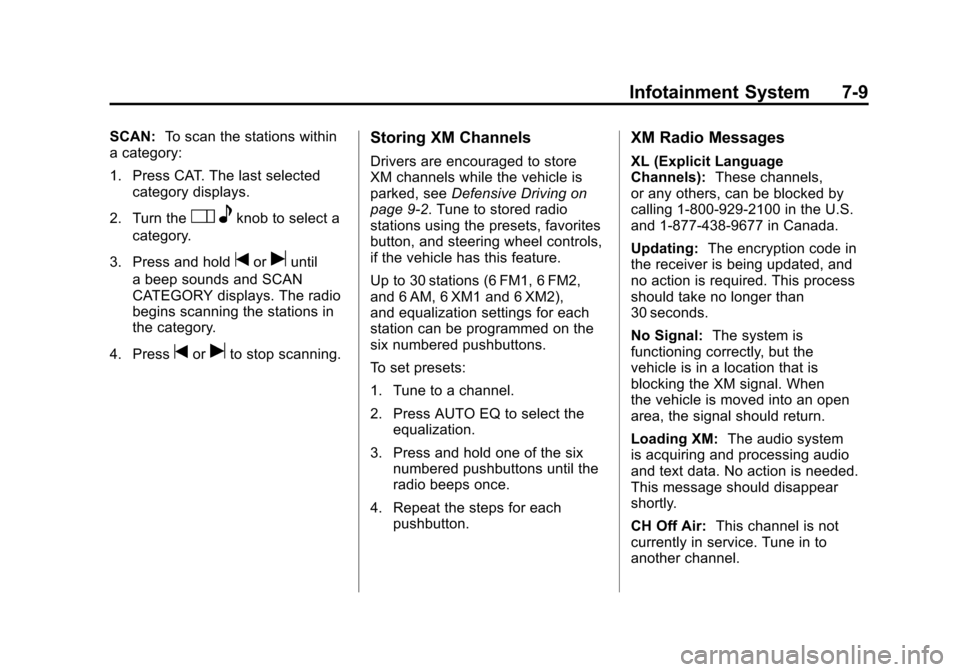
SCAN:To scan the stations within
a category:
1. Press CAT. The last selected
category displays.
2. Turn the
O eknob to select a
category.
3. Press and hold
toruuntil
a beep sounds and SCAN
CATEGORY displays. The radio
begins scanning the stations in
the category.
4. Press
toruto stop scanning.
Storing XM Channels
Drivers are encouraged to store
XM channels while the vehicle is
parked, see Defensive Driving on
page 9‑2. Tune to stored radio
stations using the presets, favorites
button, and steering wheel controls,
if the vehicle has this feature.
Up to 30 stations (6 FM1, 6 FM2,
and 6 AM, 6 XM1 and 6 XM2),
and equalization settings for each
station can be programmed on the
six numbered pushbuttons.
To set presets:
1. Tune to a channel.
2. Press AUTO EQ to select the equalization.
3. Press and hold one of the six numbered pushbuttons until the
radio beeps once.
4. Repeat the steps for each pushbutton.
XM Radio Messages
XL (Explicit Language
Channels): These channels,
or any others, can be blocked by
calling 1-800-929-2100 in the U.S.
and 1-877-438-9677 in Canada.
Updating: The encryption code in
the receiver is being updated, and
no action is required. This process
should take no longer than
30 seconds.
No Signal: The system is
functioning correctly, but the
vehicle is in a location that is
blocking the XM signal. When
the vehicle is moved into an open
area, the signal should return.
Loading XM: The audio system
is acquiring and processing audio
and text data. No action is needed.
This message should disappear
shortly.
CH Off Air: This channel is not
currently in service. Tune in to
another channel.