display CHEVROLET CORVETTE 2011 6.G Owner's Manual
[x] Cancel search | Manufacturer: CHEVROLET, Model Year: 2011, Model line: CORVETTE, Model: CHEVROLET CORVETTE 2011 6.GPages: 428, PDF Size: 6.63 MB
Page 126 of 428
Black plate (6,1)Chevrolet Corvette Owner Manual - 2011
5-6 Instruments and Controls
Depending on the mirror, in order
to calibrate, CAL must be displayed
in the mirror compass windows.
If CAL is not displayed, press
Pfor
several seconds or until CAL is
displayed.
If the compass has map lamps, it
can be placed in calibration mode
by pressing and holding the left map
light button until a C appears on the
compass display.
The mirror compass can be
calibrated by driving the vehicle
in circles at 8 km/h (5 mph) or less
until the display reads a direction.
Compass Variance
The mirror is set to zone eight.
If you do not live in zone eight or
drive out of the area, the compass
variance needs to be changed to
the appropriate zone. To adjust for compass variance:
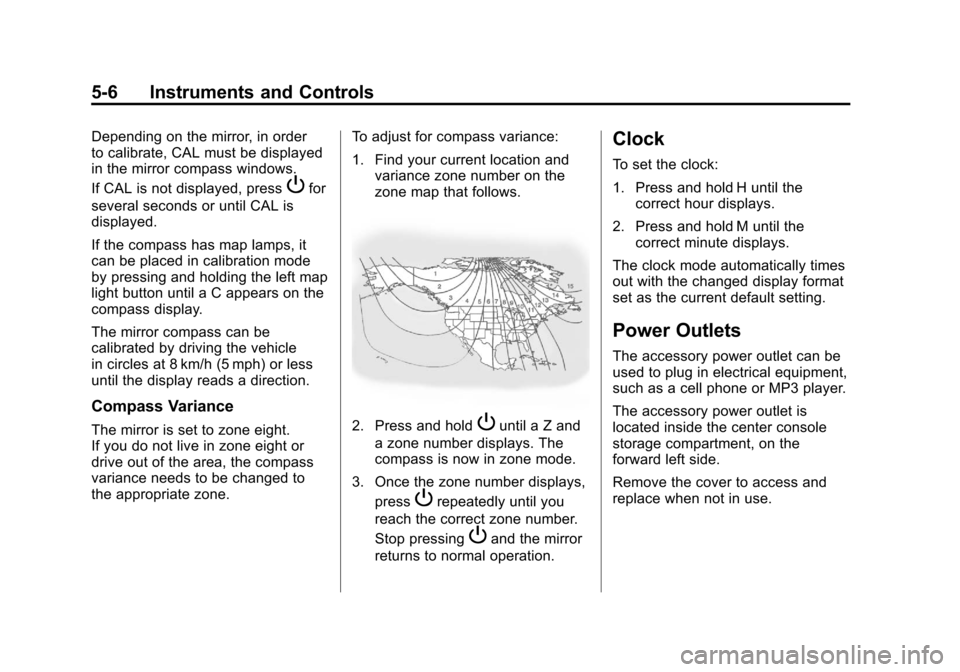
1. Find your current location and
variance zone number on the
zone map that follows.2. Press and holdPuntil a Z and
a zone number displays. The
compass is now in zone mode.
3. Once the zone number displays, press
Prepeatedly until you
reach the correct zone number.
Stop pressing
Pand the mirror
returns to normal operation.
Clock
To set the clock:
1. Press and hold H until the correct hour displays.
2. Press and hold M until the correct minute displays.
The clock mode automatically times
out with the changed display format
set as the current default setting.
Power Outlets
The accessory power outlet can be
used to plug in electrical equipment,
such as a cell phone or MP3 player.
The accessory power outlet is
located inside the center console
storage compartment, on the
forward left side.
Remove the cover to access and
replace when not in use.
Page 131 of 428
Black plate (11,1)Chevrolet Corvette Owner Manual - 2011
Instruments and Controls 5-11
Speedometer
The speedometer shows the speed
in either kilometers per hour (km/h)
or miles per hour (mph). For more
information see“Personal Options”
under Vehicle Personalization on
page 5‑55.
Odometer
To read the odometer with the
ignition off, turn on the parking
lamps.
If the vehicle needs a new odometer
installed, the mileage total of the
new odometer will be set to the
original kilometers (miles) of the
old odometer. See your dealer if
the odometer must be replaced
in the vehicle.
Tachometer
The tachometer displays the engine
speed in thousands of revolutions
per minute (rpm).
Notice: Fuel shuts off at about
6500 rpm for the base model,
7000 rpm for the Z06 model, and
6600 rpm for the ZR1 model. If the
vehicle continues to be driven at
the fuel shut off rpm, the engine
could be damaged. Be sure to
operate the vehicle below the
fuel shut off rpm or reduce the
vehicle's rpm quickly when the
fuel shuts off.
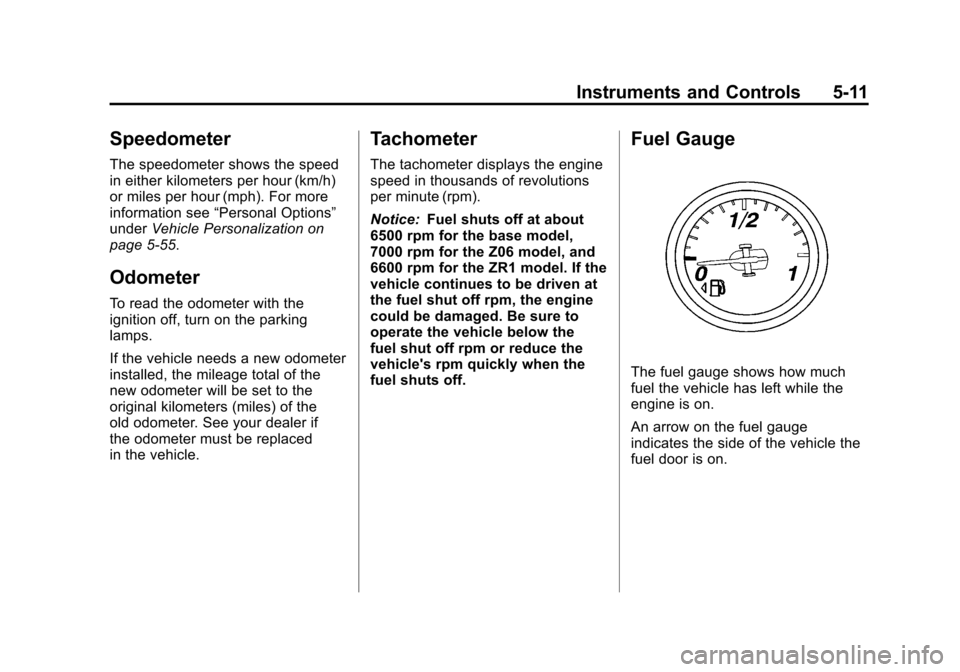
Fuel Gauge
The fuel gauge shows how much
fuel the vehicle has left while the
engine is on.
An arrow on the fuel gauge
indicates the side of the vehicle the
fuel door is on.
Page 132 of 428
Black plate (12,1)Chevrolet Corvette Owner Manual - 2011
5-12 Instruments and Controls
When the needle approaches the
low fuel symbol, a chime sounds
and LOW FUEL appears on the
Driver Information Center (DIC)
display. There is still a little fuel left,
but the vehicle's fuel tank should be
filled soon.
Press the RESET button to
acknowledge a DIC message(s).
Pressing the RESET button also
turns off a DIC message but the
LOW FUEL message comes on
again in 10 minutes if fuel is not
added to the vehicle.
Here are five things that some
owners ask about. All these things
are normal and do not indicate that
anything is wrong with the fuel
gauge.
.At the service station, the gas
pump shuts off before the gauge
reads the full.
.It takes a little more or less
fuel to fill up than the gauge
indicated. For example, the
gauge may have indicated half
full, but it took a little more or
less than half of the tank's
capacity to fill the tank.
.The gauge pointer may move
while cornering, braking or
speeding up.
.The gauge may not indicate the
tank is empty when the ignition
is turned off.
.The gauge reading may change
slightly within the first several
minutes after starting the
vehicle.
See “DIC Operation and Displays”
in Driver Information Center (DIC)
on page 5‑25 for more information.
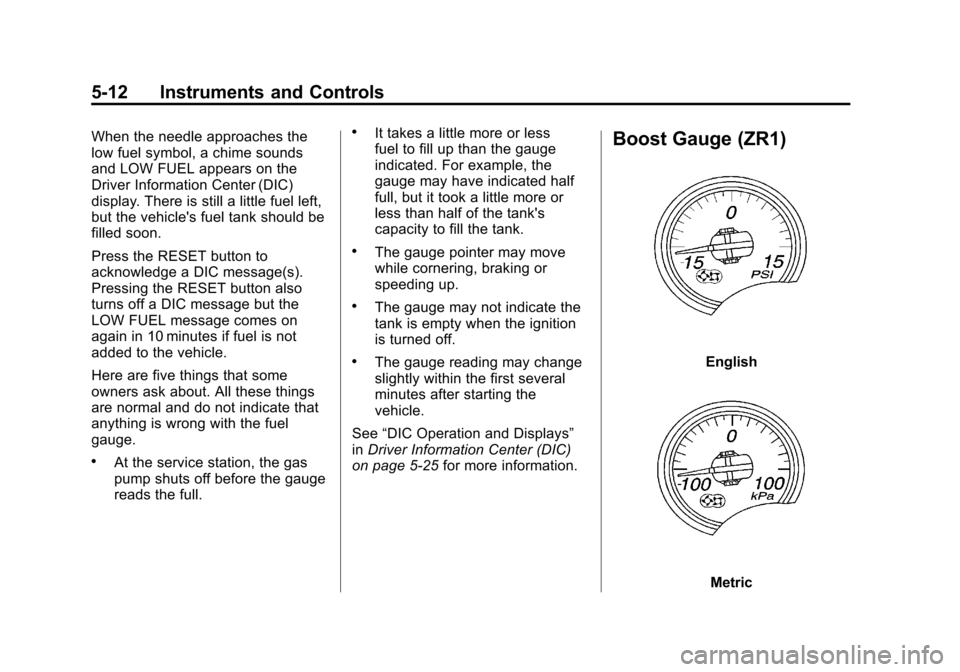
Boost Gauge (ZR1)
English
Metric
Page 133 of 428
Black plate (13,1)Chevrolet Corvette Owner Manual - 2011
Instruments and Controls 5-13
For vehicles that have this gauge, it
is located near the instrument panel
cluster.
This gauge indicates vacuum during
light to moderate throttle and boost
under heavier throttle.
It displays the air pressure level in
the intake manifold before it enters
the engine's combustion chamber.
The gauge is automatically centered
at zero every time the engine is
started. Actual vacuum or boost
is displayed from this zero point.
Changes in ambient pressure,
such as driving in mountains and
changing weather, will slightly
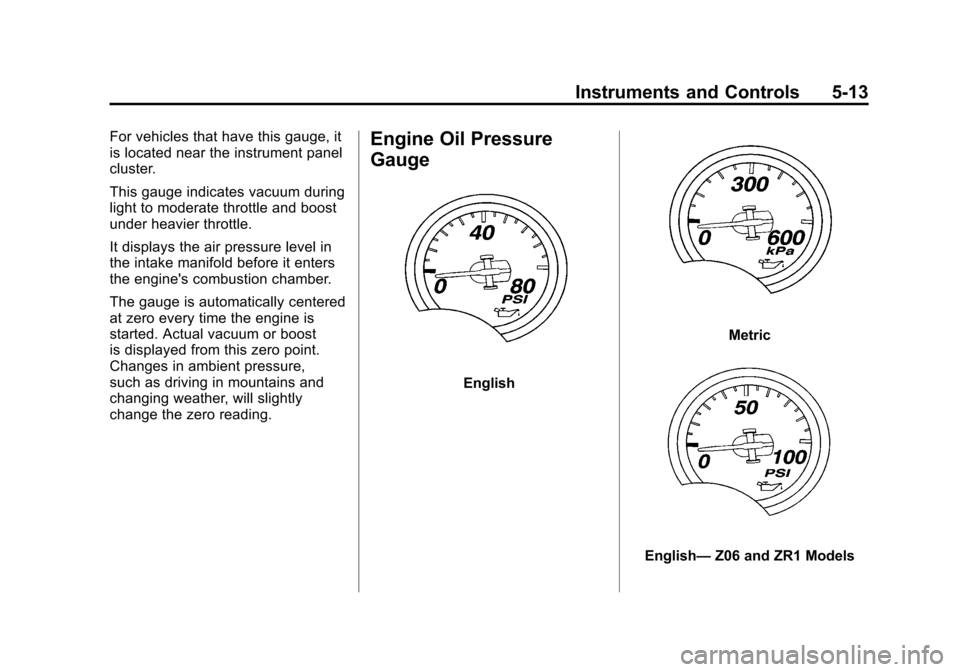
change the zero reading.Engine Oil Pressure
Gauge
English
Metric
English—Z06 and ZR1 Models
Page 134 of 428
Black plate (14,1)Chevrolet Corvette Owner Manual - 2011
5-14 Instruments and Controls
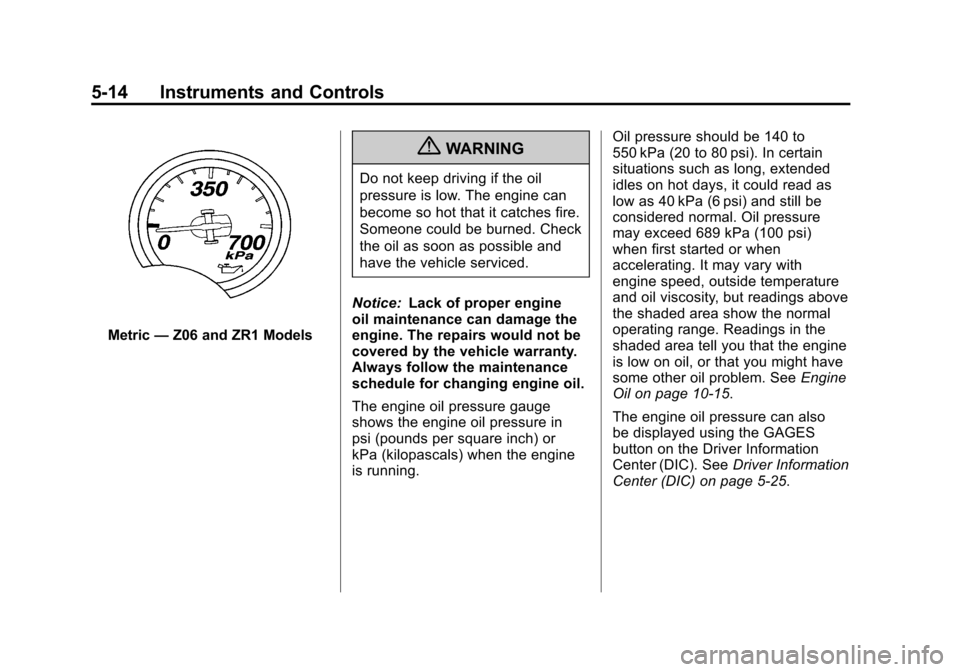
Metric—Z06 and ZR1 Models
{WARNING
Do not keep driving if the oil
pressure is low. The engine can
become so hot that it catches fire.
Someone could be burned. Check
the oil as soon as possible and
have the vehicle serviced.
Notice: Lack of proper engine
oil maintenance can damage the
engine. The repairs would not be
covered by the vehicle warranty.
Always follow the maintenance
schedule for changing engine oil.
The engine oil pressure gauge
shows the engine oil pressure in
psi (pounds per square inch) or
kPa (kilopascals) when the engine
is running. Oil pressure should be 140 to
550 kPa (20 to 80 psi). In certain
situations such as long, extended
idles on hot days, it could read as
low as 40 kPa (6 psi) and still be
considered normal. Oil pressure
may exceed 689 kPa (100 psi)
when first started or when
accelerating. It may vary with
engine speed, outside temperature
and oil viscosity, but readings above
the shaded area show the normal
operating range. Readings in the
shaded area tell you that the engine
is low on oil, or that you might have
some other oil problem. See
Engine
Oil on page 10‑15.
The engine oil pressure can also
be displayed using the GAGES
button on the Driver Information
Center (DIC). See Driver Information
Center (DIC) on page 5‑25.
Page 143 of 428
Black plate (23,1)Chevrolet Corvette Owner Manual - 2011
Instruments and Controls 5-23
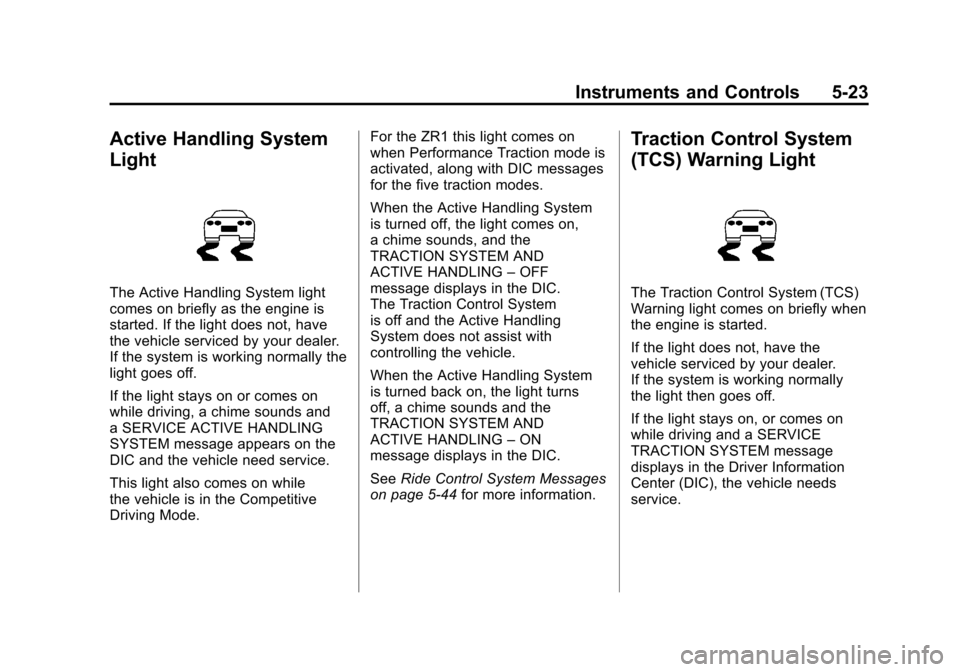
Active Handling System
Light
The Active Handling System light
comes on briefly as the engine is
started. If the light does not, have
the vehicle serviced by your dealer.
If the system is working normally the
light goes off.
If the light stays on or comes on
while driving, a chime sounds and
a SERVICE ACTIVE HANDLING
SYSTEM message appears on the
DIC and the vehicle need service.
This light also comes on while
the vehicle is in the Competitive
Driving Mode.For the ZR1 this light comes on
when Performance Traction mode is
activated, along with DIC messages
for the five traction modes.
When the Active Handling System
is turned off, the light comes on,
a chime sounds, and the
TRACTION SYSTEM AND
ACTIVE HANDLING
–OFF
message displays in the DIC.
The Traction Control System
is off and the Active Handling
System does not assist with
controlling the vehicle.
When the Active Handling System
is turned back on, the light turns
off, a chime sounds and the
TRACTION SYSTEM AND
ACTIVE HANDLING –ON
message displays in the DIC.
See Ride Control System Messages
on page 5‑44 for more information.
Traction Control System
(TCS) Warning Light
The Traction Control System (TCS)
Warning light comes on briefly when
the engine is started.
If the light does not, have the
vehicle serviced by your dealer.
If the system is working normally
the light then goes off.
If the light stays on, or comes on
while driving and a SERVICE
TRACTION SYSTEM message
displays in the Driver Information
Center (DIC), the vehicle needs
service.
Page 144 of 428
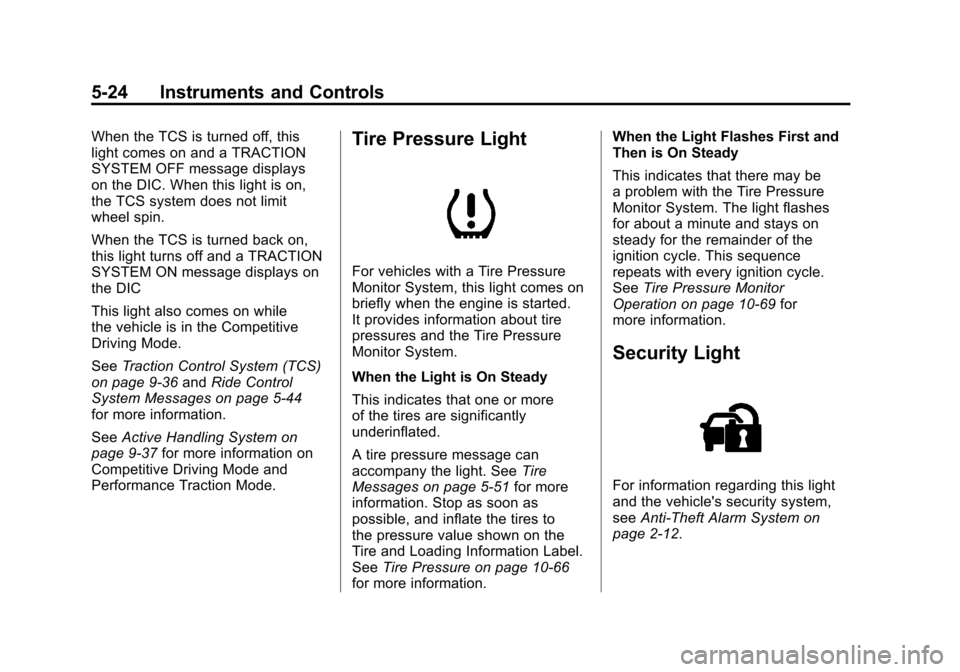
Black plate (24,1)Chevrolet Corvette Owner Manual - 2011
5-24 Instruments and Controls
When the TCS is turned off, this
light comes on and a TRACTION
SYSTEM OFF message displays
on the DIC. When this light is on,
the TCS system does not limit
wheel spin.
When the TCS is turned back on,
this light turns off and a TRACTION
SYSTEM ON message displays on
the DIC
This light also comes on while
the vehicle is in the Competitive
Driving Mode.
SeeTraction Control System (TCS)
on page 9‑36 andRide Control
System Messages on page 5‑44
for more information.
See Active Handling System on
page 9‑37 for more information on
Competitive Driving Mode and
Performance Traction Mode.Tire Pressure Light
For vehicles with a Tire Pressure
Monitor System, this light comes on
briefly when the engine is started.
It provides information about tire
pressures and the Tire Pressure
Monitor System.
When the Light is On Steady
This indicates that one or more
of the tires are significantly
underinflated.
A tire pressure message can
accompany the light. See Tire
Messages on page 5‑51 for more
information. Stop as soon as
possible, and inflate the tires to
the pressure value shown on the
Tire and Loading Information Label.
See Tire Pressure on page 10‑66
for more information. When the Light Flashes First and
Then is On Steady
This indicates that there may be
a problem with the Tire Pressure
Monitor System. The light flashes
for about a minute and stays on
steady for the remainder of the
ignition cycle. This sequence
repeats with every ignition cycle.
See
Tire Pressure Monitor
Operation on page 10‑69 for
more information.
Security Light
For information regarding this light
and the vehicle's security system,
see Anti-Theft Alarm System on
page 2‑12.
Page 145 of 428
Black plate (25,1)Chevrolet Corvette Owner Manual - 2011
Instruments and Controls 5-25
High-Beam on Light
This light comes on when the
high-beam headlamps are in use.
SeeHeadlamp High/Low-Beam
Changer on page 6‑2 for more
information.
Front Fog Lamp Light
The fog lamp light comes on when
the fog lamps are in use. The light goes out when the fog
lamps are turned off. See
Fog
Lamps on page 6‑5 for more
information.
Lamps on Reminder
This light comes on whenever the
parking lamps are on.
See Exterior Lamps Off Reminder
on page 6‑2 for more information.
Information Displays
Driver Information
Center (DIC)
The Driver Information Center
(DIC) display is located on the
instrument panel cluster and shows
driver personalization features
and warning/status messages.
The DIC buttons are located on
the instrument panel, to the right
of the cluster.
The DIC comes on when the ignition
is turned on. After displaying
CORVETTE BY CHEVROLET, the
DIC shows the information that was
last displayed before the engine
was turned off.
If a problem is detected, a warning
message appears on the DIC
display. See Vehicle Messages on
page 5‑35 for more information.
Page 146 of 428
Black plate (26,1)Chevrolet Corvette Owner Manual - 2011
5-26 Instruments and Controls
DIC Operation and Displays
Depending on the features on the
vehicle, the drive gear may display
on the DIC. See“Manual Paddle
Shift” under Automatic Transmission
on page 9‑28 and“Head-Up
Display (HUD)” in the index of
the Navigation system manual
for more information.
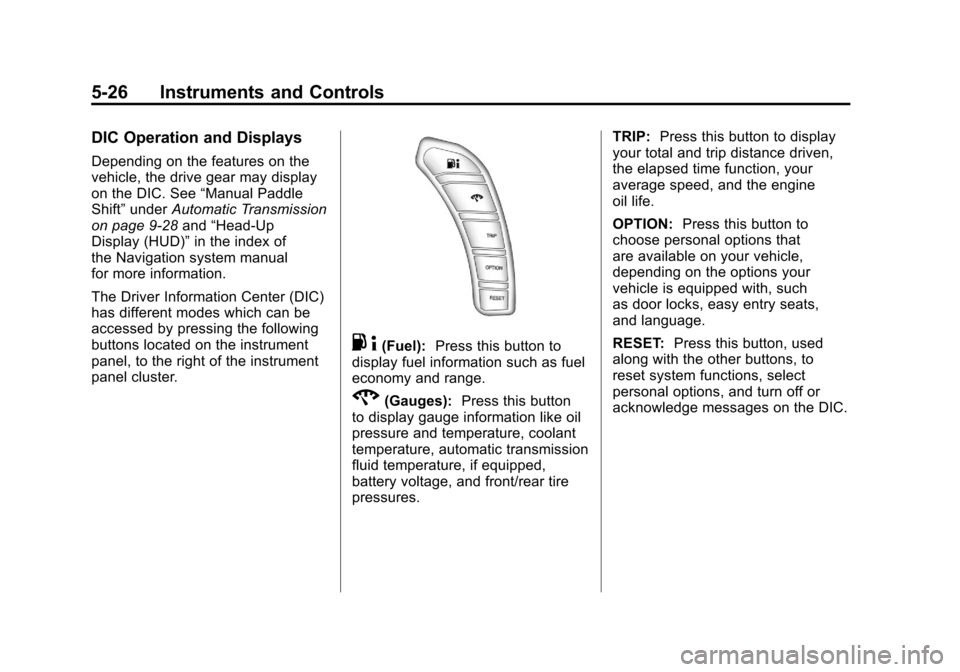
The Driver Information Center (DIC)
has different modes which can be
accessed by pressing the following
buttons located on the instrument
panel, to the right of the instrument
panel cluster.
. 4(Fuel): Press this button to
display fuel information such as fuel
economy and range.
2(Gauges): Press this button
to display gauge information like oil
pressure and temperature, coolant
temperature, automatic transmission
fluid temperature, if equipped,
battery voltage, and front/rear tire
pressures. TRIP:
Press this button to display
your total and trip distance driven,
the elapsed time function, your
average speed, and the engine
oil life.
OPTION: Press this button to
choose personal options that
are available on your vehicle,
depending on the options your
vehicle is equipped with, such
as door locks, easy entry seats,
and language.
RESET: Press this button, used
along with the other buttons, to
reset system functions, select
personal options, and turn off or
acknowledge messages on the DIC.
Page 147 of 428
Black plate (27,1)Chevrolet Corvette Owner Manual - 2011
Instruments and Controls 5-27
FUEL Button
The fuel button displays average
fuel economy and instantaneous
fuel economy, calculated for your
specific driving conditions, and
range information.
Average Fuel Economy:The
average fuel economy is viewed
as a long-term approximation of
your overall driving conditions.
You should reset the average fuel
economy display every time you
refuel. If you press the RESET
button in this mode while you are
driving, the system will reset this
display and begin figuring fuel
economy from that point in time.
Press the fuel button to display
average fuel economy, such as:
.AVERAGE FUEL ECONOMY
11.7 L/100 km or
.AVERAGE FUEL ECONOMY
20.1 MPG Instantaneous Fuel Economy:
Instantaneous fuel economy
reflects only the fuel economy
that the vehicle has right now and
will change frequently as driving
conditions change. Unlike average
fuel economy, this menu item
cannot be reset.
Press the fuel button again to
display instantaneous fuel economy,
such as:
.INSTANT FUEL ECONOMY
11.7 L/100 km or
.INSTANT FUEL ECONOMY
20.1 MPG
Fuel Range: The range calculates
the remaining distance you can
drive without refueling. It is based
on fuel economy and the fuel
remaining in the tank. Press the fuel button again to
display the range, such as:
.RANGE 48 km or
.RANGE 30 MI
If the LOW FUEL warning is
displayed or if RANGE is less
than 64 km (40 miles), the display
will read RANGE LOW.
The fuel economy data used to
determine fuel range is an average
of recent driving conditions. As your
driving conditions change, this data
is gradually updated automatically.
If the vehicle has been idling for a
long time, the range displayed on
the DIC could be abnormally low.
The vehicle must be driven 8–16 km
(5–10 miles) to get an accurate
reading.