ignition CHEVROLET CORVETTE 2011 6.G Owner's Guide
[x] Cancel search | Manufacturer: CHEVROLET, Model Year: 2011, Model line: CORVETTE, Model: CHEVROLET CORVETTE 2011 6.GPages: 428, PDF Size: 6.63 MB
Page 173 of 428
Black plate (53,1)Chevrolet Corvette Owner Manual - 2011
Instruments and Controls 5-53
You can receive more than one
tire pressure message at a time.
To read other messages that may
have been sent at the same time,
press the RESET button. If a tire
pressure message appears on the
DIC, stop as soon as you can. Have
the tire pressures checked and set
to those shown on the Tire Loading
Information label. SeeRun-Flat
Tires on page 10‑59, Vehicle Load
Limits on page 9‑14, Tire Pressure
on page 10‑66, and Tire Pressure
Monitor System on page 10‑68.
The DIC also shows the tire
pressure values. See Driver
Information Center (DIC) on
page 5‑25.
To acknowledge the message, press
the RESET button. A message
reappears every 10 minutes until the
condition is corrected.Transmission Messages
SERVICE TRANSMISSION
This message displays when there
is a problem with the transmission.
See your dealer for service.
SHIFT TO PARK
If the vehicle has an automatic
transmission, this message displays
if the vehicle is not in P (Park)
when the engine is being turned off.
The vehicle will be in ACCESSORY
Once the shift lever is moved to
P (Park), the vehicle will turn off.
The vehicle will remain in
ACCESSORY, without the 20 minute
time-out period, until the shift lever
is moved to P (Park) or until the
driver presses the pushbutton to
restart the vehicle. See Ignition
Positions on page 9‑20 for more
information.
TRANSMISSION HOT IDLE
ENGINE
This message displays and four
chimes sound if the transmission
fluid temperature rises above
132°C (270°F) or rises rapidly.
The transmission may shift gears
or apply the torque converter clutch
to reduce the fluid temperature.
Driving aggressively or driving
on long hills can cause the
transmission fluid temperature
to be higher than normal. If this
message appears, you may
continue to drive at a slower speed.
Monitor the transmission fluid
temperature and allow it to cool
to at least 110°C (230°F). The
transmission fluid temperature can
be monitored with the gauges button
on the DIC. See “DIC Operation and
Displays” underDriver Information
Center (DIC) on page 5‑25 and
Automatic Transmission Fluid on
page 10‑23. Also check the engine
coolant temperature. If it is also
hot, see Engine Overheating on
page 10‑34.
Page 174 of 428
Black plate (54,1)Chevrolet Corvette Owner Manual - 2011
5-54 Instruments and Controls
If this message is displayed during
normal vehicle operation on flat
roads, the vehicle may need
service. See your dealer for an
inspection.
If driving in a performance or
competitive manner, the use of
(S) Sport Automatic Mode or
(S) Sport Manual Paddle Shift
gear selection is recommended.
SeeAutomatic Transmission on
page 9‑28 for more information.
To acknowledge the message, press
the RESET button. The message
reappears every 10 minutes until
this condition changes. If you do
not press the RESET button, the
message remains on the display
until the condition changes.
UPSHIFT NOW
See Manual Transmission on
page 9‑32.
Vehicle Reminder
Messages
ACCESSORY MODE ON
This message displays when the
vehicle is in accessory mode.
ICE POSSIBLE
This message displays when
the outside air temperature is
cold enough to create icy road
conditions. Adjust your driving
accordingly.
OPTIONS UNAVAILABLE
This message displays for a
few seconds if a keyless access
transmitter that is not labelled 1 or 2
is used and you try to personalize
the features on the vehicle by
pressing the OPTION button.
The personalization system will
not recognize the transmitter and
the DIC will not display the current
driver number or the menus
used to set personalizations. The personalization features will
then be set to the default states.
See
Vehicle Personalization on
page 5‑55 for more information.
SET PARK BRAKE FOR SEAT
RECALL
If the vehicle has a manual
transmission, this message
displays if you try to recall the
memory positions when the ignition
is on and the parking brake is not
set. If the vehicle is on, you must
set the parking brake in order for
the memory positions to recall.
See“Memory Seat, Mirrors and
Steering Wheel” underPower Seat
Adjustment on page 3‑3 for more
information.
Washer Fluid Messages
CHECK WASHER FLUID
See Washer Fluid on page 10‑37.
Page 177 of 428
Black plate (57,1)Chevrolet Corvette Owner Manual - 2011
Instruments and Controls 5-57
Auto Memory Recall (Automatic
Transmission only):If your
automatic transmission vehicle
has the memory package, you may
have this option. This option allows
the driver's seat, the telescopic
steering column, if your vehicle
has this feature, and the outside
rearview mirrors to automatically
move to the current driver's set
position when the engine starts.
Press the OPTION button until
AUTO MEMORY RECALL appears
on the display, then press the
RESET button to scroll through the
following modes:
.YES
.NO (default)
If you choose YES, the driver's seat,
the outside rearview mirrors and the
telescopic steering column, if your
vehicle has this feature, positions
are recalled when you turn the
ignition on.
If you choose NO, this option will
turn off. When the mode you want is
selected, press the OPTION button
to set your choice and advance to
the next personal option.
Auto Exit Recall:
If your vehicle
has the memory package, you may
have this option. This option allows
the driver's seat and telescopic
steering column, if your vehicle has
this feature, to automatically move
to the current driver's exit position
when one of the following occurs:
.The vehicle is turned off or in
Retained Accessory Power
(RAP) or accessory mode and
the driver's door is opened.
.The vehicle is turned off or in
RAP and the unlock button on
the keyless access transmitter is
pressed.
In order for the Auto Exit Recall
feature to work on an automatic
transmission vehicle, the vehicle
must be in P (Park). On a manual
transmission vehicle, the parking
brake must be set. Press the OPTION button until
AUTO EXIT RECALL appears on
the display, then press the RESET
button to scroll through the following
modes:
.YES
.NO (default)
If you choose YES, when you turn
the ignition off and open the driver's
door or press the unlock button
on the keyless access transmitter,
the seat and the telescopic steering
wheel, if your vehicle has this
feature, will return to their stored
exit positions for an easy exit or an
easy entrance when returning to the
vehicle.
The seat and steering wheel will
only return to the stored driving
position if you press the appropriate
memory button or activate the auto
memory recall feature.
If you choose NO, this option will
turn off.
Page 180 of 428
Black plate (60,1)Chevrolet Corvette Owner Manual - 2011
5-60 Instruments and Controls
When the mode you want is
selected, press the OPTION button
to set your choice and advance to
the next personal option.
FOB Reminder:This option
sounds the horn three times when
the driver's door is closed and there
is a keyless access transmitter
inside the interior of the vehicle.
This will only occur when the
vehicle is off.
Press the OPTION button until FOB
REMINDER appears on the display,
then press the RESET button to
scroll through the following modes:
.YES
.NO (default)
If you choose YES, the horn will
sound three times when a keyless
access transmitter is inside of the
vehicle while the ignition is turned
off and the driver's door is closed.
If you choose NO, this option will
turn off. When the mode you want is
selected, press the OPTION button
to set your choice and advance to
the next personal option.
Passive Door Locking:
This
option allows you to select whether
the doors automatically lock during
normal vehicle exit. When the
ignition is turned off and all doors
become closed, the vehicle will
determine how many keyless
access transmitters remain in
the vehicle interior. If at least one
keyless access transmitter has
been removed from the interior
of the vehicle, the doors will lock
after a short delay.
For example, if there are two
keyless access transmitters in
the vehicle and one is removed,
the other will be locked in. The
keyless access transmitter locked
in the vehicle can still be used to
start the vehicle or unlock the doors,
if needed. A person approaching the
outside of the locked vehicle without an authorized keyless access
transmitter, however, will not be
able to open the door, even with a
transmitter in the vehicle.
You may temporarily disable the
passive door locking feature by
pressing the door unlock switch for
three seconds on an open door.
Passive door locking will then
remain disabled until a door lock
switch is pressed or until the power
mode transitions from the off
power mode.
Press the OPTION button until
PASSIVE DOOR LOCKING appears
on the display, then press the
RESET button to scroll through the
following modes:
.OFF (default)
.SILENT
.HORN
If you choose OFF, this option will
turn off.
Page 181 of 428
Black plate (61,1)Chevrolet Corvette Owner Manual - 2011
Instruments and Controls 5-61
If you choose SILENT, the doors
will automatically lock a short time
after you remove a keyless access
transmitter from the interior of the
vehicle and close both doors.
If you choose HORN, the doors will
automatically lock and the horn will
sound a short time after you remove
a keyless access transmitter from
the interior of the vehicle and close
both doors.
If you are parking in a quiet area
and do not want the horn to sound
when the doors lock, press the
lock button on the keyless access
transmitter immediately after
removing it from the interior and
closing the doors. This will lock
the doors and cancel the passive
locking for this ignition cycle.
When the mode you want is
selected, press the OPTION button
to set your choice and advance to
the next personal option.Passive Door Unlock:
This option
allows you to select which doors
will automatically unlock when you
approach and open the driver's door
with the keyless access transmitter.
See Door Locks on page 2‑8 for
more information.
Press the OPTION button until
PASSIVE DOOR UNLOCK appears
on the display, then press the
RESET button to scroll through
the following modes:
.DRIVER
.BOTH (default)
If you choose DRIVER, only the
driver's door will automatically
unlock when you approach and
open the driver's door with the
keyless access transmitter.
If you choose BOTH, both doors
will automatically unlock when you
approach and open the driver's door
with the keyless access transmitter. Auto Unlock:
This option allows
you to select whether the driver's
door, both doors or neither door
automatically unlocks when the
shift lever is moved into P (Park) for
automatic transmission vehicles or
when the ignition is turned off or is
in RAP for manual transmission
vehicles.
Press the OPTION button until
AUTO UNLOCK appears on the
display, then press the RESET
button to scroll through the following
modes:.OFF
.DRIVER
.BOTH (default)
If you choose OFF, this option will
turn off.
Page 182 of 428
Black plate (62,1)Chevrolet Corvette Owner Manual - 2011
5-62 Instruments and Controls
If you choose DRIVER, on
automatic transmission vehicles,
the driver's door will automatically
unlock when the shift lever is
moved into P (Park). On manual
transmission vehicles, the driver's
door will automatically unlock when
the ignition is turned off or is in RAP.
If you choose BOTH, on automatic
transmission vehicles, both doors
will automatically unlock when the
shift lever is moved into P (Park).
On manual transmission vehicles,
both doors will automatically unlock
when the ignition is turned off or is
in RAP.
When the mode you want is
selected, press the OPTION button
to set your choice and advance to
the next personal option.
Language:This option allows you
to select the language the DIC, the
Head-Up Display (HUD), if your
vehicle has this feature, and the
radio uses to display messages.
Each language mode will be
displayed in its own language. For example, English will be
displayed as ENGLISH, Spanish as
ESPANOL, etc. If your vehicle has
the navigation system, you will not
have the Japanese language mode.
Press the OPTION button until
LANGUAGE appears on the display,
then press the RESET button to
scroll through the following modes:
.ENGLISH (default)
.DEUTSCH (German)
.FRANCAIS (French)
.ITALIANO (Italian)
.ESPANOL (Spanish)
If you choose a language that you
do not understand, press the
OPTION and RESET buttons
for five seconds. The DIC will
begin displaying all of the various
languages one by one for as long
as the buttons are pressed. When
the desired language is displayed,
release the buttons and the DIC
will set to this language. When the mode you want is
selected, press the OPTION button
to set your choice and advance to
the next personal option.
Personalize Name:
This option
allows you to type in a name or
greeting that will appear on the DIC
display whenever the corresponding
keyless access transmitter (1 or 2)
is used or one of the memory
buttons (1 or 2) located on the
driver's door is pressed.
Press the OPTION button until
PERSONALIZE NAME appears on
the display, then press the RESET
button to scroll through the following
modes:
.YES
.NO (default)
If you choose YES, you can type in
a name that will appear on the DIC
display.
Page 185 of 428
Black plate (65,1)Chevrolet Corvette Owner Manual - 2011
Instruments and Controls 5-65
Park the vehicle outside of the
garage when programming a garage
door. Be sure that people and
objects are clear of the garage door
or gate that is being programmed.
Programming Universal Home
Remote—Rolling Code
For questions or help programming
the Universal Home Remote
System, call 1-866-572-2728
or go to learcar2u.com.
Most garage door openers sold
after 1996 are Rolling Code units.
Programming a garage door opener
involves time-sensitive actions, so
read the entire procedure before
starting. Otherwise, the device will
time out and the procedure will have
to be repeated. To program up to three devices:
1. Press START or put the vehicle
in accessory mode. See Ignition
Positions on page 9‑20 for
additional information.
Programming can only occur
when the vehicle is running or
in accessory mode.
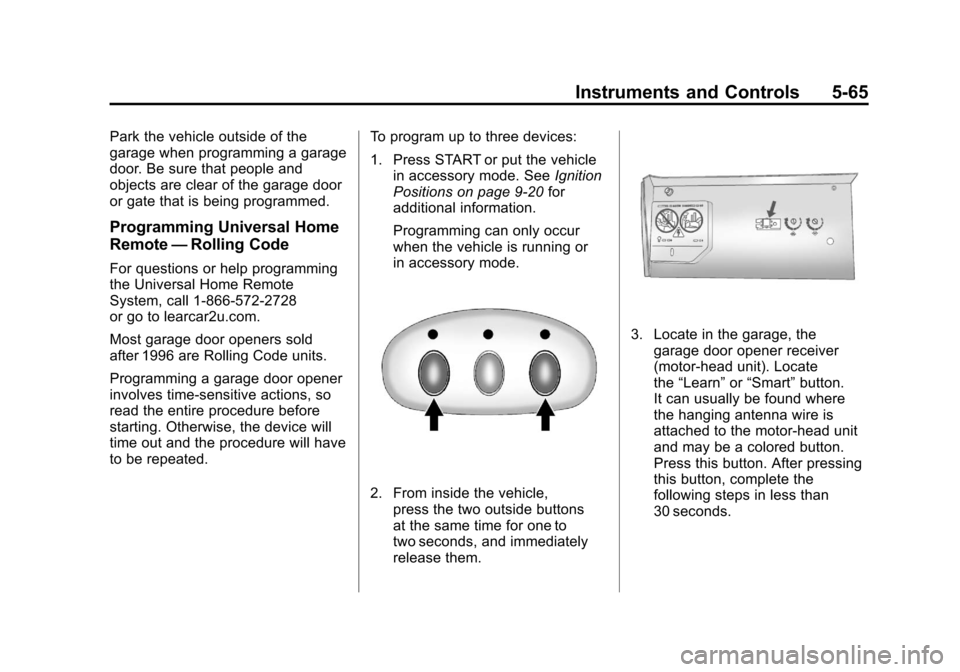
2. From inside the vehicle, press the two outside buttons
at the same time for one to
two seconds, and immediately
release them.
3. Locate in the garage, thegarage door opener receiver
(motor-head unit). Locate
the “Learn” or“Smart” button.
It can usually be found where
the hanging antenna wire is
attached to the motor-head unit
and may be a colored button.
Press this button. After pressing
this button, complete the
following steps in less than
30 seconds.
Page 186 of 428
Black plate (66,1)Chevrolet Corvette Owner Manual - 2011
5-66 Instruments and Controls
4. Immediately return to thevehicle. Press and hold the
Universal Home Remote button
that will be used to control the
garage door until the garage
door moves. The indicator light,
above the selected button,
should slowly blink. This button
may need to be held for up to
20 seconds.
5. Immediately, within one second, release the button when
the garage door moves.
The indicator light blinks rapidly
until programming is complete.
6. Press and release the same button again. The garage door
should move, confirming that
programming is successful and
complete. To program another Rolling Code
device such as an additional garage
door opener, a security device,
or home automation device, repeat
Steps 1-6, choosing a different
function button in Step 4 than
what was used for the garage
door opener.
If these instructions do not work,
the garage door opener is probably
a Fixed Code unit. Follow the
Programming instructions that follow
for a Fixed Code garage door
opener.
Programming Universal Home
Remote
—Fixed Code
For questions or help programming
the Universal Home Remote
System, call 1-866-572-2728
or go to learcar2u.com. Most garage door openers sold
before 1996 are Fixed Code units.
Programming a garage door opener
involves time-sensitive actions, so
read the entire procedure before
starting. Otherwise, the device will
time out and the procedure will have
to be repeated.
To program up to three devices:
1. Press START or put the vehicle
in accessory mode. See Ignition
Positions on page 9‑20 for
additional information.
Programming can only occur
when the vehicle is running or in
accessory mode.
Page 191 of 428
Black plate (1,1)Chevrolet Corvette Owner Manual - 2011
Lighting 6-1
Lighting
Exterior Lighting
Exterior Lamp Controls . . . . . . . . 6-1
Exterior Lamps OffReminder . . . . . . . . . . . . . . . . . . . . 6-2
Headlamp High/Low-Beam Changer . . . . . . . . . . . . . . . . . . . . . 6-2
Flash-to-Pass . . . . . . . . . . . . . . . . . 6-2
Daytime Running Lamps (DRL) . . . . . . . . . . . . . . . . 6-2
Twilight Sentinel . . . . . . . . . . . . . . 6-3
Hazard Warning Flashers . . . . . 6-4
Turn and Lane-Change Signals (Auto Signal) . . . . . . . . . . . . . . . . 6-4
Fog Lamps . . . . . . . . . . . . . . . . . . . . 6-5
Interior Lighting
Instrument Panel Illumination Control . . . . . . . . . . . . . . . . . . . . . . 6-5
Courtesy Lamps . . . . . . . . . . . . . . 6-6
Reading Lamps . . . . . . . . . . . . . . . 6-6
Lighting Features
Entry/Exit Lighting . . . . . . . . . . . . . 6-6
Battery Power Protection . . . . . . 6-7
Exterior Lighting Battery Saver . . . . . . . . . . . . . . . . . . . . . . . . 6-7
Exterior Lighting
Exterior Lamp Controls
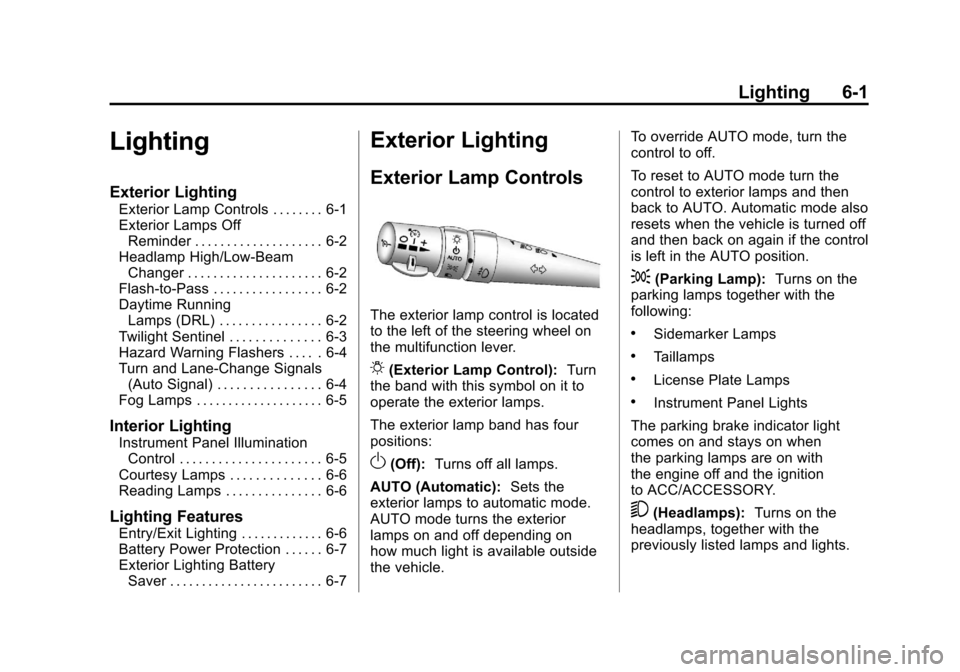
The exterior lamp control is located
to the left of the steering wheel on
the multifunction lever.
O(Exterior Lamp Control): Turn
the band with this symbol on it to
operate the exterior lamps.
The exterior lamp band has four
positions:
O(Off): Turns off all lamps.
AUTO (Automatic): Sets the
exterior lamps to automatic mode.
AUTO mode turns the exterior
lamps on and off depending on
how much light is available outside
the vehicle. To override AUTO mode, turn the
control to off.
To reset to AUTO mode turn the
control to exterior lamps and then
back to AUTO. Automatic mode also
resets when the vehicle is turned off
and then back on again if the control
is left in the AUTO position.
;(Parking Lamp):
Turns on the
parking lamps together with the
following:
.Sidemarker Lamps
.Taillamps
.License Plate Lamps
.Instrument Panel Lights
The parking brake indicator light
comes on and stays on when
the parking lamps are on with
the engine off and the ignition
to ACC/ACCESSORY.
5(Headlamps): Turns on the
headlamps, together with the
previously listed lamps and lights.
Page 192 of 428
Black plate (2,1)Chevrolet Corvette Owner Manual - 2011
6-2 Lighting
Exterior Lamps Off
Reminder
A warning chime will sound if the
exterior lamp control is left on in
either the headlamp or parking lamp
position and the driver's door is
opened with the ignition off.
Headlamp High/
Low-Beam Changer
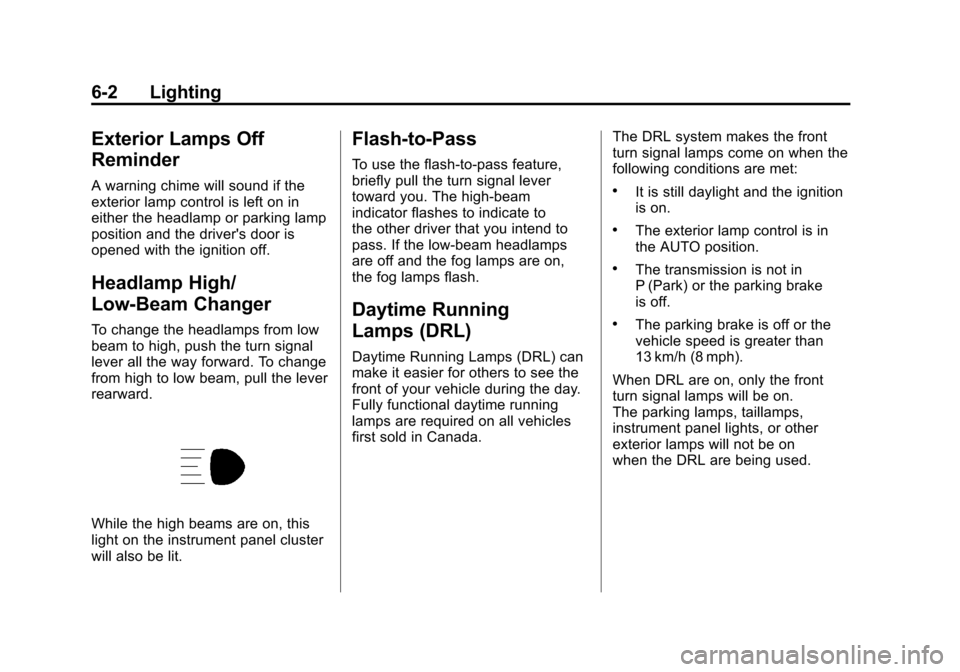
To change the headlamps from low
beam to high, push the turn signal
lever all the way forward. To change
from high to low beam, pull the lever
rearward.
While the high beams are on, this
light on the instrument panel cluster
will also be lit.
Flash-to-Pass
To use the flash-to-pass feature,
briefly pull the turn signal lever
toward you. The high-beam
indicator flashes to indicate to
the other driver that you intend to
pass. If the low-beam headlamps
are off and the fog lamps are on,
the fog lamps flash.
Daytime Running
Lamps (DRL)
Daytime Running Lamps (DRL) can
make it easier for others to see the
front of your vehicle during the day.
Fully functional daytime running
lamps are required on all vehicles
first sold in Canada.The DRL system makes the front
turn signal lamps come on when the
following conditions are met:
.It is still daylight and the ignition
is on.
.The exterior lamp control is in
the AUTO position.
.The transmission is not in
P (Park) or the parking brake
is off.
.The parking brake is off or the
vehicle speed is greater than
13 km/h (8 mph).
When DRL are on, only the front
turn signal lamps will be on.
The parking lamps, taillamps,
instrument panel lights, or other
exterior lamps will not be on
when the DRL are being used.