automatic CHEVROLET CORVETTE 2012 6.G Workshop Manual
[x] Cancel search | Manufacturer: CHEVROLET, Model Year: 2012, Model line: CORVETTE, Model: CHEVROLET CORVETTE 2012 6.GPages: 434, PDF Size: 6.96 MB
Page 168 of 434
Black plate (58,1)Chevrolet Corvette Owner Manual - 2012
5-58 Instruments and Controls
When the mode you want is
selected, press the OPTION button
to set your choice and advance to
the next personal option.
Approach Lights:This option
briefly turns on the parking lamps,
the high-beam headlamps, and the
back-up lamps during low light
periods when the RKE transmitter is
used to unlock the vehicle.
Press the OPTION button until
APPROACH LIGHTS appears on
the display, then press the RESET
button to scroll through the following
modes:
.OFF
.ON (default)
If you choose OFF, this option will
turn off. If you choose ON, the parking
lamps, the high-beam headlamps,
and the back-up lamps will come on
for 20 seconds during low light
periods when all of the following
occur:
.You press the unlock button on
the RKE transmitter.
.Both of the doors are closed.
.The vehicle is off or in RAP.
The lamps remain on for 20 seconds
or until a door is opened, the lock
button on the RKE transmitter is
pressed, or the vehicle is no longer
off or in RAP.
See Remote Keyless Entry (RKE)
System on page 2‑3 for more
information.
When the mode you want is
selected, press the OPTION button
to set your choice and advance to
the next personal option. Twilight Delay:
This option allows
you to set the amount of time you
want the parking lamps and
high-beam headlamps to remain on
after you exit the vehicle. This will
occur when the vehicle is off or in
RAP and the headlamps are on due
to the automatic headlamp system.
The parking lamps and high-beam
headlamps will remain on until the
driver selected time expires, the
exterior lamp control is activated,
or the vehicle is no longer off or
in RAP.
Press the OPTION button until
TWILIGHT DELAY appears on
the display, then press the
RESET button to scroll through
the following modes:
.OFF
.15 S
.30 S (default)
.90 S
If you choose OFF, this option will
turn off.
Page 170 of 434
Black plate (60,1)Chevrolet Corvette Owner Manual - 2012
5-60 Instruments and Controls
FOB Reminder:This option
sounds the horn three times when
the driver door is closed and there is
a RKE transmitter inside the interior
of the vehicle. This will only occur
when the vehicle is off.
Press the OPTION button until FOB
REMINDER appears on the display,
then press the RESET button to
scroll through the following modes:
.YES
.NO (default)
If you choose YES, the horn will
sound three times when a RKE
transmitter is inside of the vehicle
while the ignition is turned off and
the driver door is closed.
If you choose NO, this option will
turn off.
When the mode you want is
selected, press the OPTION button
to set your choice and advance to
the next personal option. Passive Door Locking:
This
option allows you to select whether
the doors automatically lock during
normal vehicle exit. When the
ignition is turned off and all doors
become closed, the vehicle will
determine how many RKE
transmitters remain in the vehicle
interior. If at least one RKE
transmitter has been removed from
the interior of the vehicle, the doors
will lock after a short delay.
For example, if there are two RKE
transmitters in the vehicle and one
is removed, the other will be locked
in. The RKE transmitter locked in
the vehicle can still be used to start
the vehicle or unlock the doors,
if needed. A person approaching the
outside of the locked vehicle without
an authorized RKE transmitter,
however, will not be able to open
the door, even with a transmitter in
the vehicle. You may temporarily disable the
passive door locking feature by
pressing the door unlock switch for
three seconds on an open door.
Passive door locking will then
remain disabled until a door lock
switch is pressed or until the power
mode transitions from the off
power mode.
Press the OPTION button until
PASSIVE DOOR LOCKING appears
on the display, then press the
RESET button to scroll through the
following modes:
.OFF (default)
.SILENT
.HORN
If you choose OFF, this option will
turn off.
Page 171 of 434
Black plate (61,1)Chevrolet Corvette Owner Manual - 2012
Instruments and Controls 5-61
If you choose SILENT, the doors will
automatically lock a short time after
you remove a RKE transmitter from
the interior of the vehicle and close
both doors.
If you choose HORN, the doors will
automatically lock and the horn will
sound a short time after you remove
a RKE transmitter from the interior
of the vehicle and close both doors.
If you are parking in a quiet area
and do not want the horn to sound
when the doors lock, press the lock
button on the RKE transmitter
immediately after removing it from
the interior and closing the doors.
This will lock the doors and
cancel the passive locking for
this ignition cycle.
When the mode you want is
selected, press the OPTION button
to set your choice and advance to
the next personal option.Passive Door Unlock:
This option
allows you to select which doors will
automatically unlock when you
approach and open the driver door
with the RKE transmitter. See Door
Locks on page 2‑8 for more
information.
Press the OPTION button until
PASSIVE DOOR UNLOCK appears
on the display, then press the
RESET button to scroll through the
following modes:
.DRIVER
.BOTH (default)
If you choose DRIVER, only the
driver door will automatically unlock
when you approach and open the
driver door with the RKE transmitter.
If you choose BOTH, both doors will
automatically unlock when you
approach and open the driver door
with the RKE transmitter. Auto Unlock:
This option allows
you to select whether the driver
door, both doors, or neither door
automatically unlocks when the shift
lever is moved into P (Park) for
automatic transmission vehicles or
when the ignition is turned off or is
in RAP for manual transmission
vehicles.
Press the OPTION button until
AUTO UNLOCK appears on the
display, then press the RESET
button to scroll through the following
modes:.OFF
.DRIVER
.BOTH (default)
If you choose OFF, this option will
turn off.
Page 172 of 434
Black plate (62,1)Chevrolet Corvette Owner Manual - 2012
5-62 Instruments and Controls
If you choose DRIVER, on
automatic transmission vehicles,
the driver door will automatically
unlock when the shift lever is
moved into P (Park). On manual
transmission vehicles, the driver
door will automatically unlock when
the ignition is turned off or is in RAP.
If you choose BOTH, on automatic
transmission vehicles, both doors
will automatically unlock when the
shift lever is moved into P (Park).
On manual transmission vehicles,
both doors will automatically unlock
when the ignition is turned off or is
in RAP.
When the mode you want is
selected, press the OPTION button
to set your choice and advance to
the next personal option.Language:
This option allows you
to select the language the DIC, the
Head-Up Display (HUD), if your
vehicle has this feature, and the
radio uses to display messages.
Each language mode will be
displayed in its own language.
For example, English will be
displayed as ENGLISH, Spanish as
ESPANOL, etc. If your vehicle has
the navigation system, you will not
have the Japanese language mode.
Press the OPTION button until
LANGUAGE appears on the display,
then press the RESET button to
scroll through the following modes:
.ENGLISH (default)
.DEUTSCH (German)
.FRANCAIS (French)
.ITALIANO (Italian)
.ESPANOL (Spanish)
.JAPANESE If you choose a language that you
do not understand, press the
OPTION and RESET buttons for
five seconds. The DIC will begin
displaying all of the various
languages one by one for as long
as the buttons are pressed. When
the desired language is displayed,
release the buttons and the DIC will
set to this language.
When the mode you want is
selected, press the OPTION button
to set your choice and advance to
the next personal option.
Personalize Name:
This option
allows you to type in a name or
greeting that will appear on the DIC
display whenever the corresponding
RKE transmitter (1 or 2) is used or
one of the memory buttons (1 or 2)
located on the driver door is
pressed.
Page 181 of 434
Black plate (1,1)Chevrolet Corvette Owner Manual - 2012
Lighting 6-1
Lighting
Exterior Lighting
Exterior Lamp Controls . . . . . . . . 6-1
Exterior Lamps OffReminder . . . . . . . . . . . . . . . . . . . . 6-2
Headlamp High/Low-Beam Changer . . . . . . . . . . . . . . . . . . . . . 6-2
Flash-to-Pass . . . . . . . . . . . . . . . . . 6-2
Daytime Running Lamps (DRL) . . . . . . . . . . . . . . . . 6-2
Twilight Sentinel . . . . . . . . . . . . . . 6-3
Hazard Warning Flashers . . . . . 6-4
Turn and Lane-Change Signals . . . . . . . . . . . . . . . . . . . . . . 6-4
Fog Lamps . . . . . . . . . . . . . . . . . . . . 6-5
Interior Lighting
Instrument Panel Illumination Control . . . . . . . . . . . . . . . . . . . . . . 6-5
Courtesy Lamps . . . . . . . . . . . . . . 6-6
Reading Lamps . . . . . . . . . . . . . . . 6-6
Lighting Features
Entry/Exit Lighting . . . . . . . . . . . . . 6-6
Battery Power Protection . . . . . . 6-6
Exterior Lighting Battery Saver . . . . . . . . . . . . . . . . . . . . . . . . 6-6
Exterior Lighting
Exterior Lamp Controls
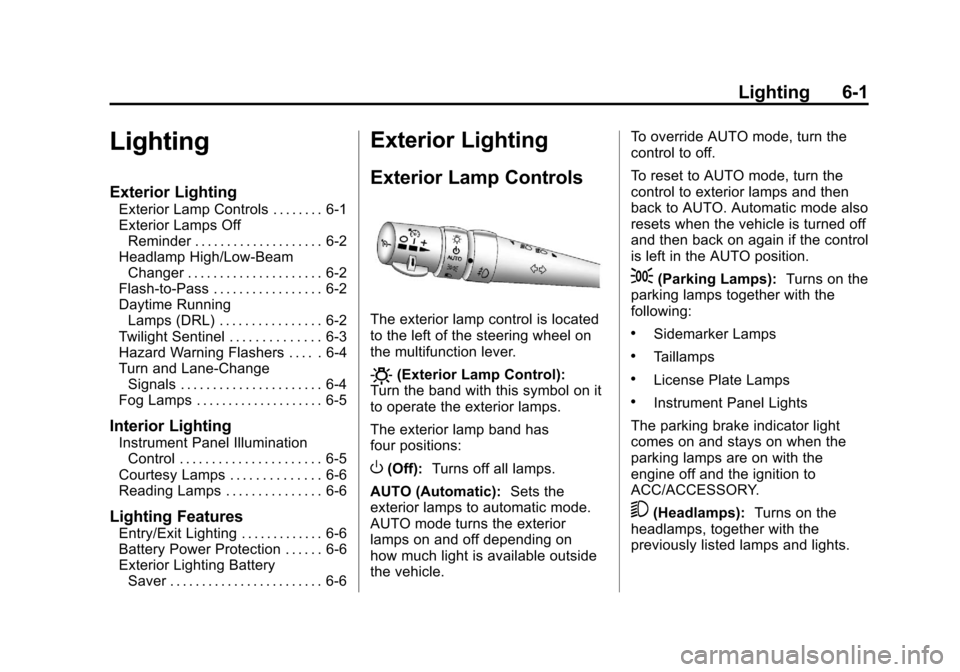
The exterior lamp control is located
to the left of the steering wheel on
the multifunction lever.
O(Exterior Lamp Control):
Turn the band with this symbol on it
to operate the exterior lamps.
The exterior lamp band has
four positions:
O(Off): Turns off all lamps.
AUTO (Automatic): Sets the
exterior lamps to automatic mode.
AUTO mode turns the exterior
lamps on and off depending on
how much light is available outside
the vehicle. To override AUTO mode, turn the
control to off.
To reset to AUTO mode, turn the
control to exterior lamps and then
back to AUTO. Automatic mode also
resets when the vehicle is turned off
and then back on again if the control
is left in the AUTO position.
;(Parking Lamps):
Turns on the
parking lamps together with the
following:
.Sidemarker Lamps
.Taillamps
.License Plate Lamps
.Instrument Panel Lights
The parking brake indicator light
comes on and stays on when the
parking lamps are on with the
engine off and the ignition to
ACC/ACCESSORY.
5(Headlamps): Turns on the
headlamps, together with the
previously listed lamps and lights.
Page 182 of 434
Black plate (2,1)Chevrolet Corvette Owner Manual - 2012
6-2 Lighting
Exterior Lamps Off
Reminder
A warning chime will sound if the
exterior lamp control is left on in
either the headlamp or parking lamp
position and the driver door is
opened with the ignition off.
Headlamp High/
Low-Beam Changer
To change the headlamps from low
beam to high, push the turn signal
lever all the way forward. To change
from high to low beam, pull the lever
rearward.
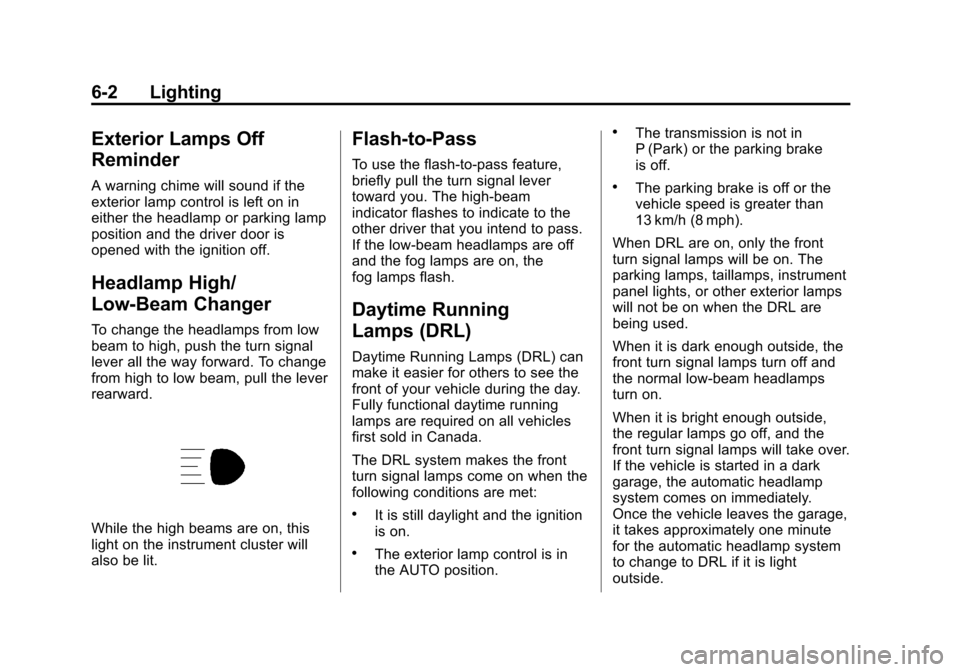
While the high beams are on, this
light on the instrument cluster will
also be lit.
Flash-to-Pass
To use the flash-to-pass feature,
briefly pull the turn signal lever
toward you. The high-beam
indicator flashes to indicate to the
other driver that you intend to pass.
If the low-beam headlamps are off
and the fog lamps are on, the
fog lamps flash.
Daytime Running
Lamps (DRL)
Daytime Running Lamps (DRL) can
make it easier for others to see the
front of your vehicle during the day.
Fully functional daytime running
lamps are required on all vehicles
first sold in Canada.
The DRL system makes the front
turn signal lamps come on when the
following conditions are met:
.It is still daylight and the ignition
is on.
.The exterior lamp control is in
the AUTO position.
.The transmission is not in
P (Park) or the parking brake
is off.
.The parking brake is off or the
vehicle speed is greater than
13 km/h (8 mph).
When DRL are on, only the front
turn signal lamps will be on. The
parking lamps, taillamps, instrument
panel lights, or other exterior lamps
will not be on when the DRL are
being used.
When it is dark enough outside, the
front turn signal lamps turn off and
the normal low-beam headlamps
turn on.
When it is bright enough outside,
the regular lamps go off, and the
front turn signal lamps will take over.
If the vehicle is started in a dark
garage, the automatic headlamp
system comes on immediately.
Once the vehicle leaves the garage,
it takes approximately one minute
for the automatic headlamp system
to change to DRL if it is light
outside.
Page 183 of 434
Black plate (3,1)Chevrolet Corvette Owner Manual - 2012
Lighting 6-3
During that delay, the instrument
panel cluster may not be as bright
as usual. Make sure the instrument
panel brightness knob is in the full
bright position. SeeInstrument
Panel Illumination Control on
page 6‑5 for more information.
If it is dark enough outside and
the exterior lamp control is off, a
HEADLAMPS SUGGESTED
message will display on the Driver
Information Center (DIC). See Lamp
Messages on page 5‑45.
Turning the exterior lamp control to
off a second time, or turning on the
headlamps will remove the
HEADLAMPS SUGGESTED
message in the DIC. If the parking
lamps or the fog lamps were turned
on instead, the HEADLAMPS
SUGGESTED message will
continue to be displayed. The regular headlamp system
should be turned on when needed.
To turn off the DRL, turn the exterior
lamp control to the off position or
shift into P (Park). The DRL will stay
off until the control is toggled again
or the vehicle is shifted out of
P (Park).
This procedure applies only to
vehicles first sold in the United
States.
Twilight Sentinel
Twilight Sentinel®is an automatic
headlamp system. When activated,
this feature turns your headlamps
and parking lamps on and off by
sensing how dark it is outside.
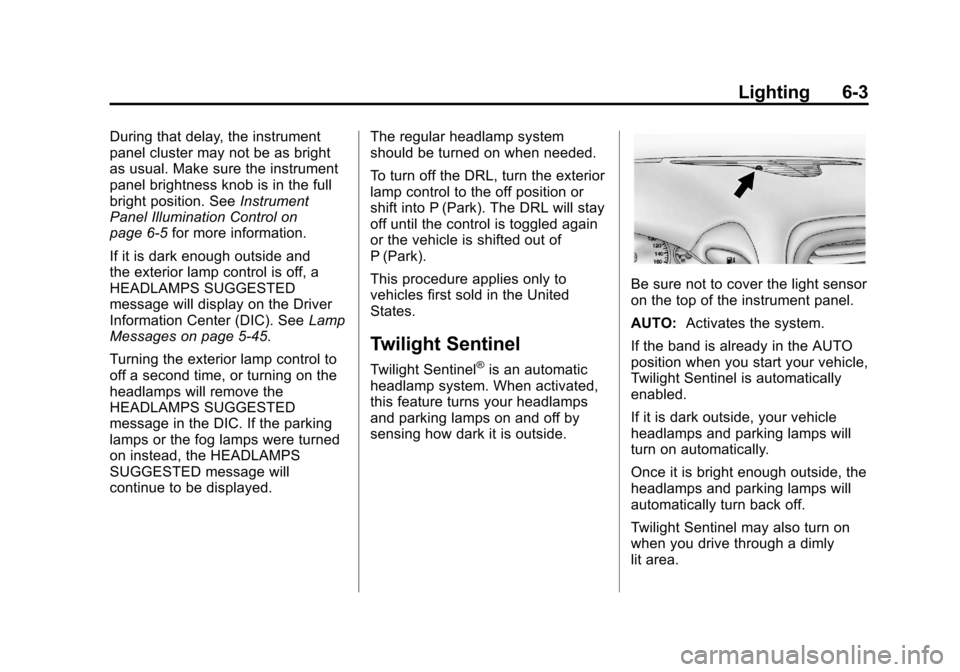
Be sure not to cover the light sensor
on the top of the instrument panel.
AUTO: Activates the system.
If the band is already in the AUTO
position when you start your vehicle,
Twilight Sentinel is automatically
enabled.
If it is dark outside, your vehicle
headlamps and parking lamps will
turn on automatically.
Once it is bright enough outside, the
headlamps and parking lamps will
automatically turn back off.
Twilight Sentinel may also turn on
when you drive through a dimly
lit area.
Page 185 of 434
Black plate (5,1)Chevrolet Corvette Owner Manual - 2012
Lighting 6-5
Raise or lower the lever until the
arrow starts to flash to signal a lane
change. Release the lever and the
turn signal automatically flashes
three times. If more flashes are
desired, continue to hold the lever.
The lever returns to its starting
position when it is released.
If after signaling a turn or lane
change the arrows flash rapidly or
do not come on, a signal bulb may
be burned out.
Have the bulbs replaced. If the bulb
is not burned out, check the fuse.
SeeFuses and Circuit Breakers on
page 10‑51.
Turn Signal on Chime
A chime sounds if the turn
signal has been on for more than
1.2 km (0.75 miles) of driving.
If you need to leave the
turn signal on for more than
1.2 km (0.75 miles), turn off the
signal and then turn it back on.Fog Lamps
Use fog lamps for better vision in
foggy or misty conditions.
The fog lamps control is located on
the multifunction lever next to the
exterior lamp control.
#(Fog Lamps): Turning the
band to this position will turn the
fog lamps on.
When you turn the fog lamps on,
the fog lamp light will appear on the
instrument panel cluster to indicate
that the fog lamps and the parking
lamps are on.
If you turn the high-beam
headlamps on, the fog lamps will
turn off. They will turn on again
when you switch to low-beam
headlamps.
The ignition must be on for the
fog lamps to operate.
Some localities have laws that
require the headlamps to be on
along with the fog lamps.
Interior Lighting
Instrument Panel
Illumination Control
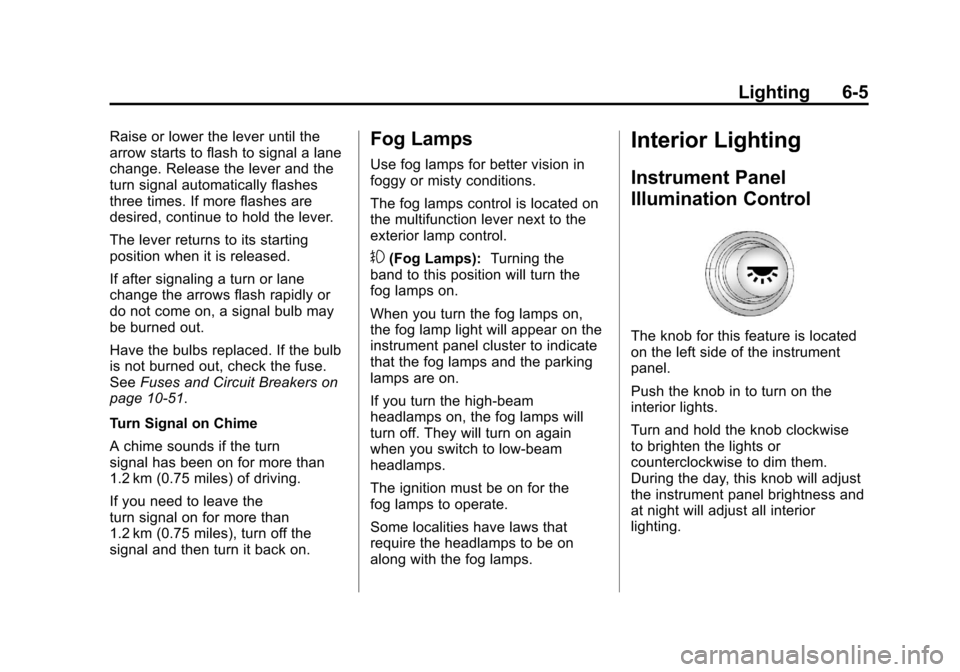
The knob for this feature is located
on the left side of the instrument
panel.
Push the knob in to turn on the
interior lights.
Turn and hold the knob clockwise
to brighten the lights or
counterclockwise to dim them.
During the day, this knob will adjust
the instrument panel brightness and
at night will adjust all interior
lighting.
Page 186 of 434
Black plate (6,1)Chevrolet Corvette Owner Manual - 2012
6-6 Lighting
Be sure not to have this knob turned
all the way down with the lamps on
during the day. The Driver
Information Center (DIC) may
not be visible.
Courtesy Lamps
When any door or the hatch/trunk lid
is opened, the interior lamps will go
on unless it is bright outside.
You can also turn the courtesy
lamps on and off by pressing the
instrument panel brightness knob.
Reading Lamps
The inside rearview mirror includes
two reading lamps. The lamps will
go on when a door is opened. When
the doors are closed, press each
lamp switch to turn them on
individually.
Lighting Features
Entry/Exit Lighting
With entry lighting, the interior
lamps will come on when entering
the vehicle. To illuminate your exit,
the interior lamps come on for about
20 seconds when the engine is
turned off.
To turn the entry and exit lighting off,
quickly turn the courtesy lamps on
and off by pressing the instrument
panel brightness knob.
Battery Power Protection
This vehicle has a feature to help
prevent the battery from being
drained in case any of the following
lamps are left on: the underhood
lamp, if your vehicle has this
feature, vanity mirror lamps, cargo
lamps, reading lamps, console,
or glove box lamps. If any of these
lamps are left on, they will
automatically time-out after about10 minutes. To reset it, all of the
above lamps must be turned off or
the ignition key on.
Exterior Lighting Battery
Saver
If the manual parking lamps or
headlamps have been left on, the
exterior lamps will turn off as soon
as the ignition is turned off or
Retained Accessory Power (RAP) is
active. This protects against
draining the battery in case you
have accidentally left the headlamps
or parking lamps on. The battery
saver does not work if the
headlamps are turned on after the
ignition switch is turned to off.
If you need to leave the lamps on,
use the exterior lamp control to turn
the lamps back on.
Page 190 of 434
Black plate (4,1)Chevrolet Corvette Owner Manual - 2012
7-4 Infotainment System
AUTO EQ (Automatic
Equalization):The radio saves
separate AUTO EQ settings for
each preset and source.
For vehicles without the Bose sound
system:
.Press AUTO EQ to select
equalization settings designed
for CLASSICAL, POP, ROCK,
JAZZ, TALK, and COUNTRY.
.Selecting CUSTOM or changing
bass or treble, returns the EQ to
the manual bass and treble
settings.
For vehicles with the Bose sound
system:
.Press AUTO EQ to select
equalization settings from
EQ1 through EQ6.
.Selecting CUSTOM or changing
bass or treble, returns the EQ to
the manual bass and treble
settings. AUTO
n(Automatic Volume):
Automatic volume automatically
adjusts the audio system to make
up for road and wind noise, by
increasing the volume as vehicle
speed increases.
For vehicles without the Bose sound
system:
1. Set the volume at the desired level.
2. Press AUTO
nto
select AUTO VOLUME MIN
(minimum), AUTO VOLUME
MED (medium), or AUTO
VOLUME MAX (maximum).
Each higher setting provides
more volume compensation at
faster vehicle speeds.
3. Press AUTO
nuntil AUTO
VOLUME OFF displays to turn
automatic volume off. For vehicles with the Bose sound
system:
Vehicles with the Bose sound
system include Bose AudioPilot
®
noise compensation technology.
AudioPilot continuously adjusts
the audio system equalization to
compensate for background noise.
This feature is most effective at
lower radio volume settings where
background noise can affect how
well the audio is heard. At higher
volume settings, there may be little
or no adjustments by AudioPilot. For
additional information on AudioPilot,
visit bose.com/audiopilot.
To use AudioPilot:
1. Set the volume at the desired
level.
2. Press AUTO
nuntil AUTO
VOLUME ON displays.
3. Press AUTO
nuntil AUTO
VOLUME OFF displays to turn
off AudioPilot.