brake CHEVROLET CORVETTE 2014 7.G Workshop Manual
[x] Cancel search | Manufacturer: CHEVROLET, Model Year: 2014, Model line: CORVETTE, Model: CHEVROLET CORVETTE 2014 7.GPages: 376, PDF Size: 4.94 MB
Page 214 of 376
Black plate (42,1)Chevrolet Corvette Owner Manual (GMNA-Localizing-U.S./Canada/Mexico-
6007198) - 2014 - CRC - 2/5/14
9-42 Driving and Operating
Stability Control
.Competitive mode allows less
computer control to permit some
slide and drift and is selected
with the
gbutton–only
available in Track mode.
.StabiliTrak can be turned off by
pressing and holding the
g
button for 10 seconds.
PTM (Performance Traction
Management) (if equipped)
.Available in Track mode.
.There are five selectable
settings if Competitive mode is
activated.
Competitive Driving Mode
If equipped, Competitive Driving
Mode, Performance Traction
Management, and Launch Control
are systems designed to allow
increased performance while
accelerating and/or cornering. This
is accomplished by regulating and
optimizing the engine, brakes, and suspension performance. These
modes are for use at a closed
course race track and are not
intended for use on public roads.
They will not compensate for driver
inexperience or lack of familiarity
with the race track. Drivers who
prefer to allow the system to have
more control of the engine, brake,
and suspension are advised to turn
the normal traction control and
StabiliTrak systems on.
{Caution
Attempting to shift when the drive
wheels are spinning and do not
have traction may cause damage
to the transmission. Damage
caused by misuse of the vehicle
is not covered by the vehicle
warranty. Do not attempt to shift
when the drive wheels do not
have traction.
Competitive Driving Mode
(Except Z51 with Magnetic
Selective Ride Control)
Competitive Driving Mode allows full
engine power while StabiliTrak
helps maintain directional control of
the vehicle by selective brake
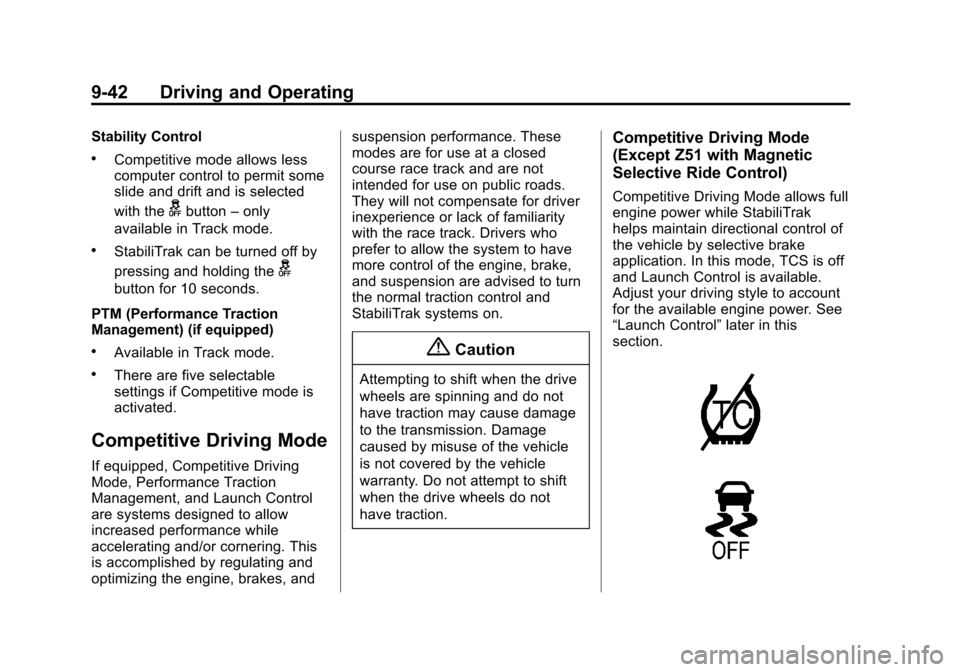
application. In this mode, TCS is off
and Launch Control is available.
Adjust your driving style to account
for the available engine power. See
“Launch Control”
later in this
section.
Page 218 of 376
Black plate (46,1)Chevrolet Corvette Owner Manual (GMNA-Localizing-U.S./Canada/Mexico-
6007198) - 2014 - CRC - 2/5/14
9-46 Driving and Operating
Automatic Transmissions
.The brake pedal must be firmly
pressed to the floor, equivalent
to a panic brake event.
.The accelerator pedal is rapidly
applied to wide open throttle.
(If the vehicle rolls due to wide
open throttle, release the
throttle, press the brake pedal
more firmly, and re-apply the
accelerator to wide open
throttle.)
The Launch Control feature will
initially limit engine speed as the
driver rapidly applies the accelerator
pedal to wide open throttle. Allow
the engine rpm to stabilize.
A smooth, quick release of the
brake pedal, while maintaining the
fully pressed accelerator pedal, will
manage wheel slip.
After the vehicle is launched, the
system continues in Competitive
Mode (except Z51 with Magnetic
Selective Ride Control) or Performance Traction Management
(Z51 with Magnetic Selective Ride
Control).
Competitive Driving Mode, PTM,
and Launch Control are systems
designed for a closed course race
track and not intended for use on
public roads. The systems are not
intended to compensate for lack of
driver experience or familiarity with
the race track.
Limited-Slip Differential
(Except Z51)
If equipped, the mechanical
limited-slip differential can give more
traction on snow, mud, ice, sand,
or gravel. It works like a standard
axle most of the time, but when
traction is low, this feature allows
the drive wheel with the most
traction to move the vehicle.
Limited-Slip Differential
(Z51 Only)
If equipped, the Electronic Limited
Slip Differential (ELSD) is
automatically activated. ELSD
actively monitors vehicle sensors
and driver inputs to determine the
amount of change for the
conditions. With ELSD, the
vehicle has:
.Enhanced high-speed control.
.Improved traction through
corners, allowing more
acceleration.
.More precise steering.
.Increased vehicle agility.
.Integration with StabiliTrak.
Page 219 of 376
Black plate (47,1)Chevrolet Corvette Owner Manual (GMNA-Localizing-U.S./Canada/Mexico-
6007198) - 2014 - CRC - 2/5/14
Driving and Operating 9-47
Cruise Control
With cruise control, a speed of
about 40 km/h (25 mph) or more
can be maintained without keeping
your foot on the accelerator. Cruise
control does not work at speeds
below about 40 km/h (25 mph).
{Warning
Cruise control can be dangerous
where you cannot drive safely at
a steady speed. Do not use the
cruise control on winding roads or
in heavy traffic.
Cruise control can be dangerous
on slippery roads. On such roads,
fast changes in tire traction can
cause excessive wheel slip, and
you could lose control. Do not use
cruise control on slippery roads.
If the brakes are applied, the cruise
control disengages. If equipped with a manual
transmission, the cruise control will
remain active when the gears are
shifted. The cruise is disengaged if
the clutch is pressed for several
seconds.
If the Traction Control System (TCS)
begins to limit wheel spin while you
are using cruise control, the cruise
control automatically disengages.
See
Traction Control/Electronic
Stability Control on page 9-36.
When road conditions allow for
using safely again, the cruise
control can be turned back on.
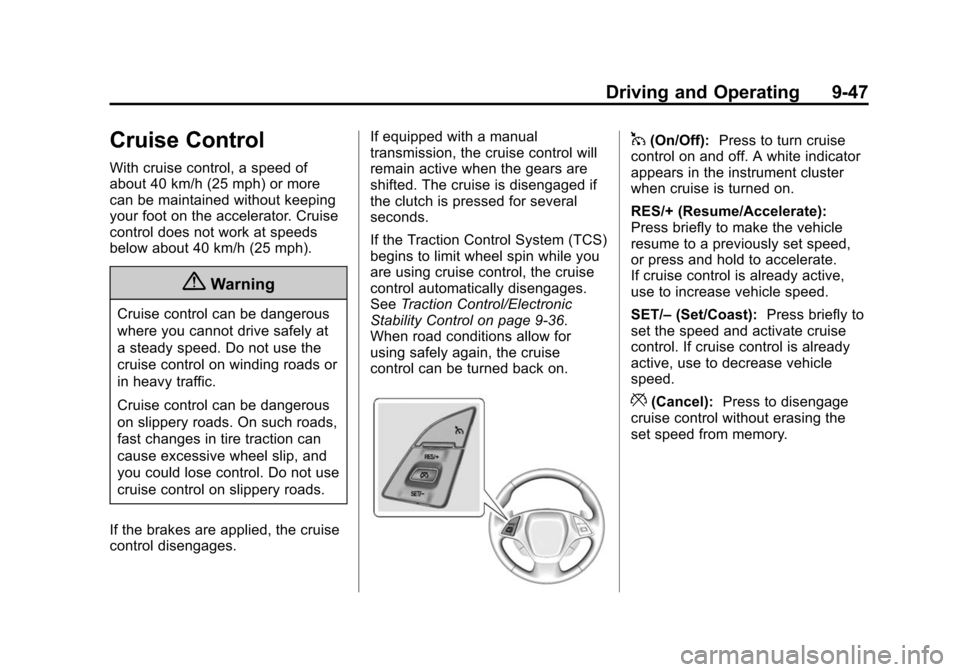
1(On/Off): Press to turn cruise
control on and off. A white indicator
appears in the instrument cluster
when cruise is turned on.
RES/+ (Resume/Accelerate):
Press briefly to make the vehicle
resume to a previously set speed,
or press and hold to accelerate.
If cruise control is already active,
use to increase vehicle speed.
SET/– (Set/Coast): Press briefly to
set the speed and activate cruise
control. If cruise control is already
active, use to decrease vehicle
speed.
*(Cancel): Press to disengage
cruise control without erasing the
set speed from memory.
Page 220 of 376
Black plate (48,1)Chevrolet Corvette Owner Manual (GMNA-Localizing-U.S./Canada/Mexico-
6007198) - 2014 - CRC - 2/5/14
9-48 Driving and Operating
Setting Cruise Control
If the cruise button is on when not in
use, it could get bumped and go into
cruise when not desired. Keep the
cruise control switch off when cruise
is not being used.
1. Press the
1button to turn the
cruise system on.
2. Get up to the desired speed.
3. Press and release the SET/– button on the steering wheel.
4. Remove foot from the accelerator.
Resuming a Set Speed
If the cruise control is set at a
desired speed and then the brakes
are applied, the cruise control is
disengaged without erasing the set
speed from memory.
Once the vehicle speed is 40 km/h
(25 mph) or greater, briefly press
the RES/+ button on the steering
wheel. The vehicle returns to the
previous set speed. Increasing Speed While Using
Cruise Control
If the cruise control system is
already activated,
.Press and hold the RES/+ button
until the desired speed is
reached, then release it.
.To increase vehicle speed in
small increments, briefly press
the RES/+ button. For each
press, the vehicle goes about
1.6 km/h (1 mph) faster.
Reducing Speed While Using
Cruise Control
If the cruise control system is
already activated:
.Press and hold the SET/– button
until the desired lower speed is
reached, then release it.
.To decrease the vehicle speed in
smaller increments, press SET/–
button briefly. For each press,
the vehicle goes about 1.6 km/h
(1 mph) slower. Passing Another Vehicle While
Using Cruise Control
Use the accelerator pedal to
increase the vehicle speed. When
you take your foot off the pedal, the
vehicle will slow down to the
previously set cruise speed.
While pressing the accelerator pedal
or shortly following the release to
override cruise control, briefly
applying the SET/–
button results in
cruise set to the current vehicle
speed.
Using Cruise Control on Hills
How well the cruise control works
on hills depends upon the vehicle
speed, load, and the steepness of
the hills. When going up steep hills,
you might want to step on the
accelerator pedal to maintain the
vehicle speed. When going
downhill, you might have to brake or
shift to a lower gear to keep the
vehicle's speed down. When the
brakes are applied the cruise control
is disengaged.
Page 221 of 376
Black plate (49,1)Chevrolet Corvette Owner Manual (GMNA-Localizing-U.S./Canada/Mexico-
6007198) - 2014 - CRC - 2/5/14
Driving and Operating 9-49
Cruise Control in Manual Paddle
Shift Gear Selection
When the vehicle is in M (Manual
Mode) and the manual paddle shift
controls are not being used, cruise
control operates in the same
manner as D (Drive).
When the vehicle is in M (Manual
Mode) and the manual paddle shift
controls are being used, cruise
control operates as follows:
.If cruise control is active and a
gear is selected with the manual
paddle shift controls, the vehicle
speed is maintained in the driver
selected gear and will not
automatically upshift or
downshift the transmission while
the driver’s gear selection is
active.
.If driving in hilly terrain, cruise
control may not be able to
maintain vehicle speed if an
upshift or downshift is not
selected by the driver. While
driving on hilly terrain and cruise
control is active with a manual paddle shift gear selection, the
driver must select the proper
gear for the terrain or select D
(Drive) on the gear range
selector for full automatic
transmission operation.
Ending Cruise Control
.To disengage cruise control,
step lightly on the brake pedal.
.If equipped with a manual
transmission, press the clutch
pedal for several seconds or
shift to Neutral to disengage
cruise control.
.Press the*button on the
steering wheel.
.To turn off the cruise control,
press the
1button on the
steering wheel.
Erasing Speed Memory
The cruise control set speed
memory is erased from memory by
pressing
1or if the ignition is
turned off.
Driver Assistance
Systems
Rear Vision
Camera (RVC)
The RVC system can assist the
driver when backing up by
displaying a view of the area behind
the vehicle.
{Warning
The RVC system does not display
children, pedestrians, bicyclists,
animals, or any other object
located outside the camera's field
of view, below the bumper,
or under the vehicle. Perceived
distances may be different from
actual distances. Do not back the
vehicle using only the RVC
screen, during longer, higher
speed backing maneuvers,
or where there could be cross
(Continued)
Page 229 of 376
Black plate (1,1)Chevrolet Corvette Owner Manual (GMNA-Localizing-U.S./Canada/Mexico-
6007198) - 2014 - CRC - 2/5/14
Vehicle Care 10-1
Vehicle Care
General Information
General Information . . . . . . . . . . 10-2
California Proposition65 Warning . . . . . . . . . . . . . . . . . 10-2
California Perchlorate Materials Requirements . . . . 10-2
Accessories and Modifications . . . . . . . . . . . . . . . 10-2
Lifting the Vehicle . . . . . . . . . . . . 10-3
Vehicle Checks
Doing Your Own Service Work . . . . . . . . . . . . . . . 10-5
Hood . . . . . . . . . . . . . . . . . . . . . . . . 10-6
Engine Compartment Overview . . . . . . . . . . . . . . . . . . . 10-7
Engine Oil . . . . . . . . . . . . . . . . . . 10-10
Engine Oil Life System . . . . . 10-16
Automatic Transmission Fluid . . . . . . . . . . . . . . . . . . . . . . 10-17
Manual Transmission Fluid . . . . . . . . . . . . . . . . . . . . . . 10-17
Hydraulic Clutch . . . . . . . . . . . . 10-17
Engine Air Cleaner/Filter . . . . 10-18
Cooling System (Engine) . . . 10-20 Cooling System (Aero
Panel) . . . . . . . . . . . . . . . . . . . . . 10-21
Engine Coolant . . . . . . . . . . . . . 10-22
Engine Overheating . . . . . . . . 10-25
Washer Fluid . . . . . . . . . . . . . . . 10-26
Brakes . . . . . . . . . . . . . . . . . . . . . 10-27
Brake Fluid . . . . . . . . . . . . . . . . . 10-28
Battery . . . . . . . . . . . . . . . . . . . . . 10-30
Rear Axle . . . . . . . . . . . . . . . . . . 10-31
Starter Switch Check . . . . . . . 10-31
Automatic Transmission Shift Lock Control Function
Check . . . . . . . . . . . . . . . . . . . . . 10-32
Park Brake and P (Park) Mechanism Check . . . . . . . . 10-32
Wiper Blade Replacement . . . . . . . . . . . . . . 10-33
Windshield Replacement . . . 10-33
Headlamp Aiming
Headlamp Aiming . . . . . . . . . . 10-34
Bulb Replacement
Bulb Replacement . . . . . . . . . . 10-34
High Intensity Discharge (HID) Lighting . . . . . . . . . . . . . 10-34
LED Lighting . . . . . . . . . . . . . . . 10-34
License Plate Lamp . . . . . . . . 10-34
Replacement Bulbs . . . . . . . . . 10-35
Electrical System
Electrical System Overload . . . . . . . . . . . . . . . . . . 10-35
Fuses . . . . . . . . . . . . . . . . . . . . . . 10-36
Engine Compartment Fuse Block . . . . . . . . . . . . . . . . . . . . . 10-36
Rear Compartment Fuse Block . . . . . . . . . . . . . . . . . . . . . 10-40
Wheels and Tires
Tires . . . . . . . . . . . . . . . . . . . . . . . . 10-43
Winter Tires . . . . . . . . . . . . . . . . 10-44
Run-Flat Tires . . . . . . . . . . . . . . 10-45
Low-Profile Tires . . . . . . . . . . . 10-46
Summer Tires . . . . . . . . . . . . . . 10-46
Tire Sidewall Labeling . . . . . . 10-46
Tire Designations . . . . . . . . . . . 10-48
Tire Terminology andDefinitions . . . . . . . . . . . . . . . . 10-48
Tire Pressure . . . . . . . . . . . . . . . 10-51
Tire Pressure for High-Speed Operation . . . . . . . . . . . . . . . . . 10-52
Tire Pressure Monitor System . . . . . . . . . . . . . . . . . . . 10-53
Tire Pressure Monitor Operation . . . . . . . . . . . . . . . . . 10-54
Tire Inspection . . . . . . . . . . . . . . 10-56
Tire Rotation . . . . . . . . . . . . . . . 10-57
Page 231 of 376
Black plate (3,1)Chevrolet Corvette Owner Manual (GMNA-Localizing-U.S./Canada/Mexico-
6007198) - 2014 - CRC - 2/5/14
Vehicle Care 10-3
handling, emissions systems,
aerodynamics, durability, and
electronic systems like antilock
brakes, traction control, and stability
control. These accessories or
modifications could even cause
malfunction or damage not covered
by the vehicle warranty.
Damage to vehicle components
resulting from modifications or the
installation or use of non‐GM
certified parts, including control
module or software modifications, is
not covered under the terms of the
vehicle warranty and may affect
remaining warranty coverage for
affected parts.
GM Accessories are designed to
complement and function with other
systems on the vehicle. See your
dealer to accessorize the vehicle
using genuine GM Accessories
installed by a dealer technician.
Also, seeAdding Equipment to the
Airbag-Equipped Vehicle on
page 3-25.Lifting the Vehicle
{Warning
Lifting a vehicle can cause an
injury. The vehicle can slip off the
jack and roll over you or other
people. You and they could be
badly injured. Find a level place
to lift your vehicle. To help
prevent the vehicle from moving:
1. Set the parking brake firmly.
2. Put an automatic transmission in P (Park) or a
manual transmission in
1 (First) or R (Reverse).
3. Turn off the engine.
To be even more certain the
vehicle will not move, put blocks
in front of and behind the wheels.
{Warning
Getting under a vehicle when it is
lifted on a jack is dangerous.
If the vehicle slips off the jack,
you could be badly injured or
killed. Never get under a vehicle
when it is supported only by
a jack.
{Warning
Raising the vehicle with the jack
improperly positioned can
damage the vehicle or the vehicle
may fall and cause injury to you
or others.
If a jack is used to lift the vehicle,
follow the instructions that came
with the jack, and be sure to use the
correct lifting points to avoid
damaging the vehicle.
Page 236 of 376

Black plate (8,1)Chevrolet Corvette Owner Manual (GMNA-Localizing-U.S./Canada/Mexico-
6007198) - 2014 - CRC - 2/5/14
10-8 Vehicle Care
1.Passenger Compartment Air
Filter on page 8-5 (Out of View).
2. Coolant Surge Tank and Pressure Cap. See Engine
Coolant on page 10-22.
3. Engine Compartment Fuse
Block on page 10-36.
4. Engine Air Cleaner/Filter on
page 10-18. 5. Engine Cooling Fan (Out of
View). See Cooling System
(Engine) on page 10-20 or
Cooling System (Aero Panel) on
page 10-21.
6. Engine Oil Fill Cap. See “When
to Add Engine Oil” underBrake
Fluid on page 10-28.
7. Engine Oil Dipstick. See “Checking Engine Oil” under
Engine Oil on page 10-10. 8. Brake Fluid Reservoir. See
“Brake Fluid” underBrakes on
page 10-27.
9. Clutch Master Cylinder Reservoir (If Equipped). See
Hydraulic Clutch on page 10-17.
10. Windshield Washer Fluid Reservoir. See “Adding Washer
Fluid” under Washer Fluid on
page 10-26.
Page 238 of 376
Black plate (10,1)Chevrolet Corvette Owner Manual (GMNA-Localizing-U.S./Canada/Mexico-
6007198) - 2014 - CRC - 2/5/14
10-10 Vehicle Care
1. Engine Oil Dipstick. See“Checking Engine Oil” under
Engine Oil on page 10-10.
2. Dry Sump Engine Oil Tank Fill Cap. See “Changing Engine Oil
and Filter” Engine Oil on
page 10-10.
3. Passenger Compartment Air
Filter on page 8-5 (Out of View).
4. Coolant Surge Tank and Pressure Cap. See Engine
Coolant on page 10-22.
5. Engine Compartment Fuse
Block on page 10-36.
6. Engine Air Cleaner/Filter on
page 10-18.
7. Engine Cooling Fan (Out of View). See Cooling System
(Engine) on page 10-20 or
Cooling System (Aero Panel) on
page 10-21.
8. Brake Fluid Reservoir. See “Brake Fluid” underBrakes on
page 10-27. 9. Clutch Master Cylinder
Reservoir (If Equipped). See
Hydraulic Clutch on page 10-17.
10. Windshield Washer Fluid Reservoir. See “Adding Washer
Fluid” under Washer Fluid on
page 10-26.
Engine Oil
To ensure proper engine
performance and long life, careful
attention must be paid to engine oil.
Following these simple, but
important steps will help protect
your investment:
.Always use engine oil approved
to the proper specification and of
the proper viscosity grade. See
“Selecting the Right Engine Oil”
in this section.
.Check the engine oil level
regularly and maintain the
proper oil level. See “Checking
Engine Oil” and“When to Add
Engine Oil” in this section.
.Change the engine oil at the
appropriate time. See Engine Oil
Life System on page 10-16.
.Always dispose of engine oil
properly. See “What to Do with
Used Oil” in this section.
Checking Engine Oil
(Except Z51)
If the ENGINE OIL LOW–ADD OIL
message displays on the Driver
Information Center (DIC), check the
engine oil level right away. See
Engine Oil Messages on page 5-35.
Check the engine oil level regularly.
It is a good idea to check the engine
oil level at each fuel fill. In order to
get an accurate reading, the vehicle
must be on level ground. The
engine oil dipstick handle is a loop.
SeeEngine Compartment Overview
on page 10-7 for the location of the
engine oil dipstick.
Page 255 of 376
Black plate (27,1)Chevrolet Corvette Owner Manual (GMNA-Localizing-U.S./Canada/Mexico-
6007198) - 2014 - CRC - 2/5/14
Vehicle Care 10-27
may fall below freezing, use a fluid
that has sufficient protection against
freezing.
Adding Washer Fluid
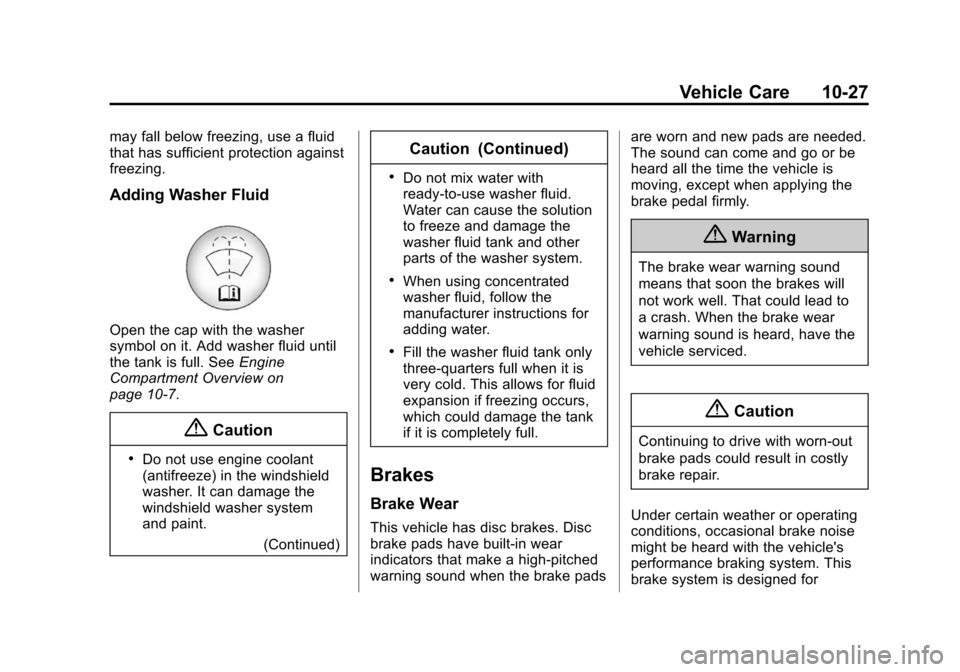
Open the cap with the washer
symbol on it. Add washer fluid until
the tank is full. SeeEngine
Compartment Overview on
page 10-7.
{Caution
.Do not use engine coolant
(antifreeze) in the windshield
washer. It can damage the
windshield washer system
and paint.
(Continued)
Caution (Continued)
.Do not mix water with
ready-to-use washer fluid.
Water can cause the solution
to freeze and damage the
washer fluid tank and other
parts of the washer system.
.When using concentrated
washer fluid, follow the
manufacturer instructions for
adding water.
.Fill the washer fluid tank only
three-quarters full when it is
very cold. This allows for fluid
expansion if freezing occurs,
which could damage the tank
if it is completely full.
Brakes
Brake Wear
This vehicle has disc brakes. Disc
brake pads have built-in wear
indicators that make a high-pitched
warning sound when the brake pads are worn and new pads are needed.
The sound can come and go or be
heard all the time the vehicle is
moving, except when applying the
brake pedal firmly.
{Warning
The brake wear warning sound
means that soon the brakes will
not work well. That could lead to
a crash. When the brake wear
warning sound is heard, have the
vehicle serviced.
{Caution
Continuing to drive with worn-out
brake pads could result in costly
brake repair.
Under certain weather or operating
conditions, occasional brake noise
might be heard with the vehicle's
performance braking system. This
brake system is designed for