start stop button CHEVROLET CORVETTE 2016 7.G User Guide
[x] Cancel search | Manufacturer: CHEVROLET, Model Year: 2016, Model line: CORVETTE, Model: CHEVROLET CORVETTE 2016 7.GPages: 351, PDF Size: 6.02 MB
Page 95 of 351
Chevrolet Corvette Owner Manual (GMNA-Localizing-U.S./Canada/Mexico-
9085364) - 2016 - crc - 9/15/15
94 Instruments and Controls
GPS signal is restored and provide
a heading again. SeeCompass
Messages 0121 for the messages
that may be displayed for the
compass.
Clock
The infotainment system controls
are used to access the time and
date settings through the menu
system. See “Home Page” in the
infotainment manual for information
about how to use the menu system.
Setting the Time
To set the time:
1. From the Home Page, press the SETTINGS screen button
and press Time and Date.
2. Press Set Time and press + or −to increase or decrease
hours, minutes, and AM or PM.
Press 12Hr or 24Hr for 12 or
24 hour clock.
3. Press
}to go back to the
previous menu. If auto timing is set, the time
displayed on the clock may not
update immediately when driving
into a new time zone.
To set the date:
1. Press the SETTINGS screen button and press Time
and Date.
2. Press Set Date and press + or −to increase or decrease
month, day, or year.
3. Press
}to go back to the
previous menu.
To set the clock display: 1. Press the SETTINGS screen button and press Time
and Date.
2. Press Clock Display and press OFF or ON to turn the clock
display off or on.
3. Press
}to go back to the
previous menu.
Power Outlets
Use the accessory power outlet to
plug in electrical equipment, such as
a cell phone or MP3 player.
There are three accessory power
outlets:
. In front of the cupholder. Open
the door compartment to access.
. Inside the center console
storage compartment.
. In the rear compartment.
Lift the cover to access and replace
when not in use.
The power outlets in front of the
cupholder and inside the center
console storage compartment are
powered when the ignition is in ON/
RUN/START or ACC/ACCESSORY,
or until the driver door is opened
within 10 minutes of turning off the
vehicle. See Retained Accessory
Power (RAP) 0179.
The rear compartment power outlet
is powered at all times. The
vehicle’s battery may run down if
the power outlet is used while the
ignition is in Stopping the Engine/
Page 148 of 351
Chevrolet Corvette Owner Manual (GMNA-Localizing-U.S./Canada/Mexico-
9085364) - 2016 - crc - 9/15/15
Infotainment System 147
Touch the PDR icon to access the
PDR menu. The options
displayed are:
Start Recording
If the system is unable to begin
recording, the Start Recording
button is grayed out.
Touch the Start Recording button to
begin recording. After recording
begins, this button changes to Stop
Recording. Touch to stop the
recording session.
The elapsed time will show when
recording. To define a finish line,
see“Define Finish Line” later in this
section.
If there is no available space on the
SD card, a message displays.
Delete or transfer recordings on the
SD card or use another SD card
with free space. To delete a recording, go to the
Recorded Sessions menu and touch
znext to the item. See
“Recorded
Sessions” later in this section.
If no SD card is inserted, a message
displays.
Define Finish Line
To track and record the vehicle’s lap
times, the starting point of a lap
must be set. Crossing this point
activates the lap timer when
recording.
Page 177 of 351
Chevrolet Corvette Owner Manual (GMNA-Localizing-U.S./Canada/Mexico-
9085364) - 2016 - crc - 9/15/15
176 Driving and Operating
The vehicle has an electronic
keyless ignition with pushbutton
start.
Pressing the button cycles it through
three modes: ACC/ACCESSORY,
ON/RUN/START, and Stopping the
Engine/OFF.
The Remote Keyless Entry (RKE)
transmitter must be in the vehicle for
the system to operate. If the
pushbutton start is not working, the
vehicle may be near a strong radio
antenna signal causing interference
to the Keyless Access system. See
Remote Keyless Entry (RKE)
System Operation026.
To shift out of P (Park), the vehicle
must be in ON/RUN and the brake
pedal must be applied.
Stopping the Engine/OFF (No
Indicator Lights) : When the
vehicle is stopped, press the
ENGINE START/STOP button once
to turn the engine off. If the vehicle is in P (Park), the
ignition will turn off, and Retained
Accessory Power (RAP) will remain
active. See
Retained Accessory
Power (RAP) 0179.
Automatic Transmission
If the vehicle is not in P (Park), the
ignition will return to ACC/
ACCESSORY and display a
message in the Driver Information
Center (DIC). See Transmission
Messages 0129. When the vehicle
is shifted into P (Park), the ignition
system will switch to OFF.
Manual Transmission
If the vehicle is stationary, the
ignition will turn OFF, and Retained
Accessory Power (RAP) will remain
active. See Retained Accessory
Power (RAP) 0179.
Do not turn the engine off when the
vehicle is moving. This will cause a
loss of power assist in the brake
and steering systems and disable
the airbags.
If the vehicle must be shut off in an
emergency: 1. Brake using a firm and steady
pressure. Do not pump the
brakes repeatedly. This may
deplete power assist, requiring
increased brake pedal force.
2. Shift the vehicle to N (Neutral). This can be done while the
vehicle is moving. After shifting
to N (Neutral), firmly apply the
brakes and steer the vehicle to
a safe location.
3. Come to a complete stop. Shift to P (Park) with an automatic
transmission, or Neutral with a
manual transmission. Turn the
ignition to Stopping the
Engine/OFF.
4. Set the parking brake. See Electric Parking Brake 0190.
{Warning
Turning off the vehicle while
moving may cause loss of power
assist in the brake and steering
systems and disable the airbags.
While driving, only shut the
vehicle off in an emergency.
Page 178 of 351
Chevrolet Corvette Owner Manual (GMNA-Localizing-U.S./Canada/Mexico-
9085364) - 2016 - crc - 9/15/15
Driving and Operating 177
If the vehicle cannot be pulled over,
and must be shut off while driving,
press and hold the ENGINE START/
STOP button for longer than
two seconds, or press twice within
five seconds.
ACC/ACCESSORY (Amber
Indicator Light) :This mode allows
the use of some electrical
accessories when the engine is off.
With the ignition off, pressing the
button one time without the brake
pedal applied will place the ignition
system in ACC/ACCESSORY.
The ignition will switch from ACC/
ACCESSORY to Stopping the
Engine/OFF after five minutes to
prevent battery rundown.
ON/RUN/START (Green Indicator
Light) : This mode is for driving and
starting. With the ignition off, and
the brake pedal applied, pressing
the button once will place the
ignition system in ON/RUN/START.
Once engine cranking begins,
release the button. Engine cranking
will continue until the engine starts.
See Starting the Engine 0177. The
ignition will then remain in ON/RUN. Service Only Mode
This power mode is available for
service and diagnostics, and to
verify the proper operation of the
malfunction indicator lamp as may
be required for emission inspection
purposes. With the vehicle off, and
the brake pedal not applied,
pressing and holding the button for
more than five seconds will place
the vehicle in Service Only Mode.
The instruments and audio systems
will operate as they do in ON/RUN,
but the vehicle will not be able to be
driven. The engine will not start in
Service Only Mode. Press the
button again to turn the vehicle off.
Starting the Engine
Place the transmission in the
proper gear.
Caution
If you add electrical parts or
accessories, you could change
the way the engine operates. Any
resulting damage would not be
(Continued)
Caution (Continued)
covered by the vehicle warranty.
SeeAdd-On Electrical
Equipment 0211.
Automatic Transmission
Move the shift lever to P (Park) or
N (Neutral). To restart the vehicle
when it is already moving, use
N (Neutral) only.
Caution
Do not try to shift to P (Park) if the
vehicle is moving. If you do, you
could damage the transmission.
Shift to P (Park) only when the
vehicle is stopped.
Manual Transmission
The shift lever should be in Neutral
and the parking brake engaged.
Hold the clutch pedal down to the
floor and start the engine.
The RKE transmitter must be inside
the vehicle for the ignition to work.
Page 179 of 351
Chevrolet Corvette Owner Manual (GMNA-Localizing-U.S./Canada/Mexico-
9085364) - 2016 - crc - 9/15/15
178 Driving and Operating
Cell phone chargers can interfere
with the operation of the Keyless
Access system. Battery chargers
should not be plugged in when
starting or turning off the engine.
To start the vehicle:1. For vehicles with an automatic transmission, press the brake
pedal, then press the ENGINE
START/STOP button on the
instrument panel. For vehicles
with a manual transmission,
press the clutch pedal first,
then press the ENGINE
START/STOP button.
If there is no RKE transmitter in
the vehicle or if there is
something causing interference
with it, the DIC will display a
message. See Key and Lock
Messages 0124.
2. When the engine begins cranking, let go of the button
and the engine cranks
automatically until it starts.
If the battery in the RKE
transmitter is weak, the DIC will
display a message. The vehicle
can still be driven. See
“Starting the Vehicle with a
Low Transmitter Battery” under
Remote Keyless Entry (RKE)
System Operation 026. If the
remote transmitter battery is
dead, insert it into the steering
column transmitter pocket to
enable engine starting. See
“NO REMOTE KEY WAS
DETECTED PLACE KEY IN
TRANSMITTER POCKET
THEN START YOUR
VEHICLE” underKey and Lock
Messages 0124.
3. Do not race the engine immediately after starting it.
Operate the engine and
transmission gently until the oil
warms up and lubricates all
moving parts.
4. If the engine does not start and no DIC message is displayed,
wait 15 seconds before trying
again to let the cranking motor
cool down.
If the engine does not start
after five to 10 seconds,
especially in very cold weather
(below −18 °C or 0 °F), it could be flooded with too much
gasoline. Try pushing the
accelerator pedal all the way to
the floor while cranking for up
to 15 seconds maximum. Wait
at least 15 seconds between
each try, to allow the cranking
motor to cool down. When the
engine starts, let go of the
accelerator. If the vehicle starts
briefly but then stops again,
repeat these steps. This clears
the extra gasoline from the
engine.
Caution
Cranking the engine for long
periods of time, by returning the
ignition to the START position
immediately after cranking has
ended, can overheat and damage
the cranking motor, and drain the
battery. Wait at least 15 seconds
between each try, to let the
cranking motor cool down.
Page 180 of 351
Chevrolet Corvette Owner Manual (GMNA-Localizing-U.S./Canada/Mexico-
9085364) - 2016 - crc - 9/15/15
Driving and Operating 179
Stopping the Engine
If the vehicle has an automatic
transmission, move the shift lever to
P (Park) and press and hold the
ENGINE START/STOP button on
the instrument panel, until the
engine shuts off. If the shift lever is
not in P (Park), the engine shuts off
and the vehicle goes into the
accessory mode. The DIC displays
SHIFT TO PARK. Once the shift
lever is moved to P (Park), the
vehicle turns off. If the vehicle has a
manual transmission, move the shift
lever to R (Reverse) and set the
parking brake after turning off the
engine by pressing and holding the
ENGINE START/STOP button.
If the RKE transmitter is not
detected inside the vehicle when it
is turned to off, the DIC displays a
message.
SeeKey and Lock Messages 0124.
Retained Accessory
Power (RAP)
These vehicle accessories can be
used for up to 10 minutes after the
engine is turned off:
.
Audio System
. Power Windows
These features continue to work up
to 10 minutes after the engine is
turned off or until either door is
opened. If a door is opened, the
power windows and audio system
will shut off.
Shifting Into Park
1. Hold the brake pedal down and set the parking brake. See
Electric Parking Brake 0190.
2. Move the shift lever into P (Park) by holding in the
button on the lever and
pushing the lever all the way
toward the front of the vehicle.
3. Press the ENGINE START/ STOP button to turn the
engine off.
Leaving the Vehicle with the
Engine Running (Automatic
Transmission)
{Warning
It can be dangerous to leave the
vehicle with the engine running.
It could overheat and catch fire.
It is dangerous to get out of the
vehicle if the shift lever is not fully
in P (Park) with the parking brake
firmly set. The vehicle can roll.
Do not leave the vehicle when the
engine is running. If you have left
the engine running, the vehicle
can move suddenly. You or others
could be injured. To be sure the
vehicle will not move, even when
you are on fairly level ground,
always set the parking brake and
move the shift lever to P (Park).
See Shifting Into Park 0179.
If you have to leave the vehicle with
the engine running, be sure the
vehicle is in P (Park) and the
parking brake is firmly set before
Page 184 of 351
Chevrolet Corvette Owner Manual (GMNA-Localizing-U.S./Canada/Mexico-
9085364) - 2016 - crc - 9/15/15
Driving and Operating 183
{Warning
It is dangerous to get out of the
vehicle if the shift lever is not fully
in P (Park) with the parking brake
firmly set. The vehicle can roll.
Do not leave the vehicle when the
engine is running. If you have left
the engine running, the vehicle
can move suddenly. You or others
could be injured. To be sure the
vehicle will not move, even when
you are on fairly level ground,
always set the parking brake and
move the shift lever to P (Park).
SeeShifting Into Park 0179.
Be sure the shift lever is fully in
P (Park) before starting the engine.
The vehicle has an automatic
transmission shift lock control
system. Fully apply the brakes and
then press the shift lever button
before shifting from P (Park) when
the vehicle is running. If the vehicle
cannot be shifted out of P (Park),
ease pressure on the shift lever and
push the shift lever all the way into P (Park) as brake application is
maintained. Then press the shift
lever button and move the shift lever
into another gear. See
Shifting out
of Park 0180.
R : Use this gear to back up.
Caution
Shifting to R (Reverse) while the
vehicle is moving forward could
damage the transmission. The
repairs would not be covered by
the vehicle warranty. Shift to
R (Reverse) only after the vehicle
is stopped.
To rock the vehicle back and forth to
get out of snow, ice, or sand without
damaging the transmission, see If
the Vehicle Is Stuck 0170.
N : In this position, the engine does
not connect with the wheels. To
restart the engine when the vehicle
is already moving, use N (Neutral)
only. If the vehicle needs towing,
see Towing the Vehicle 0287.
{Warning
Shifting into a drive gear while the
engine is running at high speed is
dangerous. Unless your foot is
firmly on the brake pedal, the
vehicle could move very rapidly.
You could lose control and hit
people or objects. Do not shift
into a drive gear while the engine
is running at high speed.
Caution
Shifting out of P (Park) or
N (Neutral) with the engine
running at high speed may
damage the transmission. The
repairs would not be covered by
the vehicle warranty. Be sure the
engine is not running at high
speed when shifting the vehicle.
Page 194 of 351
Chevrolet Corvette Owner Manual (GMNA-Localizing-U.S./Canada/Mexico-
9085364) - 2016 - crc - 9/15/15
Driving and Operating 193
If cruise control is being used when
TCS begins to limit wheel spin, the
cruise control will automatically
disengage. Cruise control may be
reengaged when road conditions
allow. SeeCruise Control 0202.
Both systems come on
automatically when the vehicle is
started and begins to move. The
systems may be heard or felt while
they are operating or while
performing diagnostic checks. This
is normal and does not mean there
is a problem with the vehicle.
It is recommended to leave both
systems on for normal driving
conditions, but it may be necessary
to turn TCS off if the vehicle gets
stuck in sand, mud, ice, or snow.
See If the Vehicle Is Stuck 0170
and “Turning the Systems Off and
On” later in this section.The indicator light for both systems
is in the instrument cluster. This
light will:
.
Flash when TCS is limiting
wheel spin.
. Flash when StabiliTrak is
activated.
. Turn on and stay on when either
system is not working.
If either system fails to turn on or to
activate, a message displays in the
Driver Information Center (DIC), and
dcomes on and stays on to
indicate that the system is inactive
and is not assisting the driver in
maintaining control. The vehicle is
safe to drive, but driving should be
adjusted accordingly.
If
dcomes on and stays on:
1. Stop the vehicle.
2. Turn the engine off and wait 15 seconds.
3. Start the engine. Drive the vehicle. If
dcomes on
and stays on, the vehicle may need
more time to diagnose the problem.
If the condition persists, see your
dealer.
Turning the Systems Off
and On
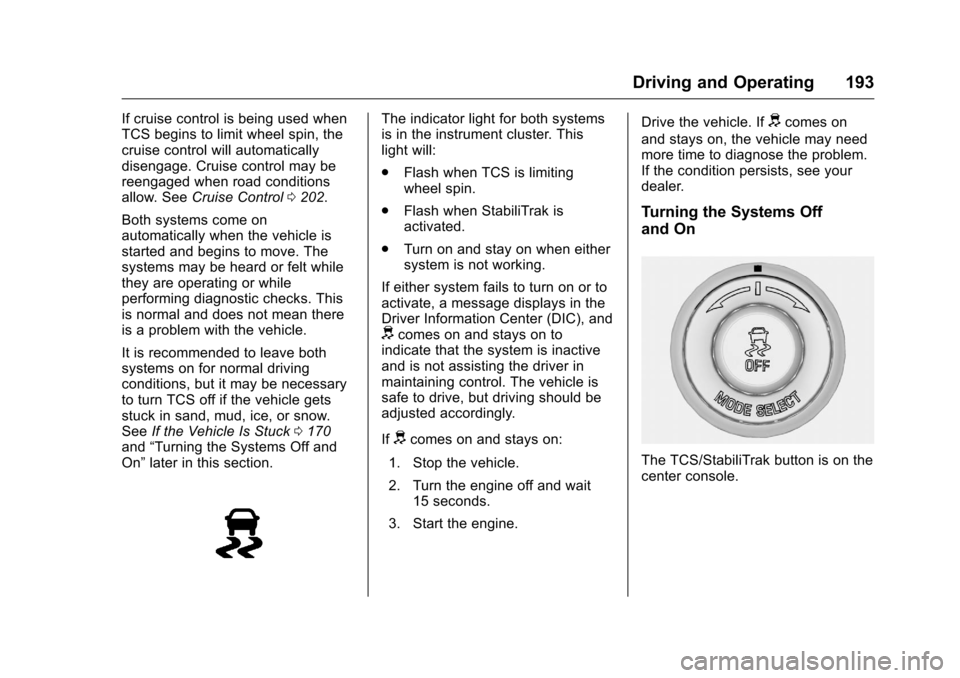
The TCS/StabiliTrak button is on the
center console.