light CHEVROLET CORVETTE 2019 Infotainment Manual
[x] Cancel search | Manufacturer: CHEVROLET, Model Year: 2019, Model line: CORVETTE, Model: CHEVROLET CORVETTE 2019Pages: 90, PDF Size: 0.98 MB
Page 71 of 90
Chevrolet Corvette MyLink Infotainment System(GMNA-Localizing-U.S./
Canada-12145685) - 2019 - crc - 4/16/18
70 Settings
Settings
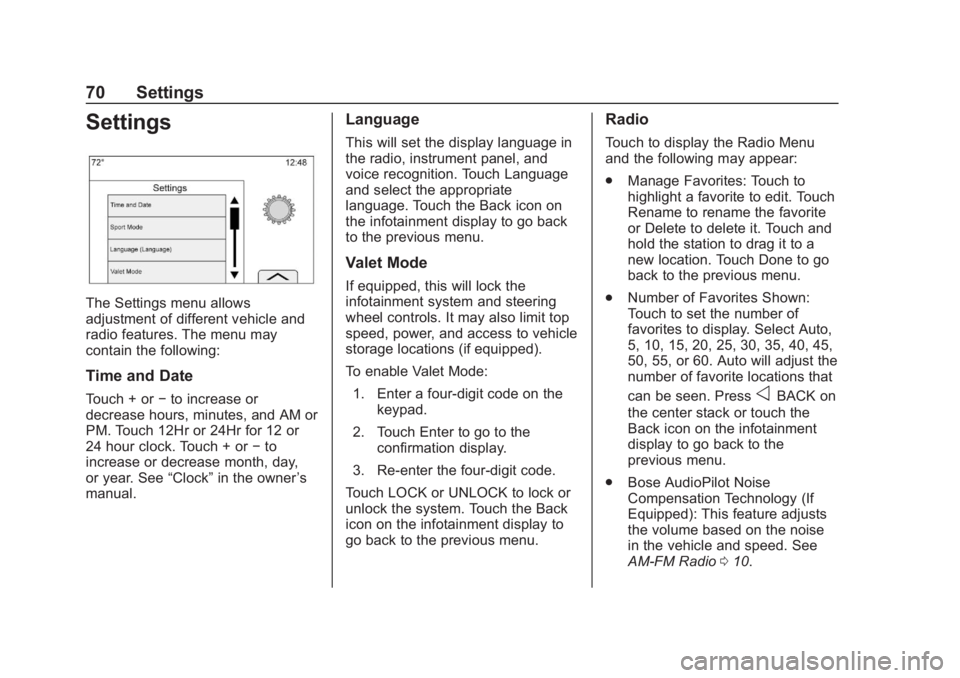
The Settings menu allows
adjustment of different vehicle and
radio features. The menu may
contain the following:
Time and Date
Touch + or−to increase or
decrease hours, minutes, and AM or
PM. Touch 12Hr or 24Hr for 12 or
24 hour clock. Touch + or −to
increase or decrease month, day,
or year. See “Clock”in the owner ’s
manual.
Language
This will set the display language in
the radio, instrument panel, and
voice recognition. Touch Language
and select the appropriate
language. Touch the Back icon on
the infotainment display to go back
to the previous menu.
Valet Mode
If equipped, this will lock the
infotainment system and steering
wheel controls. It may also limit top
speed, power, and access to vehicle
storage locations (if equipped).
To enable Valet Mode:
1. Enter a four-digit code on the keypad.
2. Touch Enter to go to the confirmation display.
3. Re-enter the four-digit code.
Touch LOCK or UNLOCK to lock or
unlock the system. Touch the Back
icon on the infotainment display to
go back to the previous menu.
Radio
Touch to display the Radio Menu
and the following may appear:
. Manage Favorites: Touch to
highlight a favorite to edit. Touch
Rename to rename the favorite
or Delete to delete it. Touch and
hold the station to drag it to a
new location. Touch Done to go
back to the previous menu.
. Number of Favorites Shown:
Touch to set the number of
favorites to display. Select Auto,
5, 10, 15, 20, 25, 30, 35, 40, 45,
50, 55, or 60. Auto will adjust the
number of favorite locations that
can be seen. Press
oBACK on
the center stack or touch the
Back icon on the infotainment
display to go back to the
previous menu.
. Bose AudioPilot Noise
Compensation Technology (If
Equipped): This feature adjusts
the volume based on the noise
in the vehicle and speed. See
AM-FM Radio 010.
Page 76 of 90
Chevrolet Corvette MyLink Infotainment System(GMNA-Localizing-U.S./
Canada-12145685) - 2019 - crc - 4/16/18
Settings 75
On certain vehicles, when the
Speed Limiter is turned ON, the
vehicle’s maximum acceleration will
be limited. The DIC will display a
message that the acceleration is
limited.
When Teen Driver is Active:
.The radio will mute when the
driver seat belt is not fastened,
and in some vehicles, when the
right front passenger seat belt is
not fastened. The audio from
any device paired to the vehicle
will also be muted.
. Certain electronic devices
placed on the front passenger
seat could cause the passenger
sensing system to falsely sense
an unbuckled front passenger
and mute the radio. See
“Passenger Sensing System” in
the owner's manual.
. Some safety systems,
if equipped and supported,
cannot be turned off. They may
include: Park Assist, Side Blind
Zone Alert, Lane Change Alert,
Rear Cross Traffic Alert, Forward Collision Alert, Automatic
Braking, Pedestrian Braking,
Lane Departure Warning, Lane
Keep Assist, Daytime Running
Lamps/Automatic Light Control,
Traction Control, Stability
Control, and Antilock Brakes.
. The gap setting for the Forward
Collision Alert and Adaptive
Cruise Control, if equipped,
cannot be changed.
. When trying to change a safety
feature that is not configurable in
Teen Driver, the DIC displays a
message indicating that Teen
Driver is active and the action is
not available.
. Enhanced Low Fuel Warning (if
equipped) –When the vehicle is
low on fuel, the low fuel light on
the instrument cluster flashes
and the DIC low fuel warning
cannot be dismissed.
Report Card
The vehicle owner must secure the
driver ’s consent to record certain
vehicle data when the vehicle is
driven with a registered Teen Driver key. There is one Report Card per
vehicle. Data is not recorded when
Teen Driver is not active.
The Report Card data is collected
from the time Teen Driver is
activated or the last time the Report
Card was reset. The following items
may be recorded:
.
Distance Driven –the total
distance driven.
. Maximum Speed –the maximum
vehicle speed recorded.
. Overspeed Warnings –the
number of times the speed
warning setting was exceeded.
. Wide Open Throttle –the
number of times the accelerator
pedal is pressed nearly all the
way down.
. Forward Collision Alerts –the
number of times the driver was
notified when approaching a
vehicle ahead too quickly and at
potential risk for a crash.
. Forward Collision Avoidance
Braking (if equipped) –Also
referred to as Forward Automatic