cruise control CHEVROLET CORVETTE C6 2012 User Guide
[x] Cancel search | Manufacturer: CHEVROLET, Model Year: 2012, Model line: CORVETTE C6, Model: CHEVROLET CORVETTE C6 2012Pages: 432, PDF Size: 5.73 MB
Page 233 of 432
Black plate (11,1)Chevrolet Corvette Owner Manual - 2012
Driving and Operating 9-11
{WARNING
Coasting downhill in N (Neutral)
or with the ignition off is
dangerous. The brakes will have
to do all the work of slowing down
and they could get so hot that
they would not work well.
You would then have poor braking
or even none going down a hill.
You could crash. Always have the
engine running and the vehicle in
gear when going downhill.
.Stay in your own lane. Do not
swing wide or cut across the
center of the road. Drive at
speeds that let you stay in your
own lane.
.Be alert on top of hills;
something could be in your lane
(stalled car, accident).
.Pay attention to special road
signs (falling rocks area, winding
roads, long grades, passing or
no-passing zones) and take
appropriate action.
Winter Driving
Driving on Snow or Ice
Drive carefully when there is snow
or ice between the tires and the
road, creating less traction or grip.
Wet ice can occur at about 0°C
(32°F) when freezing rain begins to
fall, resulting in even less traction.
Avoid driving on wet ice or in
freezing rain until roads can be
treated with salt or sand.
Drive with caution, whatever the
condition. Accelerate gently so
traction is not lost. Accelerating too
quickly causes the wheels to spin
and makes the surface under the
tires slick, so there is even less
traction.
Try not to break the fragile traction.
If you accelerate too fast, the drive
wheels will spin and polish the
surface under the tires even more.The
Antilock Brake System (ABS)
on page 9‑35 improves vehicle
stability during hard stops on
slippery roads, but apply the brakes
sooner than when on dry pavement.
Allow greater following distance on
any slippery road and watch for
slippery spots. Icy patches can
occur on otherwise clear roads in
shaded areas. The surface of a
curve or an overpass can remain icy
when the surrounding roads are
clear. Avoid sudden steering
maneuvers and braking while
on ice.
Turn off cruise control on slippery
surfaces.
Page 241 of 432
Black plate (19,1)Chevrolet Corvette Owner Manual - 2012
Driving and Operating 9-19
For the first 800 km (500 mi):
.Avoid full throttle starts and
abrupt stops.
.Do not exceed 4000 rpm.
.Avoid driving at any one
constant speed, fast or slow,
including the use of cruise
control.
.Avoid downshifting to brake or
slow the vehicle when the
engine speed will exceed
4000 rpm.
.Do not let the engine labor.
Never lug the engine in high
gear at low speeds. With a
manual transmission, shift to
the next lower gear. This rule
applies at all times, not just
during the break-in period.For the first 2414 km (1500 mi):
.Do not participate in track
events, sport driving schools,
or similar activities during the
first 2414 km (1500 mi).
.Check engine oil with every
refueling and add if necessary.
Oil and fuel consumption may be
higher than normal during the
first 2414 km (1500 mi).
Front Air Dam
The vehicle is equipped with a front
air dam which has minimal ground
clearance.
Vehicles with the ZR1 package,
or Z06 vehicles with RPO CFZ,
also come with a splitter made from
carbon fiber.
{WARNING
ZR1s, and Z06s with RPO CFZ,
contain parts made from carbon
fiber.
When damaged, the exposed
edges can be very sharp.
A person could be injured by
these sharp edges. Use caution
when washing the vehicle,
coming in contact with,
or removing damaged carbon
fiber parts. See your dealer for
replacement.
Under normal operation, these
components will occasionally
contact some road surfaces (speed
bumps, driveway ramps, etc.). This
can be heard inside the vehicle as a
scraping noise. This is normal and
does not indicate a problem.
Use care when approaching bumps
or objects on road surfaces and
avoid them when possible.
Page 252 of 432
Black plate (30,1)Chevrolet Corvette Owner Manual - 2012
9-30 Driving and Operating
The driver may then exit Manual
Paddle Shift mode by holding
either upshift control for more than
one second. The system will
return to automatic shifting after
10 seconds of cruising at a steady
speed and no manual shifts,
or when the vehicle comes to
a stop.
While the Manual Paddle Shift gear
selection system is active, the
transmission will automatically
downshift through the gears as the
vehicle slows. The transmission will
select 2 (Second) gear as the
vehicle stops. From a stop, the
vehicle will start from and hold
2 (Second) gear unless the driver
manually paddle shifts into a
different gear or selects D (Drive).
The driver can select 1 (First) gear
for maximum acceleration from
a stop.
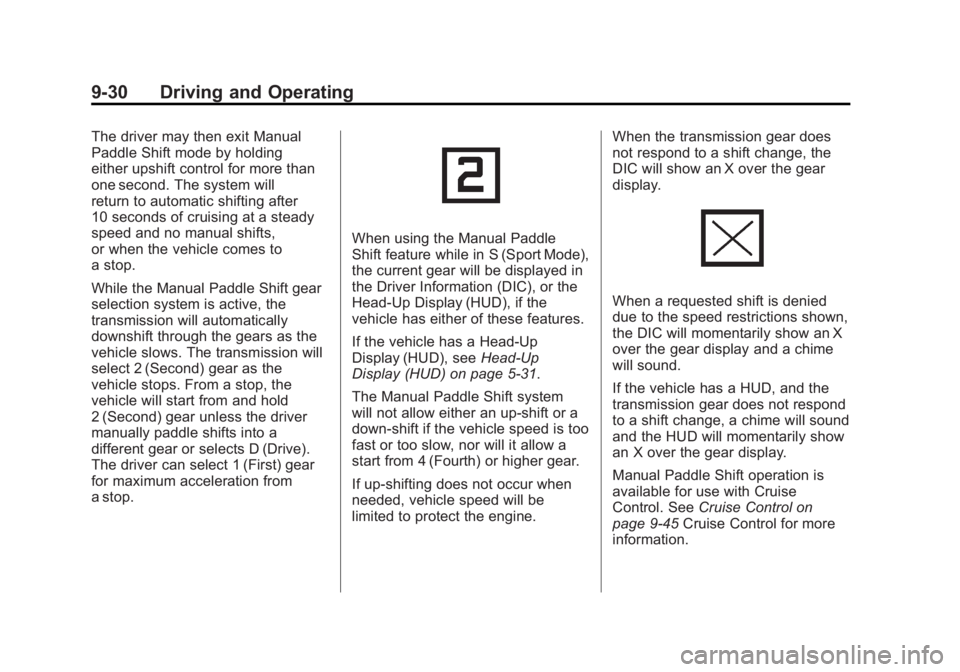
When using the Manual Paddle
Shift feature while in S (Sport Mode),
the current gear will be displayed in
the Driver Information (DIC), or the
Head-Up Display (HUD), if the
vehicle has either of these features.
If the vehicle has a Head-Up
Display (HUD), seeHead-Up
Display (HUD) on page 5‑31.
The Manual Paddle Shift system
will not allow either an up-shift or a
down-shift if the vehicle speed is too
fast or too slow, nor will it allow a
start from 4 (Fourth) or higher gear.
If up-shifting does not occur when
needed, vehicle speed will be
limited to protect the engine. When the transmission gear does
not respond to a shift change, the
DIC will show an X over the gear
display.
When a requested shift is denied
due to the speed restrictions shown,
the DIC will momentarily show an X
over the gear display and a chime
will sound.
If the vehicle has a HUD, and the
transmission gear does not respond
to a shift change, a chime will sound
and the HUD will momentarily show
an X over the gear display.
Manual Paddle Shift operation is
available for use with Cruise
Control. See
Cruise Control on
page 9‑45 Cruise Control for more
information.
Page 259 of 432
Black plate (37,1)Chevrolet Corvette Owner Manual - 2012
Driving and Operating 9-37
If cruise control is being used when
TCS begins to limit wheel spin, the
cruise control will automatically
disengage. Cruise control may be
reengaged when road conditions
allow. SeeCruise Control on
page 9‑45.
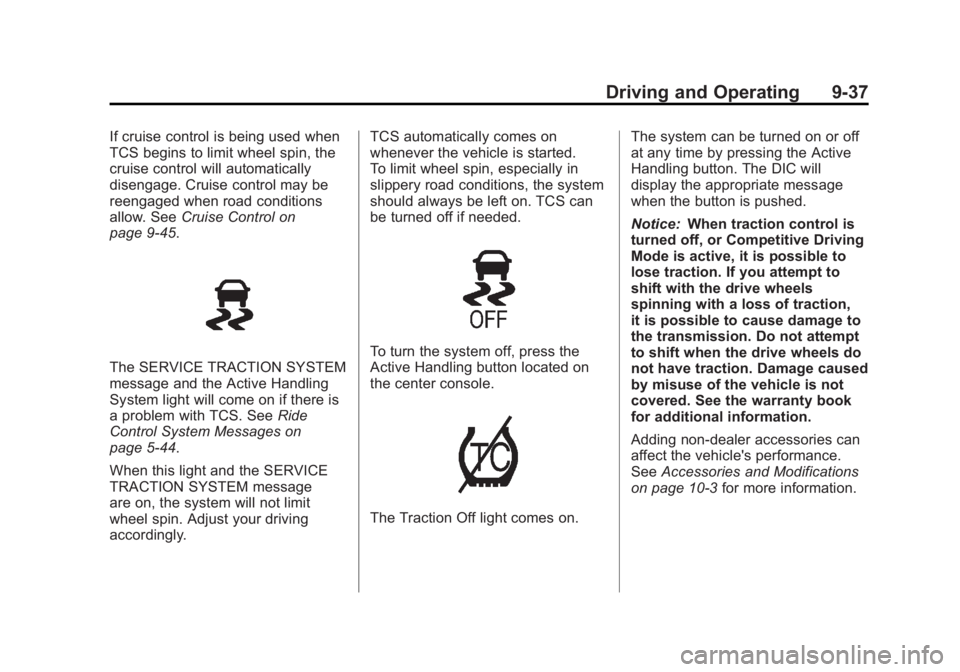
The SERVICE TRACTION SYSTEM
message and the Active Handling
System light will come on if there is
a problem with TCS. See Ride
Control System Messages on
page 5‑44.
When this light and the SERVICE
TRACTION SYSTEM message
are on, the system will not limit
wheel spin. Adjust your driving
accordingly. TCS automatically comes on
whenever the vehicle is started.
To limit wheel spin, especially in
slippery road conditions, the system
should always be left on. TCS can
be turned off if needed.To turn the system off, press the
Active Handling button located on
the center console.
The Traction Off light comes on.
The system can be turned on or off
at any time by pressing the Active
Handling button. The DIC will
display the appropriate message
when the button is pushed.
Notice:
When traction control is
turned off, or Competitive Driving
Mode is active, it is possible to
lose traction. If you attempt to
shift with the drive wheels
spinning with a loss of traction,
it is possible to cause damage to
the transmission. Do not attempt
to shift when the drive wheels do
not have traction. Damage caused
by misuse of the vehicle is not
covered. See the warranty book
for additional information.
Adding non-dealer accessories can
affect the vehicle's performance.
See Accessories and Modifications
on page 10‑3 for more information.
Page 267 of 432
Black plate (45,1)Chevrolet Corvette Owner Manual - 2012
Driving and Operating 9-45
Cruise Control
With cruise control, a speed of
about 40 km/h (25 mph) or more can
be maintained without keeping your
foot on the accelerator. Cruise
control does not work at speeds
below about 40 km/h (25 mph).
Cruise control will not work if the
parking brake is set, or if the master
cylinder brake fluid level is low.
{WARNING
Cruise control can be dangerous
where you cannot drive safely at
a steady speed. So, do not use
the cruise control on winding
roads or in heavy traffic.
Cruise control can be dangerous
on slippery roads. On such roads,
fast changes in tire traction can
cause excessive wheel slip, and
you could lose control. Do not use
cruise control on slippery roads.If the vehicle is in cruise control,
and has the Traction Control
System (TCS), and it begins to limit
wheel spin, the cruise control
automatically disengages. See
Traction Control System (TCS) on
page 9‑36. When road conditions
allow the cruise control to be safely
used again, it can be turned
back on.
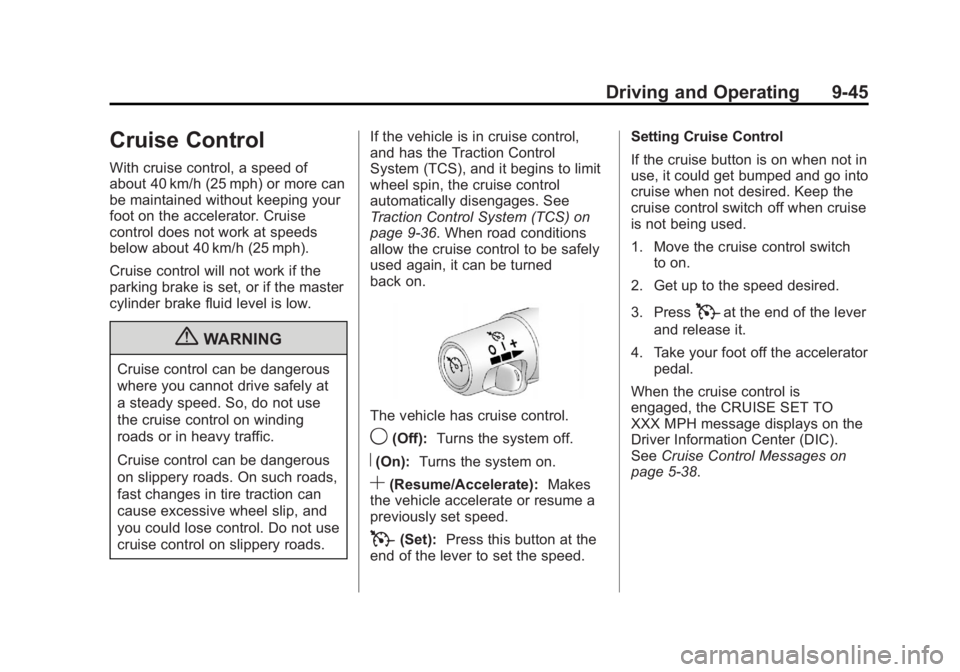
The vehicle has cruise control.
9(Off):
Turns the system off.
R(On):Turns the system on.
S(Resume/Accelerate): Makes
the vehicle accelerate or resume a
previously set speed.
T(Set): Press this button at the
end of the lever to set the speed. Setting Cruise Control
If the cruise button is on when not in
use, it could get bumped and go into
cruise when not desired. Keep the
cruise control switch off when cruise
is not being used.
1. Move the cruise control switch
to on.
2. Get up to the speed desired.
3. Press
Tat the end of the lever
and release it.
4. Take your foot off the accelerator pedal.
When the cruise control is
engaged, the CRUISE SET TO
XXX MPH message displays on the
Driver Information Center (DIC).
See Cruise Control Messages on
page 5‑38.
Page 268 of 432
Black plate (46,1)Chevrolet Corvette Owner Manual - 2012
9-46 Driving and Operating
Resuming a Set Speed
If the cruise control is set at a
desired speed and then the brakes
are applied, the cruise control is
disengaged without erasing the set
speed from memory.
Once the vehicle speed reaches
about 40 km/h (25 mph) or more,
move the cruise control switch
briefly from
RtoS. The vehicle
returns to the previous set speed
and stays there.
If the switch is held at resume/
accelerate, the vehicle keeps going
faster until the switch is released or
the brake is applied. Do not hold the
switch at resume/accelerate, unless
you want the vehicle to go faster. Increasing Speed While Using
Cruise Control
If the cruise control system is
already activated,
.Use the accelerator pedal to get
to the higher speed. Press
Jat
the end of the lever, then release
the button and the accelerator
pedal. If the accelerator pedal is
held longer than 60 seconds,
cruise control will turn off.
.Move the cruise switch
from
RtoS. Hold it there until
desired speed is reached, and
then release the switch.
.To increase the vehicle speed in
small amounts, move the switch
briefly to
S. Each time this is
done, the vehicle goes about
1.6 km/h (1 mph) faster. Reducing Speed While Using
Cruise Control
If the cruise control system is
already activated,
.Press and hold the set button
until the lower speed desired is
reached, then release it.
.To slow down in small amounts,
briefly press
J. Each time this
is done, the vehicle goes about
1.6 km/h (1 mph) slower.
Passing Another Vehicle While
Using Cruise Control
Use the accelerator pedal to
increase the vehicle speed.
When you take your foot off the
pedal, the vehicle will slow down to
the previous set cruise speed.
Page 269 of 432
Black plate (47,1)Chevrolet Corvette Owner Manual - 2012
Driving and Operating 9-47
Using Cruise Control on Hills
How well the cruise control works
on hills depends upon the vehicle
speed, load, and the steepness of
the hills. When going up steep hills,
you might want to step on the
accelerator pedal to maintain
the vehicle speed. When going
downhill, you might have to brake or
shift to a lower gear to keep the
vehicle's speed down. When the
brakes are applied the cruise control
is disengaged.
Cruise Control in Sport and
Manual Paddle Shift Gear
Selection
When the vehicle is in S (Sport) and
the manual paddle shift controls are
not being used, cruise control
operates in the same manner as
D (Drive).When the vehicle is in S (Sport) and
the manual paddle shift controls are
being used, cruise control operates
as follows:
.If cruise control is active and a
gear is selected with the manual
paddle shift controls, the vehicle
speed is maintained in the driver
selected gear and will not
automatically up-shift or
down-shift the transmission
while the driver
’s gear selection
is active.
.If driving in hilly terrain, cruise
control may not be able to
maintain vehicle speed if an
up-shift or down-shift is not
selected by the driver. While
driving on hilly terrain and cruise
control is active with a manual
paddle shift gear selection, the
driver must select the proper
gear for the terrain or select
D (Drive) on the gear range
selector for full automatic
transmission operation. Ending Cruise Control
.To disengage cruise control,
step lightly on the brake pedal.
If the vehicle has a manual
transmission, lightly tap the
clutch to end the cruise control
session.
.To turn off the cruise control
system, move the cruise control
switch to
9.
When cruise control is disengaged,
the CRUISE DISENGAGED
message displays on the Driver
Information Center (DIC). See
Cruise Control Messages on
page 5‑38.
Erasing Speed Memory
The cruise control set speed is
erased from memory by moving
the switch to
9or if the ignition is
turned off.
Page 328 of 432
Black plate (52,1)Chevrolet Corvette Owner Manual - 2012
10-52 Vehicle Care
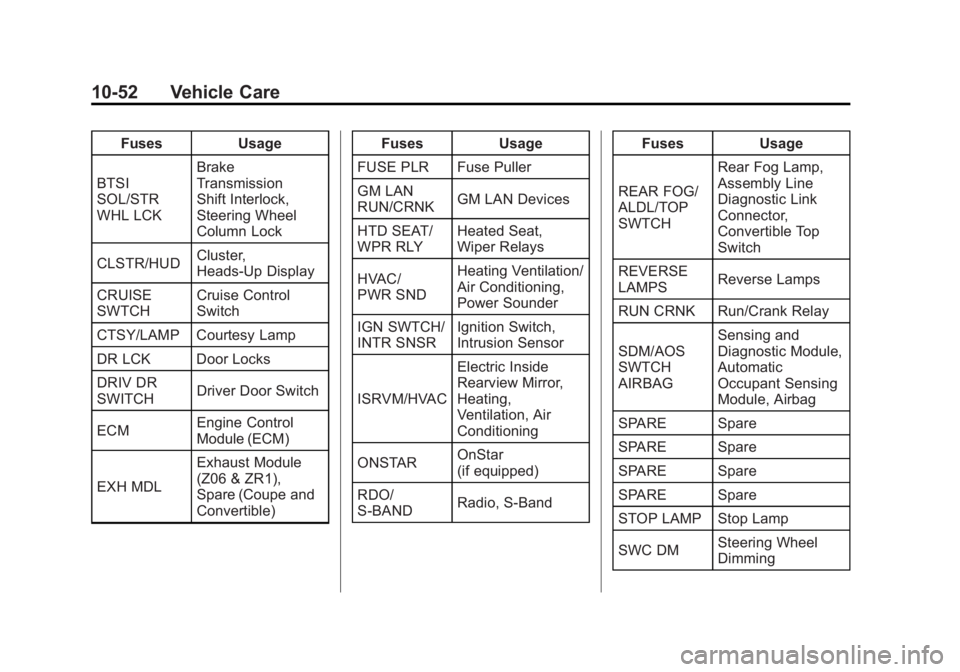
FusesUsage
BTSI
SOL/STR
WHL LCK Brake
Transmission
Shift Interlock,
Steering Wheel
Column Lock
CLSTR/HUD Cluster,
Heads-Up Display
CRUISE
SWTCH Cruise Control
Switch
CTSY/LAMP Courtesy Lamp
DR LCK Door Locks
DRIV DR
SWITCH Driver Door Switch
ECM Engine Control
Module (ECM)
EXH MDL Exhaust Module
(Z06 & ZR1),
Spare (Coupe and
Convertible) Fuses
Usage
FUSE PLR Fuse Puller
GM LAN
RUN/CRNK GM LAN Devices
HTD SEAT/
WPR RLY Heated Seat,
Wiper Relays
HVAC/
PWR SND Heating Ventilation/
Air Conditioning,
Power Sounder
IGN SWTCH/
INTR SNSR Ignition Switch,
Intrusion Sensor
ISRVM/HVAC Electric Inside
Rearview Mirror,
Heating,
Ventilation, Air
Conditioning
ONSTAR OnStar
(if equipped)
RDO/
S-BAND Radio, S-Band Fuses
Usage
REAR FOG/
ALDL/TOP
SWTCH Rear Fog Lamp,
Assembly Line
Diagnostic Link
Connector,
Convertible Top
Switch
REVERSE
LAMPS Reverse Lamps
RUN CRNK Run/Crank Relay
SDM/AOS
SWTCH
AIRBAG Sensing and
Diagnostic Module,
Automatic
Occupant Sensing
Module, Airbag
SPARE Spare
SPARE Spare
SPARE Spare
SPARE Spare
STOP LAMP Stop Lamp
SWC DM Steering Wheel
Dimming
Page 423 of 432
Black plate (3,1)Chevrolet Corvette Owner Manual - 2012
INDEX i-3
Cluster, Instrument . . . . . . . . . . . . . 5-9
Clutch, Hydraulic . . . . . . . . . . . . . 10-21
Collision Damage Repair . . . . . 13-15
Compass . . . . . . . . . . . . . . . . . . . . . . . 5-5
Competitive Driving Mode . . . . . 9-39
Competitive Driving, Racingor Other . . . . . . . . . . . . . . . . . . . . . . . 9-6
Connections, OnStar
®. . . . . . . . . 14-4
Control of a Vehicle . . . . . . . . . . . . . 9-4
Convenience Net . . . . . . . . . . . . . . . 4-3
Convertible Top . . . . . . . . . . . . . . . . 2-24 Messages . . . . . . . . . . . . . . . . . . . . 5-37
Convex Mirrors . . . . . . . . . . . . . . . . 2-16
Coolant Engine . . . . . . . . . . . . . . . . . . . . . . 10-26
Engine TemperatureGauge . . . . . . . . . . . . . . . . . . . . . . 5-16
Cooling System . . . . . . . .10-25, 10-26 Engine Messages . . . . . . . . . . . . 5-39
Courtesy Lamps . . . . . . . . . . . . . . . . 6-6
Courtesy Transportation Program . . . . . . . . . . . . . . . . . . . . . 13-14
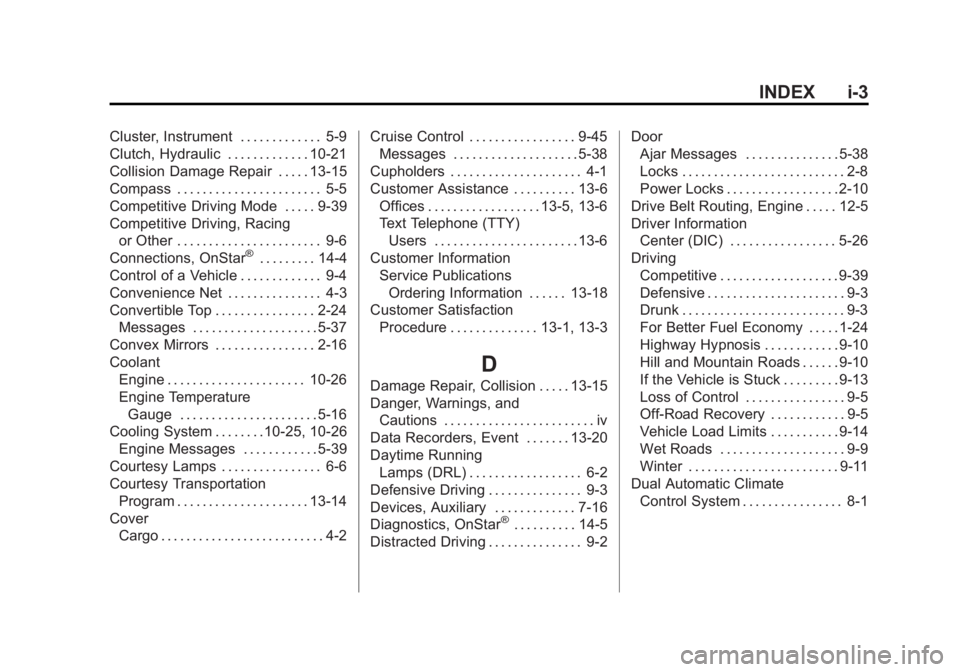
Cover Cargo . . . . . . . . . . . . . . . . . . . . . . . . . . 4-2 Cruise Control . . . . . . . . . . . . . . . . . 9-45
Messages . . . . . . . . . . . . . . . . . . . . 5-38
Cupholders . . . . . . . . . . . . . . . . . . . . . 4-1
Customer Assistance . . . . . . . . . . 13-6 Offices . . . . . . . . . . . . . . . . . . 13-5, 13-6
Text Telephone (TTY)Users . . . . . . . . . . . . . . . . . . . . . . . 13-6
Customer Information Service PublicationsOrdering Information . . . . . . 13-18
Customer Satisfaction
Procedure . . . . . . . . . . . . . . 13-1, 13-3
D
Damage Repair, Collision . . . . . 13-15
Danger, Warnings, andCautions . . . . . . . . . . . . . . . . . . . . . . . . iv
Data Recorders, Event . . . . . . . 13-20
Daytime Running
Lamps (DRL) . . . . . . . . . . . . . . . . . . 6-2
Defensive Driving . . . . . . . . . . . . . . . 9-3
Devices, Auxiliary . . . . . . . . . . . . . 7-16
Diagnostics, OnStar
®. . . . . . . . . . 14-5
Distracted Driving . . . . . . . . . . . . . . . 9-2 Door
Ajar Messages . . . . . . . . . . . . . . . 5-38
Locks . . . . . . . . . . . . . . . . . . . . . . . . . . 2-8
Power Locks . . . . . . . . . . . . . . . . . . 2-10
Drive Belt Routing, Engine . . . . . 12-5
Driver Information Center (DIC) . . . . . . . . . . . . . . . . . 5-26
Driving Competitive . . . . . . . . . . . . . . . . . . . 9-39
Defensive . . . . . . . . . . . . . . . . . . . . . . 9-3
Drunk . . . . . . . . . . . . . . . . . . . . . . . . . . 9-3
For Better Fuel Economy . . . . . 1-24
Highway Hypnosis . . . . . . . . . . . . 9-10
Hill and Mountain Roads . . . . . . 9-10
If the Vehicle is Stuck . . . . . . . . . 9-13
Loss of Control . . . . . . . . . . . . . . . . 9-5
Off-Road Recovery . . . . . . . . . . . . 9-5
Vehicle Load Limits . . . . . . . . . . . 9-14
Wet Roads . . . . . . . . . . . . . . . . . . . . 9-9
Winter . . . . . . . . . . . . . . . . . . . . . . . . 9-11
Dual Automatic Climate
Control System . . . . . . . . . . . . . . . . 8-1