wheel CHEVROLET CORVETTE C6 2012 Owner's Manual
[x] Cancel search | Manufacturer: CHEVROLET, Model Year: 2012, Model line: CORVETTE C6, Model: CHEVROLET CORVETTE C6 2012Pages: 432, PDF Size: 5.73 MB
Page 134 of 432
Black plate (20,1)Chevrolet Corvette Owner Manual - 2012
5-20 Instruments and Controls
If the light continues to flash, stop
and park the vehicle. Turn the
vehicle off, wait at least 10 seconds,
and restart the engine. If the light is
still flashing, follow the previous
steps and see your dealer for
service as soon as possible.
Light On Steady:An emission
control system malfunction has
been detected on the vehicle.
Diagnosis and service might be
required.
The following may correct an
emission system malfunction:
.Check that the fuel cap is fully
installed. See Filling the Tank on
page 9‑51. The diagnostic
system can determine if the
fuel cap has been left off or
improperly installed. A loose or
missing fuel cap allows fuel to
evaporate into the atmosphere.
A few driving trips with the cap
properly installed should turn the
light off.
.Check that good quality fuel is
used. Poor fuel quality causes
the engine not to run as
efficiently as designed and may
cause: stalling after start-up,
stalling when the vehicle is
changed into gear, misfiring,
hesitation on acceleration,
or stumbling on acceleration.
These conditions might go away
once the engine is warmed up.
If one or more of these
conditions occurs, change the
fuel brand used. It will require at
least one full tank of the proper
fuel to turn the light off.
See Recommended Fuel on
page 9‑48.
If none of the above have made
the light turn off, your dealer can
check the vehicle. The dealer has
the proper test equipment and
diagnostic tools to fix any
mechanical or electrical problems
that might have developed.Emissions Inspection and
Maintenance Programs
Some local governments may have
programs to inspect the on-vehicle
emission control equipment.
For the inspection, the emission
system test equipment is
connected to the vehicle’s Data
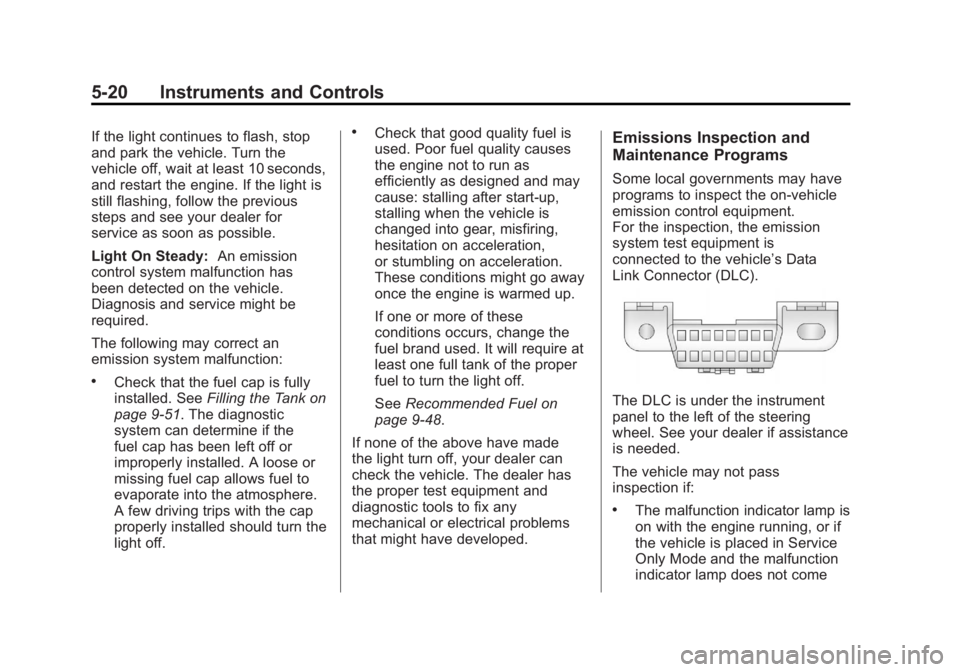
Link Connector (DLC).
The DLC is under the instrument
panel to the left of the steering
wheel. See your dealer if assistance
is needed.
The vehicle may not pass
inspection if:
.The malfunction indicator lamp is
on with the engine running, or if
the vehicle is placed in Service
Only Mode and the malfunction
indicator lamp does not come
Page 137 of 432
Black plate (23,1)Chevrolet Corvette Owner Manual - 2012
Instruments and Controls 5-23
This light comes on when:
.The engine coolant temperature
is higher than 76°C (169°F).
.The vehicle is going 24 to
31 km/h (15 to 19 mph).
.The vehicle is at 21 percent
throttle or less.
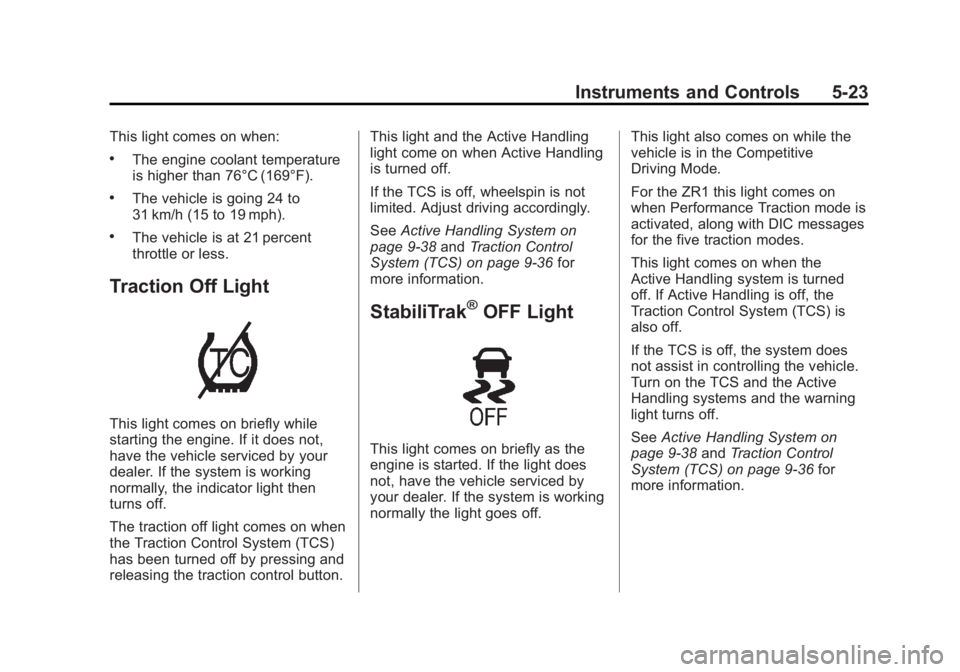
Traction Off Light
This light comes on briefly while
starting the engine. If it does not,
have the vehicle serviced by your
dealer. If the system is working
normally, the indicator light then
turns off.
The traction off light comes on when
the Traction Control System (TCS)
has been turned off by pressing and
releasing the traction control button.This light and the Active Handling
light come on when Active Handling
is turned off.
If the TCS is off, wheelspin is not
limited. Adjust driving accordingly.
See
Active Handling System on
page 9‑38 andTraction Control
System (TCS) on page 9‑36 for
more information.
StabiliTrak®OFF Light
This light comes on briefly as the
engine is started. If the light does
not, have the vehicle serviced by
your dealer. If the system is working
normally the light goes off. This light also comes on while the
vehicle is in the Competitive
Driving Mode.
For the ZR1 this light comes on
when Performance Traction mode is
activated, along with DIC messages
for the five traction modes.
This light comes on when the
Active Handling system is turned
off. If Active Handling is off, the
Traction Control System (TCS) is
also off.
If the TCS is off, the system does
not assist in controlling the vehicle.
Turn on the TCS and the Active
Handling systems and the warning
light turns off.
See
Active Handling System on
page 9‑38 andTraction Control
System (TCS) on page 9‑36 for
more information.
Page 147 of 432
Black plate (33,1)Chevrolet Corvette Owner Manual - 2012
Instruments and Controls 5-33
Within each mode, the display, can
be further customized by pressing
the PAGE button. Pressing this
button in each mode will turn off and
on the following:
.Street Mode—No tachometer,
circular tachometer, and linear
tachometer.
.Track Modes 1 and 2 —No
minor gauge, coolant
temperature, transmission oil
temperature (Automatic
Transmission only), engine
oil temperature, engine oil
pressure, and boost gauge.
While in Track Mode 1 or 2, the
maximum G value achieved
during the current ignition cycle
can be displayed by pressing
and holding the PAGE button.
The maximum G display will be
shown until the PAGE button is
released. The maximum G value
display will be identical to the
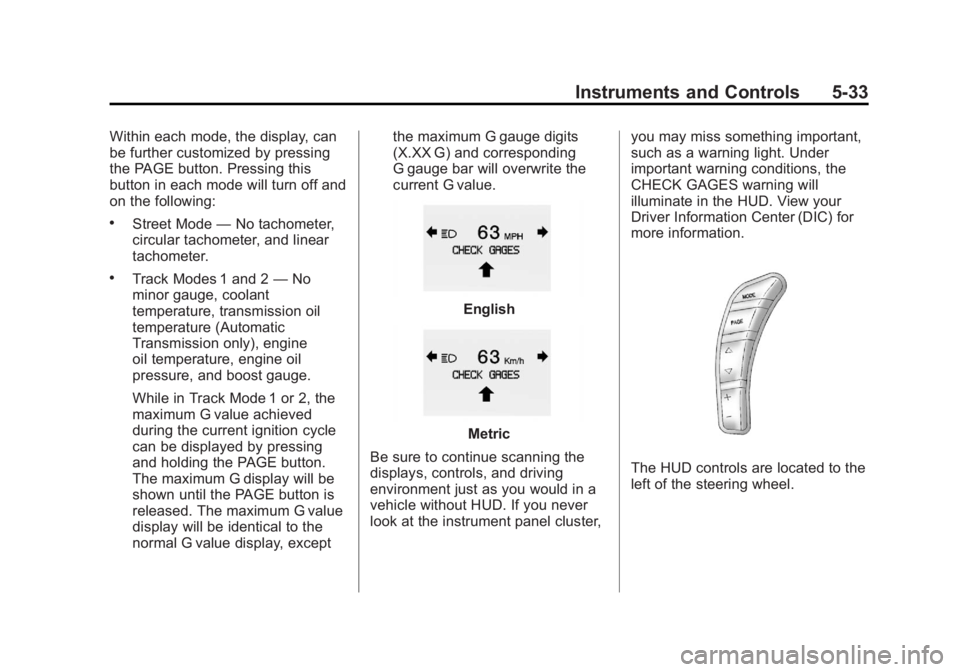
normal G value display, except the maximum G gauge digits
(X.XX G) and corresponding
G gauge bar will overwrite the
current G value.
English
Metric
Be sure to continue scanning the
displays, controls, and driving
environment just as you would in a
vehicle without HUD. If you never
look at the instrument panel cluster, you may miss something important,
such as a warning light. Under
important warning conditions, the
CHECK GAGES warning will
illuminate in the HUD. View your
Driver Information Center (DIC) for
more information.
The HUD controls are located to the
left of the steering wheel.
Page 155 of 432
Black plate (41,1)Chevrolet Corvette Owner Manual - 2012
Instruments and Controls 5-41
A sound will be heard when this
message is displayed. SeeEngine
Oil on page 10‑14.
Engine Power Messages
ENGINE DRAG CONTROL
ACTIVE
This message displays when engine
drag control is active. When driving
in a lower gear in rainy, snowy,
or icy conditions and then letting up
on the accelerator or downshifting,
the rear wheels may begin to slip
and this message displays.
This message stays on for a few
seconds following the engine drag
control event.
REDUCED ENGINE POWER
If this message displays and the
check engine light comes on, a
noticeable reduction in the vehicle's
performance may occur. If the
REDUCED ENGINE POWER
message is displayed, but there is
no reduction in performance, proceed to your destination.
The performance may be reduced
the next time the vehicle is driven.
The vehicle may be driven at a
reduced speed while the REDUCED
ENGINE POWER message is
displayed, but acceleration and
speed may be reduced. Anytime the
check engine light stays on, the
vehicle should be taken to your
dealer as soon as possible for
diagnosis and repair. See
Malfunction Indicator Lamp on
page 5‑19
for more information.
Multiple chimes sound when this
message is displayed.
To acknowledge the message, press
the RESET button. The message
reappears every five minutes until
this condition changes.
If the REDUCED ENGINE
POWER message is displayed in
combination with the COOLANT
OVER TEMPERATURE message,
see Engine Overheating on
page 10‑30.
Fuel System Messages
CHECK GAS CAP
This message displays if the fuel
cap has not been fully tightened.
Check the fuel cap to make sure
that it is on properly. Once
tightened, it takes at least one
overnight park to reset or clear this
message. If both the CHECK GAS
CAP message and the malfunction
indicator lamp in the instrument
panel cluster are on, you may need
to see your dealer for service.
See Malfunction Indicator Lamp on
page 5‑19 for more information.
LOW FUEL
This message displays when the
fuel tank is less than 10 percent
full and the display is turned off.
A sound will be heard when this
message is displayed. Refill the fuel
tank as soon as possible. See Fuel
Gauge on page 5‑12.
Page 161 of 432
Black plate (47,1)Chevrolet Corvette Owner Manual - 2012
Instruments and Controls 5-47
INOPERATIVE, and MAXIMUM
SPEED 129 km/h (80 MPH) will
display together. SeeSelective Ride
Control on page 9‑43 for more
information.
SERVICE TRACTION SYSTEM
If this message displays when you
are driving, there is a problem with
the Traction Control System (TCS)
and the vehicle is in need of
service. See your dealer. When this
message is displayed, the system
will not limit wheel spin. Adjust your
driving accordingly.
The traction control system (TCS)
warning light on the instrument
panel cluster will also turn on and a
sound will be heard.
When this message is displayed,
the computer controlled systems will
not assist the driver in controlling
the vehicle. Have the system
repaired by your dealer as soon
as possible. Adjust your driving
accordingly. See Traction Control
System (TCS) on page 9‑36 for
more information. To acknowledge the message,
press the RESET button.
SHOCKS INOPERATIVE
This message displays when a
malfunction is present in the
Selective Ride Control system
which is causing the shocks to
be in their full soft mode. This is a
warning to the driver that the vehicle
handling may be affected. Have the
vehicle serviced by your dealer as
soon as possible.
To acknowledge the message, press
the RESET button . The message
reappears every 10 minutes until
this condition changes.
TRACTION SYSTEM ACTIVE
This message displays when the
Traction Control System (TCS) is
limiting wheel spin. Slippery road
conditions may exist if this message
is displayed, so adjust your driving
accordingly. The message stays on
for a few seconds after the TCS
stops limiting wheel spin. See
Traction Control System (TCS) on
page 9‑36
for more information.
TRACTION SYSTEM AND
ACTIVE HANDLING –OFF
This message displays, the
instrument panel cluster light turns
on, and a sound will be heard when
the Traction Control System (TCS)
and Active Handling System are
turned off by pressing the Active
Handling System button on the
center console for five seconds.
The Antilock Brake System (ABS)
remains on with the TCS and Active
Handling System off. Adjust your
driving accordingly. See Traction
Control System (TCS) on page 9‑36
and Active Handling System on
page 9‑38 for more information.
To acknowledge this message,
press the RESET button.
Page 170 of 432
Black plate (56,1)Chevrolet Corvette Owner Manual - 2012
5-56 Instruments and Controls
Auto Memory Recall (Automatic
Transmission only):If your
automatic transmission vehicle has
the memory package, you may have
this option. This option allows the
driver seat, the telescopic steering
column, if your vehicle has this
feature, and the outside rearview
mirrors to automatically move to the
current driver's set position when
the engine starts.
Press the OPTION button until
AUTO MEMORY RECALL appears
on the display, then press the
RESET button to scroll through the
following modes:
.YES
.NO (default)
If you choose YES, the driver seat,
the outside rearview mirrors and the
telescopic steering column, if your
vehicle has this feature, positions
are recalled when you turn the
ignition on.
If you choose NO, this option will
turn off. When the mode you want is
selected, press the OPTION button
to set your choice and advance to
the next personal option.
Auto Exit Recall:
If your vehicle
has the memory package, you may
have this option. This option allows
the driver seat and telescopic
steering column, if your vehicle has
this feature, to automatically move
to the current driver's exit position
when one of the following occurs:
.The vehicle is turned off or in
Retained Accessory Power
(RAP) or accessory mode and
the driver door is opened.
.The vehicle is turned off or in
RAP and the unlock button on
the RKE transmitter is pressed.
In order for the Auto Exit Recall
feature to work on an automatic
transmission vehicle, the vehicle
must be in P (Park). On a manual
transmission vehicle, the parking
brake must be set. Press the OPTION button until
AUTO EXIT RECALL appears on
the display, then press the RESET
button to scroll through the following
modes:
.YES
.NO (default)
If you choose YES, when you turn
the ignition off and open the driver
door or press the unlock button on
the RKE transmitter, the seat and
the telescopic steering wheel, if your
vehicle has this feature, will return
to their stored exit positions for an
easy exit or an easy entrance when
returning to the vehicle.
The seat and steering wheel will
only return to the stored driving
position if you press the appropriate
memory button or activate the Auto
Memory Recall feature.
If you choose NO, this option will
turn off.
Page 183 of 432
Black plate (1,1)Chevrolet Corvette Owner Manual - 2012
Lighting 6-1
Lighting
Exterior Lighting
Exterior Lamp Controls . . . . . . . . 6-1
Exterior Lamps OffReminder . . . . . . . . . . . . . . . . . . . . 6-2
Headlamp High/Low-Beam Changer . . . . . . . . . . . . . . . . . . . . . 6-2
Flash-to-Pass . . . . . . . . . . . . . . . . . 6-2
Daytime Running Lamps (DRL) . . . . . . . . . . . . . . . . 6-2
Twilight Sentinel . . . . . . . . . . . . . . 6-3
Hazard Warning Flashers . . . . . 6-4
Turn and Lane-Change Signals . . . . . . . . . . . . . . . . . . . . . . 6-4
Fog Lamps . . . . . . . . . . . . . . . . . . . . 6-5
Interior Lighting
Instrument Panel Illumination Control . . . . . . . . . . . . . . . . . . . . . . 6-6
Courtesy Lamps . . . . . . . . . . . . . . 6-6
Reading Lamps . . . . . . . . . . . . . . . 6-6
Lighting Features
Entry/Exit Lighting . . . . . . . . . . . . . 6-6
Battery Power Protection . . . . . . 6-7
Exterior Lighting Battery Saver . . . . . . . . . . . . . . . . . . . . . . . . 6-7
Exterior Lighting
Exterior Lamp Controls
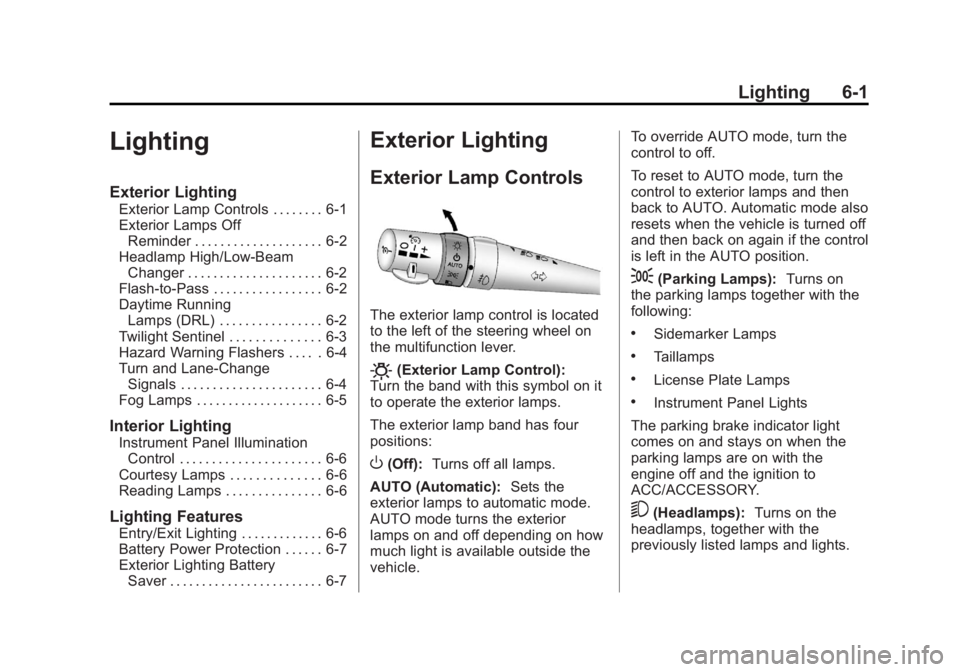
The exterior lamp control is located
to the left of the steering wheel on
the multifunction lever.
O(Exterior Lamp Control):
Turn the band with this symbol on it
to operate the exterior lamps.
The exterior lamp band has four
positions:
O(Off): Turns off all lamps.
AUTO (Automatic): Sets the
exterior lamps to automatic mode.
AUTO mode turns the exterior
lamps on and off depending on how
much light is available outside the
vehicle. To override AUTO mode, turn the
control to off.
To reset to AUTO mode, turn the
control to exterior lamps and then
back to AUTO. Automatic mode also
resets when the vehicle is turned off
and then back on again if the control
is left in the AUTO position.
;(Parking Lamps):
Turns on
the parking lamps together with the
following:
.Sidemarker Lamps
.Taillamps
.License Plate Lamps
.Instrument Panel Lights
The parking brake indicator light
comes on and stays on when the
parking lamps are on with the
engine off and the ignition to
ACC/ACCESSORY.
5(Headlamps): Turns on the
headlamps, together with the
previously listed lamps and lights.
Page 197 of 432

Black plate (7,1)Chevrolet Corvette Owner Manual - 2012
Infotainment System 7-7
To scan preset stations:
Press and hold
torufor
four seconds until PRESET SCAN
displays. The radio goes to the next
preset station, plays for a few
seconds, then goes to the next
preset station. Press
toruagain
or press one of the pushbuttons to
stop scanning presets.
The radio only scans stations with a
strong signal.
1–6 (Preset Pushbuttons):
Press to play stations that are
programmed to the radio preset
pushbuttons.
Storing Radio Stations
Drivers are encouraged to store
radio station while the vehicle is
parked. See Defensive Driving on
page 9‑3. Tune to stored radio
stations using the presets, favorites
button, and steering wheel controls,
if the vehicle has this feature. Up to 30 stations (six FM1, six FM2,
six AM, six M1, and six XM2), and
equalization settings for each
station can be programmed on the
six numbered pushbuttons. To set
presets:
1. Turn the radio on.
2. Press BAND to select FM1,
FM2, AM, XM1, or XM2.
3. Tune in the desired station.
4. Press AUTO EQ to select the equalization.
5. Press and hold one of the six numbered pushbuttons until the
radio beeps once.
6. Repeat the steps for each pushbutton.
Satellite Radio
XM™ Satellite Radio Service
XM is a satellite radio service
based in the 48 contiguous United
States and 10 Canadian provinces.
XM Satellite Radio has a wide
variety of programming and
commercial-free music, coast to
coast, and in digital-quality sound.
A service fee is required to receive
the XM service. If XM Service needs
to be reactivated, the radio will
display "No Subscription Please
Renew" on channel XM1.
For more information, contact
XM at www.xmradio.com or
1-800-929-2100 in the U.S.,
and www.xmradio.ca or
1-877-438-9677 in Canada.
Page 199 of 432
Black plate (9,1)Chevrolet Corvette Owner Manual - 2012
Infotainment System 7-9
Storing XM Channels
Drivers are encouraged to store
XM channels while the vehicle is
parked. SeeDefensive Driving on
page 9‑3. Tune to stored radio
stations using the presets, favorites
button, and steering wheel controls,
if the vehicle has this feature.
Up to 30 stations (six FM1, six FM2,
and six AM, six XM1 and six XM2),
and equalization settings for each
station can be programmed on the
six numbered pushbuttons.
To set presets:
1. Tune to a channel.
2. Press AUTO EQ to select the equalization.
3. Press and hold one of the six numbered pushbuttons until the
radio beeps once.
4. Repeat the steps for each pushbutton.
XM Radio Messages
XL (Explicit Language
Channels): These channels, or any
others, can be blocked by calling
1-800-929-2100 in the U.S. and
1-877-438-9677 in Canada.
Updating: The encryption code
in the receiver is being updated,
and no action is required.
This process should take no
longer than 30 seconds.
No Signal: The system is
functioning correctly, but the vehicle
is in a location that is blocking the
XM signal. When the vehicle is
moved into an open area, the signal
should return.
Loading XM: The audio system is
acquiring and processing audio and
text data. No action is needed.
This message should disappear
shortly.
CH Off Air: This channel is not
currently in service. Tune in to
another channel. CH Unauth:
This channel is
blocked or cannot be received with
your XM Subscription package.
CH Unavail: This previously
assigned channel is no longer
assigned. Tune to another station.
If this station was one of the
presets, choose another station
for that preset button.
No Info: No artist, song title,
category, or text information is
available at this time on this
channel. The system is working
properly.
No Subscription Please Renew:
XM subscription needs to be
reactivated. Contact XM at
www.xmradio.com or call
1-800-929-2100 in the U.S. and
www.xmradio.ca or call
1-877-438-9677 in Canada.
Not Found: There are no channels
available for the selected category.
The system is working properly.
Page 208 of 432
Black plate (18,1)Chevrolet Corvette Owner Manual - 2012
7-18 Infotainment System
Bluetooth Controls
Use the buttons located on the
steering wheel to operate the
in‐vehicle Bluetooth system.
SeeSteering Wheel Controls on
page 5‑3 for more information.
b/g(Push To Talk): Press to
answer incoming calls, confirm
system information, and start
speech recognition.
i(Phone On Hook): Press to
end a call, reject a call, or cancel an
operation.
Pairing
A Bluetooth‐enabled cell phone
must be paired to the Bluetooth
system and then connected to the
vehicle before it can be used. See
the cell phone manufacturer's user
guide for Bluetooth functions before
pairing the cell phone. If a Bluetooth
phone is not connected, calls will be
made using OnStar Hands‐Free
Calling, if equipped. See OnStar
Overview on page 14‑1 for more
information. Pairing Information
.A Bluetooth phone with MP3
capability cannot be paired to
the vehicle as an MP3 player.
.Up to five cell phones can be
paired to the Bluetooth system.
.The pairing process is disabled
when the vehicle is moving.
.Pairing only needs to be
completed once, unless the
pairing information on the cell
phone changes or the cell phone
is deleted from the system.
.Only one paired cell phone can
be connected to the Bluetooth
system at a time.
.If multiple paired cell phones are
within range of the system, the
system connects to the first
available paired cell phone in the
order that they were first paired
to the system. To connect to a
different paired phone, see
“Connecting to a Different
Phone”
later in this section. Pairing a Phone
1. Press and hold
b/gfor
two seconds.
2. Say “Bluetooth.” This command
can be skipped.
3. Say “Pair.”The system responds
with instructions and a four‐digit
Personal Identification Number
(PIN). The PIN is used in Step 5.
4. Start the pairing process on the cell phone that you want to pair.
For help with this process, see
the cell phone manufacturer's
user guide.
5. Locate the device named “Your
Vehicle” in the list on the cell
phone. Follow the instructions
on the cell phone to enter the
PIN that was provided in Step 3.
After the PIN is successfully
entered, the system prompts you
to provide a name for the paired
cell phone. This name will be
used to indicate which phones
are paired and connected to the
vehicle. The system responds