vin CHEVROLET CORVETTE C8 2021 Owner's Manual
[x] Cancel search | Manufacturer: CHEVROLET, Model Year: 2021, Model line: CORVETTE C8, Model: CHEVROLET CORVETTE C8 2021Pages: 339, PDF Size: 6.44 MB
Page 62 of 339
Chevrolet Corvette Owner Manual (GMNA-Localizing-U.S./Canada/Mexico-
14622938) - 2021 - CRC - 9/22/20
Seats and Restraints 61
system from properly turning off the
passenger airbag(s). SeePassenger Sensing
System 057.
If the vehicle must be modified because you
have a disability and have questions about
whether the modifications will affect the
vehicle’s airbag system, or if you have
questions about whether the airbag system
will be affected if the vehicle is modified for
any other reason, call Customer Assistance.
See Customer Assistance Offices 0310.
Airbag System Check
The airbag system does not need regularly
scheduled maintenance or replacement.
Make sure the airbag readiness light is
working. See Airbag Readiness Light 084.
Caution
If an airbag covering is damaged, opened,
or broken, the airbag may not work
properly. Do not open or break the airbag
coverings. If there are any opened or
broken airbag coverings, have the airbag
covering and/or airbag module replaced.
For the location of the airbags, see Where
Are the Airbags? 054. See your dealer
for service.
Replacing Airbag System Parts
after a Crash
{Warning
A crash can damage the airbag systems
in the vehicle. A damaged airbag system
may not properly protect you and your
passenger(s) in a crash, resulting in
serious injury or even death. To help
make sure the airbag systems are
working properly after a crash, have
them inspected and any necessary
replacements made as soon as possible.
If an airbag inflates, you will need to
replace airbag system parts. See your dealer
for service.
If the airbag readiness light stays on after
the vehicle is started or comes on when you
are driving, the airbag system may not work
properly. Have the vehicle serviced right
away. See Airbag Readiness Light 084.
Child Restraints
Older Children
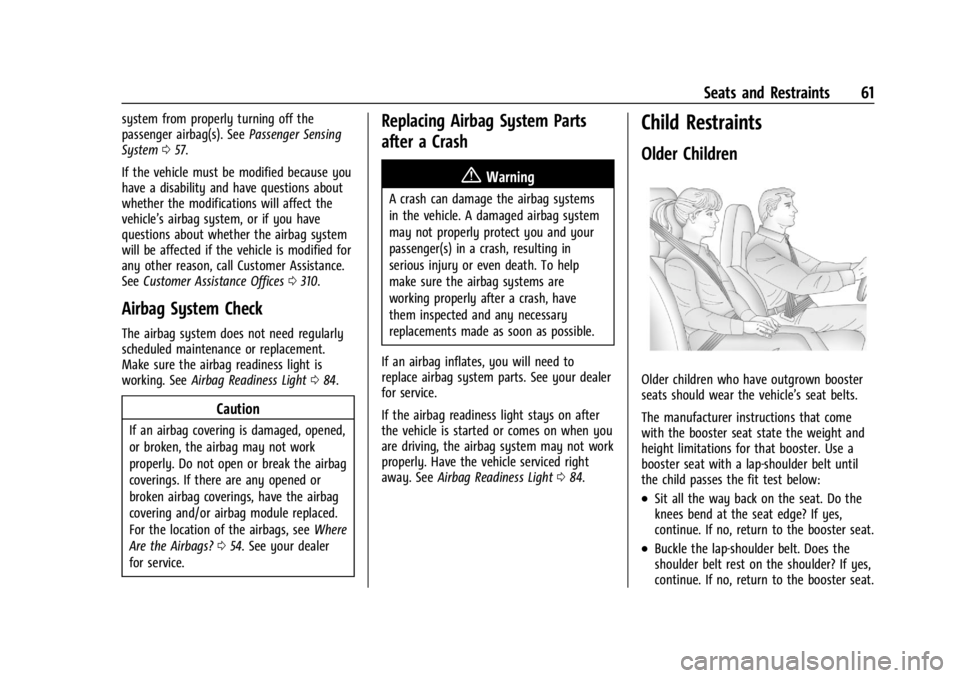
Older children who have outgrown booster
seats should wear the vehicle’s seat belts.
The manufacturer instructions that come
with the booster seat state the weight and
height limitations for that booster. Use a
booster seat with a lap-shoulder belt until
the child passes the fit test below:
.Sit all the way back on the seat. Do the
knees bend at the seat edge? If yes,
continue. If no, return to the booster seat.
.Buckle the lap-shoulder belt. Does the
shoulder belt rest on the shoulder? If yes,
continue. If no, return to the booster seat.
Page 64 of 339
Chevrolet Corvette Owner Manual (GMNA-Localizing-U.S./Canada/Mexico-
14622938) - 2021 - CRC - 9/22/20
Seats and Restraints 63
and size of the traveler changes the need,
for everyone, to use safety restraints. In
fact, the law in every state in the United
States and in every Canadian province says
children up to some age must be restrained
while in a vehicle.
{Warning
Children can be seriously injured or
strangled if a shoulder belt is wrapped
around their neck. The shoulder belt can
tighten but cannot be loosened if it is
locked. The shoulder belt locks when it is
pulled all the way out of the retractor.
It unlocks when the shoulder belt is
allowed to go all the way back into the
retractor, but it cannot do this if it is
wrapped around a child’s neck. If the
shoulder belt is locked and tightened
around a child’s neck, the only way to
loosen the belt is to cut it.
Never leave children unattended in a
vehicle and never allow children to play
with the seat belts.Every time infants and young children ride
in vehicles, they should have the protection
provided by appropriate child restraints.
Neither the vehicle's seat belt system nor its
airbag system is designed for them.
Children who are not restrained properly can
strike other people, or can be thrown out of
the vehicle.
{Warning
Never hold an infant or a child while
riding in a vehicle. Due to crash forces, an
infant or a child will become so heavy it
is not possible to hold it during a crash.
For example, in a crash at only
40 km/h (25 mph), a 5.5 kg (12 lb) infant
will suddenly become a 110 kg (240 lb)
force on a person's arms. An infant or
child should be secured in an appropriate
child restraint.
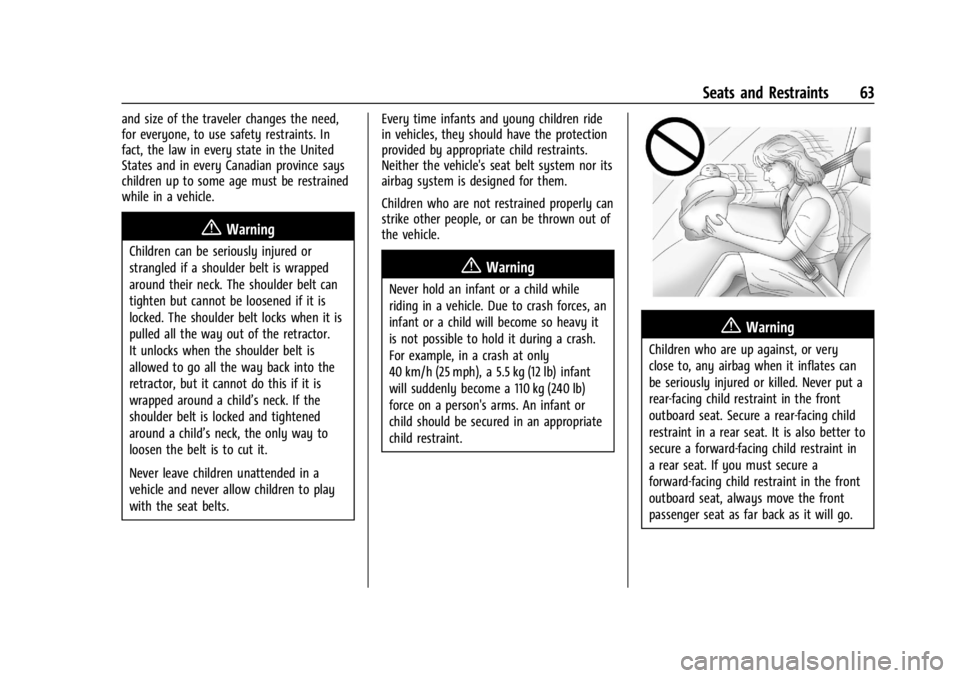
{Warning
Children who are up against, or very
close to, any airbag when it inflates can
be seriously injured or killed. Never put a
rear-facing child restraint in the front
outboard seat. Secure a rear-facing child
restraint in a rear seat. It is also better to
secure a forward-facing child restraint in
a rear seat. If you must secure a
forward-facing child restraint in the front
outboard seat, always move the front
passenger seat as far back as it will go.
Page 67 of 339
Chevrolet Corvette Owner Manual (GMNA-Localizing-U.S./Canada/Mexico-
14622938) - 2021 - CRC - 9/22/20
66 Seats and Restraints
The child restraint instructions are
important, so if they are not available,
obtain a replacement copy from the
manufacturer.
Keep in mind that an unsecured child
restraint can move around in a collision or
sudden stop and injure people in the vehicle.
Be sure to properly secure any child
restraint in the vehicle—even when no
child is in it.
In some areas of the United States and
Canada, Certified Child Passenger Safety
Technicians (CPSTs) are available to inspect
and demonstrate how to correctly use and
install child restraints. In the U.S., refer to
the National Highway Traffic Safety
Administration (NHTSA) website to locate
the nearest child safety seat inspection
station. For CPST availability in Canada,
check with Transport Canada or the
Provincial Ministry of Transportation officeSecuring the Child Within the Child
Restraint
{Warning
A child can be seriously injured or killed
in a crash if the child is not properly
secured in the child restraint. Secure the
child properly following the instructions
that came with that child restraint.
Lower Anchors and Tethers for
Children (LATCH System)
Some child restraints have a LATCH system.
As part of the LATCH system, your child
restraint may have lower attachments and/
or a top tether. The LATCH system can help
hold the child restraint in place during
driving or in a crash. Some vehicles have
lower and/or top tether anchors designed to
secure a child restraint with lower
attachments and/or a top tether.
Some child restraints with a top tether are
designed to be used whether the top tether
is anchored or not. Other child restraints
require that the top tether be anchored.
A national or local law may require that the
top tether be anchored. In Canada, the law requires that
forward-facing child restraints have a top
tether, and that the tether be attached.
Your vehicle does not have lower anchors or
top tether anchors to secure a child restraint
with the LATCH system. If a national or local
law requires that your top tether be
anchored, do not use a child restraint in this
vehicle because a top tether cannot be
properly anchored. You must use the seat
belts to secure your child restraint in this
vehicle, unless a national or local law
requires that the top tether be anchored.
Refer to the child restraint instructions and
instructions in this manual for securing a
child restraint using the vehicle's seat belts.
See
Securing Child Restraints 066.
Securing Child Restraints
This vehicle has airbags. In addition, the
vehicle has a passenger sensing system
which is designed to turn off the front
outboard passenger frontal airbag under
certain conditions. See Passenger Sensing
System 057 and
Passenger Airbag Status Indicator 085 for
more information, including important
safety information.
Page 75 of 339
Chevrolet Corvette Owner Manual (GMNA-Localizing-U.S./Canada/Mexico-
14622938) - 2021 - CRC - 9/22/20
74 Instruments and Controls
Controls
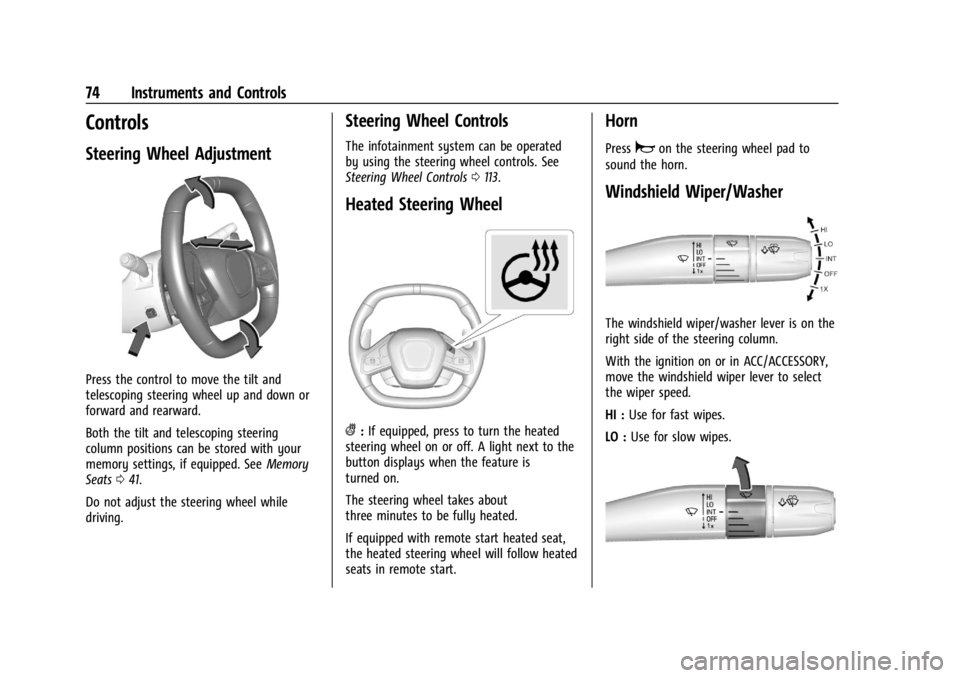
Steering Wheel Adjustment
Press the control to move the tilt and
telescoping steering wheel up and down or
forward and rearward.
Both the tilt and telescoping steering
column positions can be stored with your
memory settings, if equipped. SeeMemory
Seats 041.
Do not adjust the steering wheel while
driving.
Steering Wheel Controls
The infotainment system can be operated
by using the steering wheel controls. See
Steering Wheel Controls 0113.
Heated Steering Wheel
(:If equipped, press to turn the heated
steering wheel on or off. A light next to the
button displays when the feature is
turned on.
The steering wheel takes about
three minutes to be fully heated.
If equipped with remote start heated seat,
the heated steering wheel will follow heated
seats in remote start.
Horn
Pressaon the steering wheel pad to
sound the horn.
Windshield Wiper/Washer
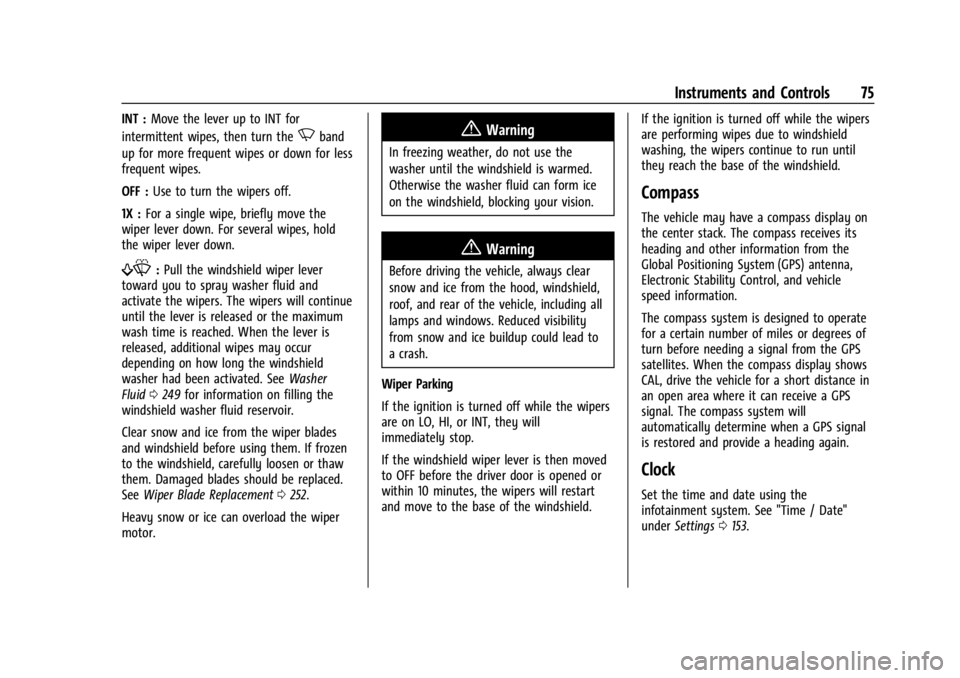
The windshield wiper/washer lever is on the
right side of the steering column.
With the ignition on or in ACC/ACCESSORY,
move the windshield wiper lever to select
the wiper speed.
HI : Use for fast wipes.
LO : Use for slow wipes.
Page 76 of 339
Chevrolet Corvette Owner Manual (GMNA-Localizing-U.S./Canada/Mexico-
14622938) - 2021 - CRC - 9/22/20
Instruments and Controls 75
INT :Move the lever up to INT for
intermittent wipes, then turn the
Nband
up for more frequent wipes or down for less
frequent wipes.
OFF : Use to turn the wipers off.
1X : For a single wipe, briefly move the
wiper lever down. For several wipes, hold
the wiper lever down.
f: Pull the windshield wiper lever
toward you to spray washer fluid and
activate the wipers. The wipers will continue
until the lever is released or the maximum
wash time is reached. When the lever is
released, additional wipes may occur
depending on how long the windshield
washer had been activated. See Washer
Fluid 0249 for information on filling the
windshield washer fluid reservoir.
Clear snow and ice from the wiper blades
and windshield before using them. If frozen
to the windshield, carefully loosen or thaw
them. Damaged blades should be replaced.
See Wiper Blade Replacement 0252.
Heavy snow or ice can overload the wiper
motor.
{Warning
In freezing weather, do not use the
washer until the windshield is warmed.
Otherwise the washer fluid can form ice
on the windshield, blocking your vision.
{Warning
Before driving the vehicle, always clear
snow and ice from the hood, windshield,
roof, and rear of the vehicle, including all
lamps and windows. Reduced visibility
from snow and ice buildup could lead to
a crash.
Wiper Parking
If the ignition is turned off while the wipers
are on LO, HI, or INT, they will
immediately stop.
If the windshield wiper lever is then moved
to OFF before the driver door is opened or
within 10 minutes, the wipers will restart
and move to the base of the windshield. If the ignition is turned off while the wipers
are performing wipes due to windshield
washing, the wipers continue to run until
they reach the base of the windshield.
Compass
The vehicle may have a compass display on
the center stack. The compass receives its
heading and other information from the
Global Positioning System (GPS) antenna,
Electronic Stability Control, and vehicle
speed information.
The compass system is designed to operate
for a certain number of miles or degrees of
turn before needing a signal from the GPS
satellites. When the compass display shows
CAL, drive the vehicle for a short distance in
an open area where it can receive a GPS
signal. The compass system will
automatically determine when a GPS signal
is restored and provide a heading again.
Clock
Set the time and date using the
infotainment system. See "Time / Date"
under
Settings 0153.
Page 77 of 339
Chevrolet Corvette Owner Manual (GMNA-Localizing-U.S./Canada/Mexico-
14622938) - 2021 - CRC - 9/22/20
76 Instruments and Controls
Power Outlets
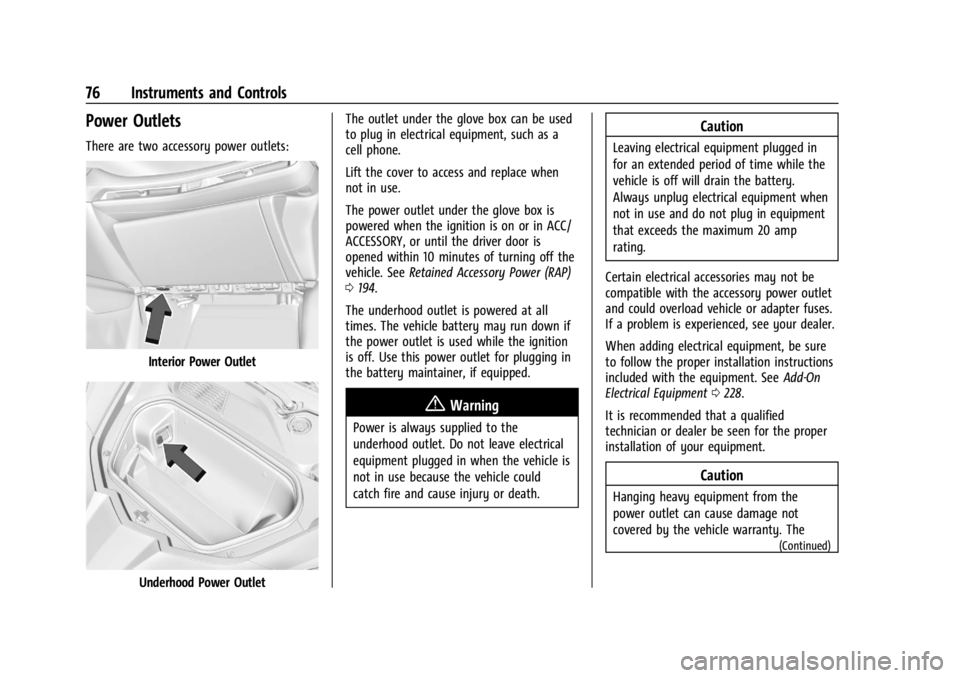
There are two accessory power outlets:
Interior Power Outlet
Underhood Power OutletThe outlet under the glove box can be used
to plug in electrical equipment, such as a
cell phone.
Lift the cover to access and replace when
not in use.
The power outlet under the glove box is
powered when the ignition is on or in ACC/
ACCESSORY, or until the driver door is
opened within 10 minutes of turning off the
vehicle. See
Retained Accessory Power (RAP)
0 194.
The underhood outlet is powered at all
times. The vehicle battery may run down if
the power outlet is used while the ignition
is off. Use this power outlet for plugging in
the battery maintainer, if equipped.
{Warning
Power is always supplied to the
underhood outlet. Do not leave electrical
equipment plugged in when the vehicle is
not in use because the vehicle could
catch fire and cause injury or death.
Caution
Leaving electrical equipment plugged in
for an extended period of time while the
vehicle is off will drain the battery.
Always unplug electrical equipment when
not in use and do not plug in equipment
that exceeds the maximum 20 amp
rating.
Certain electrical accessories may not be
compatible with the accessory power outlet
and could overload vehicle or adapter fuses.
If a problem is experienced, see your dealer.
When adding electrical equipment, be sure
to follow the proper installation instructions
included with the equipment. See Add-On
Electrical Equipment 0228.
It is recommended that a qualified
technician or dealer be seen for the proper
installation of your equipment.
Caution
Hanging heavy equipment from the
power outlet can cause damage not
covered by the vehicle warranty. The
(Continued)
Page 78 of 339
Chevrolet Corvette Owner Manual (GMNA-Localizing-U.S./Canada/Mexico-
14622938) - 2021 - CRC - 9/22/20
Instruments and Controls 77
Caution (Continued)
power outlets are designed for accessory
power plugs only, such as cell phone
charge cords.
Wireless Charging
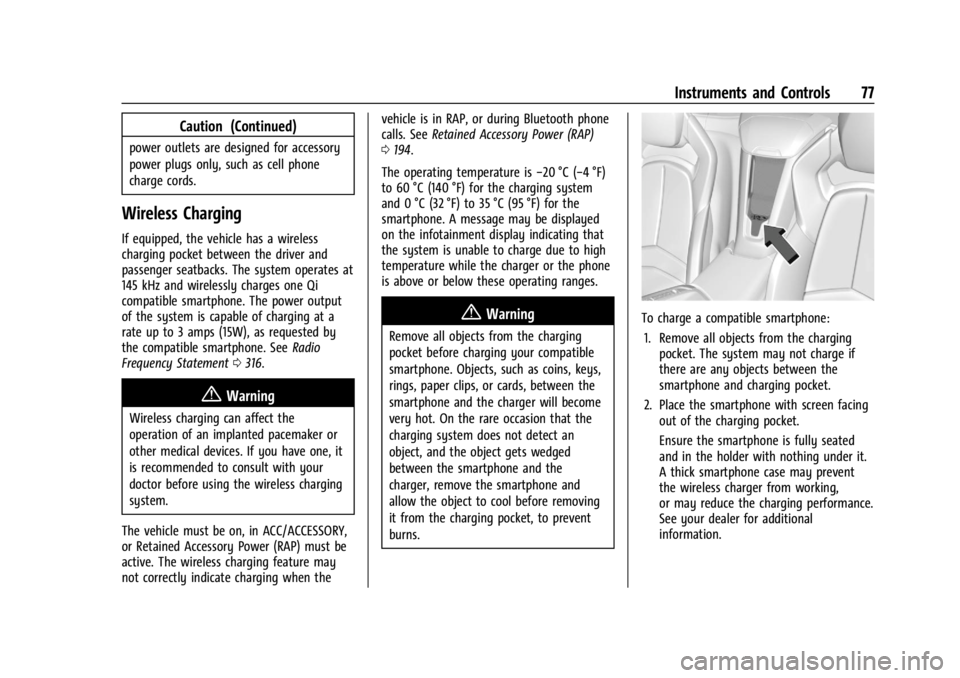
If equipped, the vehicle has a wireless
charging pocket between the driver and
passenger seatbacks. The system operates at
145 kHz and wirelessly charges one Qi
compatible smartphone. The power output
of the system is capable of charging at a
rate up to 3 amps (15W), as requested by
the compatible smartphone. SeeRadio
Frequency Statement 0316.
{Warning
Wireless charging can affect the
operation of an implanted pacemaker or
other medical devices. If you have one, it
is recommended to consult with your
doctor before using the wireless charging
system.
The vehicle must be on, in ACC/ACCESSORY,
or Retained Accessory Power (RAP) must be
active. The wireless charging feature may
not correctly indicate charging when the vehicle is in RAP, or during Bluetooth phone
calls. See
Retained Accessory Power (RAP)
0 194.
The operating temperature is −20 °C (−4 °F)
to 60 °C (140 °F) for the charging system
and 0 °C (32 °F) to 35 °C (95 °F) for the
smartphone. A message may be displayed
on the infotainment display indicating that
the system is unable to charge due to high
temperature while the charger or the phone
is above or below these operating ranges.
{Warning
Remove all objects from the charging
pocket before charging your compatible
smartphone. Objects, such as coins, keys,
rings, paper clips, or cards, between the
smartphone and the charger will become
very hot. On the rare occasion that the
charging system does not detect an
object, and the object gets wedged
between the smartphone and the
charger, remove the smartphone and
allow the object to cool before removing
it from the charging pocket, to prevent
burns.
To charge a compatible smartphone:
1. Remove all objects from the charging pocket. The system may not charge if
there are any objects between the
smartphone and charging pocket.
2. Place the smartphone with screen facing out of the charging pocket.
Ensure the smartphone is fully seated
and in the holder with nothing under it.
A thick smartphone case may prevent
the wireless charger from working,
or may reduce the charging performance.
See your dealer for additional
information.
Page 80 of 339
Chevrolet Corvette Owner Manual (GMNA-Localizing-U.S./Canada/Mexico-
14622938) - 2021 - CRC - 9/22/20
Instruments and Controls 79
Warning Lights, Gauges, and
Indicators
Warning lights and gauges can signal that
something is wrong before it becomes
serious enough to cause an expensive repair
or replacement. Paying attention to the
warning lights and gauges could prevent
injury.
Some warning lights come on briefly when
the engine is started to indicate they are
working. When one of the warning lights
comes on and stays on while driving,
or when one of the gauges shows there
may be a problem, check the section that
explains what to do. Waiting to do repairs
can be costly and even dangerous.
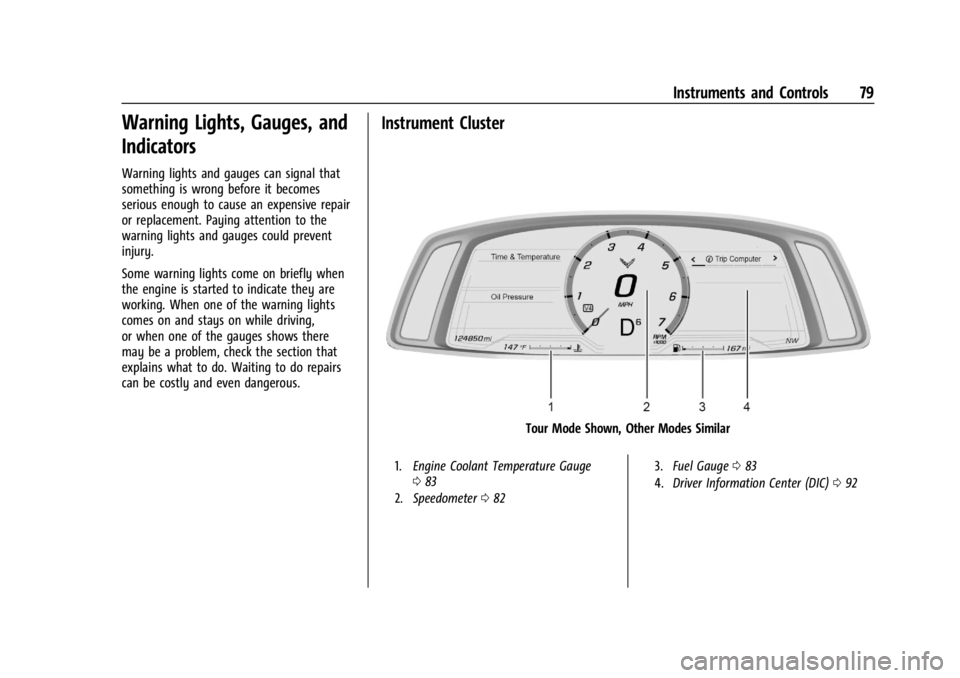
Instrument Cluster
Tour Mode Shown, Other Modes Similar
1.Engine Coolant Temperature Gauge
083
2. Speedometer 082 3.
Fuel Gauge 083
4. Driver Information Center (DIC) 092
Page 82 of 339
Chevrolet Corvette Owner Manual (GMNA-Localizing-U.S./Canada/Mexico-
14622938) - 2021 - CRC - 9/22/20
Instruments and Controls 81
Battery Voltage :Shows the current battery
voltage.
Transmission Fluid Temperature : Shows the
temperature of the transmission fluid in
either degrees Celsius (°C) or degrees
Fahrenheit (°F).
Tire Status : Shows individual tire pressures
and overall temperature as either Cold, Cool,
Normal, Warm, or Hot. Normal is typical for
normal driving while Warm is typical for
aggressive driving. Unknown may be
displayed if tire temperature information is
unavailable.
eLSD (Z51 Only) : Displays the amount of
rear differential coupling when the Electronic
Limited-Slip Differential (eLSD) is active and
functioning during vehicle operation.
A reading of 1% is an open differential and
100% is locked. It is normal for the value to
make small or large changes due to driving
conditions and driver inputs. See Limited-Slip
Differential (without Z51) 0217 or
Limited-Slip Differential (with Z51) 0217.
Front Lift : During a driver requested Front
Lift (if equipped), the driver may
"remember" using the
S, or dismiss the
display by pressing the thumbwheel. When
the Front Lift is Raised due to location, the driver may delete that stored location using
the
S, or dismiss the display by pressing
the thumbwheel.
See Front Lift System 0213.
Audio
In the Audio menu, use the thumbwheel to
scroll through audio presets.
Options
Use the thumbwheel to scroll through items
in the Options menu.
Units
Press the thumbwheel while Units is
displayed to enter the Units menu. Choose
US or metric units by pressing the
thumbwheel while the desired item is
highlighted. A selected mark will be
displayed next to the selected item.
Display Themes
Press the thumbwheel to enter the Display
menu. There are six instrument cluster
display configurations to choose from. Sport,
Tour, Track, Weather, My Mode, and
Z-Mode. The style of the cluster will change
depending on the theme selected. Default is linked to Driver mode. Other
display themes can be set
If in Z-Mode or My Mode then those
displays plus HUD (if equipped) can be set.
.Sport/Z-Mode: Displays Coolant
Temperature, Fuel Gauge, Compass, Drive
Mode Indicator, Odometer, Speed,
Tachometer, Electronic Transmission
Range, Current Gear, Active Fuel
Management (AFM), Peak Performance,
Performance Shift Lights, Speed Limit, Info
Area, and Interaction Area.
.Tour/Weather/My Mode: Displays Coolant
Temperature, Fuel Gauge, Compass, Drive
Mode Indicator, Odometer, Speed,
Tachometer, Electronic Transmission
Range, Current Gear, Active Fuel
Management (AFM), Peak Performance,
Speed Limit, Info Area, and
Interaction Area.
.Track: Displays Coolant Temperature, Fuel
Gauge, Performance Traction
Management, Drive Mode Indicator,
Speed, Tachometer, Electronic
Transmission Range, Current Gear, Info
Area, and Interactive Area.
Page 84 of 339
Chevrolet Corvette Owner Manual (GMNA-Localizing-U.S./Canada/Mexico-
14622938) - 2021 - CRC - 9/22/20
Instruments and Controls 83
Caution
If the engine is operated with the rpm in
the warning area at the high end of the
tachometer, the vehicle could be
damaged, and the damage would not be
covered by the vehicle warranty. Do not
operate the engine with the rpm in the
warning area.
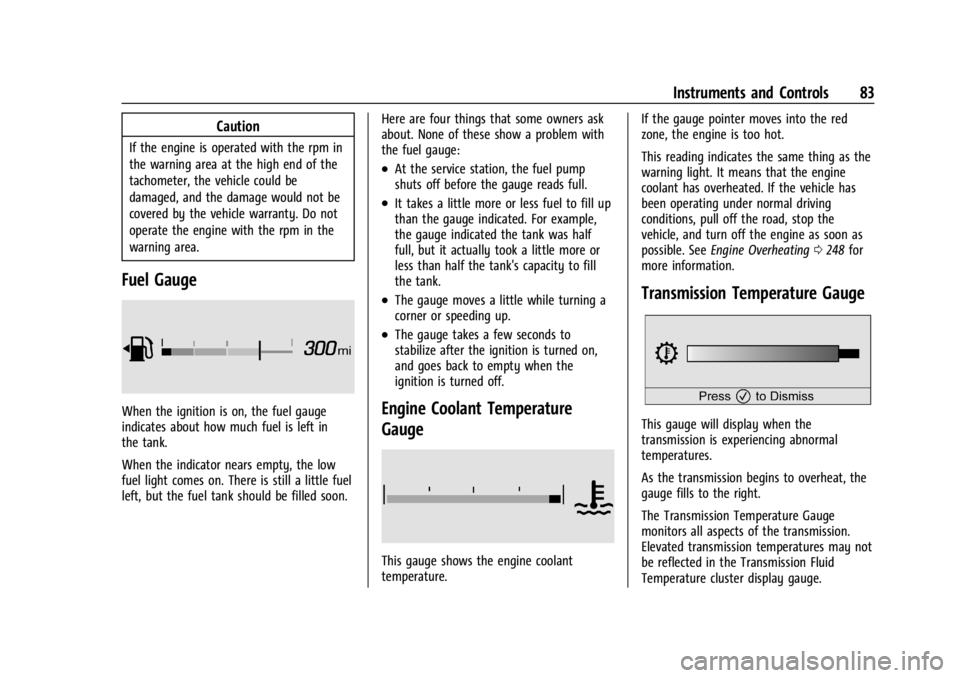
Fuel Gauge
When the ignition is on, the fuel gauge
indicates about how much fuel is left in
the tank.
When the indicator nears empty, the low
fuel light comes on. There is still a little fuel
left, but the fuel tank should be filled soon.Here are four things that some owners ask
about. None of these show a problem with
the fuel gauge:
.At the service station, the fuel pump
shuts off before the gauge reads full.
.It takes a little more or less fuel to fill up
than the gauge indicated. For example,
the gauge indicated the tank was half
full, but it actually took a little more or
less than half the tank's capacity to fill
the tank.
.The gauge moves a little while turning a
corner or speeding up.
.The gauge takes a few seconds to
stabilize after the ignition is turned on,
and goes back to empty when the
ignition is turned off.
Engine Coolant Temperature
Gauge
This gauge shows the engine coolant
temperature.If the gauge pointer moves into the red
zone, the engine is too hot.
This reading indicates the same thing as the
warning light. It means that the engine
coolant has overheated. If the vehicle has
been operating under normal driving
conditions, pull off the road, stop the
vehicle, and turn off the engine as soon as
possible. See
Engine Overheating 0248 for
more information.
Transmission Temperature Gauge
This gauge will display when the
transmission is experiencing abnormal
temperatures.
As the transmission begins to overheat, the
gauge fills to the right.
The Transmission Temperature Gauge
monitors all aspects of the transmission.
Elevated transmission temperatures may not
be reflected in the Transmission Fluid
Temperature cluster display gauge.